Quick Cart Shopping – Floating Cart & Instant Checkout for WooCommerce
| 开发者 |
giantwpsolutions
developerhabib |
|---|---|
| 更新时间 | 2026年7月29日 02:13 |
| PHP版本: | 8.3 及以上 |
| WordPress版本: | 7.0 |
| 版权: | GPLv2 or later |
| 版权网址: | 版权信息 |
详情介绍:
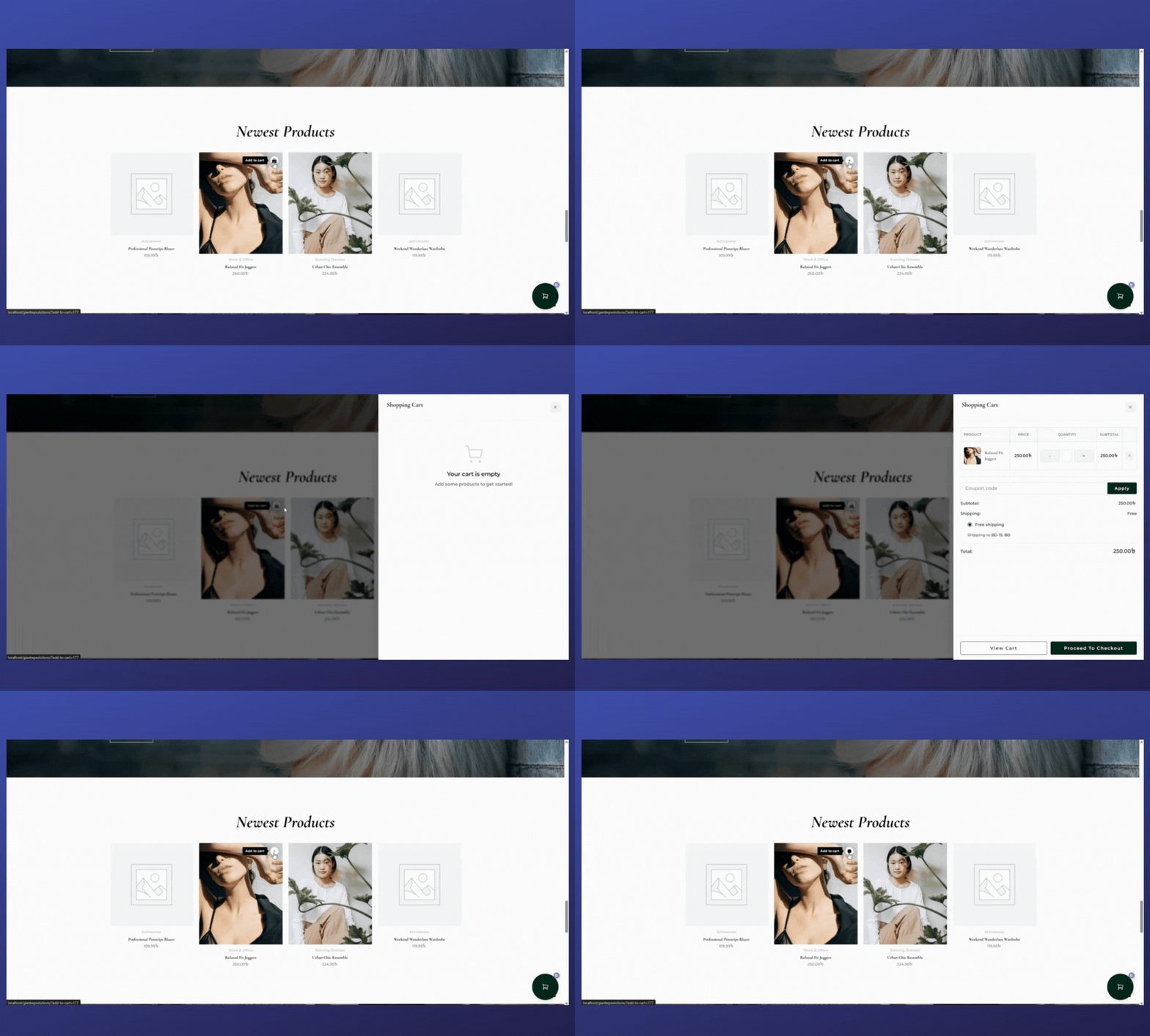
- Floating Cart Icon – Works on every page of your site. Your customers never lose sight of their cart.
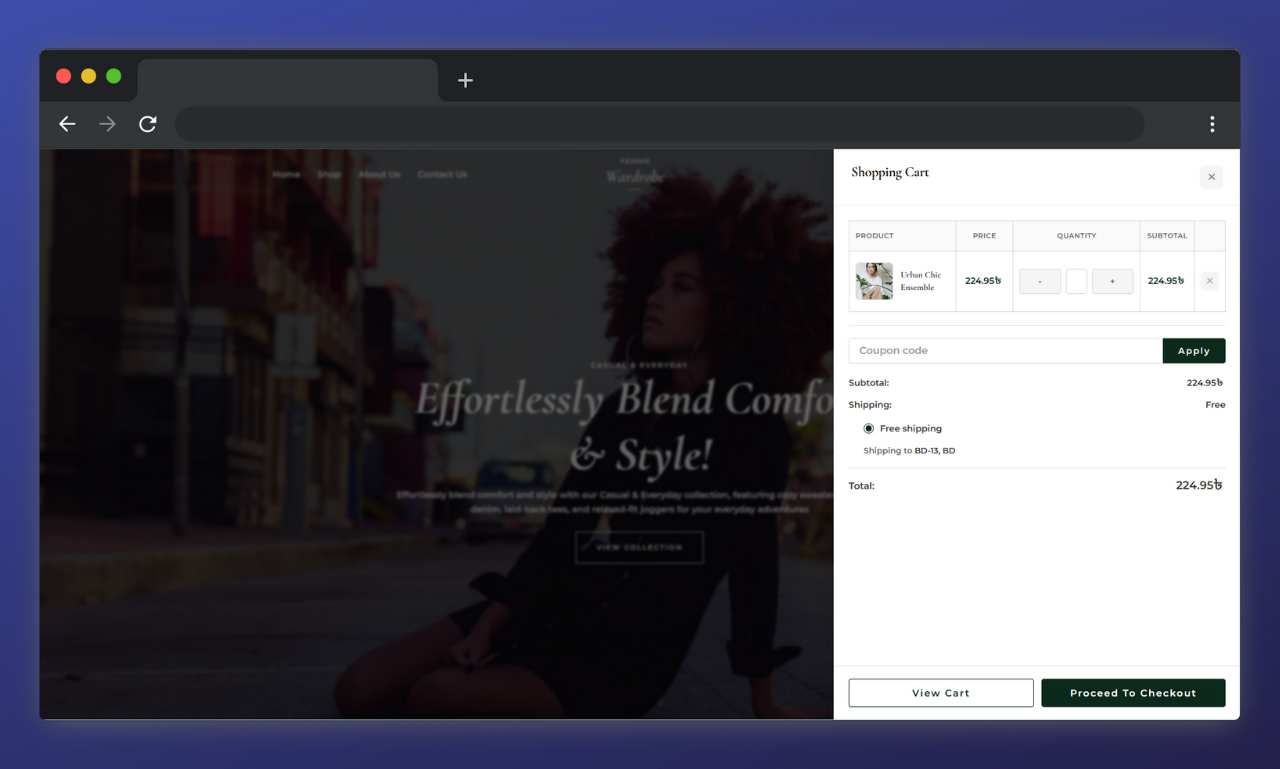
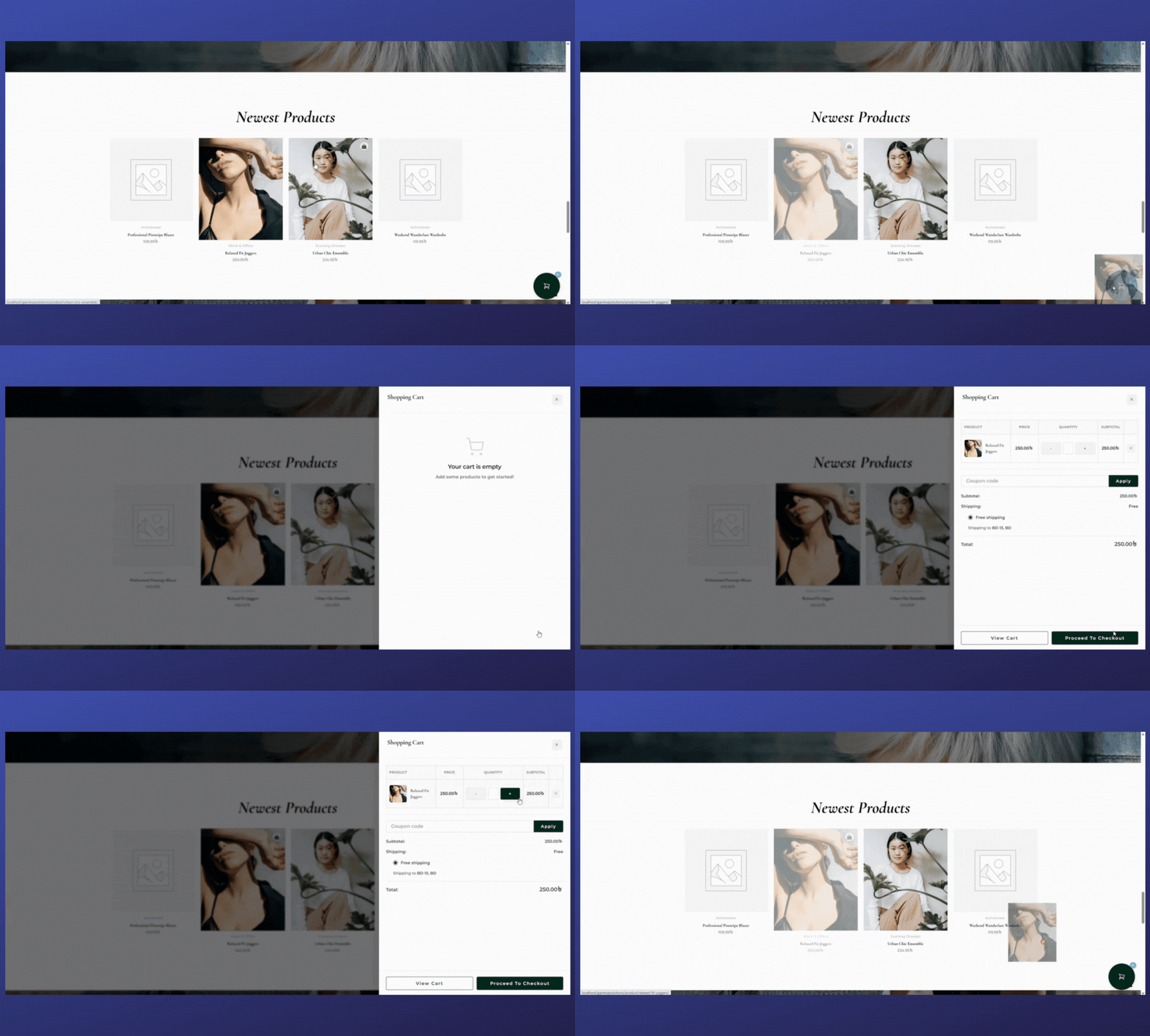
- Side Cart & Popup Cart – Choose the layout that fits your store's vibe. Both look amazing.
- Free Shipping Progress Bar 🆕 – A sticky bar at the top of the page (and inside the cart) shows customers exactly how close they are to free shipping. Updates live as they shop.
- Drag & Drop Magic – Let customers drag products straight into the cart. Seriously, try it—it's satisfying.
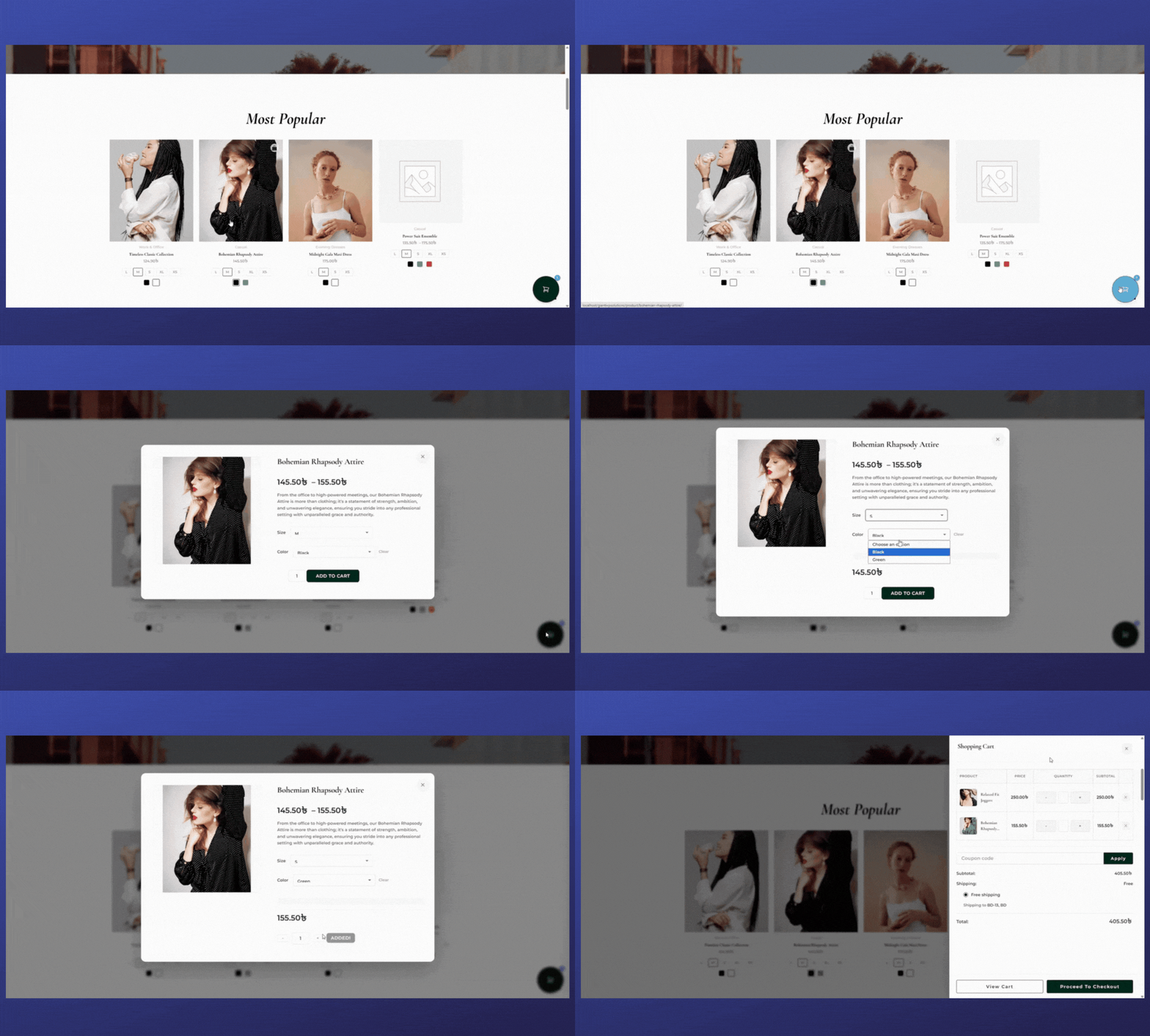
- Smart Variation Handling – Variable products open in a popup so customers can pick the exact option they want.
- AJAX Updates – Everything happens instantly. No page reloads, no waiting, no frustration.
- Works Everywhere – Home page, shop page, product page—it doesn't matter. The cart follows them.
- Lightning Fast – We obsessed over performance. This plugin won't slow down your site.
- Works with Any Theme – Whether you're using Astra, Kadence, or a custom theme, it just works.
- Multi-Step Checkout in Cart – Complete the entire checkout process without leaving the cart. Fewer clicks = more sales.
- Smart Upsells – Show related products right inside the cart to increase average order value.
- Custom Checkout Fields – Add special instructions, gift messages, or any custom field you need.
- Advanced Styling Options – Make the cart match your brand perfectly with full customization controls.
- Priority Support – Get help fast when you need it.
- Faster shopping experience (customers love not waiting for page loads)
- Lower cart abandonment rates (fewer steps = fewer opportunities to leave)
- Higher engagement (interactive features like drag & drop keep people interested)
- Better mobile experience (the floating cart is perfect for small screens)
- Increased conversions (removing friction from checkout always helps sales)
- Fashion and apparel stores
- Electronics shops
- Handmade and craft stores
- Dropshipping stores
- Any WooCommerce store that wants happier customers and more sales
安装:
- Go to your WordPress dashboard
- Navigate to Plugins → Add New
- Search for "Quick Cart Shopping"
- Click "Install Now" and then "Activate"
- That's it! The floating cart will appear automatically on your site
- Download the plugin ZIP file
- Go to Plugins → Add New → Upload Plugin
- Choose the ZIP file and click "Install Now"
- Activate the plugin
- You're done! No configuration needed to start using it
- Go to WooCommerce → Quick Cart Shopping (or look for it in your admin menu)
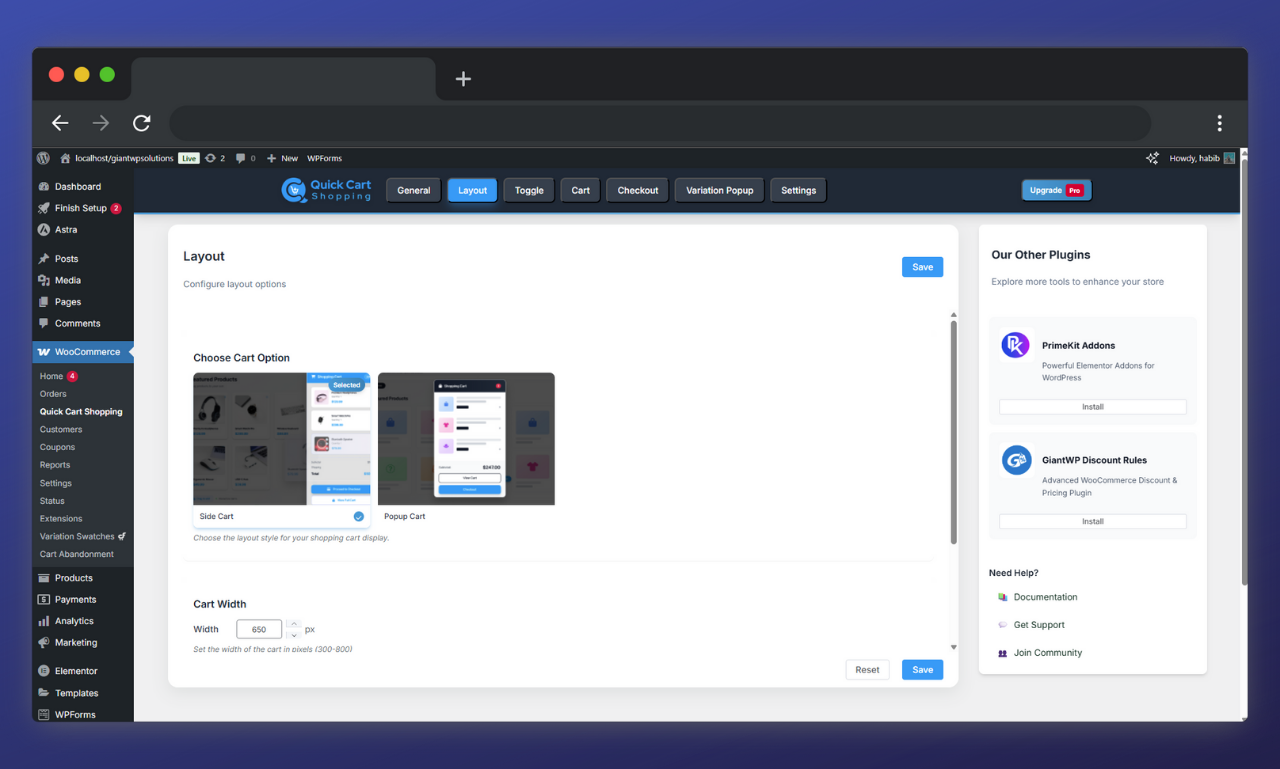
- Choose between side cart or popup cart layout
- Adjust colors and positioning if you want (or leave the defaults—they look great)
- Save changes and test it on your site
屏幕截图:
常见问题:
Will this work with my theme?
Yes! We've tested it with dozens of popular themes including Astra, Kadence, OceanWP, Storefront, and more. It's designed to work independently of your theme's cart template, so compatibility is never an issue.
Does it work with variable products?
Absolutely. When someone tries to add a variable product (like a shirt with different sizes), a popup appears where they can select the exact variation they want. No guesswork, no mistakes.
Can I use both side cart and popup cart?
You can switch between them anytime, but only one layout is active at a time. Choose the one that fits your store's design best.
Will this slow down my website?
Not at all. We're a bit obsessed with performance. The plugin only loads the necessary assets on pages where they're needed, and the code is optimized to be as lightweight as possible. Your site speed won't suffer.
Is drag and drop really necessary?
Necessary? Maybe not. Awesome? Absolutely. It's one of those features that makes shopping feel modern and interactive. Customers love it, and it sets your store apart.
Does it work on mobile?
Yes! In fact, the floating cart experience is even better on mobile. The side cart or popup appears perfectly sized for small screens, making mobile checkout smooth and easy.
Can I customize the colors and styling?
The free version includes basic styling options that match most themes automatically. The Pro version gives you full control over colors, fonts, and layout customization.
Is checkout included in the free version?
The free version shows your cart beautifully and lets customers manage their items. For full multi-step checkout inside the cart (so they never leave the page), you'll need the Pro version.
What about shipping calculations?
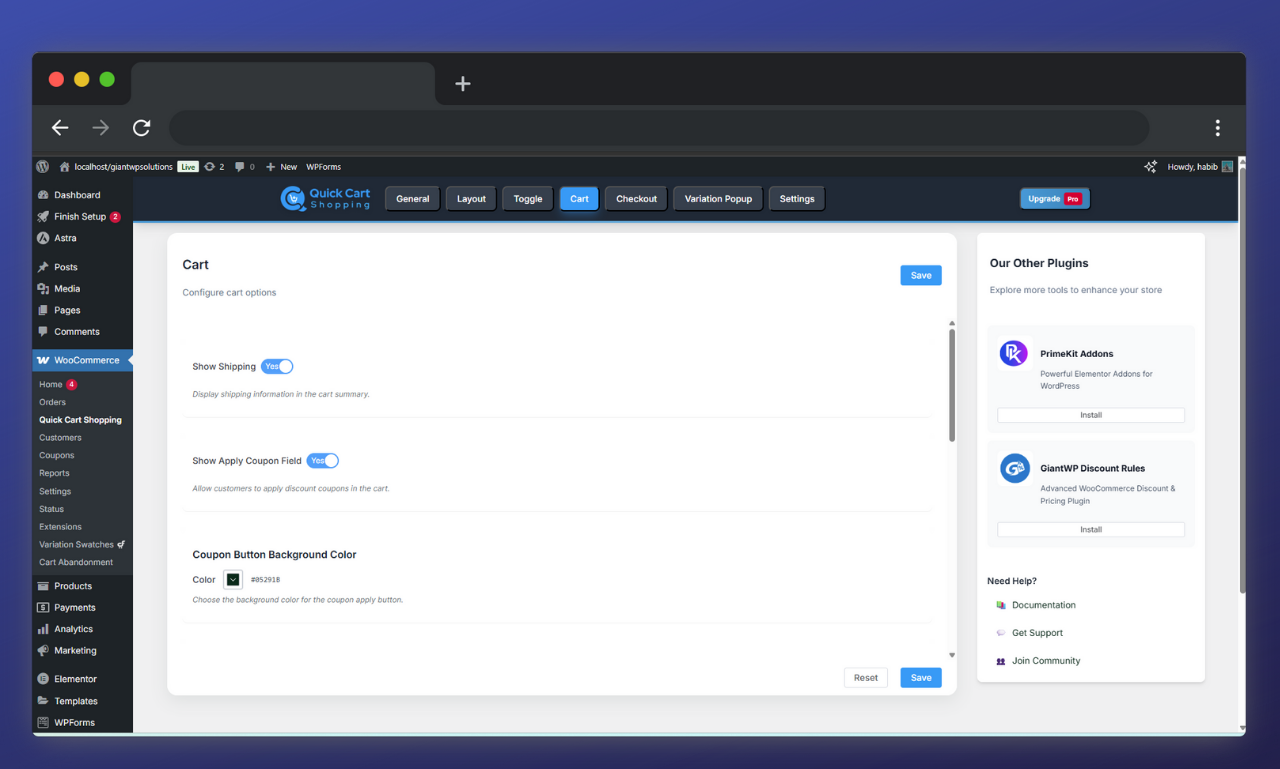
The cart shows shipping options just like the regular WooCommerce cart. If you have shipping zones and methods set up, they'll appear in the floating cart automatically.
Does it work with coupons?
Yes! Customers can apply discount codes directly in the floating cart.
What if I need help?
We've got you covered. Check out our documentation at giantwpsolutions.com, or use the WordPress support forum. Pro users get priority email support.
Can I translate it to my language?
Yes! The plugin is translation-ready and works with WPML, Polylang, and other translation plugins.
更新日志:
- Updated: Minimum PHP requirement raised to 8.3
- Updated: Class constant visibility updated to public for PHP 8.3 best practice
- Added 🆕: Free Shipping Bar sticky bar now always visible — shows the full threshold amount even when cart is empty, so customers know the goal before they start shopping
- Updated: Minimum PHP version raised to 8.0
- Tested: Tested up to WordPress 7.0
- New: Free Shipping Progress Bar — shows a live progress bar at the top of the page and inside the cart, motivating customers to reach the free shipping threshold
- New: Cart header background and text color can now be customized from Layout settings
- New: Separate width controls for Side Cart and Popup Cart
- Improved: Cart panel UI refreshed — shipping and subtotal labels are now bolder and cleaner, cart items now have a clear visual separator for better readability
- Improved: Upsell variable products now correctly open the variation popup
- Improved: Default colors updated to blue across all settings for a cleaner out-of-box look
- Improved: Cart toggle icon default size reduced to 45px
- Fixed: Variation Swatches toggle was not saving
- Fixed: Upsell product images were not displaying in some cases
- Fixed: View Cart button color setting was not applying
- Fixed CSS conflicts with some themes
- Performance optimizations for faster loading
- Fixed CSS conflicts with some themes
- Performance optimizations for faster loading
- Improved compatibility with latest WooCommerce version
- Fixed minor CSS conflicts with some themes
- Performance optimizations for faster loading
- Updated translation files
- Initial release
- Floating cart with side cart and popup layouts
- Drag and drop cart functionality
- Smart variation product handling
- AJAX cart updates
- Full WooCommerce compatibility