
Quick Top and WP Dark Mode
| 开发者 | tanvirh |
|---|---|
| 更新时间 | 2026年11月8日 18:03 |
| 捐献地址: | 去捐款 |
| PHP版本: | 7.4 及以上 |
| WordPress版本: | 7.1 |
| 版权: | GPLv2 or later |
| 版权网址: | 版权信息 |
详情介绍:
Quick Top and WP Dark Mode helps visitors move around your site faster and browse more comfortably at night.
It gives you a fully customizable floating Back to Top button and a complete site-wide Dark Mode experience. Everything is managed from one modern settings screen with live preview.
Scroll to Top Button
Add a floating back-to-top control that appears after visitors scroll down the page.
- Enable or disable the button anytime
- Choose when it appears with scroll distance
- Pick corner position: bottom-right, bottom-left, top-right, or top-left
- Control size, padding, margin, and border radius
- Customize icon color and background color
- Enable or hide the button on mobile devices
- Upload PNG or SVG from the WordPress Media Library
- Replace or remove the custom icon anytime
- Custom icon overrides the built-in Font Awesome icon
- Live preview updates instantly when you change the icon
- Arrow Up / Down / Left / Right
- Chevron Up / Down / Left / Right
- Icon, custom image, colors, size, and radius update live
- Preview panel mimics a mini browser stage
- Saves time while designing the perfect button look
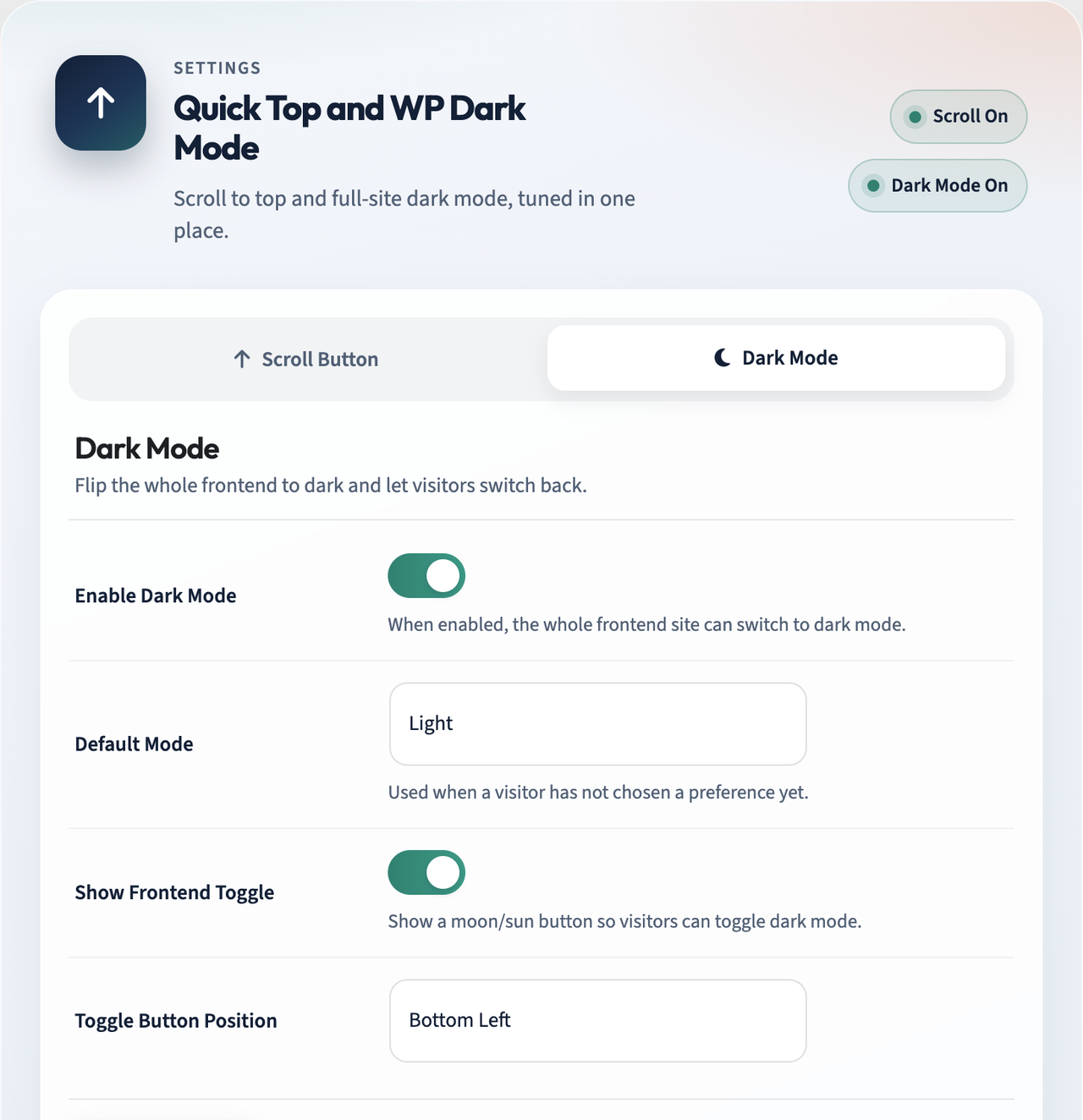
- Enable or disable Dark Mode site-wide
- Choose default mode: Light, Dark, or Follow System
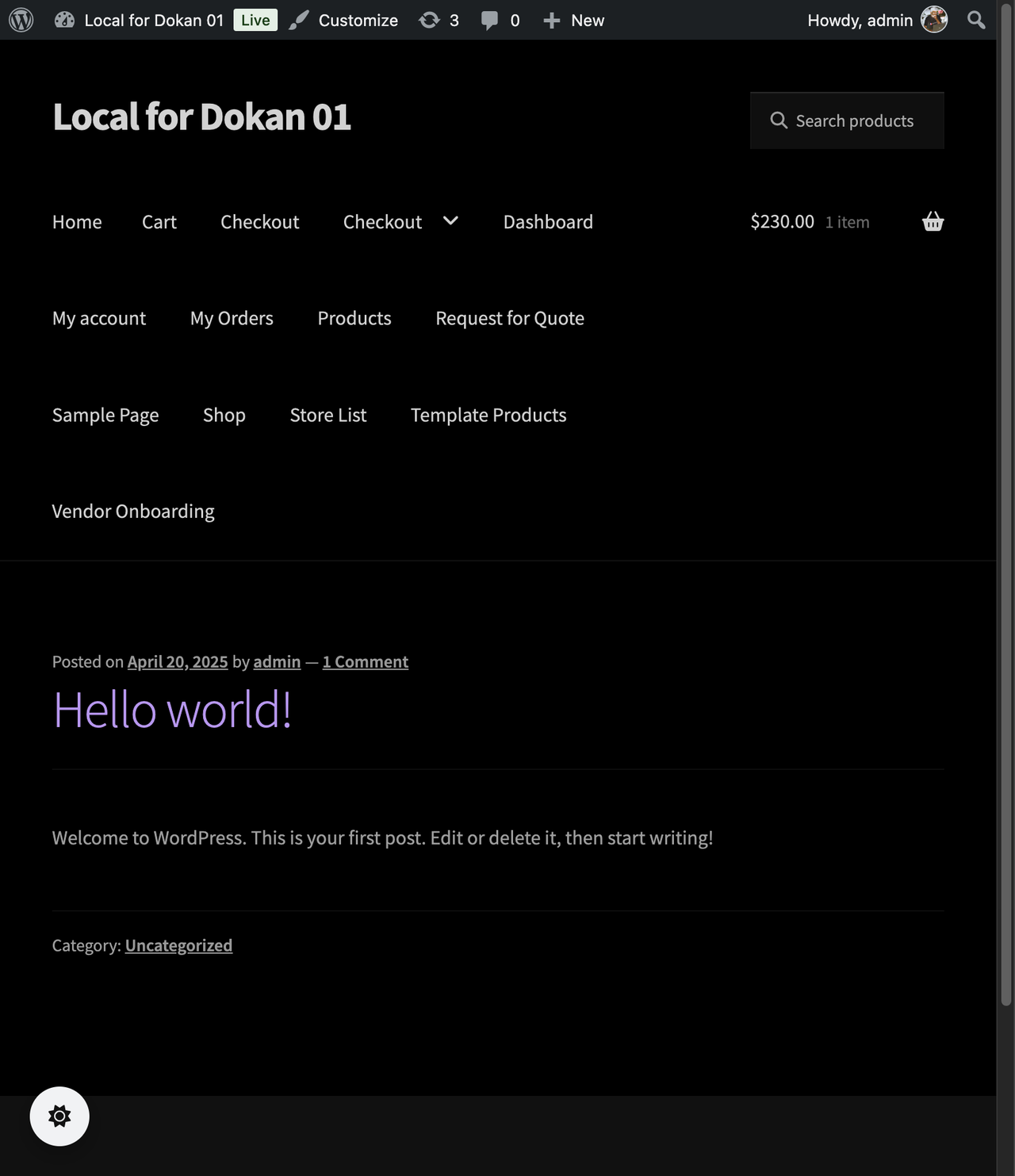
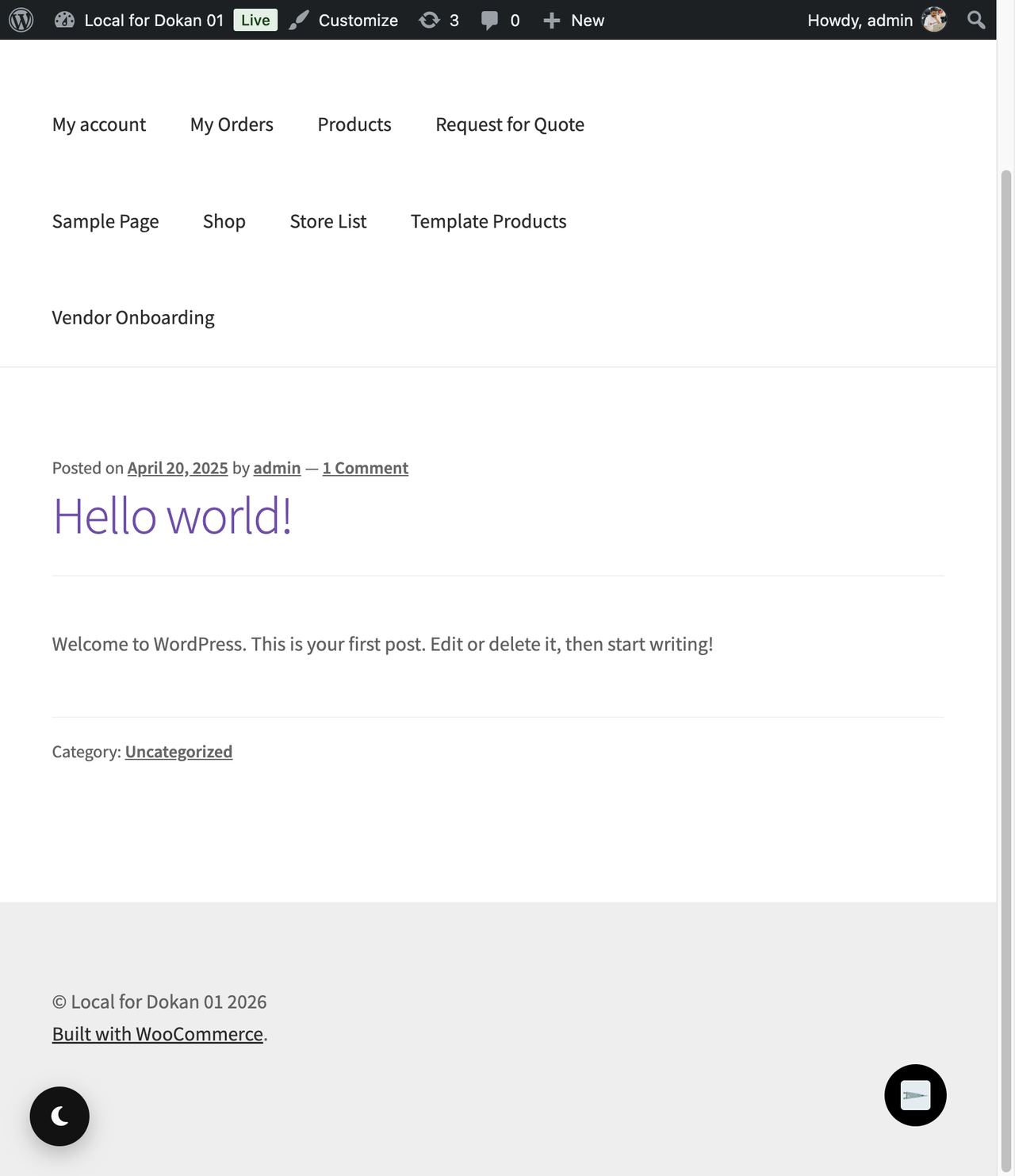
- Show a floating moon/sun toggle for visitors
- Place the dark-mode toggle in any corner
- Remembers visitor preference in browser local storage
- Applies dark mode across the whole page, including theme UI
- Scroll Button tab for back-to-top controls
- Dark Mode tab for night-mode options
- Status pills show whether Scroll and Dark Mode are On/Off
- Designed for fast setup without clutter
- Blogs and content sites with long pages
- WooCommerce / Dokan stores
- Brands that want a custom scroll icon
- Sites that need a visitor-friendly dark theme
安装:
- Upload the
quick-topfolder to/wp-content/plugins/, or install via Plugins → Add New. - Activate Quick Top and WP Dark Mode from the Plugins screen.
- Go to Quick Top in the WordPress admin menu.
- Configure the Scroll Button and Dark Mode tabs.
- Click Save Changes.
屏幕截图:
常见问题:
Can I upload my own icon?
Yes. Use the Custom Icon field to upload a PNG or SVG. That custom file will replace the Font Awesome icon.
Does Dark Mode work with any theme?
Yes. Dark Mode is applied across the frontend so it works with most WordPress themes and page builders. Images and media are handled so they stay visually natural.
Can visitors turn dark mode on and off?
Yes. Enable Show Frontend Toggle and visitors get a floating moon/sun button. Their choice is remembered for later visits.
Can I hide the scroll button on mobile?
Yes. Turn off Enable on Mobile in the Scroll Button settings.
Where do I find the settings?
Open Quick Top from the left admin menu.
更新日志:
1.4.0
- Refreshed WordPress.org banner, icon, and screenshots
- Added GitHub Actions deploy so publishing a GitHub Release updates WordPress.org
- Confirmed packaging for future automated releases
- Confirmed compatibility with WordPress 7.1.x
- Updated plugin headers (Requires at least, Requires PHP, Domain Path)
- Added modern register_setting sanitize callback
- Load front-end assets only when features are enabled
- Use deferred script loading strategy where supported
- Added custom PNG/SVG icon upload for the scroll button
- Custom icons override Font Awesome presets
- Improved frontend button markup and scroll behavior
- Allowed SVG uploads for administrators
- Renamed plugin to Quick Top and WP Dark Mode
- Updated branding across settings and documentation
- Redesigned modern settings page with tabs and live preview
- Improved admin UI layout and status indicators
- Added full-site WP Dark Mode
- Added frontend moon/sun toggle with saved preference
- Added Light / Dark / Follow System defaults
- Initial release with customizable scroll-to-top button