QuickLinks Manager by Press.Zone
| 开发者 | resite |
|---|---|
| 更新时间 | 2026年4月26日 20:59 |
| PHP版本: | 7.0 及以上 |
| WordPress版本: | 6.9 |
| 版权: | GPLv2 or later |
| 版权网址: | 版权信息 |
详情介绍:
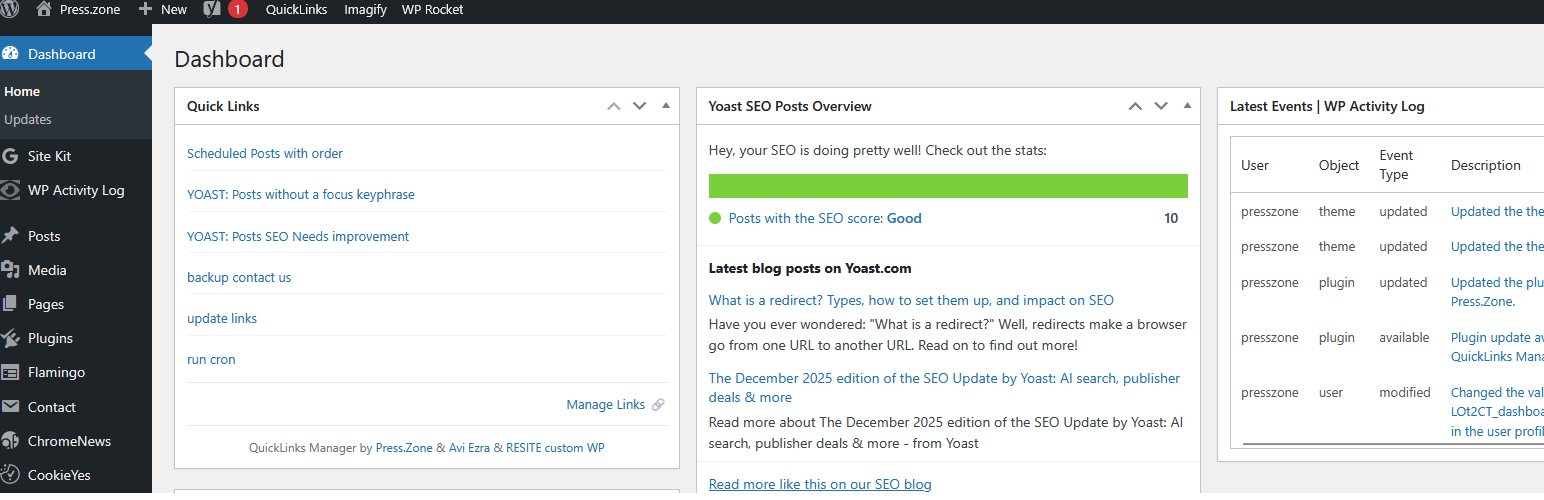
QuickLinks Manager by Press.Zone is a powerful plugin designed to simplify navigation in the WordPress dashboard. It allows users to create a customizable widget on the dashboard screen with their chosen quick links. This functionality is particularly useful for frequent tasks, like accessing draft posts. The plugin offers full control over link selection with import and export options, making it ideal for managing multiple sites or setting up client websites with custom navigation paths.
Key Features:
- Dashboard widget displaying your custom quick links
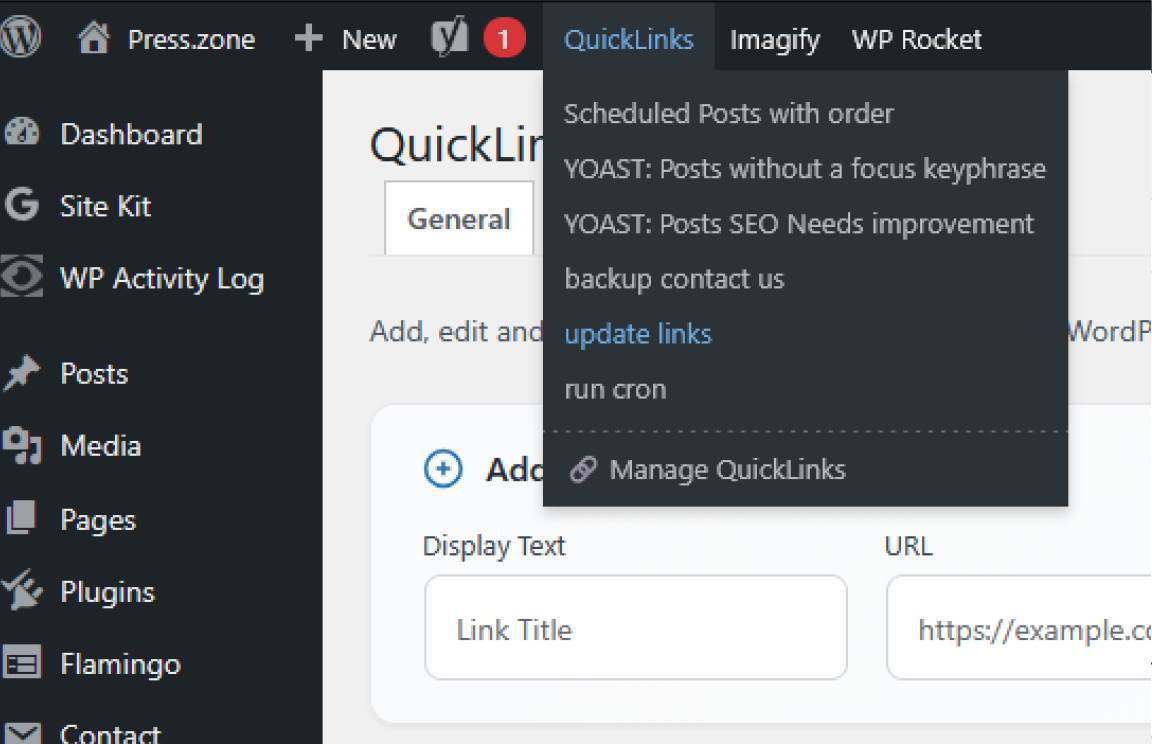
- Admin Bar integration with Quick Links dropdown menu
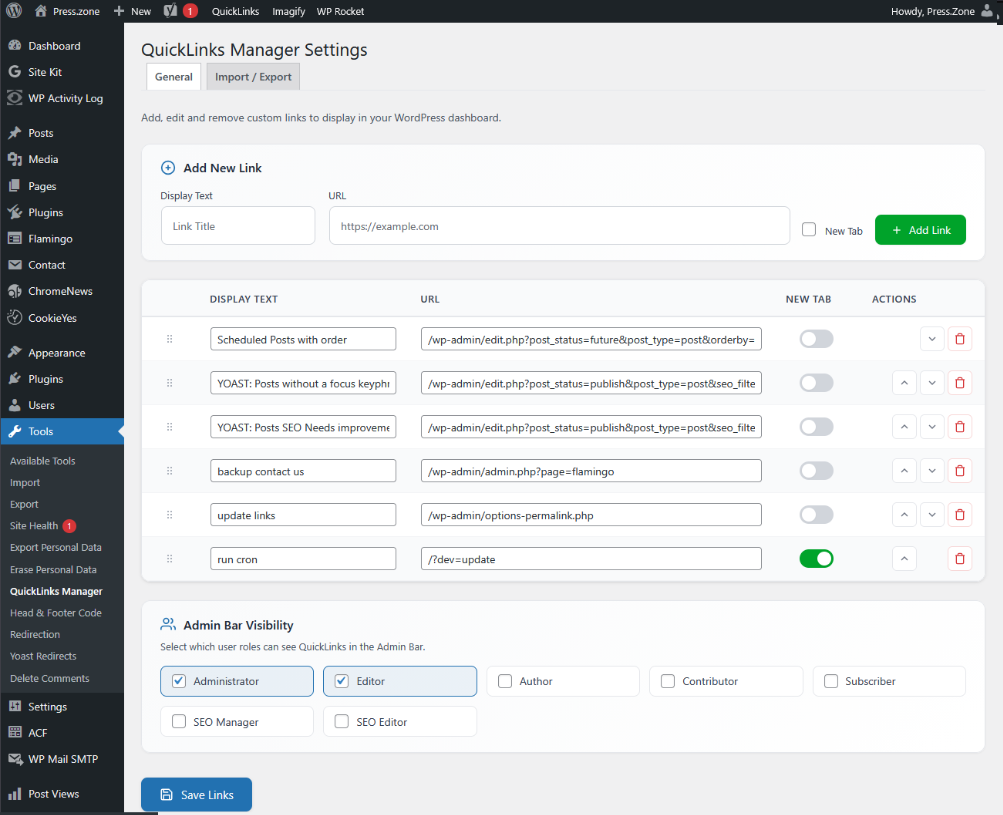
- Drag-and-drop reordering of links
- Role-based access control for Admin Bar visibility
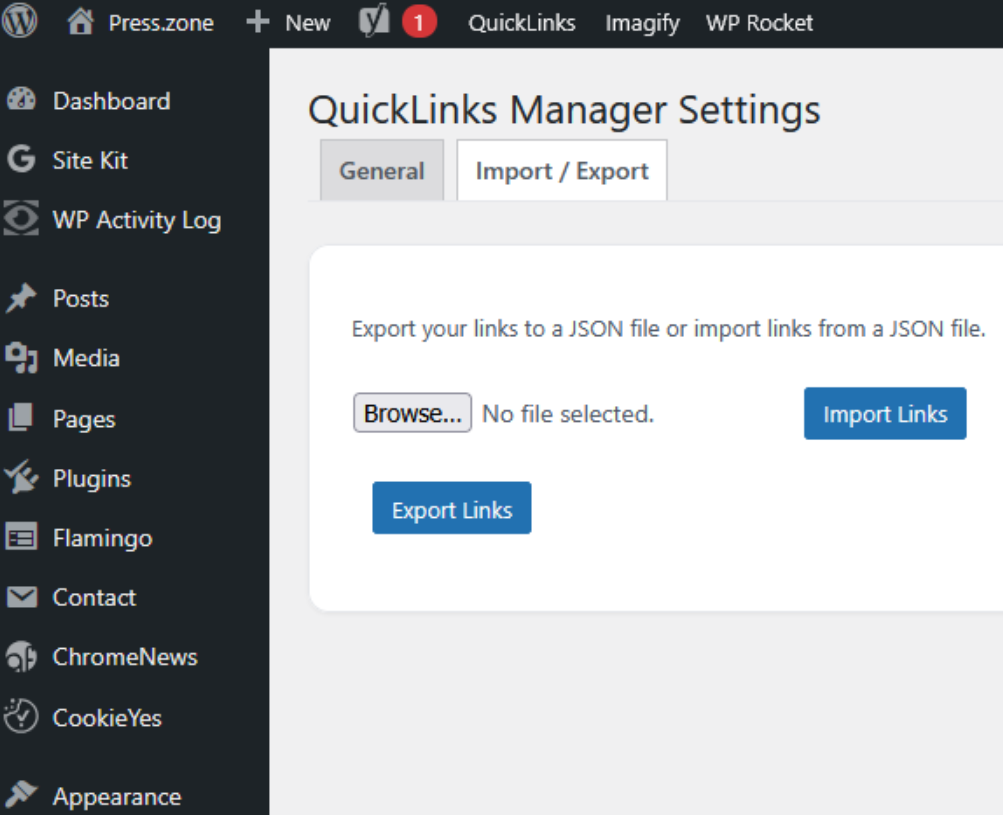
- Import/Export functionality for easy migration
- Modern, responsive settings interface
- Open links in new tab option
安装:
- Upload
quicklinks-managerto the/wp-content/plugins/directory. - Activate the plugin through the 'Plugins' menu in WordPress.
- Go to Tools > QuickLinks Manager to add and configure your quick links.
屏幕截图:
常见问题:
Can I export my quick links settings?
Yes, QuickLinks Manager supports exporting settings to a JSON file for easy import into another site.
Is there a limit to the number of quick links I can add?
No, you can add as many quick links as you need.
Can I control who sees the Quick Links in the Admin Bar?
Yes, version 2.0.0 introduced role-based access control. You can select which user roles can see the Quick Links menu in the Admin Bar from the settings page.
How do I reorder my links?
You can drag and drop links to reorder them, or use the up/down arrow buttons in the Actions column.
更新日志:
2.1.2 - 2024-12-21
- Screenshots update
- Hotfix: Rolled back core logic to stable v2.0.0 architecture.
- Added "Manage Links" shortcut to Admin Bar dropdown.
- Restored original widget credits with Resite.pro attribution.
- New modern settings UI with card-based layout.
- Added drag-and-drop reordering for links using jQuery UI Sortable.
- Added role-based access control for Admin Bar and Dashboard Widget visibility.
- Added move up/down buttons for link ordering.
- Added "Manage QuickLinks" link in Admin Bar dropdown.
- Improved input sanitization with dedicated sanitize function.
- Enhanced empty state display.
- Updated JavaScript for better UX with loading states.
- Security improvements with proper nonce verification and capability checks.
- Tested compatibility with WordPress version 6.6.2 to ensure stability and performance.
- Enhanced security through improved input sanitization and validation.
- Translated code comments from Hebrew to English for consistency.
- Fixed AJAX action names to resolve
Bad Requesterrors. - Cleaned up debugging logs for production readiness.
- Standardized function names and AJAX actions to match plugin slug.
- Ensured adherence to WordPress coding standards, including prefixes and text domains.
- Enhanced import/export features with JSON validation and Base64 encoding/decoding.
- Added file type validation for JSON imports.
- Escaped all output to meet WordPress security standards.
- Added version numbers to enqueued scripts to prevent caching issues.
- Integrated custom quick links in the admin bar under "QuickLinks."
- Added "QuickLinks" dropdown in the WordPress admin bar.
- Improved security by sanitizing inputs and verifying AJAX nonces.
- Optimized JSON import with
btoaencoding. - Enhanced user experience with updated UI interactions.