Quiet Admin – Hide Admin Notices, Disable Comments, Clean Dashboard & More
| 开发者 | elementmediallc |
|---|---|
| 更新时间 | 2026年3月19日 07:29 |
| PHP版本: | 7.4 及以上 |
| WordPress版本: | 6.9.4 |
| 版权: | GPLv2 or later |
| 版权网址: | 版权信息 |
详情介绍:
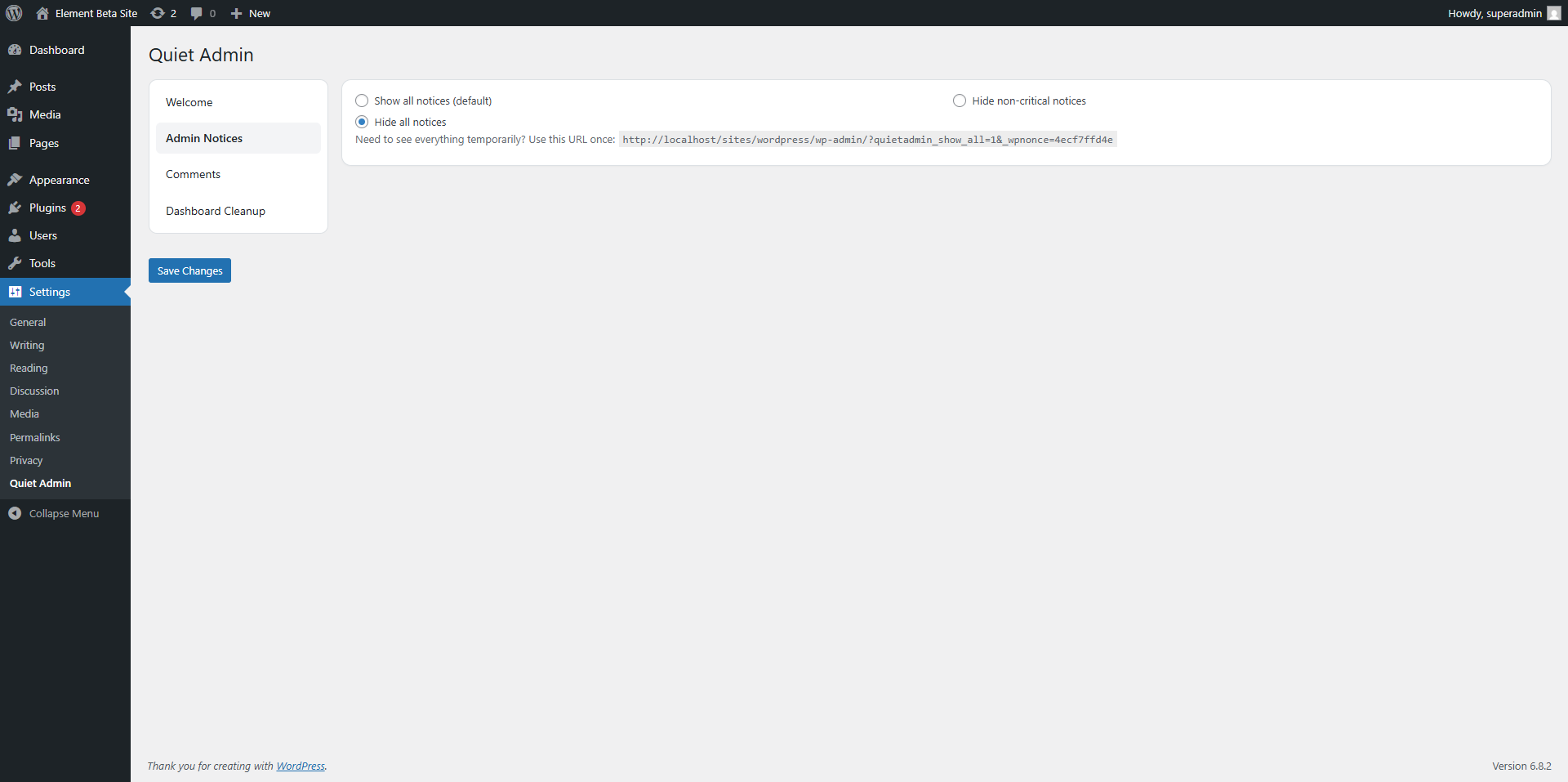
- 🔔 Hide Admin Notices — Suppress non-critical admin notices or silence them all. A CSS class allowlist keeps important plugin notices always visible.
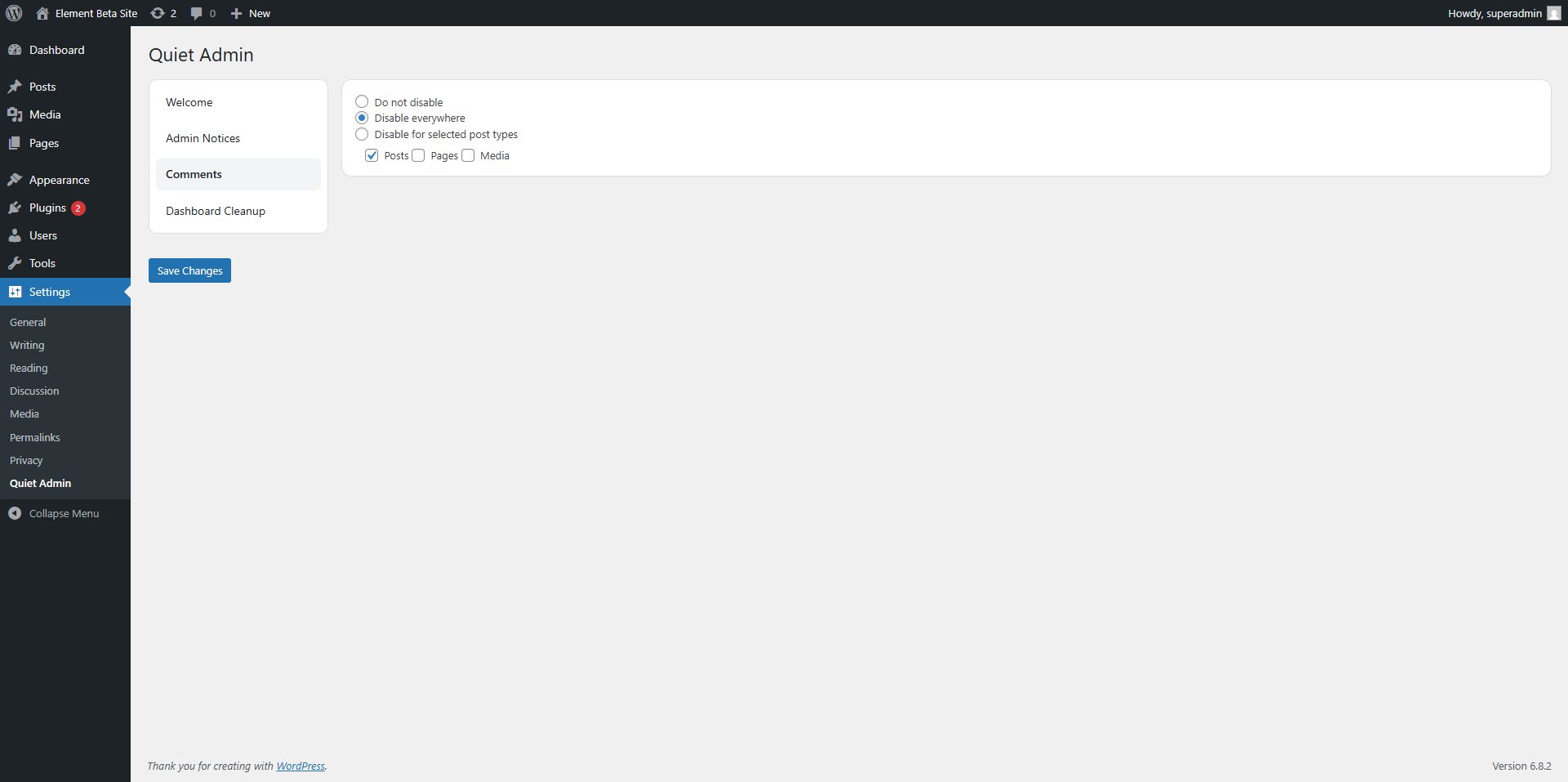
- 💬 Disable Comments — Turn off WordPress comments globally or per post type. Removes the Comments menu, dashboard widget, REST endpoints, and XML-RPC methods. Includes a one-click bulk-delete tool to clear all existing comments permanently.
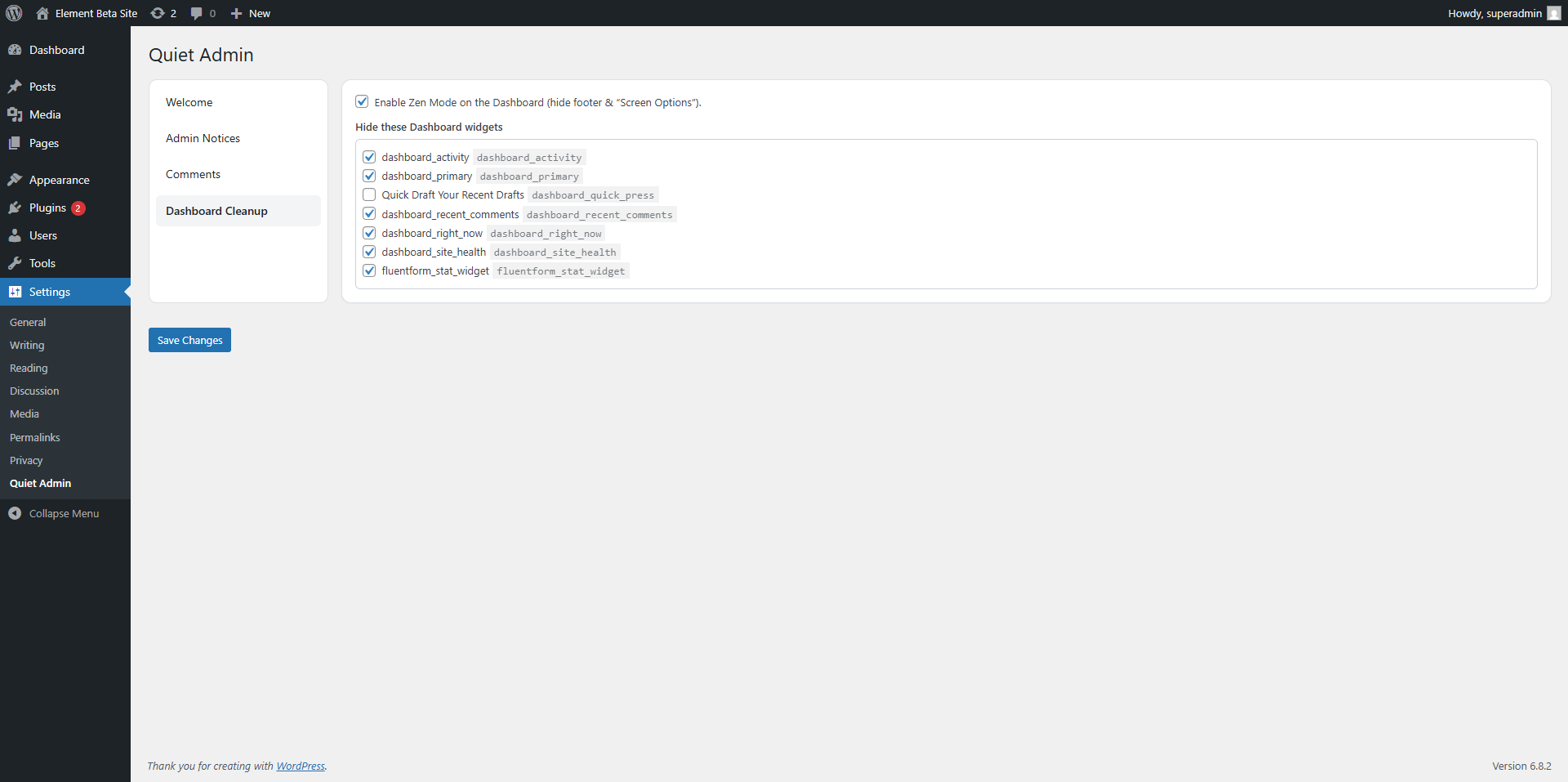
- 📋 Clean Dashboard Widgets — Remove any dashboard widget, including the WordPress Welcome Panel. Enable Zen Mode to also hide the admin footer and Screen Options clutter.
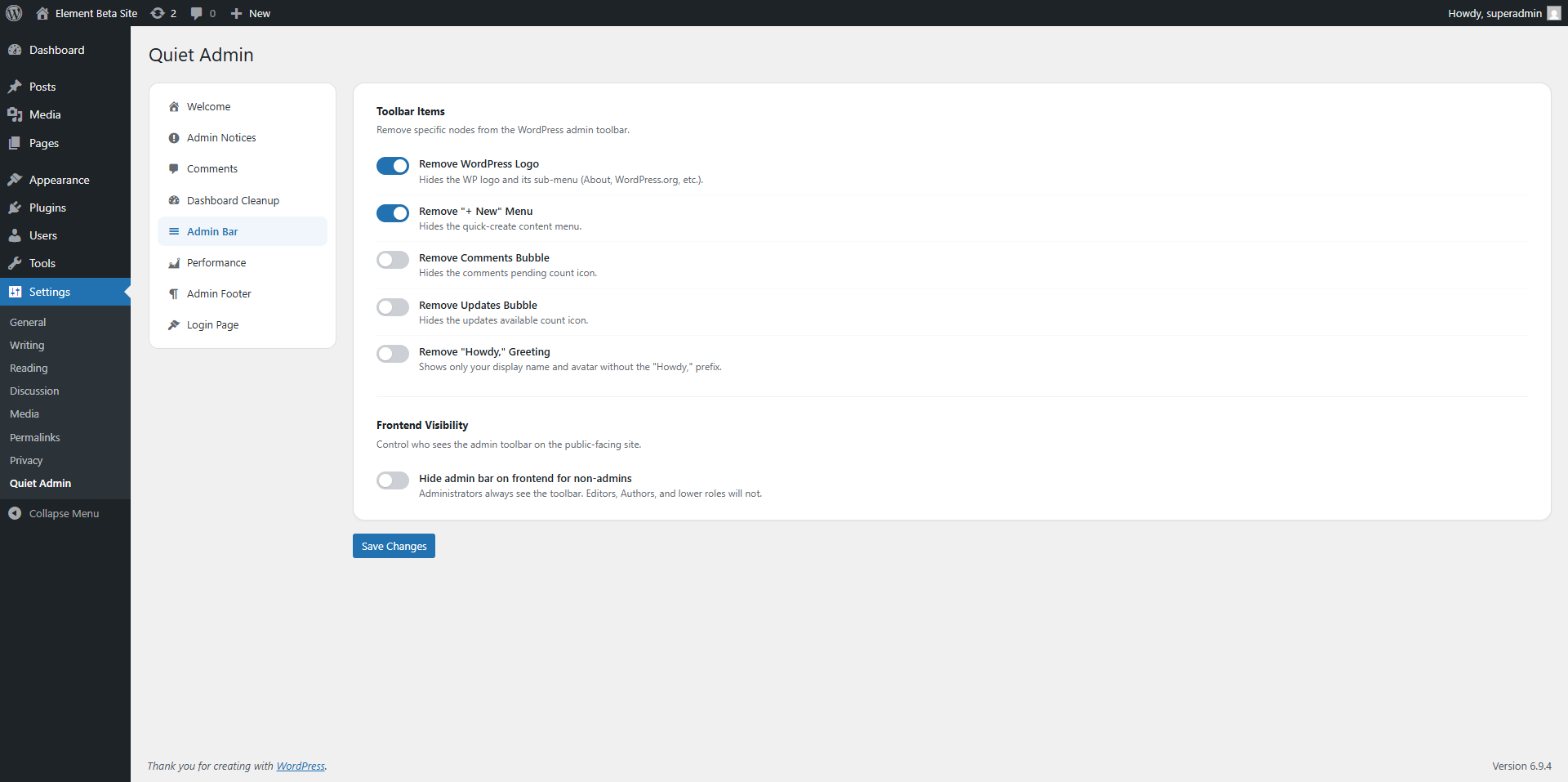
- 🔧 Admin Bar Cleanup — Remove the WP logo, "+ New" menu, comments bubble, updates bubble, and "Howdy" greeting from the toolbar. Hide the admin bar on the frontend for non-administrator roles.
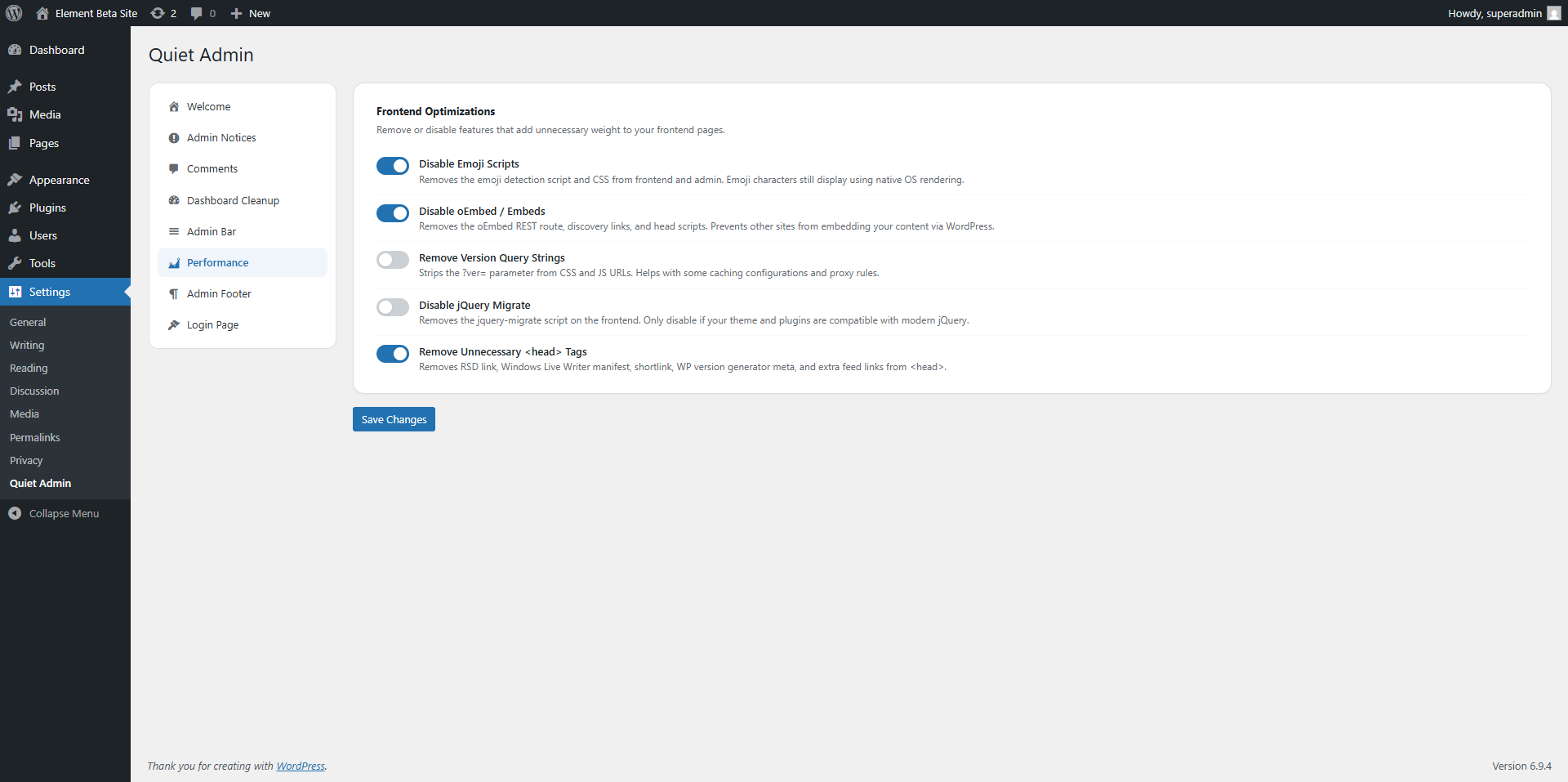
- ⚡ Performance Tweaks — Disable emoji scripts, oEmbed, version query strings on CSS/JS assets, jQuery Migrate, and unnecessary
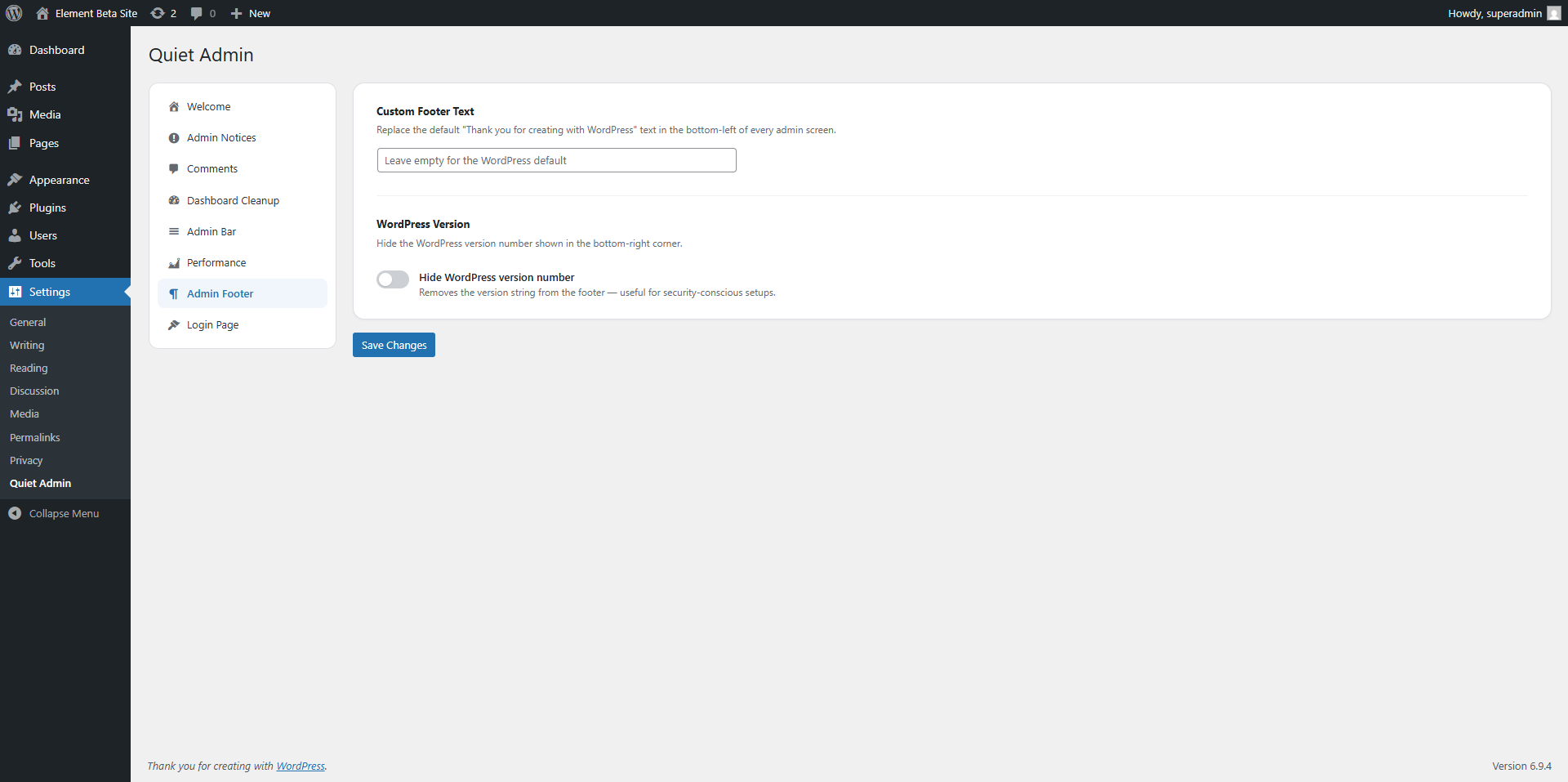
<head>tags like RSD links, the WP generator tag, and shortlink. - 🦶 Custom Admin Footer — Replace the default WordPress admin footer text with your own branding and hide the WordPress version number.
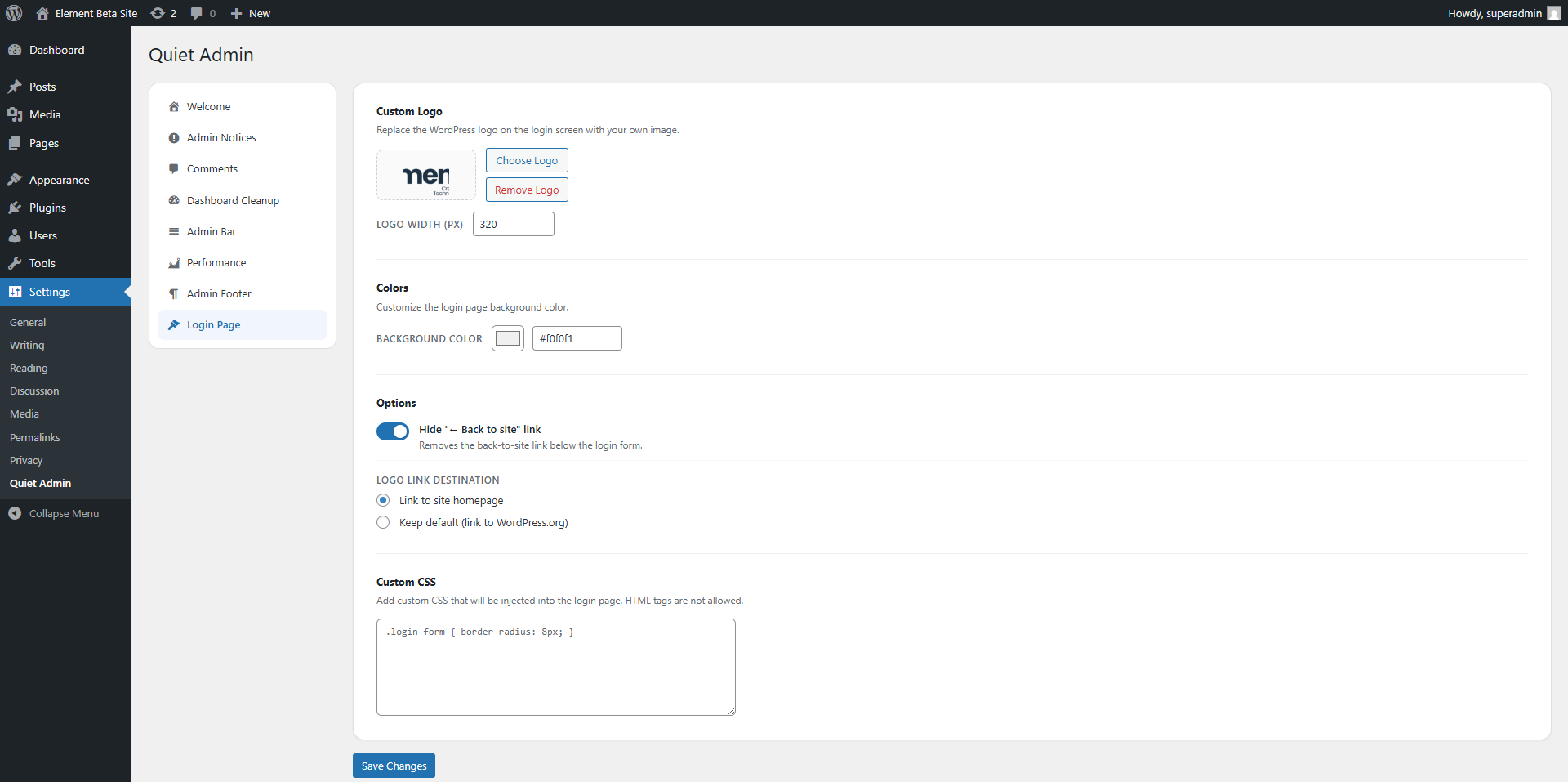
- 🎨 Login Page Customizer — Upload a custom logo via the WordPress media library, set a background color, control the logo link URL, hide the "Back to site" link, and add custom CSS to the login page.
- 🎯 Modern Settings UI — Sticky sidebar navigation with Dashicons, toggle switches, and clear section grouping. One settings page, eight tabs, zero confusion.
安装:
- Upload and activate the plugin from Plugins → Add New.
- Go to Settings → Quiet Admin.
- Use the sidebar tabs to configure each feature:
- Notices — choose which admin notices to hide
- Comments — disable comments and delete existing ones
- Dashboard — hide widgets and enable Zen Mode
- Admin Bar — remove toolbar items
- Performance — disable scripts and clean up
<head> - Admin Footer — set custom footer text
- Login Page — upload a logo and customize styles
- Click Save Changes on each tab.
屏幕截图:
常见问题:
Does this plugin add anything to my site's frontend?
Almost nothing. Quiet Admin works entirely in the WordPress admin. The only frontend changes are: (1) hiding the admin toolbar for non-admins if you enable that option, and (2) login page styling if you use the Login Page tab.
Can I hide admin notices from specific plugins but keep others?
Yes. Set the Notices mode to "Hide non-critical" or "Hide all," then add the CSS class of any notice you want to keep to the allowlist. For example, adding woocommerce-message will always show WooCommerce admin notices.
Will disabling comments remove my existing comments?
No. Disabling comments only prevents new comments and removes the UI. Your existing comments stay in the database. Use the bulk-delete button on the Comments tab if you want to permanently remove them.
Can I remove dashboard widgets added by other plugins?
Yes. Visit your Dashboard page first so WordPress registers all widgets, then go to the Dashboard tab in Quiet Admin — all registered widgets will appear in the list.
Will hiding admin notices break anything?
No. Quiet Admin hides notices using CSS scoped to your admin. Critical notices (errors, success messages) can be protected with the allowlist. Nothing is deleted.
Does it work with multisite?
Quiet Admin is designed for single-site installations. It has not been tested on WordPress Multisite.
Is this plugin safe for client sites?
Yes. It is a popular use case. Use the Login Page customizer for client branding, hide the WordPress logo and version number from the admin bar and footer, and remove unnecessary dashboard widgets for a clean white-label experience.
Can I undo everything?
Yes. All changes are stored in WordPress options and are fully reversible from the settings panel. Deactivating the plugin immediately restores all default WordPress behavior.
Where can I get support?
Open a ticket on the WordPress.org support forum or visit our website.
更新日志:
- Added Admin Bar cleanup tab: remove WP logo, "+ New" menu, comments/updates bubbles, "Howdy" greeting, and hide toolbar on frontend for non-admins.
- Added Performance tab: disable emoji scripts, oEmbed, version query strings, jQuery Migrate, and unnecessary head link tags.
- Added Admin Footer tab: custom footer text and hide WordPress version number.
- Added Login Page tab: custom logo (media library picker), background color, logo link destination, hide back-link, and custom CSS.
- Added Comments tab: comment count summary and bulk-delete tool to permanently remove all existing comments.
- Extended Notices tab: CSS class allowlist to always show specific plugin notices even when hiding is active.
- Redesigned settings page: modern card layout with sticky sidebar, Dashicon navigation, toggle switches, and section grouping.
- Fixed: Comments menu, dashboard widget, and post meta boxes not being removed due to wrong hook timing (admin_init fires before WordPress registers menus and meta boxes).
- Fixed comment meta boxes never being removed due to a nested admin_init hook bug.
- Fixed individual REST comment endpoint not removed alongside the collection endpoint.
- Fixed active tab broken on PHP 8.1+ due to deprecated FILTER_SANITIZE_STRING.
- Fixed post type sanitization to use sanitize_key() instead of sanitize_text_field().
- Fixed wp_die() messages to be translated and properly escaped.
- Fixed Akismet setup prompt hidden regardless of notice mode setting (CSS scope bug).
- Removed dead network multisite methods that were never hooked.
- Removed duplicate $posted_tab computation in settings save handler.
- Removed non-functional live widget manager (manage.js / manage.css).
- Updated installation instructions to reflect settings-page widget management.
- Fixed basic notices to show normally.
- Minified the css and js files.
- (Internal build — not publicly released.)
- License header added; WP.org readme added.
- Sanitized GET access to satisfy WPCS.
- Unified Dashboard hiding via one list (includes Welcome Panel).
- Higher removal priority to catch late widgets (e.g., Fluent Forms).