
Quiz Creator - Easy Quiz, Survey & Test Maker
| 开发者 | nettpro |
|---|---|
| 更新时间 | 2026年5月25日 22:03 |
| PHP版本: | 7.0 及以上 |
| WordPress版本: | 7.0 |
| 版权: | GPLv2 or later |
| 版权网址: | 版权信息 |
详情介绍:
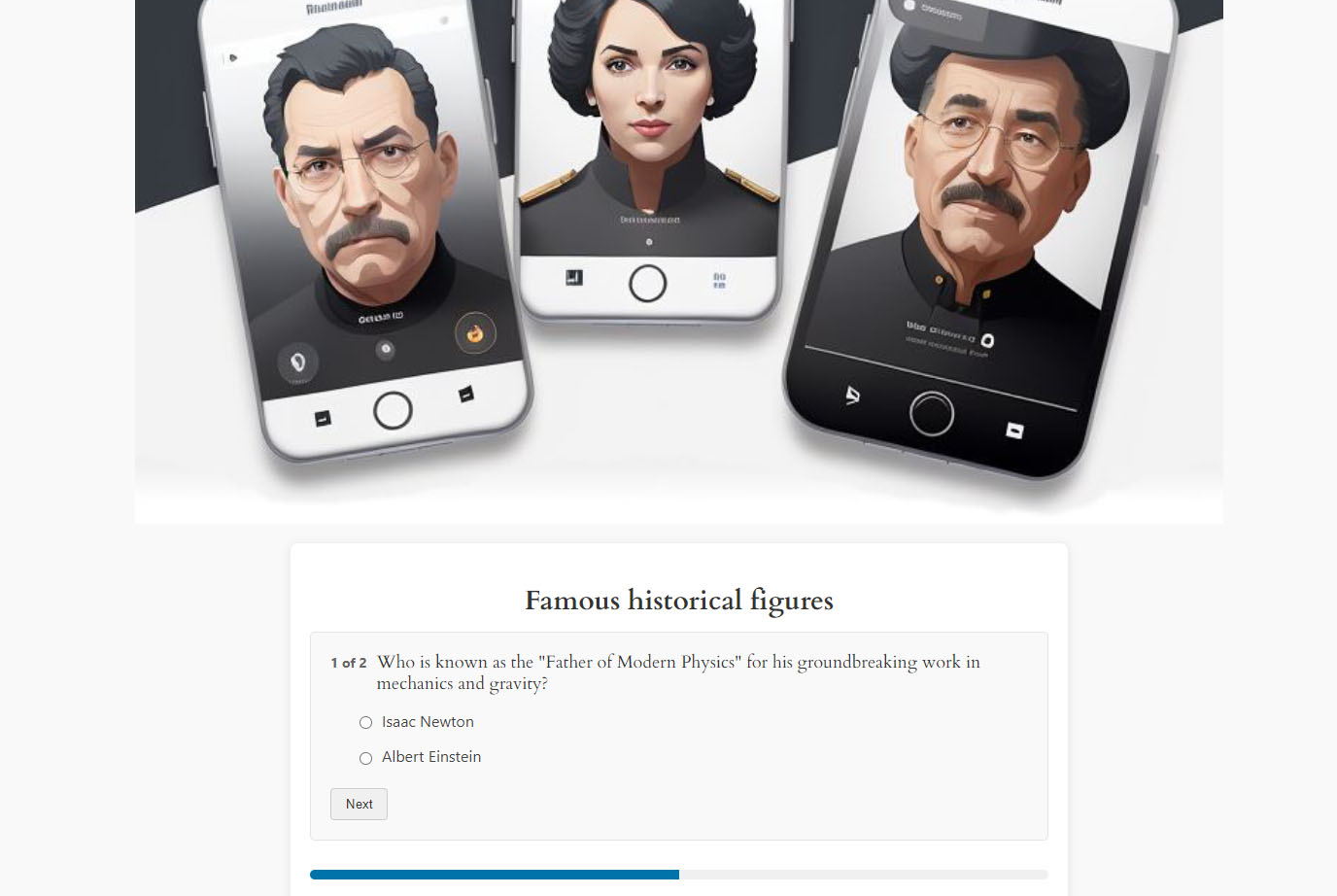
- Create quizzes with multiple question types (Multiple Choice, Multiple Correct, True/False)
- Add timers to quizzes - Set time limits for entire quizzes or individual questions
- Configure automatic scoring with per-quiz pass/fail thresholds
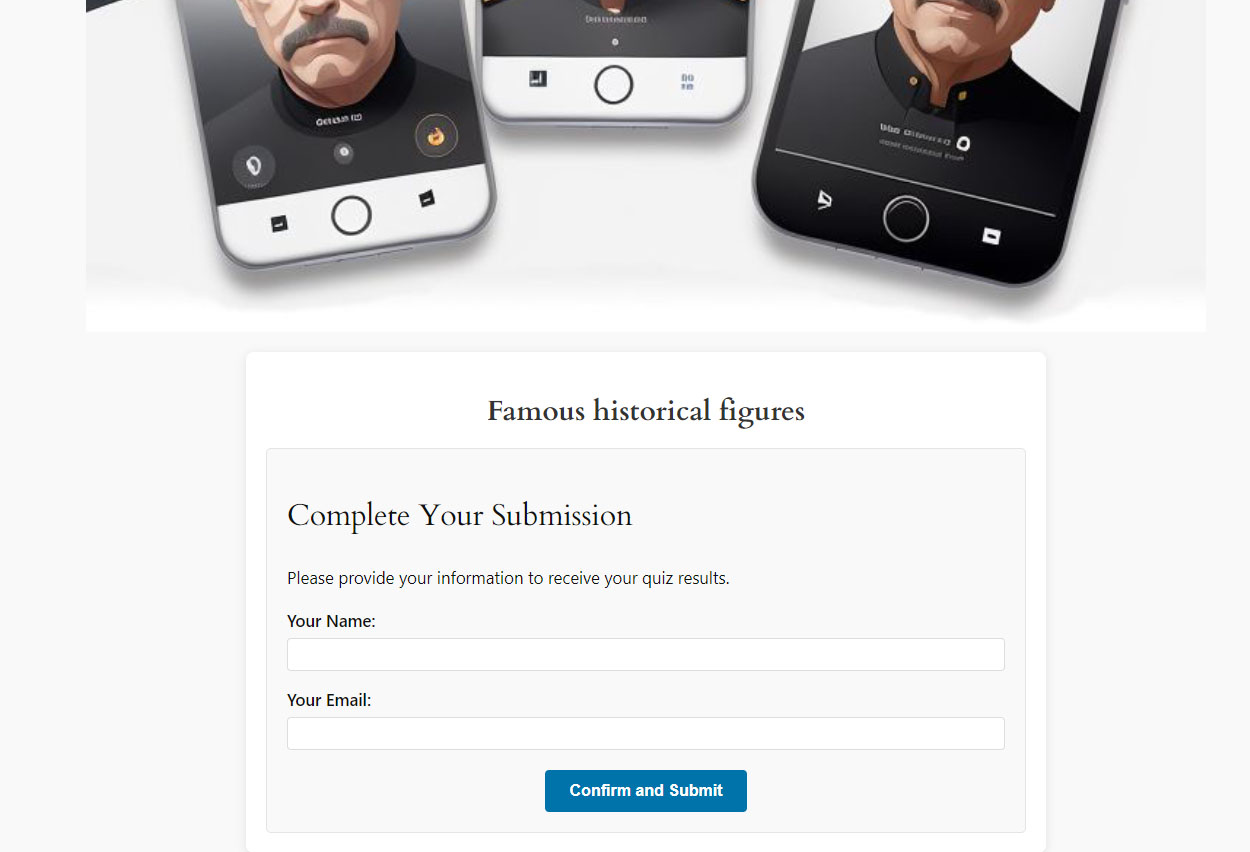
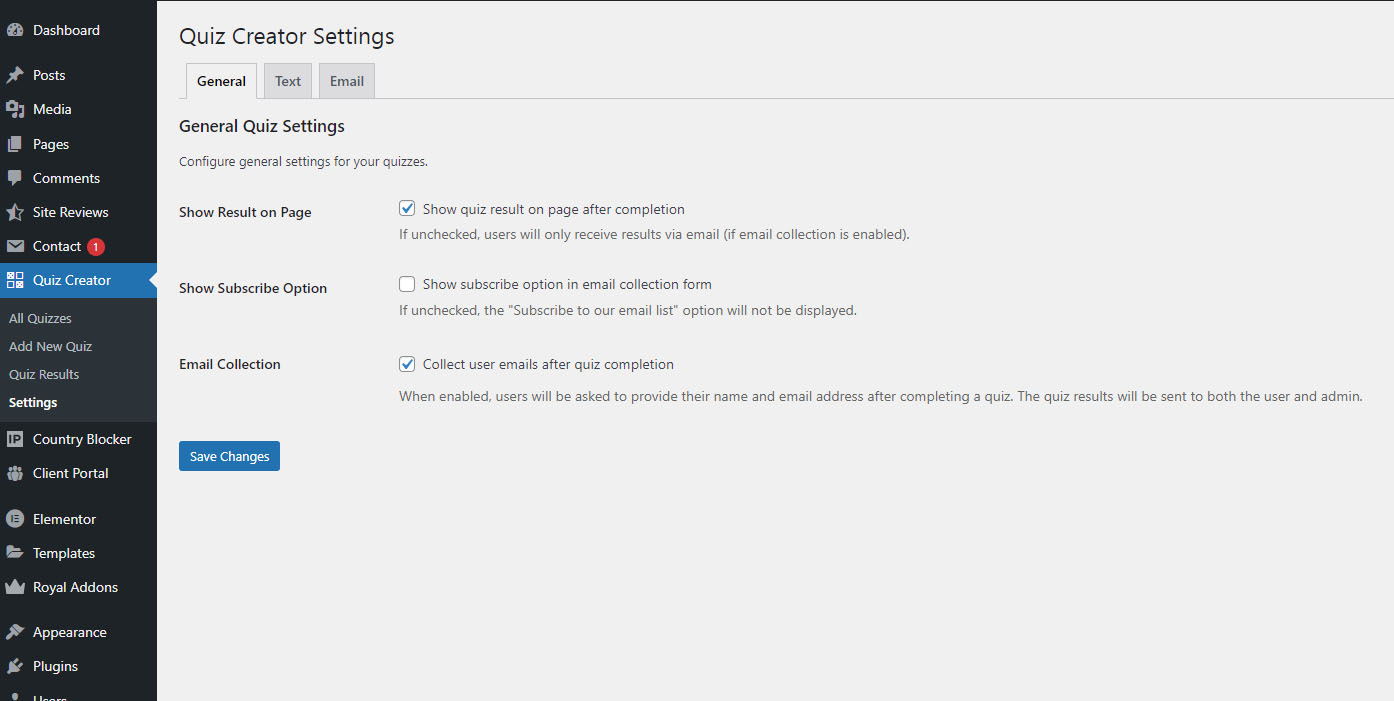
- Collect user emails with GDPR-compliant subscription options
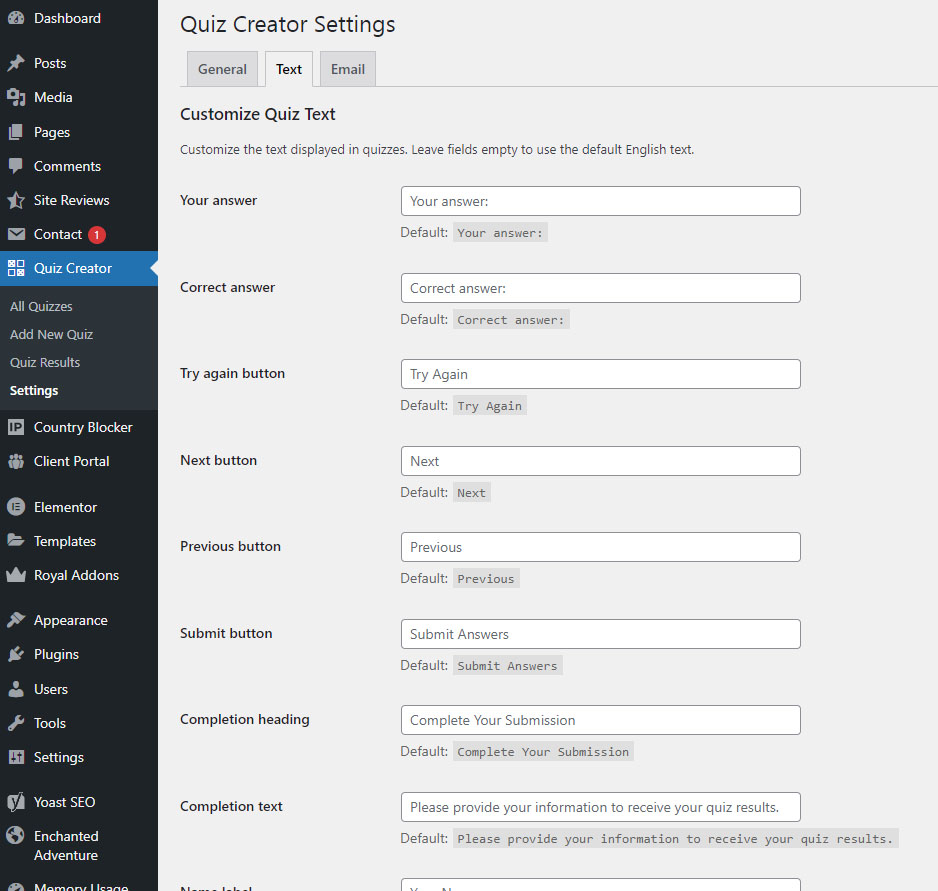
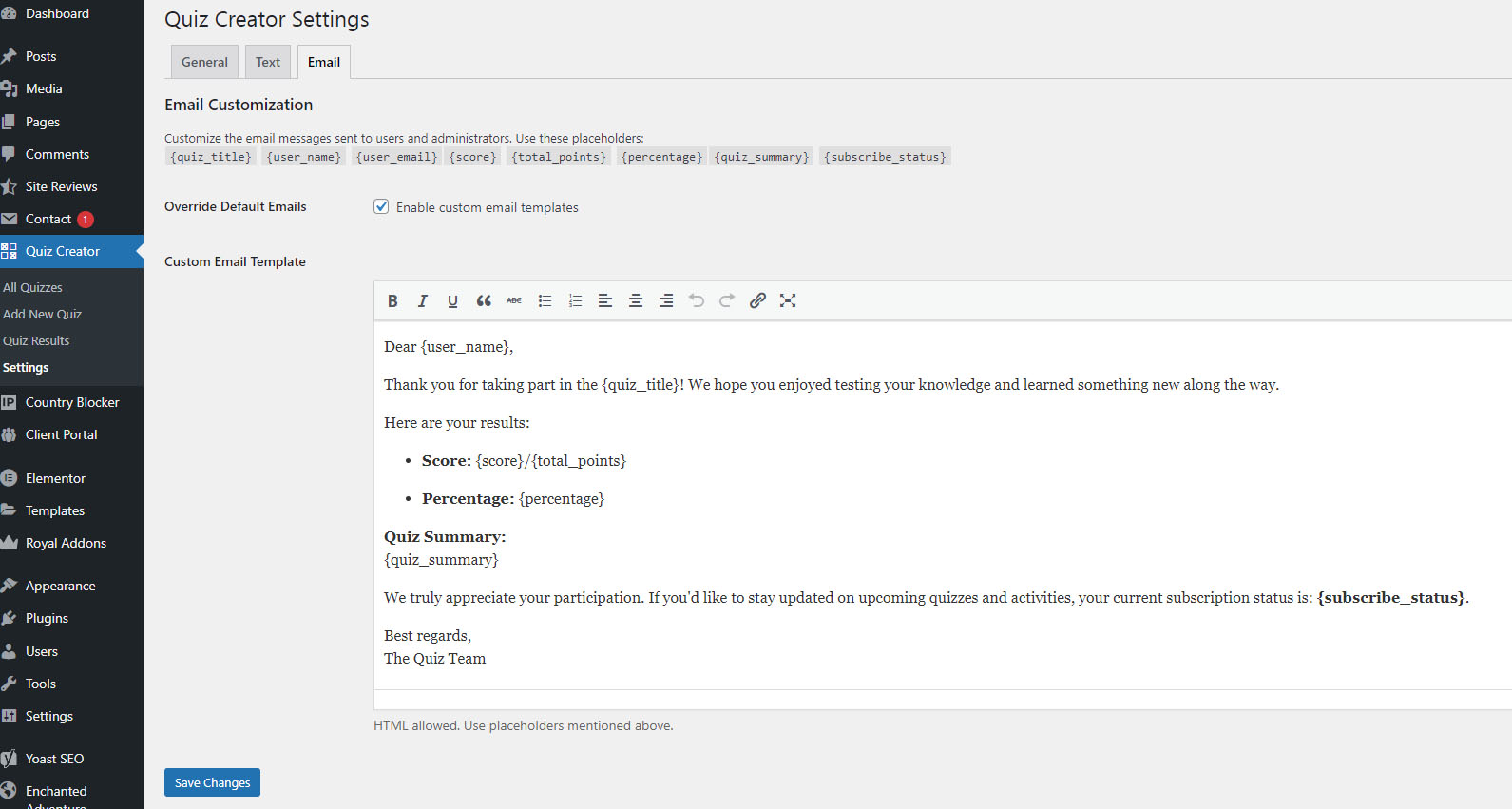
- Customize all quiz text and email templates
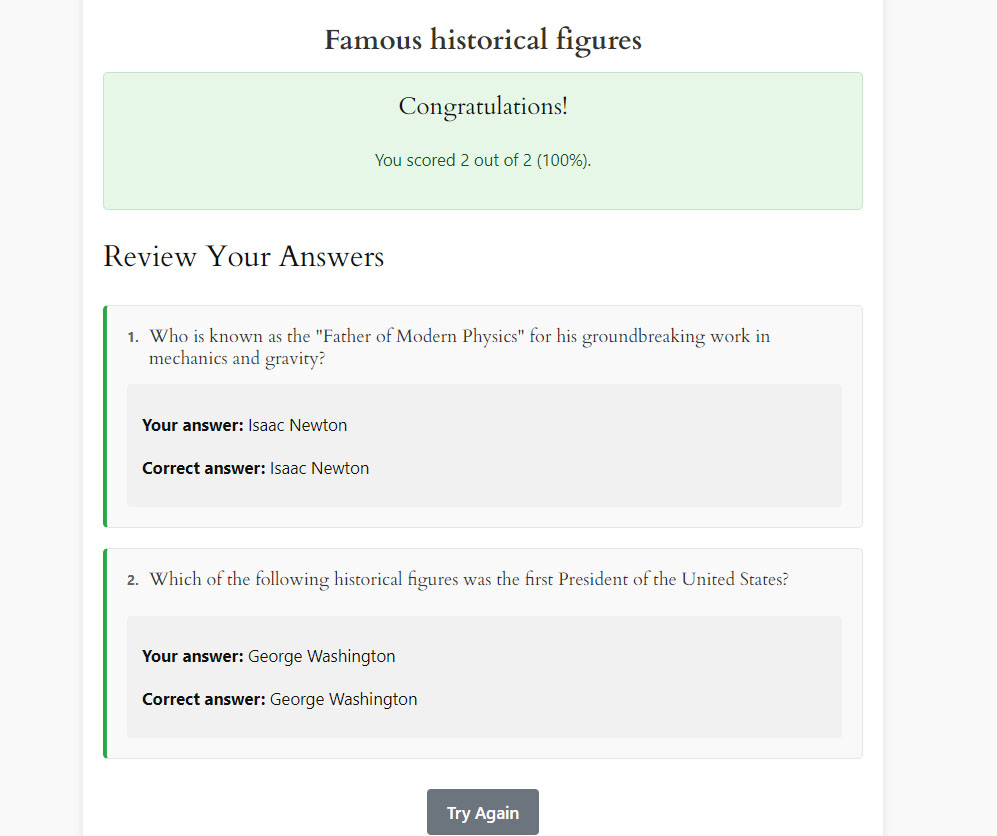
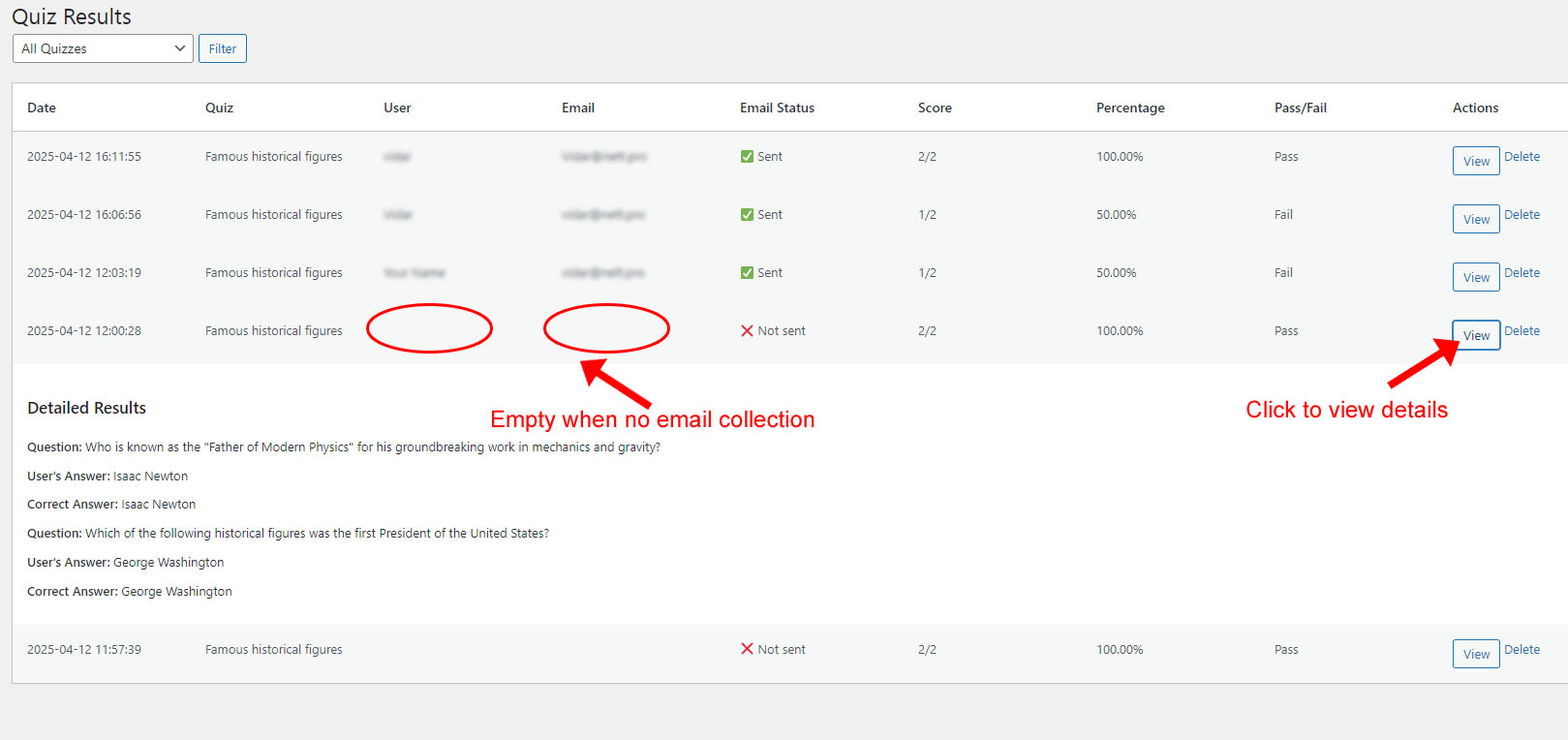
- View detailed quiz results with user answers and scoring
- Use shortcodes to embed quizzes anywhere
- Responsive design works on all devices
- Secure data handling with nonce verification and input sanitization
- Easily manage results with bulk delete and filtering tools in the admin area
- Multiple Choice questions
- Multiple Correct answers
- True/False questions
- Mix and match question types in one quiz Smart Scoring System
- Automatic grading and scoring
- Configurable pass/fail threshold per quiz (0–100%, default 70%)
- Detailed results with correct/incorrect answers
- Store unlimited quiz attempts Quiz Timer Options
- Set time limits for entire quiz
- Individual question timers
- Visual countdown with progress bar
- Auto-submit when time expires Email Collection
- Collect user emails with GDPR compliance
- Customizable email templates
- Optional subscription options
- Email notifications Easy Quiz Management
-
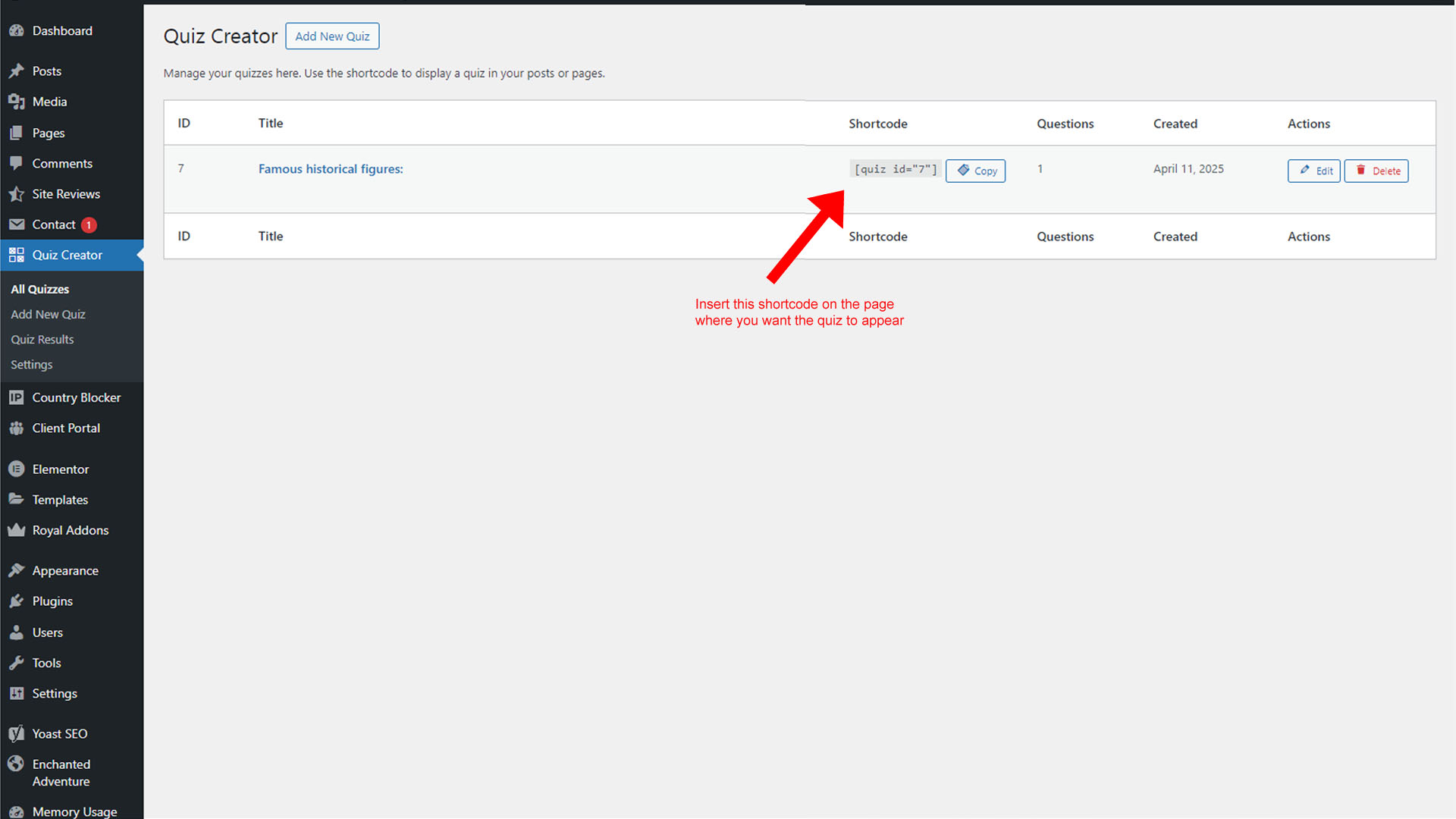
Simple shortcode embedding:
[quiz_creator id="X"] - View all quiz results and user answers
- Bulk delete and filtering options Responsive Design
- Works on mobile, tablet, and desktop
- Clean, modern interface
- Customizable text and messages
- Secure data handling
- Online Courses - Create assessments and knowledge checks
- Employee Training - Build training quizzes and tests
- Bloggers - Add engaging trivia and personality quizzes
- Education - Develop classroom tests and exams
- Lead Generation - Collect emails through interactive quizzes
- Certifications - Create certification exams
安装:
- Upload the
quiz-creatorfolder to/wp-content/plugins/ - Activate the plugin through the 'Plugins' menu
- Navigate to Quiz Creator > Add New to create quizzes
- Use shortcode
[quiz_creator id="X"]in posts/pages (replace X with quiz ID)
屏幕截图:
常见问题:
How do I create a quiz?
Go to Quiz Creator > Add New, add your questions, configure settings, and save. Copy the shortcode and paste it into any post or page.
How do I add a quiz to my page?
Use the shortcode [quiz_creator id="X"] (replace X with your quiz ID) in any post, page, or widget area.
What question types are supported?
Multiple Choice (single answer), Multiple Correct (multiple answers), and True/False questions.
Can I set a custom pass/fail threshold?
Yes! Each quiz has its own configurable pass threshold (0–100%). The default is 70%. Set it in the Scoring Settings section when creating or editing a quiz. Users who do not reach the threshold will see how many percent they needed to pass.
Can I add timers to my quizzes?
Yes! You can set a time limit for the entire quiz or set individual time limits for each question. Users will see a countdown with visual indicators and the quiz auto-submits when time expires.
Can I collect user emails?
Yes! Enable email collection in settings and customize the email template. GDPR-compliant with optional subscription checkbox.
Are quiz results stored?
All quiz attempts are stored with user answers, scores, and timestamps. View results in the admin area. We store IP addresses in anonymized form (first two octets only) for regional analytics.
How is scoring calculated?
Each question has a point value. Total score is calculated automatically with pass/fail based on the threshold percentage you set for each quiz.
Is it mobile-friendly?
Yes! Fully responsive design works perfectly on all devices.
Can users retake quizzes?
Yes, users can retake quizzes. Each attempt is saved separately.
How do I customize quiz text?
Go to Quiz Creator > Settings > Text to edit all messages and button labels.
Is there a limit on quizzes or questions?
No limits! Create unlimited quizzes with unlimited questions.
更新日志:
- Tested compatibility with WordPress 7.0
- Updated readme.txt
- Feature: Pass/fail threshold is now configurable per quiz (0–100%, default 70%). Previously hardcoded at 70% for all quizzes.
- Enhancement: Quiz list in admin now shows the pass threshold for each quiz at a glance.
- Enhancement: Failed quiz result message now informs the user what percentage was required to pass.
- Fix: Frontend script version now uses the plugin version constant instead of a static cache-busting string.
- Database: Automatic database migration adds the
pass_thresholdcolumn for existing installs on first page load after update — no manual steps required.
- Tested compatibility with WordPress 6.9
- Updated readme.txt
- Security: Added index.php files to all plugin directories to prevent direct directory browsing and unauthorized file listing. This security hardening measure protects against information disclosure by blocking access to directory contents, making it more difficult for attackers to scan plugin structure or identify potential vulnerabilities.
- Major Feature: Added quiz timer functionality with two modes:
- Quiz-wide timer: Set a time limit for the entire quiz
- Per-question timer: Set individual time limits for each question (with optional custom times)
- Enhancement: Added "Start Quiz" button for timed quizzes to prevent timer from starting before users are ready
- Enhancement: Visual timer display with countdown, progress bar, and color-coded warnings (yellow at 30%, red at 10%)
- Enhancement: Automatic quiz submission when time expires with proper handling of partial answers
- Enhancement: Display time remaining on quiz results page
- Fix: Improved quiz results handling for time-expired submissions with no answers
- Fix: Corrected result display to show "(Time expired - no answer)" for unanswered questions
- Fix: Fixed admin results view for quizzes where all questions timed out
- Fix: Improved form submission logic to handle timer expiry scenarios correctly
- UX: Added timer information messages to inform users of time limits before starting
- UX: Enhanced admin interface spacing for bulk actions and filter buttons
- Added: Bulk delete action for quiz results in admin
- Added: Display of human-readable correct answers for Multiple Correct question type in admin result details
- Improved: Admin results page UI for bulk actions and filters
- Fixed: Various i18n and security warnings (missing text domains, translators comments, nonce handling, input validation)
- Fixed: Minor style and layout issues in admin tables
- Fixed: JavaScript and PHP warnings for undefined variables and array keys
- Improved: Code comments and maintainability
- Major Feature: Added Multiple Correct answer question type
- Enhancement: Automatic redirect to quiz list after creating new quiz
- Fix: Resolved option duplication issues when updating quizzes
- Fix: Fixed JavaScript validation for multiple correct questions
- Fix: Corrected email display formatting for multiple correct answers
- Fix: Resolved "headers already sent" error during quiz creation
- Fix: Added missing 'email_only_message' text customization option
- Security: Enhanced input sanitization and escaping throughout plugin
- Security: Fixed WordPress coding standards compliance issues
- UX: Better form handling and error prevention in admin interface
- UX: Improved question type switching without data loss
- Fixed incorrect shortcode from
[quiz]to[quiz_creator]
- Initial release
- Core quiz functionality
- Email collection system
- Results tracking
- Customizable text settings
- Admin management interface