
Quoteform – Quote & Cost Calculator Form
| 开发者 | miratnasrullayev |
|---|---|
| 更新时间 | 2026年11月3日 14:14 |
| PHP版本: | 7.4 及以上 |
| WordPress版本: | 7.1 |
| 版权: | GPL-2.0-or-later |
| 版权网址: | 版权信息 |
详情介绍:
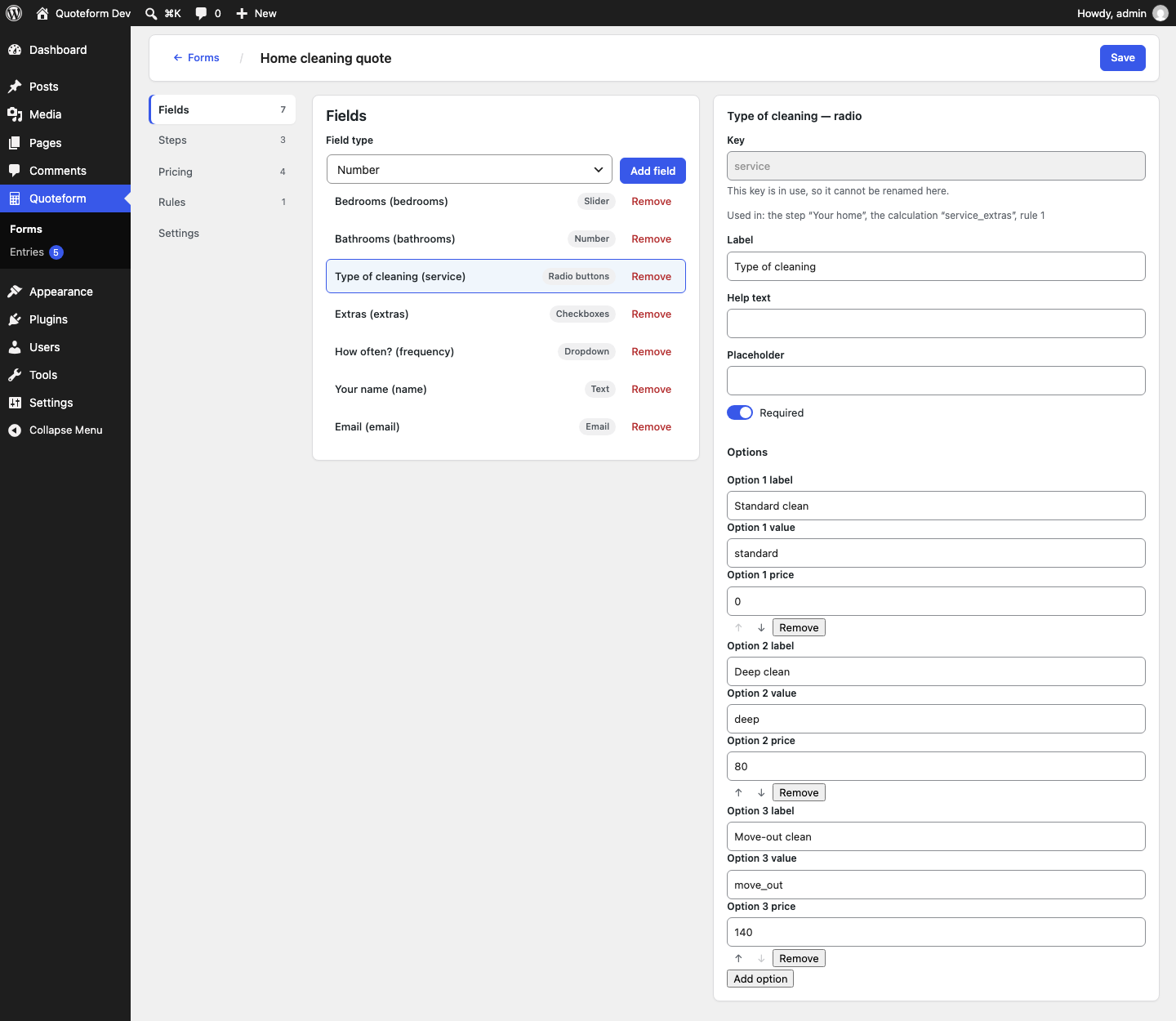
- Fields — number, slider, text, email, telephone, textarea, dropdown, radio, checkboxes, toggle, date, hidden and static HTML content.
- Steps — split a long form into steps, and order both the steps and the fields inside them.
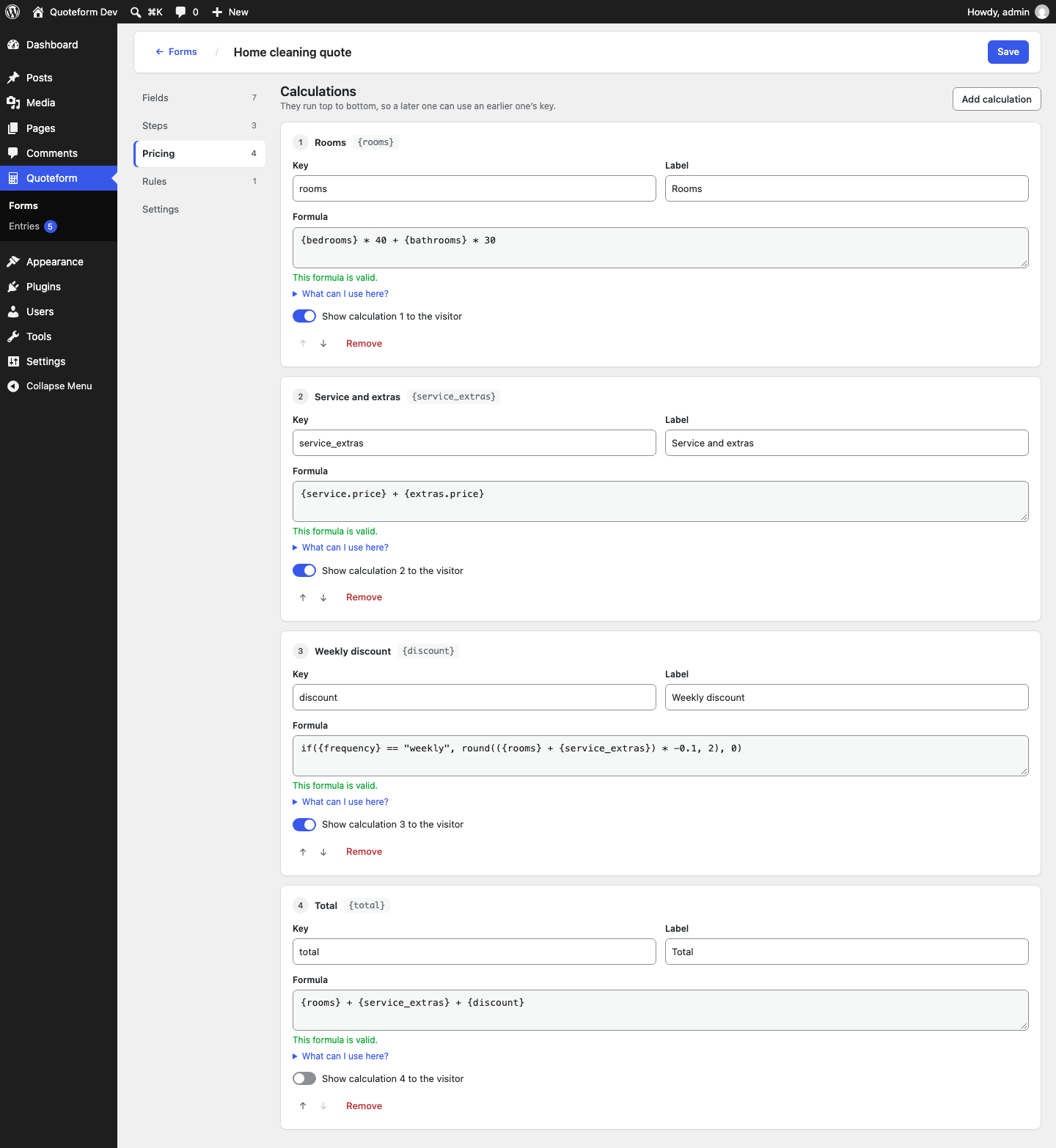
- Calculations — named formulas such as
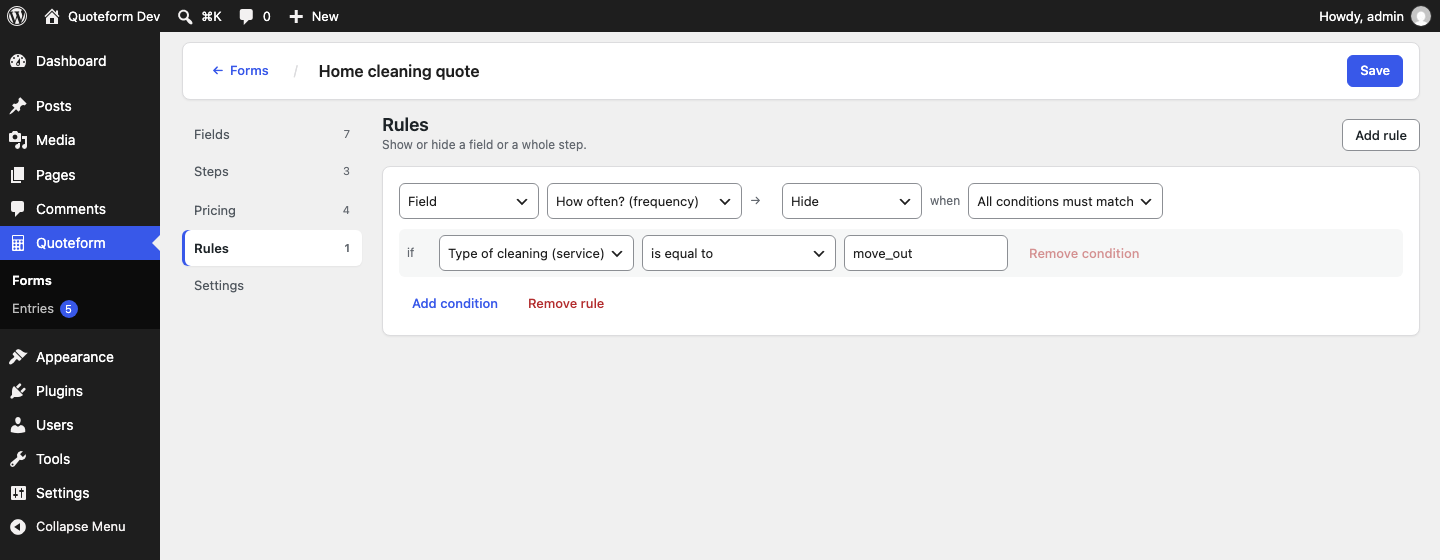
subtotalandtotal. A calculation may refer to another one, and Quoteform works out the order for you. - Rules — conditional logic. Show or hide a field or a whole step, or make a field required or optional, based on what has been answered. Conditions use equals, does not equal, greater than, greater than or equal, less than, less than or equal, contains, does not contain, is empty and is not empty.
- Settings — currency, currency position and the number of decimal places.
- Shortcode —
[quoteform id="12"], where12is the id shown in the form list. It works in posts, pages and any widget or template that runs shortcodes. - Block — search the block inserter for Quote form, then pick the form from the dropdown in the block itself.
- Elementor — the Quote form widget, under General. It appears only when Elementor is installed.
- After a submission — show a message with the total and its breakdown, or redirect the visitor to a URL. You choose this per form.
- Spam protection — a hidden honeypot field and a time check signed by the server. No CAPTCHA and no external service.
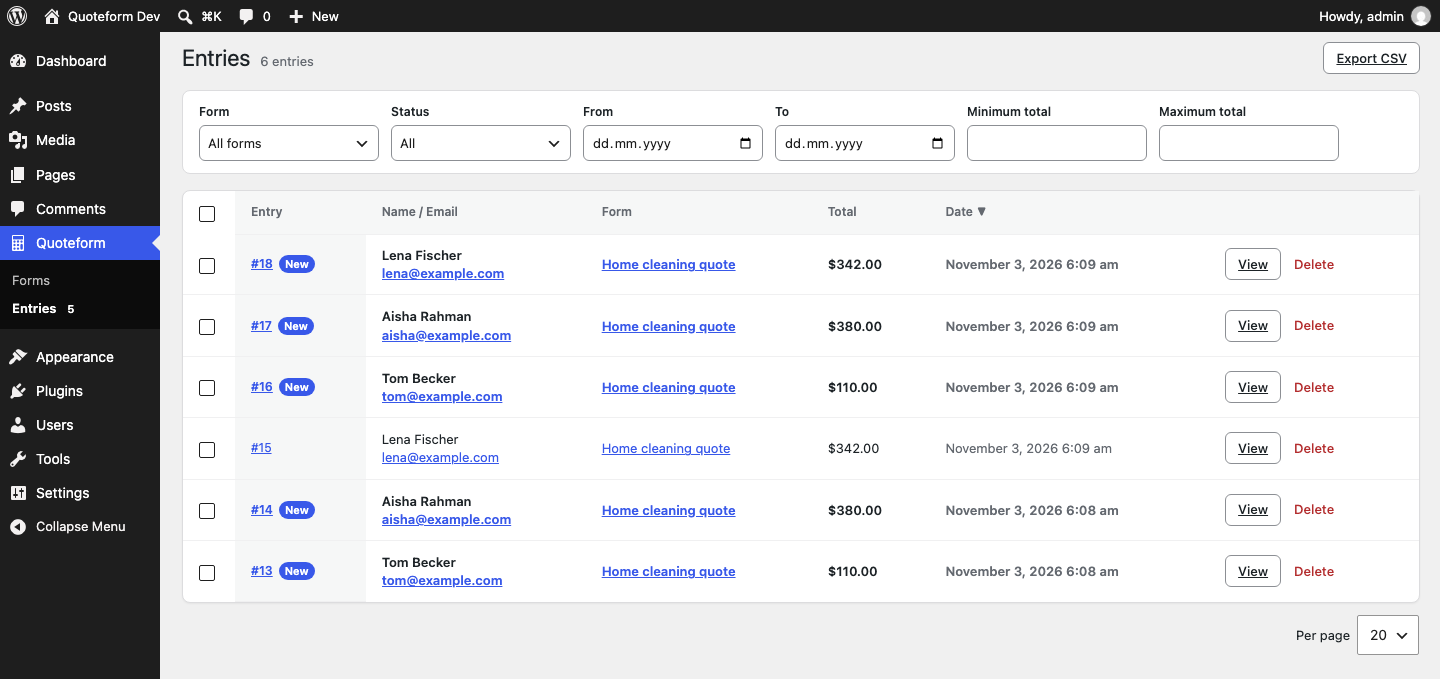
- Entries screen — every submission is stored in your WordPress database and listed under Quoteform → Entries. Filter by form, new or read, date and total. Open an entry to see each answer and the price breakdown.
- Bulk actions — mark entries as read or unread, or delete them.
- CSV export — export the entries that match the current filters.
{room_count} * 50 + {bathrooms} * 120
if({urgency} == "express", {subtotal} * 1.3, {subtotal})
round(max({subtotal}, 99), 2)
The available functions are if, min, max, sum, round, ceil, floor,
abs, contains and is_empty. The formula editor checks each formula as you
type: it tells you where a formula is malformed, and when a formula refers to
something the form does not have it says so — and if the name is close to one
that does exist, it asks whether that is what you meant.
Nothing is ever executed
The expression language is not JavaScript and it is not PHP. Formulas are read
by Quoteform's own parser into a syntax tree and evaluated one node at a time.
PHP's eval() and JavaScript's eval() and Function() are not used anywhere
in this plugin. The JavaScript that ships is checked before every release for
every spelling of both — eval(), Function() and new Function() — so the
promise is kept by a machine rather than by memory.
Every form is validated again on the server when it is saved, no matter what the
browser sent. Circular references between calculations are refused at save time
rather than discovered later.
Light on the front end
The front-end script is under 10 KB gzipped and loads no framework: no React,
no jQuery, no web fonts, no CDN. It is enqueued only on pages that actually
contain a form.
Free, and that is the whole plan
No pro version, no add-ons, no license key, no account and no hosted service.
Quoteform sends no data anywhere: it makes no request to any external server,
loads no fonts or scripts from a CDN, and collects no usage statistics.
Privacy
Submitted entries stay in your own WordPress database. Each entry stores the
answers, the calculated total and its breakdown, the date, the visitor's
browser user agent and, if the visitor was logged in, their user ID. The
visitor's IP address is stored only if you turn on Store the visitor's IP
address with each entry in the form settings. It is off by default.
The answers can contain personal data, such as a name or an email address,
when your form asks for it. Mention this in your site's privacy policy.
安装:
- Install the plugin from the Plugins screen in WordPress, or upload the
quoteformfolder towp-content/plugins/. - Activate it on the Plugins screen.
- Open Quoteform in the admin menu and create your first form.
- Put the form on a page with the Quote form block, the
[quoteform id="…"]shortcode or the Elementor widget.
qform_manage_forms— create and edit forms, and delete entries.qform_view_entries— see the Entries screen.qform_export_entries— export entries to CSV.
manage_options, so you can grant them to
another role without handing over the rest of the site settings.屏幕截图:

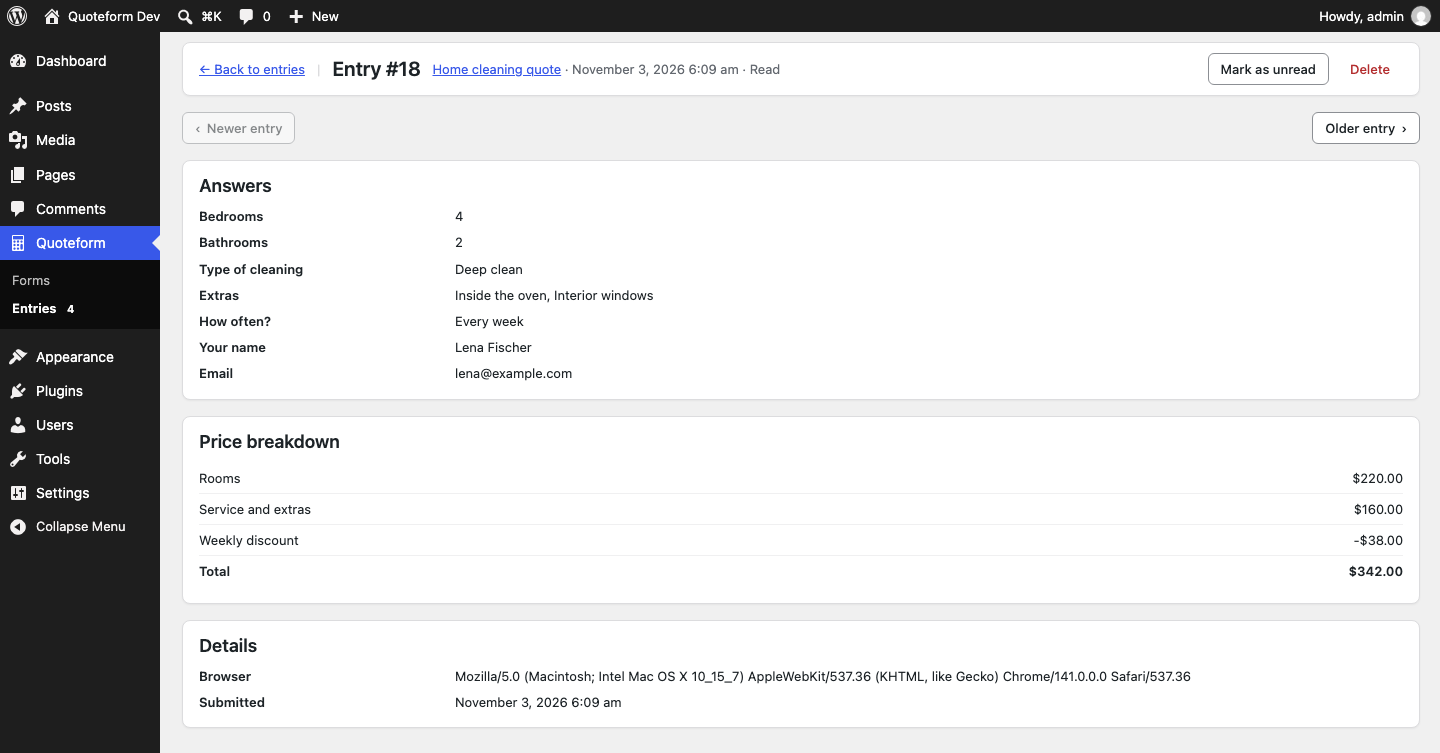
常见问题:
Is it really free?
Yes. There is no paid version to upgrade to, no add-ons to buy, no license key to enter and no account to create. Nothing in the plugin is locked.
Can visitors submit the form?
Yes. The submission is stored as an entry in your WordPress database, and you see it under Quoteform → Entries. The price is calculated again on the server, so the stored total is always the one your formulas give.
Will I get an email when someone submits a form?
Not in this version. Check the Entries screen, or export the entries to CSV.
Do I need Elementor, Divi or a page builder?
No. The builder is an ordinary WordPress admin screen, and the shortcode and the block need nothing beyond WordPress itself. The Elementor widget is there for sites that already use Elementor.
My form is loaded by a popup or by AJAX and stays empty. What now?
A form that arrives after the page has finished loading has to be started. Call
window.quoteform.boot() once the markup is in the page:
window.quoteform.boot();
Pass an element to limit it to that part of the page — window.quoteform.boot( document.querySelector( '#my-popup' ) ). Calling it again is safe: a form that
is already running is left alone.
Can a formula run arbitrary code?
No. Formulas are written in Quoteform's own small expression language, which has
numbers, text, comparisons, arithmetic and ten named functions — and nothing
else. They are parsed into a syntax tree and evaluated by the plugin. eval() is
not used, in PHP or in JavaScript, anywhere in the plugin.
What happens to my forms if I deactivate the plugin?
Nothing is deleted. Forms are stored as WordPress posts, so they are still there when you activate the plugin again. Deactivating does not remove the capabilities it granted either, so a site that is temporarily switched off comes back exactly as it was.
And if I delete the plugin?
Deleting is not the same as deactivating. Deleting Quoteform permanently
deletes every form you have made and every entry submitted to them, including
forms in the trash, and removes
qform_manage_forms, qform_view_entries and qform_export_entries from every
role on the site. On a multisite network it does this on every site of the
network, because the forms and the roles live on each site separately. Nothing
is recoverable afterwards, so export your entries to CSV and copy anything else
you want to keep before you click Delete.
Who can create and edit forms?
Anyone with the qform_manage_forms capability, which administrators get when
the plugin is activated. The same capability is required by the REST endpoints
under quoteform/v1 that the builder uses, so there is no way around it.
Which languages does it speak?
The interface is written in English and is fully translatable — every string in
both the PHP and the JavaScript goes through WordPress's translation functions,
and a .pot file ships in languages/.
更新日志:
- New: a "Rate Quoteform" link in the plugin's row on the Plugins screen.
- The readme describes more clearly what Quoteform does, and the plugin page now has screenshots.
- The readme now describes submissions, the Entries screen, CSV export and the data each entry stores.
- Removed the "save and resume" option from the form settings. The feature is not implemented yet.
- Fix: the entries table install no longer records its version when the table could not be created, so it is retried on the next load.
- Fix: the entries table definition is compatible with MySQL versions before 8.0.13.
- Security: the CSV export reads only the parameters it needs and sanitizes each one.
- The uninstall routine runs only when WordPress itself uninstalls the plugin.
- First release.
- Form builder: fields, steps, calculations, conditional rules and form settings.
- Expression language for pricing formulas, validated as you type in the editor and again on the server when the form is saved. The formula editor suggests the name you probably meant when a reference is a near miss.
- Front-end renderer: multi-step navigation, conditional show and hide, a live total, a breakdown on the last step, and per-step validation of the fields the visitor can actually see. No React and no jQuery.
- Three ways to place a form: the
[quoteform id="…"]shortcode, the Quote form block and an Elementor widget. All three render the same form. window.quoteform.boot()for forms that arrive after the page has loaded.- REST API under
quoteform/v1for the builder, gated by theqform_manage_formscapability.