
Raffle for WooCommerce
| 开发者 | themology |
|---|---|
| 更新时间 | 2026年9月17日 01:01 |
| 捐献地址: | 去捐款 |
| PHP版本: | 7.4 及以上 |
| WordPress版本: | 7.1 |
| 版权: | GPLv2 or later |
| 版权网址: | 版权信息 |
详情介绍:
- Charity supporters buying tickets for elderly relatives who cannot purchase online.
- Club members purchasing tickets for their family.
- Businesses buying raffle entries for employees or clients.
- Anyone who wants to gift a chance to win.
- Unlimited raffles with no restrictions.
- Unlimited ticket sales per raffle.
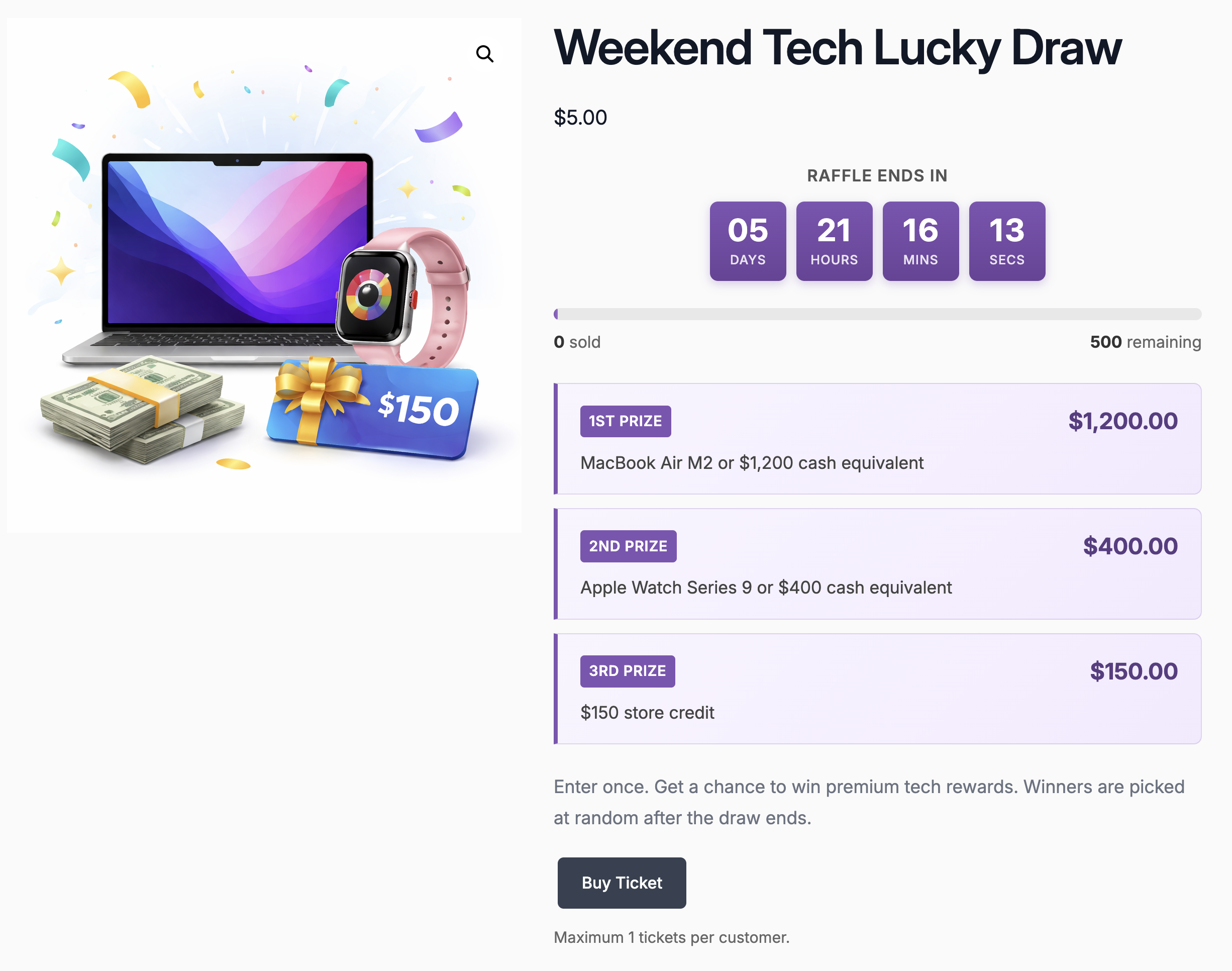
- Configurable start and end dates with live countdown timer.
- Progress bar displaying tickets sold vs available.
- Auto-close raffles when all tickets are sold.
- Full WooCommerce integration with all payment gateways.
- Mass refund and selective refund with three methods: standard, payment gateway, or wallet credit via TeraWallet.
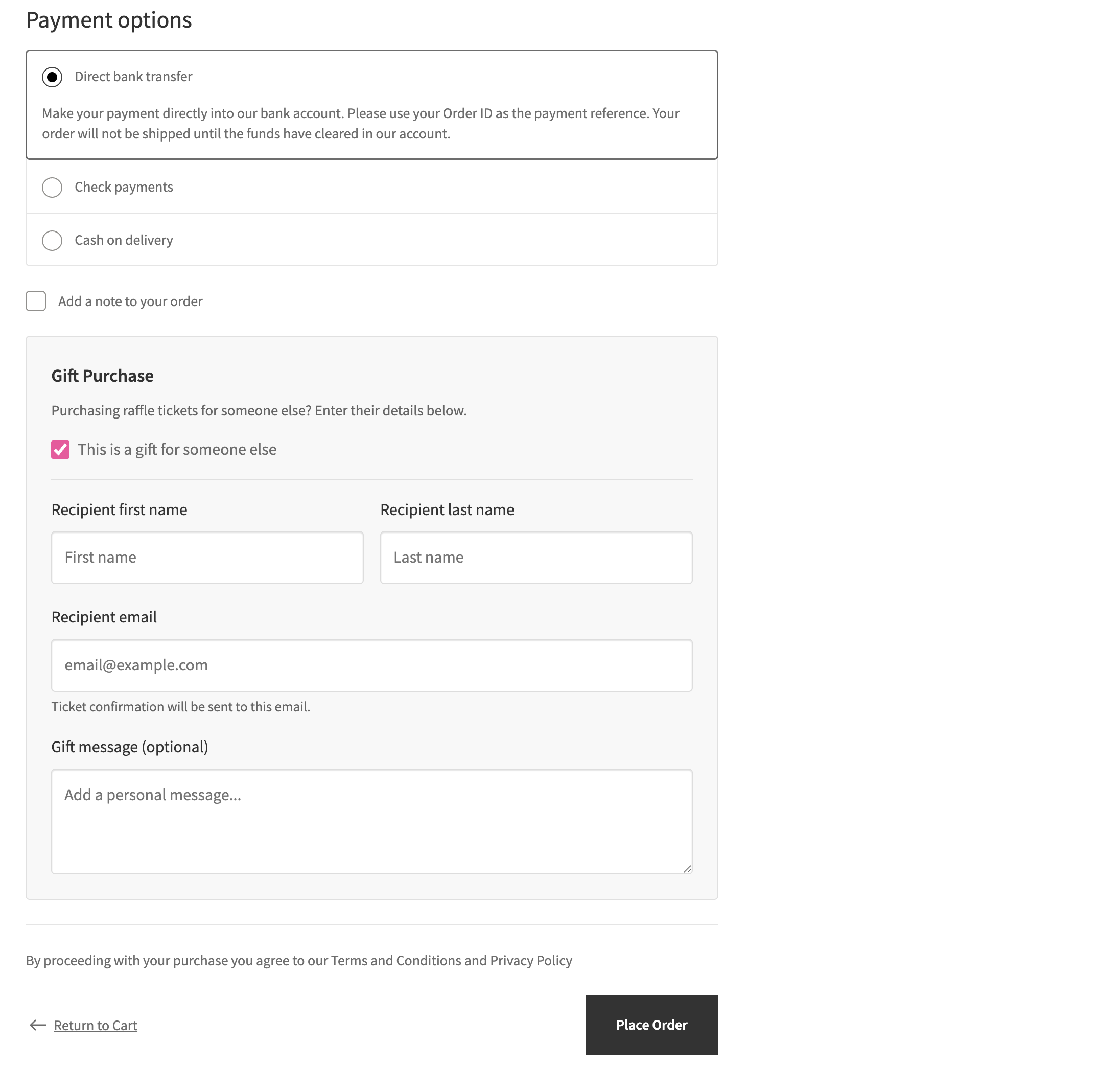
- Gift ticket purchasing with automatic recipient notification.
- Per-ticket gift recipient assignment with name, email, and personal message.
- Works with both WooCommerce Block Checkout and Classic Checkout.
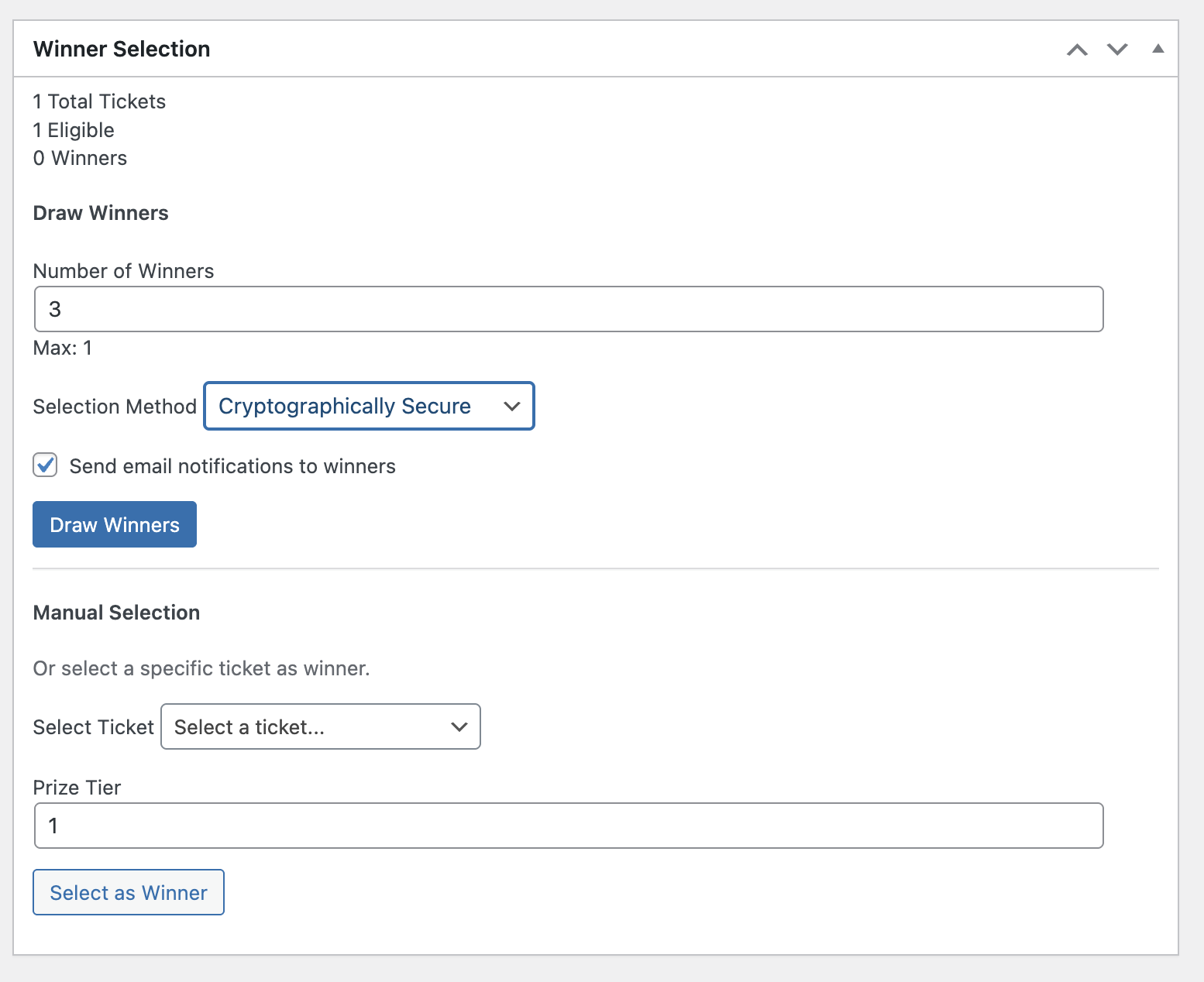
- Winner selection through manual picks, automatic draws, or Random.org verified selection.
- Instant Win mode: customers find out if they won immediately after purchase with probability-based or guaranteed interval selection.
- Unique winner enforcement: prevent the same person from winning multiple prizes in one draw.
- Extend or relist expired raffles: push the end date or reset for a fresh start without losing ticket data.
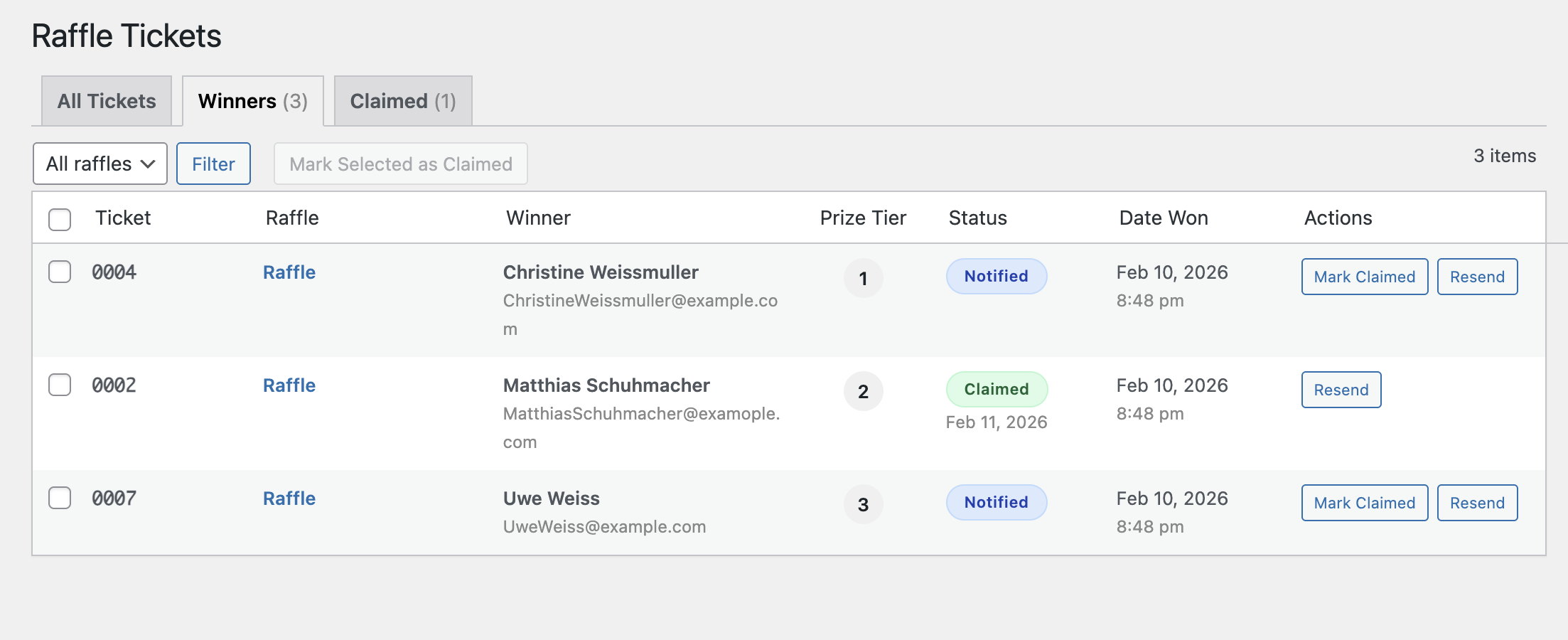
- Winner management tabs: All Tickets, Winners, and Claimed for cross-raffle overview.
- Quick "Mark Claimed" and "Resend Notification" buttons with bulk claim action.
- Prize claimed confirmation email to winners when their prize is marked as claimed.
[raffle_card id="123"]- Full product card with image, countdown, prize, and buy button.[raffle_cards]- Multiple raffle cards in a responsive grid:[raffle_cards ids="123,456,789"]- Display specific raffles by ID.[raffle_cards category="prizes" limit="4"]- Display raffles from a product category.[raffle_cards status="active" limit="6" columns="3"]- All active raffles in a 3-column grid.[raffle_cards status="all" orderby="random" limit="8"]- All raffles in random order.[raffle_countdown id="123"]- Live countdown timer (compact or full format).[raffle_progress id="123"]- Ticket sales progress bar.[raffle_prize id="123"]- Prize information display.[raffle_status id="123"]- Status badge (Active / Ended / Winner Selected / Cancelled / Failed / Coming Soon / Sold Out).[raffle_winners id="123"]- Winner announcement banner with Gravatar, city, ticket number, and product link. Attributes:show_avatar,show_city,show_ticket,show_date,show_link,limit.- All shortcodes support
id="latest"andid="active"keywords to auto-pick raffles.
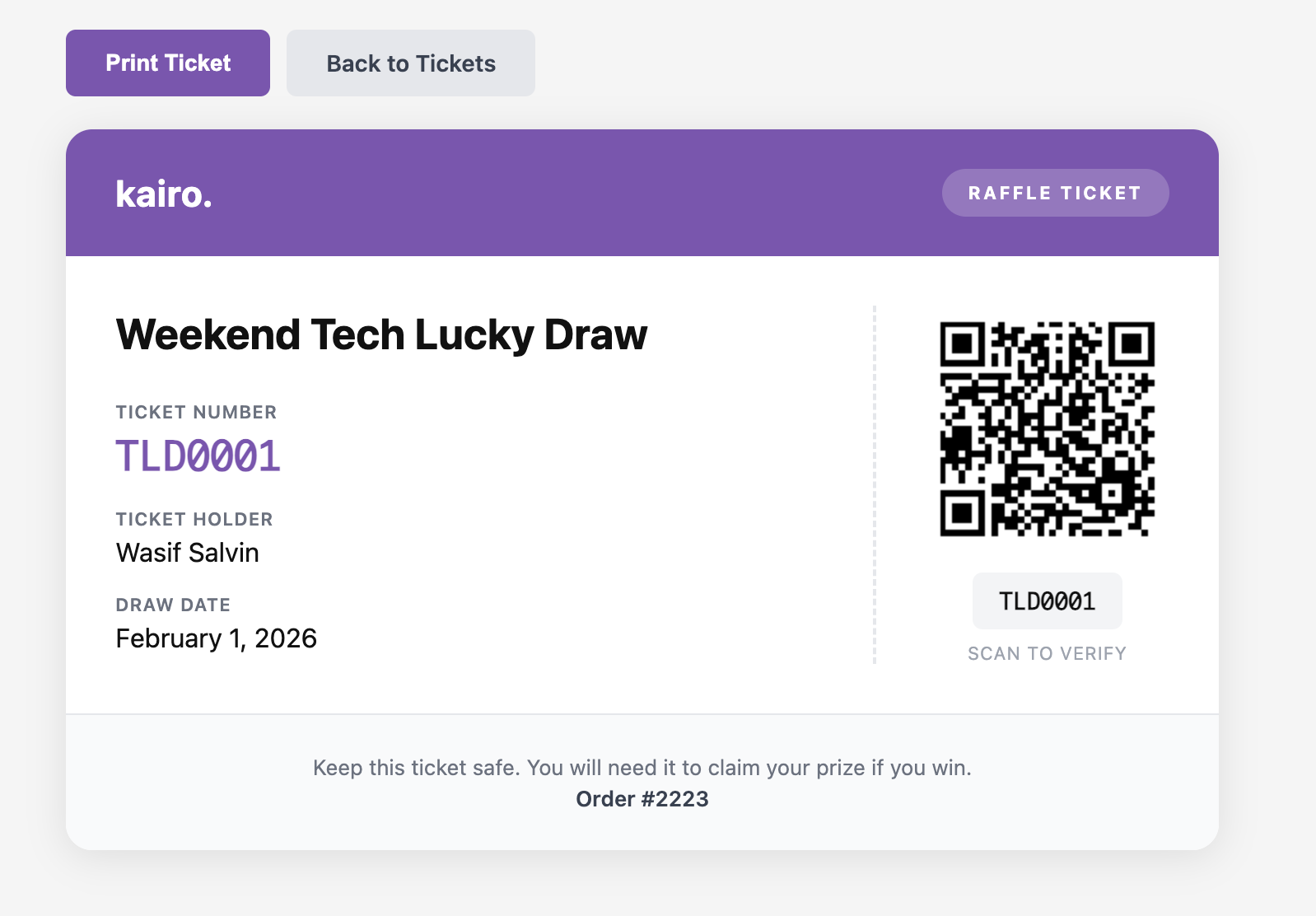
- Printable ticket generation with unique ticket numbers.
- QR code generation for checking tickets at events.
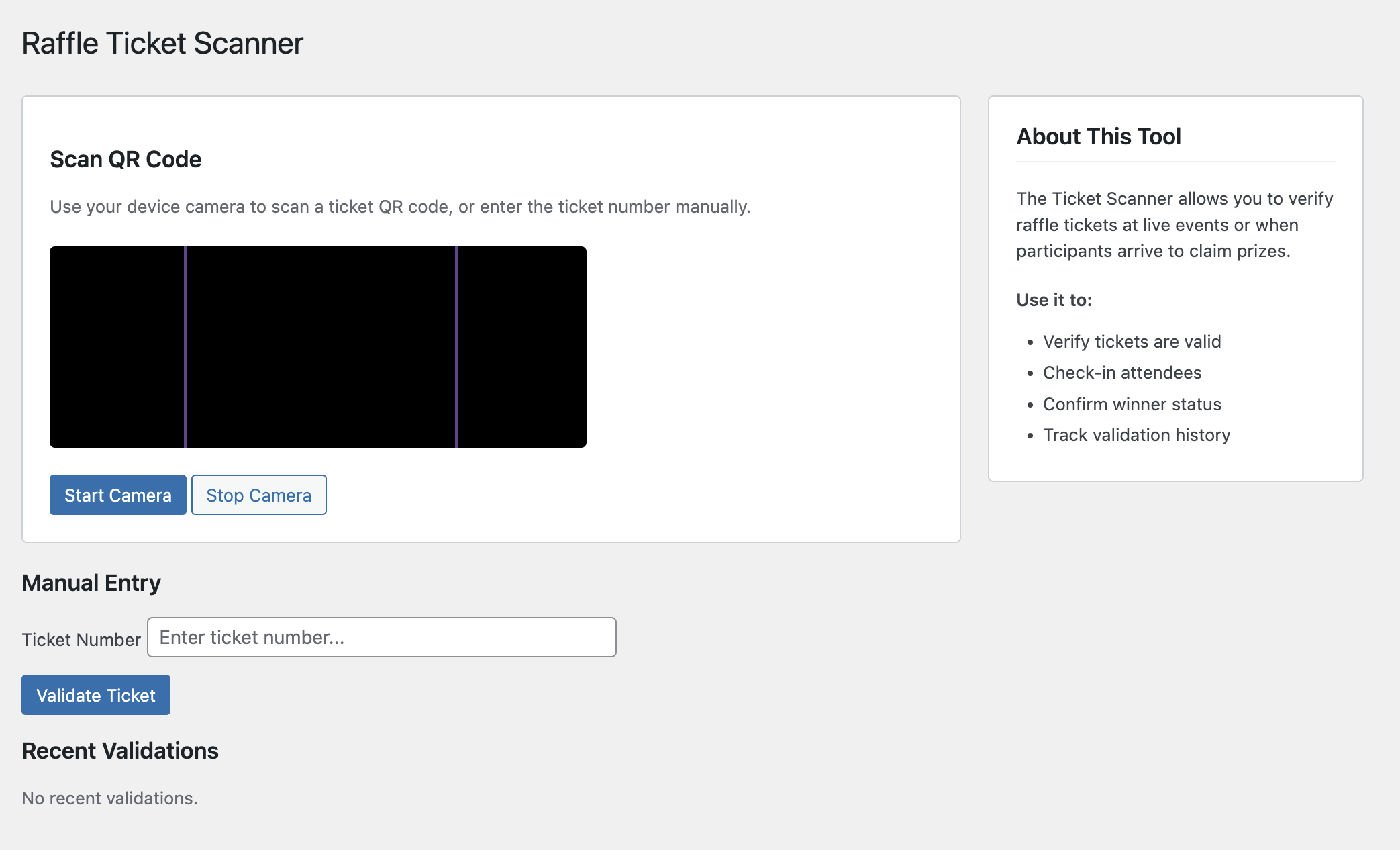
- QR code scanner in admin for live event validation.
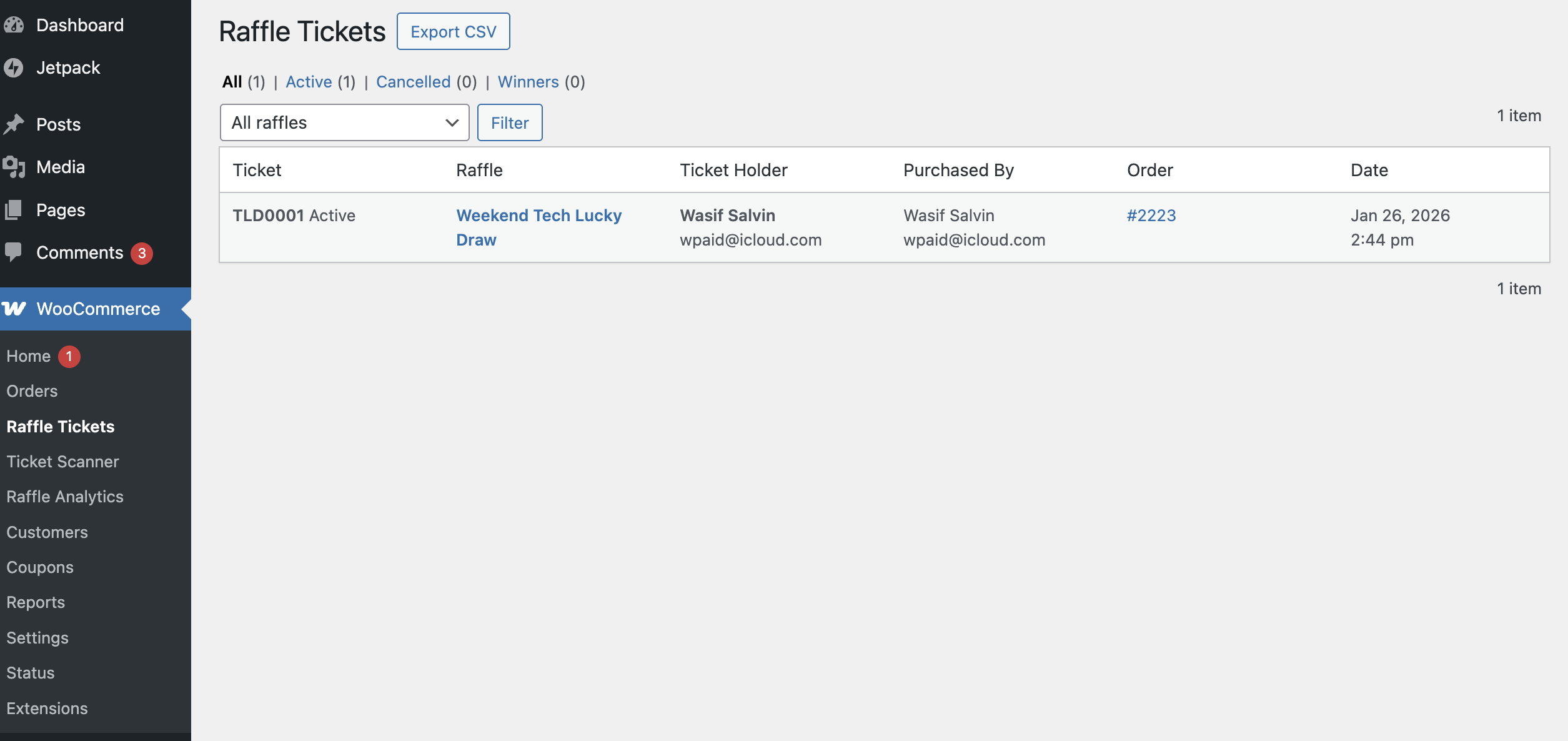
- CSV export for all ticket data.
- Ticket search by number, name, or email.
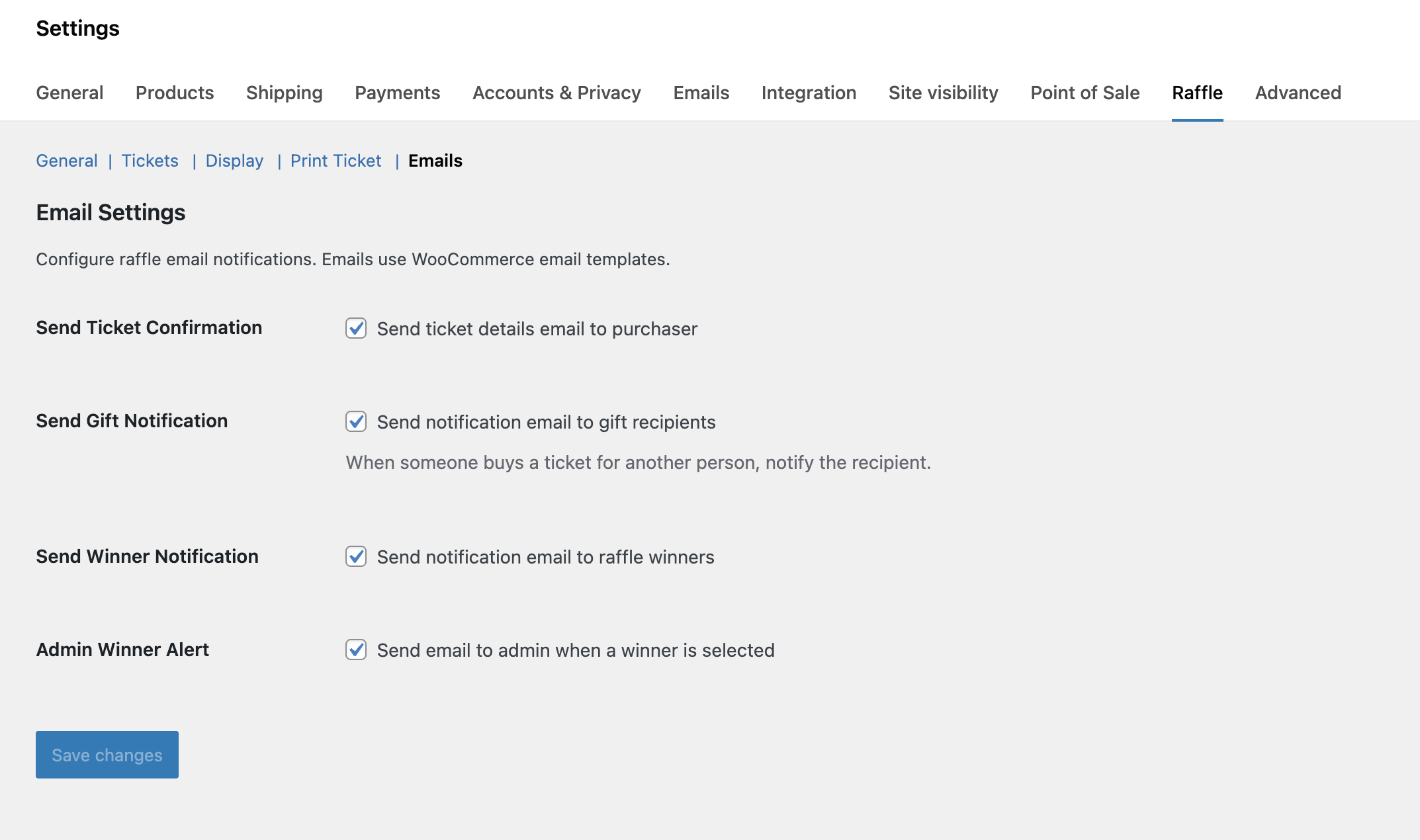
- Ticket Confirmation sent to purchaser after buying tickets.
- Gift Received sent to gift recipients with their ticket details.
- Winner Notification sent to winners when they are drawn.
- Prize Claimed Confirmation sent to winners when their prize is marked as claimed.
- Admin Winner Alert sent to admin when a winner is selected.
- Admin Draw Failed Alert sent to admin when an automatic draw fails.
- All emails are configurable in WooCommerce > Settings > Raffle > Emails and in WooCommerce > Settings > Emails.
- Winner announcement banner with Gravatar, city, ticket number, and product link.
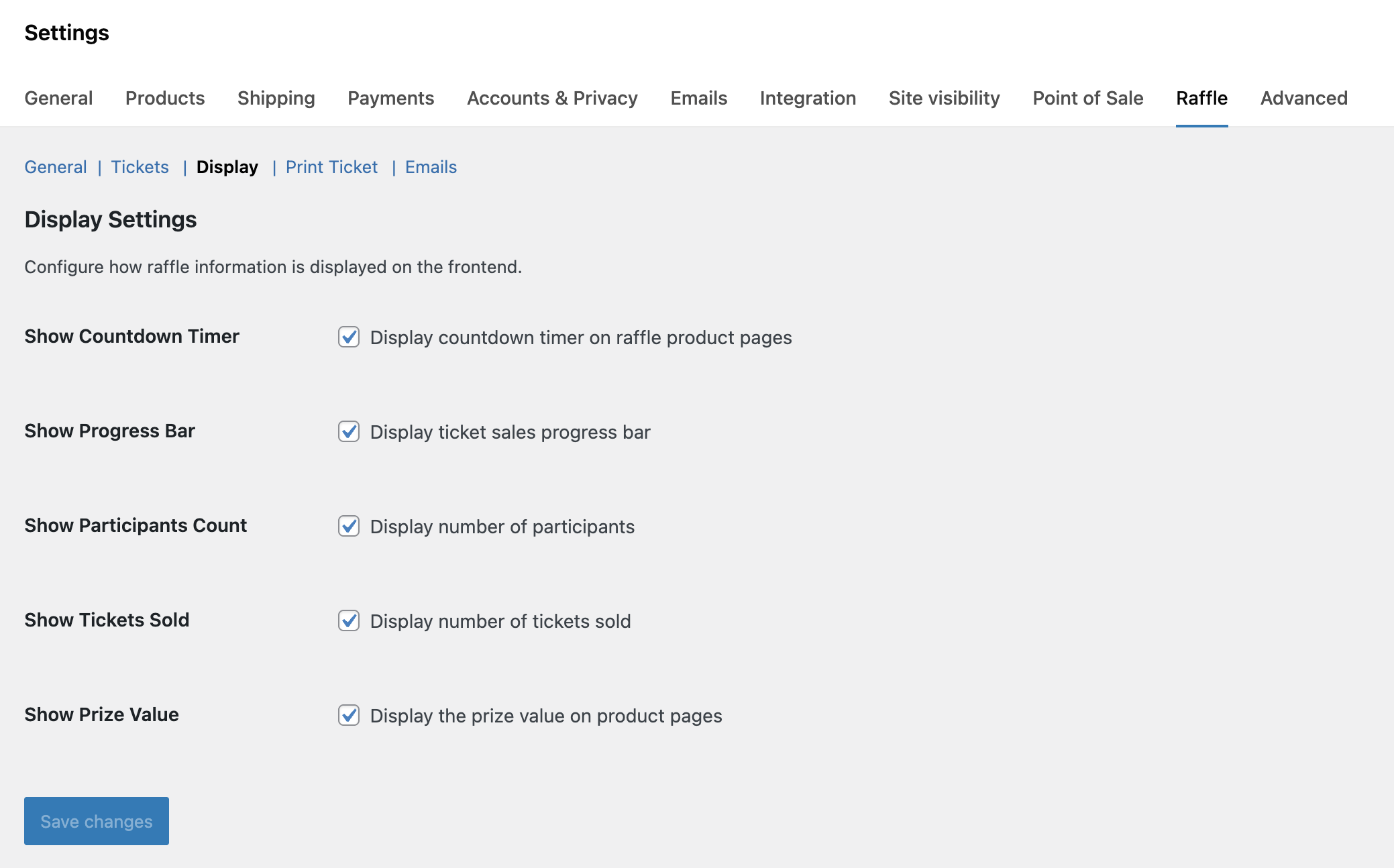
- Compact countdown badge on shop and archive pages (optional setting).
- Instant Win ribbon overlay on product images — works on single product, shop, archive, and anywhere products appear (like the WooCommerce "Sale!" badge). Configurable position (top-left or top-right).
- Instant Win badge alignment: center, left, right, or full width.
- Instant Win winners display control: always show, only after raffle ends, or never. Prevents discouraging purchases when all instant prizes are claimed early.
- Urgency color shift when less than 3 days remain.
- Status badges on archive pages: Winner Selected, Ended, Cancelled, and Failed.
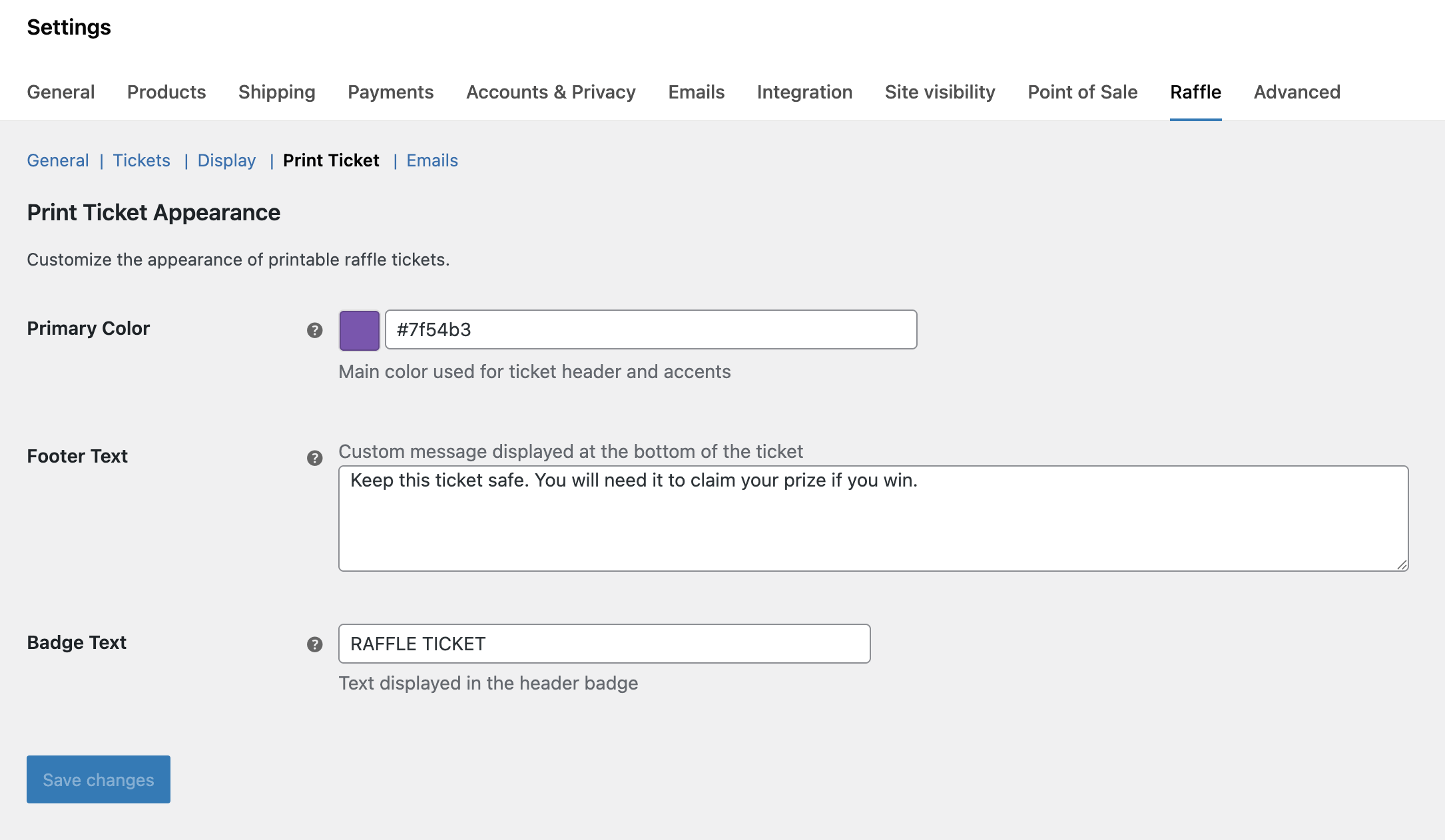
- Customizable primary color, badge text, and footer for printable tickets.
- Skill-testing question system with configurable question pool (text and multiple choice). Global pool questions are pinned per product for consistency.
- Optional time limit for skill questions with live countdown timer.
- Max attempt limit per customer per product to prevent brute-force guessing.
- Multiple choice display options: radio buttons or dropdown select.
- Free entry route with "Paid Entry" / "Free Entry" tab interface for jurisdictions requiring "no purchase necessary" alternatives. Includes the skill-testing question so postal entrants know what to answer.
- Per-product compliance overrides to enable or disable skill questions and free entry on individual raffles.
- Store address auto-replacement in free entry instructions using the
[Your Address]placeholder.
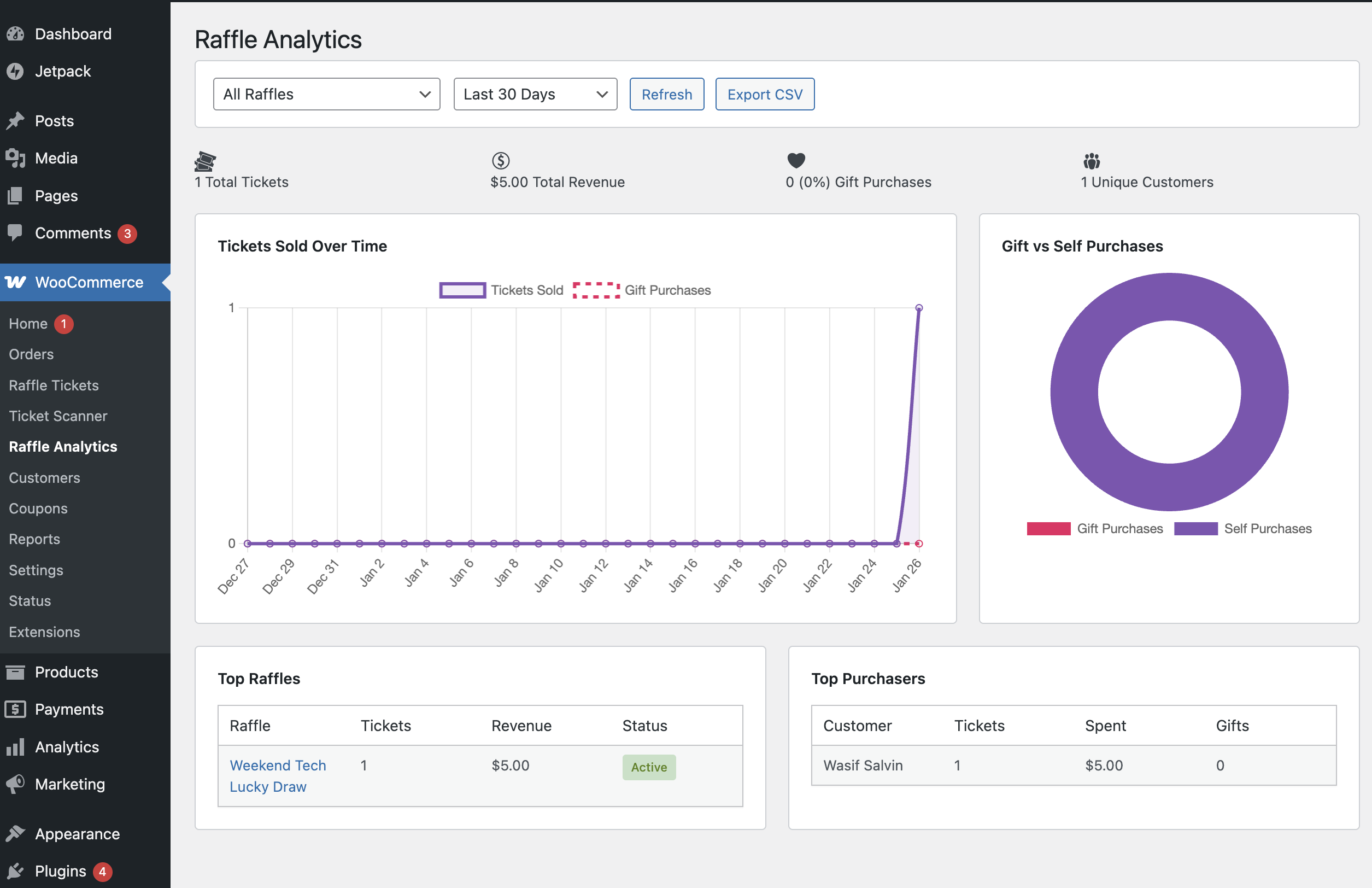
- Analytics dashboard showing sales and performance.
- Activity log tracking ticket generation, winner draws, prize claims, and more.
- Full audit trail for charity compliance and reporting.
- GDPR compliant with personal data export and erasure.
- Guest access control: allow, block, or force login before raffle purchases.
- Payment gateway restrictions per product — hide specific gateways (e.g., COD, bank transfer) when a raffle is in the cart.
- Mixed checkout restriction — optionally prevent raffle and non-raffle products in the same cart.
- Skip cart page — redirect customers directly to checkout after adding a raffle to cart.
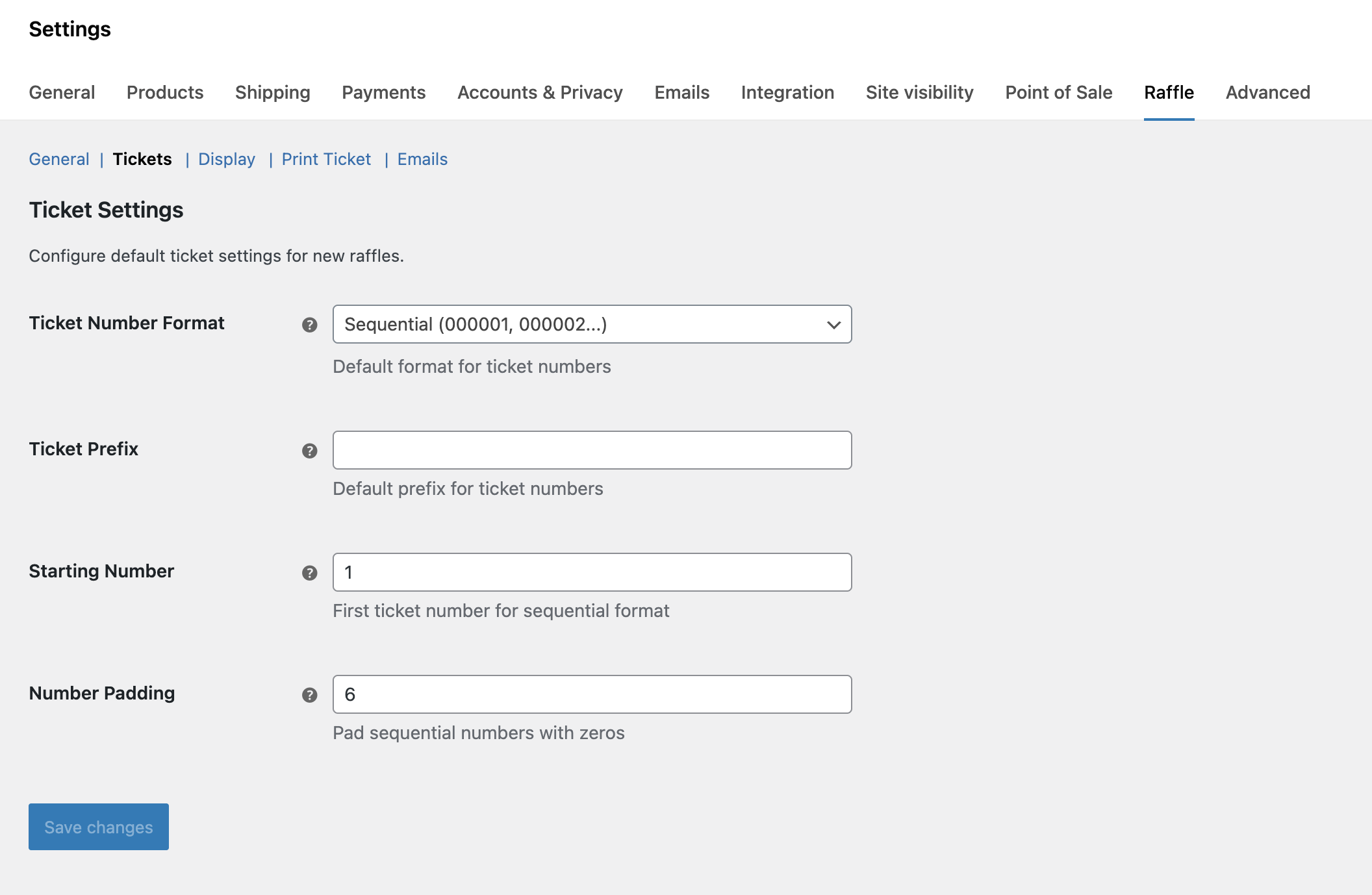
- Ticket number suffix — add text after ticket numbers alongside the existing prefix.
- Works with WooCommerce High Performance Order Storage (HPOS).
- Works with WooCommerce Block Checkout.
- REST API available for custom integrations.
- Translation ready for any language.
- Addon extensibility layer with hooks and filters for third-party extensions.
- Charities and nonprofits running online fundraisers.
- Golf clubs, sports clubs, and social clubs doing member prize draws.
- Schools and parent associations raising funds.
- Churches and community groups organizing raffles.
- Local businesses running customer promotions.
- Online stores creating giveaways and contests.
Already running raffles? Everything above is yours - free, forever, no catches. Want to give your customers an interactive, visual experience on top of that? Raffle for WooCommerce Pro adds a new layer of engagement:How to Create Your First RaffleSame raffle system. More ways to engage your customers. Learn more about Pro.
- Pick Your Own Ticket: Visual ticket grid where customers choose their lucky numbers.
- Lucky Dip: One-click random ticket selection from available numbers.
- Advanced Instant Win: Pre-selected winning tickets, multi-tier prizes, and prize separation.
- Lucky Wheel / Spin to Win: Interactive wheel animation with configurable prizes, standalone wheels, popups, and email gate.
- Winner Reveal Page: Live draw animations with confetti, perfect for live-streaming.
- Entry / Participant List: Public participant page with privacy controls.
- Alphabet Ticket Format: Ticket numbers in A01–Z99 format for a traditional raffle feel.
- Ticket Reservation: Hold selected tickets for a limited time to prevent checkout conflicts.
- IP Purchase Restriction: Limit ticket purchases per IP address to prevent multi-account abuse.
- Bonus Tickets: Auto-award extra draw entries based on quantity, early bird timing, or customer role.
- Reward Points (WooRewards): Earn and redeem loyalty points on raffle tickets.
- Email PDF Ticket: Auto-attach branded PDF raffle tickets with QR codes to order confirmation emails.
- Countdown & Badge Styles: 17 countdown timer styles and 9 instant win badge styles with animations, glassmorphism, neumorphism, gradient borders, and more.
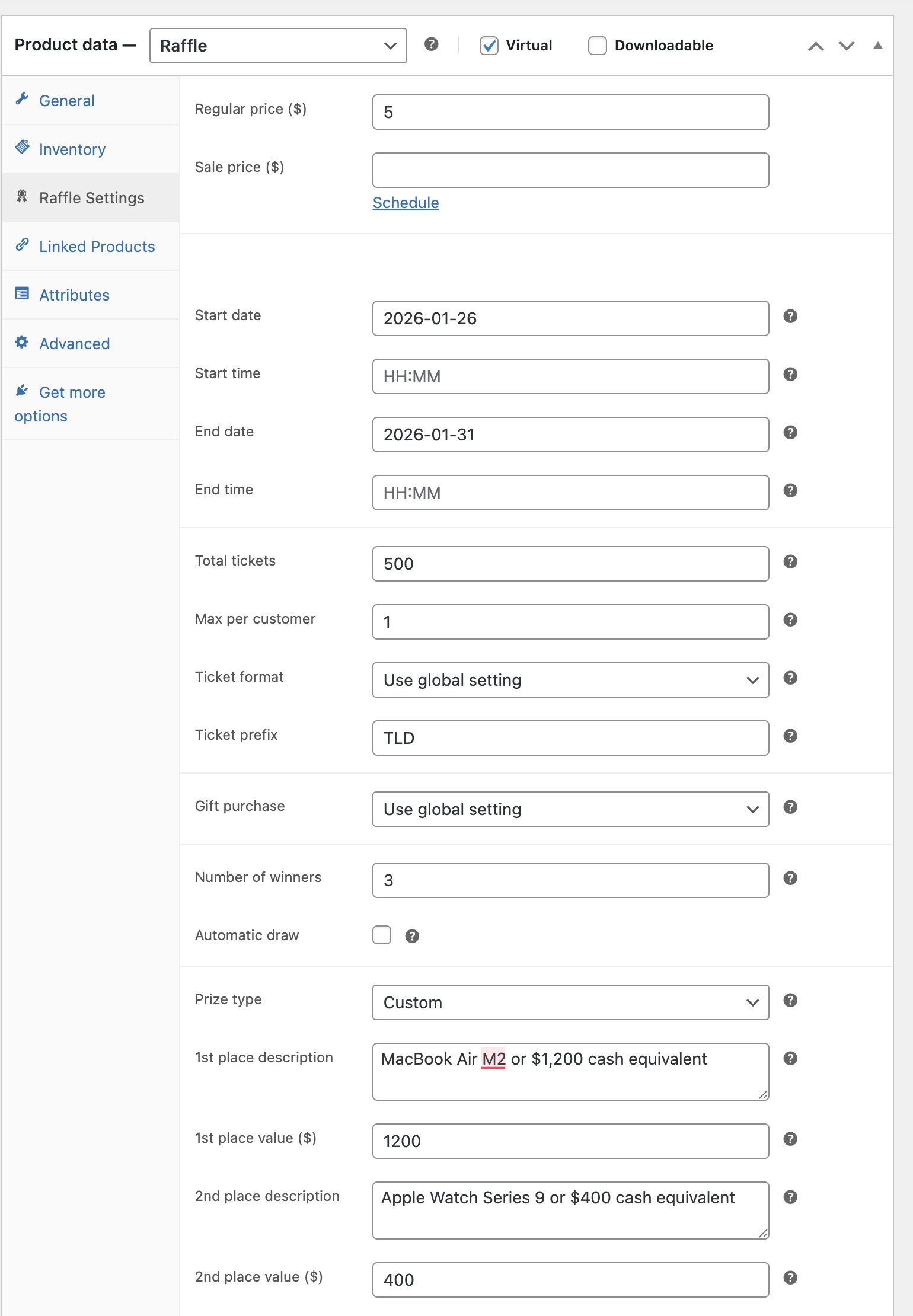
- Add a new product in WooCommerce.
- Select Raffle as the product type.
- Set your ticket price and how many tickets you want to sell.
- Choose start and end dates for your raffle.
- Turn on gift purchasing if you want customers to buy for others.
- Publish your raffle and start selling.
- When the raffle ends, pick a winner manually or let the system choose automatically.
- The winner gets an email with prize details.
[raffle_card] shortcode gives you a complete, self-contained raffle preview with image, countdown, prize, and buy button. Perfect for homepages, blog posts, and landing pages. Use [raffle_cards] to display multiple raffles in a responsive grid. Filter by IDs, category, or status with customizable columns. Use [raffle_winners] to showcase past winners with their avatar, city, and winning ticket on a dedicated Winners page.
All shortcodes accept a product ID or use id="latest" / id="active" to automatically pick the most relevant running raffle. See the full documentation for examples.
Built for Developers
- Compatible with WooCommerce 8.0 and newer.
- Works with High Performance Order Storage out of the box.
- Block checkout support included.
- REST API available for custom integrations.
- Translation ready for any language.
- Hooks and filters throughout for customization.
- Read the documentation at Themology.
- Ask questions in the WordPress.org support forum.
- Visit Themology.com for bug reports or feature requests.
安装:
- Go to Plugins then Add New in your WordPress admin.
- Search for Raffle for WooCommerce.
- Click Install Now and then Activate.
- Go to WooCommerce then Settings then Raffle to set up your options.
- Download the plugin zip file.
- Go to Plugins then Add New then Upload Plugin.
- Upload the zip file and click Activate.
- Go to WooCommerce then Settings then Raffle to set up your options.
- WordPress 6.0 or newer.
- WooCommerce 8.0 or newer.
- PHP 7.4 or newer.
屏幕截图:
常见问题:
Is this plugin actually free?
Yes. Every feature listed above works without paying anything. No feature locks. No nag screens. No premium gates. If you need advanced interactive features like ticket picking grids, lucky wheel, or gamification animations, those are available in the separate Raffle for WooCommerce Pro addon. But the free plugin is a complete raffle system on its own — most stores will never need anything more.
How does gift ticket purchasing work?
When a customer adds raffle tickets to their cart, they can choose to buy them as a gift. They enter the recipient's name and email at checkout. The recipient gets an email saying they received raffle tickets. The recipient's name appears on the ticket and enters the draw.
What winner selection options do I have?
You can pick winners three ways. Manual selection lets you browse all tickets and choose yourself. Automatic selection picks a random winner when the raffle ends. Random.org selection uses their certified random number service for verified fair draws.
Can I run multiple raffles at the same time?
Yes. Create as many raffles as you need. Each raffle is a separate WooCommerce product with its own settings.
How do customers see their tickets?
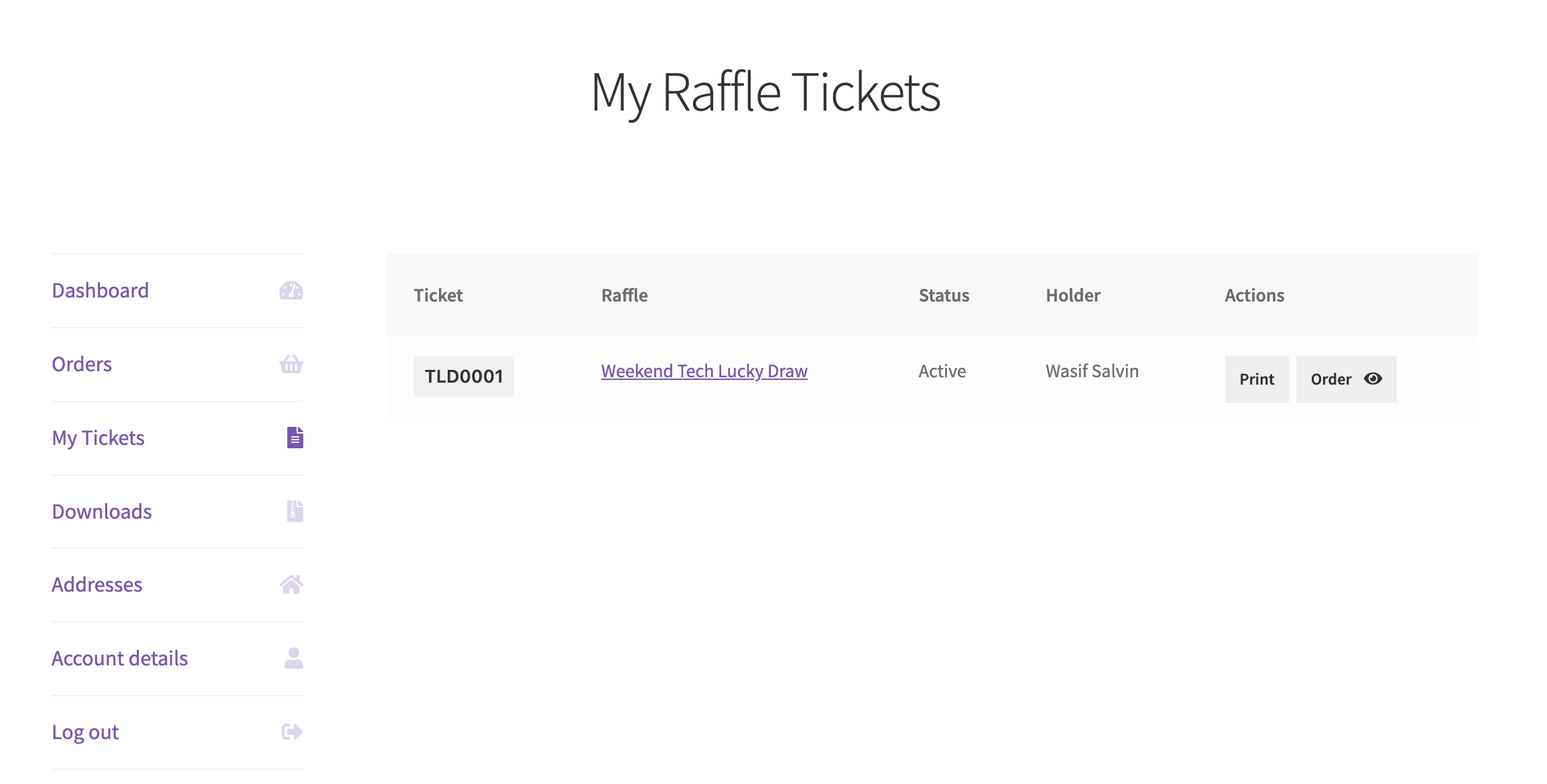
Customers can view all their raffle tickets in the My Account section. They can also print tickets with QR codes for each entry.
Can I check tickets at a live event?
Yes. Use the QR code scanner in your WordPress admin. Scan the QR code on any ticket to verify it and mark it as checked in.
Does this work with WooCommerce subscriptions?
This plugin handles one time raffle ticket purchases. You can create new raffles whenever you want.
Can I export ticket data?
Yes. Export all tickets to a CSV file from the admin dashboard. Filter by raffle, date, or status before exporting.
Is this plugin GDPR compliant?
Yes. The plugin integrates with WordPress privacy tools. Customers can request their data or ask for deletion. Gift recipient data is only used for ticket delivery and draw purposes.
Can I display raffle countdowns or cards on any page?
Yes. The plugin includes seven shortcodes you can use on any page, post, or landing page. Use [raffle_card id="123"] for a full product card with image, countdown, and buy button, or [raffle_cards ids="123,456" columns="3"] to display multiple raffles in a grid. Use [raffle_countdown id="123"] for just the timer, [raffle_progress id="123"] for the progress bar, [raffle_prize id="123"] for prize info, [raffle_status id="123"] for a status badge, or [raffle_winners id="123"] to display the winner announcement with avatar, city, and ticket details. You can also use id="latest" or id="active" instead of a product ID.
Can I show countdown timers on the shop page?
Yes. Go to WooCommerce > Settings > Raffle > Display and enable "Show Countdown on Shop Pages." This adds a compact countdown badge below the price for raffle products on shop and category archive pages. Products with less than 3 days remaining show an urgency-colored badge.
How do I manage winners across all raffles?
Go to WooCommerce > Raffle Tickets. The page has three tabs: All Tickets, Winners, and Claimed. The Winners tab shows all winners across all raffles with quick "Mark Claimed" and "Resend Notification" buttons. You can also bulk-select winners and mark them as claimed in one click. The per-product Winner Selection metabox on the product edit page still works for per-raffle management.
What email notifications does the plugin send?
The plugin includes six email notifications: Ticket Confirmation (to purchaser), Gift Received (to gift recipient), Winner Notification (to winner), Prize Claimed Confirmation (to winner when claimed), Admin Winner Alert (to admin), and Admin Draw Failed Alert (to admin). Each can be toggled on or off in WooCommerce > Settings > Raffle > Emails, and customized in WooCommerce > Settings > Emails.
What is Instant Win?
Instant Win lets customers find out if they won immediately after purchasing a ticket, rather than waiting for the raffle to end. Enable it per raffle product with two modes: probability-based (e.g., 1 in 50 chance per ticket) or guaranteed interval (one winner every N tickets). Results appear on the order thank-you page and in the customer's My Account ticket list.
Can I prevent the same person from winning multiple prizes?
Yes. Enable "Unique winners only" on a raffle product. When drawing multiple winners, the system ensures each person can only win one prize tier. After a ticket holder wins, all their remaining tickets are excluded from subsequent draws.
Can I extend or relist an expired raffle?
Yes. On the product edit screen, the Winner Selection metabox shows "Extend" and "Relist" buttons for completed, failed, or cancelled raffles. Extend pushes the end date forward while keeping all tickets and winners. Relist resets the raffle to a fresh state — clears winners and terminal status but preserves existing ticket data.
Can I restrict which payment gateways are available for raffles?
Yes. Each raffle product has a "Disabled payment gateways" multi-select field. Select any gateways you want to hide when that raffle is in the cart. This is useful for disabling Cash on Delivery or bank transfer for raffle purchases. When Instant Win is enabled with "require instant payment," offline gateways are hidden automatically.
Can I block guest users from buying raffle tickets?
Yes. Go to WooCommerce > Settings > Raffle > General and set Guest Access to "Block" (shows a login message on the product page) or "Force login" (redirects to the login page). The default is "Allow" which keeps the current behavior.
Can I show an "Instant Win" ribbon on product images?
Yes. Go to WooCommerce > Settings > Raffle > Display and enable "Show Instant Win Ribbon on Images." This adds an accent-colored ribbon tag on the product image, similar to the WooCommerce "Sale!" badge. It appears on single product pages, shop pages, archive pages, and anywhere the product is displayed. You can set the position to top-left (default) or top-right. The ribbon uses your configured accent color and only shows on active raffle products with Instant Win enabled.
Will this work with my theme?
Yes. The plugin uses minimal styling and inherits your theme's appearance. It works with any theme that supports WooCommerce.
Can I customize the printable tickets?
Yes. You can customize the primary color, badge text, and footer message in WooCommerce Settings under the Raffle > Print Ticket section. Email templates use the standard WooCommerce email system.
What happens if a winner does not claim their prize?
You can redraw a new winner from the admin panel. The original winner can be marked as unclaimed.
How do skill-testing questions work?
Go to WooCommerce > Settings > Raffle > Compliance and enable Skill-Testing Questions. Build a question pool with text or multiple choice questions. When enabled, customers see a randomly selected question on the product page and must answer correctly to add tickets to the cart. Answers are validated server-side with secure hashing. You can also override the global setting per product in the product's Compliance Settings tab. Optional enhancements include a countdown timer, max attempt limits per customer, and dropdown display for multiple choice answers.
How do refunds work for failed or cancelled raffles?
Go to WooCommerce > Raffle Tickets > Mass Refund tab. Select a failed or cancelled raffle and click "Refund All Tickets". You can also select individual tickets from the All Tickets tab and refund just those. Three refund methods are available: Standard refund (creates WooCommerce refund records for manual processing), Refund via payment gateway (automatically returns money for Stripe, PayPal, etc., with fallback for offline gateways), and Refund to wallet (credits the customer's TeraWallet balance so they can reuse it for future purchases). The wallet option requires the free TeraWallet plugin to be installed and active.
What is the free entry route?
The free entry option adds a "Paid Entry" / "Free Entry" tab interface on the raffle product page. This satisfies "no purchase necessary" requirements in jurisdictions like Canadian provinces. Enable it in WooCommerce > Settings > Raffle > Compliance and write your own instructions. Use the [Your Address] placeholder to auto-insert your WooCommerce store address. You can also override this per product.
更新日志:
- Fix: The "Manage Winners" button in the admin winner alert email and the "Review Raffle Settings" link in the draw failed email were empty whenever the email was sent during a customer's checkout or a scheduled draw, because the link was built with a function that returns nothing for visitors without edit rights. Both the HTML and plain-text emails now always link to the raffle's edit screen. This also removes a PHP deprecation notice logged on each of those emails.
- New: A one-time review prompt on the Raffle Tickets page and the Raffle settings tab, shown after 14 days of use or 10 completed raffles. Dismiss it once and it stays gone. Nothing is sent anywhere.
- Fix: The raffle add-to-cart template did not fire
woocommerce_before_add_to_cart_formandwoocommerce_after_add_to_cart_form, so anything hooked there (including the Pro instant win prize tier cards) never showed on the product page. Both hooks now fire in the same spots as WooCommerce's own templates. - Fix: The instant win thank-you message read the first result with a fixed array key, so the "instant win only" wording never showed and two PHP warnings were logged on every instant win order.
- Fix: Analytics revenue was calculated as ticket count multiplied by the raffle's current list price, so coupons and discounts applied at checkout were not reflected and figures overstated actual income. Changing a raffle's price after tickets had sold also rewrote historical revenue. The main revenue stat, Top Raffles table, and CSV export now calculate revenue from the actual order line-item totals the tickets were purchased on. Figures include tax by default to match the previous gross numbers; use the new
rfwc_analytics_revenue_include_taxfilter (return false) to report net revenue instead. - Fix: The Top Purchasers "spent" figure ignored the selected date range and always showed each purchaser's lifetime spend for a raffle. It is now scoped to the same date range and raffle filter as the rest of the report, and is calculated from actual order totals so discounts are reflected.
- Dev: New filter
rfwc_eligible_ticketsexposes the draw pool so addons can combine tickets across multiple raffles (e.g. a master drawing). Defaults to the existing per-raffle pool, so no behavior change for stores that do not extend it. - Dev: New filter
rfwc_should_auto_drawlets addons suppress the automatic per-raffle draw for individual raffles, useful when a parent process handles winner selection across a group of raffles. Defaults to true. - Dev: New filter
rfwc_admin_tickets_extra_tabslets addons append tabs to the Raffle Tickets admin page. Pair it with the newrfwc_admin_tickets_render_viewfilter to render custom views without forking the page.
- Fix: Gift recipient email was not sent when every ticket in an order was a gift, so all-gift orders left buyers with the order confirmation but no gift notification reaching the recipient. Triggered by a hook timing issue: each raffle email registered itself on the source action (e.g.
rfwc_gift_tickets_generated) instead of the WooCommerce-dispatched_notificationvariant. The first email-related action of a request loadedWC_Emailsfor the first time, but PHP'sforeachover the priority-10 callback bucket ran on a snapshot taken before our handler registered itself, so the gift notification was silently skipped. Mixed self plus gift orders worked because the earlier non-gift action warmed up the registry. Every raffle email handler now hooks the_notificationvariant that WooCommerce dispatches afterWC_Emails::instance(), so the handler is registered before the dispatch and runs reliably whether emails are sent synchronously or via the deferred background emailer. Affected: ticket confirmation, gift received, winner notification, admin winner alert, prize claimed, admin draw failed, admin mass refund summary, and ticket refunded emails. - Dev: Renamed the ticket refund action from
rfwc_ticket_refunded_notificationtorfwc_ticket_refundedto match WooCommerce's email action convention. The_notificationsuffix is now appended automatically by WooCommerce, so the email handler listens to the auto-dispatchedrfwc_ticket_refunded_notificationvariant. Custom code that hooked intorfwc_ticket_refunded_notificationdirectly should switch torfwc_ticket_refunded(the auto-dispatched_notificationvariant remains the email trigger point).
- Fix: Countdown timer values, ticket progress styling, and other raffle UI did not render when a raffle was embedded on a regular page via the WooCommerce
[product_page id="X"]shortcode. Markup loaded correctly but the frontend CSS and JS never enqueued because the asset gate only checkedis_product(), which returns false on a regular page rendered through the shortcode. Asset loading now also detects raffles embedded via[product_page]. - New: Self-claim option in gift orders. When the new "Allow Self-Claim in Gift Orders" setting is enabled (WooCommerce > Settings > Raffle > Display), each recipient field at checkout gets a "This ticket is for me" checkbox. Buyers can mix tickets they keep with tickets they gift in a single order. Self tickets stay with the buyer and count against the per-customer max; gift tickets remain exempt and route to recipients as before. Defaults off so existing stores see no change. Classic Checkout only — Block Checkout is not yet supported.
- Dev: New helper functions
rfwc_get_current_raffle_ids()andrfwc_get_current_raffle( $check )for addons and themes that need to identify the raffle product on the current frontend request, including pages that embed a raffle via[product_page].
- Fix: General product data tab was hidden for Simple, Variable, Grouped, and External products when the plugin was active. The tab was incorrectly being tagged with the
show_if_raffleCSS class, which the plugin's admin JS then hid for any non-raffle product type. The General tab is now only force-shown for raffle products and keeps its default WooCommerce visibility for every other product type. - Fix: Selecting "Raffle" as the product type briefly stacked the General panel content (pricing) above the Raffle Settings panel content (dates, tickets) until another tab was clicked. The admin JS was force-showing
#general_product_dataalongside the active panel. Pricing fields are still force-shown inside the General panel via their CSS classes, but the panel itself now follows WooCommerce's normal tab-click visibility. - Fix: Extending or relisting a raffle could accept an end date that wasn't actually in the future on sites where the WordPress timezone differs from the server PHP timezone. The validation now parses the merchant's input in the site timezone (via
wp_timezone()) before comparing against the current UTC time. - Dev: Documented Terms of Service link for the QR Server API in the External Services section of the readme. Added a
.distignoreso dev configs (phpcs.xml,phpstan.neon,composer.json,tasks.md,docs/, etc.) are excluded from WordPress.org packages. Addedmanage_woocommerceand related WooCommerce capabilities to the PHPCS ruleset to silence false-positive "unknown capability" warnings.
- Fix: "Max per customer" left blank or set to 0 was capping non-gift purchases at 1 ticket instead of unlimited as the field tooltip stated. Empty/0 now correctly means unlimited per customer (constrained only by total tickets), matching the documented behavior. Stores that relied on the previous default-to-1 behavior should set the field to 1 explicitly.
- Fix: "Max per customer" could be saved with a value greater than "Total tickets". The save handler now clamps the value to total tickets and shows an admin notice when this happens.
- Improvement: Automatic draw now schedules a precise cron event at the exact raffle end time instead of relying solely on the hourly sweep. Reduces draw delays on sites with low traffic or unreliable WP-Cron.
- Improvement: Product editor now shows a warning when a raffle has Instant Win enabled but the global Instant Win module is turned off in WooCommerce > Settings > Raffle.
- Improvement: Added diagnostic logging for auto-draw skip reasons (raffle not ended, winners exist, terminal status, instant-win-only) to WooCommerce logs for easier troubleshooting.
- Improvement: Number of winners is no longer limited to 5. You can now configure up to 20 winners per raffle (filterable via
rfwc_max_prize_tiersfor even higher limits). Perfect for cash raffles with many winners. - Added:
rfwc_get_ordinal()andrfwc_max_prize_tiers()helper functions for consistent tier labeling across free and pro plugins.
- Fix: CSV export for tickets and winners was capped at 200 rows. Exports now return all matching records with no hard limit. Admin page views retain the 200-row default for performance.
- Fix: Fatal error on sites using Header Footer Elementor or themes that set the global $product variable to a non-object value before WooCommerce initializes it. All frontend template guards now use instanceof checks for full compatibility.
- Fix: Improved responsive layout for countdown timers inside raffle card shortcodes on small screens.
- Fix: Winner display, prize details, and quantity selector now stack properly on mobile viewports.
- Improvement: Single raffle card shortcode is now centered by default.
- Improvement: Frontend CSS now uses CSS custom properties for card and element colors (
--rfwc-card-bg,--rfwc-card-text,--rfwc-card-text-secondary,--rfwc-card-border,--rfwc-button-text). Defaults match existing values so there is zero visual change. Pro addon can override these via the new Color Customization settings. - Improvement: Updated 20+ selectors across card, countdown, progress, prize, quantity, and gift toggle elements to use the new color variables instead of hardcoded hex values.
- New: Filterable prize data in winner notification emails — allows Pro addon to display instant win-specific prize names and values instead of the main draw prize
- Dev: Added
rfwc_winner_email_prize_nameandrfwc_winner_email_prize_valuefilters for customizing prize info in winner emails
- New: Instant Win Winners Display setting. Control when instant win winners appear on the product page and winners shortcode: "Always show" (default, current behavior), "Only after raffle ends" (hides winners while the raffle is still active), or "Never show." Useful for avoiding customer discouragement when all instant prizes are claimed before the raffle sells out. Winners still receive their notification email regardless of this setting. Found in WooCommerce > Settings > Raffle > Display.
- Fix: Block checkout spinning indefinitely after payment with instant win enabled. The instant win evaluator was creating a separate order object and calling
$order->save()for every ticket during the Store API checkout response, causing timeouts and preventing the redirect to the thank-you page. Now accumulates all instant win results in memory on the same order instance and saves once after all tickets are processed.
- Fix: Ticket quantity capped at 999 regardless of available tickets or per-customer limit. Customers with bulk pricing tiers above 999 (e.g., 10,000+) could not reach those tiers. The quantity input now derives its maximum solely from the per-customer limit and available ticket count with no artificial ceiling.
- Fix: Range slider fallback capping quantity at 999 when no explicit maximum is set on the input.
- New: Instant Win mode. Enable per raffle so customers find out whether they won immediately after purchase. Two modes: probability-based (configurable odds, e.g., 1 in 50) and guaranteed interval (one winner every N tickets). Includes an "Instant Win!" badge on the product page, results on the thank-you page, and instant win tags in My Account ticket list. Automatically hides offline payment gateways when instant payment is required.
- New: Unique winner enforcement. Per-raffle toggle that prevents the same person from winning multiple prizes in a single draw. When enabled, each user can only win one prize tier — after a ticket holder wins, all their remaining tickets are excluded from subsequent selections.
- New: Extend and relist expired raffles. Admins can extend a completed, failed, or cancelled raffle by setting a new end date (tickets and winners preserved). Relist resets the raffle to a fresh state — clears winners and terminal status but keeps existing tickets.
- New: Guest access control. Three-way global setting: "Allow" (default, current behavior), "Block" (show login-required message on product page), "Force login" (redirect to login before purchase). Enforced on both the product page and the add-to-cart validation.
- New: Payment gateway restrictions per product. Multi-select field to hide specific gateways (e.g., COD, bank transfer) when a raffle product is in the cart. Works standalone or automatically with instant win to hide offline gateways.
- New: Skill question time limit. Optional countdown timer for answering skill-testing questions. When time expires, inputs are disabled and a refresh message is shown.
- New: Skill question max attempts. Limit wrong answers per customer per product (tracked via transients for both logged-in and guest users). After exceeding the limit, the add-to-cart form is disabled.
- New: Multiple choice dropdown display. New compliance setting to show multiple-choice skill answers as a dropdown select instead of radio buttons.
- New: Mixed checkout restriction. Global setting to prevent raffle and non-raffle products from being purchased together in the same cart.
- New: Skip cart page. Per-product toggle to redirect customers directly to checkout after adding a raffle to cart.
- New: Ticket number suffix. Per-product text field appended after ticket numbers, complementing the existing prefix.
- New: Addon extensibility layer. Action and filter hooks (
rfwc_loaded,rfwc_admin_product_options,rfwc_process_product_meta,rfwc_product_tabs,rfwc_after_ticket_display,rfwc_frontend_scripts) for third-party extensions and the upcoming Pro addon. - New: Early draw when sold out. Global and per-product setting to automatically draw winners when all tickets sell out instead of waiting for the end date. Wires into the existing auto-close sold out option.
- New: Minimum tickets threshold for auto-draw. Per-product field to set the minimum number of tickets that must be sold before the auto-draw can proceed. If the threshold is not met when the raffle ends, it auto-fails and tickets become eligible for mass refund.
- New: Raffle-specific refund emails. New ticket-refunded email sent to ticket holders (including gift recipients) when their tickets are refunded. New admin mass refund summary email sent after a batch refund completes. Both configurable in WooCommerce > Settings > Emails.
- New: Allow Manual Winner Selection toggle. Admins can disable manual ticket picking so only random draw methods are available. When off, the manual selection section is hidden and AJAX requests are rejected.
- New: Winner Location Display setting. Choose what location to show for winners on the frontend: City, State/Province, City + State, Country, or None. Replaces the previous city-only display.
- New: Show Raffle Image on Winners. Displays the raffle product thumbnail beside each winner. Useful when winners are shown outside the product page via shortcode.
- New: Show Prize Image on Winners. When the raffle prize is a WooCommerce product, shows the prize product image beside each winner so visitors can see what was won.
- New: Range Slider for Quantity. Optional styled range slider replaces the default number input on raffle product pages, with min/max range and a live value indicator.
- New: Global module toggles. Enable or disable features from WooCommerce > Settings > Raffle > Modules. Disabled modules are hidden from the product editor and frontend. All new 1.1.0 features default to off so existing stores are unaffected.
- Fix: Bulk pricing tier display showing all qualifying tiers as selected instead of only the highest applicable tier.
- Fix: Completed raffles (winners already drawn) showing a blank product page instead of a status message.
- Fix: Unescaped output from
wc_help_tip()on the payment gateway restrictions field. - Fix: PHPCS warnings for interpolated table names in database queries placed on wrong lines.
- Fix: Short ternary operator usage flagged by WordPress coding standards.
- New: Enhanced winner announcement banner — now displays winner's Gravatar/profile picture, city (from billing data), and a link to the raffle product page. City display respects the existing
rfwc_mask_winner_namefilter for privacy. A newrfwc_show_winner_cityfilter allows stores to disable city display. - New:
[raffle_winners]shortcode to display winner announcements on any page or post. Supports attributes:id(required — product ID, "latest", or "active"),show_avatar,show_city,show_ticket,show_date,show_link, andlimit. Reuses the existing winner banner styling. - New: Search and CSV export on the Winners, Claimed, and Mass Refund admin tabs. All tabs are now self-sufficient with their own search box and export button, matching the All Tickets tab functionality.
- Renamed the "Refunded" top-level tab to "Mass Refund" to clearly distinguish it from the "Refunded" status filter within the All Tickets tab. This eliminates the "2 refunded sections" confusion reported by users.
- Raffle filter dropdowns throughout the Tickets admin page now group raffles by status (Active, Upcoming, Ended, Completed, Failed, Cancelled) using
<optgroup>headers, making it much easier to find specific raffles on stores with many raffles.
- Fixed theme compatibility issue where themes applying
display: flextoform.cart(Campo, Astra, OceanWP, Kadence, etc.) would compress the raffle quantity input and make it visually invisible. The plugin now resetsform.carttodisplay: blockon raffle product pages.
- New: Wallet refund support via TeraWallet. When the plugin is active, a "Refund to wallet" option appears in both the mass refund and selective refund modals, crediting the refund amount directly to each customer's wallet balance.
- New: Refund method selection has been upgraded from a single checkbox to a clear radio button group: Standard refund, Refund via payment gateway, and Refund to wallet (when TeraWallet is active).
- New: "Wallet Refunded" badge (indigo) on the Refunded tab for orders refunded to wallet, with corresponding filter option.
- Improved refund mode UI. The gateway checkbox has been replaced with explicit radio options that better communicate what each refund method does, reducing confusion around manual/offline refunds.
- Guest orders gracefully fall back to standard refund when wallet refund is selected, since guest accounts cannot hold wallet balances. A clear info notice now explains this in the results modal.
- Fixed wallet credit failure silently reported as successful. If TeraWallet's credit() call fails (locked account, DB error), the refund now correctly falls back to "Manual - Action Required" instead of showing "Wallet Refunded" with no actual credit applied.
- Fixed mass refund confirmation dialog showing incorrect total when store has taxes enabled. The preview amount now includes line item tax, matching the actual refund amount.
- Fixed selective refund confirmation dialog using current product price instead of actual order line item amounts. The preview now calculates from order data including tax, accounting for coupons, sale prices, and price changes since purchase.
- Fixed guest fallback notice (walletGuestFallback) defined in PHP but never displayed in JavaScript. When wallet refund is selected and guest orders fall back to manual, both the mass and selective refund result modals now show an explanatory info notice.
- New: Mass refund system for failed and cancelled raffles. Select a raffle from the Refunded tab, and all ticket orders are refunded in batch with a live progress bar and confirmation dialog showing order count and total amount.
- New: "Cancelled" raffle status. Admins can now cancel an active raffle at any time, which stops ticket sales and makes the raffle eligible for mass refund.
- New: Admin UI to manually fail or cancel a raffle from the product edit screen or via quick action on the Tickets page.
- New: Selective refund from the ticket list. Select individual tickets and refund only those, with automatic partial refund amount calculation per line item.
- New: Smart Refund Mode. Gateway-aware mass and selective refunds. A "Refund via payment gateway" checkbox in the refund modal attempts automated refunds for Stripe, PayPal, etc., and gracefully falls back to manual refund records for offline gateways (BACS, COD, check).
- New: Manual Refund Tracker. After processing refunds, orders paid via offline gateways are listed in a warning table with clickable order links, amounts, and payment methods. Includes a "Copy List" button for exporting to spreadsheets.
- New: Persistent refund tracking on the Refunded tab. Each order stores its refund method and displays color-coded badges: "Gateway Refunded" (green), "Manual - Action Required" (amber), or "Manual - Done" (teal).
- New: "Mark Done" button on manual refund rows. Admins click it after sending money offline. Updates the badge and adds a WooCommerce order note for audit trail.
- New: Refund method filter on the Refunded tab. Filter by "Gateway Refunded", "Manual - Action Required", or "Manual - Done" to quickly find orders needing attention.
- New: Ticket Status Distribution doughnut chart on the Analytics page showing Active, Winners, Cancelled, and Refunded ticket counts.
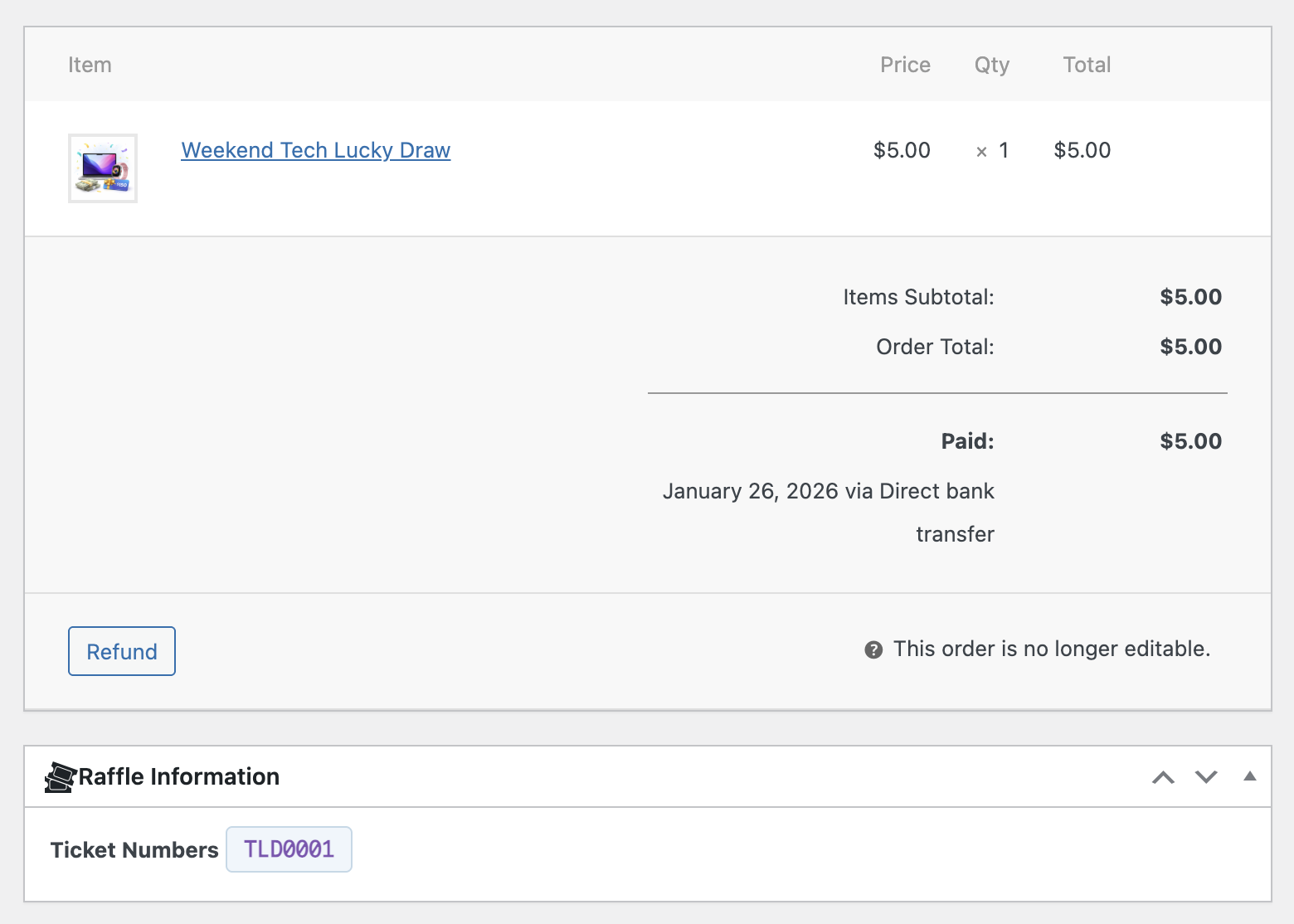
- New: Skill question compliance audit trail. The question text, answer type, pass result, and timestamp are saved as order item meta and displayed in the admin order Raffle Information metabox.
- New: Bulk/Tiered Ticket Pricing. Define up to 5 percentage-based volume discount tiers per raffle (e.g., "5+ tickets = 10% off"). Discounts are calculated from the total ticket quantity in the cart and applied automatically at checkout with a live price preview on the product page.
- Fixed shop archive and shortcodes showing "Winner Selected" for cancelled and failed raffles. Cancelled raffles now show "Cancelled" and failed raffles show "Failed" on archive badges and the
[raffle_status]shortcode. - Fixed single product page showing no message for cancelled or failed raffles. Previously, these raffles silently hid the add-to-cart form with no explanation. Now shows "This raffle has been cancelled." or "This raffle did not reach its goal and has ended."
- Fixed ticket scanner manual entry not finding tickets when the ticket prefix has no dash separator. Entering a formatted number like "RFW0YT6U7E2" returned "Ticket not found" because the lookup only handled dash-separated prefixes (e.g., "RFL-0002"). The scanner now collects all known ticket prefixes and strips them to match the raw ticket number.
- Fixed free entry tab not showing skill question answer choices. The Paid Entry tab displayed multiple-choice options correctly, but the Free Entry tab only showed the question text. Postal entrants could not see the possible answers.
- Fixed compact countdown timers wrapping to a second line in product grid cards and not loading on the homepage. The pill badges had a CSS display issue causing full-width rendering, and JS/CSS were not enqueued on
is_front_page()pages. - Fixed "Max per customer" setting not being enforced consistently. The product page allowed quantities up to the configured limit, but the cart (both classic and block) would reset non-gift quantities to 1 regardless of the setting. All code paths now respect the admin-configured limit.
- Improvement: Failed and cancelled raffles now appear in the Analytics dashboard activity log with dedicated event types and icons.
- Improvement: Payment and Refund Status columns added to the Refunded tab table for better admin visibility and money tracking.
- Improvement: Replaced the "Gift vs Self Purchases" doughnut chart with the more useful "Ticket Status Distribution" chart. Gift data is already shown in the stat cards and the line chart.
- Improvement: Cart quantity display now renders an editable input when max per customer is greater than 1 or bulk discounts are configured, instead of always showing a fixed "1" span.
- Improvement: Global pool skill-testing questions are now pinned per product. When a raffle uses the global question pool, a question is randomly assigned once on first page view and persists permanently, ensuring postal (free entry) participants always see the same question. Previously, a random question was selected on every page load.
- Improvement: New searchable "Pinned question" dropdown on the raffle product edit screen lets admins browse and select a specific question from the global pool, or leave it on auto-assign for automatic selection on first customer visit.
- Improvement: The free entry (postal) tab on the product page now displays the skill-testing question text so postal entrants know which question to answer in their mail entry.
- Improvement: New "Frontend Accent Color" setting under Display lets store owners customize the accent color for all raffle UI elements (countdown, progress bar, prize badges, tabs, buttons, etc.). All 20+ hardcoded color instances have been replaced with CSS custom properties for full flexibility.
- Improvement: The postal address in the free entry instructions is now automatically highlighted with bold text and a subtle green background tint for better visibility.
- New: Skill-testing question system for Canadian and legal compliance. Configure a global question pool with text and multiple choice questions. Customers must answer correctly before adding raffle tickets to the cart.
- New: Free entry route with "Paid Entry" / "Free Entry" tab interface on the product page. Meets "no purchase necessary" requirements for jurisdictions that require an alternative entry method.
- New: Per-product compliance overrides. Enable or disable skill-testing questions and free entry on individual raffle products, with optional custom question pools per product.
- New: Store address auto-replacement in free entry instructions using the
[Your Address]placeholder, pulling from WooCommerce store settings.
- Fixed cart quantity enforcement when switching from regular purchase to gift at checkout. Per-customer limits are now correctly bypassed for gift items.
- Fixed
get_max_purchase_quantity()to skip per-customer limit when cart items are flagged as gift, preventing quantity cap from blocking multiple gift recipients. - Fixed race condition in Block Checkout where
updateCartQuantity()could fire beforeupdateServerData()completed, causing the gift flag to be missing when the server enforced limits. - Fixed gift flag propagation.
handle_gift_data_update()now sets therfwc_is_giftflag directly on cart item data, not just in the WC session. - Fixed classic checkout AJAX handler. Gift items are now explicitly flagged before cart quantity update to prevent enforcement hooks from blocking the change.
- Fixed cart quantity enforcement hooks (
enforce_cart_item_quantity_limitandenforce_cart_item_quantity_display) with WC session fallback for gift data, guarding against race conditions between async API requests. - Fixed PHPCS compliance: explicit
esc_attr()at output point in settings page, collapsed multi-line ternary for proper nonce verification ignore coverage.
- Improved gift checkout flow: customers can now start a regular purchase and switch to gift mode at checkout with full support for adding multiple recipients and automatic quantity adjustment.
- Updated plugin documentation with comprehensive coverage of skill-testing questions, free entry route, shortcodes, per-ticket gift recipients, compliance settings, and all email configurations.
- Fixed gift checkout race condition where recipient data could be lost with Block Checkout due to async session sync timing.
- Fixed gift data now embedded directly in checkout request body as a reliable alternative to session-based sync.
- Fixed "Other Tickets" label showing on admin order page for non-gift purchases. Now shows "Raffle Tickets".
- Fixed empty Gift Details rows appearing on Order Received / My Account when recipient data was missing.
- Fixed ticket generation fallback so partial recipient data still marks tickets as gifts using order-level data.
- Fixed cart quantity enforcement for non-gift purchases.
- Added three-layer data reliability for Block Checkout gift purchases (blocking sync, extension data, and server-side patching).
- Analytics page now gracefully handles Chart.js load failures. Stats and tables still display when charts cannot render.
- Analytics AJAX now shows clear error messages instead of staying on "Loading..." forever when data fetch fails.
- New:
[raffle_cards]multi-card shortcode for displaying multiple raffle cards in a responsive grid. [raffle_cards ids="123,456,789"]- Display specific raffles by ID.[raffle_cards category="prizes" limit="4"]- Display raffles from a product category.[raffle_cards status="active" limit="6" columns="3"]- Display active raffles in a 3-column grid.- Supports
orderby(date, price, title, random),order(ASC/DESC),columns(1-4), andlimitparameters. - Responsive grid automatically collapses to fewer columns on smaller screens.
- Fix: Progress bar now counts both active and winner tickets as "sold." Previously, winning tickets were excluded from the count after a draw, making the bar appear to go backwards.
- Fix: Countdown timer now stops immediately when winners are selected early (before the scheduled end date). Previously it kept ticking until the original end date.
- New: Compact countdown badge on shop/archive pages. Enable in WooCommerce > Settings > Raffle > Display > "Show Countdown on Shop Pages." Displays a slim inline "Ends in: 18d 4h 26m" pill under the price for raffle products.
- New: Five shortcodes for embedding raffle data on any page or post:
[raffle_card id="123"]- Full product card with image, countdown, prize, and CTA button.[raffle_countdown id="123"]- Live countdown timer (compact orformat="full").[raffle_progress id="123"]- Ticket sales progress bar.[raffle_prize id="123"]- Prize information display.[raffle_status id="123"]- Status badge (Active / Ended / Winner Selected / Cancelled / Failed / Coming Soon / Sold Out).- All shortcodes support
id="latest"andid="active"keywords. - New: Winner management tabs on the Raffle Tickets page. Three tabs (All Tickets, Winners, Claimed) give a cross-raffle overview without navigating to individual product pages. Includes quick "Mark Claimed" and "Resend Notification" buttons, bulk claim action, and raffle filter.
- New: Prize Claimed Confirmation email. When an admin marks a winner's prize as claimed, the winner receives a confirmation email. Configurable in WooCommerce > Settings > Raffle > Emails and customizable in WooCommerce > Settings > Emails.
- New: All mark-claimed actions (single, bulk, and product metabox) are logged to the activity trail and trigger the prize claimed email notification.
- Security: Fixed XSS vulnerability in QR scanner JavaScript where unescaped raffle and holder names could execute scripts in admin context.
- Security: Fixed XSS vulnerability in analytics JavaScript where raffle and purchaser names were injected via raw HTML concatenation.
- Security: QR code verification hashes are now computed locally using wp_hash(). No ticket data beyond the validation URL is sent to the QR image API.
- Security: Public QR validation page now masks ticket holder names for GDPR compliance. Full names only shown in admin scanner.
- New: Admin Winner Alert email notification. Sends email to admin when a winner is drawn. Uses the existing setting in Raffle > Emails, now fully wired.
- New: Admin Draw Failed Alert email notification. Sends email to admin when an automatic draw fails. New setting added in Raffle > Emails.
- New: Ticket search in admin. Search box on the Raffle Tickets page searches across ticket number, recipient name, recipient email, purchaser name, and purchaser email. Works with status tabs and CSV export.
- New: Activity Log section on the Analytics page showing recent raffle events like ticket generation, winner draws, and errors.
- New: Per-ticket gift recipient assignment. Each raffle ticket can now have its own unique recipient with separate name, email, and personal gift message.
- New: Full gift checkout support for WooCommerce Classic (shortcode) Checkout, matching the Block Checkout experience with dynamic add/remove recipient fields.
- Enhancement: Adding or removing gift recipients in Classic Checkout now automatically updates the order summary and totals via AJAX.
- Enhancement: Theme-aware styling for gift checkout fields. Interactive elements inherit the theme primary color via CSS custom properties across both checkout types.
- Enhancement: Admin orders list Gift column now shows recipient count or single recipient name instead of a basic flag.
- Enhancement: Contextual empty state messages for ticket tabs (e.g., "No winners have been drawn yet" for Winners tab).
- Enhancement: Search respects current status tab filter. Tab highlighting stays active during search. Clear search on tab click.
- Fix: Winners tab always showed 0 results because winner selection set ticket status to 'won' instead of the valid 'winner' status.
- Fix: Raffle email settings (ticket confirmation, gift notification, winner notification) were dead checkboxes with no implementation. All three are now wired to their email classes.
- Fix: Duplicate ticket generation from concurrent order status transitions. Added transient-based mutex lock.
- Fix: No availability check during ticket generation. Quantity is now clamped if raffle capacity is exceeded.
- Fix: Winner save failure was silently ignored. Now rolls back the transaction and returns an error.
- Fix: Winner transaction used a non-locking read allowing concurrent draws to both succeed. Added SELECT FOR UPDATE.
- Fix: Completed and failed raffles still showed "Buy Ticket" button. Now checks raffle status in is_active().
- Fix: Cancelling an order overwrote winner ticket status. Winner tickets are now skipped during cancellation.
- Fix: Cart quantity update on cart page bypassed raffle validation. Added woocommerce_update_cart_validation hook.
- Fix: No date validation on product save. Added format validation, range checks, and end-after-start cross-field validation.
- Fix: Resend winner notification also triggered a duplicate admin alert. Now calls the email directly.
- Fix: Failed auto-draws no longer cause infinite retry loops. Raffle is marked as failed after draw failure.
- Fix: Timezone handling uses wp_timezone() consistently for raffle start/end times.
- Fix: Audit logging now writes to the correct database column.
- Fix: Manual winner selection now properly marks the raffle as completed.
- Fix: Server-side cart validation enforces raffle status, ticket availability, and per-customer limits.
- Fix: Tickets reactivate when an order is restored from cancelled status.
- Fix: schedule_draw() uses correct timezone conversion for WP-Cron scheduling.
- Fix: Random.org fallback proof metadata is preserved in the audit trail.
- Fix: Deleted orders now cancel their associated tickets for both legacy and HPOS storage.
- Fix: Analytics CSV exports via Blob download instead of server-side file, avoiding PII files left on disk.
- Fix: Order received page, My Account order details, and admin order metabox now display all gift recipients with their assigned ticket numbers instead of only the first.
- Fix: Gift recipient emails are now sent per unique recipient with only their specific tickets, instead of all tickets going to the first recipient.
- Fix: Block Checkout race condition resolved. Recipient data is synced immediately on add/remove and verified before order submission.
- Fix: Removed "(optional)" label from the gift checkbox in Classic Checkout.
- Fix: Hidden raw order item meta from the admin order items display.
- Fix: Fuzzy LIKE lookup in QR validation now uses LIMIT 1 to prevent matching wrong tickets.
- Fix: Broken HTML in recent validations table from misuse of esc_attr() on inline styles.
- Fix: Missing public_scan source label in validation log.
- Dev: Duplicate QR hash generation logic consolidated into a single method.
- Dev: Removed duplicate RFWC_Settings and RFWC_Admin_Notices instantiations.
- Dev: Removed dead code: show_if_raffle() empty method and get_bulk_print_url() unused method.
- Dev: Removed phantom rfwc_daily_cleanup dead code.
- Dev: Added missing purchaser_email database index for ticket lookups.
- Dev: Added request-level caching for get_tickets_sold() to avoid repeated COUNT queries.
- Dev: Ticket meta no longer set to autoload in wp_options for better scalability.
- Dev: Expired ticket status now has proper UI support with badge, counts, and translatable labels.
- Dev: Accessibility improvement for analytics filter dropdowns with proper labels.
- Dev: Hardcoded i18n strings in JavaScript moved to wp_localize_script objects.
- Dev: uninstall.php cleans up all new options and meta including HPOS order meta.
- Dev: Deactivation now clears individual raffle draw cron events.
- Dev: WordPress coding standards compliance with translators comments, nonce verification handling, and output escaping.
- Fix: Draw Winners success and error messages were not visible (message box stayed hidden). Messages now display correctly.
- Improvement: Draw Winners "Number of winners" reflects the value from product settings; helper text now says "X ticket(s) in the draw" for clarity.
- Fix: "Draw Winners" button and related winner UI not working due to class name mismatch (rfw- vs rfwc-).
- Fix: Align all admin and frontend class prefixes to rfwc- for gift checkout, ticket list, order metabox, analytics, ticket generator, and QR validator.
- Fix: QR ticket scanner "Start Camera" and manual validation form not responding (JS selectors now match HTML IDs).
- First public release.
- Raffle product type for WooCommerce.
- Gift ticket purchasing with recipient email notifications.
- Printable ticket generation with unique numbers and QR codes.
- QR code validation and event check in system.
- Winner selection with manual, automatic, and Random.org options.
- Multiple winner support for raffles with several prizes.
- Countdown timer widget.
- Progress bar showing tickets sold.
- Customer ticket management in My Account.
- Admin ticket management with filters and export.
- Email notifications through WooCommerce email system.
- Analytics dashboard with charts and statistics.
- Prize fulfillment for product prizes and store credit.
- Full audit trail for compliance.
- GDPR compliant with data export and erasure.
- Works with WooCommerce HPOS.
- Works with WooCommerce block checkout.