Rankiva – SEO & Keyword Insights for Google Search Console
| 开发者 | xy440 |
|---|---|
| 更新时间 | 2026年6月16日 17:31 |
| PHP版本: | 7.4 及以上 |
| WordPress版本: | 7.0 |
| 版权: | GPLv3 |
| 版权网址: | 版权信息 |
详情介绍:
- Pages ranking in positions 5–20 with high impressions
- Posts with clear CTR gaps where clicks are being left on the table
- Opportunity scores that prioritize updates by potential impact This plugin does not replace your SEO plugin. It tells you what to optimize, so you can get results faster using tools like Rank Math or Yoast.
- GSC Dashboard Integration - View Google Search Console analytics directly inside your WordPress admin.
- Smart SEO Opportunity Detection - Automatically identifies posts with SERP improvement potential.
- Money Posts Filter - Find high-value pages ranking in positions 5-20 with strong impressions.
- CTR Gap Analysis - Discover posts with impressions but below-expected organic click rates.
- Keyword Rank Tracker - See exact Google rankings and position changes for all your posts.
- 90-Day Performance Data - Track impressions, clicks, CTR, and average position over time.
- Keyword-Level Insights (NEW) - See the top 5 keywords for each post with position and CTR data.
- Priority Keyword Detection (NEW) - Smart algorithm identifies the best LSI or primary keyword to target.
- Rank between positions 5-20 in Google
- Already receive 100+ impressions per month
- Have proven Google likes your content
- Can quickly move to page 1 with optimization These posts usually deliver the fastest SEO wins and traffic growth.
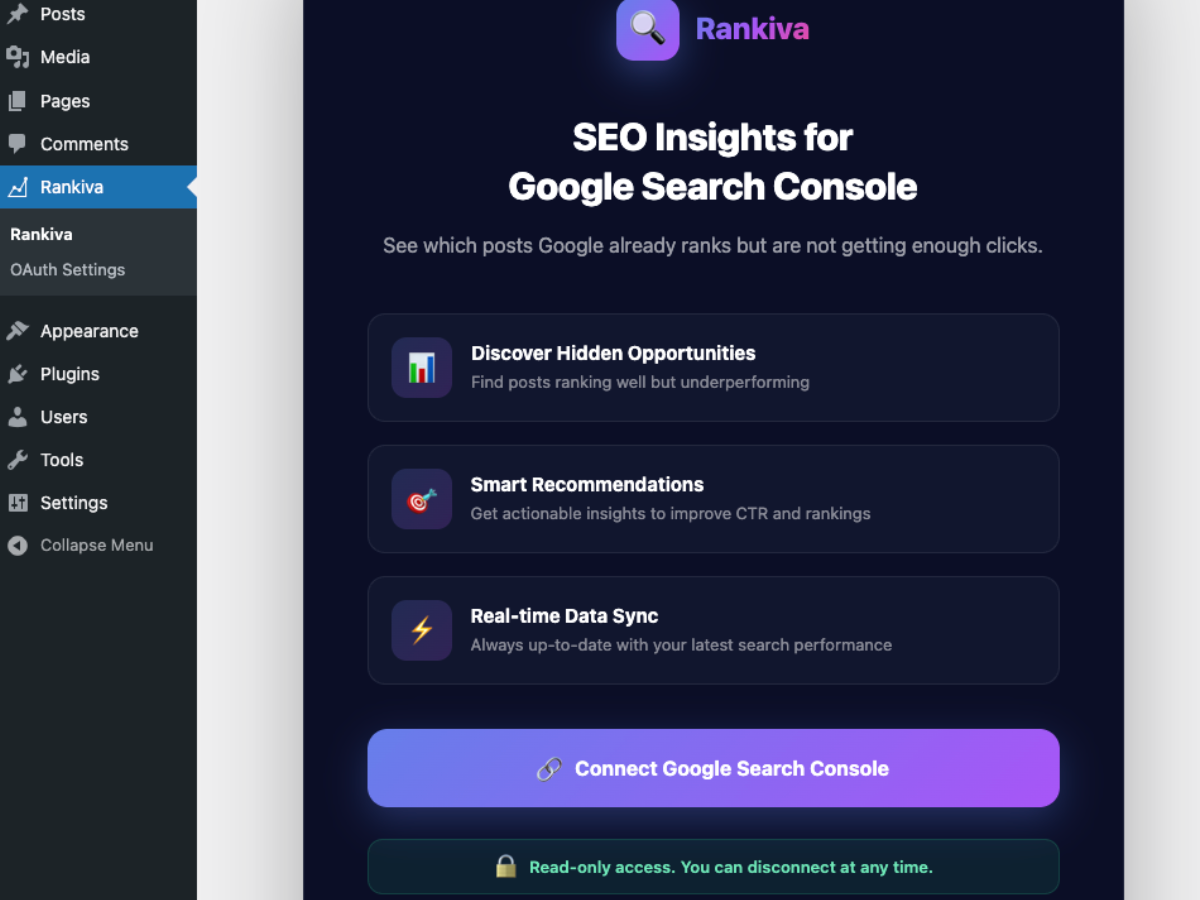
- Connect - Securely connect your Google Search Console account (read-only)
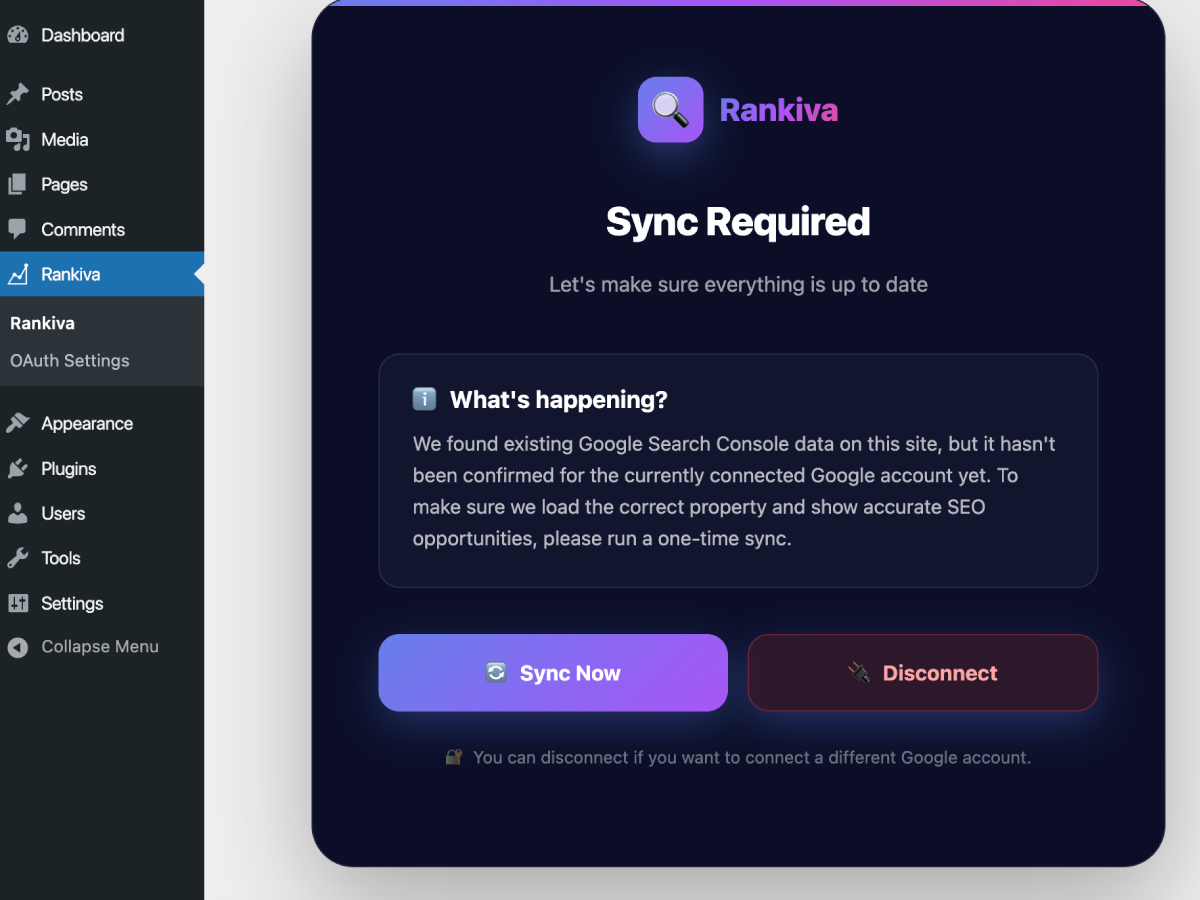
- Sync - Import your last 90 days of search performance data
- Discover - See posts ranked by opportunity score (0-100)
- Optimize - Click "Edit" to improve posts with the highest potential
- Track - Mark posts as updated and snooze them for 30 days
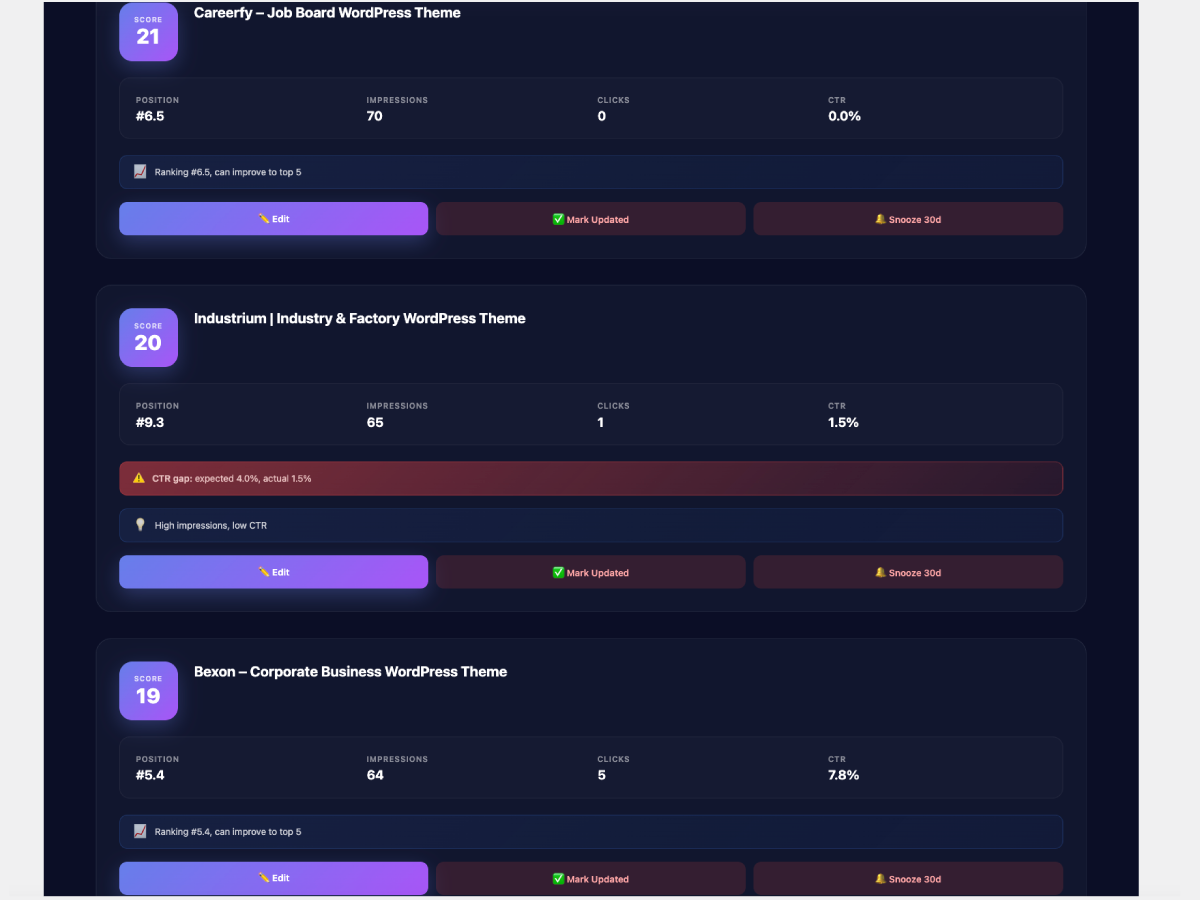
- Opportunity Score - How much potential this post has (0-100)
- Current Position - Your average ranking in Google
- Impressions - How often your post appears in search results
- Clicks - How many people clicked through
- CTR - Click-through rate percentage
- Insights - Specific recommendations (e.g., "CTR gap: expected 5%, actual 2%")
- Read-only access - The plugin can only read data, never modify your GSC account
- No data storage on external servers - All data stays in your WordPress database
- OAuth 2.0 - Industry-standard secure authentication
- Disconnect anytime - Full control over your connection
- Content Creators - Identify which posts to update first
- SEO Professionals - Data-driven content optimization strategy
- Marketing Teams - Track and improve organic search performance
- Bloggers - Maximize traffic from existing content
- Syncs data from Google Search Console API
- Tracks posts and pages (filterable via code)
- 90-day date range (last 3 months)
- Caches data for performance
- Works with any WordPress theme
- Sites with 10+ published posts
- Content sites wanting to improve organic traffic
- Anyone verified in Google Search Console
- Publishers looking for quick SEO wins
安装:
- Go to Plugins > Add New in your WordPress admin
- Search for "Rankiva – SEO & Keyword Insights for Google Search Console"
- Click Install Now and then Activate
- Go to Rankiva in your admin menu
- Click Connect Google Search Console
- Download the plugin ZIP file
- Go to Plugins > Add New > Upload Plugin
- Choose the ZIP file and click Install Now
- Click Activate Plugin
- Go to Rankiva in your admin menu
- Click Connect Google Search Console
- Connect Your Account
- Click "Connect Google Search Console"
- Sign in with your Google account
- Grant read-only permissions
- You'll be redirected back to WordPress
- Run Your First Sync
- Click "Sync Now" to import data
- Wait a few seconds to a couple of minutes, depending on site size and Google API response time
- View your SEO opportunities!
- Start Optimizing
- Sort by opportunity score to see best opportunities
- Click "Edit" to improve high-potential posts
- Mark posts as updated when done
- Re-sync weekly to track progress
屏幕截图:
常见问题:
Is my Google account data secure?
Yes! The plugin uses OAuth 2.0 (industry standard) and only requests read-only access to your Search Console data. We cannot modify anything in your Google account, and you can disconnect at any time.
Do I need a Google Search Console account?
Yes, you need:
- A Google Search Console account
- Your WordPress site verified in Google Search Console
- At least a few days of search data If you haven't set up Search Console yet, visit Google Search Console and verify your site first.
What if I have multiple properties in Google Search Console?
The plugin automatically detects which property matches your WordPress site URL. If you have multiple properties (http/https, www/non-www), it will automatically select the one with data.
How often should I sync data?
We recommend syncing:
- Weekly - For active content sites
- Monthly - For smaller or less active sites
- After major updates - When you've optimized several posts Data is from the last 90 days, so weekly syncs give you the most current insights.
What's a good opportunity score?
- 70-100 - Excellent opportunities, prioritize these first
- 40-69 - Good opportunities, update when you have time
- 0-39 - Lower priority, focus on higher scores first
Why am I seeing "No opportunities found"?
This usually means:
- Your filters are too restrictive - Try unchecking filters and clicking "Submit"
- No posts have traffic yet - Your posts need impressions in Google Search Console
- New site - Google needs time to index and rank your content
- All posts performing well - Your site might already be well-optimized!
What does "CTR gap" mean?
CTR (Click-Through Rate) gap means your post gets impressions but fewer clicks than expected for its position. For example:
- Position #5 should get ~5% CTR
- If you're getting 2% CTR, there's a 3% gap
- This means improving your title/meta description could increase clicks
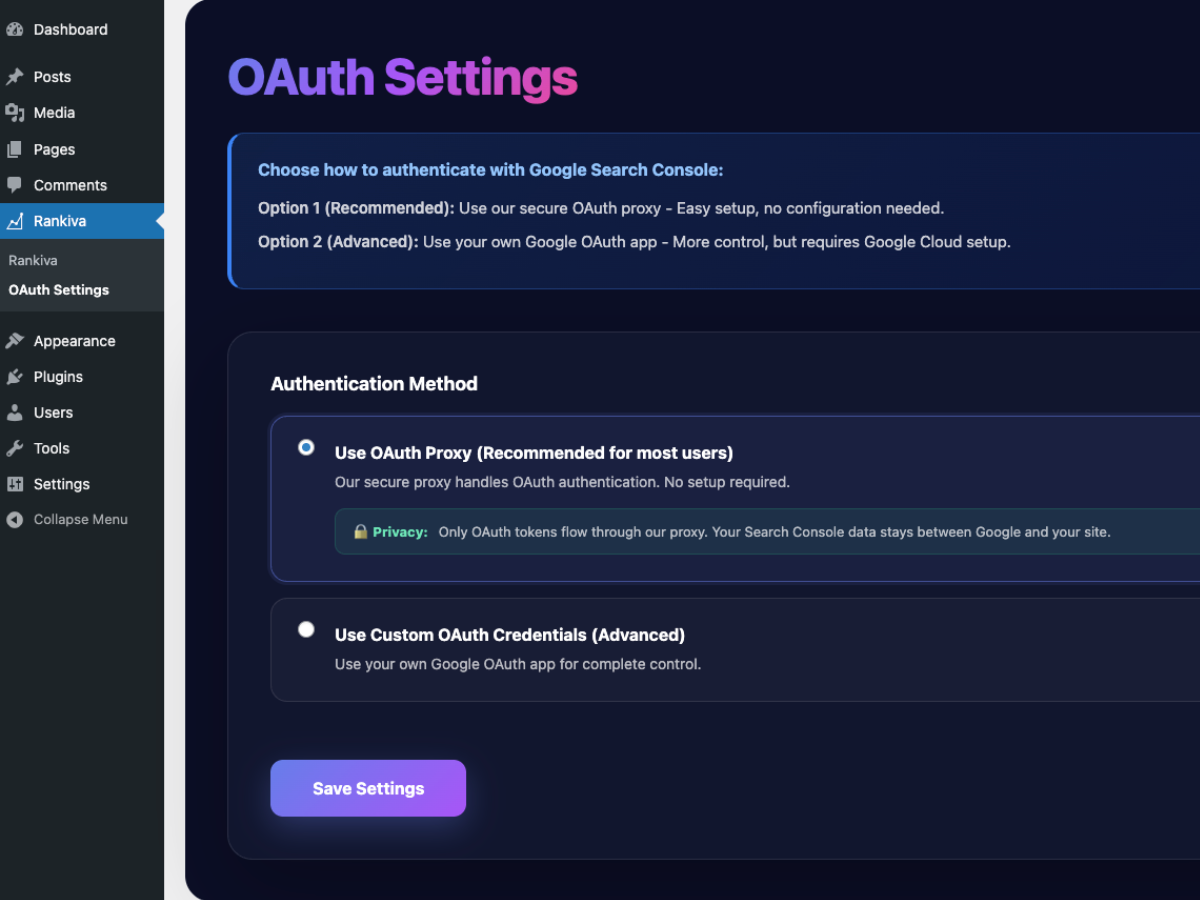
Can I use my own Google OAuth credentials?
Yes! For advanced users:
- Go to OAuth Settings in the plugin menu
- Select "Use Custom OAuth Credentials"
- Enter your Google Cloud Project credentials
- Add the redirect URI to your OAuth app Most users should use the default OAuth proxy for simplicity.
Does this work on localhost?
The plugin will connect on localhost, but Google Search Console doesn't track local development sites. You'll need to connect a live, verified property to see data.
How do I disconnect my account?
Click the Disconnect button in the plugin. This will:
- Remove your Google connection
- Clear OAuth tokens
- Keep your synced data (in case you want to reconnect)
Will this slow down my site?
No! The plugin:
- Only syncs data when you click "Sync Now" (on-demand)
- Caches results for fast page loads
- Runs sync processes in the background
- Has minimal database queries Your public site performance is not affected.
Does this replace a full SEO plugin?
No. This plugin complements SEO plugins like Rank Math or Yoast by telling you which posts to optimize. You still need an SEO plugin to apply changes.
How is this different from Google Search Console?
Google Search Console shows raw data. Rankiva analyzes that data and tells you exactly which posts to optimize first, with opportunity scores and keyword recommendations. It's like having an SEO consultant built into your WordPress dashboard.
Can I see which keywords each post ranks for?
Yes! Version 1.1 added keyword-level insights. For each post, you'll see the top 5 keywords driving traffic, their positions, impressions, clicks, and CTR. The plugin even highlights your "priority keyword" - the one with the best optimization potential.
Is this plugin free?
Yes, the core features are completely free. Connect your Google Search Console, sync your data, and start optimizing. No premium version required for the main functionality.
Does this work with Rank Math / Yoast / AIOSEO?
Yes! Rankiva complements any SEO plugin. It tells you WHICH posts to optimize, then you use Rank Math, Yoast, or AIOSEO to make the actual changes.
更新日志:
- Fixed: Google Search Console connection failing when using the default OAuth proxy
- Fixed: OAuth authentication errors caused by an expired proxy service domain
- Changed: Updated the default OAuth proxy endpoint
- New: Position change tracking - see if rankings improved or dropped since last sync
- New: Position change badges showing ▲ +3.3 or ▼ -2.1 next to each position
- New: Two new stat cards: "Improved" and "Dropped" showing position change counts
- New: Card border colors - green for improved rankings, red for dropped
- New: Dynamic insight messages showing position change context
- New: Keyword-level position tracking - see changes for each keyword
- Improved: Database schema with prev_position and position_change columns
- Improved: Stats now include positions_improved and positions_dropped counts
- New: Keyword-level insights - see top 5 keywords driving traffic to each post
- New: Priority keyword recommendation with smart algorithm (positions 5-20)
- New: Keyword quality badges (BEST, GREAT, GOOD, LOW) based on position
- New: Keywords Tracked stat card on dashboard
- New: Re-Sync button in header (rate-limited to once per 24 hours)
- New: Click any keyword to copy to clipboard
- New: Alt+K keyboard shortcut to expand/collapse all keyword sections
- Improved: Position color coding (green = top 3, blue = page 1, orange = page 2)
- Improved: CTR indicators showing performance vs expected CTR
- Improved: Sortable keyword table columns
- Fixed: JavaScript error
- Fixed: Posts per page dropdown not redirecting
- Fixed: Last sync time not updating after re-sync
- Initial release