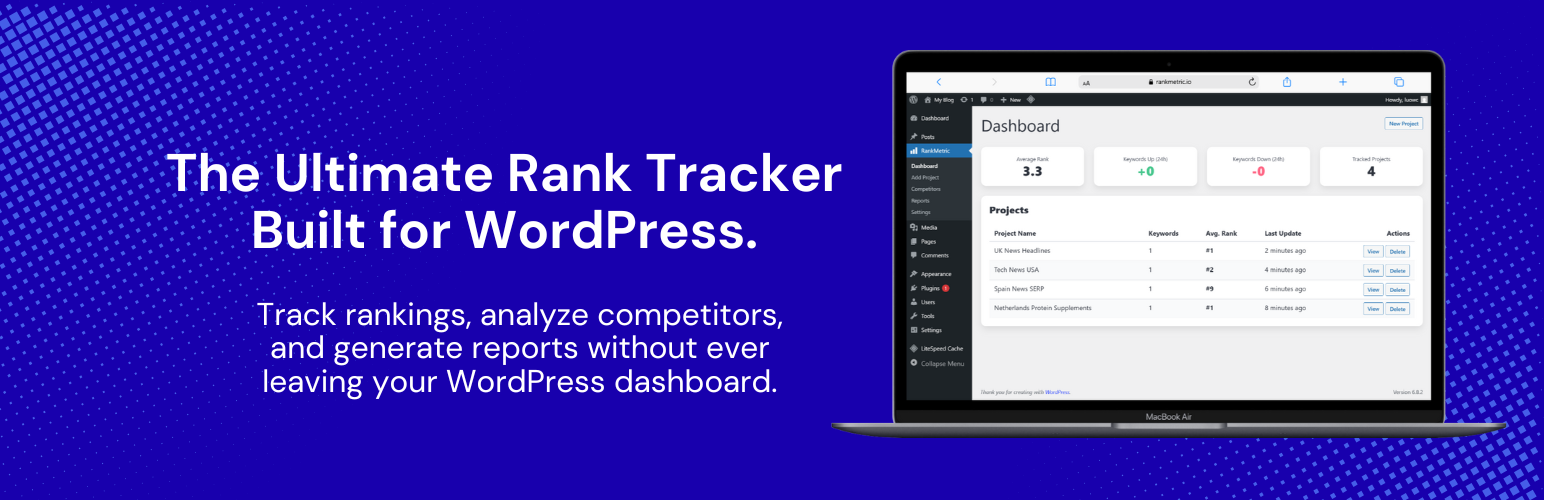
RankMetric - SERP Rank Tracker for Google Search, Maps, AI Overview & AI Mode
| 开发者 | rankmetricio |
|---|---|
| 更新时间 | 2026年9月5日 19:27 |
| PHP版本: | 8.0 及以上 |
| WordPress版本: | 7.1 |
| 版权: | GPLv2 or later |
| 版权网址: | 版权信息 |
详情介绍:
wp-admin, right next to the content you're trying to rank.
Free vs Pro
This free plugin includes unlimited Google Search rank tracking — unlimited projects, unlimited keywords, competitor tracking, Share of Voice, SERP feature detection, PDF/CSV reports, and email/Slack alerts, with no artificial caps and no trial period.
Three additional Google result types are part of RankMetric Pro:
- Google Maps / Local Pack tracking — your business's position in the local 3-pack, with a competitor map view.
- Google AI Overview tracking — whether your site is cited in Google's AI-generated answer box, and who else got cited.
- Google AI Mode tracking — URL citations and brand mentions inside Google's AI Mode answers.
- It's native to WordPress. No separate login, no separate app, no context-switching. Your rank tracking dashboard is a tab in
wp-admin, styled to feel like it belongs there. - It covers four Google surfaces, not just one. Most rank trackers only check classic Google Search. RankMetric also tracks Google Maps local pack rankings, Google AI Overview citations, and Google AI Mode citations — the two newest and fastest-growing ways people find businesses on Google.
- It tracks competitors, not just you. A rank tracker that only shows your own position is half the picture. RankMetric's Competitor Tracking and Share of Voice features show you exactly how you stack up against the sites you're actually competing with for each keyword.
- It surfaces SERP features, not just the blue links. Featured snippets and "People Also Ask" boxes change how much traffic a #1 ranking actually sends you. RankMetric flags both automatically, at no extra cost, because that data comes back in the same API call used to check your rank.
- It exports professional, branded reports. If you run an agency, or just want to share progress with a client, boss, or business partner, RankMetric generates polished PDF reports and raw CSV exports directly from the Reports screen — no copy-pasting numbers into a spreadsheet.
- It alerts you the moment something changes. Email and Slack alerts fire the instant a keyword drops past a threshold you set, or the moment you lose an AI Overview or AI Mode citation — so you find out from RankMetric, not from a client asking why traffic dropped.
- A full rank history chart with 7-day, 30-day, 90-day, and all-time views
- A rank delta badge on every keyword, so you can see at a glance whether it moved up, down, or dropped out entirely since the last check
- Best-rank-ever and days-tracked stats per keyword
- A project-level summary strip (average rank, keywords ranked #1-3, keywords not ranking at all)
- A visual ranking distribution chart showing how your keyword portfolio breaks down across top-3, 4-10, 11-50, and unranked buckets
安装:
- Upload the
rankmetric-serp-rank-trackerfolder to the/wp-content/plugins/directory, or install directly through the WordPress Plugins screen. - Activate the plugin through the 'Plugins' menu in WordPress.
- Go to RankMetric > Settings and enter your SerpApi key.
- Go to RankMetric > Add Project to create your first project and start tracking rankings.
屏幕截图:


常见问题:
Do I need a SerpApi account?
Yes. RankMetric uses SerpApi to fetch real-time Google data for every check it performs. New SerpApi accounts include a free monthly search credit, which is enough to try RankMetric out before committing to a paid SerpApi plan. One SerpApi key powers Search, Maps, AI Overview, and AI Mode tracking, so you only need to manage a single API subscription.
What's the difference between the free version and Pro?
The free version includes full Google Search rank tracking — unlimited projects and keywords, competitor tracking, Share of Voice, SERP feature detection, PDF/CSV reports, and alerts. Google Maps, AI Overview, and AI Mode tracking are available in RankMetric Pro.
How often are my rankings checked?
You choose the frequency per project: every 5 minutes, every 3 hours, daily, or weekly. Checks run automatically via the WordPress cron system. Faster frequencies use more SerpApi credits, so daily is a good default for most sites.
Why is a keyword showing "N/A" or "not ranking"?
That means RankMetric didn't find your tracked page (or your domain, depending on the match type) within the tracked results on the last check — for Search projects, that's the top 100 organic results. It updates automatically on the next scheduled check and isn't a plugin error.
Does RankMetric track the exact page I enter, or just my domain?
Both, in that order. RankMetric checks for the exact URL you entered first. If a different page on your same domain (or a subdomain) ranks instead, RankMetric still reports the rank, but clearly labels it as a domain match rather than an exact match, so you always know which page is actually doing the work.
Can I track competitors without a Pro license?
Yes — Competitor Tracking and Share of Voice are both available for Google Search projects in the free version.
Does tracking AI Overview or AI Mode cost extra SerpApi credits?
AI Overview and AI Mode tracking use their own dedicated SerpApi engines, separate from standard Search checks, so yes, each check against those project types consumes SerpApi credits the same way a Search or Maps check does.
Can I export a report to send to a client?
Yes. Every project's Reports page has one-click PDF export (with a report template tailored to that project's type) and CSV export for raw data.
Where do I get a SerpApi key?
Create a free account at serpapi.com, then copy your Private API Key from your SerpApi account dashboard into RankMetric's Settings page.
更新日志:
- Added license activation support (integrated with the RankMetric license server) for the AppSumo edition of this plugin: an activation wizard, a License section in Settings with plan/site info and a deactivate-this-site option, and a daily heartbeat that keeps license status and version telemetry current. This is inactive and invisible in the standard edition.
- White-label PDF reports. Upload your own logo in Settings and toggle it on to replace RankMetric's branding on every exported PDF report with your own. If no logo is uploaded, or the toggle is off, reports export with default RankMetric branding as always -- nothing changes unless you opt in.
- Google Maps projects now support competitor tracking. Add competitor business names (matched exactly as they appear on Google) when creating a Maps project, or manage them anytime from the Competitors page. Trend arrows, win/loss counts, and Share of Voice all work for Maps projects the same way they already did for Google Search.
- Google Search projects now paginate automatically to collect up to the full top 100 organic results per check, when Google/SerpApi has that many results available. Previously a single request could silently return as few as 8-10 results even when 100 were requested, with no way to know more existed. Result positions are correctly renumbered sequentially (1-100) across pages.
- Organic results in Reports now show each result's meta description snippet under the title and link, not just the title and URL.
- AI Mode projects can now track a Target URL, a Brand / Keyword Name, or both. RankMetric checks for URL citations and for text mentions of your brand name anywhere in the AI Mode response independently, and reports both signals separately in Reports.
- Rewrote the plugin readme with full documentation for every feature: Google Search, Google Maps, AI Overview, and AI Mode tracking, Competitor Tracking, Share of Voice, SERP Features, PDF Reports, and CSV Export.
- Initial release of the RankMetric plugin.