
Raptora
| 开发者 | microcodes |
|---|---|
| 更新时间 | 2026年9月12日 13:05 |
| PHP版本: | 7.2 及以上 |
| WordPress版本: | 7.0 |
| 版权: | GPLv2 or later |
| 版权网址: | 版权信息 |
详情介绍:
Raptora adds powerful features to Contact Form 7 including:
- Page Redirect - Redirect users to any page after successful form submission
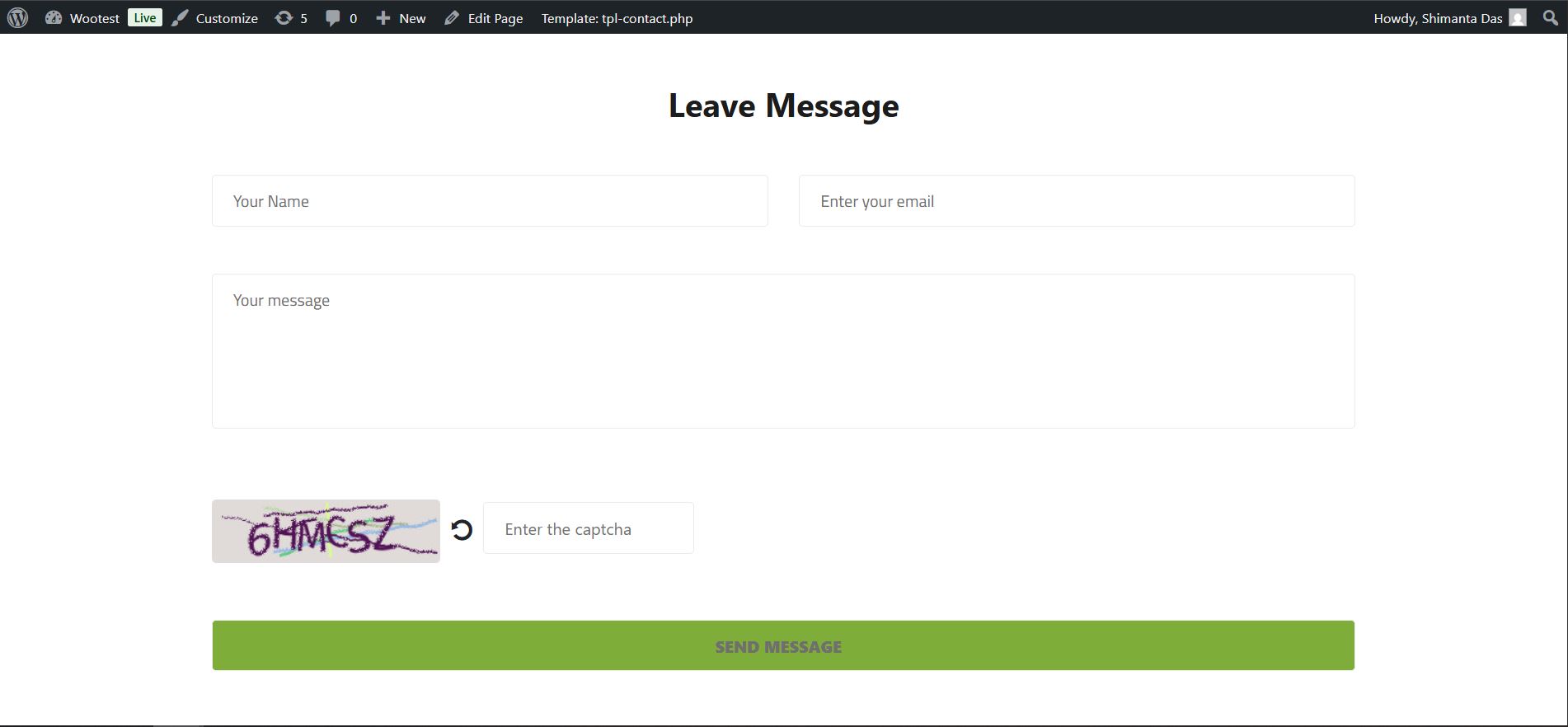
- Text Captcha - Prevent spam with customizable text-based CAPTCHA protection
安装:
- Upload the
raptorafolder to the/wp-content/plugins/directory - Activate the plugin through the 'Plugins' menu in WordPress
- Requires Contact Form 7 plugin to be installed and activated
屏幕截图:
常见问题:
Does this work with caching plugins?
Yes! Raptora uses WordPress Transients API instead of PHP sessions, making it fully compatible with caching plugins and managed WordPress hosting.
How do I add a captcha to my form?
Add [text_captcha captcha] to your Contact Form 7 form. You can customize the field name as needed.
How do I set up redirect?
Edit your Contact Form 7 form, go to the "Redirect Settings" panel, and select a page to redirect to after submission.
更新日志:
1.0.2
- rest api incoming request block issue fixed.
- Enable captcha for /wp-login and /forget-password
- Captcha in wp login page.
- Captcha in wp forget password page.
- Initial release
- Page redirect functionality
- Text captcha functionality
- No PHP sessions - compatible with caching