RD Order Note Templates for WooCommerce
| 开发者 | camper2020 |
|---|---|
| 更新时间 | 2026年10月10日 18:07 |
| 捐献地址: | 去捐款 |
| PHP版本: | 7.2 及以上 |
| WordPress版本: | 7.1.3 |
| 版权: | GPLv2 or later |
| 版权网址: | 版权信息 |
详情介绍:
屏幕截图:

常见问题:
How do I create a new order note template?
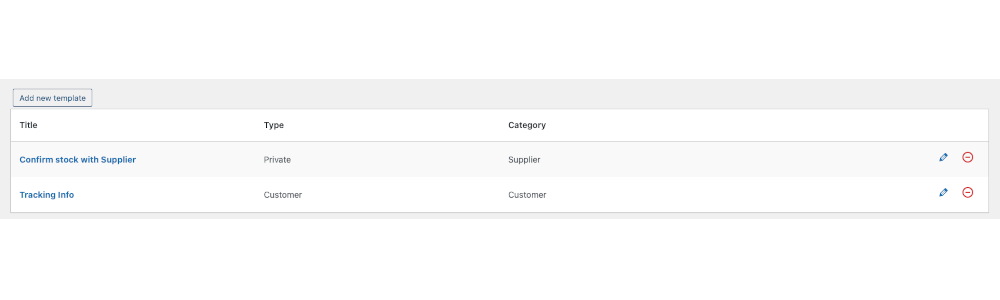
Go to the plugin settings page and click "Add Template". Give the template a title, select category, choose whether it's a private or customer note, then save.
How do I apply a template to an order?
When adding an order note in the order screen, choose your template from the templates dropdown. The note content will be populated — edit if needed and save.
Can I create private notes and customer-facing notes?
Yes. Each template can be saved as a private internal note or a customer note that will be sent to the customer.
Can I organise templates?
Yes. Templates can be categorised so you can filter and find them quickly when adding notes.
Will templates remain after uninstalling the plugin?
There is an option to keep templates on uninstall. Check the plugin settings before uninstalling to preserve your templates.
Is this compatible with HPOS (High Performance Order Storage)?
Yes. The plugin is HPOS compatible.
Can I add HTML or rich text to notes?
Rich text (HTML) editing is available in the premium version. The free version supports plain text notes.
Can I change the sort order of order notes?
Yes. You can use the rdwceon_get_order_note_args to modify the parameters sent to wc_get_order_notes when rendering the order notes including 'order'. If you are not comfortable working with filters or code, the premium version of the plugin allows you to change the sort order via settings.
How do I modify the note arguments before a template is inserted?
Use the rdwceon_get_order_note_args filter. Example:
add_filter( 'rdwceon_get_order_note_args', function( $args ) {
$args['order'] = 'asc';
return $args;
}, 10, 1 );
Where can I get premium features or support?
Premium features and support are available from the plugin page on robotdwarf.com (link in the plugin description) or via the WooCommerce marketplace.
更新日志:
- Compatibility update
- Compatibility update
- Removed API calls / Our Products page
- Added feedback option and info page
- Compatibility update
- Compatibility update
- Fix issues in our products display
- Add rdwceon_get_order_note_args filter
- Fix width of select box on some devices
- Add option to keep templates on uninstall
- Added extra validation checks
- Updated compatibility
- Release to WordPress repository