
Readivo – Text to Speech Audio Player
| 开发者 | honzanovacek |
|---|---|
| 更新时间 | 2026年3月19日 15:16 |
| PHP版本: | 7.4 及以上 |
| WordPress版本: | 6.9 |
| 版权: | GPLv2 or later |
| 版权网址: | 版权信息 |
详情介绍:
Readivo Audio Player allows you to add an audio version of your WordPress posts and pages using the Readivo text-to-speech embed script.
The plugin provides a simple integration with minimal configuration:
• Insert the player manually using the shortcode [readivo]
• Add the player anywhere in content using the Readivo Player Gutenberg block
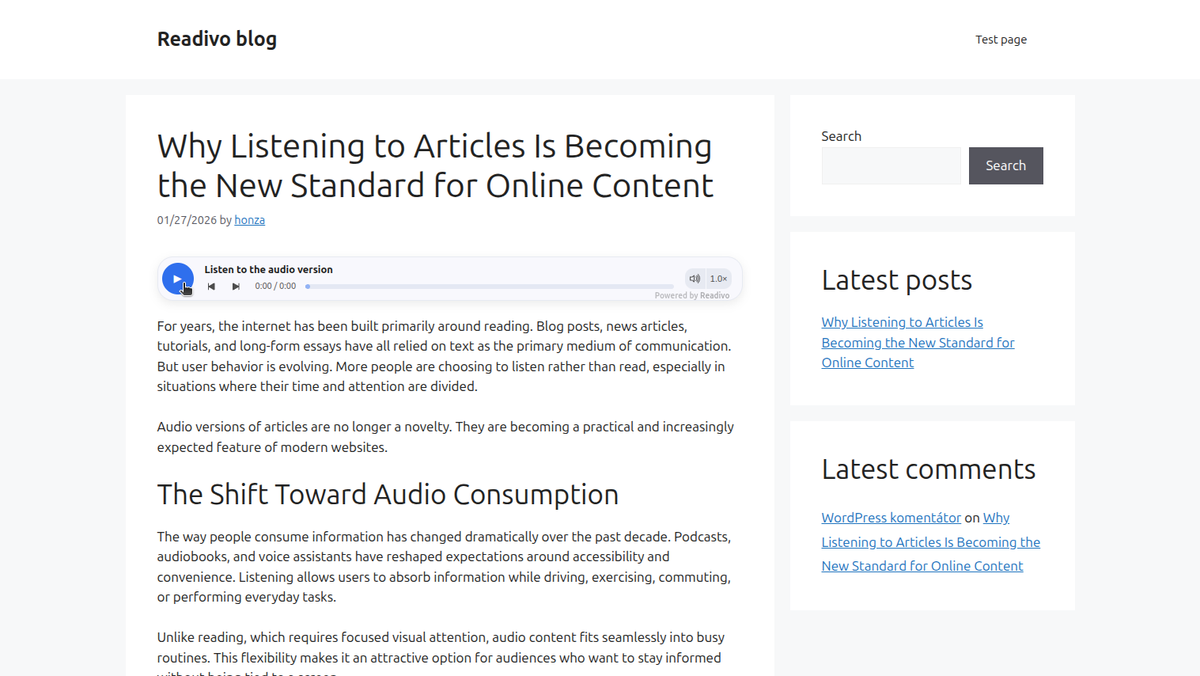
• Automatically insert the player at the top or bottom of posts based on plugin settings
• Limit automatic insertion to posts published after a selected date
• Assign a specific audio recording to a post using Play ID
• Customize player text using Default text
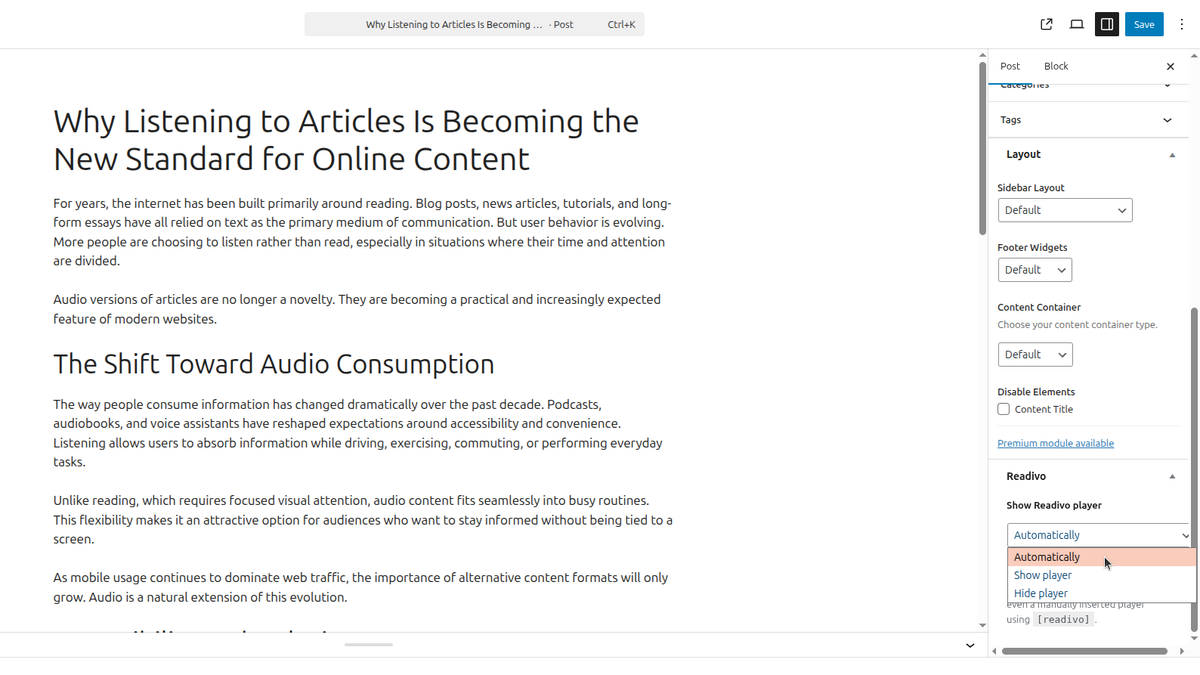
• Control visibility per post using a dedicated editor panel
The player is rendered dynamically on the frontend and does not modify stored post content in the database.
Audio playback and processing are powered by the Readivo service.
Full documentation: https://readivo.app/docs
Readivo.app homepage: https://readivo.app
Readivo account: https://app.readivo.app/register
安装:
- Upload the plugin folder to /wp-content/plugins/ or install it through the WordPress Plugins screen.
- Activate the plugin through the 'Plugins' screen in WordPress.
- Go to Settings -> Readivo and set your Site ID.
- (Optional) Configure auto-insert, position, post types, and other settings.
屏幕截图:
常见问题:
Do I need a Site ID?
Yes. The plugin requires a Readivo Site ID to render the player.
Does the plugin modify my post content in the database?
No. The player element is inserted only when rendering the post on the frontend. The stored post content is not permanently modified.
What data does Readivo receive?
The player uses an external Readivo embed script and player endpoint. Depending on your Readivo administration settings, Readivo may receive page metadata (such as title and URL) and optionally the extracted article text for audio generation.
更新日志:
1.1.1
- Added site verification meta tag
- Added Gutenberg block for Readivo Player
- Added Play ID and Default text per post
- Added date-based automatic insertion
- Removed global player ID and voice settings
- Improved insertion logic to prevent duplicate players
- Added support for custom uploaded audio via Play ID
- Improve plugin name for discoverability
- Improved settings labels and consistency with Readivo dashboard
- Added documentation links
- Initial release.