
Better Find and Replace - AI-Powered Suggestions
| 开发者 |
CodeSolz
m.tuhin codesolz |
|---|---|
| 更新时间 | 2026年10月26日 16:12 |
| 捐献地址: | 去捐款 |
| PHP版本: | 5.2 及以上 |
| WordPress版本: | 7.1 |
| 版权: | GPL-3.0+ |
| 版权网址: | 版权信息 |
标签
下载
1.1.6
1.2.1
1.2.4
1.3.0
1.3.4
1.4.5
2.0.1
1.6.0
1.1.5
1.7.1
1.0.7
1.1.8
1.8.0
1.8.1
1.8.2
1.9.0
1.1.1
1.4.0
1.3.3
1.3.6
1.5.2
1.1.7
1.4.1
1.4.3
1.4.4
1.4.7
1.0.1
1.0.9
1.1.0
1.3.8
1.4.6
1.4.9
1.5.1
1.5.3
1.5.4
1.5.5
1.0.4
1.3.1
1.3.5
1.3.9
1.4.8
1.9.1
1.2.2
1.2.6
1.5.0
1.6.4
1.6.6
1.6.7
1.2.9
1.6.9
1.2.0
1.3.2
1.5.8
1.6.3
1.6.8
1.7.0
1.7.2
1.5.6
1.6.5
1.7.3
1.0.5
1.1.9
1.0.0
1.2.3
1.2.5
1.2.7
1.5.7
1.6.2
1.7.8
1.9.3
1.9.5
1.9.2
1.0.3
1.0.6
1.0.8
1.1.2
1.2.8
1.3.7
1.4.2
1.5.9
1.6.1
1.7.9
1.9.4
2.0.0
1.0.2
1.1.3
1.1.4
详情介绍:
Smart Search, Replace & Media Tool (with AI) for WordPress
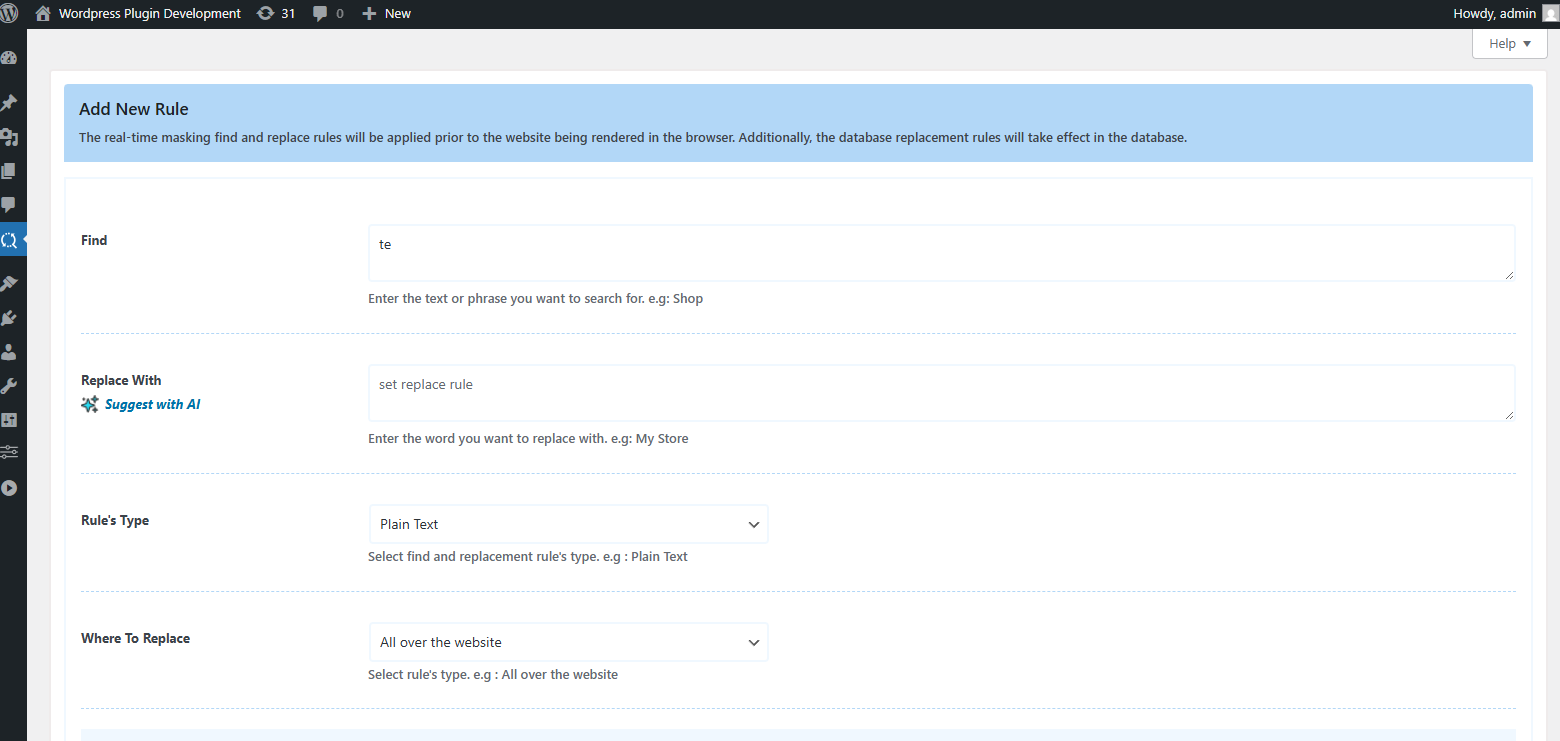
Better Find and Replace lets you easily search and replace text, HTML, links and media across your entire WordPress site — no coding needed. Perfect for database cleanup, content updates or post-migration edits.
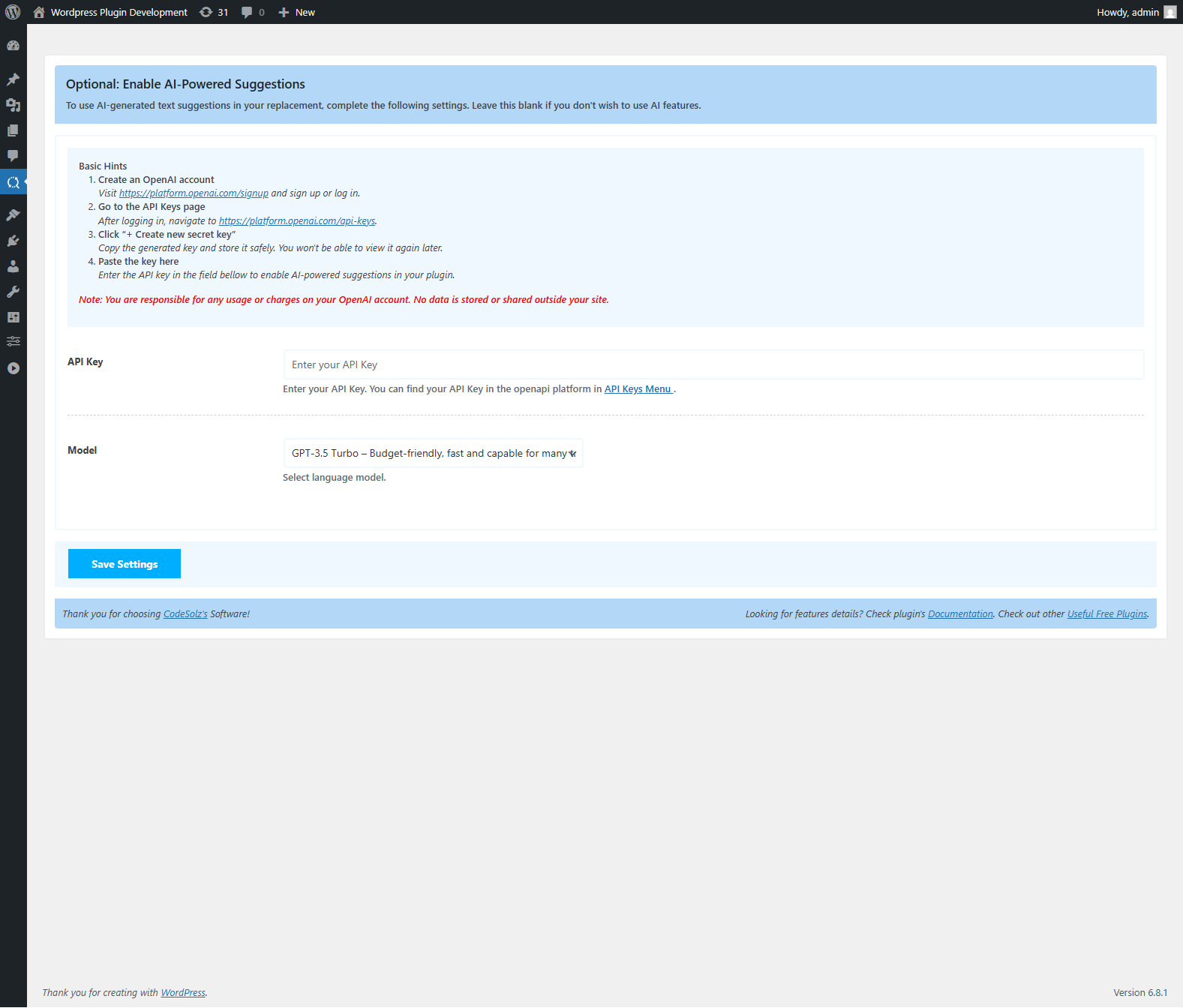
Replace text or media in bulk with full support for serialized data, custom tables and dry-run previews. AI-powered suggestions help you rewrite or improve content instantly, making your edits smarter and faster.
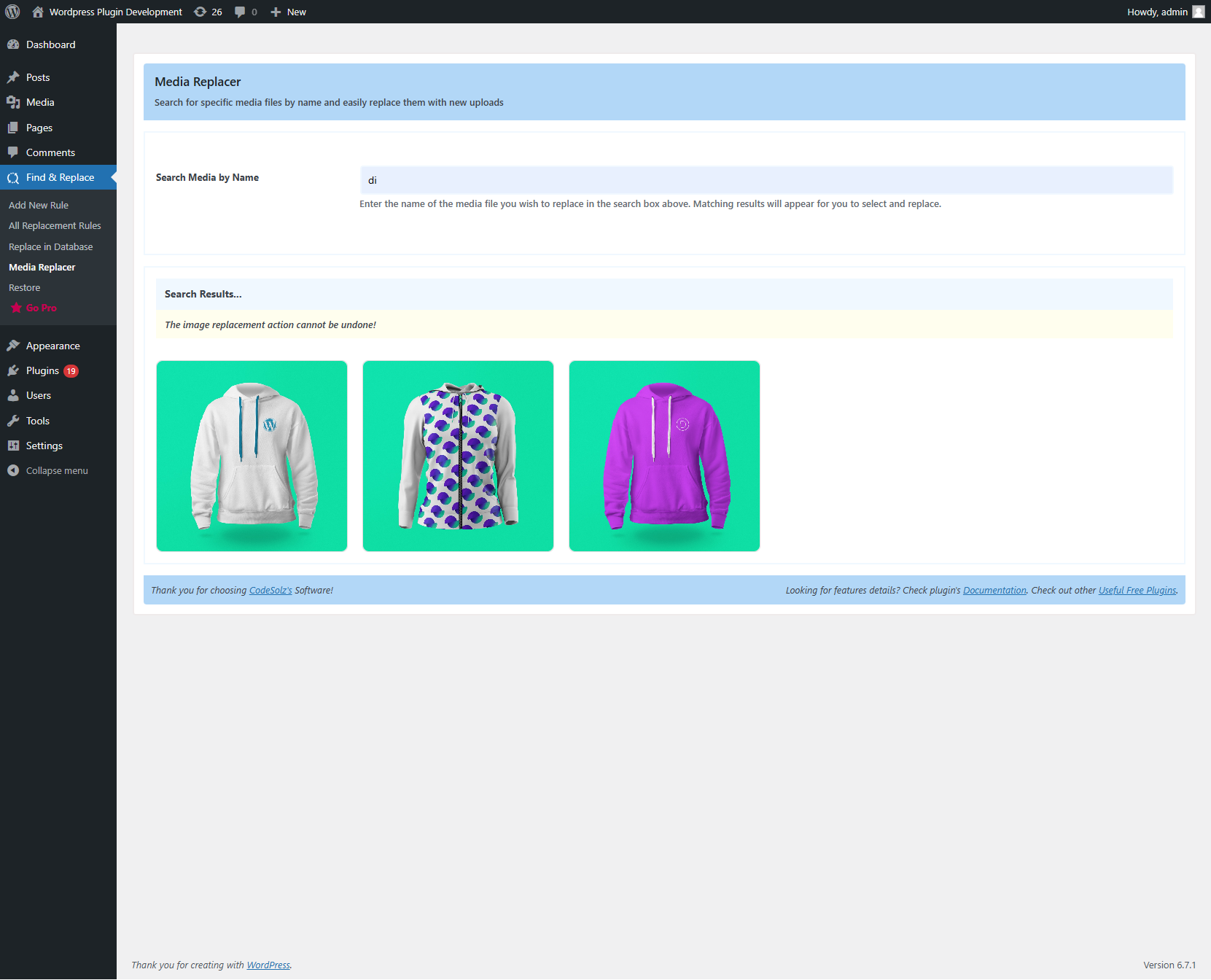
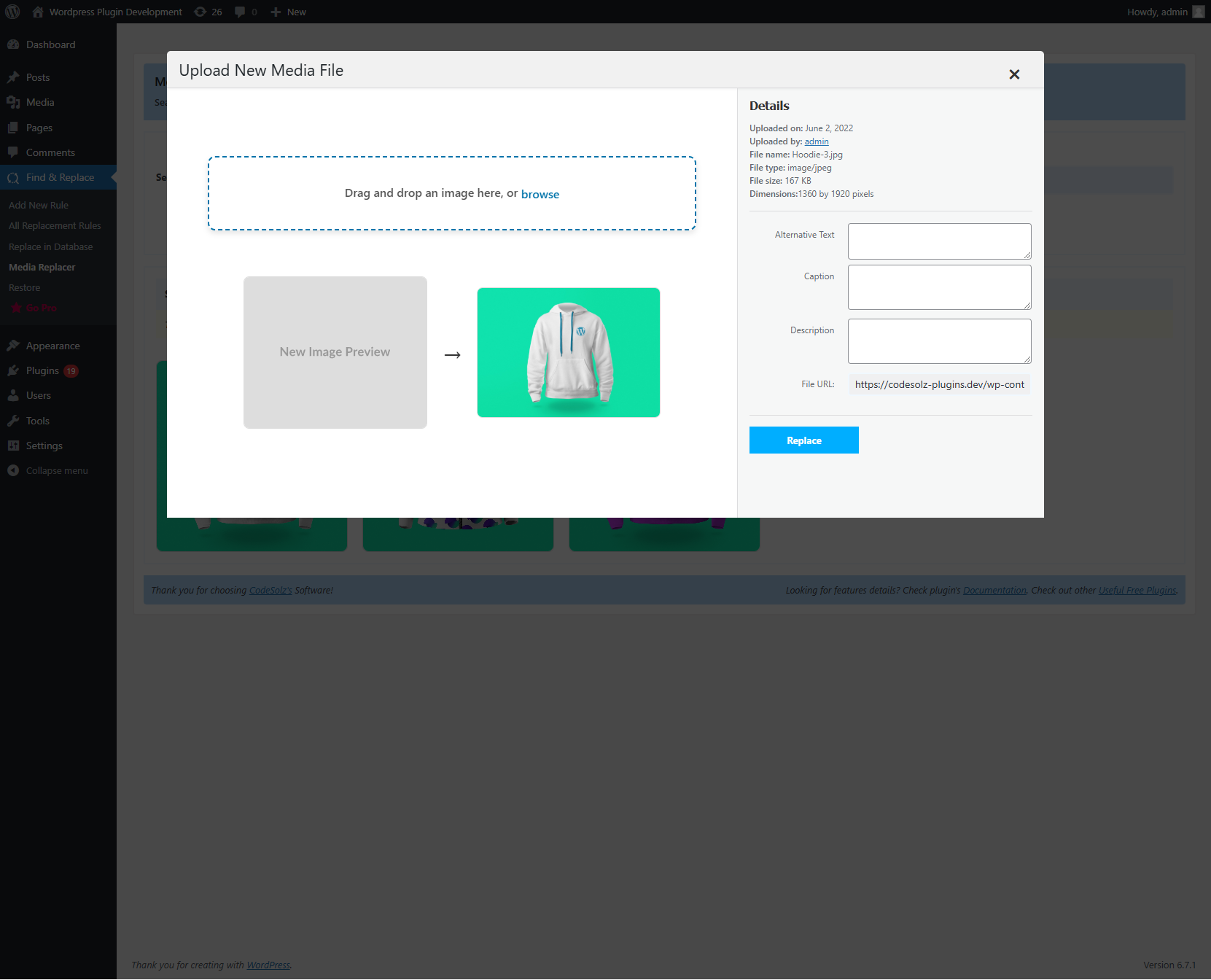
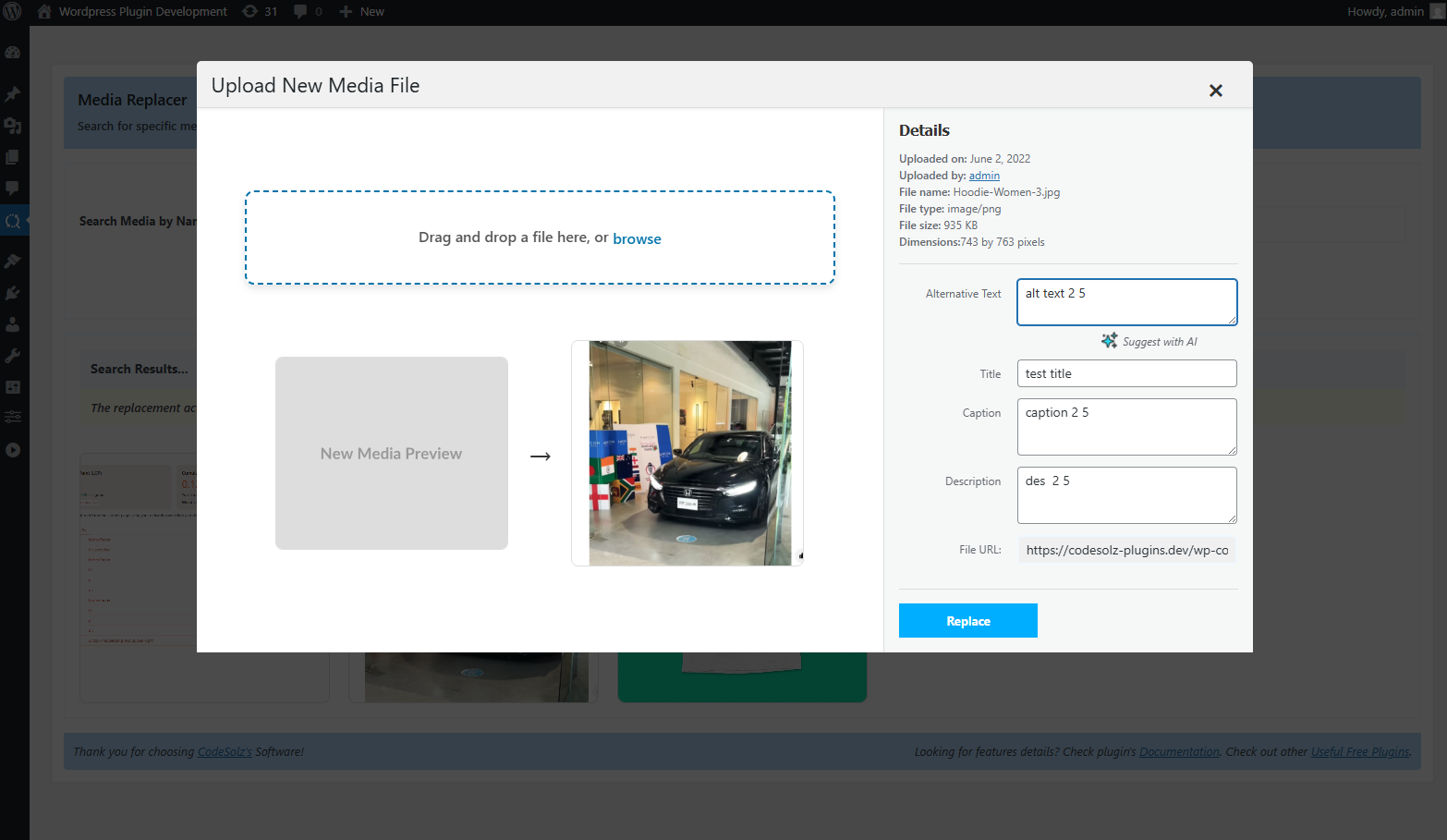
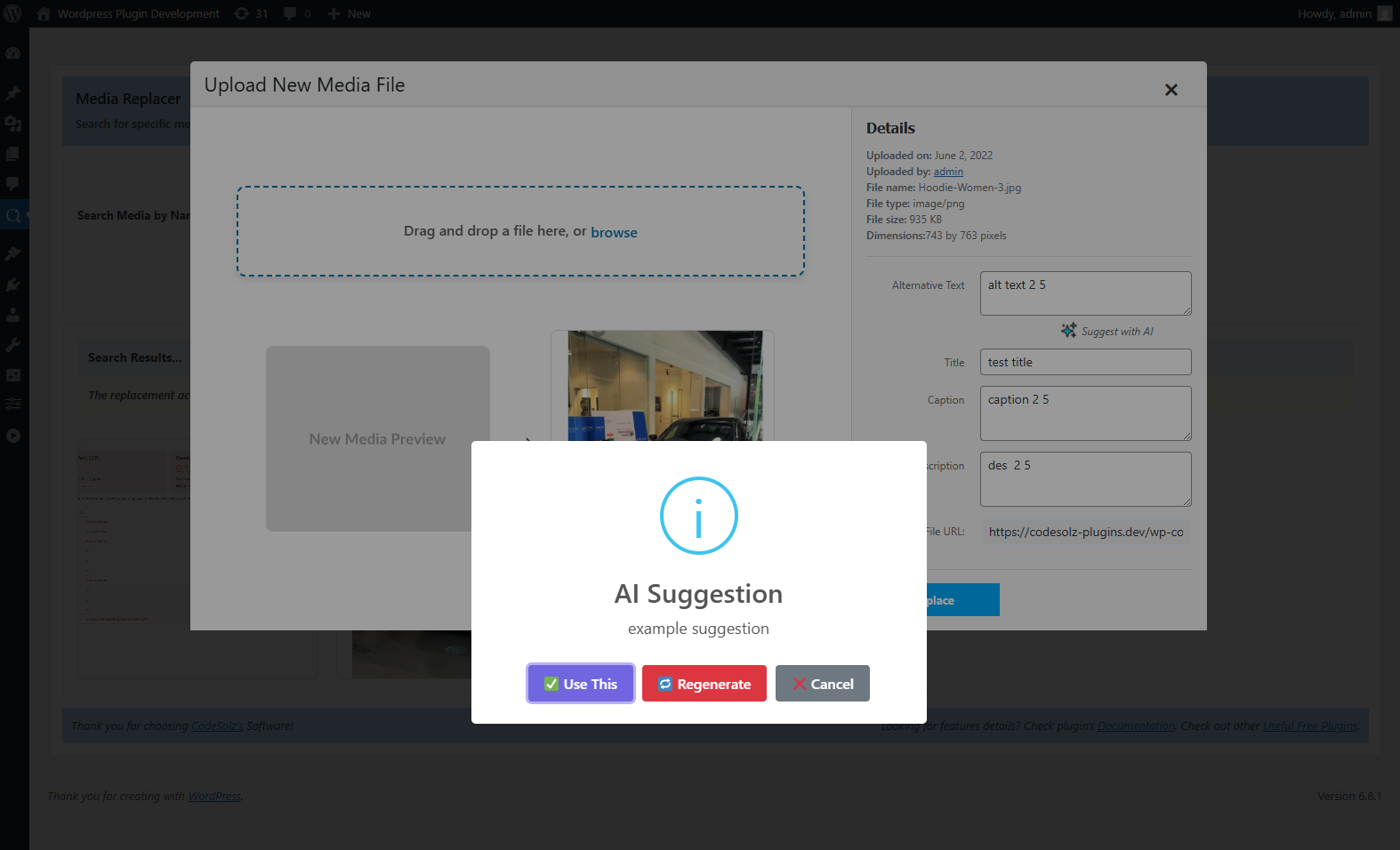
Easily find and replace images using drag-and-drop and auto-regenerate thumbnails. You can also update or add alt text, captions and metadata with the suggestion of AI for better SEO.
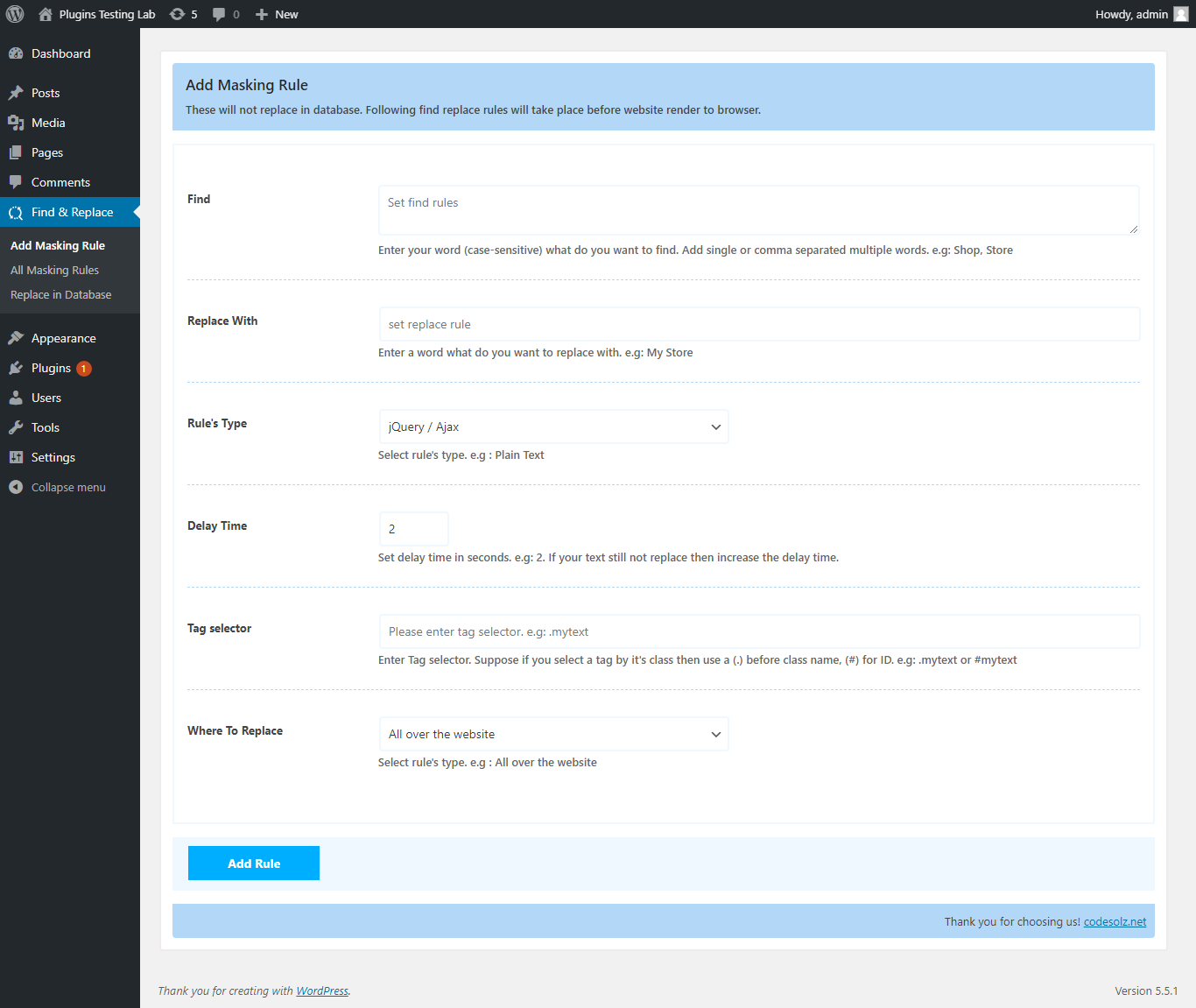
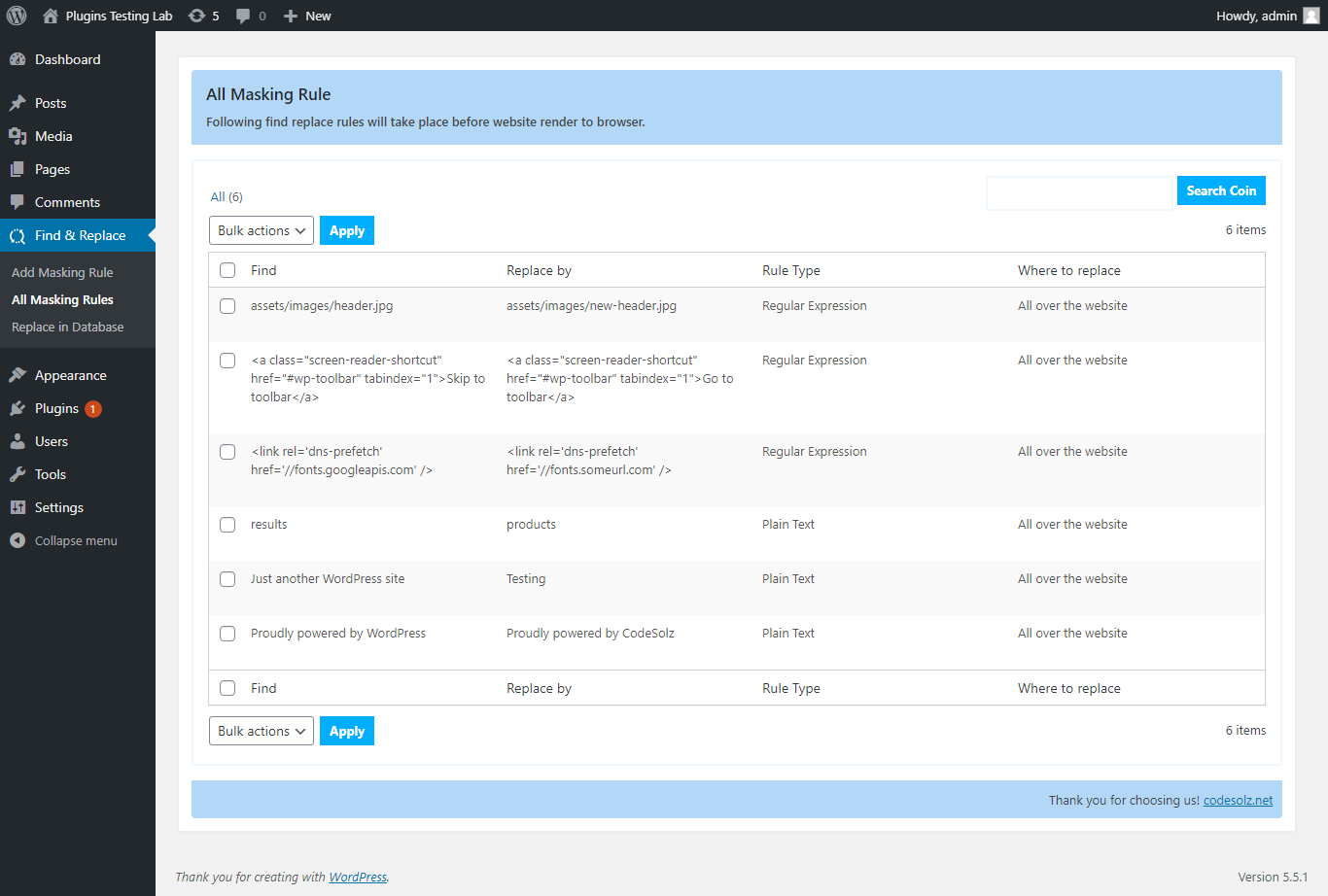
Want to change content without editing your database? Use real-time masking to update text, links or HTML before the page loads — instantly and safely.
Built for developers, agencies and site owners, individual ( everyone ) who want fast, accurate control over their content management system — all in one clean, intuitive interface.
安装:
- Upload the real-time-auto-find-and-replace folder to the '/wp-content/plugins/' directory
- Activate Better find and replace through the 'Plugins' menu in WordPress
屏幕截图:

更新日志:
2.0.1
- Updated compatibility with the latest WordPress version.
- Improved site health and broken link detection.
- Enhanced AI-powered URL replacement suggestions.
- Improved redirects and content replacement workflows.
- Minor fixes and performance improvements.
- New: Site Health dashboard — an overall health score for your site, a count of every kind of problem found, and an activity log of every change the plugin has made.
- New: Content Health screen — broken links and missing media in one list, showing the page each problem was found on, the link text, how many times it is used, and how urgent it is.
- New: Broken link checking for internal links in posts, pages and public custom post types. Links are resolved against your database instead of by requesting your own pages, so a scan cannot slow your site down.
- New: Fix a broken link from the list itself — replace the URL, unlink it, ignore it, or re-check it.
- New: Redirect Manager — create 301 redirects, switch them on and off, and see how many times each has been used. Loops and self-redirects are rejected before they can be saved.
- New: 404 Monitor — off until you switch it on. Records every "page not found" request with its referrer and hit count, filters out bot traffic, and turns any entry into a redirect with one click, or shows you where the missing URL is still linked from.
- New: Replace + Redirect — change a URL across your content and create the matching redirect in one previewed operation, so links people have already shared keep working.
- New: Missing media detection — finds content pointing at images and files that are no longer on the server, so you can replace them.
- New: "Duplicate" and "Clone & Edit" actions for posts, pages and public custom post types. The copy is always created as a draft.
- New: Code Inserts — global header, body-start and footer snippets in HTML, CSS or JavaScript, each with its own on/off switch and validated before it is saved. PHP is never executed.
- New: Scans and checks run in the background through Action Scheduler when it is installed, or WP-Cron otherwise, so long scans never block your admin screens.
- New: Every maintenance action is written to an activity log, and content changes create a post revision you can roll back to.
- New: AI Content Refresher preview page, showing what the PRO scanner finds.
- New (PRO): External link, image and embed checking, with scheduled scans, bulk fixes, AI replacement suggestions, and failures grouped by cause — timeout, DNS, SSL or rate limit.
- New (PRO): 302 and 307 redirects, regex and prefix matching, automatic redirects when a slug changes, chain and loop detection across the whole set, import/export, and redirect analytics.
- New (PRO): Safe Revision — see an AI suggestion as a full diff, approve parts of it, merge, publish, and roll back afterwards.
- New (PRO): AI Content Refresher — scan a post for outdated years, software versions, prices and dead references, review every suggestion, and apply it as a reversible revision.
- New (PRO): Maintenance Agent — groups related problems, ranks them, prepares a plan for your approval, carries out the batch you approved and reports back on what actually changed.
- Fix: Replacing a media file is now crash-safe. The old files are moved aside rather than deleted and are put back automatically if the new upload fails at any point — including a fatal error part-way through — so a failed replacement can no longer leave an attachment with no file behind it.
- Fix: A media replacement is now rejected before anything on disk is touched if the new file is a different kind of media than the one it replaces.
- Fix: AI suggestions work again on current OpenAI models. The plugin always sent two parameters that today's reasoning models reject, so every request failed outright.
- Fix: AI suggestions no longer come back as "Empty response" on models that think before answering — the reply allowance was too small for the model to reach an answer.
- Fix: "Refresh from API" on the AI Settings screen no longer discards a saved model that the live list does not include, which could silently change your model the next time you saved.
- Update: Refreshed the model list for all ten AI providers — OpenAI, Anthropic Claude, Google Gemini, Groq, Mistral, OpenRouter, DeepSeek, xAI Grok, Hugging Face and Ollama. Models the providers have withdrawn, including several that were selected by default, have been replaced with current ones.
- Update: AI Settings now flags a saved model its provider has withdrawn and names the model that replaced it, instead of leaving you with an unexplained API error.
- Update: The Content Refresher page now shows the feature at a glance instead of a disabled form.
- Update: PRO-only areas are shown and plainly labelled rather than hidden, so you can always see that a problem exists even when the fix needs PRO.
- Update: Separate role capabilities for the new maintenance screens, so access to them can be granted independently of find and replace.
- Update: 404 records and activity history are pruned automatically, so the tables cannot grow without limit.
- Dev: The maintenance modules are extended entirely through hooks and filters — tabs, screens and issue types can be registered without editing plugin files.
- Dev: New test suites for the maintenance infrastructure, for every AI provider and model combination, and for WordPress integration against a live database —
composer test,composer test:ai.
- Update: Minor admin menu and interface refinements.
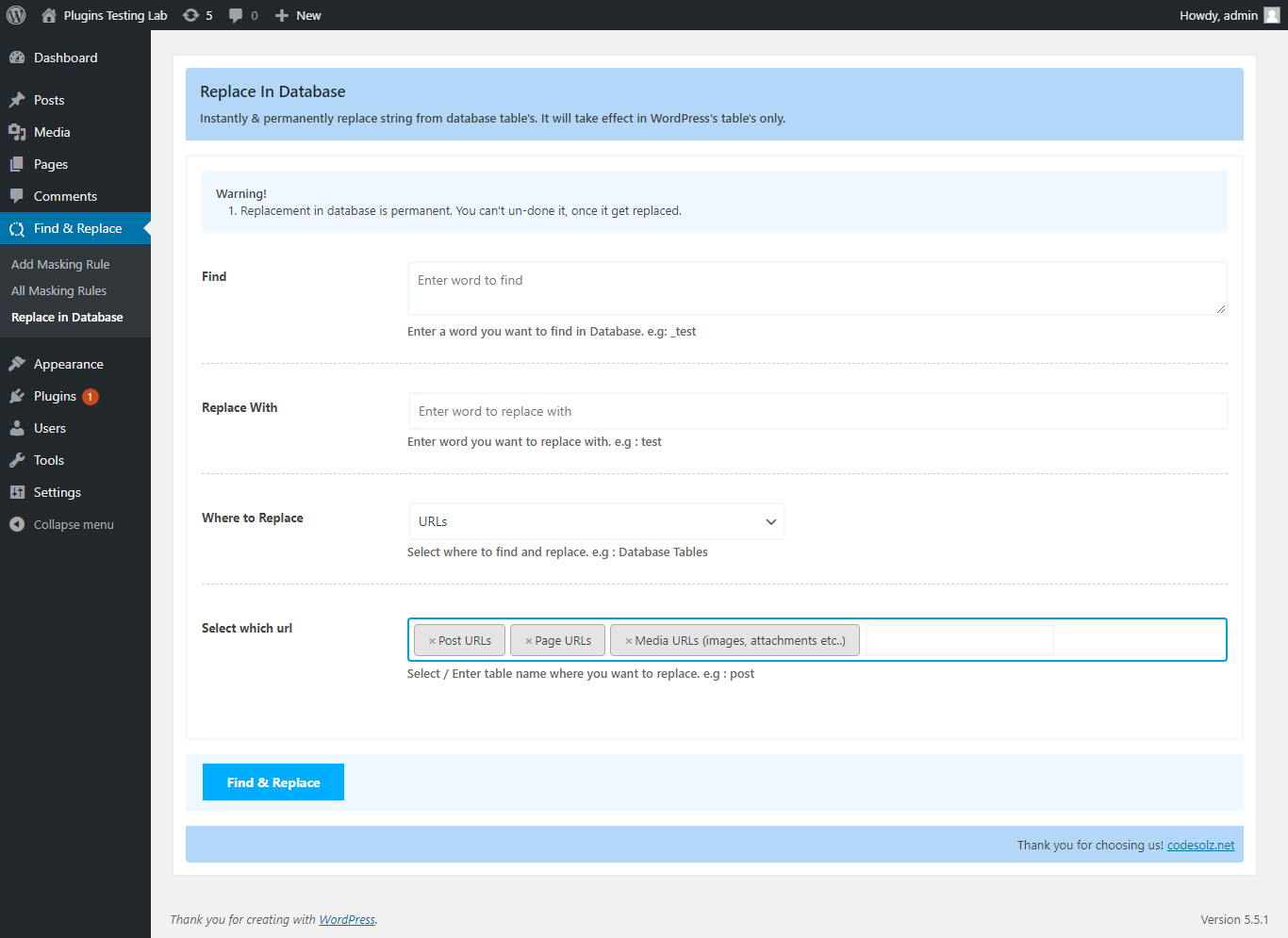
- New: "Replace in Database" now also supports WordPress core content tables — comments, comment meta, terms, term meta, term descriptions, and links — alongside posts, postmeta, and options.
- New: Confirmation prompt before a live (non-dry-run) database replace, warning that the change is permanent; with the PRO version active, it links straight to the one-click Restore section instead.
- Fix: Resolved an Elementor "You must call the_content() function" error when editing or previewing a page — the real-time content filter no longer runs during Elementor, Divi, Beaver Builder, or WPBakery edit/preview modes.
- Fix: Admin submenu items now require the correct plugin capability instead of the low-privilege
readcapability, so they're hidden from users who shouldn't see them. - Fix: Corrected the admin submenu ordering so PRO's Restore in Database, Pixel Manager, and License items appear in the right place.
- Update: Removed the "About Us" page from the plugin menu.
- Update: Compatible with the latest WordPress version
- New: "Replace media" action in the Media Library (upload.php) — in both list view (row action) and grid view (the attachment details popup) — replace any file without opening the dedicated Media Replacer page.
- New: Two replacement methods — keep the current file name, or adopt the new file's name and automatically repoint every link to it across your content.
- New: "Page Builders" targeting on Replace in Database — Elementor, Beaver Builder, Divi / WPBakery, Oxygen and Bricks — with automatic cache regeneration after a replace.
- New: "Escaped & Encoded URLs" option that also matches JSON-escaped (https:\/\/) and percent-encoded URLs, so replacing links inside Elementor and other page builders just works.
- Fix: Database replacement no longer corrupts PHP-serialized data (Beaver Builder, widgets, ACF, theme options, Bricks) when the replacement changes the text length.
- Fix: HTML inside serialized data is now preserved during replacement instead of being stripped.
- Fix: Numeric values inside serialized data keep their original type after a replace.
- Fix: AI provider API keys are no longer printed into the AI Settings page; leaving the key field blank keeps the saved key and preserves OAuth connections.
- Fix: Hardened internal input sanitization (nested arrays) and database column lookups.
- Update: Builder and object caches (Elementor CSS, Beaver Builder, post cache) are refreshed automatically after a live database replace.
- Update: Redesigned, collapsible "Replacement method" selector in the media replacer to save space.
- Dev: New hooks —
bfrp_builder_registry,bfrp_after_db_replace,bfrp_flush_object_cache— plus unit and WordPress integration test suites.
- New: AI suggestions now support 10 providers — OpenAI, Anthropic Claude, Google Gemini, Groq, Mistral, OpenRouter, DeepSeek, xAI Grok, Hugging Face, and Ollama (local).
- New: Sign in with OpenRouter via OAuth — access 100+ models without copying an API key.
- New: Per-provider configuration with "Get free key" deep links and live model-list fetching.
- New: Test Connection button on every provider card.
- New: Prompt template selector for AI rewrites — Persuasive, Concise, Formal, Friendly, Fix Grammar, or fully custom.
- Fix: Regex / Custom-Regex rules containing HTML with quotes (e.g.
<a href="tel:$1">$0</a>) are saved cleanly — no more stray backslashes in the database. - Fix: Editing a saved rule no longer shows double-encoded
</"in the textarea. - Fix: Managed-regex rules no longer break the front-end page when the pattern contains
#, is syntactically invalid, or is empty. - Fix: A failing regex now preserves the original page content instead of rendering a blank page.
- Fix: Save-time regex validation rejects invalid patterns with a clear error message.
- Update: Modifier checkboxes (case-insensitive / whole-word / unicode) are now persisted via a new
flagscolumn and hidden for rule types that don't use them. - Update: Database migration to 1.0.4 — adds the
flagscolumn and repairs legacy escape sequences in existing rules. CHECK THE FULL CHANGELOG.