Really Simple Featured Image: Automatic Featured Images
| 开发者 |
jetixwp
lushkant |
|---|---|
| 更新时间 | 2026年10月1日 19:47 |
| PHP版本: | 8.0 及以上 |
| WordPress版本: | 7.1 |
| 版权: | GPLv2 or later |
| 版权网址: | 版权信息 |
详情介绍:
- Sets the featured image when a post does not have one.
- Finds images in blocks, classic editor markup, lazy-loaded images, srcset and inline background images.
- Uses the thumbnail of a YouTube (including Shorts and live), Vimeo or Dailymotion video in your content.
- Choose which image or video to use: first, second, second last or last.
- Turn it on for the post types you want, including custom post types and WooCommerce products.
- Reuses images already in your Media Library and never downloads the same image twice.
- Never replaces a featured image you set, and if you remove one it stays removed.
- Roll back to an earlier version from the settings screen if an update causes trouble.
- Works for posts saved in the editor, through the REST API or by importers.
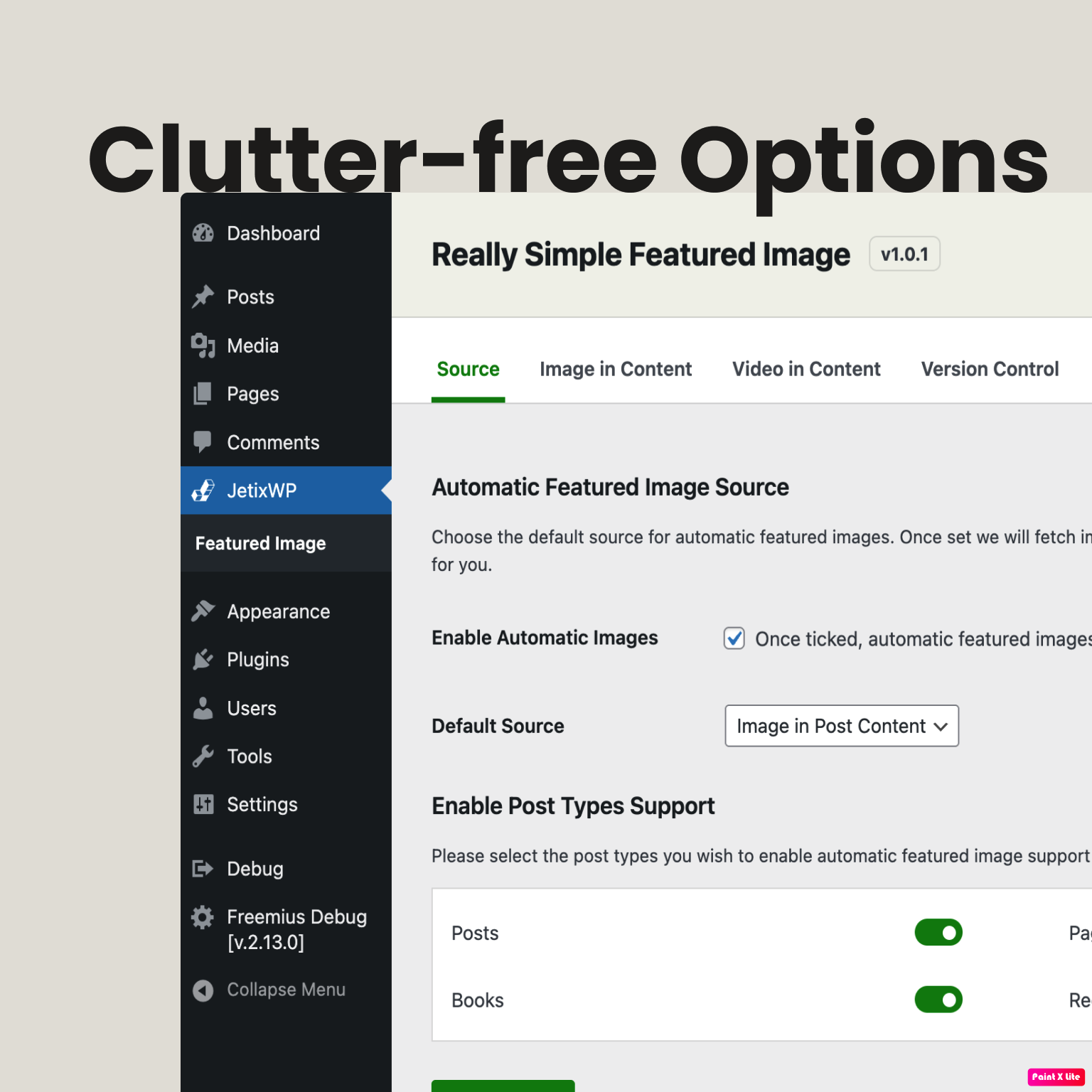
- Go to JetixWP -> Featured Image and choose the source: images in content or video thumbnails.
- Select which post types should get automatic featured images.
- Publish or update a post. If it has no featured image, the plugin sets the first match it finds.
- WordPress 6.3 or newer.
- PHP 8.0 or newer.
安装:
- Upload the plugin files to the /wp-content/plugins/really-simple-featured-image directory or install it via Plugins -> Add New.
- Activate Really Simple Featured Image through the Plugins screen.
- Go to JetixWP -> Featured Image to pick your source and post types.
- Save a post without a featured image to see it work.
屏幕截图:

常见问题:
Where can I get help?
You can get help by sending us an email at support@jetixwp.com.
Which post types are supported?
Any post type that supports featured images. Turn individual post types on or off on the settings screen. Posts and pages are on by default.
Will the plugin overwrite an existing featured image?
No. Really Simple Featured Image only sets a featured image when the post does not already have one.
I removed a featured image. Will it come back?
No. When you remove a featured image from a post, the plugin remembers it and does not set one automatically for that post again.
Can I switch between images and video thumbnails?
Yes. Set the source to either "Image in Post Content" or "Video in Post Content" in the settings. Video thumbnails support YouTube, Vimeo and Dailymotion.
What happens with remote images?
If the image is not already in your Media Library, the plugin downloads it and adds it to the library before setting it as the featured image. Only real image files up to 15 MB and 50 megapixels are accepted, addresses on your local network are refused, and images are only downloaded when the person saving the post can upload files.
Can I go back to an earlier version?
Yes. Go to JetixWP -> Featured Image -> Rollback, pick a version and click Reinstall this version. Your settings are kept.
Does it work with page builders?
It reads the post content. Builders that save their markup in the post content work; builders that keep content elsewhere (for example Elementor) are not read yet.
更新日志:
- New: Rollback tab to reinstall an earlier version from WordPress.org if an update causes trouble. Settings are kept.
- Fix: With PRO active, the settings sidebar no longer shows two thank-you cards.
- Fix: The Post types setting is now respected. Before, every post type was scanned, including attachments, menus and templates.
- Fix: Removing a featured image no longer brings it back right away, and it stays removed on later saves.
- Fix: Dailymotion thumbnails work again.
- Fix: Vimeo thumbnails now use Vimeo's oEmbed API.
- Fix: Second, second last and last positions no longer download duplicate copies of an image.
- Fix: Scan Content Length settings now work without PRO, and an empty value no longer causes an error.
- Fix: Default Source showed a value that was not one of the choices.
- Improvement: YouTube live, Shorts and youtube-nocookie links are detected.
- Improvement: Works for posts created through the REST API and importers, and sees the featured image picked in the block editor before looking for one.
- Security: Remote images are downloaded safely: real images only, up to 15 MB and 50 megapixels, no local network addresses, and only absolute image URLs. The same remote image is never downloaded twice.
- Security: Remote images are only downloaded when the person saving the post (or its author, for imports) can upload files. Images already in the Media Library are still used for everyone.
- Security: At most 3 found images or videos are tried per save, so a post full of broken links cannot slow the site down.
- Security: Settings are checked on the server (allowed post types only, scan length 100 to 100000), and video titles are stored as plain text.
- Improvement: Images downloaded from a video use the video title as title and alt text.
- Improvement: Video lookups are cached.
- Improvement: Settings no longer add extra options to the database on every admin page load.
- Improvement: Plugin data is removed when the plugin is deleted, on every site of a network (featured images are kept).
- Improvement: License is now GPLv2 or later.
- Requires WordPress 6.3 or newer. Tested up to 7.1.
- Release for wp.org
- Other minor changes
- Fix wp.org reported issues
- Added Image and Video options
- PCP improvements
- Other minor changes
- Add PROMO settings
- Add base rollback feature
- Add languages .pot file
- Update settings view
- Other minor changes
- Initial release