Returns, Exchanges & Refunds for WooCommerce - Recoup
| 开发者 | russellwestgarth |
|---|---|
| 更新时间 | 2026年4月15日 05:21 |
| PHP版本: | 7.4 及以上 |
| WordPress版本: | 6.9 |
| 版权: | GPLv2 or later |
| 版权网址: | 版权信息 |
详情介绍:
- Customer visits the returns portal (works for logged-in users and guest orders)
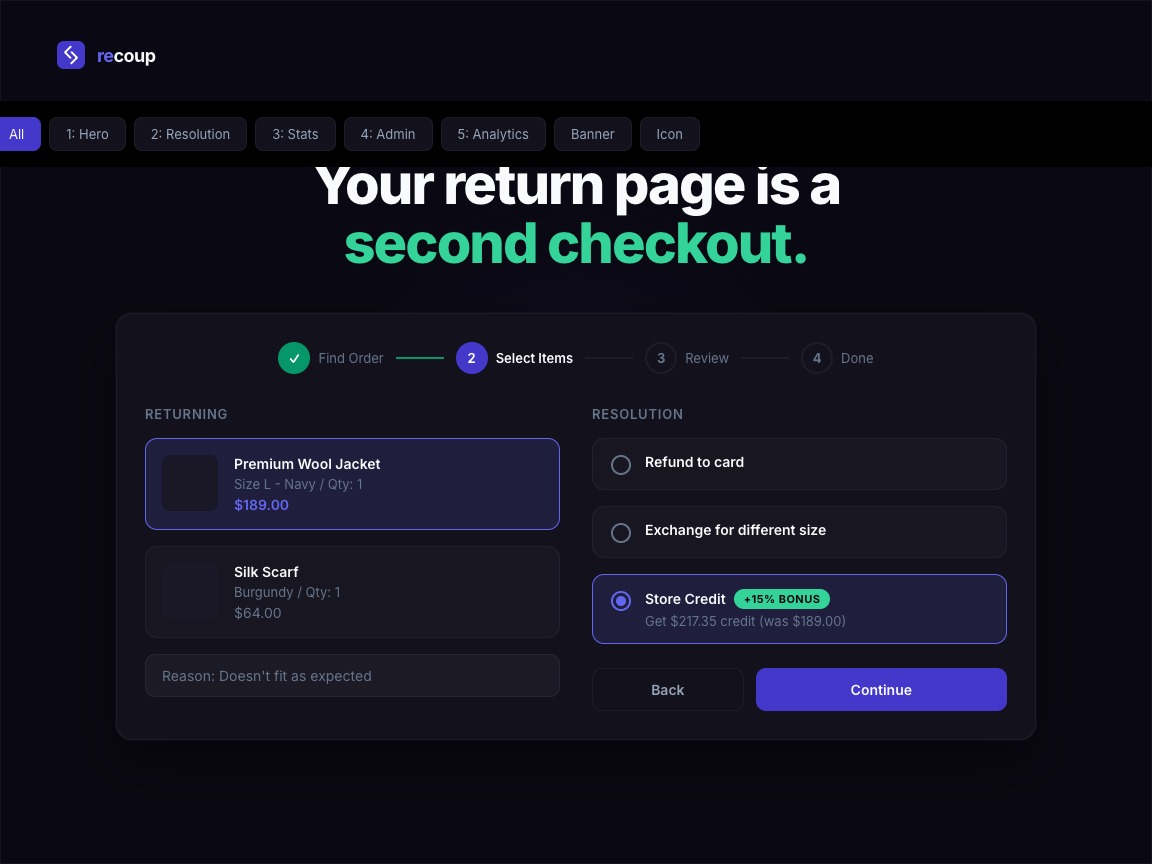
- They select the order and items to return, pick a reason, and choose refund, exchange, or store credit
- You review the request in the admin dashboard (or set up auto-approve rules in Pro)
- Recoup processes the resolution automatically - refund to original payment method, exchange order creation, or store credit to their wallet
- Self-service return request portal - customers submit returns without contacting support
- Configurable return window - set the number of days after delivery that returns are accepted
- Return reason collection - customisable dropdown with structured reason data
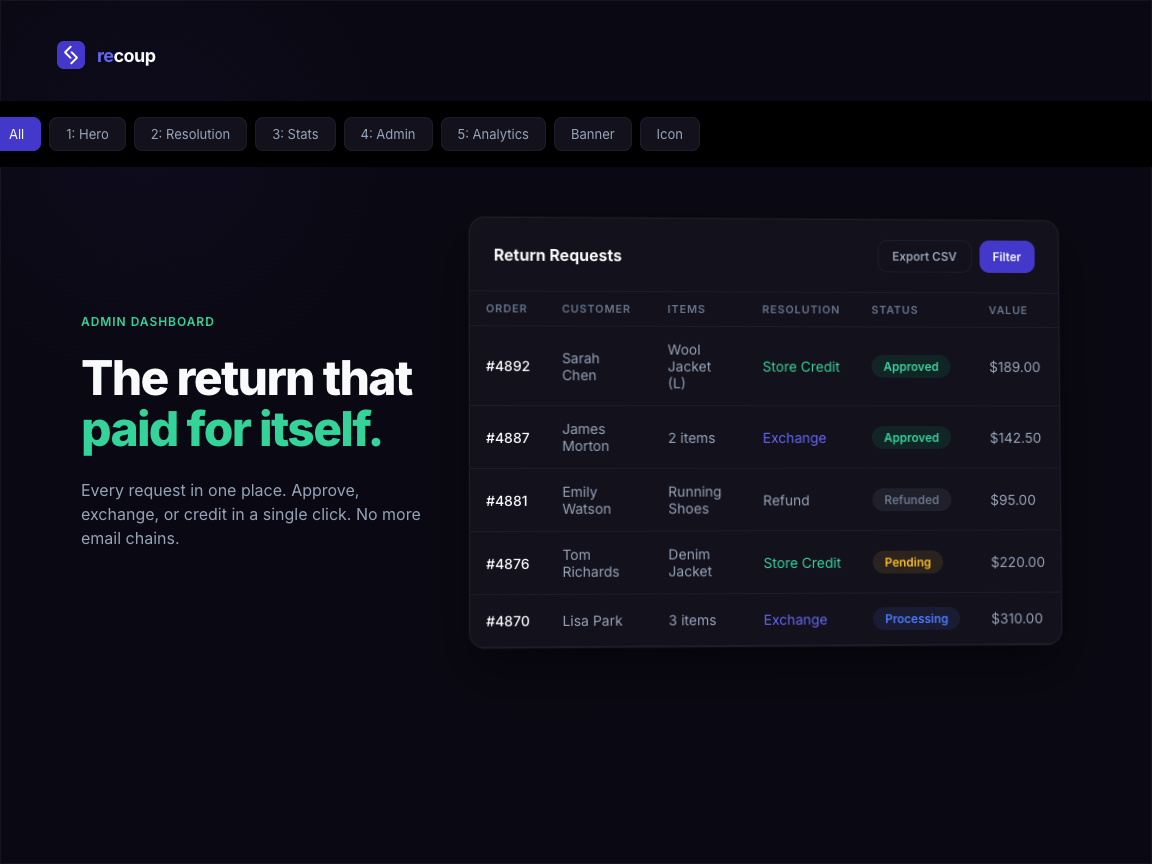
- Admin return management dashboard - view, approve, reject, and process all returns in one place
- Email notifications - automatic emails to customers at each stage of the return process
- Auto-refund processing - approved returns trigger refunds to the original payment method
- Guest order returns - customers without an account can return items using their order number and email
- Mobile responsive - the return portal works on any device
- HPOS compatible - works with WooCommerce High-Performance Order Storage
- Exchange flow - guide customers to select a replacement product instead of taking a refund, converting returns into new sales
- Store credit wallet - a proper balance system attached to the customer account (not coupon workarounds), usable at checkout like any payment method
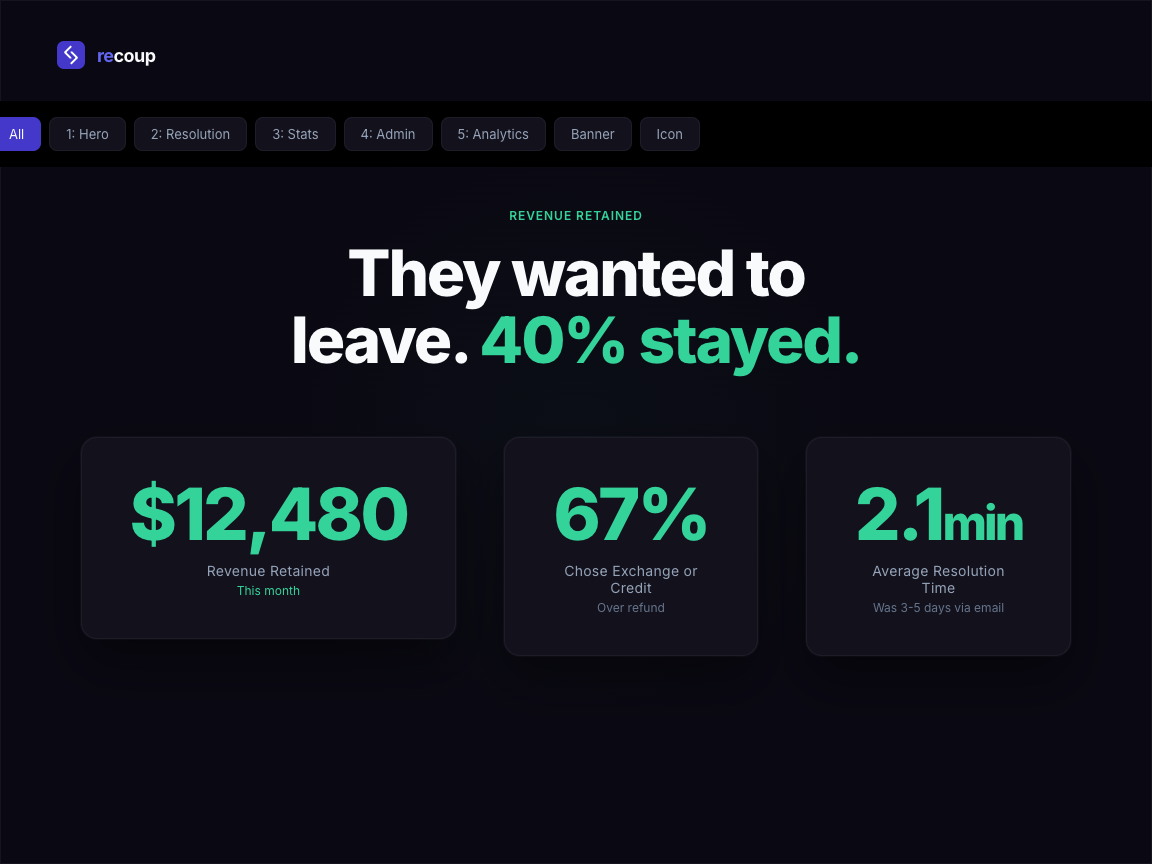
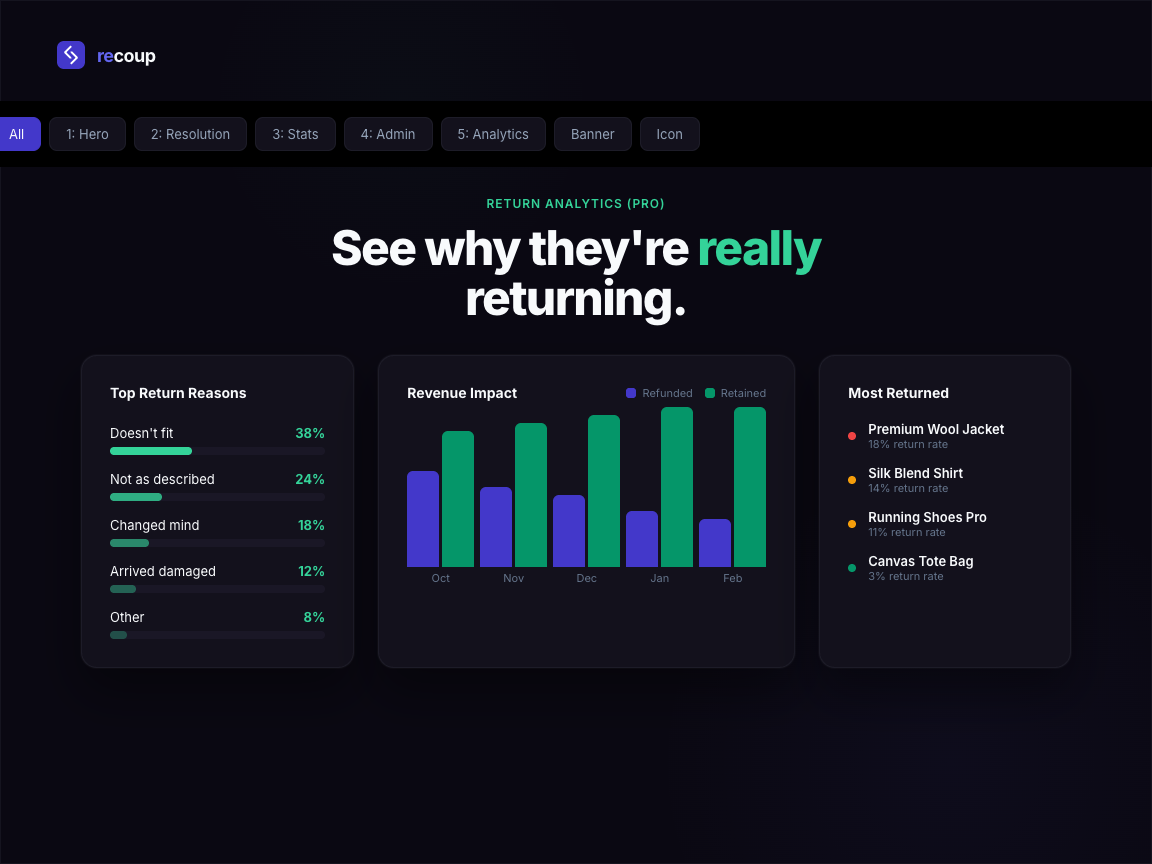
- Return analytics dashboard - track return rates by product, category, and reason over time to identify and fix the root causes
- Auto-approve rules - define conditions (order value, customer history, return reason) to approve returns automatically
- Product and category exclusions - exclude specific products, categories, or sale items from the return policy
- Priority support - direct access to the development team
安装:
- Upload the
recoupfolder to the/wp-content/plugins/directory, or install the plugin through the WordPress plugin screen directly. - Activate the plugin through the "Plugins" screen in WordPress.
- Navigate to WooCommerce > Recoup to configure your return policy settings.
- The return portal is automatically available at
/returns/(a page is created on activation). - Customise your return reasons, return window, and email notifications from the settings screen.
- WordPress 5.8 or later
- WooCommerce 7.0 or later
- PHP 7.4 or later
屏幕截图:
常见问题:
Does this work with WooCommerce High-Performance Order Storage (HPOS)?
Yes. Recoup is built with HPOS compatibility from the start. It works with both the legacy post-based storage and the newer HPOS tables.
Can customers return items without creating an account?
Yes. Guest customers can access the return portal using their order number and the email address used at checkout. No account registration is required.
Does Recoup send emails automatically?
Yes. Recoup integrates with the WooCommerce email system. Customers receive notifications when their return request is received, approved, rejected, or completed. You can customise the email content from WooCommerce > Settings > Emails.
Can I exclude certain products from being returned?
With Recoup Pro, you can exclude specific products, entire categories, or items purchased on sale from your return policy. In the free version, the return window setting applies to all products equally.
How does the exchange flow work?
The exchange flow is a Pro feature. When a customer initiates a return, they can choose "Exchange" as their resolution. Recoup then guides them to select a replacement product. A new order is created for the exchange item, and any price difference is handled automatically.
Will this work with my theme?
Recoup uses minimal, unstyled frontend markup that inherits your theme's default styles. It does not require any template overrides and is tested with popular themes including Storefront, Astra, GeneratePress, and Flatsome.
How do I set up a WooCommerce return policy?
After activating Recoup, go to WooCommerce > Recoup to configure your return window (the number of days after purchase that returns are accepted), return reasons, and resolution options. The plugin creates a return request page automatically at /returns/. With Recoup Pro, you can set different return policies per product or category and exclude sale items.
Can Recoup reduce WooCommerce refunds?
Yes. Recoup is designed as a revenue recovery tool. The exchange flow encourages customers to swap for a different product rather than take a refund. The store credit wallet keeps funds in your store for future purchases. Pro users get analytics to identify which products generate the most returns and why, so you can fix root causes.
Is there a WooCommerce store credit system included?
The store credit wallet is a Pro feature. It gives each customer a balance attached to their account (not a coupon workaround) that they can apply at checkout like any other payment method. When a customer chooses store credit as their return resolution, the amount is added to their wallet instantly.
What is the difference between Recoup and other WooCommerce return plugins?
Most WooCommerce return and refund plugins focus on processing RMA requests. Recoup focuses on revenue recovery - converting refunds into exchanges and store credit so you keep more revenue. The analytics dashboard shows you exactly how much revenue your return policy is recovering each month.
Does Recoup work with WooCommerce Subscriptions?
Recoup processes returns and refunds against standard WooCommerce orders. For subscription orders, the refund will apply to the most recent renewal payment, but Recoup does not pause or cancel the underlying subscription automatically. Cancel or pause the subscription manually from WooCommerce > Subscriptions if a return represents the customer ending their subscription.
Can I print return shipping labels from Recoup?
Recoup focuses on the returns workflow itself rather than carrier label generation. For label printing, pair Recoup with a WooCommerce shipping plugin that integrates with your carrier (Royal Mail, ParcelForce, USPS, FedEx, etc.). The return request reference number from Recoup can be included on the label so warehouse staff can match the parcel back to the return on receipt.
Can I customise the return notification emails?
Yes. Recoup registers its return emails through the native WooCommerce email system. Go to WooCommerce > Settings > Emails to customise the subject line, heading, and content of every Recoup email exactly as you would for the built-in WooCommerce emails. You can also override the email templates by copying them into your theme.
Is Recoup GDPR compliant?
Yes. Recoup stores only the data needed to process the return: order ID, customer email, items selected, return reason, and any notes. No third-party tracking, no analytics calls, no external data transmission. On plugin uninstall, all return data, custom tables, and uploaded photos are removed. For data subject access or erasure requests, the return data is keyed by the customer email and order so it can be exported or removed in line with your existing WooCommerce GDPR processes.
Does Recoup work with WPML or multilingual stores?
Recoup uses standard WordPress translation functions throughout, so all customer-facing strings can be translated via WPML, Polylang, or the wp.org translation system. The return portal page can be translated through WPML's standard page translation workflow. Translations for Spanish, French, German, and Italian are on the roadmap.
Can customers upload photos with their return request?
Photo uploads are a Recoup Pro feature. When enabled, customers can attach up to five photos when submitting a return request, useful for damaged goods or wrong-item disputes. File size and type restrictions are enforced server-side, and uploads are stored as private attachments accessible only to the merchant from the return detail screen.
Can I charge restocking fees for returns?
Restocking fees are a Recoup Pro feature. You can configure a flat fee or a percentage of the order value, applied automatically when the return is approved. The fee is deducted from the refund amount, and the customer sees the fee broken out clearly in their return confirmation email so there are no surprises.
Can I bulk approve or deny returns?
Yes. The admin returns list supports bulk actions. Tick the checkbox next to multiple return requests, choose Approve or Deny from the bulk actions dropdown, and apply. Recoup processes each request in turn, sending the relevant customer notification email for each.
What happens if I deactivate or uninstall Recoup?
Deactivating Recoup leaves all return data and settings in place, so reactivating restores everything as it was. Uninstalling (deleting the plugin from your Plugins screen) removes all Recoup data: the custom database tables, plugin options, the auto-created returns page, and any uploaded customer photos. Order data and refunds in WooCommerce itself are not affected, since Recoup uses the standard WooCommerce refund APIs.
Can I migrate return data from another plugin?
Recoup does not currently include a one-click importer for other returns plugins. For one-off migrations, contact support with details of your existing plugin and we can advise on the best approach. New return requests created in Recoup live alongside your historical returns from any previous plugin without conflict.
Does Recoup affect site performance or page speed?
No measurable impact. Recoup loads its admin assets only on the Recoup admin pages, never on the frontend or other admin screens. The customer-facing return portal loads a single small CSS file and a small JavaScript file, both cacheable. Recoup adds two custom database tables but does not modify or query the wp_posts table on every page load, so it works cleanly with object caching, full-page caching, and CDNs.
Which payment gateways does Recoup refund to?
Recoup uses the standard WooCommerce refund API, which means refunds work with any payment gateway that supports the WooCommerce refund interface. This includes Stripe, PayPal, WooCommerce Payments, Square, Authorize.net, Mollie, and most modern gateways. Older or custom gateways without refund support will require manual refunds outside Recoup, but Recoup will still record and track the return request.
Can I customise the list of return reasons?
Yes, in both free and Pro. Go to the Recoup settings screen and add, edit, or remove return reasons to match your store. Each reason is presented to the customer as a dropdown when they submit a return, and the reason is stored against the return request so you can analyse trends. With Pro, the analytics dashboard shows return rates broken down by reason so you can spot patterns.
Can I export return data to CSV?
CSV export is a Recoup Pro feature. From the admin returns list, click Export to download a CSV containing all return requests with their status, customer details, items, reason, resolution, and timestamps. Use this for accountancy, returns analysis in a spreadsheet, or feeding into another tool.
更新日志:
- Expanded the FAQ section with answers to fourteen common merchant questions covering subscriptions, shipping labels, GDPR, multilingual support, performance, payment gateways, restocking fees, and more.
- Refreshed the wp.org listing title, tags, and short description for clearer search relevance.
- Added an "Upgrade" submenu under WooCommerce for discovering Pro features.
- Added a Revenue Left on the Table insight panel on the returns list when refund revenue is logged this month.
- Security hardening for wp.org review: explicit nonce and capability checks on admin actions, sanitised photo upload handling, late-escaped output in settings, and identifier placeholders in wpdb queries.
- Moved inline admin CSS into a properly enqueued stylesheet.
- Replaced the query-string flash notice with a transient-based flash so no untrusted input is read on the returns list view.
- Initial release