ReDi QR Service Bell
| 开发者 | thecatkin |
|---|---|
| 更新时间 | 2026年3月6日 03:28 |
| PHP版本: | 6.2 及以上 |
| WordPress版本: | 6.9 |
| 版权: | GPLv2 or later |
| 版权网址: | 版权信息 |
详情介绍:
- Faster table service – Guests call the waiter in one tap instead of waving or waiting to catch someone's eye.
- No app for guests – Everything works in any smartphone browser. Nothing to download or install.
- Real-time requests – Staff see each request (table number + time) immediately on their own device.
- Three built-in actions – Call waiter, Request menu, Pay bill — the three most common guest needs covered.
- One QR code per table – Simple setup; each code carries the table number automatically.
- Works with any theme – The guest page is mobile-optimized and fits any WordPress site.
- Install and activate ReDi QR Service Bell on your WordPress site.
- A dedicated guest page is created — pass the table number in the URL (e.g.
?table=5). - Generate one QR code per table using any free QR code tool, linking to that page.
- Print the codes and place them on tables, menus, or table stands.
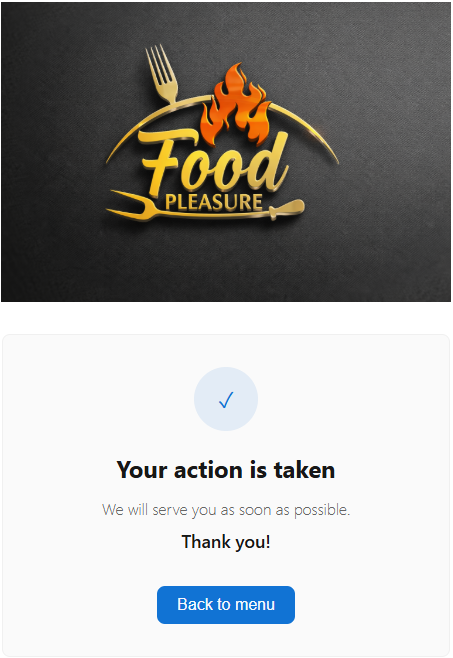
- Guests scan, choose their request, and tap.
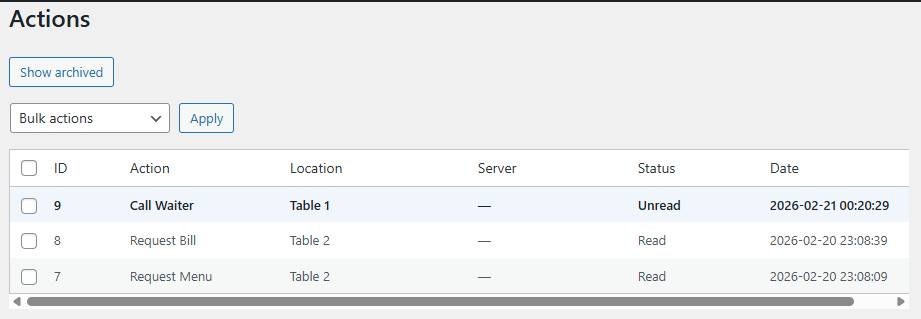
- Your staff see the request instantly on the Actions screen — table number and time included.
- Restaurants and fine dining venues
- Cafés and coffee shops
- Bars and cocktail lounges
- Hotel restaurants and room service
- Food halls and market stalls
- Custom actions — Add extra buttons such as "Request cutlery", "Allergy help", or "Call the manager".
- Table–waiter zone routing — Send requests to the right staff member or zone automatically.
- Branding and design — Match the guest page to your restaurant's colors, logo, and fonts.
- POS and reservation integration — Connect with your point-of-sale or reservation system.
- Reporting and analytics — Call volume, response times, and peak hour reports.
- Multi-location support — Manage several venues or branches from one WordPress installation.
- API and webhooks — Push waiter calls to your own apps or dashboards.
- Website: catzsoft.ee
- Contact: info@catzsoft.ee
安装:
- Download the plugin ZIP file.
- In WordPress go to Plugins → Add New → Upload Plugin, choose the ZIP, and click Install Now.
- Click Activate.
- Open ReDi QR Service Bell in your WordPress menu and configure the settings.
- Create QR codes that link to your waiter-calling page with the table number parameter (e.g.
?table=1,?table=2). - Place QR codes on your tables and monitor guest requests from the Actions screen.
屏幕截图:
常见问题:
Do guests need to download an app?
No. Guests only need a smartphone with a camera and any browser. They scan the QR code and the page opens automatically — nothing to install.
What is a waiter calling system?
A waiter calling system lets restaurant guests signal staff when they need something — without waving, shouting, or waiting for eye contact. ReDi QR Service Bell is a digital version: guests tap a button on their phone after scanning a QR code on the table.
How do I create QR codes for each table?
Use any free QR code generator (there are many available online). The link should point to your waiter-calling page URL with the table number as a parameter, for example: https://yoursite.com/call-waiter/?table=5. Create one QR code per table. Print and place them on the tables.
Can I change the button labels?
Yes. The labels — "Call waiter", "Request menu", "Pay bill" — can be customized in the plugin settings to match your language or wording.
Does it work without internet?
Guests need mobile data or Wi-Fi to load the page. Most restaurants offer Wi-Fi; the guest page is lightweight and loads quickly on any connection.
Can I add more actions beyond the three defaults?
The free version includes three actions. Custom actions (such as "Request cutlery" or "Call the manager") are available through our Pro version or custom development. Contact us at info@catzsoft.ee for details.
Does this replace a reservation system?
No — ReDi QR Service Bell handles service at the table. For online reservations and table booking, use it together with ReDi Restaurant Reservation.
Is ReDi QR Service Bell free?
Yes, the core plugin is free. A Pro version with advanced features (zone routing, custom actions, analytics, integrations) is available — contact us for pricing.
Does it work with any WordPress theme?
Yes. The guest-facing page is self-contained and mobile-optimized. It does not rely on your theme's styling.
Is the plugin GDPR compliant?
The plugin does not collect personal data from guests. No account or login is required to use the guest page.
更新日志:
- Initial release.