
Refmora - Affiliate Management for WooCommerce
| 开发者 | wpmethods |
|---|---|
| 更新时间 | 2026年10月28日 20:46 |
| 捐献地址: | 去捐款 |
| PHP版本: | 7.4 及以上 |
| WordPress版本: | 7.1 |
| 版权: | GPLv2 or later |
| 版权网址: | 版权信息 |
详情介绍:
- Add an Affiliate Area to WooCommerce My Account.
- Review applications before approving affiliates, if needed.
- Set Terms & Conditions for your program.
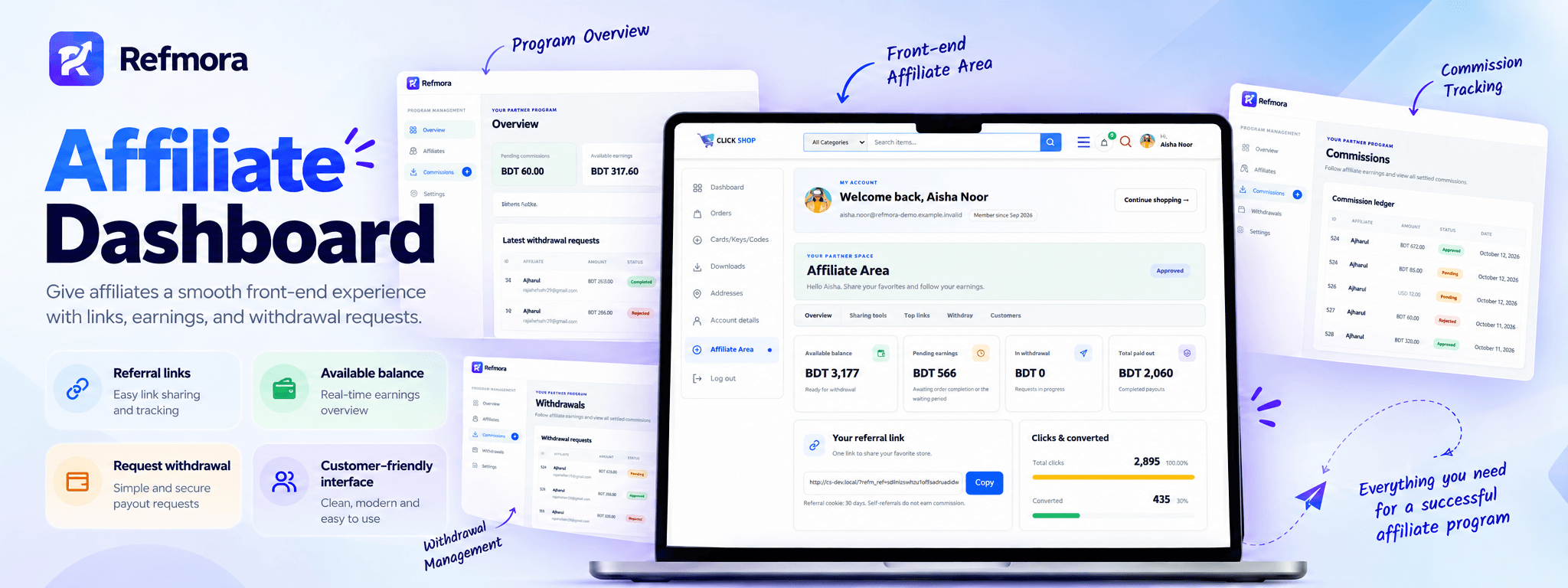
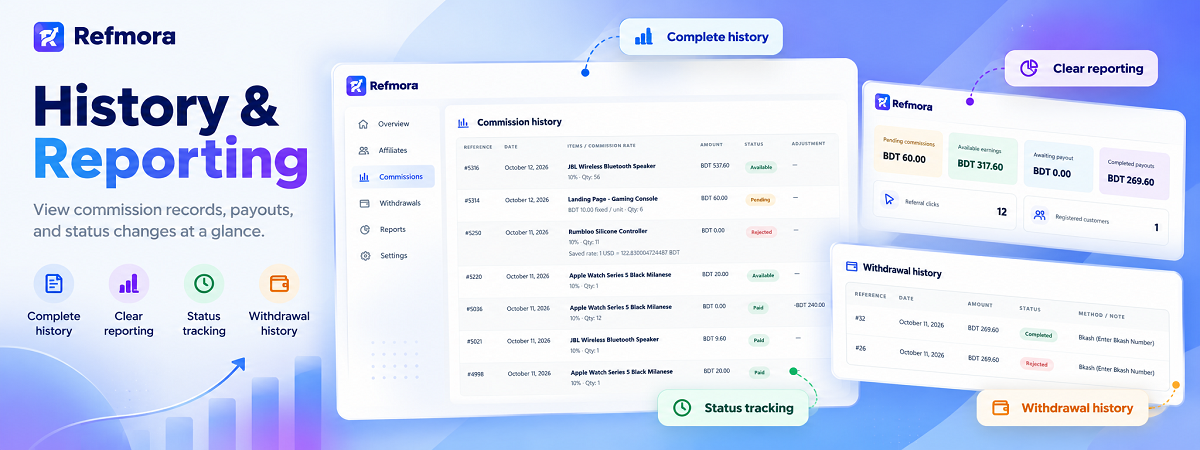
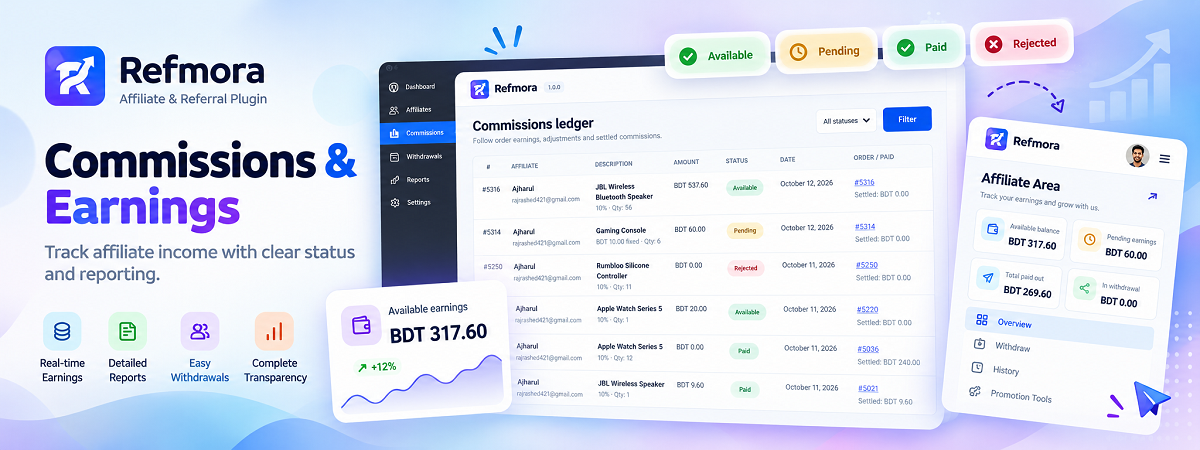
- Let affiliates view their earnings, available balance, commissions, and withdrawal history.
- Show referral clicks and registered customers while masking referred-customer contact details.
- Choose a custom Affiliate Area URL slug.
- Give affiliates their own referral links and Share & Earn icons.
- Generate affiliate links for pages and products on the same store.
- Offer top-selling product links for affiliates to share.
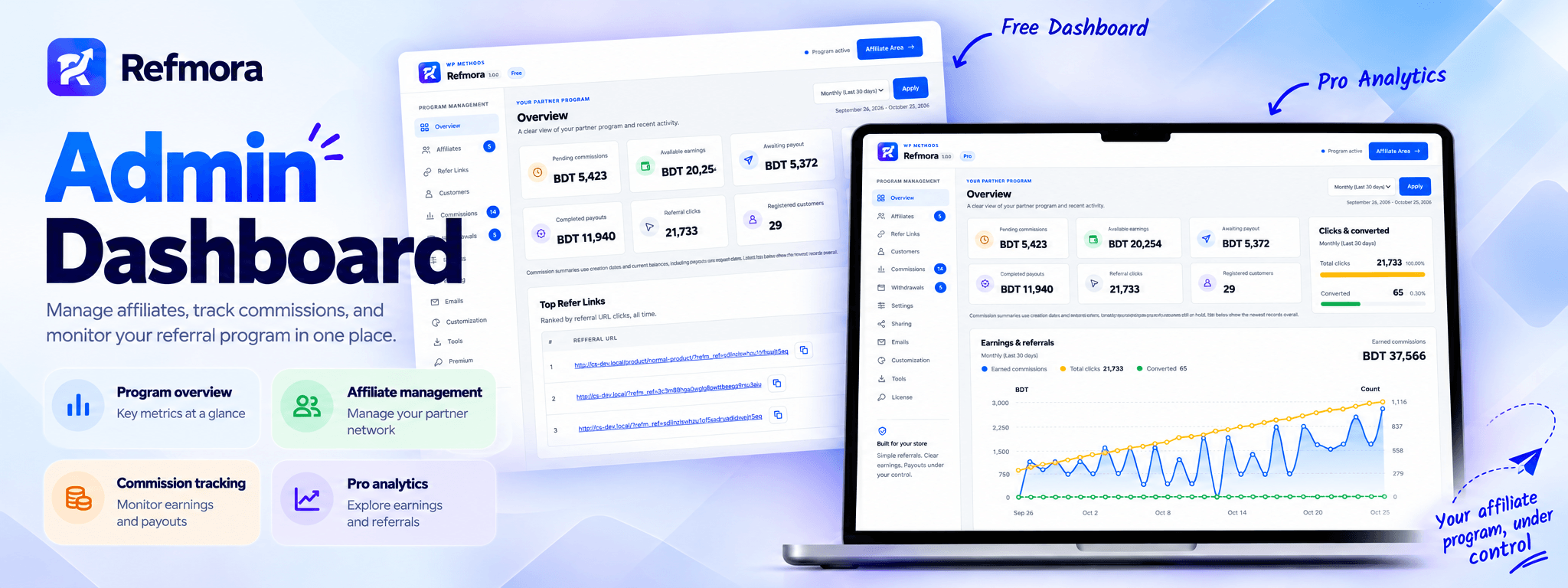
- View Top Refer Links with referral URLs, clicks per link, affiliate names, and copy buttons.
- Set your referral URL parameter, cookie duration, first- or last-referral attribution, and repeat-purchase policy.
- Use signed referral cookies and self-referral checks.
- Choose percentage-based or fixed-per-unit commissions.
- Set product-specific rates and exclusions. Parent product rules also cover variations.
- Choose which WooCommerce order statuses show pending commissions, including custom statuses. Completed orders follow your commission availability rule.
- Optionally confirm or reject pending commissions manually from the Commissions list before earnings become available.
- Make commissions available when an order is Completed, or set a waiting period of 1–365 days.
- Adjust earnings when an order is refunded.
- Reserve withdrawal amounts to help prevent the same balance from being used twice.
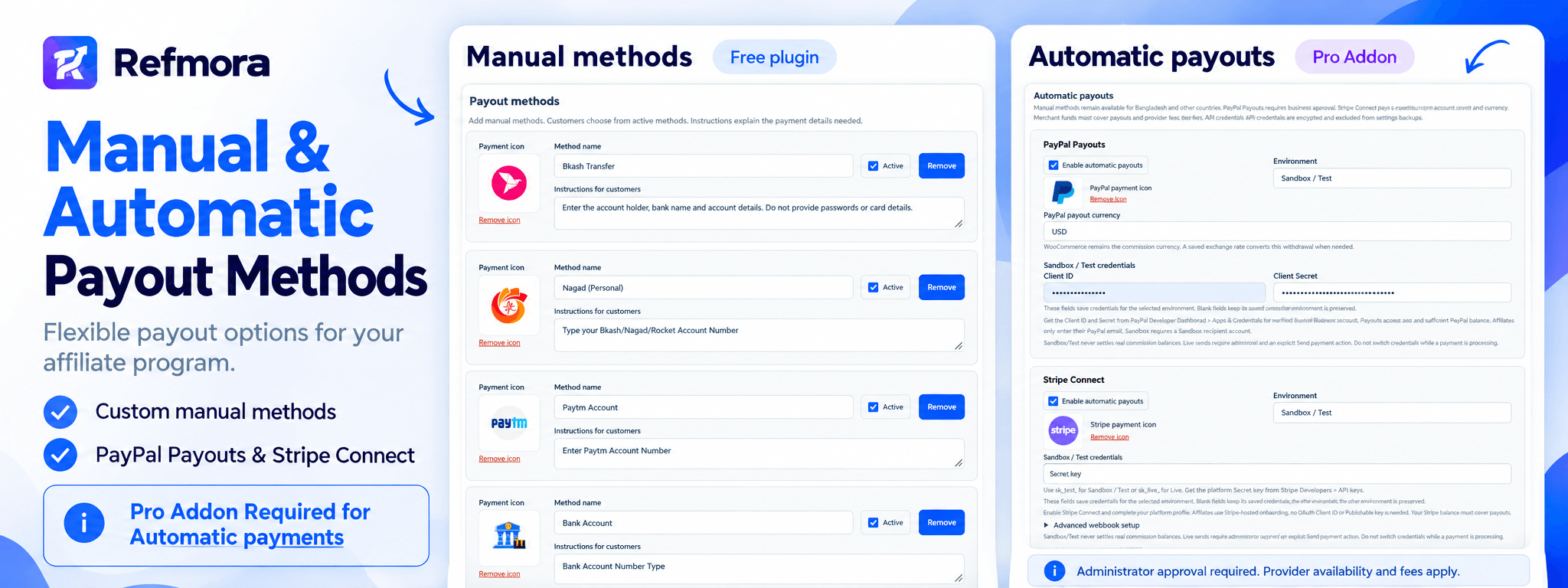
- Add custom manual payout methods and payment instructions.
- Set a minimum withdrawal amount.
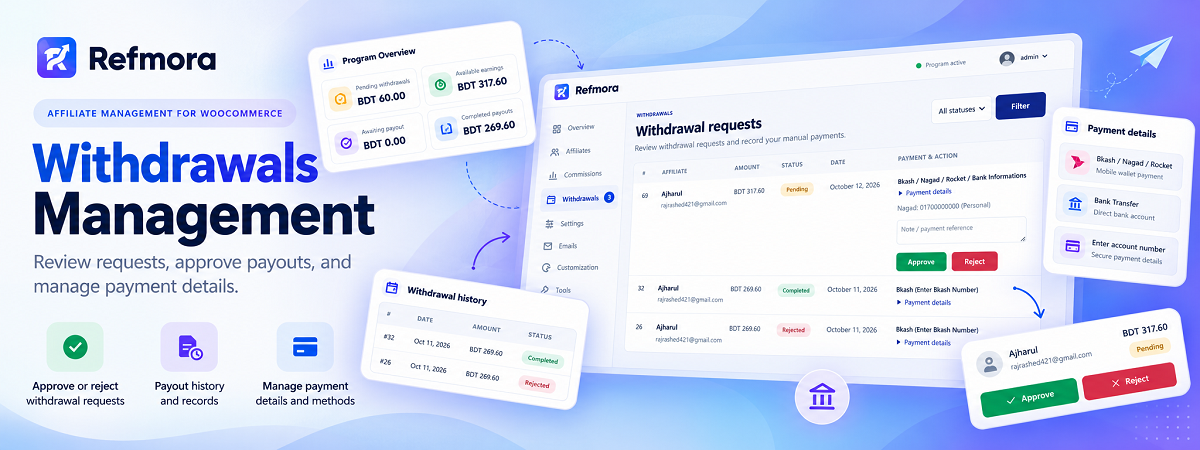
- Review and approve withdrawal requests before payment.
- Record settlement after paying the affiliate outside the plugin.
- View pending commissions, available earnings, awaiting payouts, completed payouts, referral clicks, and registered customers.
- Choose Daily, Weekly, Monthly, This Year, Last Year, or Lifetime date ranges in the free Overview.
- Compare clicks and completed referred orders using a donut chart, totals, and the conversion percentage.
- Let approved affiliates view their own lifetime activity above the withdrawal card.
- Search admin records and filter by status.
- Browse paginated lists: generally ten records per admin page and five per affiliate data table.
- Edit plain-text email notifications.
- Adjust the appearance and add custom CSS scoped to the plugin.
- Back up, restore, or reset settings using JSON files.
- Clear Refmora affiliate enrollments and program history with administrator access and typed confirmation. WooCommerce customers and orders, plugin settings, product rules, and license remain unchanged.
- Use WooCommerce order CRUD, High-Performance Order Storage (HPOS), and attribution hooks for classic checkout and Checkout Blocks.
- PayPal Payouts API payments in Sandbox and Live environments.
- Stripe Connect onboarding and API payments in Test and Live environments.
- Payment sending after withdrawal approval, provider status checks, and payment reconciliation.
- Exchange-rate conversion through FOX/WOOCS, CURCY, or manually configured currency pairs.
- CSV exports for affiliates, commissions, withdrawals, referred customers, and daily referral clicks, with optional date ranges.
- Same-site Database Backup & Restore for Refmora settings, profiles, links, click history, commissions, withdrawals and Trash. This signed JSON recovery feature is implemented in the separate Pro add-on.
- An earnings and referrals history chart combining earnings, total clicks, and completed referred orders, using the Overview date filter.
安装:
- Install and activate WooCommerce.
- Install and activate Refmora from the Plugins screen.
- Go to WooCommerce → Refmora Affiliate → Settings. No license key is needed for the free plugin.
- Set up affiliate enrollment, commission rules, referral tracking, and manual payout methods.
- Ask customers to join through My Account → Affiliate Area.
- Place a test referral order using a separate buyer account.
屏幕截图:
常见问题:
Do I need a license to use the free plugin?
No. Affiliate enrollment, referral tracking, commissions, settings, sharing tools, manual payout methods, and settings backup, restore, and reset all work without a license key or activation.
How do manual payouts work?
- An affiliate requests their entire available balance.
- Refmora reserves that amount while the request is open. Each affiliate can have one open request at a time.
- A manager reviews and approves the request.
- The manager sends payment outside the plugin using the selected manual method.
- The manager selects Mark paid to record the settlement.
What does the Pro add-on include?
Pro adds PayPal Payouts and Stripe Connect API payments, currency conversion, CSV exports, same-site Database Backup & Restore, and the earnings and referrals history chart. These features are implemented in a separate plugin. The free download contains contextual information about the add-on, rather than premium code locked behind a license.
Are automatic payments sent without a review?
No. With Pro, live payments still require administrator approval and an explicit Send payment action. Sandbox and Test payments do not settle real commission balances. Do not switch provider credentials while a payment is processing.
Which currency does Refmora use?
The free plugin uses the base currency set under WooCommerce → Settings → General. It does not convert exchange rates. Orders in a different currency require the optional Pro add-on. Previously saved currency and exchange-rate snapshots remain attached to historical financial records.
When do commissions become available?
By default, commissions become available when an order is marked Completed. You can instead set a waiting period of 1–365 days. Commissions use product totals after discounts, excluding tax and shipping. Refunds adjust earnings. If a refunded commission has already been paid, the adjustment can reduce future balances.
Which order statuses create pending commissions?
Under Settings > Commission rules > Commission tracking order statuses, select the statuses that should count as pending earnings. For example, select Processing and leave Pending payment and On hold unchecked to wait until an order is being processed. Registered custom order statuses are also supported. Completed is always included and uses your commission availability and waiting-period settings. Leave only Completed selected to avoid showing pending earnings before completion. A waiting period can still make a completed commission pending until the hold expires. Orders in unselected statuses keep their referral attribution but do not create commission records. If a tracked order moves to an unselected status, its commission is rejected and removed from pending earnings. Cancelled, Failed and Refunded always reject commissions. Returning to a selected status recalculates the existing commission without creating a duplicate. Payout reservations and already-paid adjustments follow the existing reconciliation rules. Existing installations and older settings backups keep all eligible registered statuses selected by default. Saving this setting does not recalculate historical orders; it applies when an order status changes or its commission is otherwise synchronized.
Can I confirm commissions manually?
Yes. Set Commission availability to Confirm from Commission List. The Commissions tab then shows an Action column with Confirm and Reject buttons for pending, unpaid commissions in eligible order statuses. Confirm makes the commission available for withdrawal, even before order completion. Reject sets its amount to zero and keeps the rejection through later order updates and settings changes. Completed orders remain pending in this mode until a manager decides. Existing scheduled releases cannot bypass manual review. Commissions already released, reserved or paid are not sent back for review. Waiting-period fields are hidden in this mode. Other availability modes keep their normal behavior and do not show Confirm/Reject. Administrators can still use the Action column for Delete and Restore. Refunds, cancellations, excluded tracking statuses and once-per-customer restrictions still apply. Manually confirmed earnings can therefore be reduced by later order changes. A manual confirmation releases earnings; it does not pay the affiliate or change the WooCommerce order status. Only users with the manage_woocommerce capability can review commissions. Each action requires a POST request and a commission-specific nonce. The current order, commission version and eligibility are rechecked under the existing financial locks. The decision, reviewer user ID and UTC review time are saved in the commission ledger.
How do Overview date ranges work?
Date ranges use the WordPress site's time zone:
- Daily: today.
- Weekly: today and the previous six days.
- Monthly: today and the previous 29 days.
- This Year: January 1 through today.
- Last Year: January 1 through December 31 of the previous calendar year.
- Lifetime: all stored history through today.
What does the clicks and Converted donut mean?
Total clicks are the 100% baseline. The green donut segment shows completed referred orders relative to tracked clicks; the yellow ring provides the click baseline. Converted counts referred orders currently marked Completed, including orders whose commissions are still on hold. Exact totals appear below the donut, and its center shows the conversion percentage. The converted percentage is completed referred orders divided by tracked clicks. Repeat purchases can make this percentage exceed 100%; the visual ring itself stops at 100%, while the center retains the actual percentage. With no tracked clicks, a positive converted count has no calculable percentage and is shown with a dash and a neutral ring. Approved affiliates see their own lifetime activity. They cannot view another affiliate's records.
How does the Pro history chart calculate its figures?
- Earnings uses released commissions grouped by creation date, after refund adjustments. Pending and rejected commissions are excluded.
- Converted uses referred orders currently marked Completed, including commissions still on hold, grouped by commission record creation date in the displayed currency.
- Clicks includes all tracked referral clicks.
How are Top Refer Links ranked?
Links are ranked by tracked clicks for each affiliate and destination across all recorded dates. Only links with at least one click appear. This ranking stays on a lifetime basis when an Overview date filter is selected. Public homepages, pages, posts, products, taxonomy pages, and archives can be tracked. Each valid incoming affiliate link counts toward its canonical destination. Normal internal browsing without a referral parameter does not add clicks. Referral parameters, marketing parameters, and URL fragments are removed when identifying the canonical destination, so variants of the same link share a counter. Different public destinations have separate counters. Tracking excludes arbitrary request parameters, search terms, previews, private or password-protected content, cart, checkout, account pages, admin pages, REST endpoints, feeds, and missing pages. Self-referrals, blocked or ineligible affiliates, and visits disallowed by the consent filter are also excluded. Repeated visits to the same affiliate and destination are suppressed for 30 minutes using a signed cookie that holds up to 12 recent pairs.
Where can I browse and copy referral links?
The Overview shows up to five Top Refer Links without pagination. See More Refer Links opens the dedicated Refer Links tab between Affiliates and Commissions. The admin Refer Links table has ten rows per page, All/10+/100+ click filters, and URL or affiliate search. The manager Customers list also supports search and ten-row pagination. Affiliate referral links, commissions, withdrawals, and customers use five rows per page. Each table keeps its own page parameter. Copy Link always copies the affiliate's referral URL. View Link opens a new tab: admins open the canonical destination without a referral parameter, while affiliates open their own referral URL. The Referral clicks and Registered customers metrics are clickable. In the affiliate dashboard, they jump to the relevant personal sections. In the admin dashboard, they open Refer Links or the referral-attributed Customers list.
How should I configure caching?
- Exclude refm_ref, or your custom referral parameter, from full-page caching.
- Keep My Account, Cart, Checkout, and personalized pages for logged-in users uncached.
- In LiteSpeed, use Do Not Cache Query Strings. Do not use Drop Query String for referral parameters.
- Apply matching exclusions at your hosting or CDN level, then clear existing caches.
What does a settings backup include?
A JSON backup includes program, sharing, email, and appearance settings. It is a settings backup, not a database backup. Financial records, license state, payment-provider credentials, and product-specific overrides are excluded. Restore validates JSON files up to 1 MB. Reset requires typing RESET and preserves financial history. Only administrators can manage settings backups. The separate Clear data tool requires typing CLEAR DATA. It permanently removes Refmora affiliate enrollments, referral links and counters, referred-customer records, commissions, and withdrawals. It keeps WooCommerce customers and orders, settings, product rules, and license. Clear data is unavailable while a payout is processing. Orders attributed before a clear cannot recreate the removed commission history.
Can I update the free plugin without a key?
Yes. After directory publication, the free plugin uses the standard WordPress.org update system. Pro add-on updates are handled separately and never replace the free package with externally downloaded code.
更新日志:
- Added Clear All Trash for commissions and withdrawals, with confirmed, bounded deletion and progress feedback across all pages.
- Added permanent deletion from financial Trash and redesigned Records/Trash view tabs with unfiltered item counts.
- Added permanent per-affiliate removal with typed confirmation, attribution revocation, and reversible Trash/Restore for commissions and withdrawals.
- Added optional manual commission confirmation and rejection from the Commissions list, with protected actions and persistent review history.
- Added configurable WooCommerce order statuses for pending commission tracking, including registered custom statuses.
- Added affiliate link with click count section.
- Added Payout methods icons support.
- Added Clear Data Featues
- Fixed some issues
- Initial release.