
RefreshRank - Content Decay Detection & AI Refresh
| 开发者 | sheetlink |
|---|---|
| 更新时间 | 2026年10月14日 00:48 |
| PHP版本: | 8.0 及以上 |
| WordPress版本: | 7.1 |
| 版权: | GPLv2 or later |
| 版权网址: | 版权信息 |
详情介绍:
- Click "Start free" - no signup form, no email required.
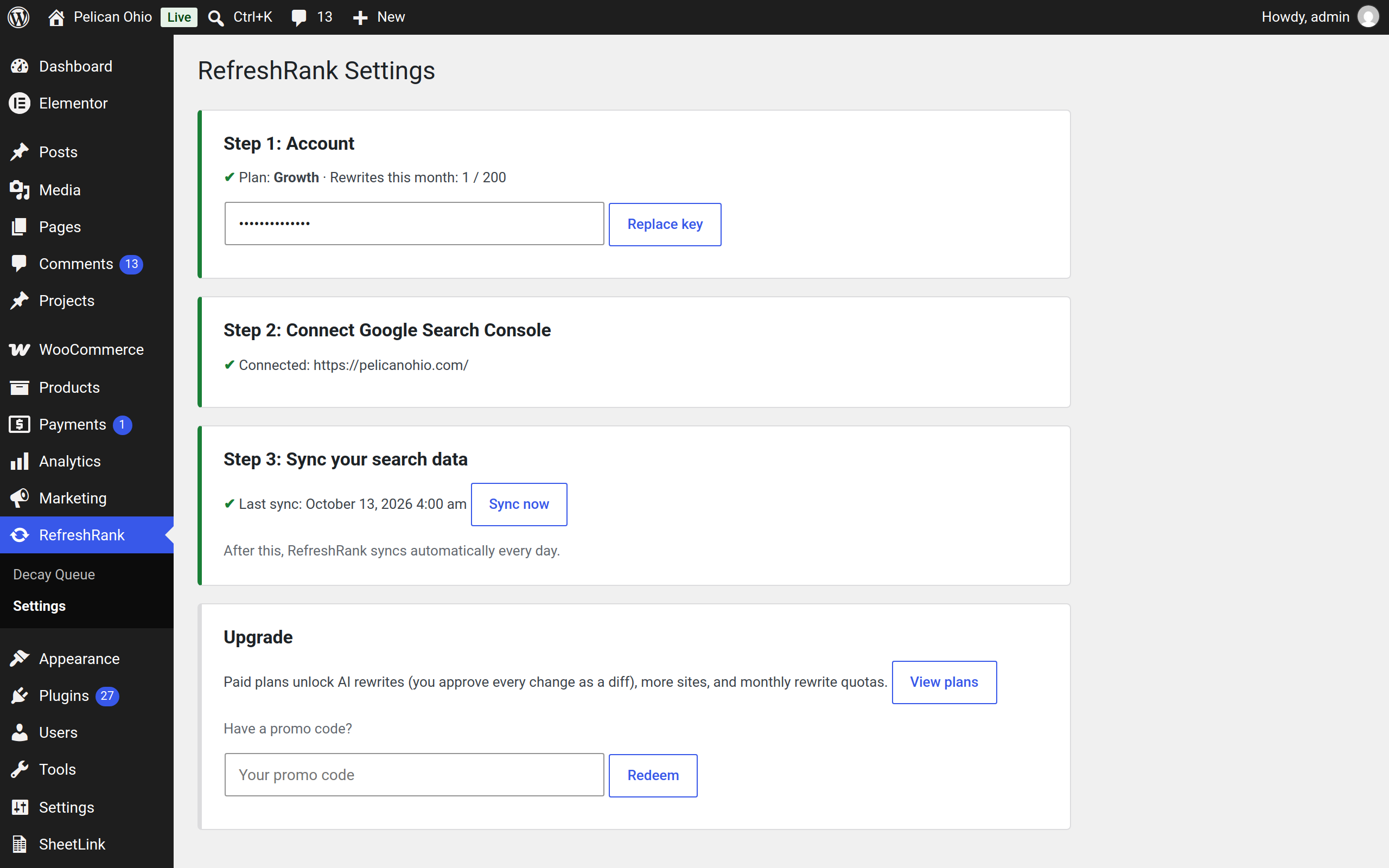
- Connect Google Search Console (one click, standard Google consent screen).
- RefreshRank analyzes 16 months of your search data and ranks every post by decay: how much traffic it is losing, and how much it could win back.
- (Paid plans) Click Rewrite on a decaying post. The AI proposes a refreshed title, meta description, answer-first intro, an FAQ section, and date updates. You see every change side by side - current vs proposed - and nothing touches your post until you approve it.
- Approved changes are applied as a normal WordPress revision, so you can always roll back.
- Decay detection for one site
- Full ranked decay queue with scores, trends, and suggested actions
- Daily automatic sync with Search Console
- AI rewrites (titles, metas, intros, FAQs, date updates) with human approval on every change
- Monthly rewrite quotas by tier
- Multiple sites on one license
- White-label reports (top tier)
- You approve everything. RefreshRank never auto-publishes. Every AI proposal is a diff you accept or reject, and accepted changes are saved as revisions.
- Flat pricing. Rewrites are included in your plan's monthly quota - no per-token API bills, no AI key to bring.
- Built on your real data. Decay scores come from your own Search Console clicks, impressions, and positions - not third-party estimates.
屏幕截图:


常见问题:
Is the free plan really free?
Yes. Decay detection for one site is free forever - no trial, no card. Paid plans add AI rewrites, more sites, and white-label reports.
Will the AI change my posts without asking?
No, and it can't. Every proposed change is shown to you as a current-vs-proposed diff, and only applied after you click Approve. Applied changes are saved as standard WordPress revisions, so you can roll any of them back from the post editor.
Do I need an OpenAI or other AI API key?
No. The RefreshRank service manages the AI provider for you. Pricing is flat per plan - there are no per-token charges and no keys to manage.
What data do you collect from Search Console?
Per-page clicks, impressions, click-through rate, and average position, in 28-day windows over the last 16 months. That is what powers the decay score. The connection is read-only.
Why don't I see any decaying posts?
Three common reasons: Search Console is not connected yet (Step 2 in Settings), the first sync has not run yet (Step 3), or your content is genuinely holding its rankings - in which case, nothing to fix.
Does it work with my SEO plugin?
Yes. Meta description updates are written to Yoast SEO and Rank Math fields when those plugins are active, and always to RefreshRank's own field as a fallback.
更新日志:
- Fix: the review modal showed HTML entities (for example "&" instead of "&") in the current title of posts whose titles contain special characters, and sent the encoded form to the AI. The raw title is now used for both.
- New (Agency plan): white-label client reports. Set your brand name, logo, and accent color under Settings, then generate a shareable content decay report with no RefreshRank branding. Links stay live for 30 days.
- Rewrites are now query-aware: the daily Search Console sync collects each page's top search queries and feeds them to the AI, so titles, intros, and FAQs target what people actually search.
- AI generation upgraded to a frontier OpenAI model (via OpenRouter) for faster, higher-quality rewrite proposals; disclosures updated accordingly. Flat, quota-based pricing is unchanged.
- Promo codes are now brand-neutral: the Upgrade section of Settings accepts any RefreshRank promo code, and the wording no longer references a specific marketplace.
- Fix: connecting Search Console for a site that is not yet a verified property no longer leaves you silently stuck. RefreshRank now tells you the site was not found in your Search Console and how to fix it, instead of showing a "connect" prompt that never changes.
- Improvement: the "Connect Search Console" button on the decay queue now opens Google directly instead of routing through the Settings page.
- Improvement: when a rewrite is blocked on the free plan, the notice now includes a "View plans" link.
- Security: the backend API URL is now fixed to a constant (overridable only in wp-config.php) instead of a stored option, so it cannot be redirected by other code writing to the database.
- Reliability: on sites where post revisions are disabled, the pre-rewrite version of a post is now saved to a recovery slot before a rewrite is applied, so the original is never lost (previously rollback relied on revisions being enabled).
- Hardening for the WordPress.org review: validate and sanitize every field decoded from the rewrite payload before it is applied to a post (date find/replace values are now run through sanitize_text_field()).
- Renamed all internal functions, classes, options, constants, AJAX actions, transients, and nonces to the distinct "refrank" prefix to avoid conflicts with other plugins.
- Initial release: decay detection via Google Search Console, ranked decay queue, AI rewrites (title, meta, intro, FAQ, date updates) with diff approval, revision-safe apply, free plan with one-click signup, promo code redemption.