
Renew Forge – UK Subscription Rules for WooCommerce
| 开发者 | avakodeforge |
|---|---|
| 更新时间 | 2026年10月14日 17:20 |
| PHP版本: | 8.2 及以上 |
| WordPress版本: | 7.1 |
| 版权: | GPLv2 or later |
| 版权网址: | 版权信息 |
详情介绍:
- Compliance check — 14 items about your store, each with its status, what we found, what to do and the provision it is about.
- Print report — a clean copy of the Compliance check, laid out for paper or a PDF, with the shop, the date and how many items need attention.
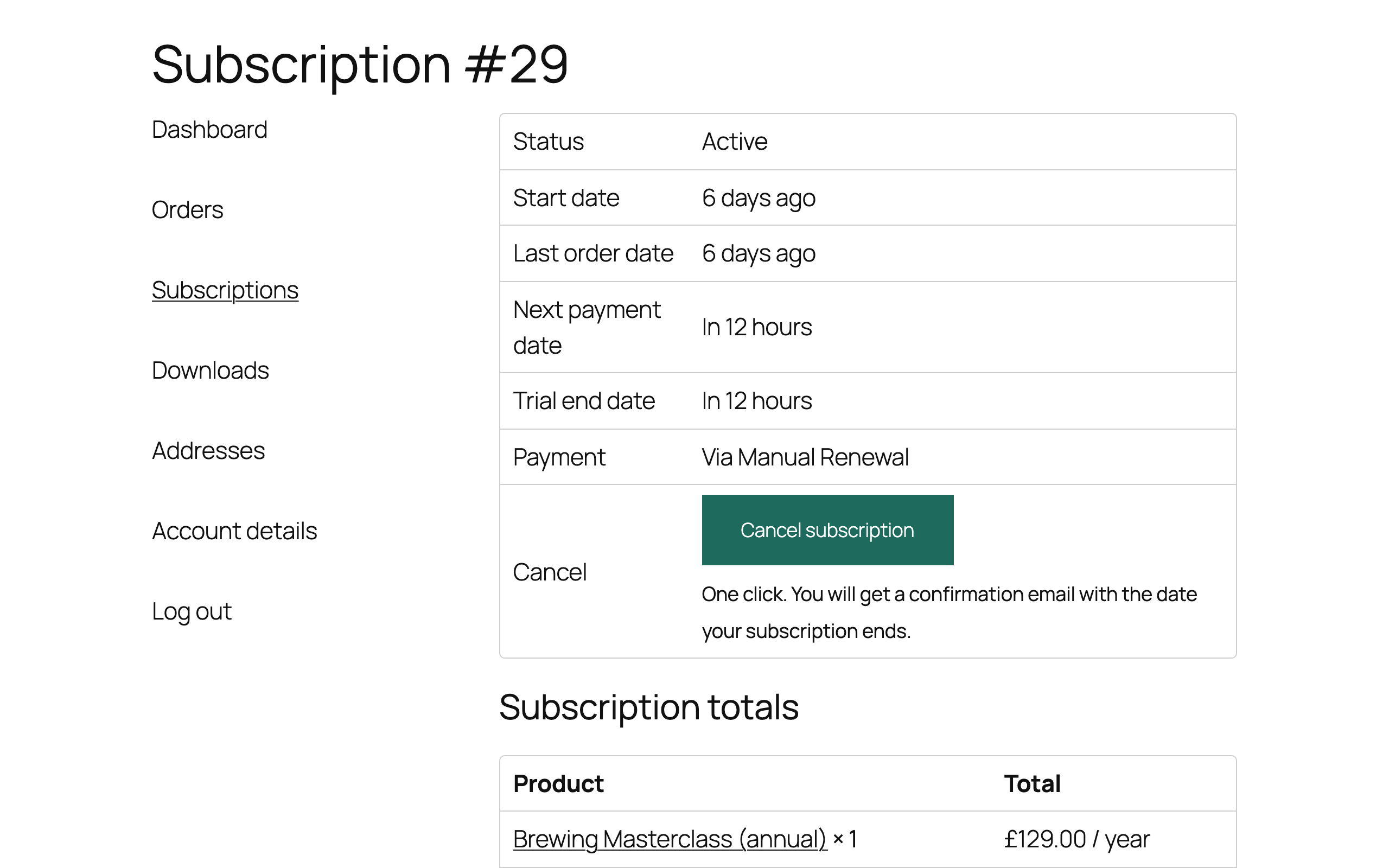
- One-click cancel button in My account → Subscriptions and on each subscription page. One press cancels; there is no "are you sure?" page.
- Confirmation email with the date the subscription ends, sent as soon as the customer cancels.
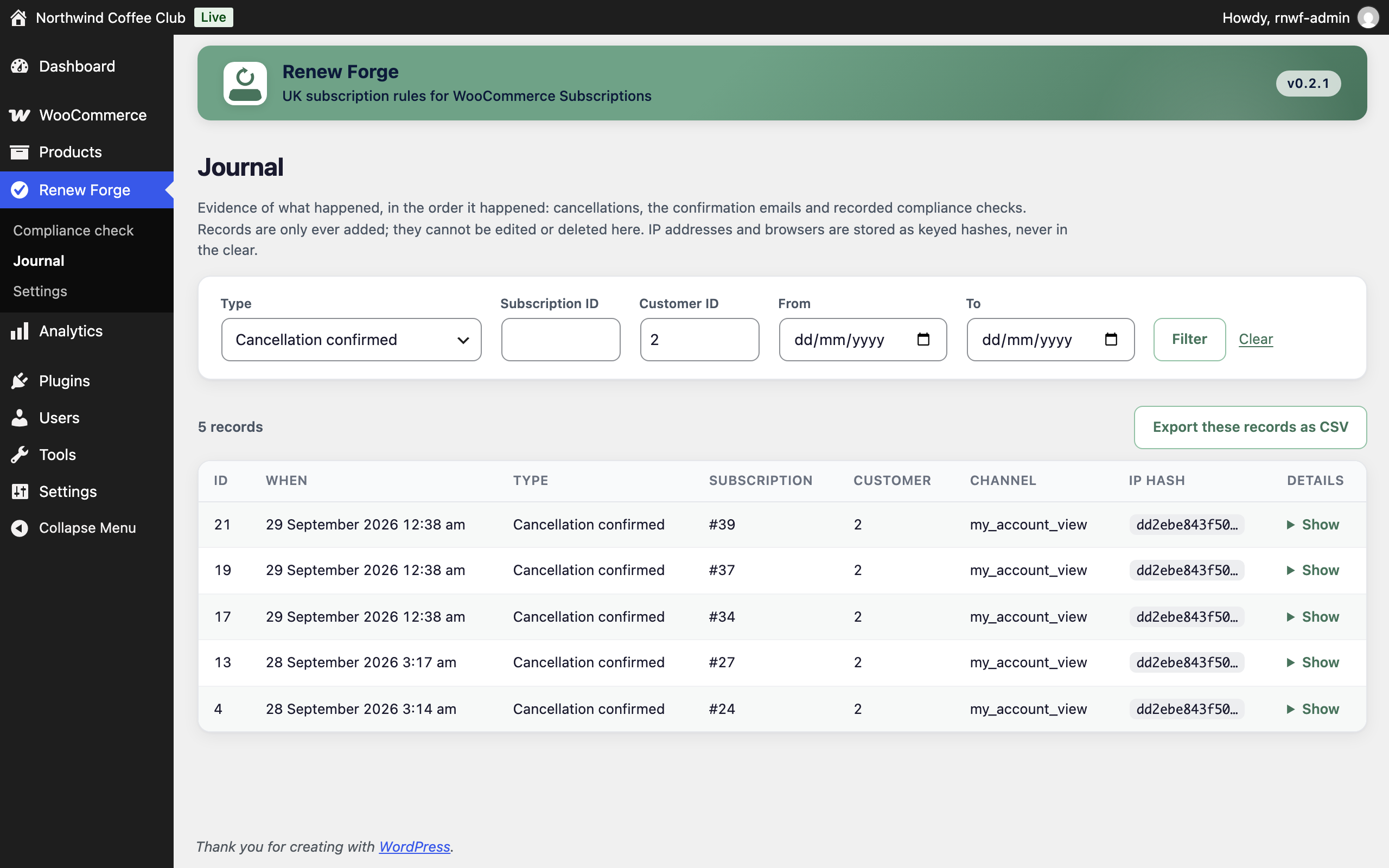
- Evidence journal of every cancellation: who, when, from which screen and whether the confirmation email was sent. IP address and browser are stored only as keyed hashes.
- Alerts to the shop when a cancellation is refused or its confirmation email cannot be sent.
- CSV export of the journal, exactly as stored.
- Print a subscription's record — a button on the Journal, filtered to one subscription, that opens its records as a document to print or save as a PDF: the shop, the period and the number of records, then the records oldest first.
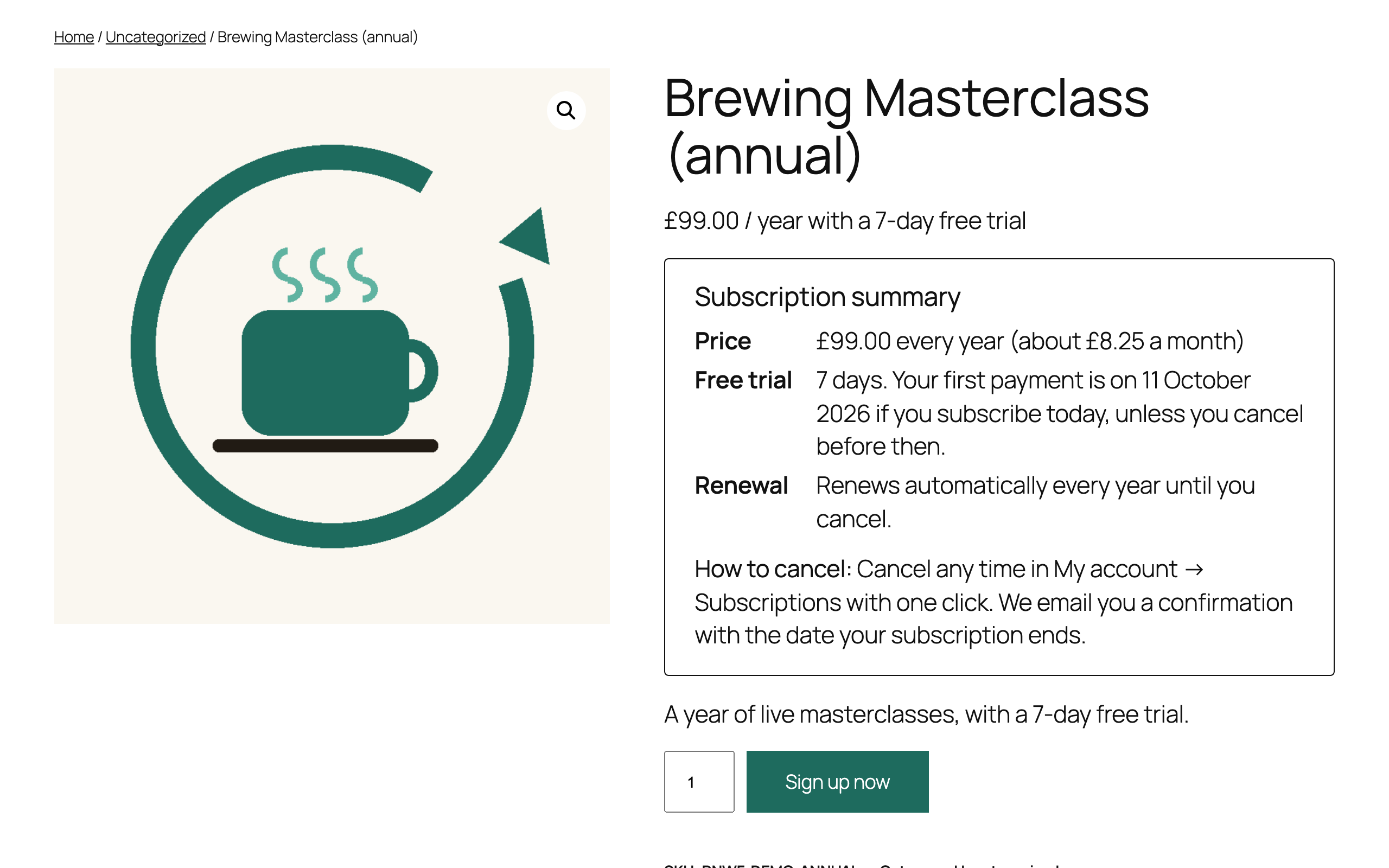
- Subscription summary on subscription product pages: price, billing period, renewal, free trial and how to cancel.
- Subscription cancellation block and shortcode for account pages built with blocks or a page builder.
安装:
- Install and activate WooCommerce and WooCommerce Subscriptions.
- Install this plugin from Plugins → Add New, or upload the folder to
/wp-content/plugins/, and activate it. - Go to Renew Forge → Compliance check and work through the items.
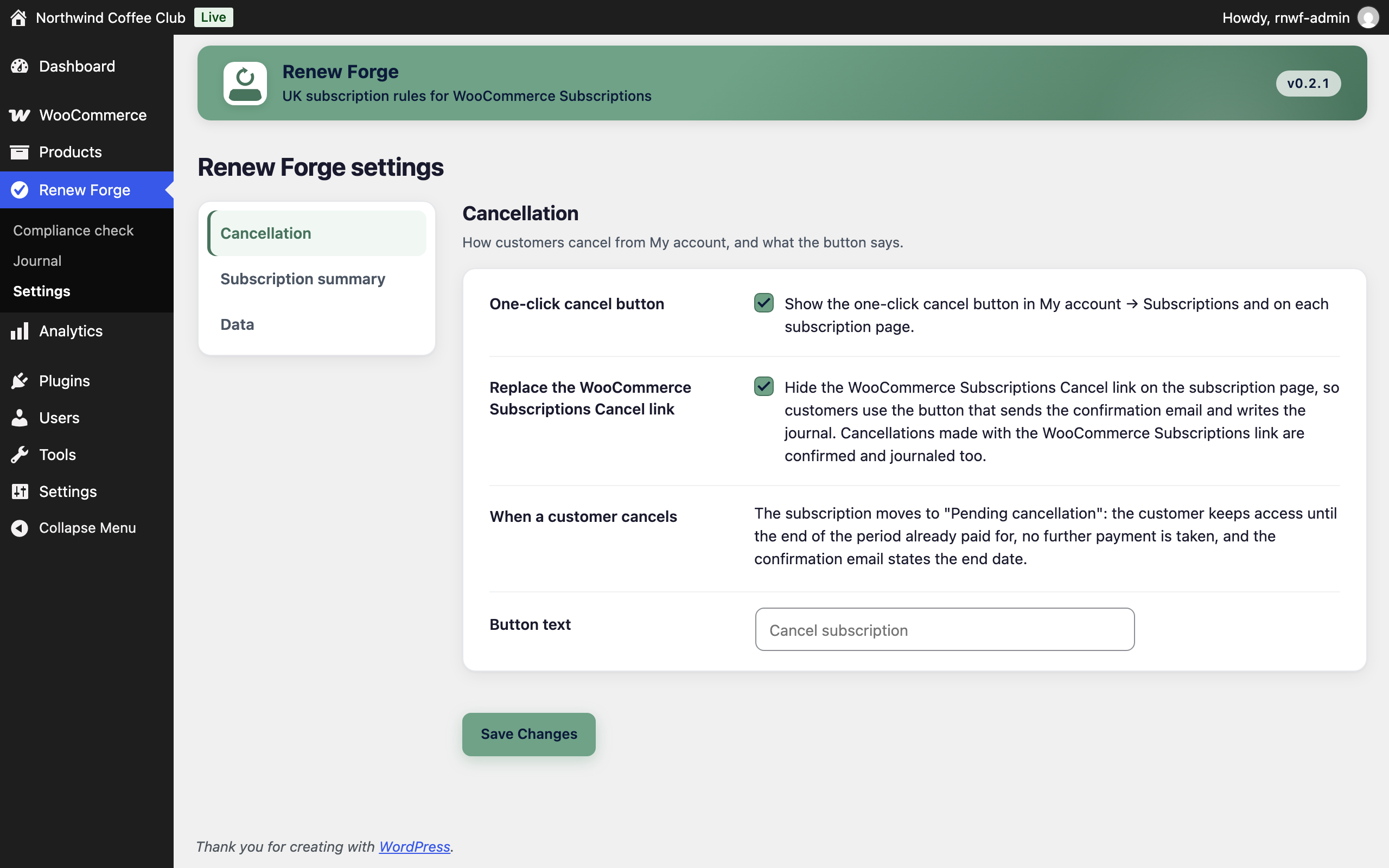
- Adjust the button, the summary box and the cancellation email in Renew Forge → Settings and under WooCommerce → Settings → Emails.
屏幕截图:
常见问题:
Is this legal advice? Does it make my store compliant?
No. It helps with the parts a plugin can do: an online cancel button, a written confirmation, a summary of the key terms and a record of what happened. The UK government announced in August 2026 that the rules come into force in January 2027, and the regulations are not published yet, so wording and timings are settings you can change.
Does it work without WooCommerce Subscriptions?
The compliance check, the journal and the settings open, and the check tells you what is missing. Nothing touches a subscription until WooCommerce Subscriptions is active.
What exactly goes into the journal?
The event type, the subscription and customer numbers, the date and time, which button was used, the status before and after, the date access ends, whether the email was sent and which version of its wording, and keyed hashes of the IP address and browser. A refused cancellation is recorded with the reason. No card details, no raw IP address.
My theme is a block theme. Where do the button and the summary appear?
The cancel button appears in the WooCommerce Subscriptions account screens whatever the theme. On a page built with blocks, add the Subscription cancellation block. The subscription summary appears in front of the Add to Cart block of subscription products, and is also available as the Subscription summary block.
What happens to my data if I delete the plugin?
By default the journal and settings stay, because the journal is your evidence. Tick "Delete the journal and the Renew Forge settings when the plugin is deleted" in Renew Forge → Settings first if you want them gone. Only users who may delete plugins can change that setting.
更新日志:
- Changed: the journal table gets an index on the order number. A table from an earlier version is brought up to date in wp-admin, by WP-Cron or when the plugin is activated, one request at a time and never on a visitor's request; a table that is missing is created at once. No record is changed.
- Developers: the journal can be read by order number (EventFilter::$orderId; the Journal screen has no such filter). A paid order carries the unit its amounts were recorded in (PaidOrder::$decimals), so 99.50 in a shop that now shows whole units is not rounded to 100, and an amount with more than six decimal places is refused with an exception that names the order. The subscriptions gateway gains paidOrderDates() and lastPaidRenewalExact().
- Added: a "Print this subscription's record" button on the Journal when it is filtered to one subscription. It opens that subscription's records as a document to print or save as a PDF: the shop and its address, the subscription number, the period, the number of records and when the document was prepared, a line saying how this journal is kept and what it records about removals, then the records oldest first with their details open, and the page number at the foot of every sheet. At most 500 records are listed; a line says so and points to the CSV export, which has all of them. Nothing is loaded from or sent to another site.
- Changed: Renew Forge notices appear only on the Dashboard, the Plugins screen and the Renew Forge screens, and only to people who can act on them. A cancellation that needs attention still leaves a private note on the subscription and, where a person must act, an email to the shop.
- Added: a Print report button on the Compliance check, and a print view of that screen: "3 of 14 need attention" at the top, the shop and the date, every status as a word, each item kept on one page. Nothing is loaded from or sent to another site.
- Changed: the start of the UK subscription rules is given as the UK government announced it in August 2026, January 2027, in this readme and on the Compliance check, with the note that the regulations that fill in the details are not published yet.
- Admin screens redesigned in the Forge design system: branded header, cards, status pills, settings tabs. No behaviour change.
- Fixed: the reason WooCommerce Subscriptions gives when it refuses a cancellation is journaled word for word. It was stored with its quotes turned into HTML entities, which the Journal showed as they were; records already written stay as they are. The notice about a journal entry that could not be written shows the database's message as it is, too. The notice, the email to the shop and the subscription's note about a refused cancellation no longer put a second full stop after the reason.
- Fixed: the Settings screen confirms a save ("Settings saved."). WordPress shows that message by itself only on the screens of its own Settings menu.
- Fixed: when the journal cannot be written, "Record this check in the journal" says why on the Compliance screen instead of ending with an error page.
- Fixed: items that other plugins add to the Compliance check through the rnwf_compliance_checks filter were left off the Compliance screen when those plugins load after Renew Forge. The list is now read when the screen is shown.
- Developers: the subscriptions gateway says whether a subscription synchronised to a payment day had a free or reduced first period (concessionaryFirstPeriod()); each paid order carries whether it was an early renewal, and the whole order's total and refunds — including a refund entered as an amount without order lines —, so its refundable amount is never more than the order has left.
- Changed: a store whose subscriptions can have a minimum term (set by an add-on) keeps it when a customer presses the cancel button: the request is recorded, the subscription ends at the end of the term and the payments until then remain due. The customer is told the date on screen and by email, My account shows it instead of a second button, and the journal records it (new record type "Cancellation requested: ends at the end of the minimum term"). Without such an add-on the button works as before.
- Developers: the cart's subscription terms include what each renewal will take (recurring delivery, fees and tax) and the end date of a fixed-length subscription, taken from WooCommerce Subscriptions' recurring carts, which are built first when WooCommerce has not calculated them yet.
- First release: compliance check, one-click cancel button with confirmation email, evidence journal with CSV export, subscription summary on product pages.