Restrict User Access - Ultimate Membership & Content Protection
| 开发者 |
intoxstudio
devinstitute keraweb freemius |
|---|---|
| 更新时间 | 2026年11月7日 17:00 |
| 捐献地址: | 去捐款 |
| PHP版本: | 8.2 及以上 |
| WordPress版本: | 7.1 |
| 版权: | GPLv3 |
详情介绍:
- User Registration
- User Roles
- Logged-in or Guests
- WooCommerce Purchases
- Easy Digital Downloads Purchases
- BuddyPress Member Types
- GiveWP Donations
- Posts, Pages & Custom Post Types
- Content with Tags, Categories, or Custom Taxonomies
- Content written by select Authors
- Page Templates
- Blog Page & Post Type Archives
- Author Archives
- Taxonomy Archives
- Front Page, Search Results, 404 Not Found Page
- bbPress Profiles, Forums & Topics
- BuddyPress Profile Sections
- Languages (Polylang, qTranslate X, TranslatePress, Transposh, Weglot, WPML)
- Pods Pages
- bbPress
- BuddyPress
- Easy Digital Downloads
- Pods
- Polylang
- TranslatePress
- WooCommerce
- Weglot
- WPML
- and more ...
- WP REST API Content Protection Enforces Principle of Least Privilege to minimize attack surfaces and stop threat actors from harvesting your data
- How to display content in lists Display excerpts only or hide content when post types are displayed in blog, archives, search results, lists, etc.
rua_get_user()->add_level($level_id);
Example - Check if current user has an active level membership
if(rua_get_user()->has_level($level_id)) { //show restricted content } else { //show content if unauthorized }
View full RUA PHP API documentation here.
🎛️ Premium Add-ons for Restrict User Access
Complete your WordPress membership site with these powerful extensions
- ACF Restriction Restrict content that contain data from Advanced Custom Fields plugin
- Date Restriction Restrict content based on the time it was published
- Meta Box Restriction Restrict content that contain data from Meta Box plugin
- Timelock Determine when to enable or disable select Access Conditions
- URL Restriction Restrict content based on the WordPress URL, with wildcard support
- Visibility Control Hide content from blog, search results, archives, custom lists, WP REST API, and more
安装:
- Upload the full plugin directory to your
/wp-content/plugins/directory or install the plugin throughPluginsin the administration - Activate the plugin through
Pluginsin the administration - Have fun creating your first Access Level under the menu User Access > Add New
屏幕截图:
常见问题:
How do I prevent admin lockout?
Restrict User Access has built-in lockout prevention. All administrators will by default have access to all content regardless of the Access Levels you create. If the plugin is deactivated, any restricted content will become accessible to everyone again; Restrict User Access does not permanently alter Roles or Capabilities in any way.
How do I restrict some content?
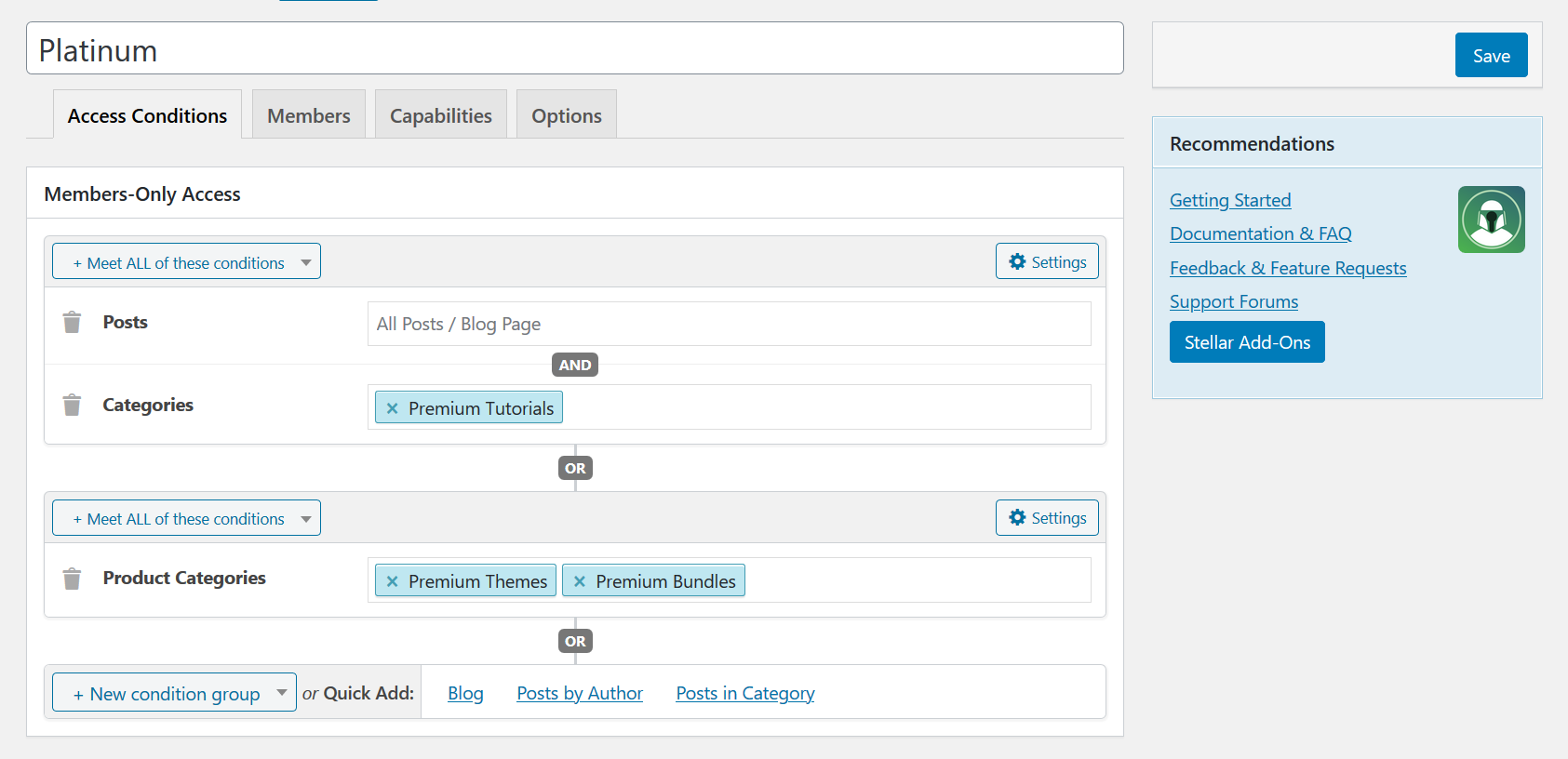
- Go to User Access > Add New
- Click on the "New condition group" dropdown to add a condition
- Click on the created input field and select the content you want to restrict
- Go to the Members tab to add users who should have access the restricted content
- Go to the Options tab to set the Non-Member Action and other options
- Give your new level a descriptive title and save it
I added a level to a user, but it can still access other content?
When you use Access Conditions to restrict some pages, only members of this level will be able to visit those pages, but they can still visit other pages too. You can change this behavior from the Options tab by toggling "Deny Access to Unprotected Content" to ON. With this option enabled, members can only visit the pages selected as Access Conditions. To prevent lockout, Administrators will have access to all content regardless of your levels.
Restricted content is still displayed in blog, archives, search results, etc?
By default, Access Conditions do not apply to items in archive pages, search results, widgets, WP REST API, or custom lists. Learn more about how to completely hide content here.
Restricted file is still accessible with deep link?
Restrict User Access does currently not support restricting deep links to files, only attachment urls.
User still able to edit restricted content in Admin Dashboard?
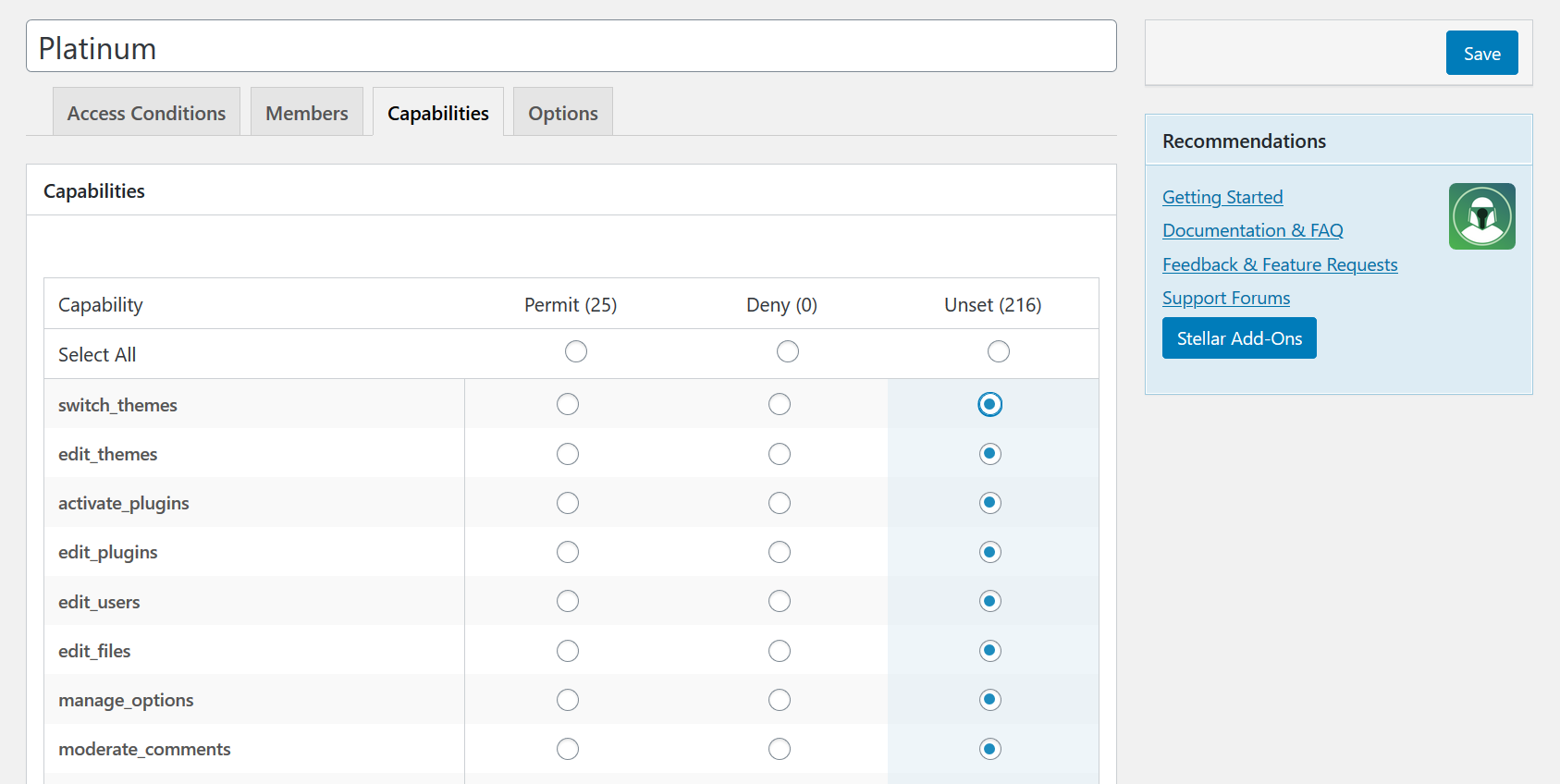
Capabilities and Access Conditions serve different purposes and are not combined. Access Conditions are applied only to the frontend, while capabilities work throughout the site (both Admin Dashboard and frontend).
How can I report security bugs?
You can report security bugs through the Patchstack Vulnerability Disclosure Program. The Patchstack team help validate, triage and handle any security vulnerabilities. Report a security vulnerability.
I have other questions, can you help?
Of course! Check out the links below:
更新日志:
- [new] minimum php version 8.2
- [new] minimum wordpress version 6.1
- [fixed] hardened rest api content protection