
Revisit Session Recording
| 开发者 | revisit |
|---|---|
| 更新时间 | 2025年12月30日 20:08 |
| PHP版本: | 7.4 及以上 |
| WordPress版本: | 6.9 |
| 版权: | GPLv2 or later |
| 版权网址: | 版权信息 |
详情介绍:
- See Through Your Users' Eyes - Watch real sessions to understand how people actually use your site
- Find and Fix UX Issues - Identify where users get confused, stuck, or frustrated
- Optimize Conversions - Improve checkout flows, forms, and key conversion paths
- Debug Faster - Replay sessions to understand bug reports and reproduce issues
- Validate Changes - See how users respond to new features and designs
- Effortless Setup - Connect your Revisit account and start recording in under 2 minutes
- Lightweight Script - Async loading with minimal impact on page performance
- Privacy First - Automatic masking of sensitive data, GDPR compliant
- Project Selection - Easily switch between multiple Revisit projects
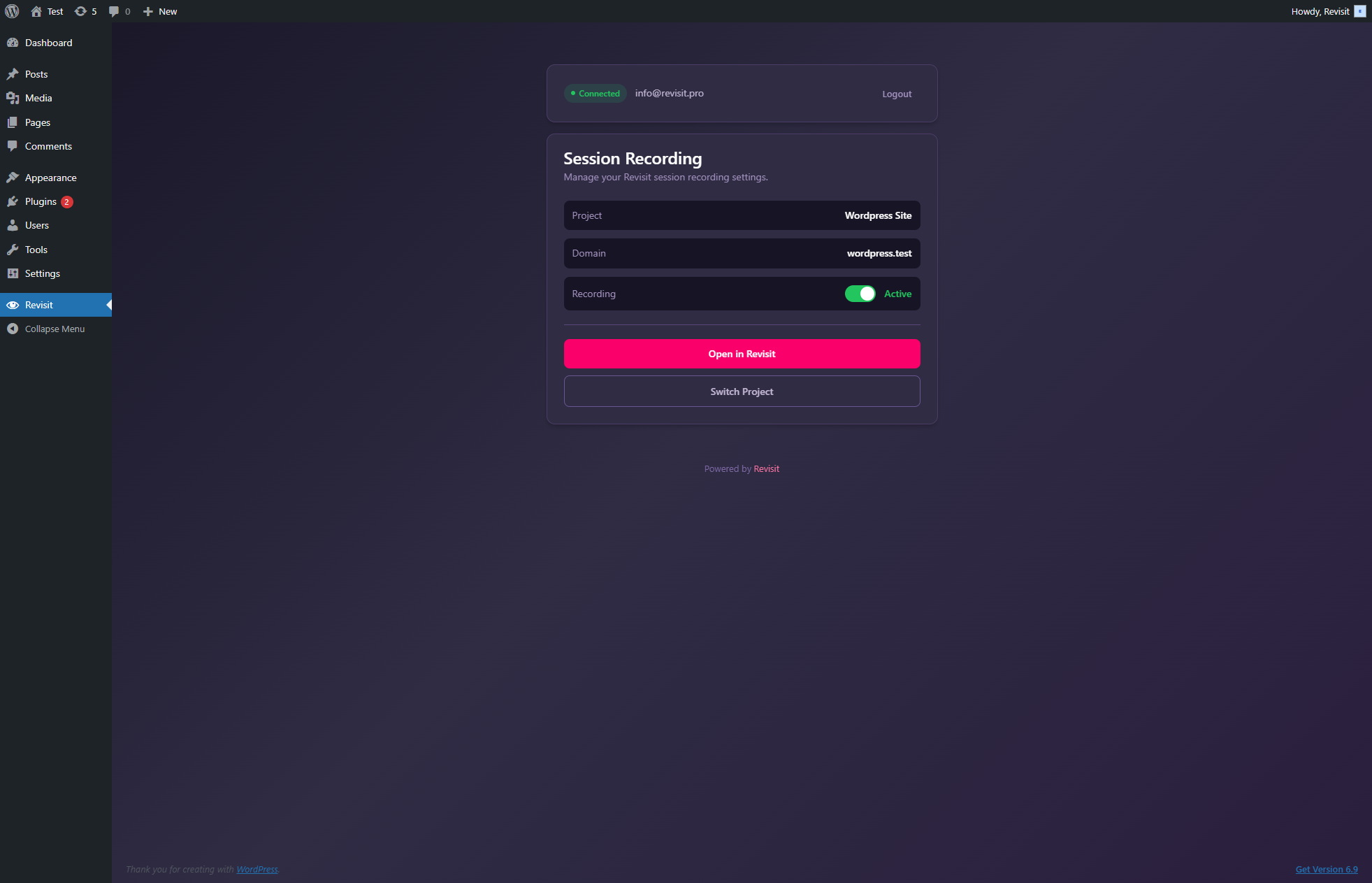
- One-Click Toggle - Enable or disable recording instantly from WordPress admin
- Secure Authentication - Token-based auth keeps your credentials safe
- Install and activate the plugin
- Login with your Revisit account
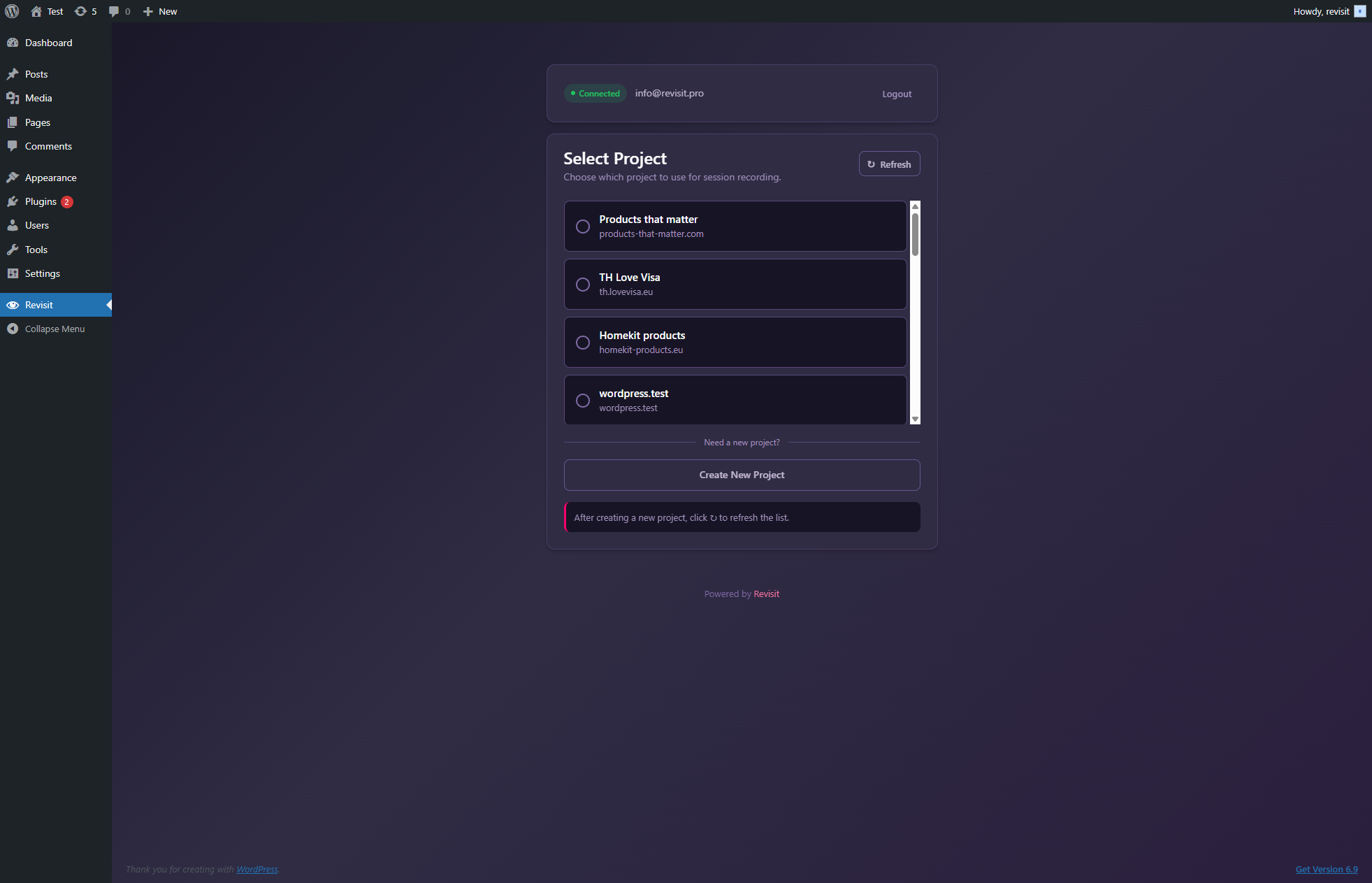
- Select the project for this WordPress site
- Sessions are automatically recorded and synced to your Revisit dashboard
- E-commerce - Optimize product pages and checkout flows
- SaaS Landing Pages - Improve signup conversions
- Blogs & Content Sites - Understand reader engagement
- Membership Sites - Enhance user onboarding
- Lead Generation - Optimize forms and CTAs
安装:
- Go to Plugins > Add New in your WordPress admin
- Search for "Revisit Session Recording"
- Click Install Now and then Activate
- Navigate to Revisit in your admin sidebar
- Login with your Revisit account and select a project
- Download the plugin ZIP file
- Go to Plugins > Add New > Upload Plugin
- Upload the ZIP file and click Install Now
- Activate the plugin
- Go to Revisit in your admin menu to configure
- Click Revisit in your WordPress admin sidebar
- Enter your Revisit email and password
- If you have MFA enabled, enter your authenticator code
- Select the project you want to use for this site
- Recording starts automatically!
屏幕截图:
常见问题:
Do I need a Revisit account?
Yes, you need a Revisit account to use this plugin. You can create a free account in seconds.
Does this slow down my website?
No. The recording script loads asynchronously and is optimized for performance. It typically adds less than 50ms to page load time.
What exactly is recorded?
Revisit records user interactions including:
- Mouse movements and clicks
- Scrolling behavior
- Form interactions (with sensitive fields automatically masked)
- Page navigation
- Console errors and network issues
Is recorded data secure?
Absolutely. All data is:
- Transmitted over HTTPS with TLS 1.3
- Stored in encrypted databases
- Processed in compliance with GDPR, CCPA, and other privacy regulations
- Automatically purged based on your retention settings
Can I exclude certain pages from recording?
Yes! You can configure recording rules in your Revisit dashboard, including:
- Exclude specific URLs or URL patterns
- Exclude logged-in users
- Record only specific pages
- Set custom sampling rates
How do I view recorded sessions?
Login to your Revisit dashboard at app.revisit.pro to view, search, and analyze recorded sessions.
Can I use this with WooCommerce?
Yes! Revisit works great with WooCommerce. See how customers interact with your products and optimize your checkout flow.
Does this work with page builders?
Yes, Revisit is compatible with all major page builders including Elementor, Beaver Builder, Divi, and Gutenberg.
Can I use multiple projects?
Yes, you can switch between projects anytime from the plugin settings. This is useful if you manage multiple sites or want to separate staging from production data.
What if I have MFA enabled on my Revisit account?
The plugin fully supports Multi-Factor Authentication. After entering your password, you'll be prompted for your authenticator code.
更新日志:
- Initial release
- Secure login with Revisit account
- MFA (Multi-Factor Authentication) support
- Project selection and switching
- Recording script injection
- One-click recording toggle
- Modern admin interface