
RIACO Content Protector
| 开发者 | prototipo88 |
|---|---|
| 更新时间 | 2026年6月12日 15:26 |
| PHP版本: | 7.4 及以上 |
| WordPress版本: | 7.0 |
| 版权: | GPLv2 or later |
| 版权网址: | 版权信息 |
详情介绍:
RIACO Content Protector allows you to protect any part of your WordPress content using a shortcode.\
Unlike the built-in post password protection, this plugin protects only what you wrap, not the whole post.
Perfect for:
- Protecting premium blocks of content
- Protecting guides, downloads, links, or sensitive sections
- Paywall-style snippets
- Protect only specific content inside posts/pages
- Uses a minimal shortcode:
[riaco_content_protector] Hidden text here [/riaco_content_protector] - Global password stored in plain text, like WordPress page passwords.
- AJAX-based form — no page reload
- Unlocks all protected sections on the site after correct password
- Optional cookie persistence (remember unlocked content for a configurable number of days)
- Secure implementation using nonces, hashed tokens, and transients
- Developer-friendly: filters, actions, and JS custom events at every key point in the unlock flow
- The global password is stored in plain text, just like WordPress page passwords. It can be read by user with 'manage_options' ability.
- If the global password or "Remember Unlocked" duration is changed in settings, all existing unlock cookies are invalidated. Users will need to re-enter the new password to access protected content.
[riaco_content_protector] This text will be hidden until the visitor enters the password. [/riaco_content_protector]
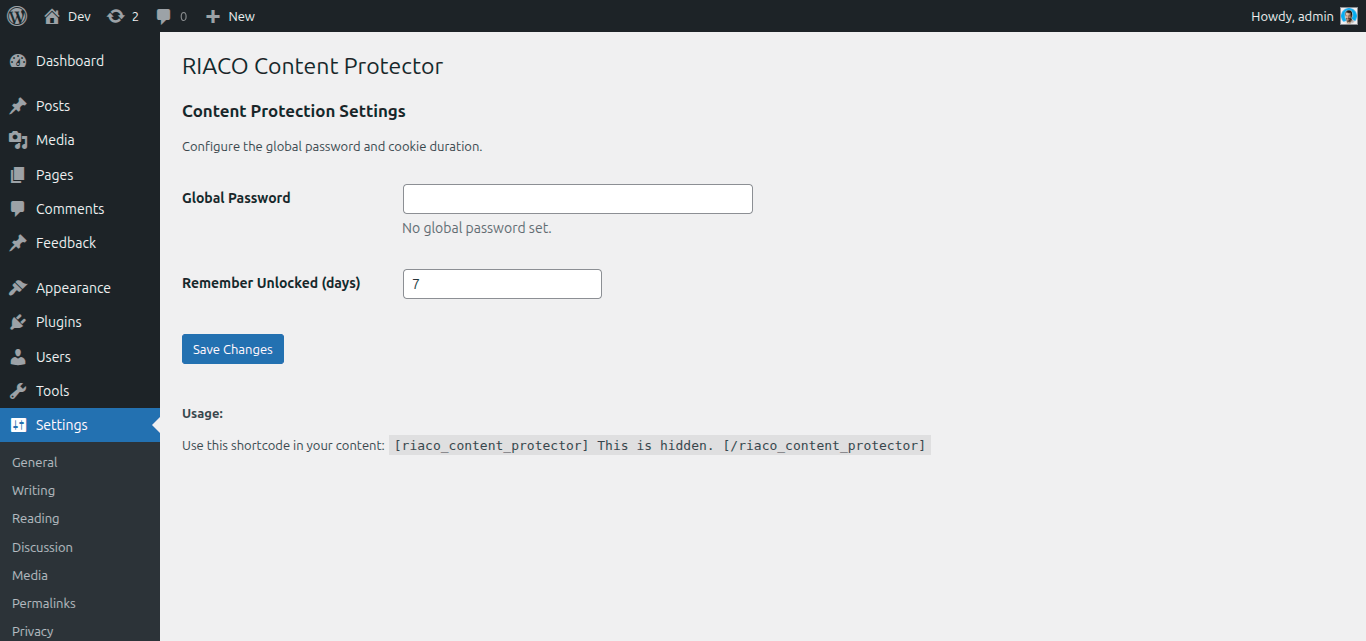
Set the global password under:
Settings > Content Protector
Visitors will see a modern, styled form.\
After entering the correct password:
- The content unlocks immediately
- All other protected areas unlock automatically
- An optional cookie can keep everything unlocked for a chosen number of days
- Nonces on every request
- Secure HMAC token for cookie authentication
- Sanitized shortcode attributes
- Escaped output
- No sensitive data stored in cookies
- Global password stored in plain text, like WordPress page passwords.
riaco_cp_unlocked_global. The scope suffix global can be changed via the riaco_cp_cookie_scope filter, which also changes the cookie name accordingly.
Style
You can style the content protector box.
It has this class: .riaco-cp--container, so you can add in your style.css:
.riaco-cp--container { background: #f8f9fa; padding: 20px; border: 1px solid #ddd; border-radius: 6px; }
You can replace button classes using:
add_filter( 'riaco_cp_button_classes', function( $classes ) { return 'button my-custom-button-class'; });
Or you can remove button classes:
add_filter( 'riaco_cp_button_classes', function( $classes ) { return str_replace( 'wp-element-button', '', $classes ); });
安装:
- Upload the plugin folder to
/wp-content/plugins/ - Activate the plugin through Plugins > Installed Plugins
- Go to Settings > Content Protector and configure your global password
- Add the shortcode to any post or page
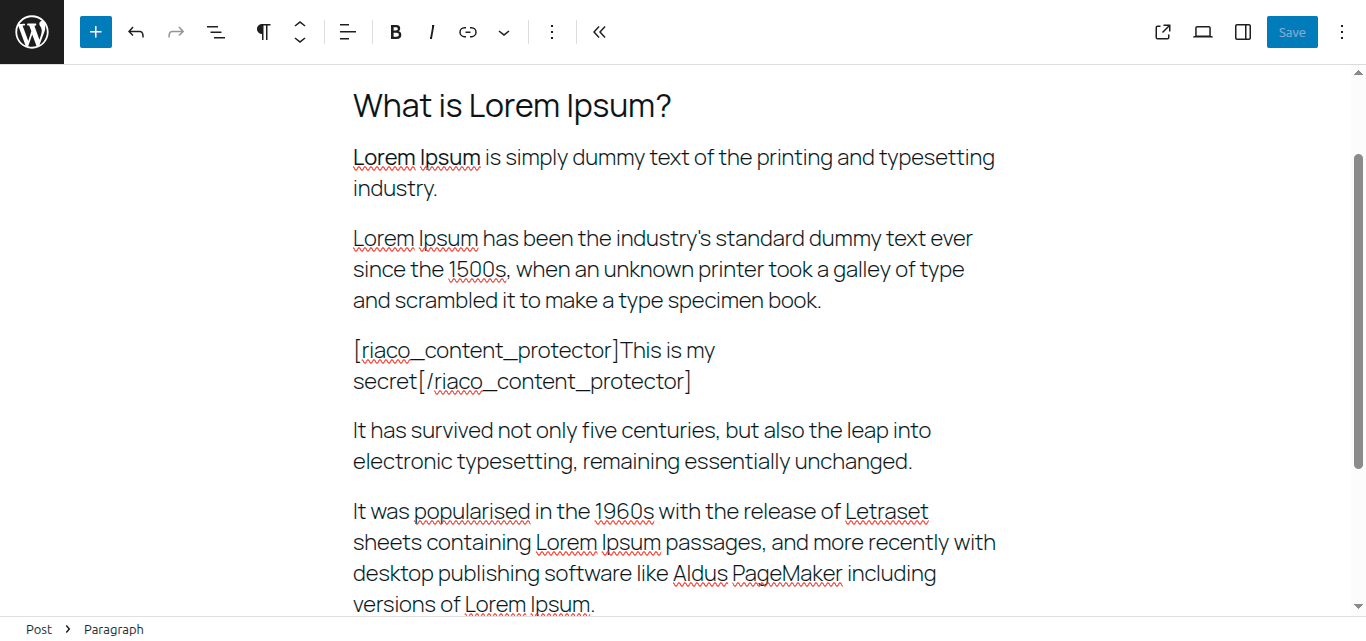
[riaco_content_protector] This is hidden. [/riaco_content_protector]屏幕截图:
常见问题:
Are passwords hashed in the database?
= Can I protect multiple sections on the same page? =\ Yes. All instances use the same global password and unlock together. = Does this protect the entire post? =\ No — only the content wrapped in the shortcode. No, the global password is stored in plain text like WordPress page passwords for easy admin management. = Does this work with Gutenberg / block editor? =\ Yes. It works in both Classic and Block Editor.\ You can insert the shortcode inside Paragraph block or using Shortcode block.
What happens when I change the global password?
All previously unlocked content cookies are invalidated. Users must re-enter the new password.
更新日志:
1.1.0
- Added
riaco_cp_content_accessfilter to override the cookie check (role/subscription bypass) - Added
riaco_cp_locked_htmlfilter to replace the full locked-form HTML - Added
riaco_cp_validate_passwordfilter for custom password validation (per-post passwords, etc.) - Added
riaco_cp_rate_limit_bypassfilter to exempt trusted IPs from the brute-force counter - Added
riaco_cp_cookie_scopefilter for per-post or per-instance independent lock state - Added
riaco_cp_ajax_responsefilter to inject extra fields into the unlock JSON response - Added
riaco_cp_js_datafilter to extend theRIACO_CP_AjaxJavaScript object - Added
riaco_cp_settings_page_afteraction for extensions to add their own settings form - Added JS custom events:
riaco_cp:before_submit,riaco_cp:unlock_success,riaco_cp:unlock_error - Added admin footer review prompt on the settings page
- Initial release
- Shortcode protection
- Global password
- AJAX unlock
- Cookie remember feature
- Automatic unlock of all instances