
RoidNet AI Content Creator - Bulk Article Writer & Auto Poster
| 开发者 |
mohamadrw
freemius |
|---|---|
| 更新时间 | 2026年8月27日 23:37 |
| PHP版本: | 7.4 及以上 |
| WordPress版本: | 7.0 |
| 版权: | GPLv2 or later |
| 版权网址: | 版权信息 |
详情介绍:
- Build authority sites faster by automating your content pipeline
- Scale your affiliate marketing with bulk AI-generated reviews and guides
- Power your dropshipping blog with SEO-rich product descriptions and articles
- Grow your personal brand with consistent publishing schedules
- Support multi-language audiences with content in 20+ languages
- ✅ WordPress Native AI Client Support — Natively connect to the WordPress 7.0+ AI Client for provider-agnostic content generation
- ✅ Unlimited AI Article Generation — Generate as many articles as you need
- ✅ Automatic HD Images — Choose between Pexels stock photos or AI-generated images for every article
- ✅ AI Image Generation — Generate unique, on-topic images using AI directly within the plugin
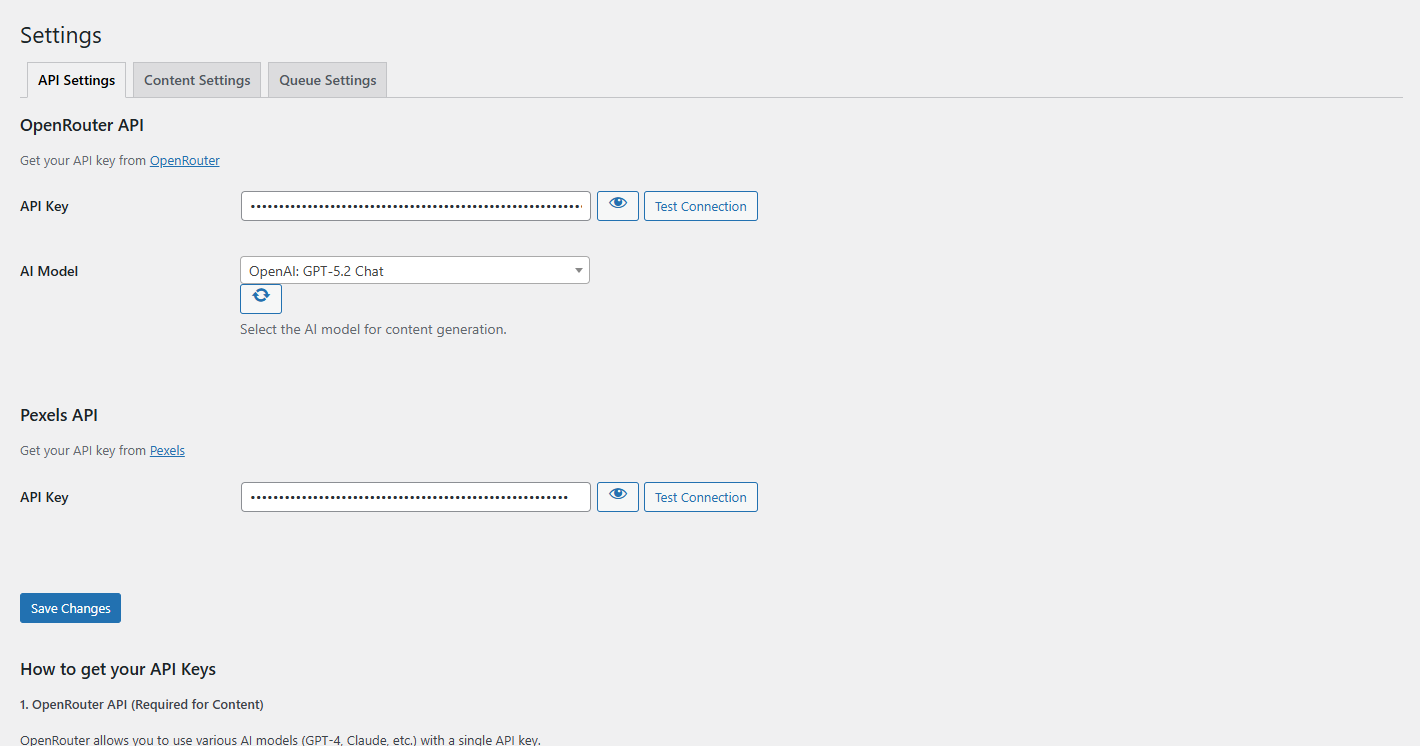
- ✅ OpenRouter AI Integration — Access GPT-4, Claude, Llama, Gemini, and 400+ models from 60+ providers
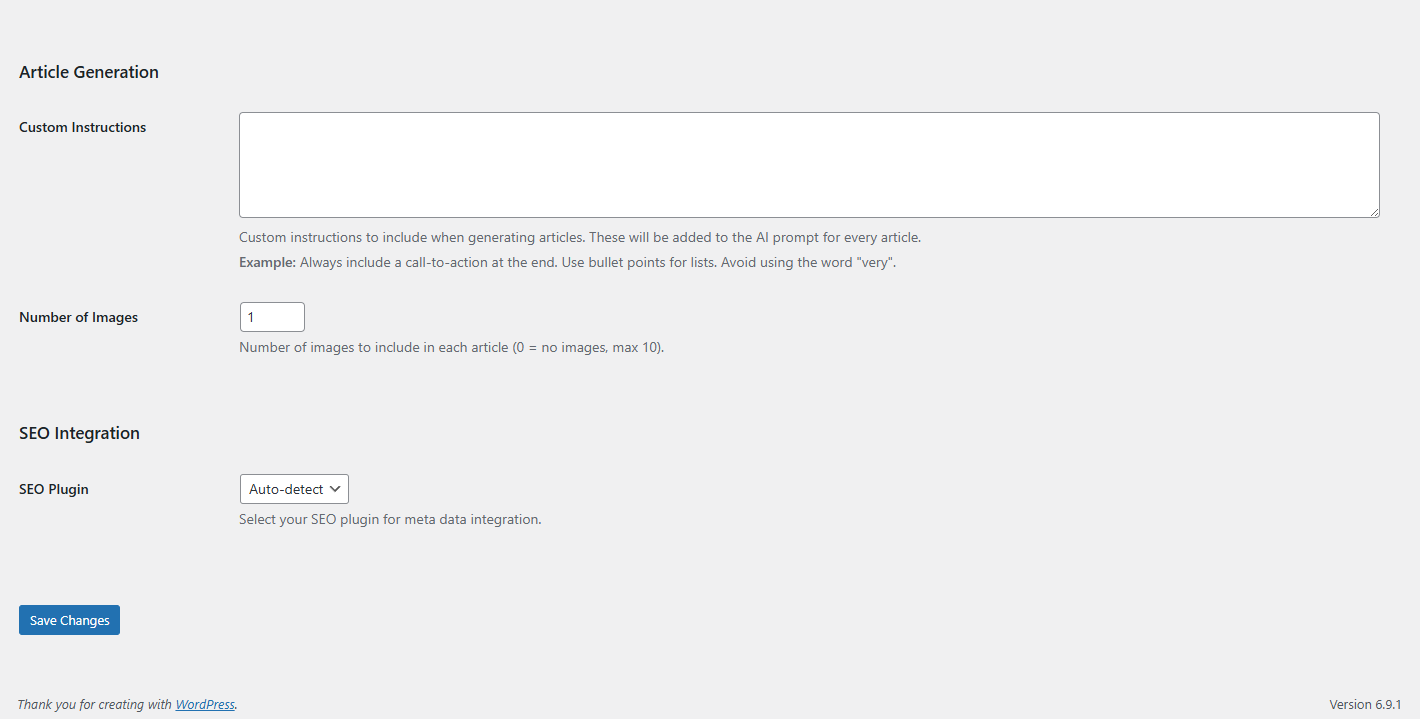
- ✅ Yoast SEO, Rank Math & The SEO Framework Integration — Auto-generate meta titles and descriptions
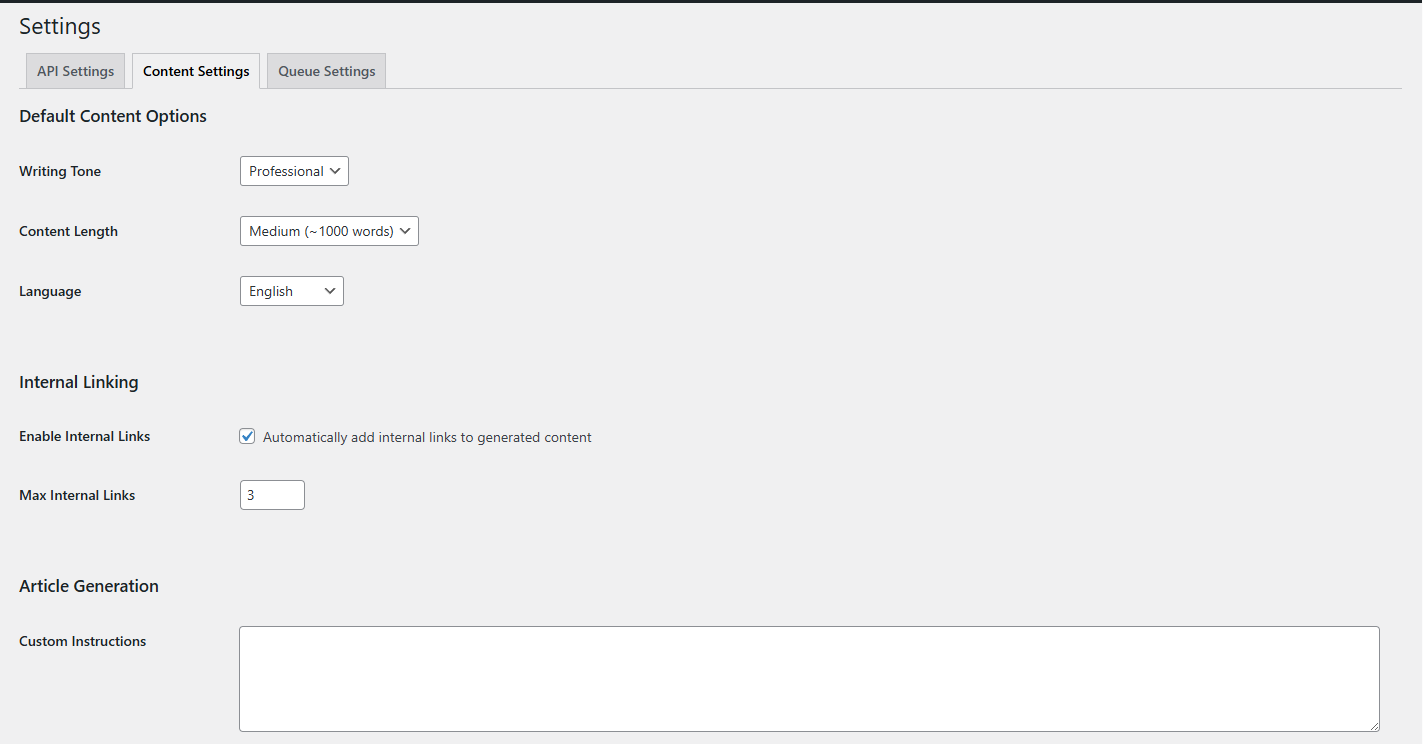
- ✅ Smart Internal Linking — Automatically link to related posts on your site
- ✅ Multi-Language Support — Generate content in English, Arabic, Spanish, French, German, Turkish, and more
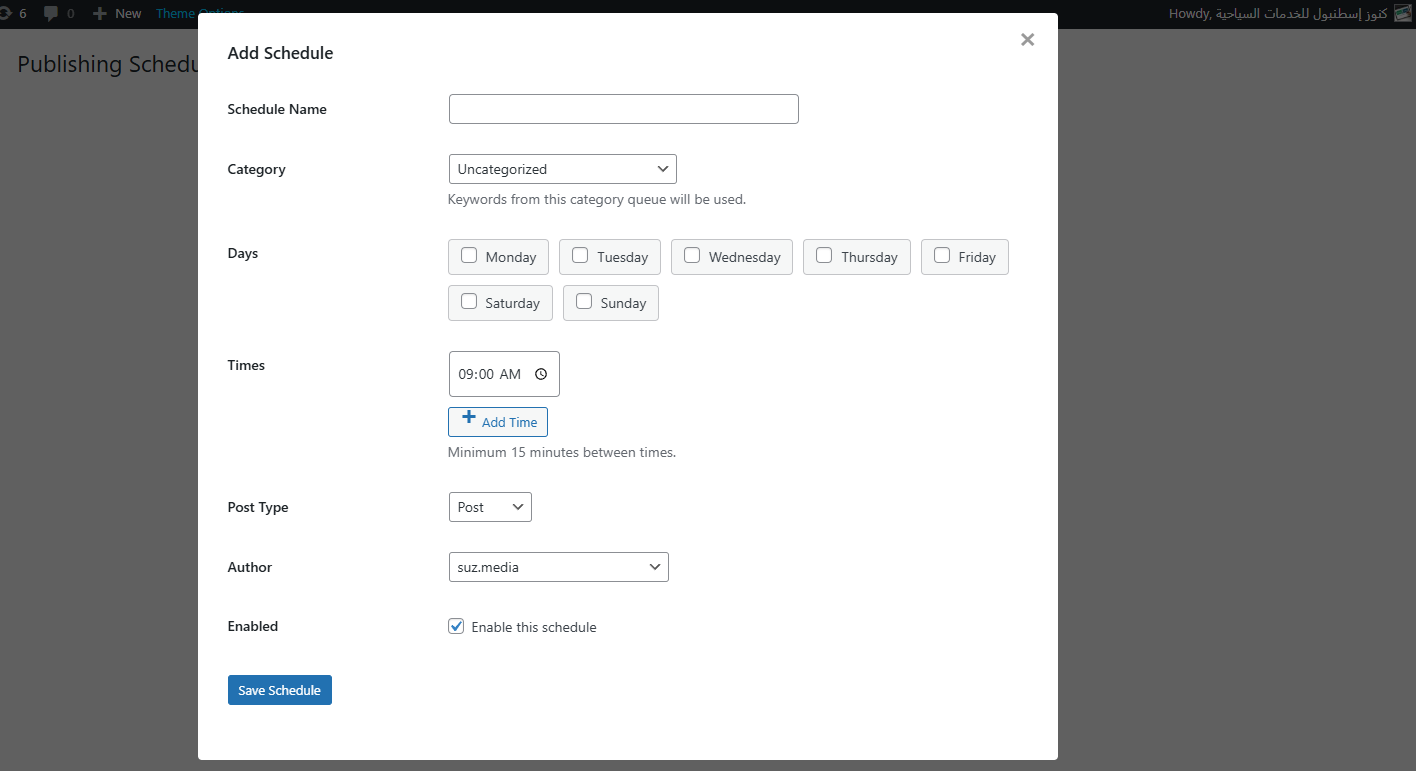
- ✅ Scheduled Publishing — Set up automated publishing schedules
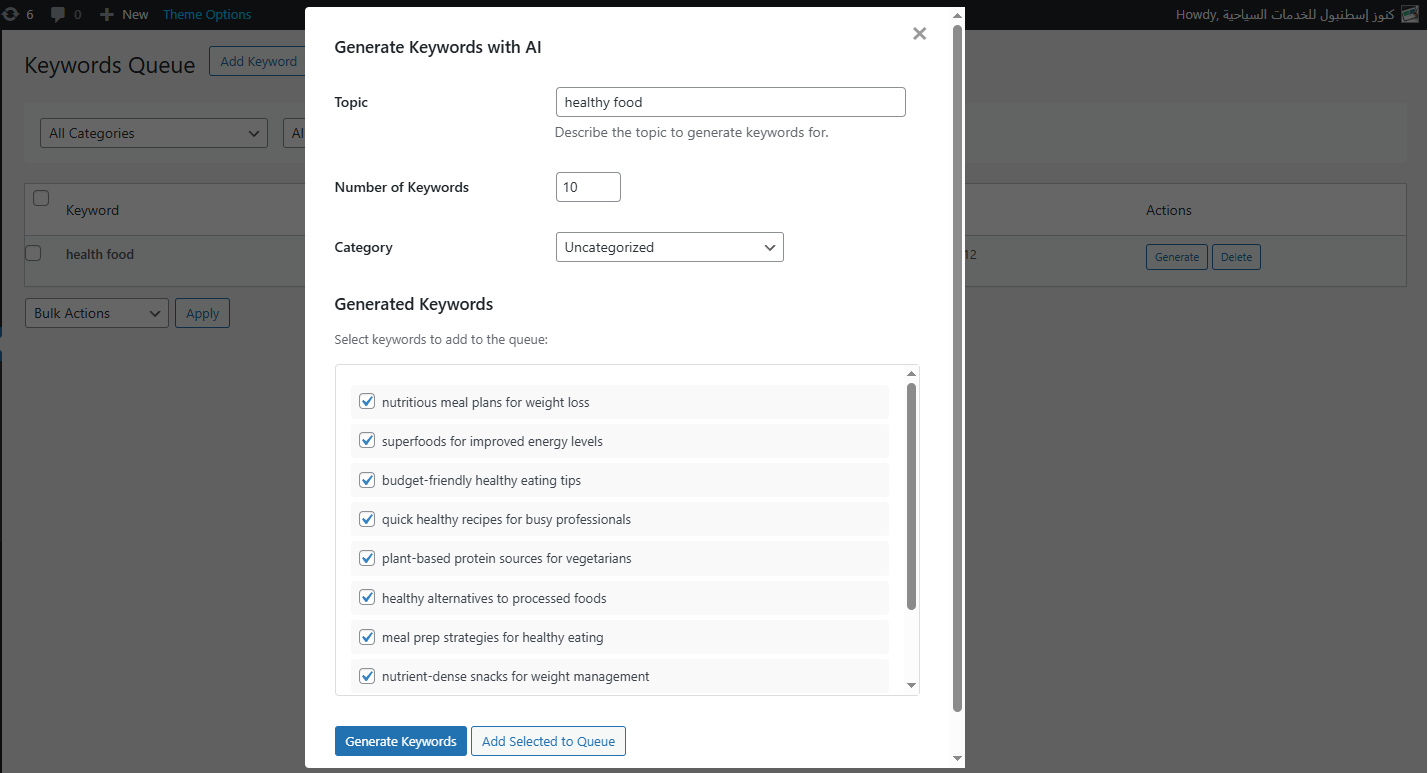
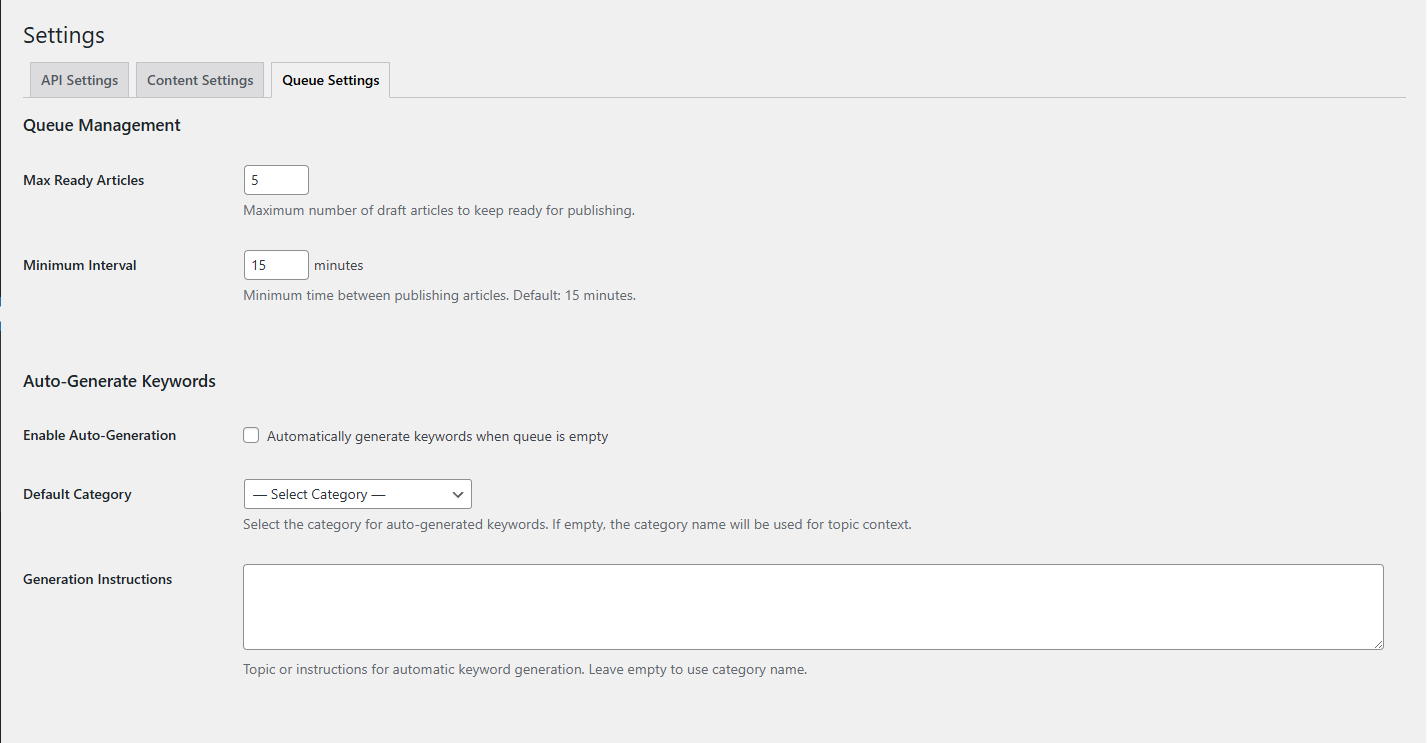
- ✅ Keyword Queue System — Manage hundreds of keywords for bulk generation
- ✅ Custom AI Instructions — Fine-tune the AI's writing style and tone
- ✅ Category Assignment — Auto-assign posts to WordPress categories
- ✅ Clean HTML Output — Proper heading tags (H2, H3), lists, and formatting
- ✅ AI Keyword Suggestions — Get keyword ideas generated by AI (10/month limit)
- 🔓 Unlimited Scheduling Slots — Free users can schedule up to 4 posts/week; Pro users have unlimited scheduling
- 🔓 Unlimited AI Keyword Generation — Generate unlimited keyword suggestions with AI
- 🔓 Priority Support — Get faster responses from our support team
- Install & Activate — Install the plugin and activate it from your WordPress dashboard
- Configure API Keys — Get your free API keys from OpenRouter, Pexels, and/or an AI image provider
- Add Keywords — Enter the topics you want to write about
- Set Your Schedule — Choose when you want articles to be published
- Let AI Do the Work — The plugin generates and publishes articles automatically
- Meta Titles & Descriptions — Automatically generated and pushed to Yoast SEO or Rank Math
- Focus Keywords — Each article is optimized around your target keyword
- Internal Links — Smart linking to related content on your site
- Proper HTML Structure — Clean code with proper heading hierarchy
- Image Alt Tags — All images include SEO-friendly alt text
- English, Arabic, Spanish, French, German, Italian, Portuguese, Dutch, Russian, Turkish, Japanese, Korean, Chinese, and more!
- Bloggers who want to publish more frequently without spending hours writing
- SEO Agencies managing multiple client websites
- Affiliate Marketers building niche review sites
- eCommerce Store Owners who need product descriptions and blog content
- Content Marketers looking to scale their content production
- Digital Publishers running news or magazine-style websites
- WordPress 7.0+ Native AI Client (Optional/Alternative) — If your WordPress site has configured AI connectors, the plugin can use them directly without external API keys.
- OpenRouter API Key (Alternative/Default) — Get it free at openrouter.ai/keys if not using the WordPress Native AI Client.
- Pexels API Key (Optional) — Get it free at pexels.com/api
- AI Image Generation (Optional) — Supported natively via WP AI Client or via OpenRouter image models for generating unique AI-powered images for your articles.
- Does NOT store your content on our servers
- Does NOT share your data with third parties (except the APIs you configure)
- Processes everything through your WordPress installation
- Fully complies with WordPress.org plugin guidelines
安装:
- Upload the
roidnet-ai-content-generatorfolder to/wp-content/plugins/ - Activate the plugin through the 'Plugins' menu in WordPress
- Navigate to 'AI Content' in your WordPress admin sidebar
- Go to Settings and enter your API keys
- Start adding keywords and creating your publishing schedule!
- Get Your OpenRouter API Key: Visit openrouter.ai, create an account, and generate your API key
- Get Your Pexels API Key (Optional): Visit pexels.com/api for free HD images
- Configure Settings: Enter your API keys in the plugin settings page
- Add Keywords: Go to the Keywords tab and add topics you want to write about
- Create a Schedule: Set up your publishing schedule in the Schedules tab
- Relax: The plugin will automatically generate and publish content!
屏幕截图:
常见问题:
Is this plugin really free?
Yes! The core functionality is completely free. You can generate unlimited AI articles with Pexels images at no cost. The Pro version adds extra scheduling flexibility and unlimited AI keyword suggestions.
What AI models can I use?
All 400+ models available through OpenRouter, including OpenAI GPT-4, GPT-4o, GPT-4 Turbo, Claude 3.5 Sonnet, Claude 3 Opus, Llama 3.1, Mistral, Gemini, and hundreds more from 60+ providers.
Can the plugin generate AI images for my articles?
Yes! In addition to fetching royalty-free photos from Pexels, the plugin now supports AI image generation. Every article can include a unique, AI-generated image that perfectly matches your content topic.
Do I need to pay for AI API usage?
OpenRouter offers pay-as-you-go pricing for AI models. Many models have very low costs, and some are free. The average cost per article is typically just a few cents.
Are the Pexels images free to use?
Yes! All images from Pexels are royalty-free and can be used for commercial purposes. The plugin automatically credits Pexels as required by their terms of service.
Will the content be unique?
Yes, every article is generated fresh by the AI based on your keywords. The plugin also includes duplicate-checking functionality.
Does it work with my theme?
Yes! The plugin generates standard WordPress posts with clean HTML that works with any theme or page builder.
Can I edit articles before publishing?
Absolutely! You can set articles to save as drafts instead of publishing automatically. This lets you review and edit before going live.
What languages are supported?
The plugin supports 20+ languages including English, Arabic, Spanish, French, German, Italian, Portuguese, Dutch, Russian, Turkish, Japanese, Korean, Chinese, Hindi, Vietnamese, Thai, Polish, Swedish, Norwegian, and Danish.
Is there a limit on article generation?
No! The free version allows unlimited article generation. The only limits are on scheduling slots (4/week) and AI keyword suggestions (10/month).
更新日志:
- Feature: Added full support and auto-detection for The SEO Framework plugin (automatically injects meta description into
_genesis_descriptionand focus keywords). - Feature: Added synchronous JIT translation generation to ensure translated sibling articles are generated and published together with their original language.
- Improvement: Explicitly prompt AI models to return relevant tags in the target language and support both arrays and comma-separated tag strings.
- Improvement: Added HTML post-processing to normalize any internal
<h1>tags to<h2>and convert leftover Markdown headings, bold, italic, and lists to clean HTML. - Improvement: Enhanced Polylang and WPML term/category translation resolution during schedule publishing.
- Fix: Handled unescaped control characters before json_decode to prevent JSON parsing errors.
- Update: Updated Freemius SDK to version 2.13.4.
- Fix: Resolved translation category mapping issue where translated keywords were assigned the source language category ID instead of the translated target category ID. Integrated Polylang (
pll_get_term) and WPML filters to automatically look up and map category IDs dynamically.
- Fix: Resolved Polylang compatibility critical error
PLL()->model->get_languages()by using the official public APIpll_languages_list(). - Fix: Corrected Select2 category dropdown option filtering in Add and Generate Keyword modals.
- Fix: Added automatic source language exclusion for target translation dropdowns (individual and bulk).
- Fix: Added browser assets caching bypass using
filemtimeversion parameters. - Feature: Added bulk content generation action support in the keywords list table.
- Feature: Added AI Bulk Translation support for keywords queue to easily translate all/multiple keywords to all active languages or a specific target language at once.
- Feature: Added visual Translation Grid/Status badges to the Keywords Table showing existing translation statuses (Completed, Pending, Failed, Processing) and "+" badge links to quickly add missing translations.
- Feature: Added Queue Filtering by Language in the Keywords Queue list table.
- Optimization: Modified scheduler and buffer manager to treat sibling translations as a single logical slot (unified draft counting & parent-first generation order) to prevent translations from filling up the buffer queue.
- Feature: Added dynamic multilingual keyword queue management and translation linking.
- Feature: Added AI-powered SEO translation action for keywords in the queue.
- Feature: Automated linking of translated articles generated via Polylang or WPML regardless of the generation order.
- Feature: Added native WordPress 7.0+ AI Client support for images.
- Fix: Resolved OpenRouter image generation parsing error (images were failing to download due to api response structure changes).
- Fix: Replaced deprecated flux image generation model with google/gemini-2.5-flash-image to ensure stable out-of-the-box performance.
- Fix duplicate function declaration fatal error during Pro version activation beside Free version.
- Automatic upgrade flow adjustments and basename logic fix.
- Compliance improvements and clean-up of Pro files from the free version.
- Minor improvements and updates.
- Feature: Added manual license key activation form in Settings > License tab for free version users.
- Fix: License tab now displays as an internal tab instead of redirecting away from settings.
- Fix: Free version users can now enter a license key directly without needing the premium opt-in screen.
- Fix: Resolved license tab redirection/reconnect URL logic for unregistered users.
- Feature: Added AI Image Generation support (FLUX, Recraft, Grok Imagine).
- Feature: Integrated with native WordPress 7.0+ AI Client / Connectors API.
- Feature: Full multilingual compatibility with Polylang and WPML.
- Improvement: Upgraded Freemius SDK to 2.13.1 for enhanced security and stability.
- Fix: Resolved license activation screen visibility and redirect loops.
- Fix: Restored missing admin submenus (Keywords, Schedules, Settings) for unregistered users.
- Feature: Added Polylang and WPML multilingual integration to set generated post and tag languages programmatically
- Feature: Added AI Image Generation — generate unique AI images for every article
- Feature: Added integration with the new WordPress 7.0 Native AI Client (WP AI Client & Connectors API)
- Improvement: Expanded OpenRouter support to 400+ AI models from 60+ providers
- Improvement: Fully tested and compatible up to WordPress 7.0
- Improvement: Refined Pro feature UI for better visibility
- Fix: Fixed scheduling slot limit logic for free users
- Fix: Resolved browser caching issues with strict versioning
- Feature: Official WordPress.org Plugin Directory release
- Improvement: Enhanced compatibility with latest WordPress 6.7
- Improvement: Optimized codebase for WordPress.org compliance
- Fix: Various bug fixes and performance improvements
- Feature: Added monthly AI keyword limits (10/month) for free users
- Feature: Integrated step-by-step API Setup Guide
- Security: Added Privacy Policy and Service disclosures
- Feature: Implemented Free vs Pro plans
- Feature: Added smart weekly publishing limits
- Feature: Integrated AI keyword generation quotas
- Improvement: Enhanced scheduling and queue management UI
- Security: Integrated Freemius SDK for secure licensing
- Initial release
- OpenRouter AI integration
- Pexels image integration
- Keyword queue management
- Scheduling system
- Yoast SEO and Rank Math integration
- Multi-language support
- Internal linking feature