
Role Based Content Restrictor
| 开发者 | inzidev |
|---|---|
| 更新时间 | 2026年9月22日 05:50 |
| 捐献地址: | 去捐款 |
| PHP版本: | 7.4 及以上 |
| WordPress版本: | 7.1.1 |
| 版权: | GPLv2 or later |
| 版权网址: | 版权信息 |
详情介绍:
Role Based Content Restrictor allows you to restrict access to individual posts, pages, and custom post types based on user roles or login status — now with a simplified and intuitive interface.
Key Features
- Restrict content based on user roles
- Restrict content to logged-in users only
- Restrict content to logged-out users (visitors only)
- Set a custom redirect page per post
- Configure a global fallback redirect from plugin settings
- Clean radio-based UI to avoid conflicting settings
- Fully backward compatible with previous versions
- Membership sites
- Learning Management Systems (LMS)
- Intranets and company portals
- Client dashboards or gated content areas
- Login / Register pages (visible only to visitors) Lightweight, developer-friendly, and works with any theme or builder (Elementor, Gutenberg, etc.).
安装:
- Upload the plugin folder to
/wp-content/plugins/role-based-content-restrictor/or install directly from the WordPress Plugin Directory. - Activate the plugin from Plugins > Installed Plugins.
- Go to Settings > Role Restrictions to configure the default redirect.
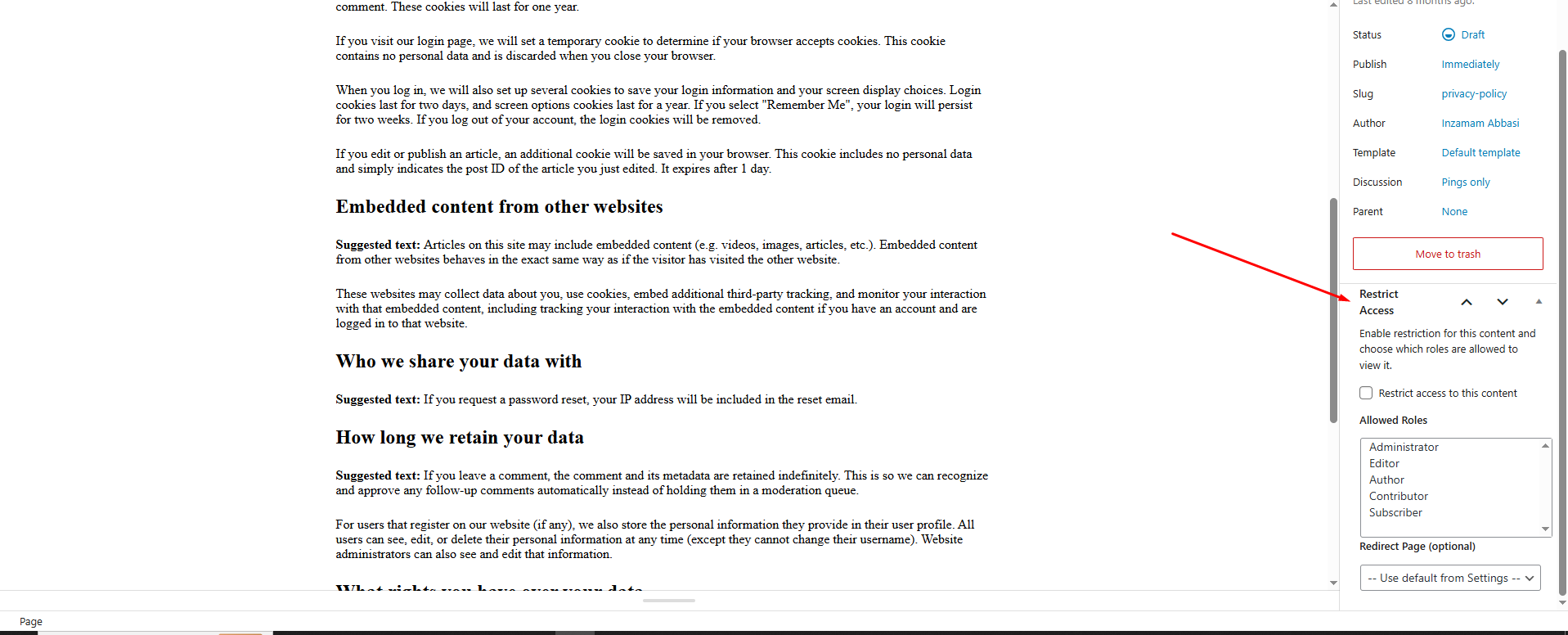
- Edit any page/post and use the Restrict Access meta box to:
- Select restriction type
- Configure roles (if applicable)
- Set redirect behavior
屏幕截图:

常见问题:
Will it work with custom post types?
Yes! The plugin works with all public post types registered in WordPress.
Can I restrict pages to only logged-in users?
Yes, select “Logged-in Users Only” from the restriction type.
Can I restrict pages to only visitors (logged-out users)?
Yes, select “Visitors Only”. Logged-in users will be redirected automatically.
What happens if multiple restriction types were previously enabled?
The plugin automatically resolves them into a single restriction type using a priority system, ensuring consistent behavior.
Can I redirect users to an external URL?
Not yet. You can redirect them to a page where you handle the external redirect using a script or shortcode.
Does it support multiple roles per page/post?
Yes, when using role-based restriction, you can select multiple roles.
What happens if no redirect page is set?
The plugin will use the global fallback page set in the plugin settings. If that’s not set, users are redirected to the homepage.
更新日志:
1.4.2
- Confirmed compatibility with WordPress 7.1.1 == Changelog ==
- Confirmed compatibility with WordPress 7.0.3 == Changelog ==
- Confirmed compatibility with WordPress 7.0
- Added Logged-in Users Only restriction option.
- Added Visitors Only (Logged-out Users Only) restriction option.
- Introduced radio-based restriction UI for cleaner and conflict-free configuration.
- Implemented priority-based restriction handling (Visitors Only → Logged-in → Roles).
- Improved meta handling with full backward compatibility.
- Prevented accidental data overwrite using conditional field saving.
- Enhanced admin UI with dynamic field visibility.
- Confirmed compatibility with WordPress 6.9
- Minor fixes for submission and compliance with WordPress.org guidelines.
- Improved compatibility with WordPress.org guidelines.
- Updated text domain and folder structure.
- Minor code cleanups.
- Initial public release.