
Rootz AI Discovery
| 开发者 | skswave |
|---|---|
| 更新时间 | 2026年3月31日 10:07 |
| PHP版本: | 7.4 及以上 |
| WordPress版本: | 6.9 |
| 版权: | GPLv2 or later |
| 版权网址: | 版权信息 |
详情介绍:
- Serves
/.well-known/aiwith your organization identity, capabilities, and policies (RFC 8615) - Structured content endpoint at
/.well-known/ai/contentwith pages, posts, media, custom types - Auto-generates knowledge base at
/.well-known/ai/knowledge - AI-optimized content feed at
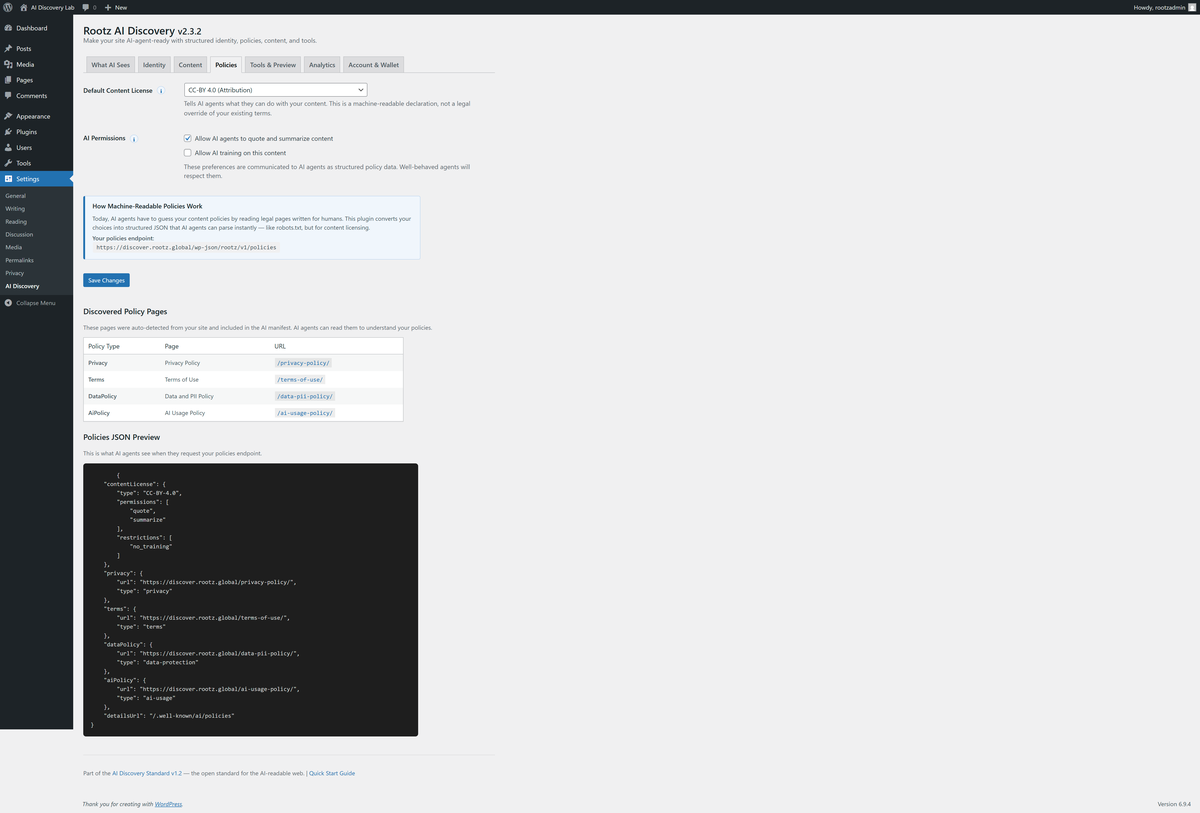
/.well-known/ai/feed - Machine-readable policies at
/.well-known/ai/policies - Adds
<link rel="ai-discovery">tag and HTTP Link header to every page - Generates
/llms.txtfrom your site structure - Provides REST API endpoints for AI agents (
/wp-json/rootz/v1/) - Registers WebMCP tools for browser-based AI assistants
- Machine-readable content licensing (CC-BY, CC0, All Rights Reserved, etc.)
- AI training opt-in/opt-out declaration
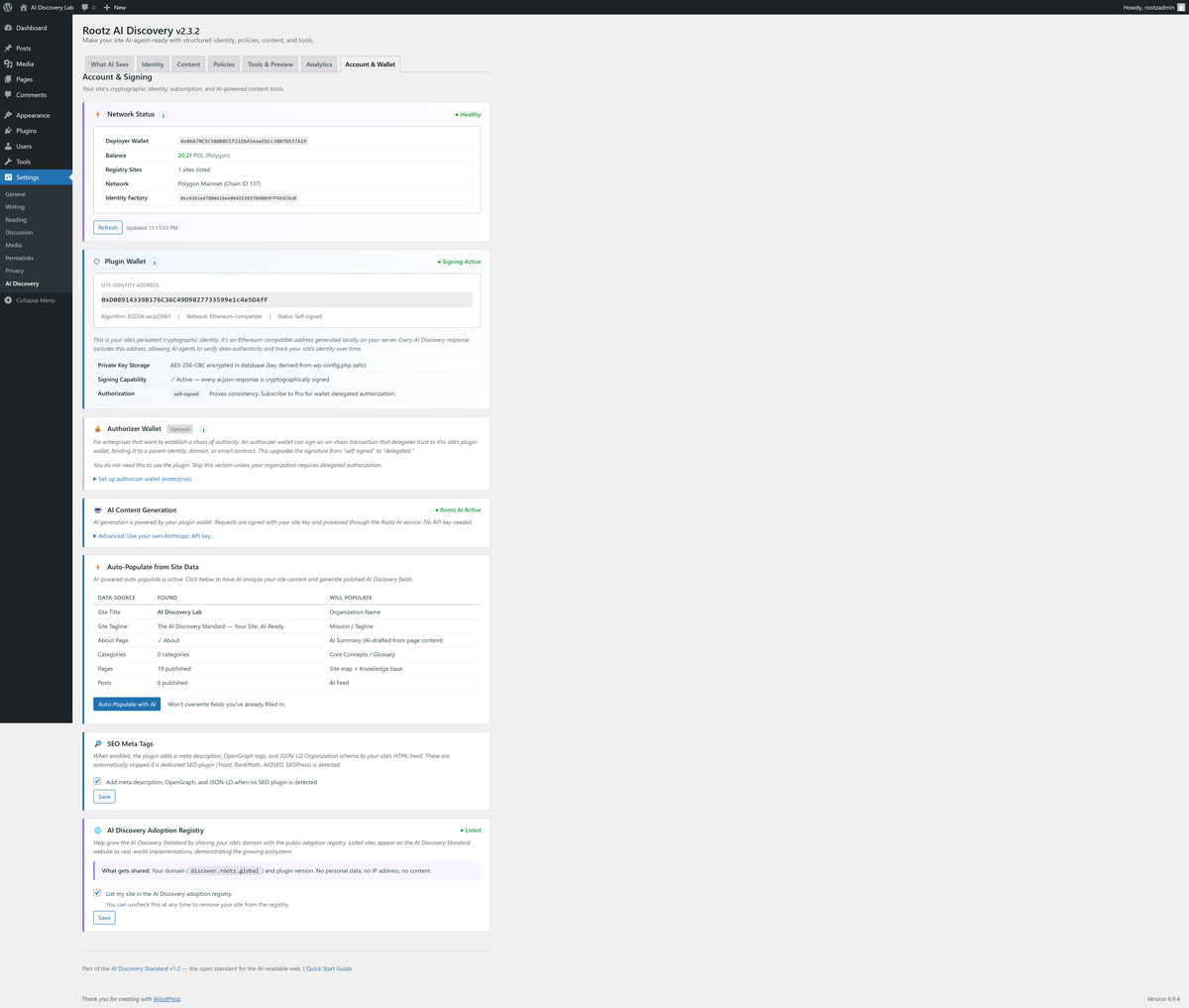
- Cryptographic signing — every ai.json response and llms.txt is digitally signed (ECDSA secp256k1), proving origin and content integrity
- Digital identity via plugin wallet (Ethereum-compatible address generated locally)
- Content assertion types (factual, editorial, creative-work) per item
- AI access metrics and analytics dashboard
- Self-scoring status endpoint for monitoring
- Service:
dev.epistery.host/agent/rootz/ai-proxy/ - Data sent: Site URL, title, tagline
- When: Only when you click "Auto-Populate" in the admin panel
- Privacy: rootz.global/privacy 2. Anthropic API (optional) If you enter your own Anthropic API key in settings, the plugin can call the Anthropic API directly as a fallback for AI content generation:
-
Service:
api.anthropic.com - Data sent: Site URL, title, tagline (same as above)
- When: Only when you click "Auto-Populate" and have entered an API key
- Privacy: See https://www.anthropic.com/legal/privacy 3. Plugin Updates (automatic) The plugin checks for available updates from the Rootz update server:
-
Service:
rootz.global/api/plugin/update.json - Data sent: None (read-only GET request)
- When: Automatically every 12 hours (uses WordPress transients)
- Note: Disabled when the plugin is installed from WordPress.org (WP.org provides updates instead)
- Privacy: rootz.global/privacy 4. License Verification (automatic when configured) If you enter an Owner Identity in the Account tab, the plugin verifies your subscription status:
-
Service:
rootz.global/api/license/status - Data sent: Your Owner Identity address (a public blockchain address, not personal data)
- When: On admin page load, cached for 12 hours
- Privacy: rootz.global/privacy
安装:
- Upload the
rootz-ai-discoveryfolder to/wp-content/plugins/ - Activate the plugin through the Plugins menu
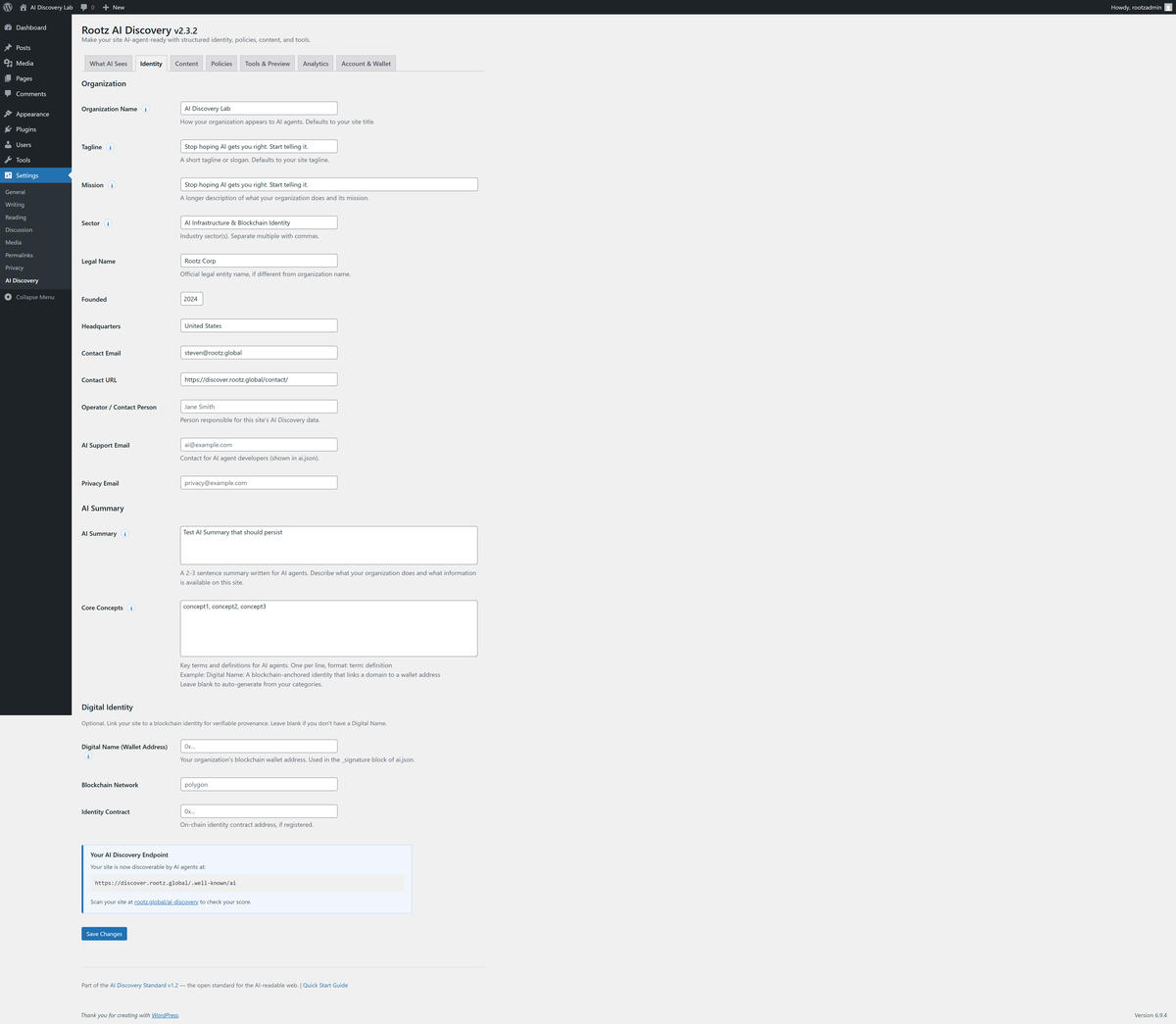
- Go to Settings > AI Discovery to customize your organization info
- Visit
yoursite.com/.well-known/aito verify it's working - Scan your site at rootz.global/ai-discovery to check your score
屏幕截图:
常见问题:
Does this slow down my site?
No. The plugin serves cached JSON responses and adds a single <link> tag to your HTML head. The WebMCP script is ~4KB and loads asynchronously.
Does it send data to external servers?
Core functionality runs entirely locally. The plugin generates all structured data from your existing WordPress content without any external calls. Two optional features use external services: (1) AI-powered auto-populate sends your site URL to generate descriptions, and (2) license verification checks your subscription status. Both are clearly disclosed above. The plugin also checks for updates from rootz.global every 12 hours (a read-only request with no user data).
What is the AI Discovery Standard?
An open specification (CC-BY-4.0) for how websites should present structured information to AI agents. Think of it as "robots.txt for AI identity" — instead of blocking, it enables proper interaction. See rootz.global/ai-discovery.
What is the content endpoint?
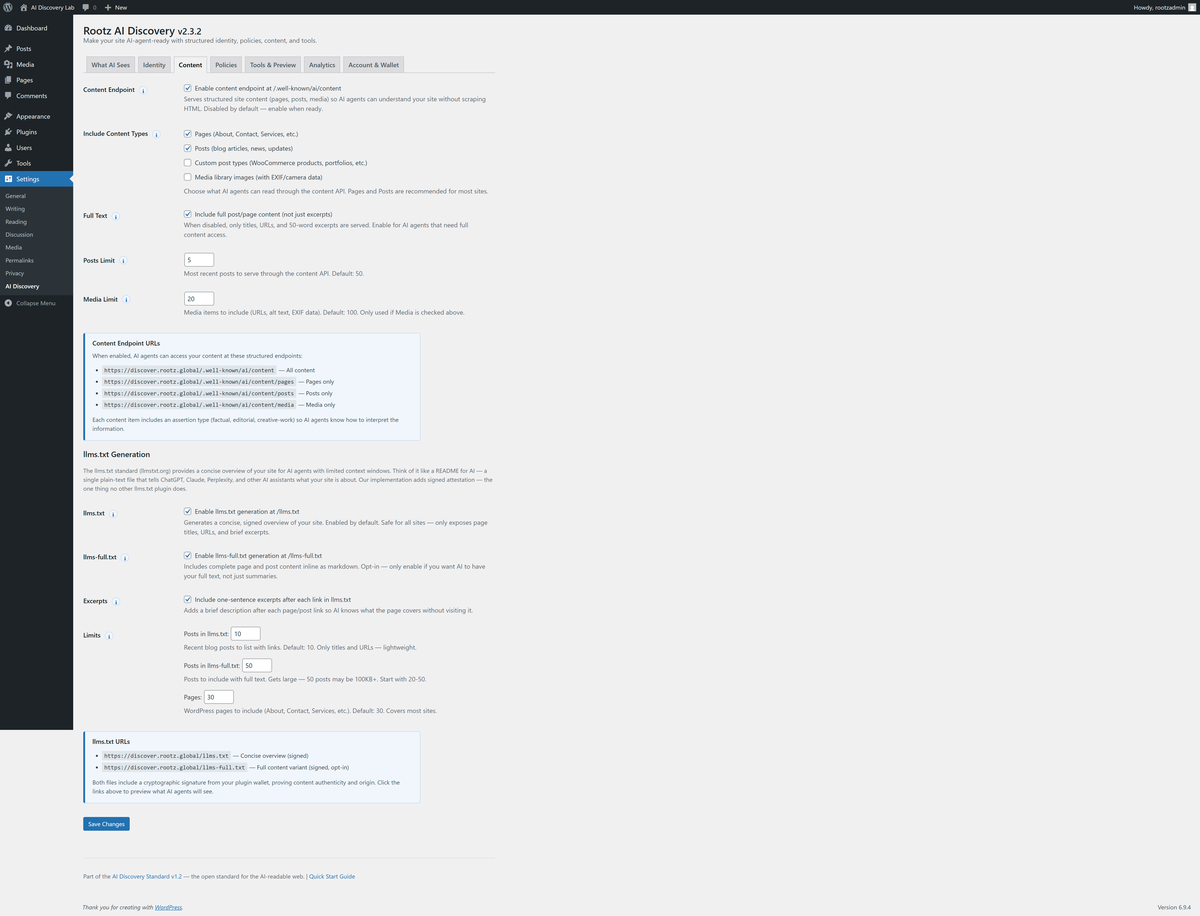
The content endpoint at /.well-known/ai/content serves your pages, posts, media, and custom post types as structured JSON so AI agents can understand your site without scraping HTML. Each item includes an assertion type (factual, editorial, creative-work) so agents know how to interpret the information.
What is WebMCP?
WebMCP is a browser API that lets websites register tools with AI assistants. This plugin automatically registers tools like getOrganizationInfo and getPolicies so AI assistants can read your site's structured data directly.
Do I need to flush permalinks after installation?
The plugin does this automatically on activation. If /.well-known/ai returns a 404, go to Settings > Permalinks and click Save (this flushes rewrite rules).
更新日志:
- Fix: License class now included in WP.org distribution (subscription and licensing features restored)
- Fix: Stripe checkout redirects back to user's WordPress site after payment
- New: Auto-register site wallet when owner identity is saved (eliminates manual registration step)
- New: Post-checkout auto-activation detects return from Stripe and refreshes license immediately
- UX: Renamed Owner Identity label to License Key / Owner Identity for clarity
- Fix: Moved inline network-status script to wp_add_inline_script() with wp_localize_script() for translations
- Fix: Removed Domain Path header (not needed for WP.org-hosted plugins)
- Fix: Updated Anthropic privacy URL to working path
- All view template variables prefixed with rootz_ per WordPress coding standards
- Security: Sanitize nonce inputs with sanitize_text_field(wp_unslash()) before wp_verify_nonce
- Security: REST /status and /context endpoints now require manage_options permission
- Security: JSON-LD output no longer uses JSON_UNESCAPED_SLASHES to prevent script context breakout
- WordPress.org compliance: License infrastructure made optional (excluded from WP.org distribution)
- CRITICAL FIX: Saving one settings tab no longer resets fields on other tabs
- Split shared settings group into per-tab groups (identity, content, policies, tools, account)
- This fixes the bug where AI Summary, Core Concepts, and other fields were lost after saving
- Adoption Registry: Opt-in checkbox to share domain with AI Discovery Standard registry
- Two-level identity documentation (Owner Identity Contract vs Plugin Wallet)
- Registry consent syncs domain + version to rootz.global/api/registry
- WordPress Plugin Check compliance — all errors resolved
- Improved output escaping across admin views (wp_kses, intval, esc_attr)
- Added translators comments for all internationalized strings
- Script loading with defer strategy for better performance
- Updated Tested up to WordPress 6.9
- Cleaner distribution zip (no vendor test files)
- Added /.well-known/ai/policies endpoint (rewrite rule + handler)
- Fixed generator.url in ai.json to point to correct plugin page
- Updated pricing tier integration (Free/Standard/Pro with PLAN_CONFIG)
- Self-hosted updater skips when installed from WordPress.org
- License file added for WordPress.org compliance
- Updated pricing tiers (Free/Standard $5/Pro $10)
- Fixed View Plans link in Account tab
- Improved checkout flow integration
- secp256k1 plugin wallet for cryptographic signing (AES-256-CBC encrypted storage)
- Wallet-authenticated AI proxy — auto-populate without user API key
- AI-powered identity extraction (legalName, sector, founded, headquarters)
- AI-generated site summary and core concepts
- Owner wallet delegation support
- Quick Start guide tab for new installs
- Analytics tab with AI access metrics and agent classification
- 8-tab admin interface (Identity, Content, Policies, Tools, Viewer, Analytics, Account, Quick Start)
- REST API search, verify, and status scoring endpoints
- Admin manifest review workflow (approve changes before re-signing)
- Self-scoring status endpoint (8 categories, 100-point scale, A-F grades)
- Tools manifest v1.1.0 with 3 categories (discovery, actions, meta)
- Per-page SHA-256 content hashes in ai.json pages[]
- All 5 JSON endpoints signed (not just ai.json)
- Contact fields: operator email, AI support email, privacy contact
- Generator metadata in ai.json
- Improved coreConcepts extraction
- 100-word policy summaries
- Full text option on policies endpoint (?full_text=1)
- Content endpoint with assertion types (factual, editorial, creative-work)
- Segmented content access: /content/pages, /content/posts, /content/media
- Full text option: serve complete post/page content
- Media support with EXIF data
- v1.2 URL hierarchy: all endpoints under /.well-known/ai/ (RFC 8615)
- Digital identity: blockchain wallet address, network, identity contract
- Organization details: legal name, founded, headquarters, contact info
- AI summary and core concepts fields
- 4-tab admin: Identity, Content, Policies, Tools & Preview
- Toggleable tier endpoints (knowledge, feed, content)
- Dynamic endpoint status in Tools tab
- Initial release
- AI Discovery endpoint at /.well-known/ai
- HTML link tag and HTTP Link header
- Admin settings page (Identity, Policies, Tools tabs)
- REST API endpoints (ai.json, policies, knowledge, feed, tools)
- WebMCP tool registration (getOrganizationInfo, getPolicies, getKnowledge, getFeed)
- Auto-generated llms.txt
- Content licensing declarations
- AI training opt-in/opt-out