RoxyAPI: Astrology, Vedic, Forecast, Human Design, Numerology
| 开发者 | roxyapi |
|---|---|
| 更新时间 | 2026年10月25日 03:43 |
| PHP版本: | 7.4 及以上 |
| WordPress版本: | 7.1 |
| 版权: | GPLv2 or later |
| 版权网址: | 版权信息 |
标签
下载
详情介绍:
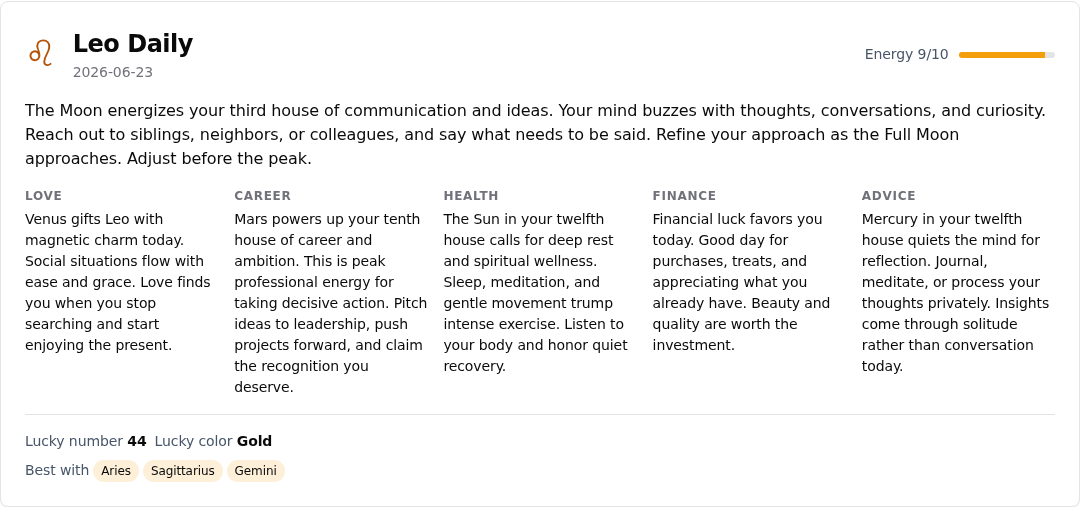
- Western astrology: natal and birth charts, daily, weekly, monthly, and yearly horoscopes, synastry with a house overlay, compatibility, transits, and moon phases
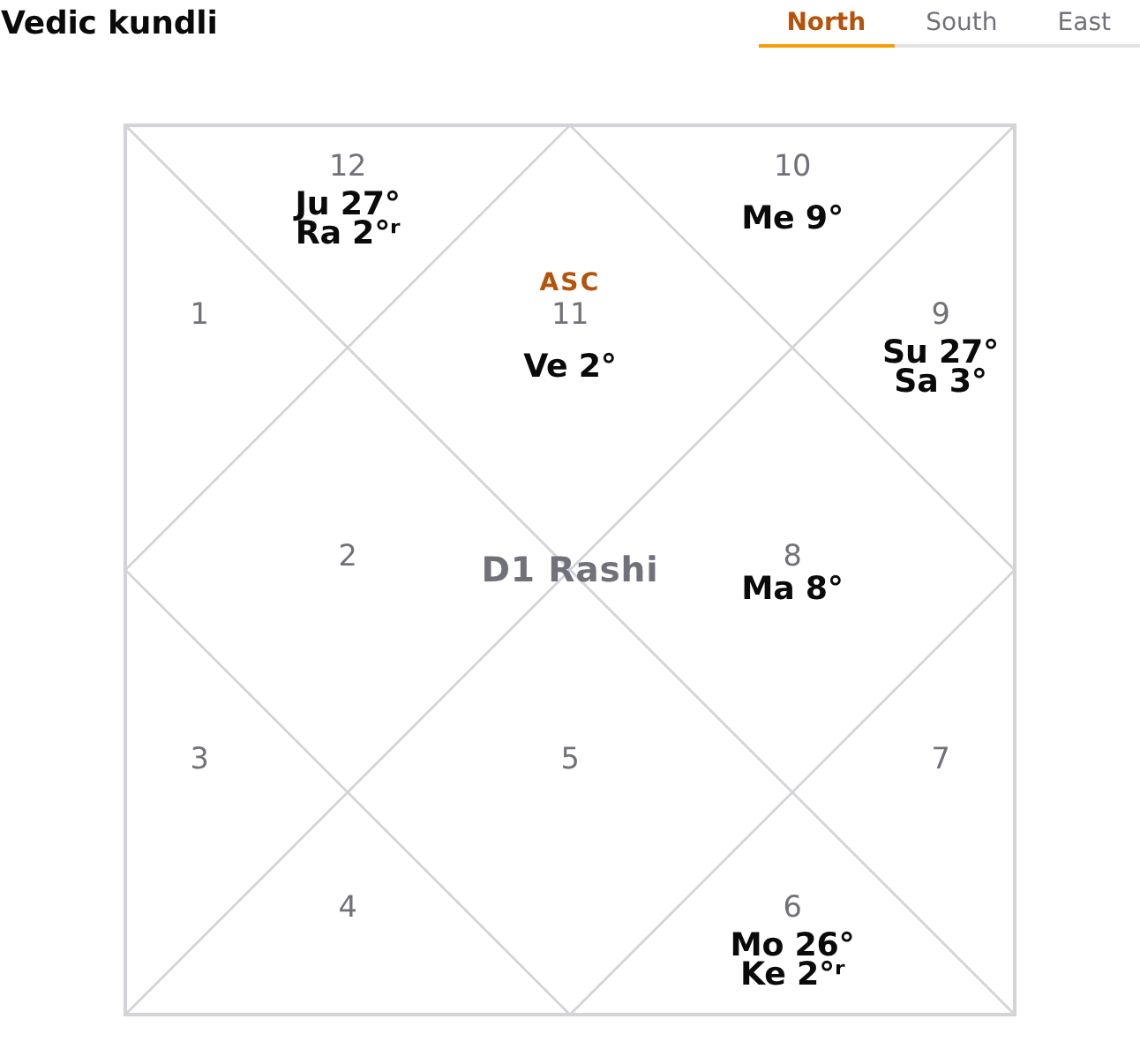
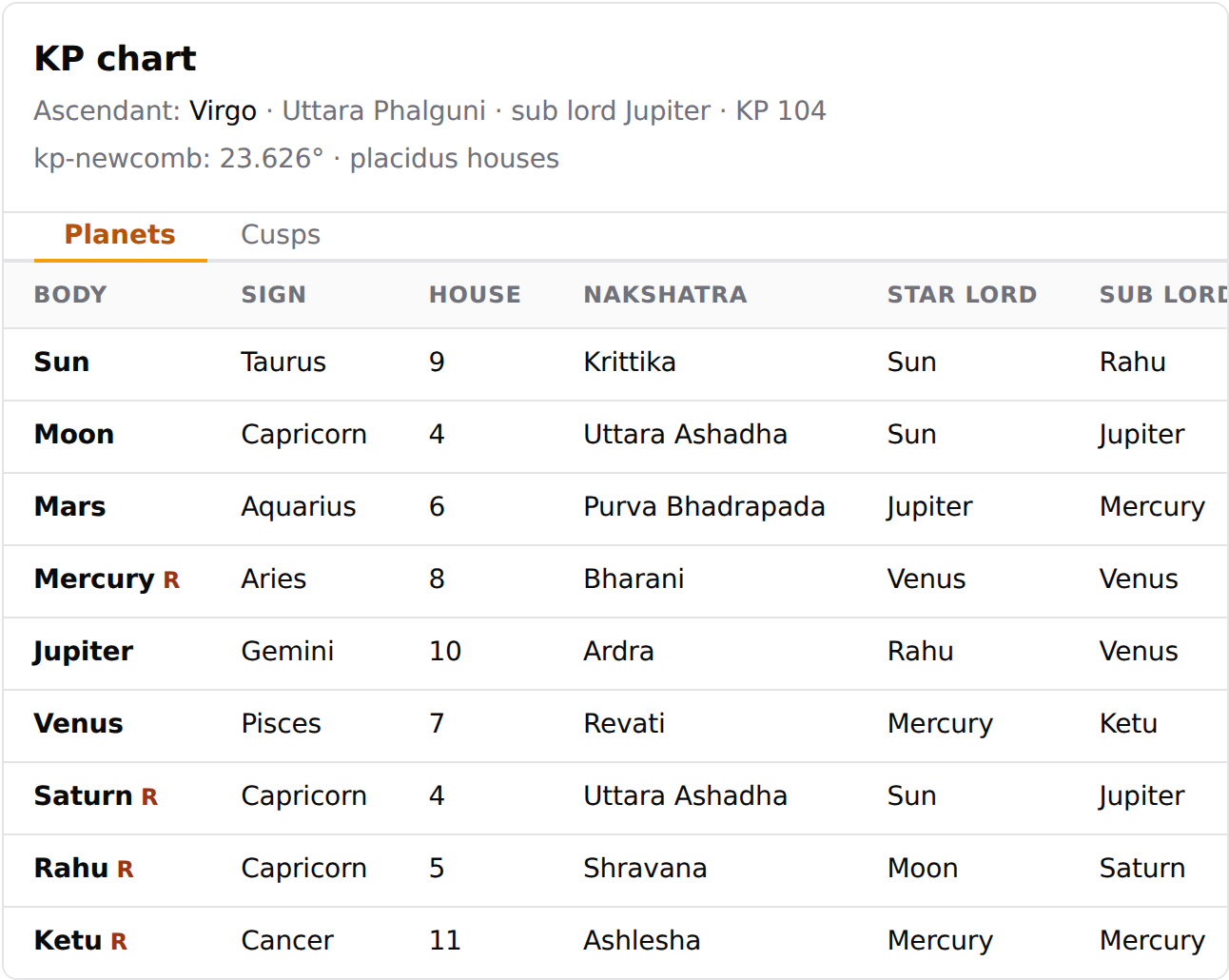
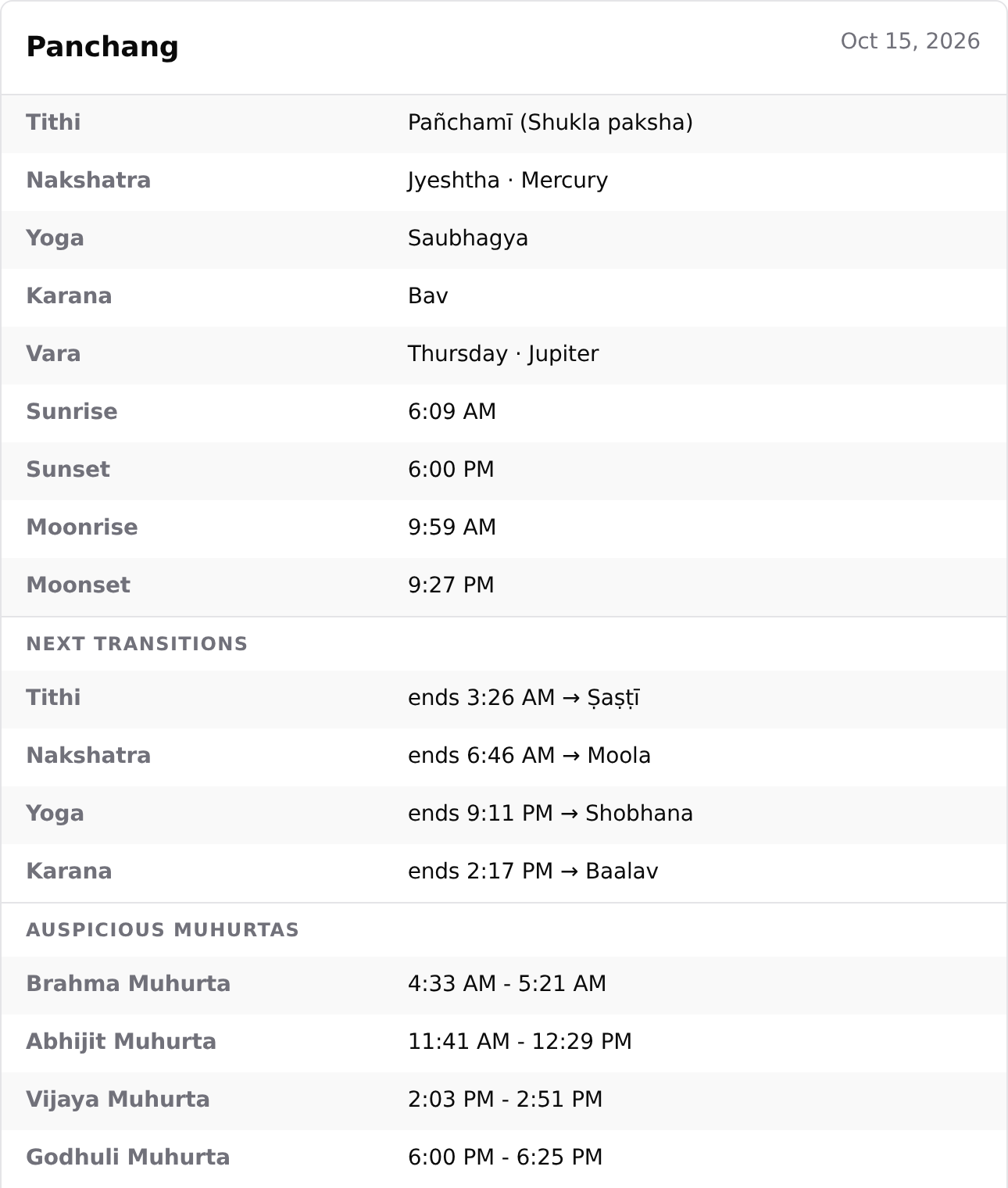
- Vedic astrology: kundli, KP charts, panchang, Vimshottari dasha, divisional charts, nakshatras, yogas, gochara transits, and the Bhava Bala and Bhav Chalit house readings
- Forecast: cross-domain timelines, transit forecasts, solar returns, and significant dates
- Human Design: full bodygraph with type, authority, profile, centers, channels, gates, variables, and penta
- Chinese astrology: the BaZi Four Pillars chart, Day Master strength, ten year luck pillars, the Chinese zodiac sign with daily readings and compatibility, the 24 solar terms, and the Chinese almanac day (Tong Shu)
- Feng shui: the Kua number with Eight Mansions directions, the nine palace Flying Star chart, bagua sectors, and annual afflictions
- Mesoamerican astrology: the Tzolkin day sign, the Mayan chart with Haab and Long Count, a Long Count converter, daily and monthly readings, nawal compatibility, and the Aztec tonalpohualli
- Vastu: entrance pada, the Vastu Purusha Mandala, plot analysis, Ayadi, room compliance, and griha pravesh dates
- Numerology: Life Path, Expression, Soul Urge, and Personality numbers
- Kabbalah: gematria with every spelling shown, name and birth profiles, the 72 names, the Tree of Life, and the Hebrew letters
- Tarot: single card, three card, Celtic Cross, and custom spreads
- Plus: biorhythm, Ayurveda, I Ching, crystals, dream interpretation, and angel numbers
- Do I need an account to try it? No. Blocks and shortcodes render readings straight after activation on a free daily allowance.
- Do I need to know astrology to use it? No. Every reading arrives calculated and formatted, so you place a block and pick your options.
- Is the birth chart accurate? Charts come from Roxy Ephemeris and are verified against NASA JPL Horizons.
- Can visitors enter their own birth details? Yes. Leave the attributes off a reading that takes details and it renders a form; the submission is processed server side.
- Do I have to write shortcodes? No. RoxyAPI, Create a reading asks a few questions and writes the shortcode for you to paste.
- Does it work with my theme? Yes. Charts are SVG and follow your light or dark theme through CSS custom properties.
- Where does my API key live? On your server only. It is never sent to the browser.
- Gutenberg blocks and shortcodes for every reading, plus a visitor form mode for interactive inputs like birth details
- Pythagorean numerology, full 78 card tarot, and a 2,000+ entry dream symbol dictionary
- Interactive SVG charts and cards that follow your light or dark theme automatically
- Readings in English, German, Hindi, Spanish, Turkish, Portuguese, French, and Russian, following the site language or one setting
- Parent Astrology Section wrapper block that sets the zodiac sign for the Horoscope blocks placed inside it
- Server side caching with per endpoint TTL to keep your API quota low
- API key stays server side. Never exposed to the browser.
安装:
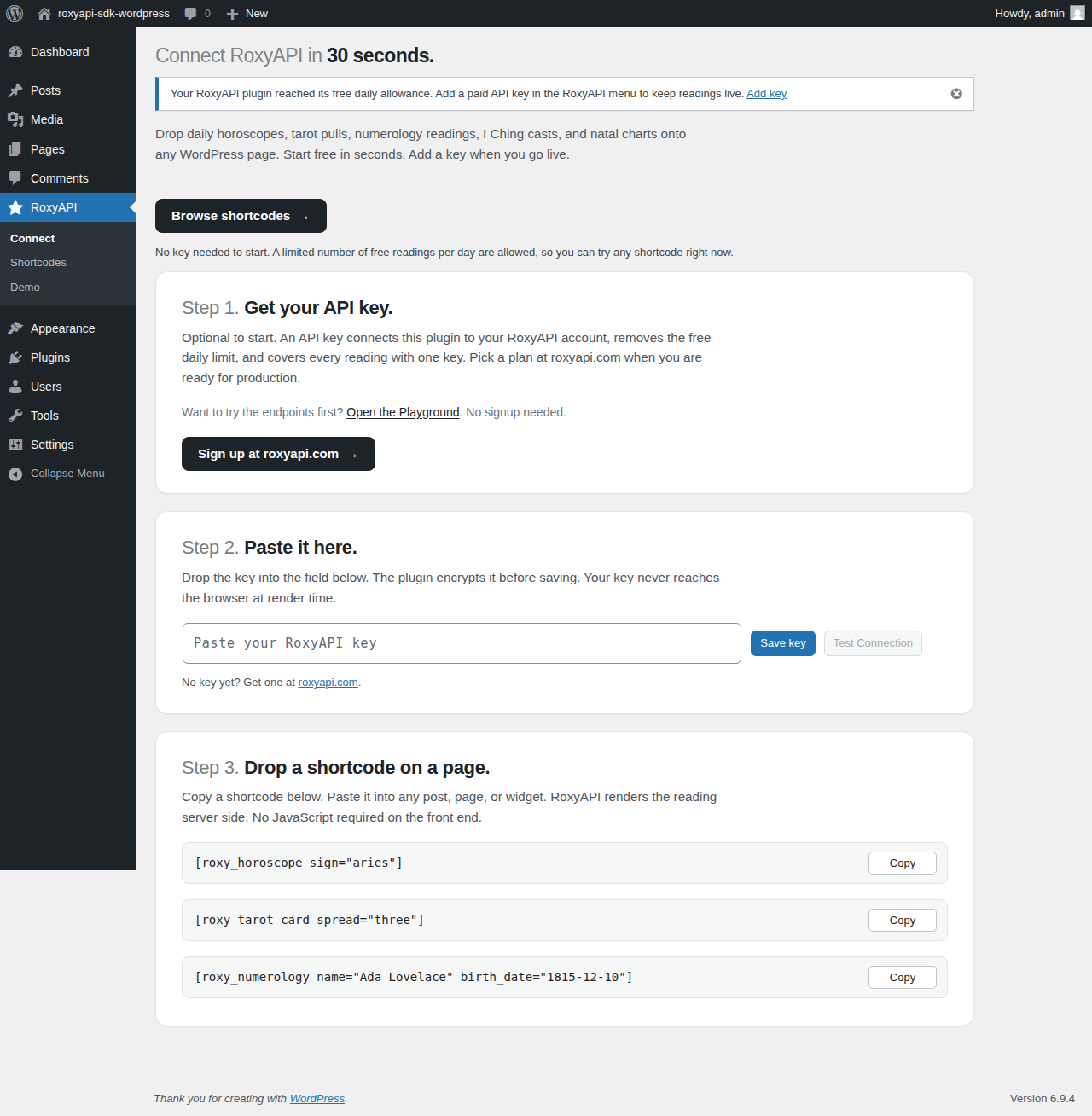
- In your WordPress admin, go to Plugins, Add New, search for "RoxyAPI", and click Install Now.
- Activate the plugin.
- Sign up for a RoxyAPI account at https://roxyapi.com and get your API key.
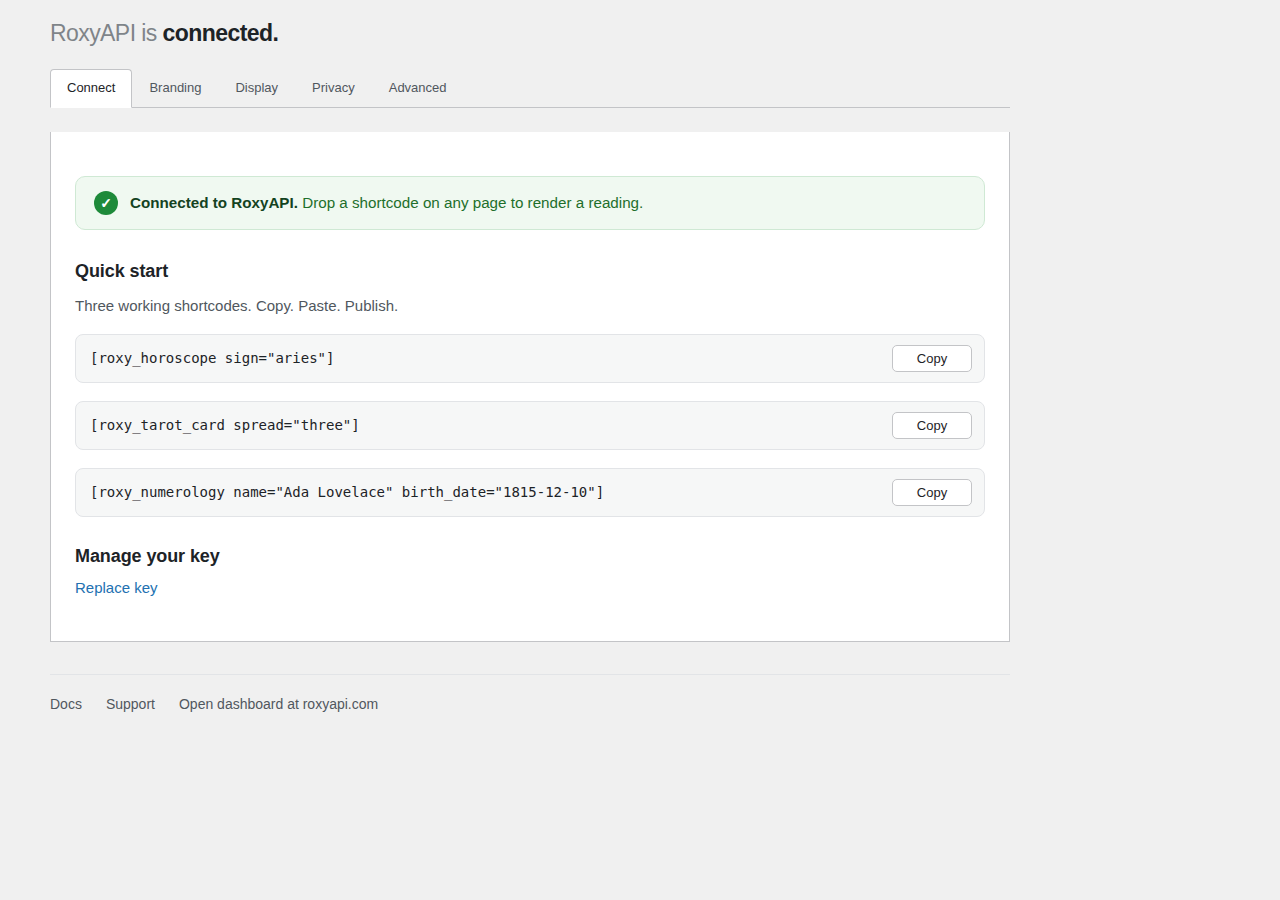
- Open the RoxyAPI menu in the WordPress admin sidebar and paste your key.
- Click Save Changes. Use the Test Connection button to verify.
- Add a block from the inserter or use the matching shortcode.
define('ROXYAPI_KEY', 'your_roxyapi_key_here');
When the constant is set, the settings field is disabled and the constant takes priority.
For production hosts that inject secrets via environment variables (Pantheon, WP Engine, Kinsta, Bedrock), also define the encryption key and salt:
define( 'ROXYAPI_ENCRYPTION_KEY', getenv( 'ROXYAPI_ENCRYPTION_KEY' ) );
define( 'ROXYAPI_ENCRYPTION_SALT', getenv( 'ROXYAPI_ENCRYPTION_SALT' ) );
Without these, the plugin falls back to your WordPress LOGGED_IN_KEY and LOGGED_IN_SALT, which is acceptable for most installs.屏幕截图:
常见问题:
Do I need a RoxyAPI account?
Not to get started. A free daily allowance, no account needed, lets you try the plugin right after install. For production use, add an API key from a RoxyAPI plan: one key covers every reading and removes the daily limit. Pick a plan at https://roxyapi.com/pricing.
What readings can I add to my site?
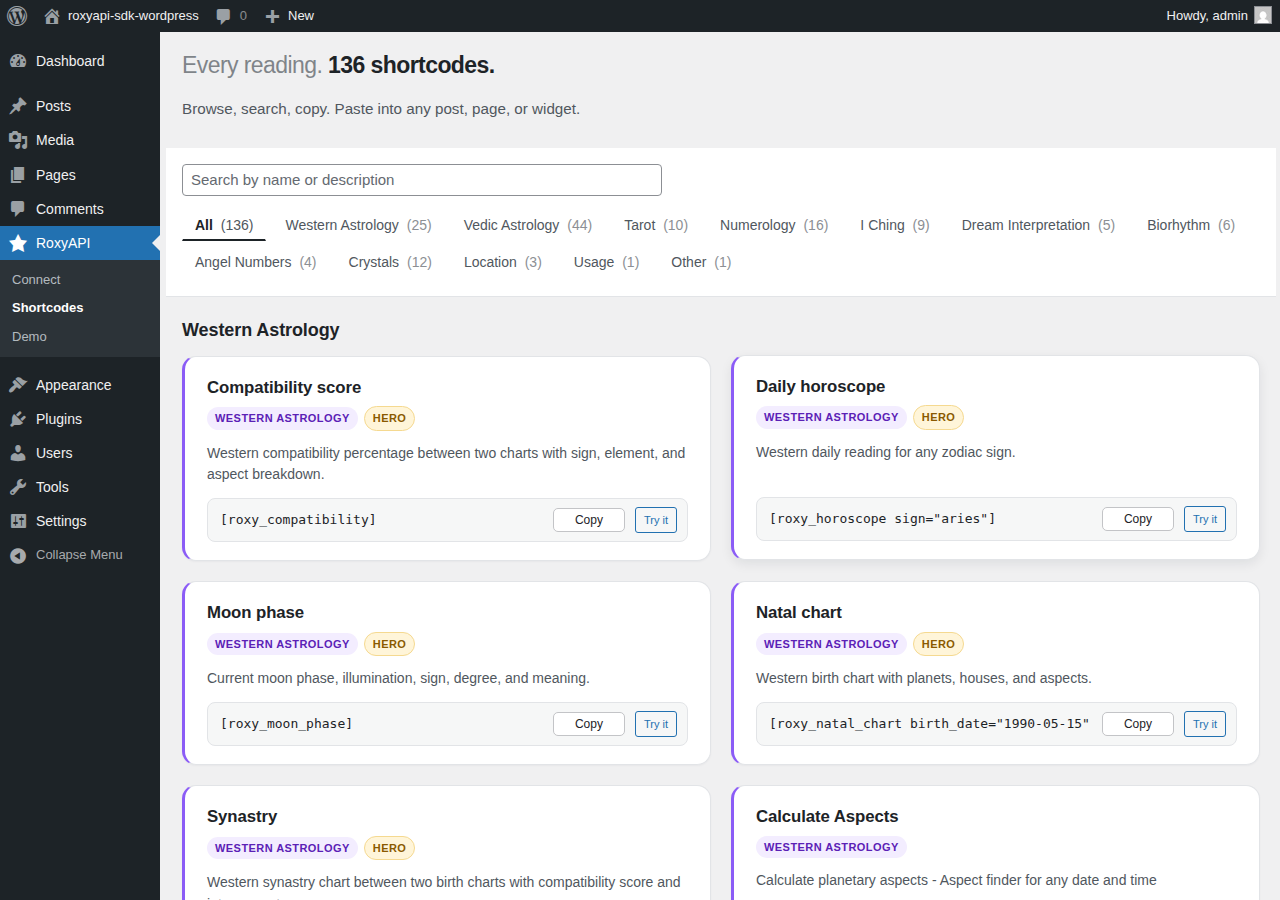
One key covers 18 domains. Western astrology: natal chart, daily / weekly / monthly / yearly horoscopes, synastry with a two way house overlay, compatibility, transits, aspect patterns, and moon phases. Vedic astrology: kundli, KP chart, panchang, Vimshottari dasha, divisional charts, nakshatras, doshas (Manglik, Kaal Sarpa, Sade Sati), and classical yogas. Numerology: Life Path, Expression, Soul Urge, Personality, personal year, and compatibility. Tarot: single card, three card, Celtic Cross, and the full 78 card catalog. Human Design: bodygraph, type, authority, profile, centers, channels, and gates. Forecasts: timelines, transit forecasts, solar returns, and significant dates. Chinese astrology: the BaZi Four Pillars chart, Day Master strength, ten year luck pillars, the Chinese zodiac sign with daily readings and compatibility, the 24 solar terms, and the Chinese almanac day (Tong Shu) with its day officer. Feng shui: the Kua number and Eight Mansions directions, the nine palace Flying Star chart for a building or a year, bagua sectors, and annual afflictions. Mesoamerican astrology: the Tzolkin day sign, the Mayan chart, a Long Count converter, daily and monthly readings, nawal compatibility, and the Aztec tonalpohualli. Vastu: entrance pada, the Vastu Purusha Mandala, plot analysis, Ayadi, room compliance, and griha pravesh dates. Kabbalah: gematria, name and birth profiles, the 72 names, the Tree of Life, and the Hebrew letters. Ayurveda: constitution from the birth chart, dinacharya, ritucharya, a daily reading, and the dosha, rasa, and guna catalogues. Plus biorhythm, I Ching hexagrams, crystal reference data, dream symbols, and angel numbers. Every reading is available as a shortcode. More than 180 of them also ship a matching Gutenberg block, each with sidebar controls for its inputs (a date picker for dates, a dropdown for fixed choices, text and number fields for the rest) and a live preview in the editor. The headline readings (horoscope, natal chart, tarot, numerology, biorhythm, angel number) are built the same way, and the horoscope block adds a variation picker. Interactive multi input readings such as two chart compatibility and nested birth forms stay shortcode and visitor form mode, because the block editor cannot collect their nested input. Browse the full list inside WordPress under RoxyAPI, Shortcodes.
Can I show readings in another language?
Yes. Readings follow your WordPress site language on their own, so a Spanish site returns Spanish readings with nothing to configure. To run your site in one language and your readings in another, open the RoxyAPI menu, Branding tab, and pick a reading language: English, German, Hindi, Spanish, Turkish, Portuguese, French, or Russian. Readings switch to that language, though a handful of specialized terms stay in English.
When does the plugin contact the RoxyAPI service?
The plugin contacts roxyapi.com only when you take a clear action that requires it:
- You click the Test Connection button on the settings page.
- A page on your site that contains a RoxyAPI block or shortcode is rendered (cached for one hour by default to keep your API quota low). These requests also happen before you add a RoxyAPI plan, on the free daily allowance.
What data is sent to RoxyAPI?
When the plugin contacts roxyapi.com, the request includes:
- The reading parameters you supply via the block or shortcode (zodiac sign, birth date, name, location coordinates, question text).
- Your site URL, so RoxyAPI can attribute requests to your site for support.
- The plugin name and version, so RoxyAPI can spot compatibility problems with a particular release.
- Your server outbound IP address (incidentally captured by the receiving server, like any HTTP request).
Can visitors fill in their own birth details?
Yes. Drop a reading shortcode with no attributes (for example [roxy_natal_chart]) and the plugin renders an accessible form with a city search that fills in coordinates automatically. On submit the plugin validates the input, applies a per-IP rate limit and a consent checkbox, calls the API server side, and renders the result on the same page. The API key never reaches the browser.
I am behind Cloudflare or a reverse proxy. Does the visitor rate limit still count each visitor?
Not until you tell the plugin which forwarded header to believe. The only address a WordPress site can verify is the one the connection arrives from, which behind a proxy is the proxy itself, so by default every visitor shares one bucket. Forwarded headers are ignored because anyone can send them, and a limit that resets whenever a header changes is no limit at all.
If your proxy overwrites a header on every request, opt that header in from your theme functions file or a small site plugin:
add_filter( 'roxyapi_trusted_proxy_headers', function () { return array( 'HTTP_CF_CONNECTING_IP' ); } );
Register it with 10, 2 instead and the callback also receives the connecting address, so you can trust the header only while the request really is arriving from your own edge. On a custom setup, return the visitor address yourself with the roxyapi_client_ip filter instead.
Can I sell readings or charts to my clients?
Yes, and you do not need a separate integration. Place any RoxyAPI shortcode or block on a page, then gate that page with a membership or paywall plugin such as Paid Memberships Pro, Restrict Content, or WP-Members, or sell access as a WooCommerce product through a memberships add-on. Members and buyers who reach the page see the reading; everyone else sees your paywall. Because the chart renders exactly where you place the shortcode, you decide what stays free, like a teaser daily horoscope, and what is paid, like a full natal chart, a compatibility score, or a Vedic kundli. RoxyAPI keeps no birth data, so your client list and their details stay entirely yours.
Is the API key safe?
Yes. The plugin makes API calls server side in PHP. The key is never sent to the browser. You can also store the key in wp-config.php with define('ROXYAPI_KEY', '...') if you do not want it in the database. Stored keys are encrypted at rest via AES-256-CTR.
Does this work with caching plugins?
Yes. The plugin uses WordPress transients, which automatically use Redis or Memcached if you have a persistent object cache.
Can I customize the styling?
Yes. Readings pick up your theme font, and the RoxyAPI menu under Branding gives you four ready-made palettes plus seven colors you can set yourself: accent, page background, card background, text, secondary text, borders and warnings. Each takes a light value and a dark value, so a dark brand color stays readable for a visitor in dark mode. Charts follow your light or dark mode automatically and read the --roxy- CSS custom properties, so you can also override any token in your theme stylesheet. Every output element has a .roxyapi- class you can target.
Can I hide part of a reading, such as the chart patterns?
Yes, at two levels. The RoxyAPI menu under Display has Written readings, which removes the interpretation from every reading and leaves the charts, tables and values in place. Below it, Hide sections takes a comma-separated list of section names and removes those blocks outright, so entering patterns removes the chart patterns block wherever it appears on your site.
Click the Hide sections field to see every name your version supports, and separate several with commas. The names are internal and stay the same whatever language your site runs in, so the title printed above a block is not one of them. If you enter a name that matches nothing, saving tells you which one, rather than leaving you with a setting that appears to have saved and quietly does nothing.
Those two are separate on purpose. A chart pattern such as a T-square reports the figure, its element and modality, how tight it is and which planets form it. Those are measurements rather than prose, so turning off written readings leaves them in place.
Both can be overridden on a single placement, so one page does not have to follow the whole site. Add hide_sections="patterns" to a shortcode and only that reading loses the block, or hide_sections="none" to keep a block on one page that the site setting hides everywhere else. hide_readings="1" and hide_readings="0" work the same way. A block placed in the editor follows the site setting.
You can also target any section yourself from Appearance, Customize, Additional CSS, or from your child theme stylesheet. Every block of a reading is exposed as a CSS part:
roxy-natal-chart::part(patterns) { display: none }
roxy-ephemeris-table::part(changes) { display: none }
Common section names are readings, patterns, aspects, changes, chart, legend, table and details. A name means the same block everywhere it appears, so one rule covers every reading that has that block: ::part(aspects) reaches the aspect grid on a natal chart and the aspect list on an aspects table alike. Open your browser inspector and read the part attribute off any block to find the name for it. The same selector restyles a section instead of hiding it, so you can give one block its own background or spacing without touching the rest.
Which calculation engine powers RoxyAPI?
RoxyAPI cross-checks its astronomy calculations against the NASA JPL Horizons ephemeris (a public NASA dataset; no affiliation with NASA or JPL). See https://roxyapi.com/methodology for the full breakdown.
How do I share the zodiac sign across several horoscopes on one page?
Add the Astrology Section wrapper block, set the sign in its Inspector, then drop Horoscope blocks inside. Each one picks the sign up from the wrapper, so you set it once. Other readings take their inputs from their own sidebar controls.
Can I try it for free before subscribing?
Yes. The plugin works the moment you activate it. Add a shortcode or block and it renders on a free daily allowance, no account needed. When you need more headroom, add a key from your RoxyAPI account; see https://roxyapi.com/pricing for current plans. You can also call every endpoint live in your browser at https://roxyapi.com/api-reference, no signup needed.
Does this work with Elementor, Divi, or other page builders?
Yes. All RoxyAPI shortcodes work inside any page builder that supports WordPress shortcodes. Use the shortcode in a text or HTML module. The Gutenberg blocks work in the default WordPress editor.
更新日志:
- New: karmic debt takes a visitor form. Place [roxy_check_karmic_debt] with nothing inside the brackets and visitors enter their birth date and name.
- Fixed: transit and forecast forms show the transit date up front, labelled Transit date.
- Improved: on a translated site, zodiac sign, Chinese zodiac and dasha choices read in the site language.
- New: Human Design Penta, custom tarot spreads and Vastu room placement take a visitor form, one card per person, position or room.
- Fixed: numerology compatibility and the Vastu plot, entrance and mandala readings ask for the details each reading needs.
- Fixed: shortcode library samples for gematria, name profile, name compatibility, Long Count and lunar dates show a reading when pasted.
- New: Eight Mansions, Flying Star chart, Long Count conversion, gematria, name profile, name compatibility and Maturity number take a visitor form. Place the shortcode with nothing inside the brackets and visitors enter their own details.
- Fixed: a reading placed without the details it needs never shows visitors an error, including city search.
- Improved: charts enlarge for closer reading, comparison wheels separate both charts clearly, relationship readings and Human Design connections show every activation, and divisional chart reference values are labelled.
- Plugin downloads contain only the files needed for installation.
- Reading lists show names and full details.
- Long reading tables keep all rows in a scrollable panel.
- Fixed: ecliptic crossings and KP interval readings take visitor forms when placed without details.
- Fixed: date and time fields let visitors choose both the day and the time.
- Fixed: an untouched timezone keeps the reading default instead of choosing UTC.
- New: planet meanings, zodiac signs, tarot cards, crystals and I Ching trigrams take a visitor form. Place [roxy_get_planet_meaning] or [roxy_get_zodiac_sign] with nothing inside the brackets and visitors pick from a list, then their reading appears on the same page. Create a reading offers Ask my visitor for all five.
- Fixed: a reading placed without the details it needs no longer shows visitors an error. Visitors see nothing, and while you are logged in you see a short note on what to fill in.
- Fixed: on a page with several visitor forms, sending one no longer marks the others as already shown.
- Fixed: on WordPress 6.5 every RoxyAPI block is back in the block inserter, and the Horoscope block offers exactly its Daily, Weekly, Monthly and Yearly versions on every supported WordPress version.
- Improved: every settings tab fits a phone screen. Branding shows each colour name above its Light and Dark pickers, and an open picker no longer pushes the page sideways.
- Improved: Create a reading opens on a short list of reading groups. Open one at a time, or search to see every match at once.
- Improved: when you set a date or time, Create a reading spells it out in words beneath the field, so the order of day and month is never in doubt.
- Improved: the Connect screen starts with Create a reading, with ready shortcodes beneath it, and Create a reading sits right under Settings in the menu.
- Improved: Create a reading and Help match the rest of the plugin, and the Connect screen and Shortcodes library fit a phone screen.
- Improved: the new screens and the plugin description read in German, Spanish, French, Hindi, Portuguese, Russian and Turkish.
- New: Create a reading. Answer a few questions, one per screen, and copy a finished shortcode: pick a reading, choose whether your visitor fills in the details or you set them once, and paste. Every reading in the Shortcodes library has a Customize link that opens it there, and new installs start on it.
- New: a Sell readings tab shows how to keep one reading free and charge for the deeper ones, and a Help screen answers the questions site owners ask most.
- Improved: visitor forms place a city search for every place a reading asks for, so a relocation chart finds both cities, and option names read in the site language.
- Improved: visitor forms show plain labels without technical hints, and the whole form follows the site language while the reading keeps its reading language.
- New: sixteen more readings take a visitor form, among them the daily Chinese zodiac reading, rashis, nakshatras, Mayan and Aztec day signs, bagua life areas and doshas. Visitors pick from a list and their reading appears on the same page.
- Improved: visitor form labels and headings read in German, Spanish, French, Hindi, Portuguese, Russian and Turkish on every reading.
- Improved: the shortcode examples show which readings ask your visitor, which show a set reading, and which show straight away. Older entries are in changelog.txt: https://github.com/RoxyAPI/sdk-wordpress/blob/main/changelog.txt