
Royal Links – Affiliate Link Cloaking, Shortener & Tracker
| 开发者 | royalpluginsteam |
|---|---|
| 更新时间 | 2026年9月27日 19:30 |
| PHP版本: | 7.4 及以上 |
| WordPress版本: | 7.1 |
| 版权: | GPLv2 or later |
| 版权网址: | 版权信息 |
详情介绍:
- Affiliate networks — Cloak and track clicks for any affiliate program. Works with the standard affiliate-URL format used by all major affiliate networks.
- Link in bio — Track clicks from social media bio links and route visitors to specific destinations on your site, regardless of which platform sent them.
- Marketing campaigns — Build UTM-tagged URLs for any analytics tool without leaving WordPress and measure campaign performance per source.
- Branded short URLs — Replace long tracking URLs with clean links on your own domain (e.g.,
yoursite.com/go/productinstead ofnetwork.com/ref?id=12345). - A/B testing — Test multiple landing page destinations and see which converts best.
- QR code campaigns — Generate QR codes for business cards, flyers, packaging, posters, or in-store signage and track scan-through performance separately from web clicks.
- Geo-targeted offers — Send visitors from different countries to region-specific destinations from a single shareable link.
- eCommerce stores — Track clicks from your store to external partners, suppliers, or affiliate offers. Auto-link product names to tracked Royal Links.
- Video descriptions and podcast show notes — One short link per episode that you can re-route as offers expire, without re-uploading or editing the description.
- Branded Short URLs — Create clean links using your own domain
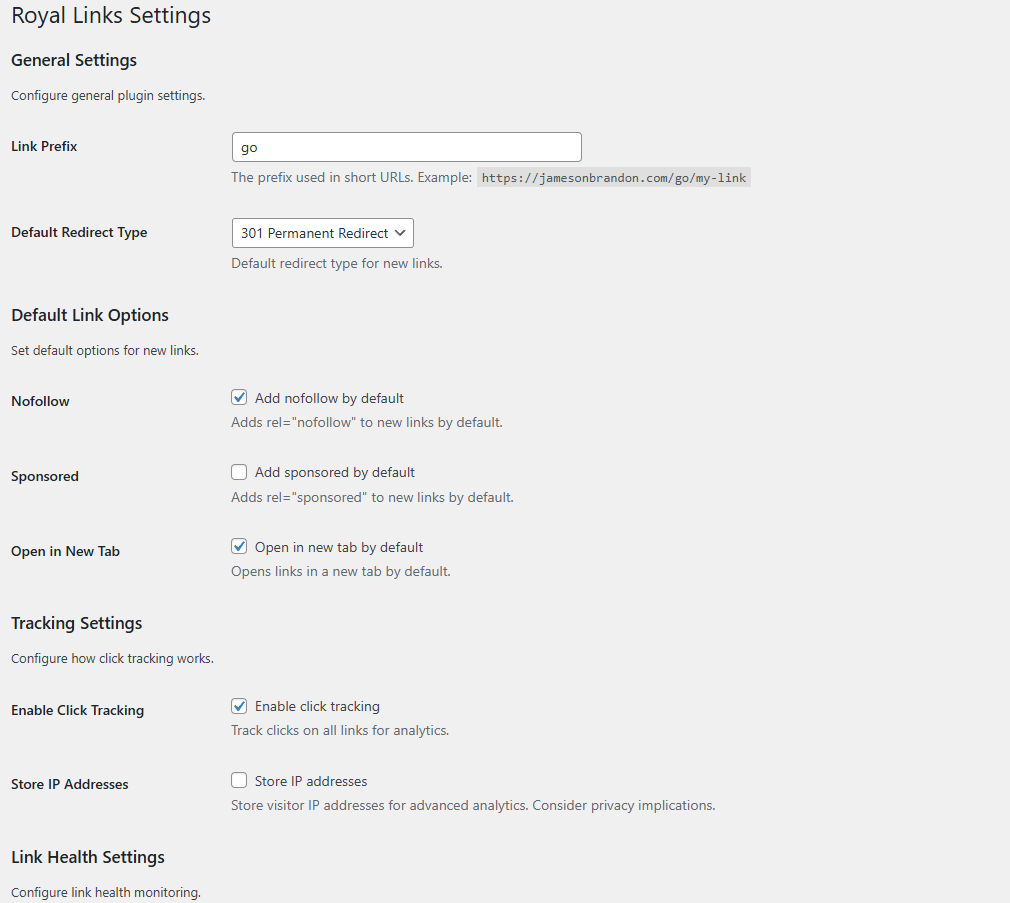
- Multiple Redirect Types — 301, 302, and 307 redirects
- Link Categories & Tags — Organize everything with taxonomies
- Nofollow / Sponsored / UGC Attributes — Stay compliant with search engine guidelines
- Password-Protected Links — Gate access to sensitive destinations
- Link Scheduling — Set start and end dates for any link
- Affiliate Disclosure Notices — Automatically display FTC-compliant disclosures
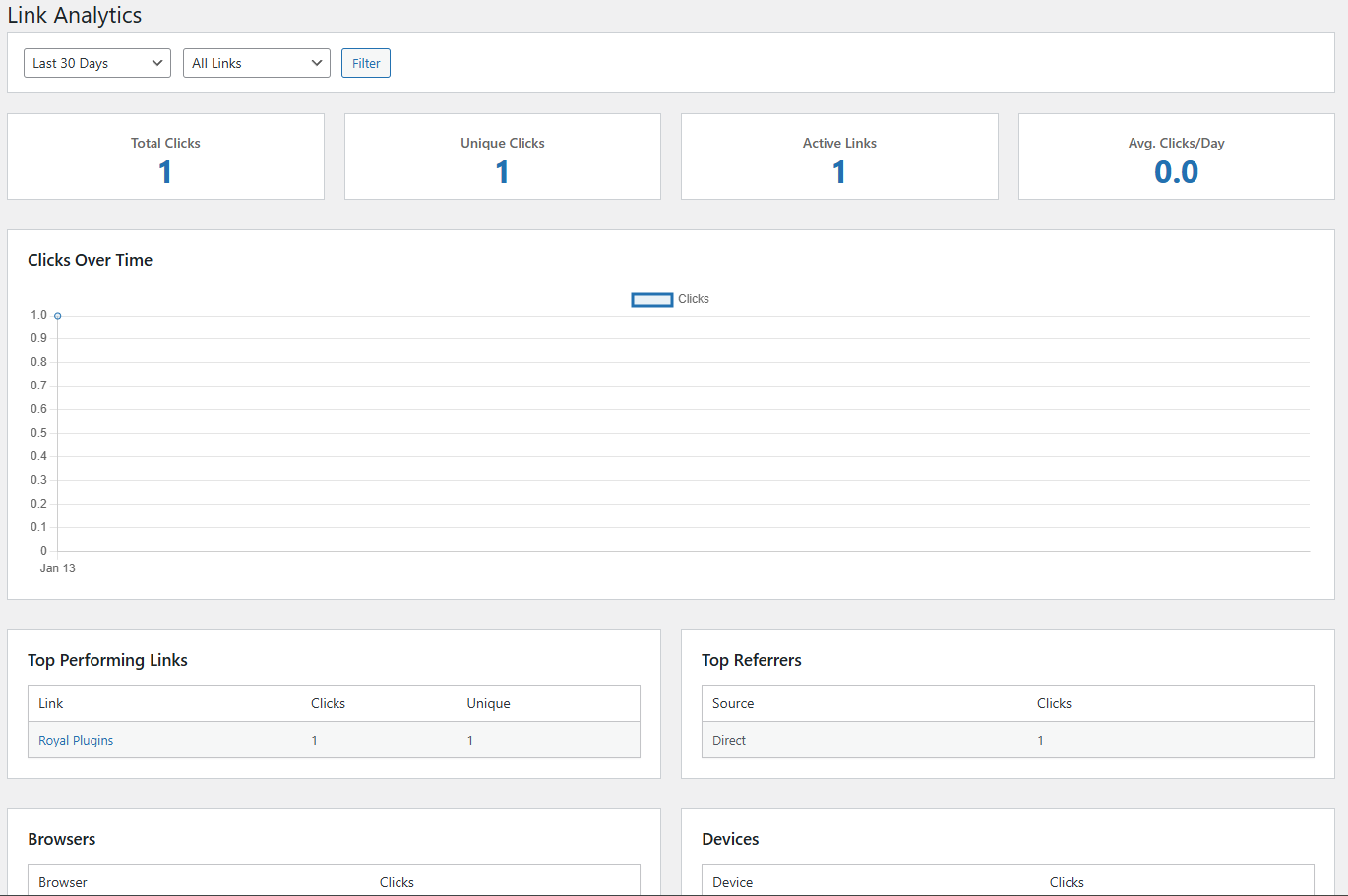
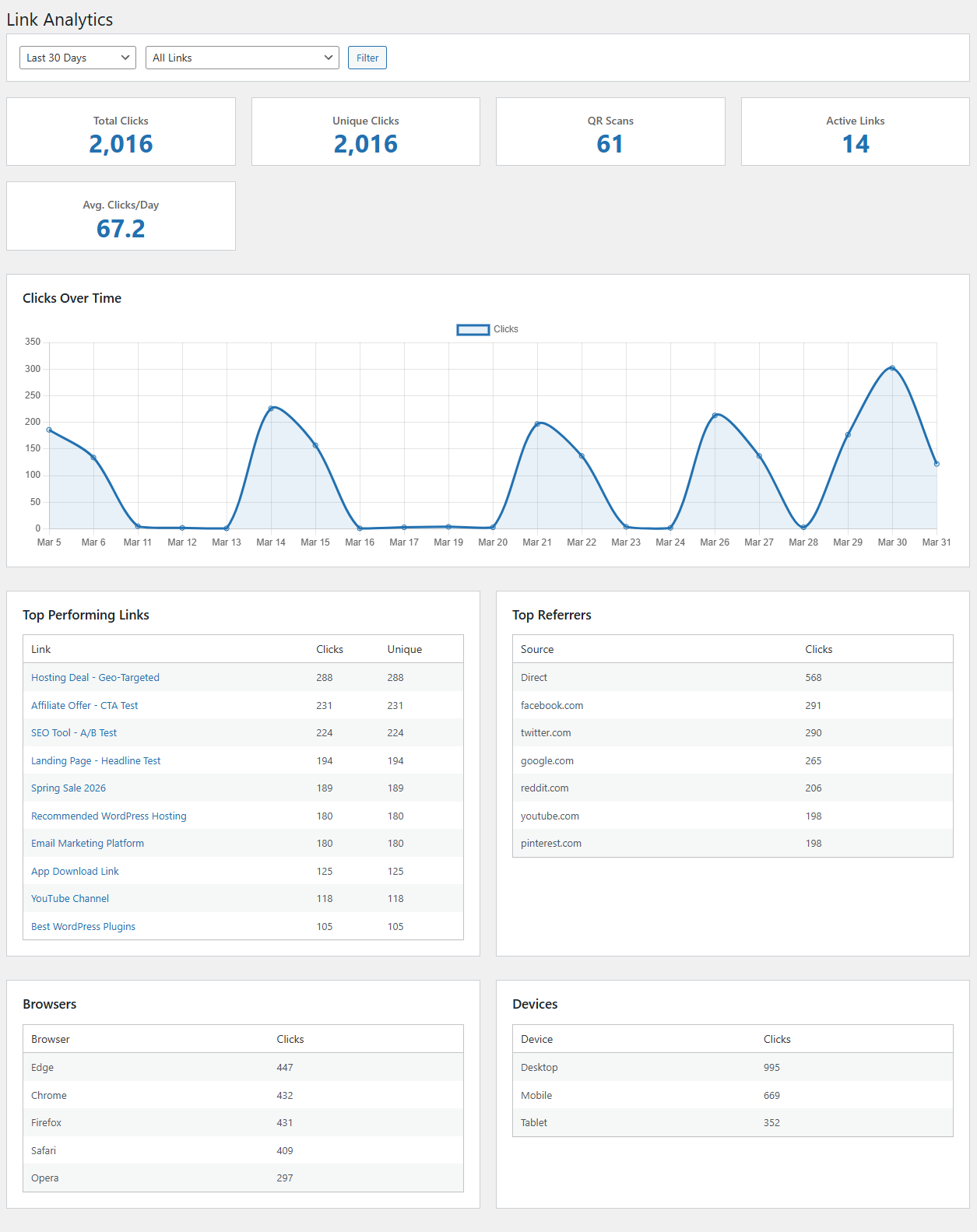
- Detailed Click Analytics — Browser, device, OS, referrer, and country data
- Dashboard Widget — At-a-glance stats with period-over-period comparison
- QR Scan Tracking — See how many clicks come from your QR codes
- UTM Parameter Builder — Build campaign-tagged URLs without leaving WordPress
- Geo-Targeting — Redirect visitors to different URLs based on their country
- Device-Based Redirects — Send desktop, mobile, and tablet users to different destinations
- Time-Based Redirects — Automatically swap destinations on a schedule
- A/B Split Testing — Test multiple destinations and track which converts best
- QR Code Generator — Generate downloadable QR codes for any link
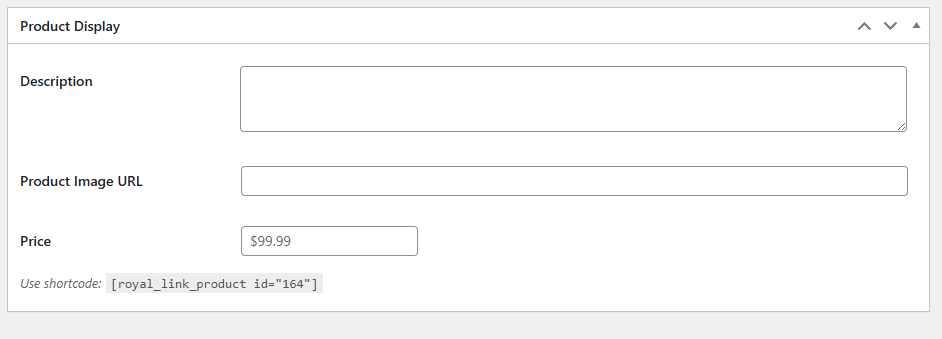
- Product Display Boxes — Eye-catching product cards with images and CTAs
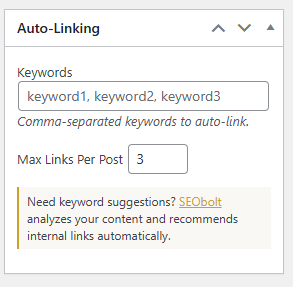
- Automatic Keyword Linking — Define keywords and Royal Links auto-links them across your content
- Gutenberg Block & Classic Editor — Insert links from either editor
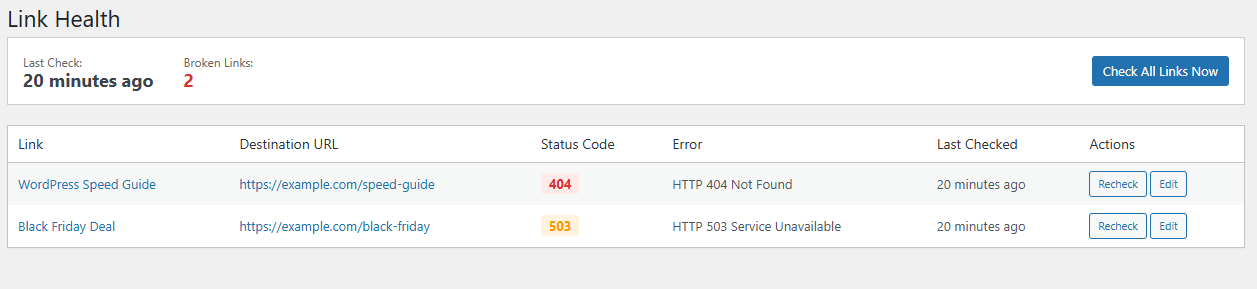
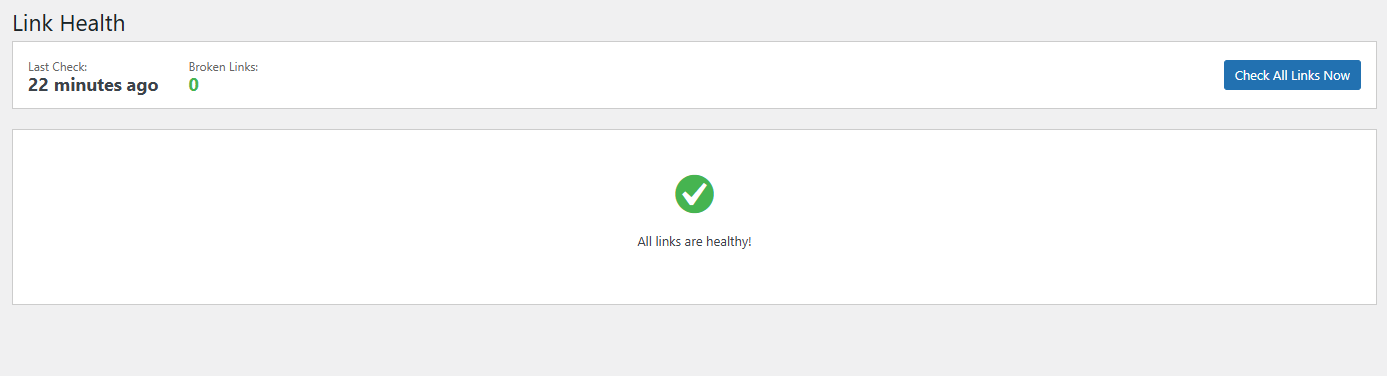
- Broken Link Checker — Automatic monitoring flags dead destinations
- Link Health Dashboard — See all link issues at a glance
- 404 Redirects — Catch 404s and redirect visitors to the right page. Exact, prefix, and regex match modes. Auto-captures unresolved 404 hits in a monitor log so you can create redirects with one click.
安装:
- Upload the
royal-linksfolder to/wp-content/plugins/or install directly from the WordPress plugin directory. - Activate Royal Links through the Plugins menu.
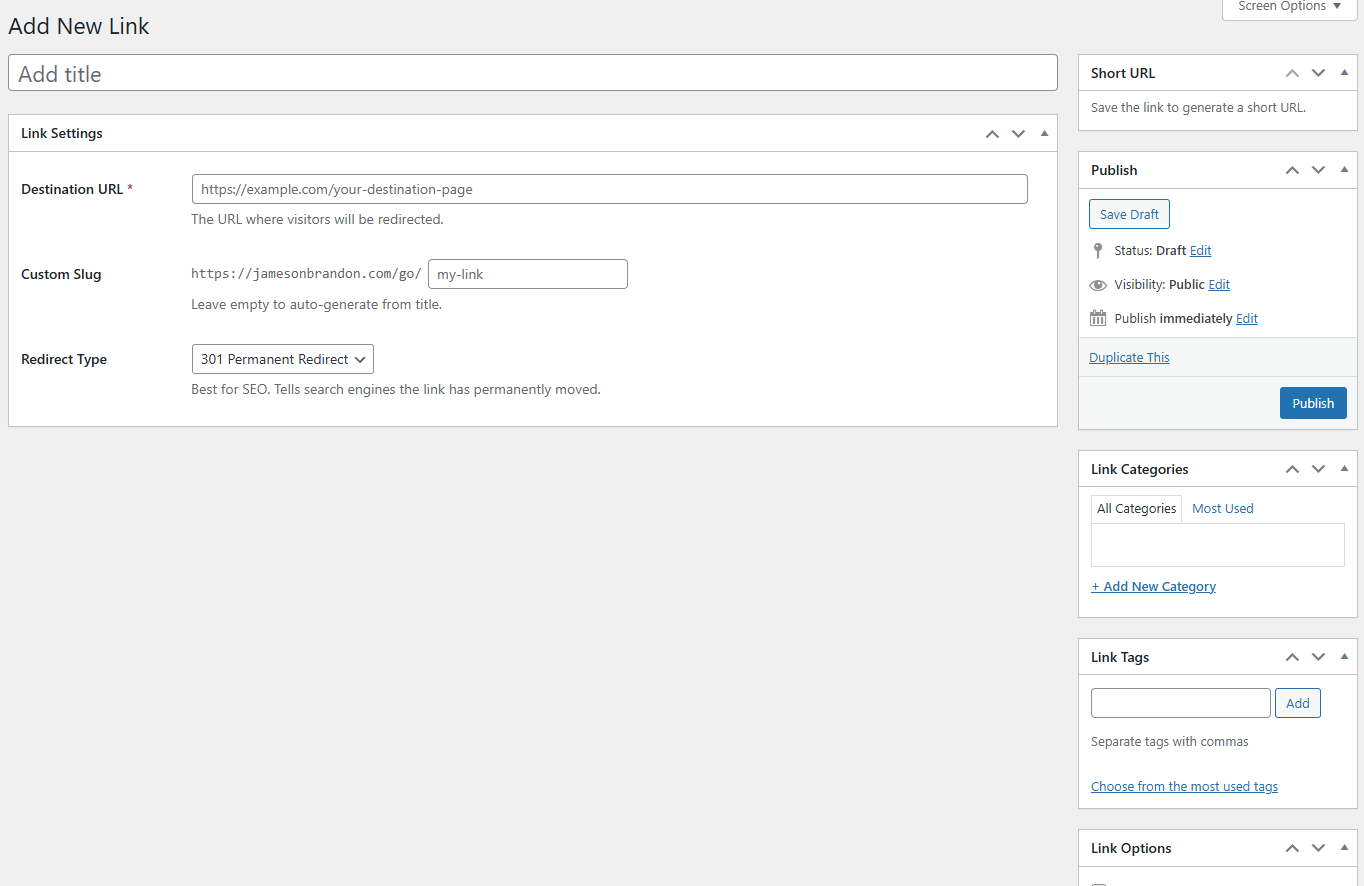
- Go to Royal Links in your admin sidebar and start creating links.
屏幕截图:

常见问题:
What makes Royal Links different from other link management plugins?
Royal Links gives you every feature for free. Geo-targeting, A/B split testing, QR codes, automatic keyword linking, product displays, device-based redirects, link scheduling — all included at no cost. There is no premium tier.
Can I import my existing links from another affiliate link plugin?
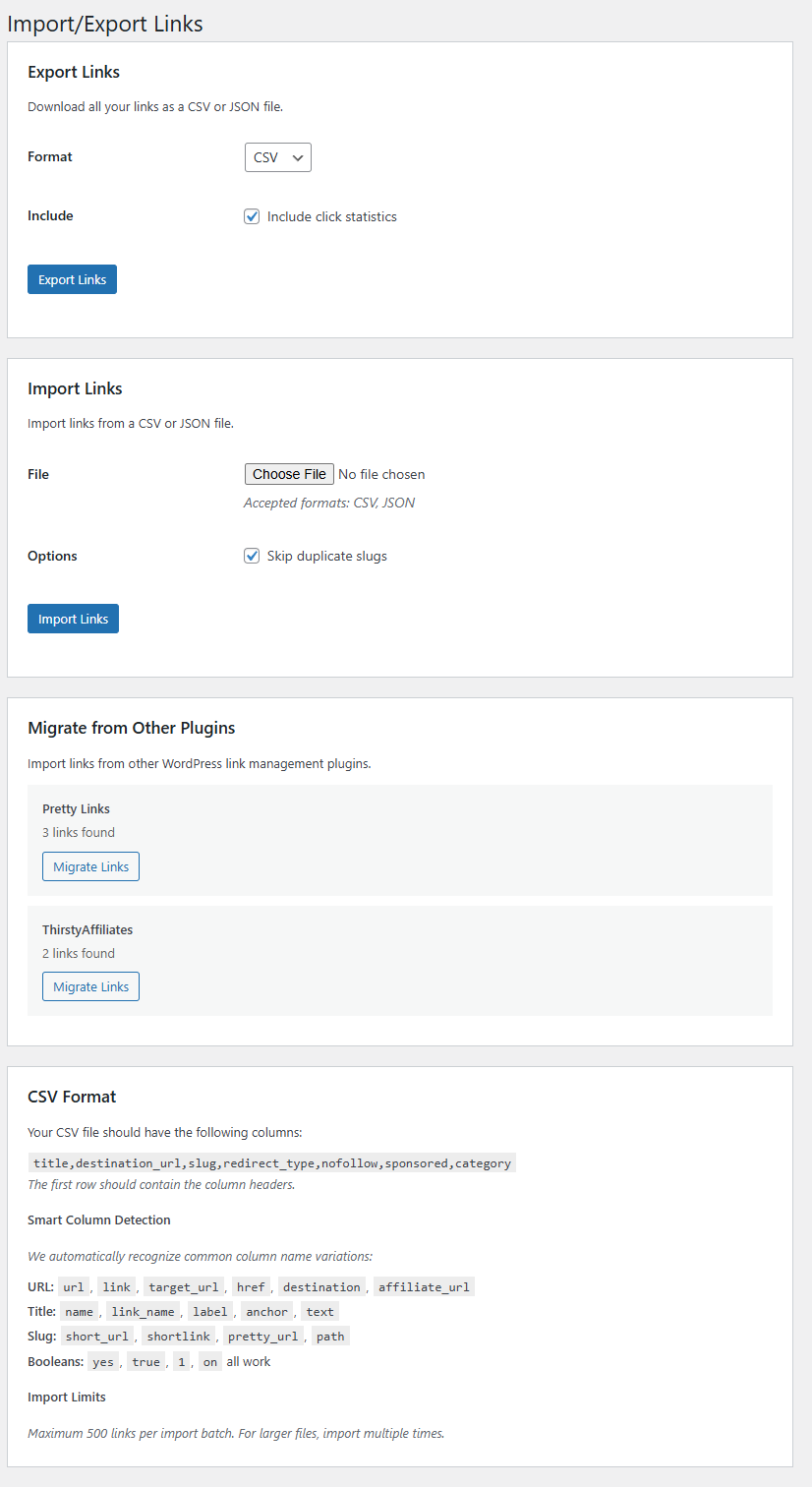
Yes. Go to Royal Links > Tools and use the Migration Wizard. It imports your links, categories, and click history from the most common affiliate link plugins in one click. Your existing short URLs and redirects will keep working.
Is geo-targeting really free?
Yes. Configure country-based redirect rules on any link at no cost. When a visitor clicks that link, their country is detected and they are redirected to the appropriate destination. No API key needed, no usage limits.
Does Royal Links work with Amazon Associates?
Yes. Amazon's terms require that affiliate links are not cloaked (the destination must be visible). Royal Links supports uncloaked redirects — just set the redirect type and Amazon links will work within their guidelines. You can also use the nofollow attribute for compliance.
What redirect types are supported?
Royal Links supports 301 (permanent), 302 (temporary), and 307 (temporary, preserves method) redirects. On top of that, you can layer device-based redirects, geo-targeting redirects, and time-based redirects that automatically switch destinations on a schedule.
Is there a Pro version?
No. Royal Links is the full version. Every feature is included and there is no paid upgrade. We built this as a completely free plugin.
How does the automatic keyword linker work?
Define keywords and associate them with your links. Royal Links automatically scans your post and page content and turns matching keywords into linked text pointing to the destinations you configured. You control the maximum number of links per keyword, which post types to scan, and which content areas to target.
Is my data private?
Your links, analytics, and settings are stored entirely in your own WordPress database. Royal Links contacts two external services on a conditional basis: ip-api.com is only used when you have configured geo-targeting rules on a specific link, and api.qrserver.com is used to render QR images for the QR code shortcode. See the External Services section for full details.
What is link cloaking and why do I need it?
Link cloaking replaces long, ugly affiliate URLs with clean, branded short links on your own domain (e.g., yoursite.com/go/product-name instead of affiliate-network.com/ref?id=12345&tracking=abc). This makes links more trustworthy to visitors, easier to share, and protects your affiliate commissions from being stripped. Royal Links handles all of this automatically with 301, 302, or 307 redirects.
How do I track affiliate link clicks in WordPress?
Install Royal Links and create a new link with your affiliate URL as the destination. Royal Links automatically tracks every click with detailed analytics — browser, device, operating system, country, referrer, and timestamp. View performance in the analytics dashboard with charts, top-performing links, and referrer breakdowns. You can also track QR code scans separately.
What happens to my existing links if I deactivate the plugin?
Your links and click data remain in the database. If you reactivate Royal Links, everything will be restored. If you want to permanently remove all data, use the standard WordPress uninstall process (delete the plugin from the Plugins page).
Can I create a link-in-bio page using Royal Links?
Yes. Create a Royal Link for each destination (your shop page, latest blog post, video, lead magnet, podcast, etc.) and use those Royal Links wherever you put a single bio link on social media. Royal Links tracks every click with referrer, country, and device data so you can see which platform drives traffic. Rotate destinations by editing the Royal Link without changing the bio URL — perfect for promoting different campaigns from the same shareable link.
Will Royal Links slow down my WordPress site?
No. The redirect handler is lightweight and the auto-keyword linker runs once per post on save (not on every page load). Click logging happens asynchronously after the redirect fires, so visitor experience is unaffected. The admin UI, analytics, and migration tools do not run on visitor-facing pages.
Does Royal Links work with caching plugins?
Yes. Royal Links short URLs are processed by WordPress's redirect layer before any page caching kicks in, so cached content does not interfere with link redirects, click tracking, or geo-targeting. The plugin's admin pages are not cached (most caching plugins exclude /wp-admin/ by default).
Can I use Royal Links with my eCommerce store?
Yes. Royal Links is store-agnostic — use it to track clicks from product pages to external suppliers, affiliate offers, or partner sites. The Auto-Keyword Linker can scan product descriptions and turn brand or model names into tracked outbound links automatically.
Is Royal Links GDPR-compliant?
Royal Links can be configured to be GDPR-friendly. By default the plugin does NOT store IP addresses in the click log (the "Store IP Addresses" setting is opt-in and disabled out of the box). Browser, device, country, and referrer data are stored without tying them to a specific identifiable visitor. With IP storage disabled, the click log retains only aggregate analytics suitable for GDPR-compliant reporting under legitimate interest.
更新日志:
- Security: Hardening across the redirect and admin paths; see the External Services section for the newly disclosed QR image provider.
- Enhancement: Plugin uninstall covers all custom database tables, options, transients, and user meta when "Delete all data" is enabled.
- Fix: Database schema migrations now apply correctly on plugin update.
- Fix: Admin pages render correctly when accessed from WP-CLI, REST callbacks, or cron contexts.
- Security: Password-protected link check now uses constant-time comparison.
- Enhancement: Bulk-select checkboxes on the 404 Log with Mark Resolved, Delete, and Create Redirects actions.
- Enhancement: Tested up to WordPress 7.1.
- Feature: New Dashboard landing page with total clicks, unique visitors, total links, unresolved 404s, recent links, top performing links, and recent clicks.
- Feature: New Royal Tools page listing every free Royal Plugins family plugin with one-click install links.
- Enhancement: Custom top header bar on every Royal Links admin page with View Docs and Support buttons.
- Enhancement: Lightweight admin footer showing Royal Plugins family links and the current plugin version.
- Enhancement: Sidebar reorganized with Dashboard first and shorter labels across the menu.
- Enhancement: Founders Bundle banner is now a single clickable card for a cleaner path to the bundle offer.
- Enhancement: First-run activation lands admins on the new Dashboard.
- Fix: Resolves 404 errors on generated short links caused by rewrite rules being regenerated by other plugins or Permalinks settings saves.
- Feature: Link Health now monitors the redirect layer status with a one-click "Repair Now" action to restore short-link routing.
- Feature: Coexistence layer detects Pretty Links, ThirstyAffiliates, BetterLinks, and Simple URLs and surfaces a supportive migration-mode notice on Royal Links admin pages.
- Feature: URL-prefix collision detector blocks settings-page saves that would fight another active link plugin, with an escape-hatch constant and filter for intentional overrides.
- Feature: Migration slug-conflict guard preserves existing Royal Links posts and offers a one-click retry-with-suffix action for conflicting imports.
- Enhancement: Royal Links now falls through cleanly on unmatched-slug requests so other link plugins can handle their own slugs during a parallel migration.
- Feature: 404 redirects catch-all mode sends any unmatched 404 to a single fallback URL (opt-in, off by default).
- Feature: 404 redirects intercept genuine 404s and send visitors to a configured target with exact, prefix, or regex match rules.
- Feature: 404 monitor log captures every unresolved 404 with a one-click "Create Redirect" button on each row.
- Feature: Master "Enable 404 Redirects" toggle in Settings.
- Compat: Requires WordPress 5.3 or later.
- Security: Removed three unused admin-AJAX handlers to shrink the attack surface.
- Fix: Link checker now processes broken-link scans incrementally and resumes across daily runs.
- Compliance: Description and FAQ rewritten to describe capabilities generically without third-party brand names.
- Compliance: Pricing-comparison claims and superlative language removed.
- UX: Royal Plugins Founders Bundle banner on the Settings and Analytics pages (per-user dismissable).
- Fix: Fatal error on the Edit Link screen under PHP 8+ when saving an A/B Testing variant.
- Fix: Editing a Royal Link no longer blocks saving when A/B Testing is disabled.
- Feature: Per-link "This is an affiliate link" checkbox for non-affiliate uses.
- Feature: Master "Enable Disclosure" toggle in Settings.
- Feature: "Default new links to affiliate" setting for new-link creation.
- Enhancement: Disclosure now only fires on posts containing at least one affiliate-flagged link.
- Feature: WordPress Playground live preview available from the plugin listing.
- Enhancement: Video walkthrough embedded on the plugin listing page.
- Enhancement: Ten new screenshots on the plugin listing.
- Fix: Settings page renders with a white card background.
- Fix: Dashicon alignment on the Short URL copy and test buttons.
- Fix: Geo-targeting country selector uses a bundled dropdown library.
- Fix: Geo-targeting compatible with legacy single-country rules.
- Enhancement: Charting library bundled locally.
- Major: All premium features are now free — no paid tier, no upsells.
- Feature: Geo-targeting redirects visitors based on country.
- Feature: A/B split testing with conversion tracking.
- Feature: QR code generation for any link.
- Feature: Product display boxes with images and CTAs.
- Feature: Automatic keyword linking across your content.
- Feature: UTM parameter builder.
- Feature: Device-based redirects (desktop, mobile, tablet).
- Feature: Time-based redirects with scheduling.
- Feature: Password-protected links.
- Feature: Affiliate disclosure notices.
- Feature: Link scheduling with start and end dates.
- Feature: Migration wizard imports links from other link-management plugins.
- Enhancement: Analytics now include QR scan tracking.
- Enhancement: Dashboard widget with period comparison.
- Feature: Migration wizard imports links from other link-management plugins.
- Fix: Migrate button now functions correctly.
- Enhancement: Dashboard widget redesigned with 30-day period-over-period comparison.
- Enhancement: Change badges for click trends, new links, and unique clicks.
- Enhancement: Broken-links warning bar with a direct link to the health checker.
- Security: Improved sanitization of user-supplied request input.
- Compliance: Inline CSS moved to an external stylesheet.
- Compliance: Inline JavaScript now uses proper WordPress enqueue APIs.
- Enhancement: PHP execution limits scoped to batch processing only.
- Enhancement: Bundled charting library upgraded.
- Fix: Remaining "WP Links" text updated to "Royal Links" across admin and blocks.
- Enhancement: Internal identifiers, post type slug, and CSS/JS handles rebranded for Royal Links Pro compatibility.
- Security: Additional output escaping for numeric values.
- Security: Safer redirect handling for user-facing URLs.
- Security: Improved SQL query preparation.
- Compliance: Bundled charting library locally instead of external CDN.
- Enhancement: Documentation link moved to the plugin row meta.
- Enhancement: Removed deprecated text-domain loading call.
- Compat: Tested up to WordPress 6.9.
- Fix: Rewrite rules registered on activation to prevent redirect 404 errors.
- Fix: Admin menu displays "Royal Links" instead of "WP Links".
- Enhancement: Documentation link added to the plugins page.
- Enhancement: Import limits (500 links per batch) shown on the Import/Export page.
- Security: Fixed SQL injection in analytics queries.
- Security: Added output escaping throughout the plugin.
- Enhancement: Dismissible admin notices for broken-link warnings.
- Enhancement: Import error messages specific to the failure.
- Enhancement: Validation for required CSV columns on import.
- Enhancement: Skipped-count display on import results.
- Enhancement: BOM handling for Excel-exported CSV files.
- Fix: Table formatting on the All Links page.
- Enhancement: Column alignment improved.
- Bug fixes and improvements.
- Initial release.
- Feature: Link shortening with custom slugs.
- Feature: 301, 302, and 307 redirect support.
- Feature: Click tracking and analytics.
- Feature: Categories and tags.
- Feature: Nofollow and sponsored attributes.
- Feature: Gutenberg block.
- Feature: Classic Editor integration.
- Feature: Import/Export functionality.
- Feature: Broken link detection.