
Royal MCP – Secure AI Connector for Claude, ChatGPT & any LLM via MCP
| 开发者 | royalpluginsteam |
|---|---|
| 更新时间 | 2026年10月22日 13:59 |
| 捐献地址: | 去捐款 |
| PHP版本: | 7.4 及以上 |
| WordPress版本: | 7.1 |
| 版权: | GPLv2 or later |
| 版权网址: | 版权信息 |
标签
下载
详情介绍:
wp_get_post_meta even without ACF-specific tools, edit posts on any custom post type, moderate any plugin's comments. Shared SEO meta tools automatically work with Rank Math, AIOSEO, SEOPress, and SEObolt. A dedicated integration layers specialized tools on top when that plugin exposes its own data model, request features/plugins support here on the wp.org support forum.
Use it from any AI app
Connect once, then work on your site from whichever AI app you prefer, and switch apps without redoing the connection:
* Chat apps - Claude (web, desktop and Claude Code) and ChatGPT, signing in with OAuth.
* Code editors and terminals - Cursor, VS Code, Codex, Gemini CLI and other MCP-capable editors, with OAuth or an API key.
* Local models - LM Studio and other local MCP clients, so prompts and site data can stay on your own machine.
* Scripts and agent frameworks - any MCP-compatible framework, or plain HTTP with Authorization: Bearer <key>.
Built to work alongside other MCP tools
Royal MCP is designed to run next to the MCP tools other plugins ship, so your AI can reach for the best tool for each part of a job. When Elementor's own MCP is switched on, Royal MCP detects it and tells your AI that Elementor's builder is there for designing new layouts, while Royal MCP's Elementor tools keep handling edits to the pages you already have: text and image swaps, widgets, cloning and templates. WooCommerce's own MCP abilities keep working too, and Royal MCP adds the rest of the store: coupons, variations, attributes, customers and store stats. Royal MCP answers on its own endpoint and never switches off another plugin's tools, so together they cover more of your site than any one of them alone.
How Royal MCP handles authorization
Royal MCP speaks full OAuth 2.0 with PKCE and Dynamic Client Registration (RFC 7591) for Claude Desktop, Claude Code, ChatGPT web, and every modern MCP client. Sessions expire, refresh automatically, and can be revoked globally with one button in wp-admin. Clients that don't speak OAuth get timing-safe API-key auth, per-IP rate limits (60 requests per minute), and the same activity log for every tool call. Every credential (API key, OAuth token, session, audit-log entry) stays inside your own WordPress database with no hosted middleman, no license check, and no telemetry; local models work too, through any MCP-capable client such as LM Studio, if you want fully-local AI inference.
Is there a preview/dry-run before writes?
Yes. High-blast writes like site options and your permalink structure accept a dry-run flag, so the AI can preview the exact change before committing. The response reports the current value, the proposed value, the size delta in bytes, and whether the option is autoloaded; for permalink changes, it also lists which public post types are affected and shows current-URL vs proposed-URL samples so you can spot the blast radius before rewrite rules flush. Pair that with the 72-hour undo token on every destructive write and you get preview, approve, commit, undo: a full safety loop that lets fully-autonomous agents work on a live production site without wiping it out.
Can I undo what the AI does?
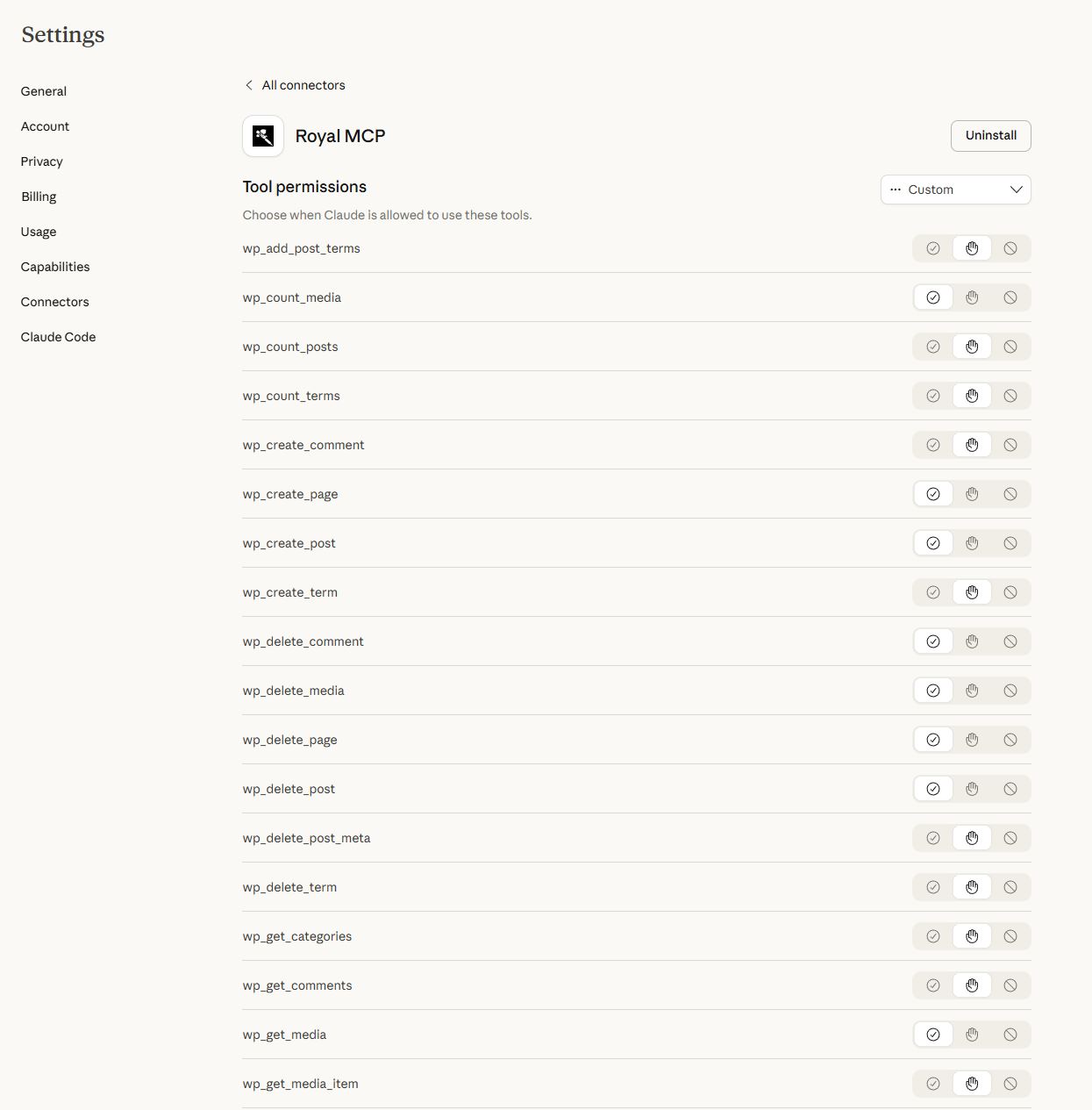
Yes. Every MCP client (Claude Desktop, ChatGPT, and the rest) asks you to approve or deny each destructive tool call by default, until you flip that setting in your connector. Royal MCP also captures a reverse-state snapshot before every destructive write and hands back a 72-hour undo token. One mcp_undo_last_operation call reverses the change, whether Claude deleted a post, replaced text on an Elementor page, updated a WooCommerce product, or reordered menu items. New posts and pages start as drafts, so nothing the AI writes appears on your live site until you approve publishing. Every tool call also lands in an activity log you can review from wp-admin.
See what AI agents do to your site
The free Royal AI Firewall companion shows every AI agent hitting your site at the HTTP layer (training crawlers, retrieval bots, AI search engines), not just the ones connected through Royal MCP. Install both for a unified view across MCP tool calls and HTTP-layer bot hits.
Discoverable by every AI agent scanner (Agent Readiness)
Royal MCP publishes machine-readable MCP Server Card, Skills Index, and OAuth Protected Resource metadata at the standard well-known locations. Cloudflare's Agent Readiness scanner, Vercel's is-agentic, and Chrome Lighthouse's Agentic Browsing audit all recognize your site as agent-ready with zero configuration. Every request to your MCP endpoint carries a Link header pointing agent runtimes at these discovery documents.
109 Core Tools + 157 Integration Tools
WordPress Core (109 tools):
- Posts - create, read, update, delete, search, count (any registered public post type, featured images supported)
- Pages - full CRUD with parent page support
- Blocks - read a post's block tree; insert, replace, move and delete blocks by path; replace text inside blocks; change attributes of server-rendered blocks; check markup before writing. Works with core blocks and plugin blocks such as GenerateBlocks, Stackable, Spectra and GreenShift, keeps them valid in the editor, and every write has a revision and an undo token
- Patterns and Site Editor - list, read, create and update synced patterns; read global styles and block templates
- Post Types - discover all registered public post types on the site
- Post Revisions - list revision history and roll a post back to any prior version
- Media - browse; upload images, PDFs and any other file type the site allows from a URL, base64 or a file handed over by ChatGPT; convert, resize and compress images on upload; find files already in the library by source URL or SHA-256 and reuse them instead of uploading twice; update alt text/caption/title/description, set as featured image, delete
- Comments - create, read, delete; full moderation suite (list pending, approve, mark spam, trash)
- Users - display names and roles (emails and usernames are not exposed)
- Categories, Tags & Custom Taxonomies - full CRUD, assign, count, discover registered taxonomies
- Term Meta - read/update/delete (most useful for term-level SEO fields on categories and tags)
- Menus - create menus, list, and full CRUD + reorder on menu items
- Publish and Promote - publish a draft and insert into a menu in one call
- Preview Links - generate a shareable draft-preview URL without a WP login
- Post Meta - read/update/delete custom fields (works with ACF, MetaBox, JetEngine, Pods, CPT UI)
- SEO Meta - read/write Yoast, Rank Math, AIOSEO, or SEObolt title/description/focus keyword/robots/OG (auto-detects active plugin)
- SEO Audit - fetch a post's rendered HTML and report title, meta description, canonical, viewport, OG, Twitter Card
- Widgets - list, list sidebars, update content (writes gated by theme-appearance admin toggle)
- Find and Replace - literal replace with dry-run preview, expected-count safety, read-after-write verification
- Undo and Recent Changes - reverse a tracked change within 72 hours via mcp_undo_last_operation; list recent changes and see each one's value before, the value written and the value now, in the tools and in WP Admin
- Site Info + Site Status - name, WP/PHP versions, active theme + plugins, cron activity — for AI-driven pre-write validation
- Error Log + Cron Schedule - read recent PHP errors and scheduled WP cron events
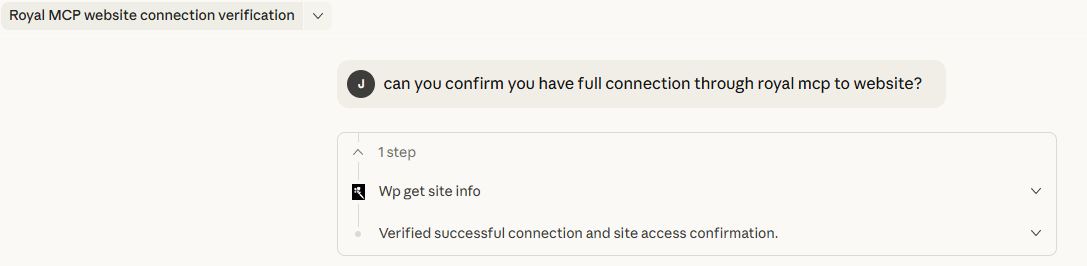
- Connection Health - MCP session diagnostic (route, auth method, session ID, plugin version)
- Plugins & Themes - list installed with active status
- Theme Appearance - get theme, read/write theme mods (gated), read/write Custom CSS
- Search + Permalink Structure - full-text content search; read/write permalinks (gated)
- Options - read allowlisted core options, read plugin settings (sensitive keys redacted), write to allowlisted options when enabled
- WooCommerce (29 tools) — full store CRUD: products (simple + variable), variations, global attributes (
pa_*), coupons with bulk-trash purge, orders + notes, customers, and store statistics - Elementor (14 tools, free + Pro) — clone a page with fresh element IDs, bulk text/image replacement across 12+ widget types, add widgets, compact page outlines, widget-level settings reads, widget schema and dynamic-tag discovery, template library import/insert,
post_contentrestoration on damaged pages (72-hour undo per write) - Divi (9 tools, Divi 4 + Divi 5) — format detection, page outlines, layout validation, library reads, dry-run find-and-replace with active-editor-session detection, page cloning (D5
clientIdsregenerated), image swaps, library-to-page apply in merge or replace mode (72-hour undo per write) - Advanced Custom Fields (4 tools, free + Pro) — type-aware field reads (each field's Return Format respected: hydrated post objects, parsed repeater rows, image arrays), bulk-read all fields on a post, type-aware writes, field-group enumeration
- Yoast SEO (5 tools) — read/write Yoast meta (raw + resolved), capture the JSON-LD schema graph, list indexed internal links, list Yoast Premium redirects
- UpdraftPlus (4 tools) — list backups, read status, trigger async backups with per-entity filtering (DB, plugins, themes, uploads), read the backup schedule
- WPForms (4 tools, free + Pro) — list forms, read a form's field schema; submission access (list + read) requires WPForms Pro
- Solid Security (4 tools) — read the security dashboard, list currently locked-out IPs, read the security event log, add an IP to the ban list (also detects iThemes Security and Kadence Security Basic)
- Wordfence (8 tools) — read the security status, firewall mode and scan findings, list blocked IPs, block or unblock an IP, read failed logins and blocked requests, start a scan
- Contact Form 7 (3 tools) — list forms, read a single form's parsed field schema; submission access requires the Flamingo companion plugin
- MonsterInsights (4 tools) — read the analytics overview, top pages, traffic sources, and top Search Console queries
- W3 Total Cache (3 tools) — read cache config across every module, purge (all / by URL / by post), read cache usage stats
- LiteSpeed Cache (4 tools) — read cache status and the settings that shape caching, purge everything, purge specific pages by URL or post
- Duplicator (3 tools) — list migration packages, read per-package status, get the installer URL for any completed package
- BuddyPress (4 tools) — list community members, read a single member profile, list groups, read the activity feed
- Redirection (4 tools) — list/create/update 301/302/307 redirects (with regex + group + status), list redirect groups
- TablePress (6 tools) — list and read tables, create a table from rows, change cells (dry run + undo), copy a table, export as CSV, JSON or HTML
- Code Snippets (5 tools) — list and read snippets (credential values hidden in returned code), see recently deactivated snippets, deactivate a snippet that breaks the site, change a snippet's name, description or tags; never creates, edits, activates or runs code
- Complianz (7 tools) — consent setup status, cookies, services, cookie banner texts and legal documents; change banner texts and cookie descriptions, with undo
- WPCode (3 tools, Lite + Pro) — list snippets, read one snippet's settings and code (credential values hidden), read its status and last recorded error; read only
- Royal AI Firewall (6 tools) — review AI bot traffic, dashboard stats, and set allow/block/challenge policies per bot signature
- GuardPress (7 tools) — review your security score, run vulnerability scans, inspect failed logins and blocked IPs
- SiteVault (6 tools) — list backups, trigger new ones, check progress, review schedules
- ForgeCache (4 tools) — purge and inspect your page cache, and read real-user Core Web Vitals
- Royal Ledger (4 tools) — review recurring software costs and masked license entries
- Royal Links (3 tools) — manage branded short links and click stats
- Single
/mcpendpoint for all JSON-RPC communication - POST for client messages, GET for server-sent events, DELETE for session termination
- Stateless per-request transport — sessions still supported for backwards compatibility but not required
- Cryptographically secure session IDs with transient-based storage when clients do use them
- Origin header validation to prevent DNS rebinding attacks
- Proper CORS handling for browser-based MCP clients
- W3C WebMCP browser-agent standard supported on the server side
- Machine-readable Agent Readiness signals published at the standard well-known paths
- RFC 8288 Link headers on every MCP response pointing agent runtimes at the discovery documents
安装:
- Upload the
royal-mcpfolder to/wp-content/plugins/ - Activate the plugin through the 'Plugins' menu in WordPress
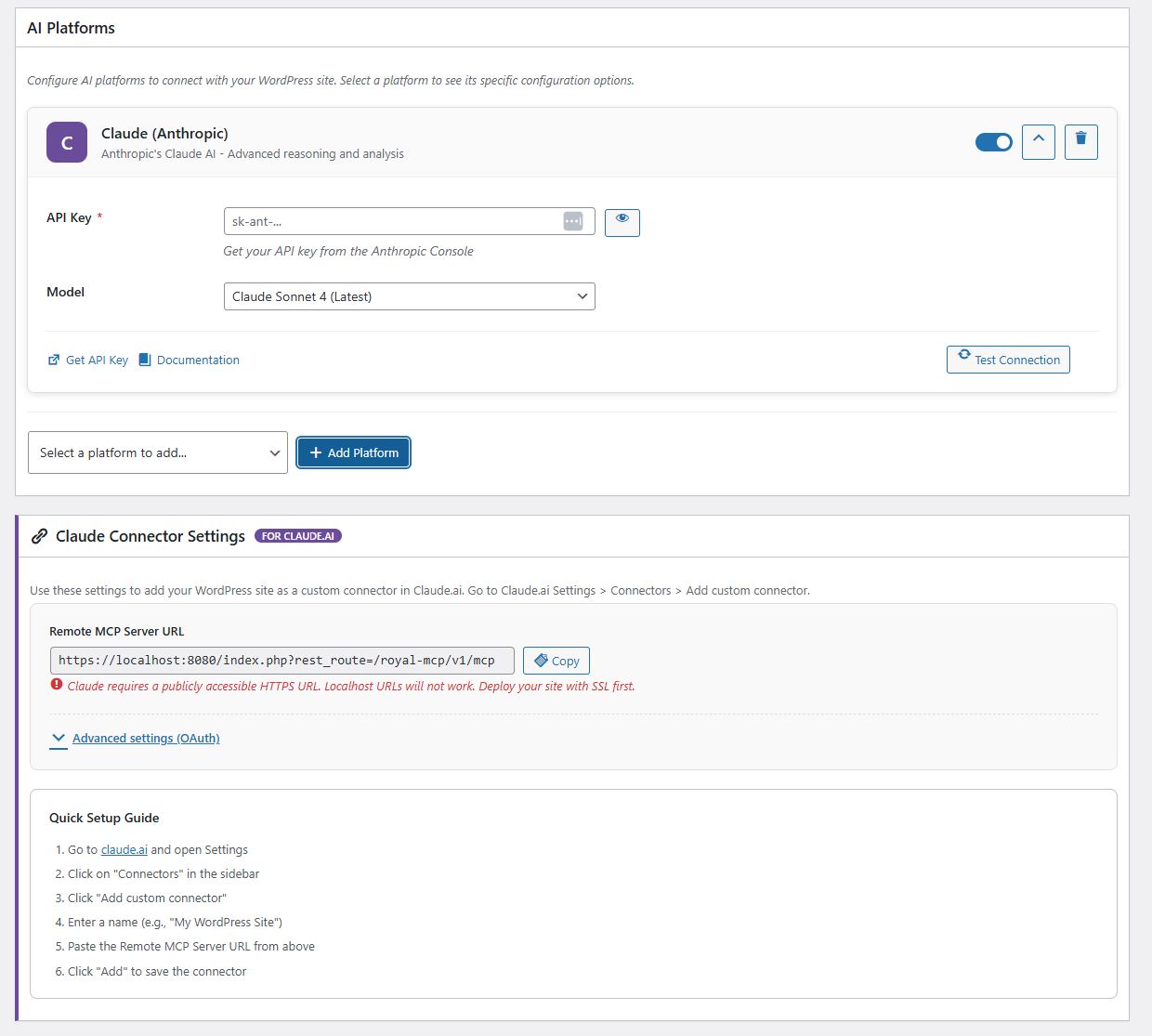
- Go to Royal MCP → Settings and turn on Enable Royal MCP Integration
- Copy the MCP Server URL from the same page
- Add that URL in your AI client. Claude and ChatGPT sign in with OAuth, so there is no key to copy; Claude Code and Codex have copy-ready commands on the settings page; clients without OAuth use the WordPress API Key shown there
- New to MCP? Follow the step-by-step connection walkthrough (with videos) at royalplugins.com/support/royal-mcp/connecting-to-claude/
屏幕截图:





常见问题:
What is MCP and why does my WordPress site need it?
Model Context Protocol (MCP) is an open standard created by Anthropic that lets AI assistants interact with external data sources. Without MCP, AI tools like Claude or ChatGPT can only work with content you copy and paste into them. With Royal MCP installed, these AI platforms can directly read your WordPress posts, create new content, manage your WooCommerce products, check your security status, and trigger backups — all through a structured, authenticated protocol.
How is Royal MCP different from other WordPress MCP plugins?
Security. Most MCP plugins (and 41% of all public MCP servers) have no authentication at all. Royal MCP requires an API key for every session, rate-limits requests to prevent abuse, logs every interaction for audit purposes, and filters sensitive data (emails, PHP version, admin credentials) from responses. We built this plugin with the same security standards we apply to GuardPress, our WordPress security plugin used on thousands of sites.
Does Royal MCP duplicate what WordPress core now does?
No. WordPress 6.9 added the Abilities API (a primitive for registering AI-callable functions), and the wordpress/mcp-adapter package bridges abilities to the MCP protocol. Royal MCP is a full MCP server with the security layer, connector flows, and plugin integrations the bare primitive does not include: enforced API key auth, OAuth 2.0 for Claude Desktop, per-IP rate limiting, audit logging, sensitive-data redaction, 109 ready-to-use WordPress core tools, and 157 integration tools for WooCommerce, GuardPress, Royal AI Firewall, SiteVault, ForgeCache, Royal Ledger, Royal Links, Elementor, Divi, ACF, Yoast SEO, UpdraftPlus, WPForms, Redirection, Solid Security, Wordfence, Contact Form 7, MonsterInsights, W3 Total Cache, LiteSpeed Cache, Duplicator, BuddyPress, TablePress, Code Snippets, and WPCode.
Does Royal MCP work with WooCommerce?
Yes. When WooCommerce is active, Royal MCP automatically adds 29 MCP tools spanning product management (simple and variable, including variation CRUD and global attribute management), full coupon management (list/get/create/update/delete + bulk trash purge), order management (view, create, update, add notes, update status), customer data, and store statistics. No additional configuration is needed — the tools appear automatically in the MCP tools list.
Can AI assistants configure my plugins for me?
Yes, with safety controls. Royal MCP exposes two tools for plugin configuration:
wp_get_plugin_settingslets AI read any plugin's stored settings by slug. Sensitive values (API keys, secrets, tokens, passwords, license keys, OAuth credentials) are automatically replaced with[REDACTED]before they leave your server, so AI assistants can understand a plugin's configuration without ever seeing stored credentials.wp_update_optionlets AI write to WordPress options, but only after passing three security gates:- The site admin must enable the "Allow AI to write WordPress options" toggle on the Royal MCP settings page (off by default)
- The option name must be in a runtime allowlist. The default allowlist is intentionally tiny —
blogname,blogdescription,posts_per_page,date_format,time_format,show_on_front,page_on_front. Plugin authors opt their own settings in via theroyal_mcp_writable_optionsfilter. - A hard denylist permanently blocks writes to sensitive option names (siteurl, home, license keys, secrets, salts, etc.) regardless of the allowlist or the toggle.
add_filter('royal_mcp_writable_options', fn($opts) => array_merge($opts, ['my_plugin_settings']));
How do I connect Claude Desktop to WordPress?
Install Royal MCP, go to Royal MCP → Settings, and copy your API key and MCP server URL. In Claude Desktop, add a new MCP server configuration with the URL and send your API key as Authorization: Bearer <key> (the settings page shows the exact config). Full step-by-step guide at royalplugins.com/support/royal-mcp/. If the connection fails, see the next FAQ.
The connector won't connect — where do I start?
About 90% of "can't connect" / "OAuth failed" / "tools missing" issues resolve in a basic 4-step pass before any host-specific fix is needed. In order: (1) update Royal MCP to the latest version (every recent release fixes meaningful OAuth edge cases), (2) run a conflict test — deactivate all other plugins, switch to a default theme like Twenty Twenty-Five, and purge every cache layer (any cache plugin, your host's server-level cache, Cloudflare/CDN, and browser cache), (3) wipe stale OAuth state — use the Reset OAuth State button in Royal MCP → Settings if you're on 1.4.17 or newer, or run the four DELETE SQL queries documented in our support article, (4) check Royal MCP → Activity Logs for the most recent oauth: row, which records exactly which validation rule fired. Full walk-through with copy-pasteable commands at royalplugins.com/support/royal-mcp/troubleshooting-start-here.html. Only proceed to host-specific fixes (Cloudflare AI Bots toggle, SiteGround /.well-known/ static files, edge-cache exclusions) after the four basics are ruled out — most "advanced infrastructure" tickets we receive actually resolve in those four steps.
I restored my WordPress database from backup and Claude can't reconnect. How do I fix this?
When you restore from backup, the OAuth client credentials Claude was holding no longer match anything on the WordPress side, so Claude's connector ends up with a stale token that no Royal MCP installation will accept. The fix in Royal MCP 1.4.17+ is one click: go to Royal MCP → Settings and click the Reset OAuth State button. This wipes all stale OAuth clients, issued access/refresh tokens, and pending authorization codes. Then in Claude, delete the existing connector entirely, wait 30 seconds, and re-add it from scratch — the full OAuth flow runs fresh against the cleaned-up state and the connection works. On 1.4.16 or older the same effect can be achieved by running four DELETE SQL queries documented at royalplugins.com/support/royal-mcp/troubleshooting-start-here.html. The plugin's settings, API key, and Activity Log are not affected by Reset OAuth State — only the OAuth handshake state.
Claude says "Couldn't register with sign-in service" or "Session not found" — what's wrong?
Both messages (plus "no tools available" in Claude.ai after connecting) usually mean one of Royal MCP's OAuth or sessions database tables is physically missing. The fix is to update Royal MCP to 1.4.29 or newer — the new runtime healer detects missing tables and recreates them automatically on the next pageload, with no deactivate/reactivate required. After updating, delete the existing Royal MCP connector in Claude, wait 30 seconds, then re-add it fresh. If you can't update yet and need to recover immediately, the manual workaround is wp option delete royal_mcp_db_version followed by loading any wp-admin page. Full symptom diagnostic (phpMyAdmin / WP-CLI), the auto-heal explanation, and the manual recovery walkthrough are at royalplugins.com/support/royal-mcp/oauth-tables-missing.html.
I'm auditing my install and can't find the OAuth endpoints under /wp-json/royal-mcp/v1/. Where are they?
By design, Royal MCP's OAuth endpoints (/register, /token, /authorize) are registered as top-level WordPress rewrite rules at the site root, not as REST API routes under /wp-json/royal-mcp/v1/. This is required by the OAuth 2.0 specification (RFC 6749) and the MCP discovery specs (RFC 8414 and RFC 9728), which mandate predictable site-root paths so OAuth-discovery-aware clients can find them without per-plugin configuration. If you're auditing rewrite rules instead of REST routes, you can see ours via wp rewrite list | grep royal_mcp_oauth from WP-CLI. The /wp-json/royal-mcp/v1/ namespace contains the JSON-RPC tool endpoint at /mcp plus supporting REST routes (/posts, /pages, /site, etc.) — but not the OAuth handshake endpoints themselves. Both routing layers are normal and both need to be reachable for the connector to work end-to-end.
Is my content safe?
Royal MCP is designed with defense in depth. API key authentication is required for all MCP sessions. Rate limiting prevents abuse (60 requests per minute per IP). Activity logging records every tool call. Sensitive data is filtered — user emails, usernames, admin email, PHP version, and stored credentials inside plugin settings (api keys, secrets, tokens, passwords) are never exposed through MCP. Comment creation respects your WordPress moderation settings. Post meta values are sanitized before storage. Option writes are disabled by default and gated by three independent checks (admin toggle, allowlist, hard denylist) when enabled. The plugin itself starts disabled by default — nothing is accessible until you explicitly enable it.
Can I use local AI models instead of cloud services?
Yes. A local model can use Royal MCP through any client on your machine that speaks MCP, such as LM Studio, or an Ollama model running inside an MCP-capable app. The model runs on your own hardware and the client calls your site's MCP Server URL, so nothing goes through a cloud AI provider.
What happens if I uninstall Royal MCP?
Royal MCP performs a clean uninstall. All plugin options, database tables (activity logs), transients, and user meta are removed. No orphaned data is left behind.
Does Royal MCP work with Claude Code, VS Code, Cursor, Windsurf, or other AI IDEs?
Yes. Any MCP-compliant client can connect to Royal MCP. Configure your IDE or client with the MCP server URL (https://yoursite.com/wp-json/royal-mcp/v1/mcp) and the API key, sent as Authorization: Bearer <key>. Claude Desktop additionally supports the native "Add Connector" OAuth 2.0 flow, which Royal MCP handles via Dynamic Client Registration (RFC 7591) — no manual API key management required on that path. The same OAuth flow works in any client that follows the MCP 2025-11-25 spec.
Does Royal MCP work with custom fields, ACF, MetaBox, JetEngine, Pods, or CPT UI?
Yes. Royal MCP exposes WordPress's standard wp_get_post_meta, wp_update_post_meta, and wp_delete_post_meta tools, which read and write any custom field — including Advanced Custom Fields (ACF), MetaBox, JetEngine, Pods, CPT UI, and Custom Field Suite. AI agents can populate ACF fields, set repeater rows, update flexible content blocks, and read computed fields just like a human editor working in the WordPress admin.
Will Royal MCP slow down my WordPress site?
No. The MCP endpoint is a REST route that runs only when an authenticated AI client makes a request — it does not run on visitor-facing pages, frontend templates, or admin screens (except its own settings page). The activity log uses a single indexed database table and writes asynchronously after the response is sent. Rate limiting (60 requests/minute per IP) prevents accidental overload.
Does Royal MCP work on WordPress multisite networks?
Yes, on a per-site basis. Each site in a multisite network has its own API key, its own activity log, and its own settings. AI clients connect to a specific site's MCP endpoint — Royal MCP does not bridge requests between sites in the network.
Can I limit which posts, pages, or post types AI can access?
Yes. The wp_get_posts and wp_create_post tools accept a post_type parameter and validate it against registered public post types, so private or internal post types are not exposed. Plugin authors can disable specific tools entirely with the royal_mcp_disabled_tools filter, or scope the option-write allowlist with royal_mcp_writable_options. WordPress's standard capability checks also apply to every tool call.
Does Royal MCP work with WPML, Polylang, or TranslatePress for multilingual content?
Yes. Translated posts appear as separate WordPress posts (each with its own ID and language meta) and are readable or writable via the standard wp_get_posts, wp_create_post, and wp_update_post tools. AI agents can list posts in a specific language by filtering on the language meta key, or translate a post and write the corresponding translation by ID.
How do I monitor what AI is doing on my site?
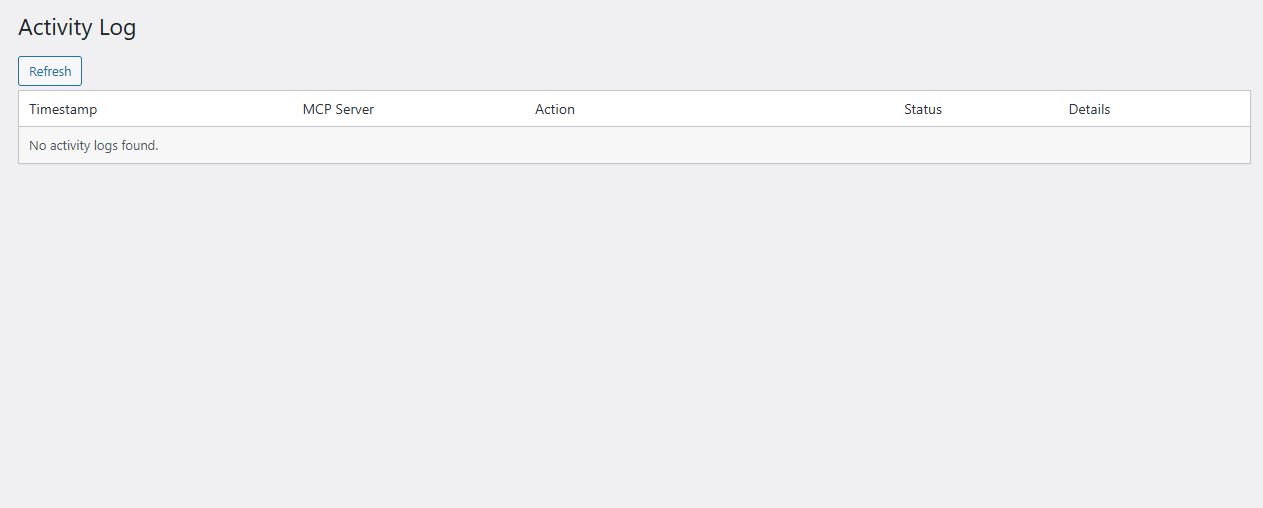
Every authenticated MCP request is logged to the Royal MCP activity log with timestamp, client IP, tool name, parameters (sensitive values redacted), and response status. The log is filterable by time range, client, tool, or status code, and exportable to CSV. The log page refreshes via AJAX so you can watch active sessions in real time.
更新日志:
- New: Complianz integration with seven tools for the consent setup, cookies, banner texts and legal documents, with undo for text edits.
- New: plugin developers can add their own tools to Royal MCP with two filters, described in the developer guide on royalplugins.com.
- Enhancement: wp_get_plugins lists must-use plugins and drop-ins, with a type and last-modified date for every plugin.
- Enhancement: wp_get_users and wp_get_user return each user's registration date and any capabilities granted beyond their roles.
- Enhancement: WooCommerce coupon lists page with totals, and order lists filter by date.
- Enhancement: site owners can add fields such as customer emails to order, customer and user replies with three filters.
- Enhancement: tools added by other plugins follow read-only mode, drafts-only mode and each connection's access level.
- Enhancement: every list tool keeps its page size between one and its maximum.
- Enhancement: Royal MCP tools are listed on Royal MCP's own MCP Adapter server instead of the adapter's default server.
- Enhancement: the Redirection tools refuse to redirect the home page, sign-in, wp-admin or the REST API unless the call asks for it explicitly.
- Enhancement: the royal_mcp_access_token_ttl filter receives the user and client each token is issued to.
- Fix: MonsterInsights report tools return the overview, top pages, traffic sources and search queries on every connection.
- Fix: switching Royal MCP off also stops calls through the WordPress Abilities API and the MCP Adapter, and those calls are logged.
- Action required: if a connection sends the API key in the X-Royal-MCP-API-Key header, switch it to Authorization: Bearer; the old header is deprecated.
- New: TablePress integration with six tools to list, read, create, copy and export tables and change cells, with undo.
- New: Code Snippets integration with five tools to list, read, deactivate and rename snippets.
- New: WPCode integration with three read-only tools for snippets, their code and their last error.
- New: settings for who can connect AI clients and who can use tools from other MCP servers; both default to Administrators only, so sites where editors connect should choose Editors and above.
- Enhancement: WooCommerce product, customer and variation lists page with totals, and products filter by IDs, SKU and stock status.
- Enhancement: credential settings with one-word names and credential ACF fields are hidden from AI clients.
- Enhancement: the Allowlisted plugin options setting shows which listed names are blocked.
- Enhancement: every tool checks the signed-in user's rights on each post, comment, term and template it reads or changes.
- Fix: Divi 4 pages whose Code modules contain line breaks can be cloned, rewritten and validated.
- Security: search returns only content the signed-in user may read; thanks to Vincent Cassiau (CyberVanguard).
- Security: cloning an Elementor page checks the right to read the source and to publish the copy; thanks to Usama Arshad.
- New: Drafts only setting lets AI clients create and edit drafts while refusing publishing, live pages and site settings.
- New: each connected AI client and the API key can be given its own access level: Full, Read-only or Drafts only.
- New: Recent Changes screen and two tools show what AI clients changed in the last 72 hours, with the values before, after and now.
- New: block editor tools read a page's blocks and insert, replace, move or delete single blocks, and read synced patterns, global styles and templates.
- New: a media tool finds files already in the library by address or content, and uploads can reuse them instead of adding a copy.
- New: the settings page has ready-to-copy commands that connect Claude Code or Codex.
- New: a setting to delete all plugin data when the plugin is deleted, off by default so settings, the activity log and connected clients are kept.
- Enhancement: publish-and-promote creates a draft unless asked to publish.
- Enhancement: media details include file size, dimensions and a content fingerprint.
- Enhancement: media downloads that fail say why, such as a missing file, an expired link or the size limit.
- Enhancement: SEO fields for Yoast, Rank Math and SEObolt are written through the SEO tool and read back after saving.
- Enhancement: the Elementor notices only appear when Elementor's own MCP server is switched on.
- Enhancement: deleting the plugin clears expired sessions, tokens and undo history on every site of a network.
- Fix: write and undo tools keep backslashes in content, meta and term values exactly.
- Housekeeping: the Outbound AI Provider settings section is removed.
- New: ChatGPT can hand a file from the conversation straight to the media upload tool.
- New: the media upload tools can convert, resize and compress an image as it uploads, for example to a JPEG under 400 KB.
- Enhancement: the media upload tools accept PDFs and any other file type your site allows in its media library.
- Enhancement: an image whose file name has an unfamiliar extension, such as .jfif, is saved under its real image type.
- Enhancement: option tool messages say where an administrator can allowlist an option.
- Enhancement: the Claude platform settings offer the Claude 5.5 models, with Sonnet 5.5 as the default.
- Fix: deleting a post or page without force moves any post type to the trash, and refuses when the trash is not available.
- Fix: post term reads and writes refuse a taxonomy that is not registered for the post type.
- Fix: password-protected content is returned only to users who can edit the post.
- Fix: publish-and-promote reads the publish date in the site timezone.
- Fix: the page-check rate limit counts calls, not redirect hops.
- New: a tool to read the terms assigned to a post, and post and page reads now include their assigned terms.
- New: admin notice when another plugin is answering OAuth sign-in for the site.
- New: Wordfence integration with eight tools for security status, blocked IPs, failed logins, blocked requests and scans.
- New: LiteSpeed Cache integration with four tools for cache status, settings and purging.
- New: every tool tells AI clients whether it only reads or can change the site.
- New: AI clients can read site info, the active theme, the tool catalog and connection health as resources.
- New: AI clients can revoke their own access when they disconnect.
- New: Connected Clients screen lists the AI clients signed in through OAuth and lets you revoke them one at a time or all at once.
- New: Read-only mode setting refuses every tool that changes the site while leaving all reads available.
- New: Site Health tests check permalinks, the discovery document, the Authorization header and the sign-in addresses.
- New: WP-CLI commands to check connection health, list connected clients and rotate the API key.
- New: companion plugins can run their own tools through Royal MCP.
- New: read several posts in one call with trimmed text, and see robots, redirect, hreflang and structured-data details when checking a page.
- Enhancement: the Revoke all active sessions button moved from the OAuth settings to the Connected Clients screen.
- Enhancement: tools for plugins that are not active are flagged in the tool list.
- Enhancement: the plugin list reports network-active plugins and version requirements.
- Fix: preview links now open draft pages and custom post types.
- Fix: the Claude.ai connector starts OAuth sign-in reliably.
- Fix: resetting OAuth or clearing a credential field no longer changes other settings.
- Fix: options added under Allowlisted plugin options can be read and written by AI clients.
- Fix: scheduled dates are read in the site timezone.
- Fix: featured images set while creating or updating a post are saved in one step.
- Fix: SEObolt noindex and SEO field updates now apply.
- Fix: Royal MCP registers with the WordPress MCP Adapter when another plugin bundles it.
- Fix: a page or post published at /register or /token is shown to visitors.
- Fix: OAuth connector compatibility across MCP clients.
- New: dry-run preview mode on high-blast option-write tools, a
wp_verify_rendered_pagetool for post-write confirmation, and a compact tool-discovery profile for context-limited AI clients.
- Fix:
tools/list,prompts/list, andresources/listresponses now conform to the modern-era MCP schema for connectors that require the newer wire shape.
- New: Local Protocol Insights admin page shows per-protocol-version request volume + top MCP clients + method-call frequency.
- New: OAuth authorization responses include the
issparameter per RFC 9207. - New: Protected Resource Metadata is now also served at the RFC 9728 path-suffixed URL for the MCP endpoint.
- Enhancement: Tool responses tag successful envelopes with
resultTypefor downstream observability. - Enhancement: Server accepts and logs the
Mcp-MethodandMcp-Namerequest headers for client-side tracing. - Enhancement: OAuth discovery advertises the wp-json fallback URLs directly in the server card and 401 responses.
- Enhancement: Timestamp fields in ForgeCache, UpdraftPlus, and undo-envelope responses now use ISO 8601 UTC format on the wire.
- Enhancement: WebMCP bridge status badge on the settings page is silent unless a bridge is actively detected.
- Fix:
server/discoverresponse now conforms to the modern-era MCP schema for connectors that require the newer wire shape. - Fix: Empty plugin-setting values return as empty in tool responses so callers can distinguish unconfigured fields from set-but-redacted ones.
- Housekeeping: Protocol-usage rollups are pruned by the daily maintenance cron.
- New: Optional "Require approval before new AI clients can connect" setting with a Pending Clients admin page for reviewing dynamically-registered OAuth clients.
- New: OAuth discovery advertises
client_id_metadata_documentsupport for MCP clients that use CIMD instead of dynamic client registration. - New: OAuth discovery is also served under a
/wp-json/royal-mcp/v1/.well-known/alternate path for managed hosts that reserve the root.well-known/prefix. - New: Admin notice detects when the web server strips Authorization headers, with copy-paste Apache and nginx fix guidance.
- New:
server/discoverhandler for MCP clients using the newer protocol era. - New: Twitter card fields on
wp_update_seo_metafor Yoast SEO, Rank Math, SEOPress, and SEObolt. - New:
fc_get_rum_statsMCP tool exposes ForgeCache real-user Core Web Vitals data. - Add: Setting to disable the WordPress Abilities API bridge.
- Enhancement: Tool descriptions include the site host so multi-connector setups can disambiguate identically-named tools.
- Enhancement:
wp_replace_in_postsupports targeted edits on the WordPress custom_css post. - Enhancement:
initializeresponse advertises resources and prompts capabilities alongside tools. - Fix:
wp_update_widgetand other tools with nested object schemas now validate under stricter MCP clients. - Housekeeping: Stale OAuth clients are pruned by the daily maintenance cron.
- New: Browser-based AI agents can now use Royal MCP tools via any WebMCP-compatible bridge, using the visitor's existing WordPress login.
- New: Browser Agents section on the settings page toggles the WebMCP path on or off.
- New: Publishes a machine-readable server card and skills index so Agent Readiness scanners auto-detect the site.
- Enhancement: Rate-limit responses now include the seconds until retry so MCP clients know exactly when to try again.
- Enhancement: Authenticated requests get a higher rate-limit ceiling so legitimate bulk operations no longer trip the anti-abuse limit.
- Fix: Rate limits behind Cloudflare now count per real visitor instead of coalescing everyone at the edge server IP.
- Fix: The Perfmatters compatibility warning no longer appears when Disable REST API is only blocking logged-out visitors.
- Fix: The site icon in the server identity response now returns as a string for all icon formats.
- New: Three Elementor discovery tools (widget schema, widget list, dynamic tags) plus an include-styles option on the page-outline tool.
- New: The Troubleshooting Help tab surfaces the fix for the most-reported OAuth reconnect issue directly in WordPress admin.
- Enhancement: Royal MCP now speaks the modern MCP wire, improving compatibility with newer Claude.ai, ChatGPT, and other AI client connectors.
- Enhancement: Support for multiple MCP protocol versions on the initialize handshake so newer AI clients get the latest wire behavior.
- Enhancement: OAuth discovery now works for AI clients that probe the alternate path-scoped discovery URL.
- Enhancement: Every MCP request now appears in the Royal MCP Activity Log for improved diagnostic visibility.
- Enhancement: A compatibility notice appears when the Perfmatters plugin is set to disable the REST API, which would otherwise block MCP connections.
- Enhancement: Every tool advertises complete input and response metadata for improved compatibility with strict MCP clients like ChatGPT.
- Enhancement: The internal ChatGPT connection guide walks the sign-in modal, WordPress authorize page, and post-connection state as distinct steps.
- Fix: Unknown MCP methods return the correct method-not-found response so probing AI clients do not get stuck in reconnect loops.
- Fix: The /register OAuth endpoint returns 405 Method Not Allowed with a proper Allow header for GET requests.
- Fix: When a database table upgrade fails on incompatible host configurations, the plugin now skips retries for 24 hours to prevent error-log flooding.
- Fix: Plugin constant definitions no longer emit PHP notices when Royal MCP is loaded alongside a wrapper plugin that pre-defines the same constants.
- New: Solid Security integration adds four tools — read the security status summary, list currently locked-out IPs, read the security event log, and add an IP to the ban list.
- New: Contact Form 7 integration adds three tools — list forms, read a single form's parsed field schema, and list submissions when the Flamingo add-on is active.
- New: MonsterInsights integration adds four tools — read the analytics overview, top pages, traffic sources, and top Google Search Console queries.
- New: W3 Total Cache integration adds three tools — read cache configuration across every module, purge cache (all, by URL, or by post), and read usage statistics.
- New: Duplicator integration adds three tools — list migration packages, read per-package status, and get the installer URL for a completed package.
- New: BuddyPress integration adds four tools — list community members, read a single member profile, list groups, and read the activity feed.
- New: MCP server identity now advertises the WordPress Site Icon so connector cards show per-site branding.
- Enhancement: WooCommerce coupon and product read responses now include ISO 8601 date variants and additional catalog and subscription fields.
- Enhancement: Help page CSS and admin links now work correctly when the plugin is vendored inside a wrapper plugin.
- Fix: WooCommerce order tools now register correctly with ChatGPT.
- Fix: WooCommerce order tools now register correctly with ChatGPT.
- New: Yoast SEO integration adds five tools — read the full Yoast meta surface, capture the JSON-LD schema graph, list indexed internal links, list Premium redirects, and update Yoast title/description/focus keyword with a 72-hour undo token.
- New: UpdraftPlus integration adds four tools — list local backup history, read per-backup status, trigger a new backup, and read the current backup schedule.
- New: WPForms integration adds four tools — list forms, read a single form's field schema, and (Premium) list submissions plus read a single submission.
- Fix: Envelope helper's full-JSON-mirror path no longer throws on non-array input during defensive test paths.
- Fix: Post meta, SEO meta, Yoast meta, and featured image edits made through Royal MCP tools now trigger the standard WordPress post-save event so page-cache plugins and SEO indexable rebuilders pick up the change automatically.
- Fix: Divi tools now return a clean not-active error on sites where Divi is not installed.
- Fix: divi_validate_layout accepts raw_content on sites without Divi installed so cross-site validation workflows work without the plugin being present.
- Fix: Meta writes now bump the post modification timestamp so sitemap regenerators, feed cache invalidators, and staleness detectors keyed on post_modified fire correctly.
- Fix: wp_get_post, wp_get_page, wp_get_posts, and wp_get_pages return featured_media (attachment ID) and featured_media_url in the response envelope.
- Fix: wp_set_featured_image persists the alt_text argument on both the media_id and image_url input paths.
- Fix: mcp_undo_last_operation documentation names yoast_update_meta in the supported-tools list.
- Fix: Tier-gated tools return a uniform {state: "unavailable", reason, tier, message} envelope so AI callers cannot misread a tier gate as an empty query result.
- Fix: yoast_get_meta returns Open Graph, Twitter, canonical, and breadcrumb fields as both the stored template and the resolved value Yoast renders (featured image fallback, permalink fallback, post title fallback).
- Fix: yoast_get_meta surfaces analysis_pending so callers can distinguish a post that has never been scored from a post with a real low content_score or linkdex.
- Fix: yoast_get_schema removes empty author references from the JSON-LD graph so posts with unresolvable authors no longer produce invalid Article markup.
- Fix: yoast_get_internal_links returns link_index_status (indexed, index_pending, no_links) plus a content_anchor_count cross-check so callers can distinguish a post with no links from a post the link index has not processed yet.
- Fix: updraftplus_trigger_backup dispatches asynchronously via WP-Cron and honors the entities argument (a caller requesting entities:["plugins"] gets a plugins-only backup).
- Fix: fc_purge_url purges the homepage, category and tag archives, paginated pages, and other URLs that do not resolve to a single post or page.
- Fix: WPForms form schema returns choices as an indexed list with label/value/key, required as a boolean, timestamps as ISO 8601 strings alongside epoch integers, and form listing paginates deterministically on same-second creations.
- New: In-plugin Help page with per-client setup guides (Claude Desktop, claude.ai Web, Claude Code CLI, ChatGPT, Cursor, VS Code, Continue), a three-rung quick-fix troubleshooting ladder, and a copy-ready diagnostic-info block for support requests.
- New: Newsletter signup link in the Royal MCP admin header and Support tab.
- Enhancement: Cross-sell notice bar above every Royal MCP admin page.
- Enhancement: Every integration's tools now appear in the MCP tool list on connect (WooCommerce, Elementor, Divi, ACF, Yoast, UpdraftPlus, WPForms, SiteVault, ForgeCache, GuardPress, Royal AI Firewall, Royal Ledger, Royal Links, Redirection) so activating a supported plugin no longer requires reconnecting the AI client, and every tool schema now passes strict-validator MCP clients (VS Code, ChatGPT strict mode) after fixing meta-update, WooCommerce order, Elementor widget, ACF field, option, theme-mod, and widget-update surfaces.
- New: Divi 4 and Divi 5 page tools in Free — clone a page, swap images, and import a library template, all with 72-hour undo tokens.
- New: Elementor library-to-page bridge (
elementor_apply_template_to_page) plus tools to repair pages where the Elementor render is missing (single and bulk). - New: SiteVault backup tools now work with the free SiteVault plugin from WordPress.org in addition to SiteVault Pro.
- Enhancement: Every destructive write emits a 72-hour undo token in the response text; responses now surface actionable URLs, IDs, and counts.
- Enhancement:
elementor_replace_textadds dry-run preview, expected-count guard, image alt/title walking, and optional media-library sync. - Fix: Tool schemas conform to strict JSON Schema so VS Code and ChatGPT Plugins accept the tools at load time.
- Fix:
elementor_clone_pagepopulates page content so cloned pages stay visible to WordPress core search. - Fix: OAuth discovery adds a filter to override the metadata URL for hosts intercepting
.well-known/.
- Enhancement: Write-verification helper now detects pre-write input mangling for tools that require strict input fidelity.
- Enhancement: Tool argument sanitizers now preserve %XX escape sequences so URLs, patterns, and templated inputs survive round-trip.
- Fix: wp_update_permalink_structure preserves permalink tokens like %category% and %author% when writing the structure.
- Fix: Hardens redaction of sensitive data across plugin/option/meta read tools and debug log responses.
- New: Six Divi builder tools for safer AI-driven Divi editing (get page format, outline, validate layout, list local templates, library get, replace text).
- New: wp_publish_and_promote publishes a draft and inserts it into a menu in one call.
- New: wp_create_menu creates a WordPress navigation menu with optional theme-location assignment.
- New: wp_create_preview_link generates a shareable draft-preview URL for one preview session.
- Enhancement: wp_get_post_revisions returns per-revision content_length for quick change-size scanning.
- Enhancement: Destructive write tools now warn when literal escape sequences appear in replacement text, so operators catch double-escaping before it lands.
- Enhancement: OAuth discovery self-check now detects Sucuri / CloudProxy edge blocks and links to a Sucuri-specific fix guide.
- Enhancement: A "Re-check now" button on host-blocked admin notices re-probes OAuth discovery in-place during troubleshooting.
- Enhancement: OAuth discovery cache shortens automatically on WAF-fronted sites for faster feedback after configuration changes.
- New: Every write tool re-reads modified fields after the write and returns the actual saved values.
- New: Undo tokens now cover wp_delete_post, wp_delete_term, and wp_delete_menu_item, restoring deleted objects within 72 hours via mcp_undo_last_operation.
- New: wp_update_post preserves the WooCommerce product_type when generic post updates would otherwise reset it to Simple.
- New: wc_get_order returns fee_lines, shipping_lines, and the raw payment method ID for full write-verification.
- New: wp_get_seo_meta and wp_update_seo_meta now support AIOSEO and SEObolt alongside Yoast and Rank Math.
- New: wp_get_widgets returns widget instance content and parsed block markup for before/after diffs.
- New: OAuth endpoint paths (authorize/token/register) are filterable via royal_mcp_oauth_rewrite_paths.
- New: Admin notice detects when a published page shadows an OAuth endpoint.
- Enhancement: wp_get_posts + wp_count_posts accept non-public post types when the caller has edit capability.
- Enhancement: Option writes require opt-in to the read allowlist first; admin_email + default_role + mailserver_* permanently denylisted.
- Enhancement: JSON-RPC envelope hardening re-forces "2.0" against edge-layer transformations.
- Enhancement: Royal MCP Pro promotion refreshed for post-launch with a green Upgrade to Pro link in the sidebar.
- Fix: elementor_replace_text is now multi-byte and case-insensitive.
- Fix: Uninstalling the free plugin no longer removes data used by Royal MCP Pro when Pro is installed on the same site.
- Fix: seo_audit_meta_tags now counts characters instead of bytes so titles and descriptions containing non-ASCII content are measured correctly.
- New: Free plugin refuses activation when Royal MCP Pro is already active.
- New: OAuth session-length setting lets site owners choose how long AI sessions stay connected before requiring re-authorization.
- New: Revoke all active AI sessions from Settings → OAuth.
- New: wp_replace_in_post and wp_replace_in_page tools for literal find/replace inside post content with dry-run, expected-count safety, and read-after-write verification.
- New: Settings-page section to allowlist third-party plugin options for
wp_update_optionwithout writing filter code. - New: Widget tools — list widget instances (optionally filtered by sidebar), list sidebars, and update widget content; writes gated by the theme-appearance admin toggle.
- New: wp_reorder_menu_items now returns an undo token that mcp_undo_last_operation can consume within 72 hours to restore the prior order.
- New: mcp_undo_last_operation tool consumes an undo token and reverses the operation that generated it.
- New: seo_audit_meta_tags fetches a post's actual rendered HTML and reports title, meta description, canonical, viewport, Open Graph and Twitter Card tags — catches conflicts that only appear in served output.
- New: WooCommerce order write tools — wc_create_order, wc_update_order, wc_add_order_note — for B2B, wholesale, phone orders, and support-note trails.
- Fix:
elementor_replace_textnow walks Blockquote widget fields (author name and quote content). - Enhancement: OAuth sessions now default to 24 hours.
- Enhancement: Admin auto-detects BitNinja WebShield interference with OAuth discovery and shows targeted host-support instructions.
- Enhancement: Additional /authorize, /token, and /register diagnostics in Activity Log.
- Enhancement: Readme highlights Royal AI Firewall as the companion plugin for HTTP-layer AI bot visibility alongside Royal MCP.
- Feature: All tools register as WordPress abilities on WP 6.9+, accessible via the WP Abilities REST API and the WordPress MCP Adapter alongside the native MCP endpoint.
- Feature: Redirection plugin integration adds four tools for listing, creating, updating redirects and listing groups.
- Feature: Google Site Kit GA4 configuration accessible to AI agents with sensitive keys redacted.
- Feature:
royal_mcp_connection_healthtool now returns active page-builder versions (Divi, Elementor, WordPress core) so agents can plan multi-step operations without a probe call. - Feature: New
.mcpbbundle for one-click Claude Desktop install. - Feature: Founding Members waitlist notification for the upcoming Royal MCP Pro release.
- Feature: Six new Royal AI Firewall tools return dashboard stats, recent bot hits, per-bot policies, policy updates, daily rollups, and a block-all-AI-bots action.
- Feature: New Royal Tools admin page lists every free Royal Plugins family member with one-click install links.
- Feature: New
royal_mcp_connection_healthdiagnostic tool returns route, auth method, session ID, and version details for any authenticated caller. - Feature: New
elementor_get_widget_settingstool reads full settings for a single Elementor widget, container, section, or column by ID. - Feature: Coexistence detection surfaces a routing hint on Elementor tool descriptions when Elementor's own MCP module is also active.
- Feature: Custom top header bar renders on every Royal MCP admin page with View Docs and Support buttons.
- Enhancement: Lightweight admin footer shows Royal Plugins family links plus the current plugin version marker.
- Enhancement:
wp_update_postandwp_update_pagenow acceptmenu_order,post_parent,password,comment_status,ping_status,excerpt, andpost_authorfields and return actual stored values so silent-drop by WordPress is surfaced rather than hidden. - Enhancement: New
royal_mcp_tool_contexthook fires alongside the legacyroyal_mcp_tool_calledaction with an enriched payload for downstream firewall integrations. - Fix:
wp_get_seo_metanow correctly reports noindex state on Rank Math sites, andwp_update_seo_metaresponses reflect actual stored values rather than requested values.
- Feature: New
wp_get_site_statustool returns WordPress, PHP, MySQL, plugin, theme, and environment info in a single call. - Feature: New
wp_get_error_log_tailtool returns the last lines of the debug log with optional keyword filtering. - Feature: New
wp_get_cron_scheduletool lists every scheduled event with next-run time and overdue flag. - Fix: HTML preserved in post meta, term meta, term descriptions, comments, order notes, post and page excerpts, and coupon descriptions.
- Feature: New
royal_mcp_meta_value_sanitizerfilter lets sites customize per-key sanitization. - Feature: Admin notice detects when Imunify360 is intercepting the OAuth discovery endpoints and links to a fix article.
- Feature: Admin notice detects when the site uses Plain permalinks and links directly to Settings -> Permalinks.
- Enhancement: Refined descriptions across several read tools.
- Enhancement: List responses on
wp_get_termsandwc_get_ordersinclude atotal_countfield.
- Fix: OAuth-authenticated MCP sessions remain valid across access-token rotation.
- Feature:
wp_update_post_metaaccepts any JSON type (string, number, boolean, array, object). - Feature: New
wp_add_post_metatool adds a meta row without overwriting existing values under the same key. - Feature: New
wp_get_termstool lists terms in any registered taxonomy with pagination. - Security: Meta-write tools reject strings that look like PHP-serialized payloads at the schema boundary.
- Feature:
wp_create_post,wp_update_post,wp_create_page, andwp_update_pageaccept adateparameter for scheduling and backdating. - Feature: Create-post and create-page status enum expanded to include
future,pending, andprivate. - Feature: New
royal_mcp_tool_calledaction hook fires after every MCP tool invocation with(tool_name, status, error_message). - Feature: Activity Log page surfaces a pointer to the free Royal AI Firewall plugin for HTTP-layer AI bot visibility.
- Feature:
wp_searchaccepts optionalsnippetandper_pageparameters for excerpted results. - Feature:
wc_get_ordersaccepts apageparameter and returns{orders, page, per_page, total, total_pages}. - Docs: General readme cleanup and updates.
- Hardening:
wp_delete_postcapability check runs before the post-existence lookup. - Hardening:
wp_get_post_metarequiresedit_postcapability for protected (underscore-prefixed) meta keys. - Hardening: Empty-string text fields on update tools preserve the existing value instead of blanking it.
- Enhancement: Every post-identifying tool accepts either
idorpost_id. - UX: New wp.org review-request banner on the settings page, dismissable per plugin version.
- Feature: New
elementor_add_widgettool builds Elementor pages widget by widget, with curated shortcuts for the 11 most common widget types and raw passthrough for the long tail. - Hardening:
elementor_add_widgetrejects unknown widget-type slugs at the boundary. - Hardening: Capability check order tightened in six integration tool wrappers.
- Fix: Runtime DB migration reliably creates the sessions and OAuth tables on all installs.
- Fix:
/registerself-heals when the OAuth tables are missing. - Fix:
uninstall.phpalso removes theroyal_mcp_db_versionoption for a fully clean slate on reinstall.
- Feature: MCP clients can send their API key via the standard
Authorization: Bearerheader in addition to the existingX-Royal-MCP-API-Keyheader. - Feature:
wp_get_seo_metaandwp_update_seo_metacover the post URL slug alongside the existing SEO fields.
- Reliability: MCP session state moved onto a dedicated
wp_royal_mcp_sessionstable. - Cleanup: Removed unused admin-AJAX handlers.
- Compliance: Reworded a section of the plugin description.
- Security: Per-tool WordPress capability checks added across all content, user, term, comment, and integration tools, with status filters converted to positive allowlists.
- UX: MCP Server URL surfaced at the top of General Settings as the canonical inbound URL for every client.
- Feature: New in-product MCP Client Setup Guides accordion covering Claude.ai, ChatGPT, Claude Desktop, and Cursor.
- UX: Outbound AI Provider Configuration renamed and separated from inbound MCP setup.
- UX: Legacy REST API Base URL and manual OAuth Client ID / Secret moved into an Advanced subsection.
- Enhancement: Universal admin icon alignment, keyboard focus rings on settings-page buttons, and improved helper-text contrast.
- Feature: Advanced Custom Fields integration -- 4 tools (
acf_get_field,acf_get_fields,acf_update_field,acf_get_field_groups). - Fix:
wc_create_productrespects thetypeargument and creates the matching WooCommerce product class (Simple, Variable, Grouped, External). - Docs: Description and Installation sections point to the first-time setup walkthrough.
- Fix: AI Platforms model dropdowns refreshed across Claude, OpenAI, Gemini, Groq, and Bedrock.
- Fix: AI Platforms Test Connection on Claude uses the model selected in the dropdown.
- Fix: Manually-configured OAuth Client ID and Secret can be cleared through the UI.
- Hardening: OAuth root rewrite rules match both bare and trailing-slash variants.
- Feature: Admin notice detects host-side 301 redirects on POST
/register. - Feature:
.well-known/self-check detects when a plugin or theme intercepts the discovery endpoint with an HTML page.
- Fix: Gutenberg block content round-trips byte-for-byte through the post-write tools.
- Fix: WooCommerce order tools handle refund records without hanging.
- Feature: Six Elementor clone-and-customize tools (
elementor_clone_page,elementor_replace_text,elementor_replace_image,elementor_get_page_outline,elementor_list_local_templates,elementor_import_template). - Feature: Admin notice detects stale static
.well-known/oauth-authorization-serverfiles. - Docs: Elementor handling described explicitly in the page-builder section.
- Fix: Authenticated GET on the MCP endpoint is User-Agent-aware for the Anthropic session probe.
- Fix:
wp_update_menu_itemandwp_reorder_menu_itemspreserve fields that were not included in the update. - Docs: New FAQ entries for DB-restore recovery, OAuth endpoint locations, and troubleshooting.
- Fix: Authorization codes moved onto a dedicated
wp_royal_mcp_oauth_auth_codestable with atomic single-row consume. - Feature: New "Reset OAuth State" admin button clears registered clients, tokens, and pending auth codes in one click.
- Feature: MCP
tools/callrequests write a structured Activity Log entry on every invocation (argument keys logged, values excluded). - Fix: Activity Log "View Details" modal renders Request/Response JSON.
- Enhancement: Plugin admin CSS/JS use content-hash cache-busting.
- Feature: OAuth flow writes structured Activity Log entries on every
/token,/register, or/authorizefailure (auth codes, PKCE verifiers, secrets, and tokens are excluded).
- Fix: Regenerate API Key button reliably issues a new key.
- Enhancement: New API keys are 32-char lowercase hex to eliminate visual-ambiguity transcription errors; existing keys keep working.
- Enhancement: MCP sessions use a sliding 24-hour TTL with refresh-on-access.
- Hardening: All
/wp-json/royal-mcp/*responses sendCache-Control: no-store, no-cache, must-revalidate, private. - Hardening: Invalid API key returns HTTP 401 with
WWW-Authenticate: Bearerper RFC 7235.
- Fix: Unauthenticated GET on the MCP endpoint returns HTTP 401 with
WWW-Authenticate: Bearer resource_metadata="..."per RFC 9728 so web-based MCP clients trigger OAuth discovery correctly. - Feature: Self-check detects when the host blocks
/.well-known/oauth-authorization-serverand surfaces a dismissible admin notice with the manual fix.
- Hardening: OAuth endpoint responses (
/register,/token,/authorize) sendCache-Control: no-storeby default. - Feature: 10 WooCommerce variation and attribute tools covering CRUD, batch operations, and attribute-term management.
- Feature: 7 WooCommerce coupon management tools with full CRUD plus trash and purge.
- Enhancement: MCP
protocolVersionbumped to2025-11-25to match current Claude Desktop builds. - Fix: MCP GET stream returns HTTP 405 with
Allow: POST, DELETE, OPTIONS. - Enhancement:
wp_get_taxonomiesreturns aslugfield alias;wp_get_term_metareturns a structured response matching the rest of the term-meta family.
- Feature: New tools --
wp_update_term,wp_get_term_meta,wp_update_term_meta,wp_delete_term_meta,wp_get_taxonomies. - Enhancement:
wp_create_term,wp_delete_term, andwp_add_post_termsaccept any registered taxonomy. - Enhancement:
wp_create_termaccepts an optionalslug;wp_create_postandwp_update_postaccept apost_authoruser ID.
- Feature: Royal Ledger integration (4 tools), ForgeCache integration (3 tools), and Royal Links integration (3 tools), each auto-loading when the host plugin is active.
- Feature: SEO meta tools (
wp_get_seo_meta,wp_update_seo_meta) auto-detect the active SEO plugin and read/write title, description, focus keyword, robots, and OG fields. - Feature: Permalink structure tools and post revision tools (read history and revert).
- Feature: Theme appearance tools (active theme, theme mods, custom CSS read/write) gated by an admin toggle and a
royal_mcp_writable_theme_modsallowlist filter. - Feature: Menu item CRUD (create, update, delete, reorder) and comment moderation (pending list, approve, spam, trash).
- Fix: Custom connector setup succeeds on sites updated from an early build without a deactivate/reactivate cycle.
- Fix: Dynamic Client Registration (
POST /register) returns a real 500 with the underlying error when the DB write fails.
- Feature: New
wp_get_plugin_settingstool returns wp_options matching a plugin slug with sensitive keys redacted. - Feature: New
wp_update_optiontool gated by an admin toggle (off by default), theroyal_mcp_writable_optionsfilter, and a hard denylist for sensitive option names. - Security:
wp_get_optionredacts sensitive keys; outbound HTTP timeouts reduced to 10 seconds. - Docs: Refreshed plugin directory banners and tags.
- Feature: New tools --
wp_upload_media_from_url(SSRF-hardened),wp_upload_media(base64),wp_set_featured_image, andwp_update_media. - Enhancement:
wp_create_postandwp_update_postacceptfeatured_mediaattachment ID. - Enhancement: API-key authenticated requests run with administrator capability to match the trust level of the admin-only-accessible key.
- Feature: WordPress Playground live preview available from the plugin listing.
- Feature: Video walkthrough embedded on the plugin listing page.
- Feature: Custom post type support --
wp_get_postsandwp_create_postacceptpost_type, and a newwp_get_post_typestool discovers all registered public post types.
- Security: Access control on MCP REST API endpoints -- all tool calls require an authenticated API key or OAuth Bearer.
- Security: Authentication enforced on every MCP request, with sessions bound to authenticated credentials.
- Fix: Resolved fatal error during activation on WordPress 7.0.
- Feature: OAuth 2.0 authorization server with Dynamic Client Registration (RFC 7591), PKCE-secured authorization code flow, token refresh with rotation, WordPress login consent screen, and discovery at
/.well-known/oauth-authorization-server. - Security: Access tokens stored as SHA-256 hashes; authorization codes single-use with 10-minute expiry; PKCE (S256) required; redirect URIs restricted to localhost or HTTPS.
- Feature: WooCommerce integration (9 tools), GuardPress integration (7 tools), and SiteVault integration (6 tools).
- Security: MCP endpoint requires API key (
X-Royal-MCP-API-Keyheader) with rate limiting at 60 requests per minute per IP and timing-safe comparison.
- Security: SSRF protection for outbound URLs; text domain renamed to
royal-mcp; menu slugs updated for wp.org compliance.
- Feature: Documentation link on the Plugins page and documentation banner on the settings page.
- Fix: Claude Connector setup guide link renders correctly.
- Security: Origin header validation against DNS rebinding, session ID format validation, MCP 2025-03-26 Streamable HTTP spec compliance, and new
royal_mcp_allowed_originsfilter.
- Feature: Multi-platform AI support (Claude, OpenAI, Gemini, Groq, Azure, Bedrock), Claude Desktop MCP connector, activity logging, and connection testing.
- Initial release.