Category Children Coupons for WooCommerce
| 开发者 | runthingsdev |
|---|---|
| 更新时间 | 2026年1月22日 04:56 |
| PHP版本: | 8.0 及以上 |
| WordPress版本: | 6.9 |
| 版权: | GPLv3 or later |
| 版权网址: | 版权信息 |
详情介绍:
- Four category restriction fields for complete control:
- Product categories (incl. children) - allowed categories with all descendants
- Exclude categories (incl. children) - blocked categories with all descendants
- Product categories (excl. children) - allowed categories only, no descendants
- Exclude categories (excl. children) - blocked categories only, no descendants
- Automatic subcategory handling based on your preference
- Works alongside WooCommerce's other (non-category coupon) restrictions
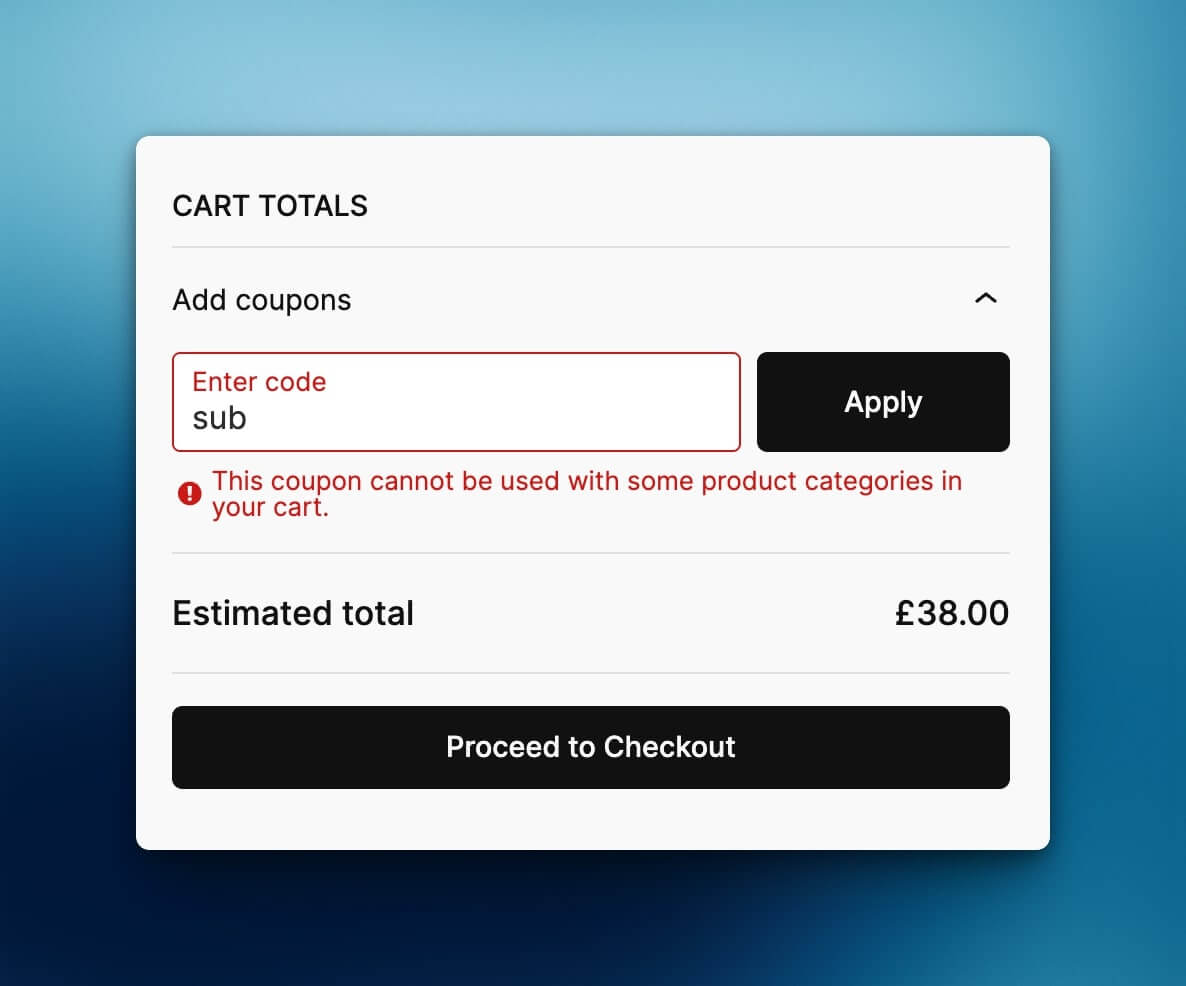
- Customizable error messages via filter
- AutomateWoo compatibility - category restrictions are copied when generating coupons from templates
安装:
- Upload the plugin files to the
/wp-content/plugins/runthings-category-children-couponsdirectory, or install the plugin through the WordPress plugins screen directly. - Activate the plugin through the 'Plugins' screen in WordPress.
- Go to Marketing > Coupons and edit or create a coupon.
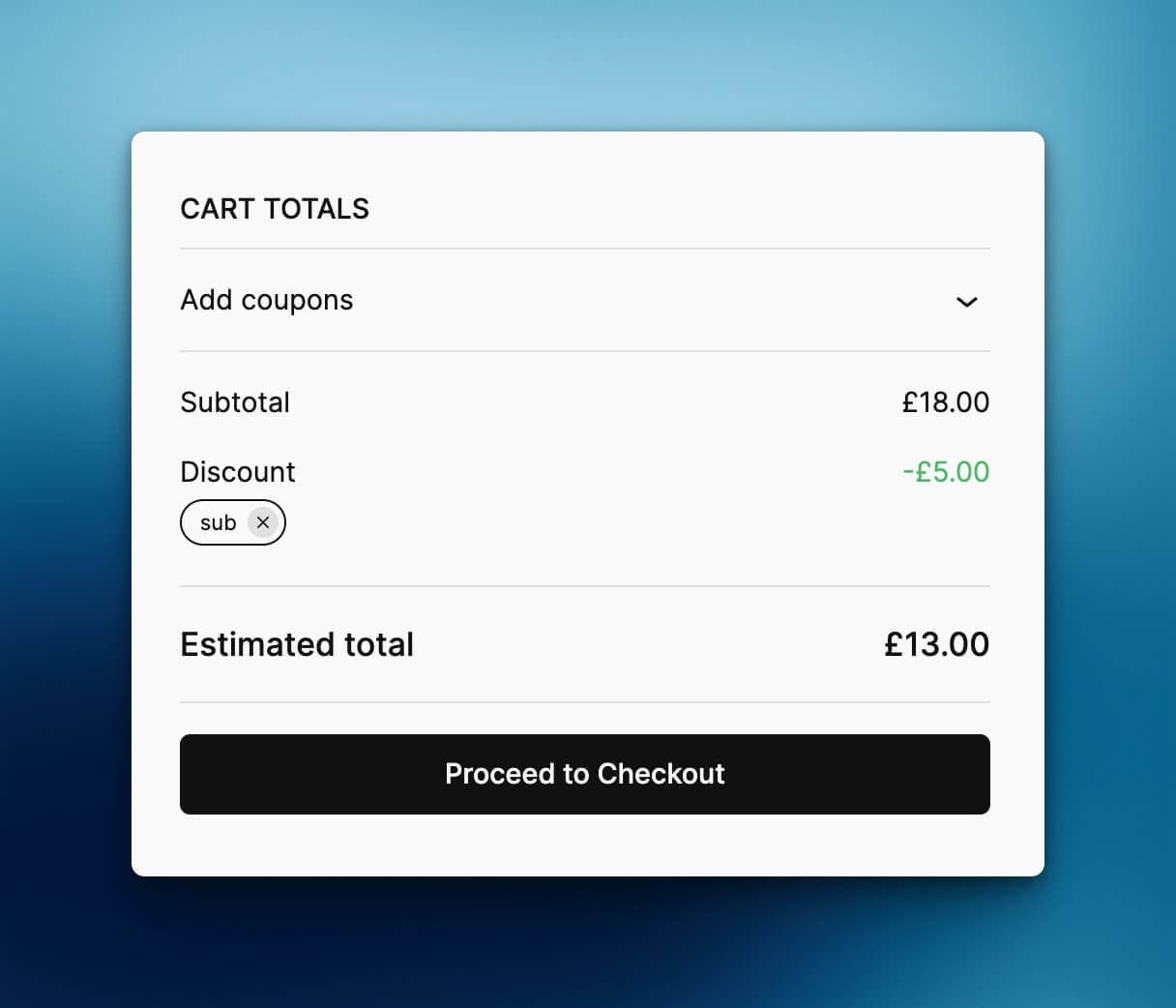
- In the "Usage restriction" tab, you will see four new category fields - two with "(incl. children)" and two with "(excl. children)" labels.
屏幕截图:
常见问题:
How does this differ from WooCommerce's built-in category restrictions?
WooCommerce's built-in "Product categories" field only matches products directly assigned to the selected categories. This plugin provides both options: "(incl. children)" fields automatically include all subcategories, while "(excl. children)" fields match only the exact categories you select - giving you complete control.
Can I use both this plugin's fields and WooCommerce's built-in category fields?
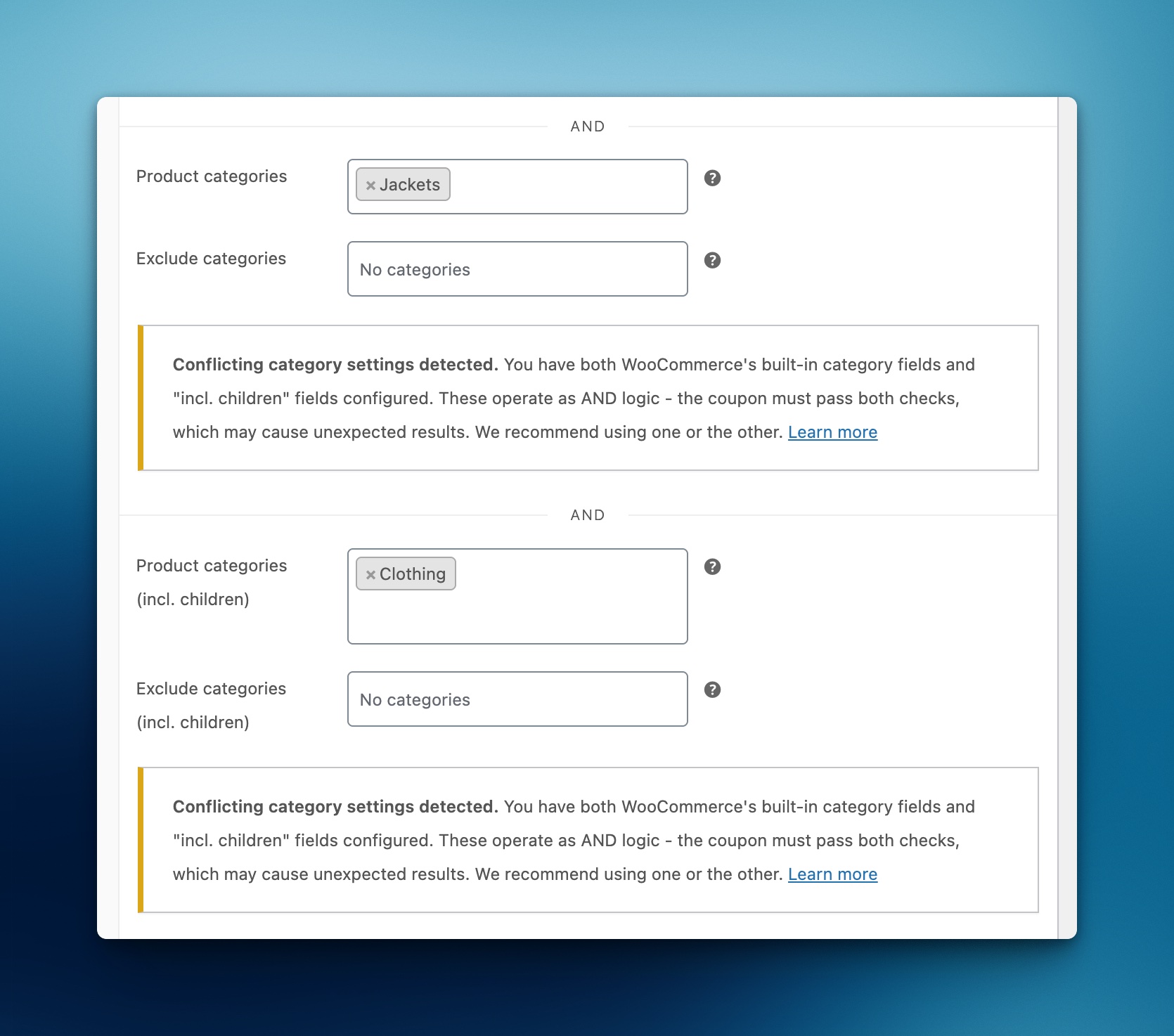
Not recommended. The built-in category check runs before custom plugin checks. They operate as separate restrictions (AND logic). If you use both, a coupon must first pass the built-in category rules, which may cause unexpected results. This plugin provides "(excl. children)" fields that mirror WooCommerce's built-in behavior, so you can use this plugin as a complete replacement without needing WooCommerce's built-in fields.
What happens if I add new subcategories later?
They are automatically included! The plugin checks category relationships at validation time, so new subcategories are picked up immediately.
Does this work with AutomateWoo?
Yes! When AutomateWoo generates coupons from a template coupon, the category restrictions are automatically copied to the generated coupon.
更新日志:
- Add GitHub Action for wp.org plugin directory release
- Added "Product categories (excl. children)" and "Exclude categories (excl. children)" fields - match only exact categories without including subcategories.
- Plugin now provides a complete replacement for WooCommerce's built-in category restrictions with both "incl. children" and "excl. children" options.
- Plugin renamed from runthings-wc-coupons-category-children to runthings-category-children-coupons to comply with WordPress.org trademark guidelines.
- Automatic migration of existing coupon settings to new meta key format on update.
- Changed filter hook from runthings_wc_coupons_category_children_error_message to runthings_category_children_coupons_error_message.
- Added warning notice when conflicting WooCommerce category fields are set alongside plugin restrictions.
- Fixed custom error messages not displaying for percentage and fixed product discount coupons.
- Add compatibility with AutomateWoo coupon generation to clone custom meta fields
- Fixed missing "And" separator in the coupon usage restriction panel to match WooCommerce core styling.
- Fixed fatal error when validating coupons in order context (WC_Order_Item_Product vs array type).
- Initial release.
- Allowed categories with automatic child inclusion.
- Excluded categories with automatic child inclusion.
- Filter
runthings_category_children_coupons_error_messagefor custom error messages.