SalesPulse - Social Proof & FOMO Notifications
| 开发者 | wpmatcha |
|---|---|
| 更新时间 | 2026年3月20日 09:26 |
| 捐献地址: | 去捐款 |
| PHP版本: | 7.4 及以上 |
| WordPress版本: | 6.9 |
| 版权: | GPLv2 or later |
| 版权网址: | 版权信息 |
详情介绍:
- Purchase Notifications — Show recent WooCommerce orders as social proof popups
- Signup Alerts — Display new user registrations to build community trust
- Review & Comment Highlights — Surface recent positive comments and reviews
- Live Visitor Count — Show real-time visitor numbers to create urgency
- Custom Messages — Create your own FOMO notifications with merge tags
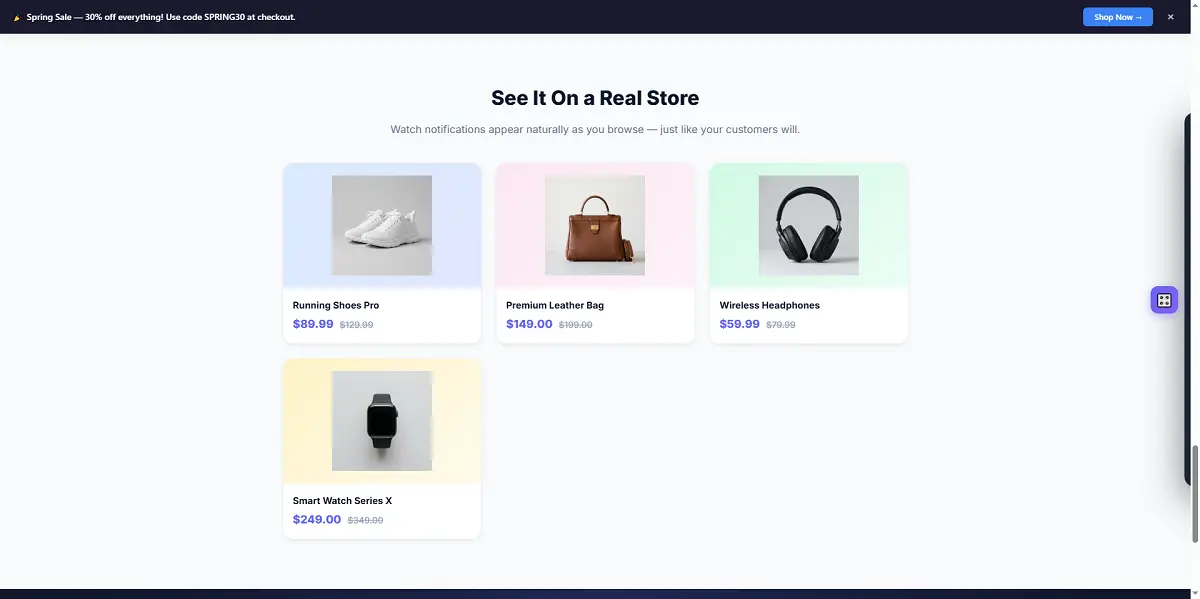
- Notification Bar — Full-width announcement bar with CTA button, scheduling, and dismiss
- Cookie Consent Banner — GDPR-compliant cookie consent with WP Consent API support
- Contact Form Notifications — Show recent form submissions (WPForms, Gravity Forms, Ninja Forms, CF7)
- EDD Integration — Easy Digital Downloads purchase notifications
- GiveWP Integration — Donation activity notifications
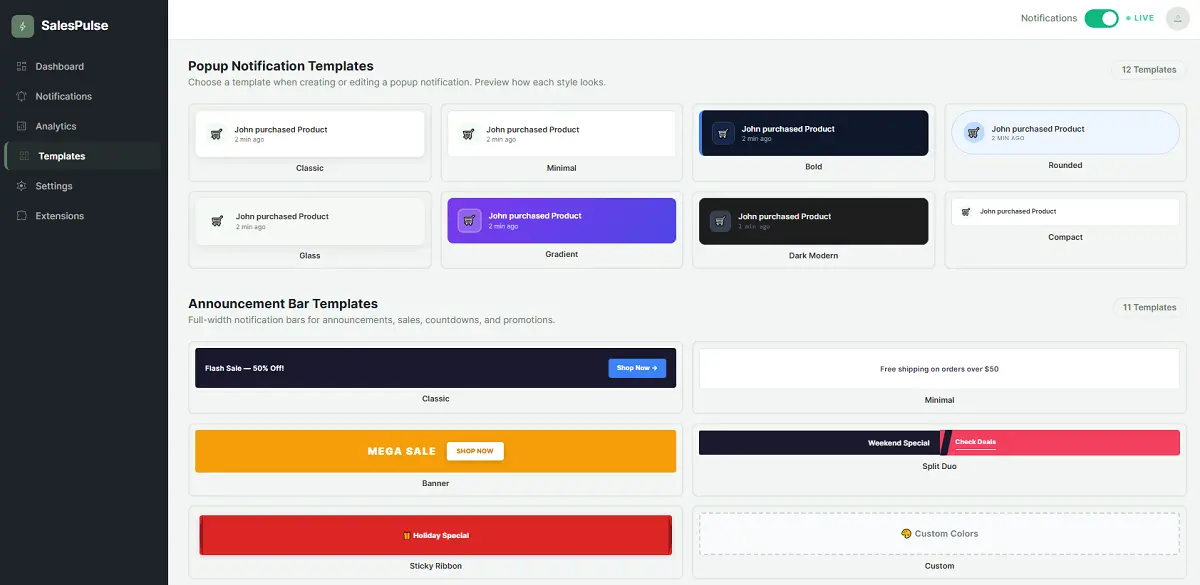
- 8 Popup Templates — Classic, Minimal, Bold, Rounded, Glass, Gradient, Dark Modern, Compact
- 6 Bar Templates — Classic, Minimal, Banner, Split Duo, Sticky Ribbon, Custom
- Smart Merge Tags — Use {customer_name}, {product_name}, {time_ago} and more
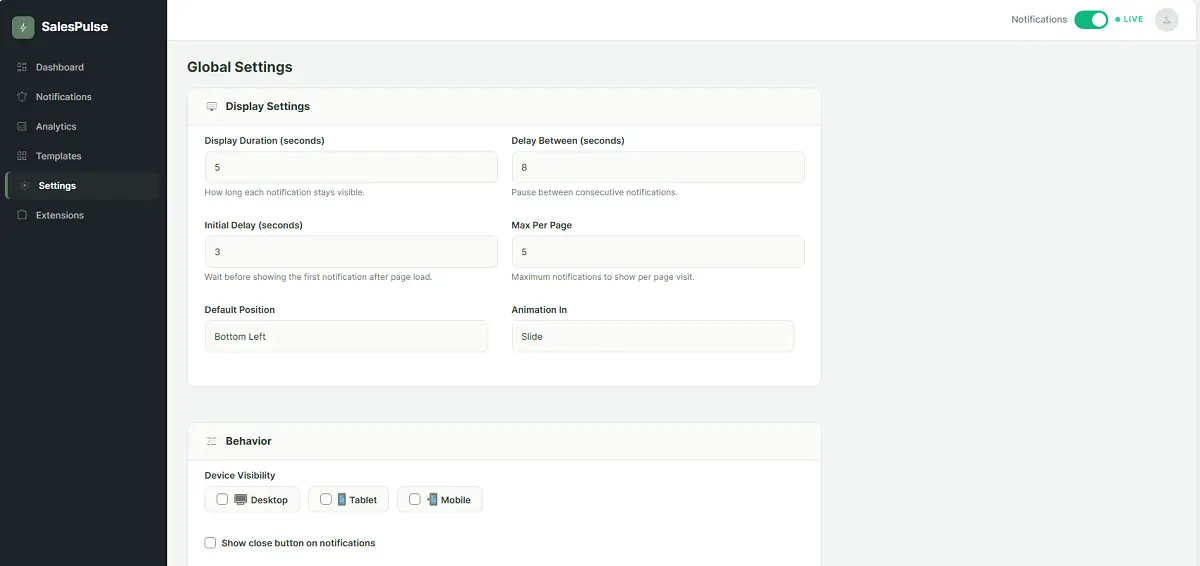
- Position Control — Bottom-left, bottom-right, top-left, or top-right
- 3 Animation Styles — Slide, Fade, or Bounce entrance effects
- Display Targeting — Show everywhere, specific pages, or exclude pages
- Device Controls — Separate toggles for Desktop, Tablet, and Mobile
- Analytics Tracking — Track impressions and clicks per notification
- Flashing Tab — Grab attention with custom tab title when user switches tabs
- Shortcode & Gutenberg Block — Embed notifications anywhere
- Performance Optimized — Vanilla JS, zero dependencies, ~5KB CSS + ~4KB JS
- GDPR Friendly — Privacy-safe visitor tracking with hashed identifiers
- Close Button — Let visitors dismiss notifications
- Hover Pause — Notifications pause when hovered
- Loop Mode — Optionally restart the notification queue
- WooCommerce stores wanting to increase sales
- SaaS landing pages needing social proof
- Membership sites showcasing community growth
- Service businesses building trust with reviews
- Course creators showing enrollment activity
- Digital product sellers using Easy Digital Downloads
- Nonprofits using GiveWP for donations
- WooCommerce — Real purchase data, customer names, products, cities
- Easy Digital Downloads — Digital product sale notifications
- GiveWP — Donation activity notifications
- WPForms — Contact form submission notifications
- Gravity Forms — Form submission notifications
- Ninja Forms — Form entry notifications
- Contact Form 7 (via Flamingo) — Message notifications
{customer_name}— Buyer's first name{customer_city}— Buyer's city{product_name}— Product name{time_ago}— Human time difference ("2 minutes ago"){visitor_count}— Live visitor count{post_title}— Post or page title{comment_text}— Comment excerpt
- AI-powered notification message generation
- A/B testing for notification variants
- Advanced analytics with date range filtering and export
- Advanced page targeting rules (URL, user role, geo)
- Exit-intent popups
- Countdown timer notifications
- 15+ additional premium templates
- Review import from Google, Yelp
- Priority support
安装:
- Upload the
salespulsefolder to/wp-content/plugins/ - Activate the plugin through the 'Plugins' menu in WordPress
- Go to SalesPulse in your admin menu
- Create notification types and customize settings
- Enable notifications with the global toggle — you're live!
屏幕截图:
常见问题:
Does it work without WooCommerce?
Yes! SalesPulse works with any WordPress site. Without WooCommerce, you can use signup alerts, review highlights, visitor counts, notification bars, cookie consent banners, and custom messages.
What form plugins are supported?
SalesPulse supports WPForms, Gravity Forms, Ninja Forms, and Contact Form 7 (via Flamingo) for contact form submission notifications.
Will it slow down my site?
No. SalesPulse loads only ~5KB of CSS and ~4KB of JavaScript with zero external dependencies. Assets only load when notifications are active.
Is it GDPR compliant?
SalesPulse uses privacy-safe hashed identifiers for visitor tracking. No personal data is stored or transmitted to external services. It also includes a built-in cookie consent banner with WP Consent API support.
Can I customize the notification appearance?
Yes! Choose from 8 popup templates, 6 bar templates, 4 positions, 3 animation styles, and control timing, close buttons, sounds, and more.
Can I show a notification bar?
Yes! SalesPulse includes a full-width notification bar feature with CTA buttons, dismissible option, scheduling, and 6 template styles.
Does it support multisite?
SalesPulse works on individual sites within a multisite network. Each site has its own settings.
Can I embed notifications in page content?
Yes! Use the [salespulse] shortcode or the Gutenberg block to embed notifications inline or as floating popups anywhere in your content.
更新日志:
- Bug Fixes
- Improvement: Synced Free version templates with PRO preview styles.
- Fix: Addressed template duplication when PRO version is active.
- Fix: Resolved styling issues in the Custom configuration panel.
- Initial release
- 8 popup notification templates (Classic, Minimal, Bold, Rounded, Glass, Gradient, Dark Modern, Compact)
- 6 notification bar templates (Classic, Minimal, Banner, Split Duo, Sticky Ribbon, Custom)
- WooCommerce purchase notifications
- Easy Digital Downloads sale notifications
- GiveWP donation notifications
- Signup / registration alerts
- Review / comment highlights
- Live visitor count
- Custom message notifications
- Contact form submission notifications (WPForms, Gravity Forms, Ninja Forms, CF7)
- Announcement notifications
- Notification bar with CTA, scheduling, and dismiss
- Cookie consent banner with WP Consent API
- Analytics tracking (impressions and clicks)
- Merge tag system
- Shortcode and Gutenberg block support
- Display targeting (everywhere, specific pages, exclude pages)
- Device visibility controls (desktop, tablet, mobile)
- Flashing tab title for inactive tabs
- REST API for admin CRUD
- Mobile responsive
- Accessibility support (prefers-reduced-motion)