
Payment Gateway with MPGS for WooCommerce
| 开发者 |
salmanpatnee
freemius |
|---|---|
| 更新时间 | 2026年7月11日 03:28 |
| PHP版本: | 7.2 及以上 |
| WordPress版本: | 6.9 |
| 版权: | GPLv3 or later |
| 版权网址: | 版权信息 |
详情介绍:
- Test Mode - Switch between test and live credentials safely
- Debug Logging - Built-in WooCommerce logger for troubleshooting
- Transaction Details - Saves transaction ID, receipt, card type, and last 4 digits with each order
- HPOS Compatible - Works with WooCommerce High-Performance Order Storage
- Multiple API Versions - Supports MPGS API versions 49, 52, 55, 62, 63, and 66
- 3DS Authentication - Supports both 3DS1 and 3DS2
- Translation Ready - French translation included
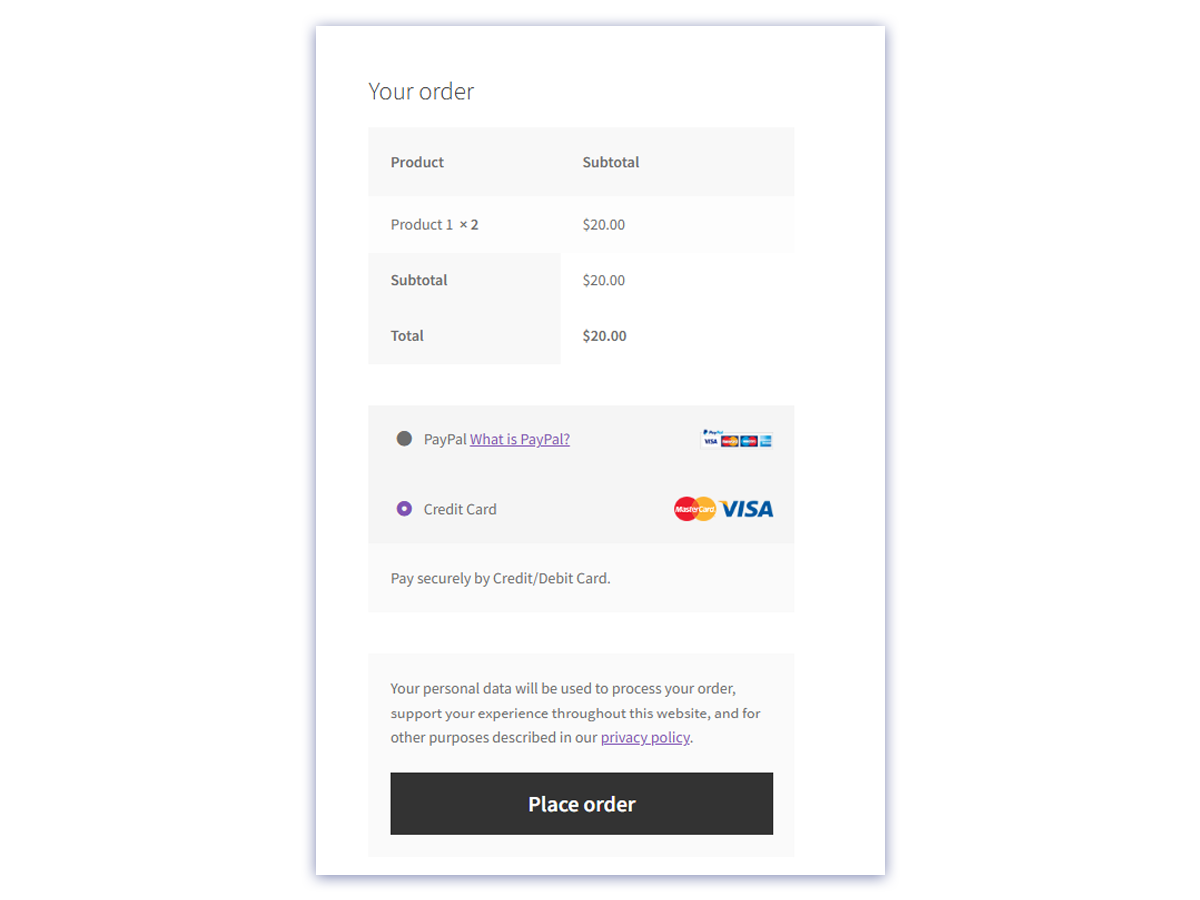
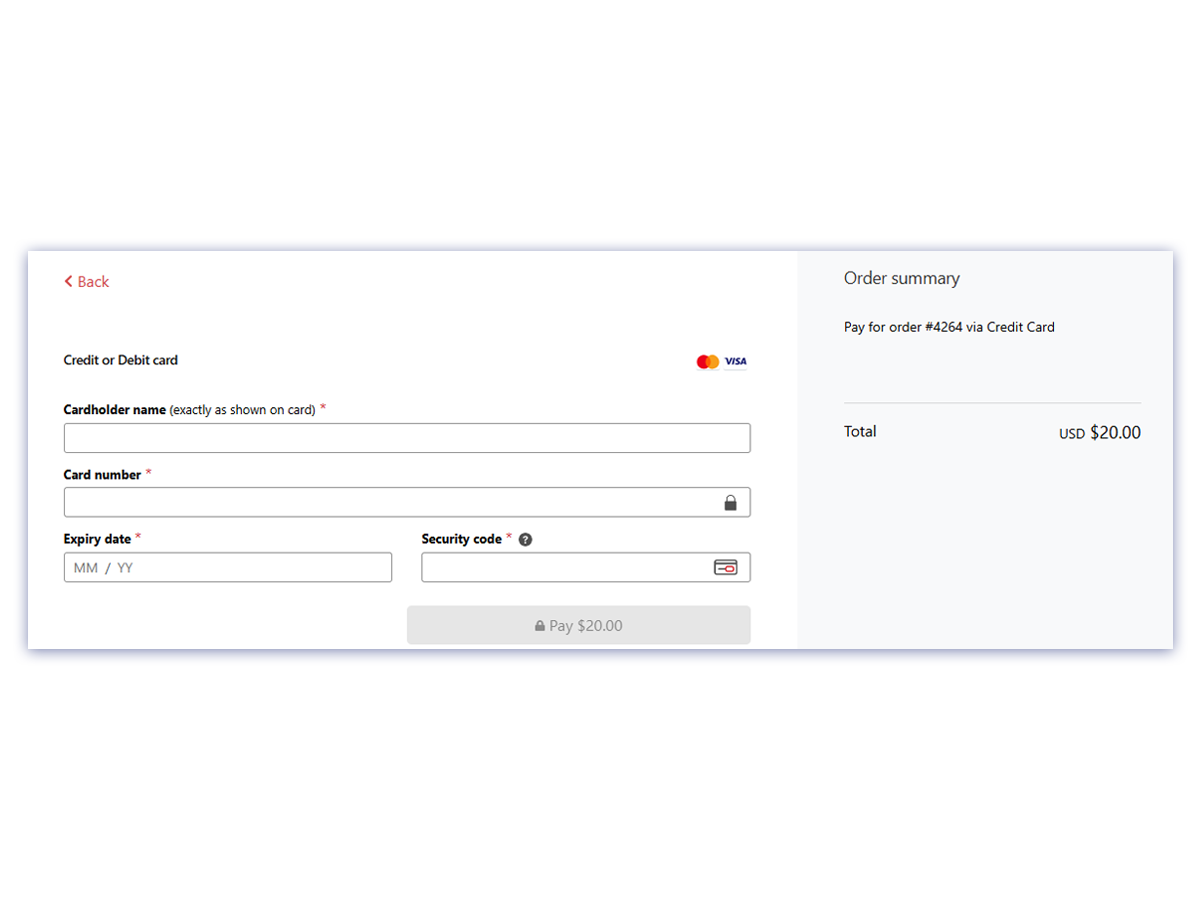
- Payment Page - Customer is redirected to the MPGS payment page (all API versions)
- Lightbox - Payment form opens as a popup on your site (API v49-62 only)
- Transaction Log Viewer - Every gateway event in your dashboard (WooCommerce > MPGS Logs). No FTP, no raw log files.
- Card Surcharge - Pass processing fees to the customer. Fixed or percentage, with per-country rates.
- Authorize & Capture - Hold funds at checkout, capture the full or a partial amount from the order screen when you ship.
- Branded Checkout - Your logo, website, and contact details on the MPGS payment page.
- Payment Alerts - Instant email or webhook notifications for successful, failed, and refunded payments.
安装:
- Go to Plugins > Add New in WordPress admin
- Search for "Payment Gateway with MPGS for WooCommerce"
- Click Install Now then Activate
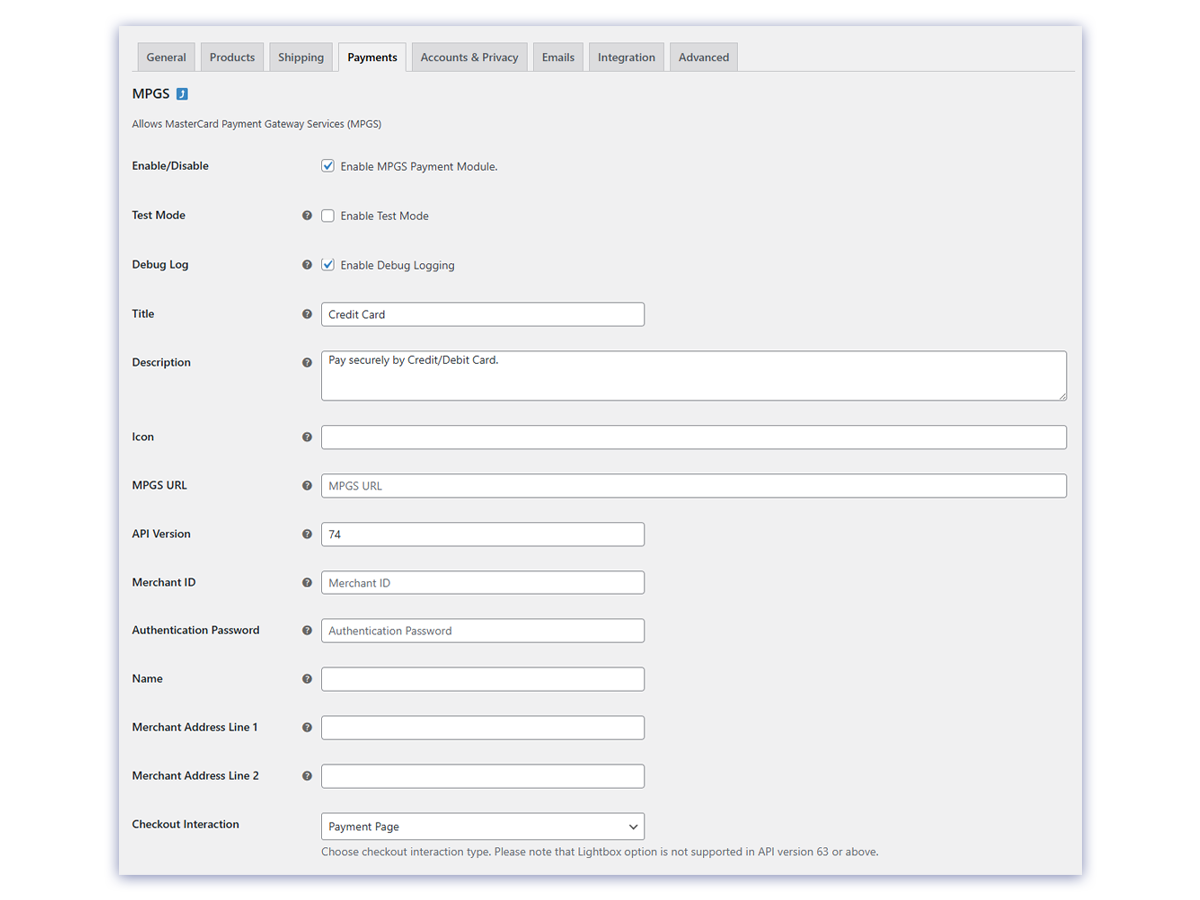
- Go to WooCommerce > Settings > Payments > MPGS
- Enter your credentials:
- MPGS URL - Gateway URL from your bank (must end with
/) - API Version - Version 66 recommended
- Merchant ID - From your bank
- Authentication Password - Generate in MPGS admin portal under Admin > Integration Settings
- Enable Test Mode to verify your setup, then disable it when ready to go live
屏幕截图:
常见问题:
How do I get MPGS credentials?
Contact your acquiring bank to set up an MPGS merchant account. They will provide your Merchant ID, gateway URL, and access to the MPGS admin portal where you generate the Authentication Password.
Why are my transactions failing?
Common causes:
- Currency mismatch between MPGS account and WooCommerce store
- MPGS URL missing the trailing slash
- Wrong Merchant ID or Authentication Password
- API version not supported by your account
Does this plugin store credit card data?
No. Customers enter card details on MPGS-hosted pages. No card data ever reaches your server.
Can I use Lightbox mode?
Only with API versions 49-62. API version 63 and above require Payment Page (redirect) mode.
Does this plugin support refunds?
Yes, since version 2.1.0. Refund directly from the WooCommerce order screen - a full refund voids the transaction, a partial amount issues an MPGS refund.
What is the difference between free and Pro?
The free version is a complete, fully functional MPGS gateway - secure hosted checkout, 3DS, refunds, test mode, debug logging. Pro adds operational tools: an in-admin transaction log viewer, card surcharges, authorize/capture (hold funds now, capture on fulfillment), branded checkout, and payment alerts.
Is this plugin HPOS compatible?
Yes. Version 2.0.0 supports WooCommerce High-Performance Order Storage.
Where do I find transaction details?
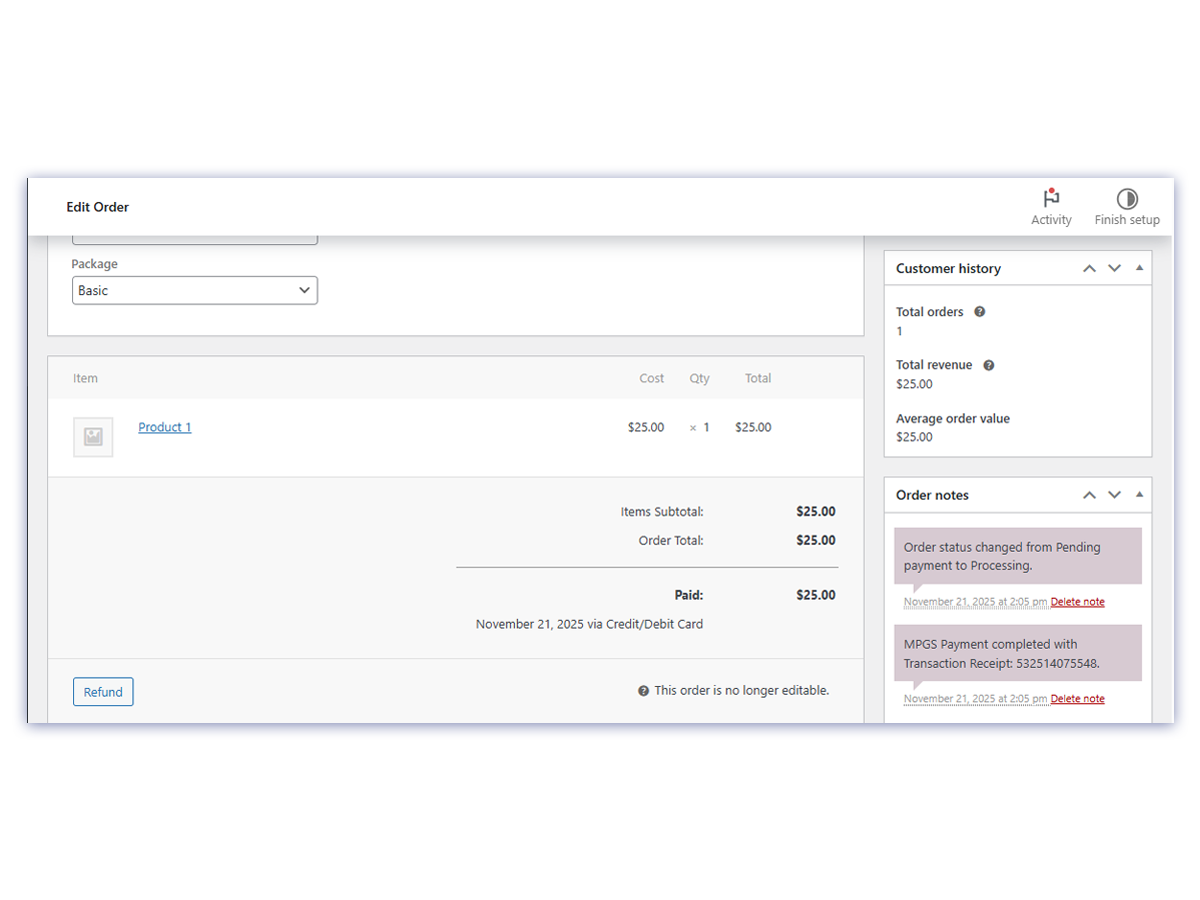
Open any order paid via MPGS. The Order Notes section shows the transaction receipt, transaction ID, gateway response code, and card details.
更新日志:
- New: dismissible admin notice announcing the optional Pro version to free users
- Improved: redesigned the Pro section on the Getting Started page for clearer, more scannable features
- Fixed: "See Pro Features" now links straight to the Pro features section
- Pro: Branded Checkout - show your logo, website, contact details, and address on the MPGS Hosted Checkout payment page
- Pro: Payment Alerts - instant email or JSON webhook notifications for successful, failed, and refunded payments
- The update opt-in notice now also announces the new optional Pro features
- Added a Pro section teaser on the gateway settings page (free plan only)
- Plugin deletion now removes all stored options, so a reinstall starts fresh
- Introduced optional Pro version (via Freemius). The free plugin is unchanged: same secure hosted checkout, refunds, and settings - no features removed, no account required.
- Added a Getting Started page (features, setup steps, quick links) shown once after first activation and reachable from the Plugins row
- Added a dismissible review reminder with Remind Me Later / Don't Show Again controls
- Pro: Transaction Log Viewer - rolling in-admin log of gateway events at WooCommerce > MPGS Logs
- Pro: Card Surcharge - fixed or percentage fee when paying by card, with per-country overrides
- Pro: Authorize & Capture - authorize at checkout, capture full or partial amounts from the order screen
- Added Freemius SDK for licensing and optional usage opt-in (no data is collected without explicit consent)
- Developer: new action hooks mpgs_payment_success, mpgs_payment_failed, mpgs_refund_processed, mpgs_log_entry; new filters mpgs_credentials_for_currency, mpgs_payment_action
- Added an MPGS Transaction Details meta box on the order edit screen (receipt, transaction ID, card brand, last 4, type, gateway response, API version)
- Added a "View in MPGS Portal" link built from the configured service host and merchant ID
- Customers now see human-readable decline messages mapped from MPGS gateway codes (e.g. insufficient funds, expired card) instead of raw status strings
- Logs the full MPGS API error response body to the WooCommerce debug log for support troubleshooting
- Added config-mistake hints to the debug log (missing trailing slash on MPGS URL; HTTP 401/403 auth failures)
- Added WooCommerce Cart/Checkout Blocks support; gateway now appears on block-based checkout
- Declared
cart_checkout_blockscompatibility - No change to payment processing — block checkout reuses the existing hosted-checkout redirect flow
- Added refund and void support from WooCommerce admin
- Full refund uses VOID (DELETE) operation; partial uses REFUND (PUT)
- Validates refund amount, transaction ID presence, and order total ceiling
- Logs all refund attempts and MPGS responses to WooCommerce debug log
- Adds order note on success (receipt + amount) and failure (error code)
- Added test mode toggle for safe testing
- Added debug logging with WooCommerce logger
- Added transaction metadata storage (ID, receipt, card details, response codes)
- Added nonce verification, input sanitization, and output escaping
- Added HPOS compatibility
- Added PHP 8.2+ compatibility
- Fixed sprintf() bug causing null order descriptions
- Fixed deprecated utf8_decode() warnings on PHP 8.2+
- Renamed plugin for WordPress.org compliance
- Minimum requirements raised to WordPress 5.0, WooCommerce 4.0, PHP 7.2
- Fix MSO error
- Support API version 66
- Support 3DS1 and 3DS2 authentication
- Added filter for session request customization
- Added transaction reference for special MID setups
- Support API version 55
- Allow admin orders without customer info
- Translation support
- Fix American Express JSON response handling
- Allow admin-created orders
- Multisite support
- Fix redirection after payment
- Option to edit payment icon
- Initial release