SAML SSO Login - Single Sign On
| 开发者 |
Keywoot
samlsso |
|---|---|
| 更新时间 | 2025年11月14日 18:05 |
| 捐献地址: | 去捐款 |
| PHP版本: | 8.2 及以上 |
| WordPress版本: | 6.8 |
| 版权: | GPLv2 or later |
| 版权网址: | 版权信息 |
详情介绍:
Keywoot's SAML Single Sign On plugin transforms your WordPress site into a SAML Service Provider (SAML SP), enabling it to securely authenticate users through any SAML 2.0 compliant Identity Provider (IdP). Users can log in or register on your site via SAML SSO with various Identity Providers.
This plugin is compatible with IdPs including Okta, Keycloak, Azure AD, Google Workspace, Salesforce, ADFS, Shibboleth, OneLogin, Auth0, Microsoft Entra ID, and others. It ensures a secure authentication experience, making it ideal for businesses, educational institutions, or community sites that want simplified access for employees, students, or members.
Need Help or Have Questions?
For any queries or support, feel free to reach out to us at: support@keywoot.com
Our team is dedicated to providing you with the best support possible.
安装:
From your WordPress dashboard
- Navigate to Dashboard > Plugins > Add New.
- Search for
keywoot saml sso. Locate and install the SAML SSO - Single Sign On plugin by Keywoot. - Activate the plugin from your Plugins page.
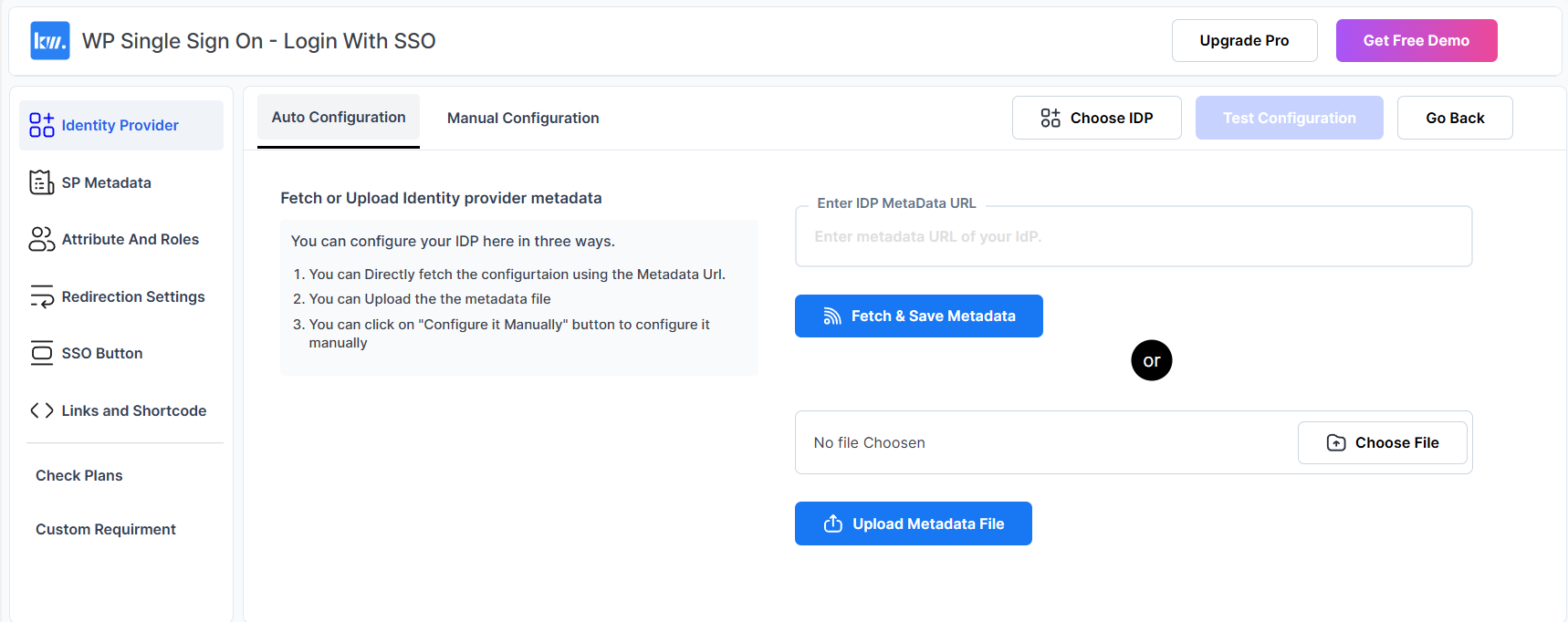
- Configure your identity provider's SSO settings in the plugin settings panel.
- Enjoy a seamless, secure authentication experience for your WordPress site users.
- Download the plugin from the WordPress.org repository.
- Unzip the downloaded file and upload the
saml-sso-wp-single-sign-ondirectory to your/wp-content/plugins/directory. - Activate the plugin from your Plugins page.
屏幕截图:
常见问题:
Is user data secure during SAML SSO authentication?
Absolutely. The plugin uses secure SAML protocols for communication between the Service Provider (SAML SP) and the Identity Provider. All data exchanged is secured.
Which Identity Providers (IdPs) are supported?
The plugin is compatible with any SAML 2.0-compliant IdP, including popular options like Azure AD, Google Workspace, Okta, Salesforce, Keycloak, ADFS, Shibboleth, OneLogin, and more.
Is it possible to customize the SSO button for the login page?
Yes, we support SSO button customization in our premium plan.
Is it possible to add SSO on any other page besides the login page?
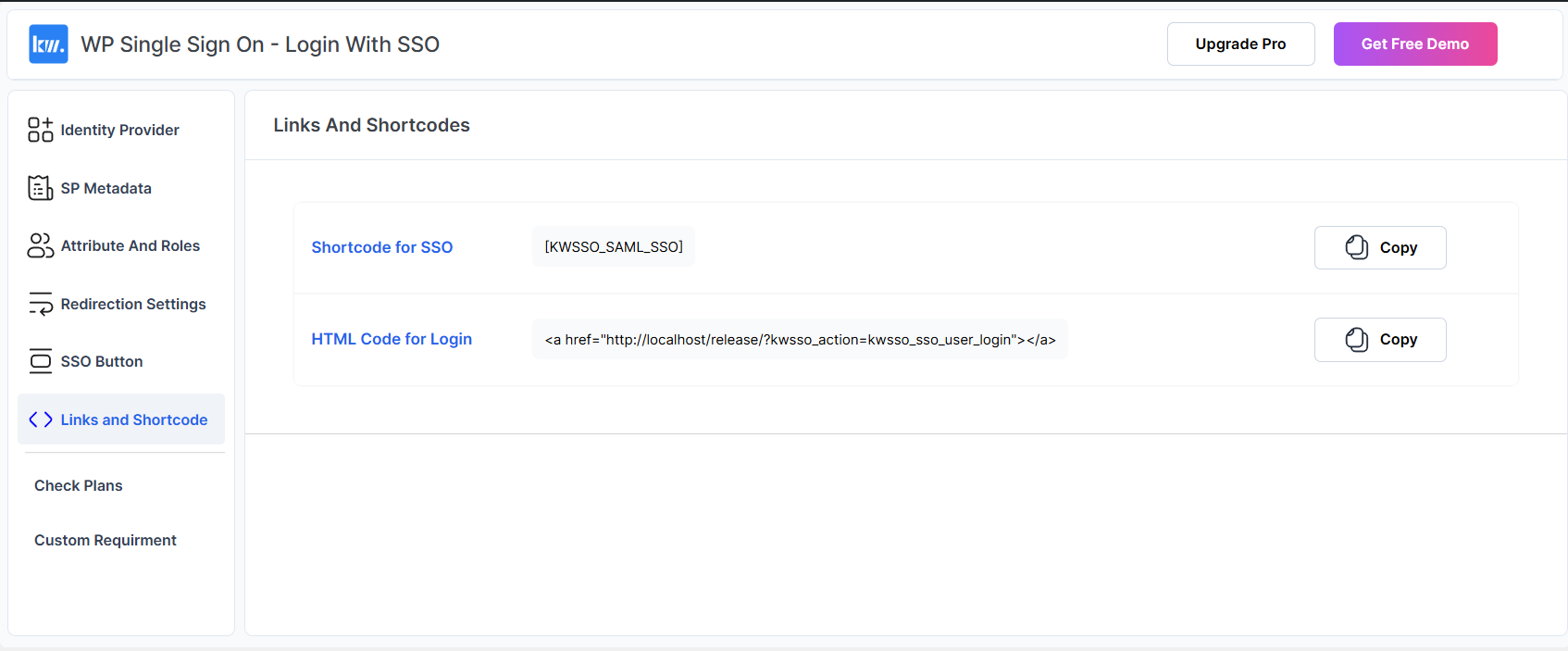
Yes, we provide links and shortcodes so you can add SSO login on any page.
Is it possible to redirect users to a certain page after SSO login?
Yes, this feature is available in our premium plans.
更新日志:
1.5.1
- fixes (PHPCS+WPCS) and improvements
- Added Response Validation Options in Manual Configuration.
- Added metadata file upload validations.
- Introduced a new SSO User Settings page.
- Improved Auto and Manual Configuration layout.
- Refined Deactivation Feedback Form and Removed Use Case Form.
- Updated pricing page and added Advanced Plan in it.
- Improved current page url function.
- Minor Improvements.
- Fixed Redirection after SSO
- Added Setup Guides
- Fixed Plugin.php CSS Issues
- Changes in Usecase and Deactivation Form