
SampleHQ Request Form
| 开发者 | josifoskibojan |
|---|---|
| 更新时间 | 2026年5月21日 05:08 |
| PHP版本: | 8.0 及以上 |
| WordPress版本: | 7.0 |
| 版权: | GPLv2 or later |
| 版权网址: | 版权信息 |
详情介绍:
- Sample Library -- Manage product samples with categories, images, SKUs, and descriptions
- Visual Form Builder -- Drag-and-drop builder with 17 field types and multi-column layouts
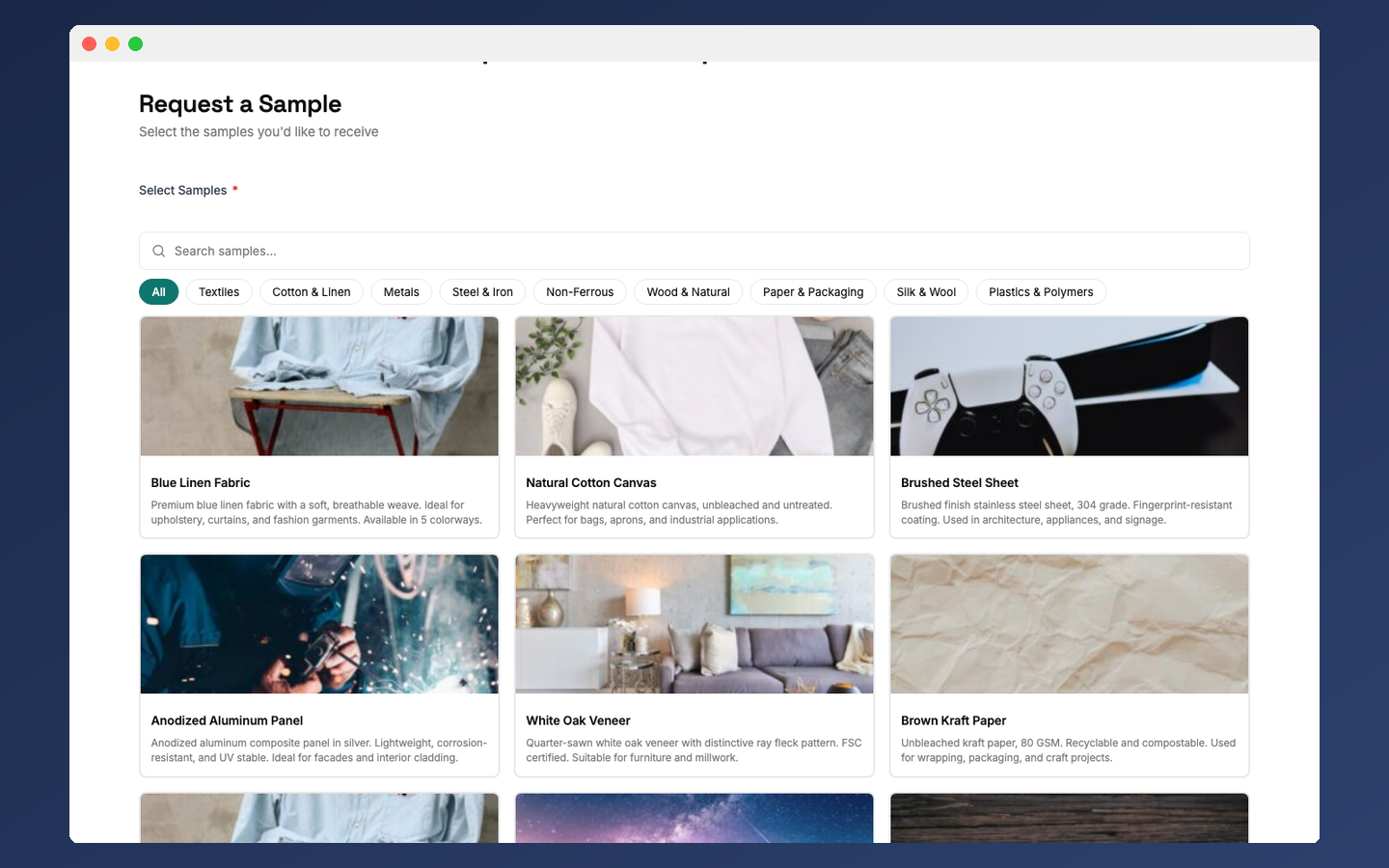
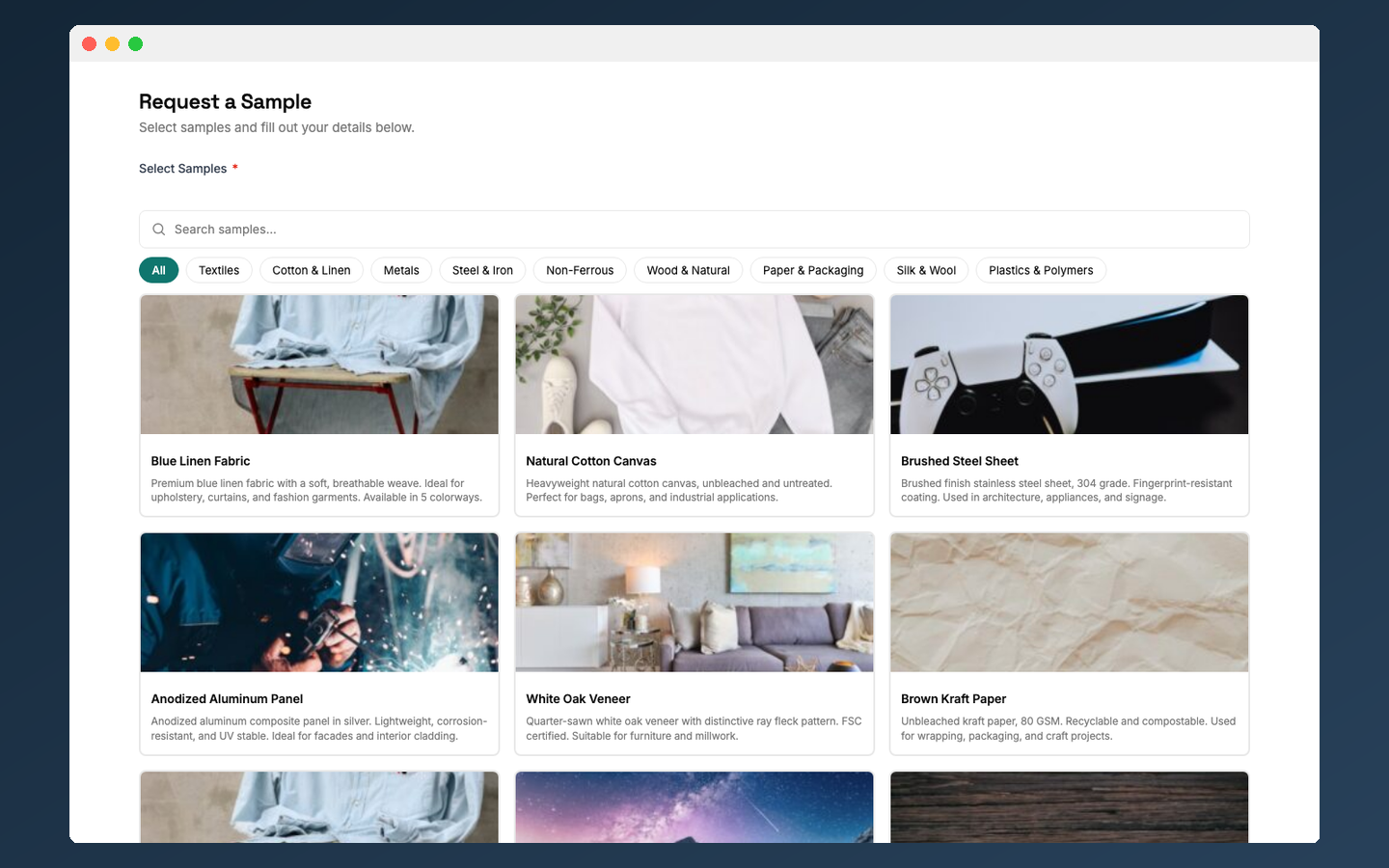
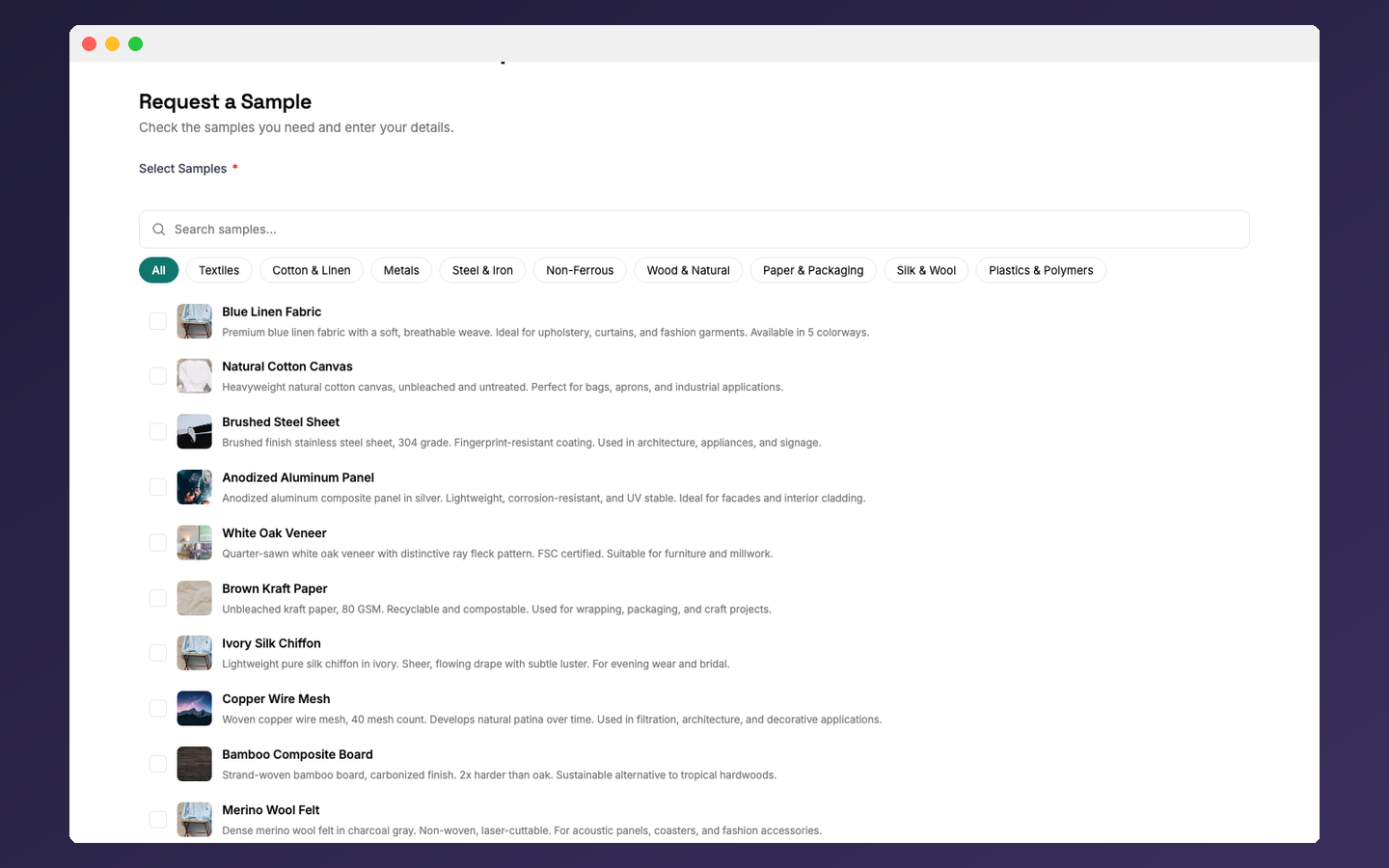
- Sample Picker Field -- Lets visitors browse and select products with quantities
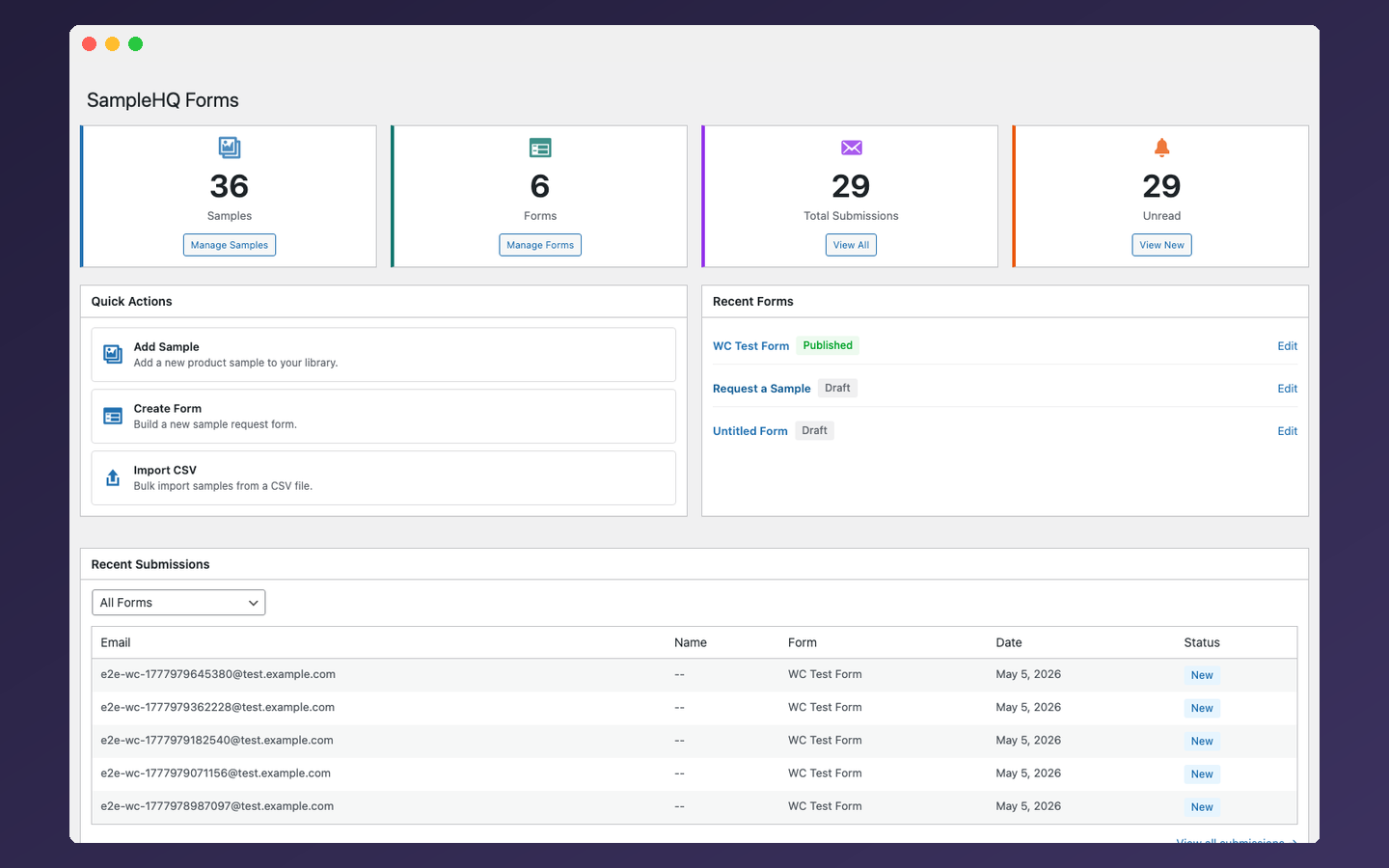
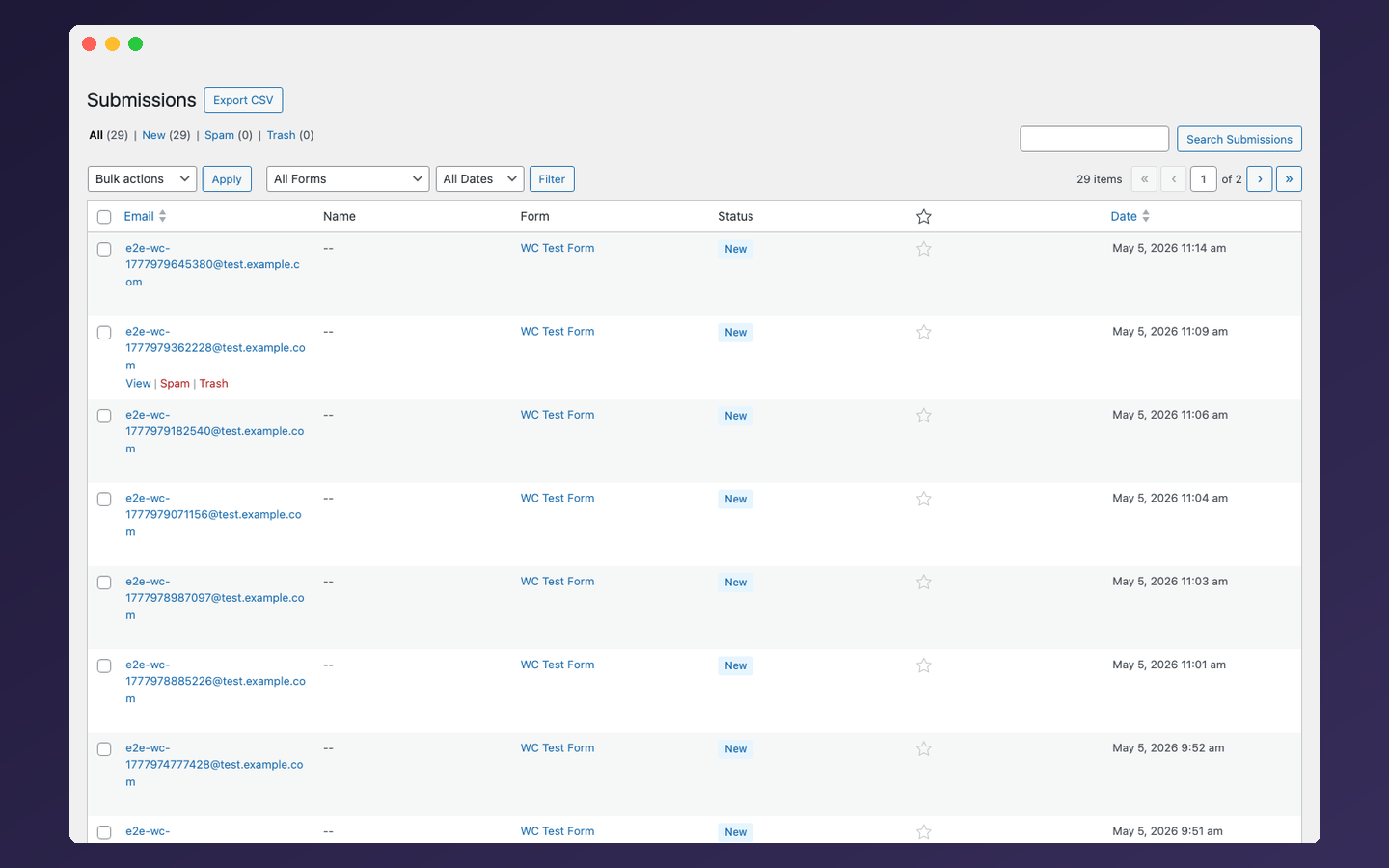
- Submissions Dashboard -- View, search, filter, star, and export submissions as CSV
- Multi-Step Wizard -- Split forms into steps with a progress indicator and per-step validation
- Conditional Logic -- Show or hide fields based on other field values
- Gutenberg Block -- Native block editor integration
- Elementor Widget -- Works with Elementor page builder
- Shortcode -- Embed with
[samplehq_form id="123"]in any page builder - WooCommerce Integration -- Use WooCommerce products in the sample picker; adds a "Request a Sample" button to product pages
- Spam Protection -- Honeypot field, rate limiting, CSRF tokens, and optional Cloudflare Turnstile
- File Uploads -- Server-side MIME validation, protected upload directory
- Email Notifications -- Admin and submitter emails with theme-overridable templates
- Privacy Controls -- Consent field, configurable IP retention, WordPress Privacy API (export and erasure)
- Accessibility -- Built following WCAG 2.2 Level AA practices
- Service URL: https://samplehq.io
- Terms of Service: https://samplehq.io/terms
- Privacy Policy: https://samplehq.io/privacy
- Service URL: https://www.cloudflare.com/products/turnstile/
- Terms of Service: https://www.cloudflare.com/website-terms/
- Privacy Policy: https://www.cloudflare.com/privacypolicy/
安装:
- Upload the
samplehq-request-formfolder to/wp-content/plugins/ - Activate the plugin through the 'Plugins' menu in WordPress
- Go to SampleHQ Forms > Sample Library to add your products
- Go to SampleHQ Forms > Forms > Add New to create a request form
- Embed the form using the Gutenberg block, Elementor widget, or shortcode
屏幕截图:


常见问题:
Do I need a SampleHQ account?
No. The plugin is fully standalone. All features work without any external account. Connecting to SampleHQ is optional and can be configured in Settings > Connection.
Is this plugin free?
Yes. All features are free with no time limits, submission caps, or locked features.
How do I create a form?
Go to SampleHQ Forms > Forms > Create Form. The drag-and-drop builder lets you add fields from the palette on the left, arrange them in columns, and configure settings on the right. Save when done, then embed the form on any page.
How do I embed a form on a page?
Three options: use the native Gutenberg block (search for "SampleHQ Form" in the
block inserter), the Elementor widget, or the shortcode [samplehq_form id="123"]
(replace 123 with your form ID). All three work with any theme.
How does WooCommerce integration work?
Install and activate WooCommerce, then go to SampleHQ Forms > Settings > WooCommerce (the tab only appears when WooCommerce is active). When enabled, the sample picker field uses your WooCommerce products instead of the built-in sample library. A "Request a Sample" button is added to product pages, and you can filter which product categories are available for sampling.
What display modes does the sample picker support?
The sample picker field supports card grid, list, and checklist display modes. You can set a maximum selection count, enable category filtering, and allow quantity input. The picker includes search and category tabs.
How do I set up email notifications?
Go to SampleHQ Forms > Settings > Email. Configure the admin notification address and sender name. Enable submitter confirmation emails to send an automatic reply with the submitted data. Individual forms can override the global email settings.
How do I export submissions?
Open SampleHQ Forms > Submissions and click the "Export CSV" button. The export includes all submission data, custom field values, and metadata. Files are UTF-8 encoded with Excel compatibility and formula injection prevention built in.
What spam protection is available?
Three layers are always active: a honeypot field, rate limiting (configurable, default 10 submissions per form per IP per hour), and CSRF token validation. You can optionally enable Cloudflare Turnstile under Settings > Spam Protection.
Does the plugin support conditional logic?
Yes. Any field can have conditional visibility rules. Fields hidden by conditions are automatically excluded from validation and sanitization, so users are never blocked by fields they cannot see.
How does the multi-step wizard work?
Set the form layout to "Wizard (Multi-step)" in the form builder settings. The form renders as a multi-step flow with a step indicator, step labels, and navigation buttons. Each step validates its fields before allowing the user to proceed.
Is the plugin GDPR compliant?
The plugin integrates with the WordPress Privacy API for personal data export and erasure requests. It includes a consent field type for collecting GDPR consent, IP address collection can be disabled, and IP retention can be configured with automatic purging after a set number of days.
Is the plugin accessible?
Yes. Forms include proper label associations, keyboard navigation, ARIA attributes, screen reader announcements, and focus management following WCAG 2.2 Level AA practices.
更新日志:
- Compatibility: tested and verified with WordPress 7.0
- Fixed: PHP 8.4 deprecation in fgetcsv() escape parameter for CSV imports
- Added: WordPress Playground blueprint for live preview on wordpress.org
- Changed: connection flow opens SampleHQ in a new tab with AJAX polling for auto-refresh
- Added: connection-poll.js script with polling, timeout, cancel, and retry states
- Added: AJAX endpoint for connection status polling
- Fixed: moved inline JavaScript event handlers to enqueued admin-utils.js file
- Fixed: replaced upsell language in migration wizard plan-limit message
- Fixed: scoped admin notices to plugin pages only (guideline 11 compliance)
- Fixed: removed sslverify=false from upload protection self-check
- Fixed: include source JS/CSS files in distribution zip for review transparency
- Fixed: restored auto-login redirect after platform connection
- Fixed: replaced wp_redirect with wp_safe_redirect + allowed_redirect_hosts filter
- Fixed: sanitized $_SERVER inputs in connection callback handler
- Fixed: prefixed template variables and global plugin instance for guideline compliance
- Fixed: corrected auto_login_url type annotation in ConnectionManager
- Fixed: removed arbitrary CSS injection feature (wp.org review)
- Fixed: moved inline scripts to external enqueued JS files
- Fixed: added file upload validation (extension, MIME, is_uploaded_file)
- Fixed: added recursive sanitization for imported JSON form configs
- Fixed: sanitized connection_token input with sanitize_text_field
- Fixed: removed redundant wpApiSettings localization (wp-api-fetch provides it)
- Added: source code section in readme.txt with GitHub repo link
- Added: source/license banner in all built JS files via BannerPlugin
- Fixed: React Hook exhaustive-deps warnings in FormBuilder
- Added optional SampleHQ platform connection with submission sync and data migration
- Fixed PHP 8.0 compatibility issue with standalone return type in ConnectionManager
- Added release procedure with CI changelog validation
- Sample library with categories, images, SKUs, and descriptions
- Visual drag-and-drop form builder with 17 field types
- Sample picker field with product grid, category filters, and search
- Multi-step wizard form layout with step indicator and per-step validation
- Submissions dashboard with search, filter, star, and CSV export
- Gutenberg block, Elementor widget, and shortcode embedding
- Spam protection: honeypot, Cloudflare Turnstile, rate limiting, CSRF tokens
- Email notifications with theme-overridable templates
- File upload field with server-side MIME validation and protected storage
- WooCommerce integration with product page sample request button
- Privacy controls: consent field, IP retention, WordPress Privacy API
- Conditional field visibility with rule builder
- Undo/redo in form builder
- WCAG 2.2 Level AA accessibility practices