ScheduleMaker Lite
| 开发者 | obitmaker999 |
|---|---|
| 更新时间 | 2026年8月23日 15:18 |
| PHP版本: | 7.4 及以上 |
| WordPress版本: | 7.1 |
| 版权: | GPLv2 or later |
| 版权网址: | 版权信息 |
详情介绍:
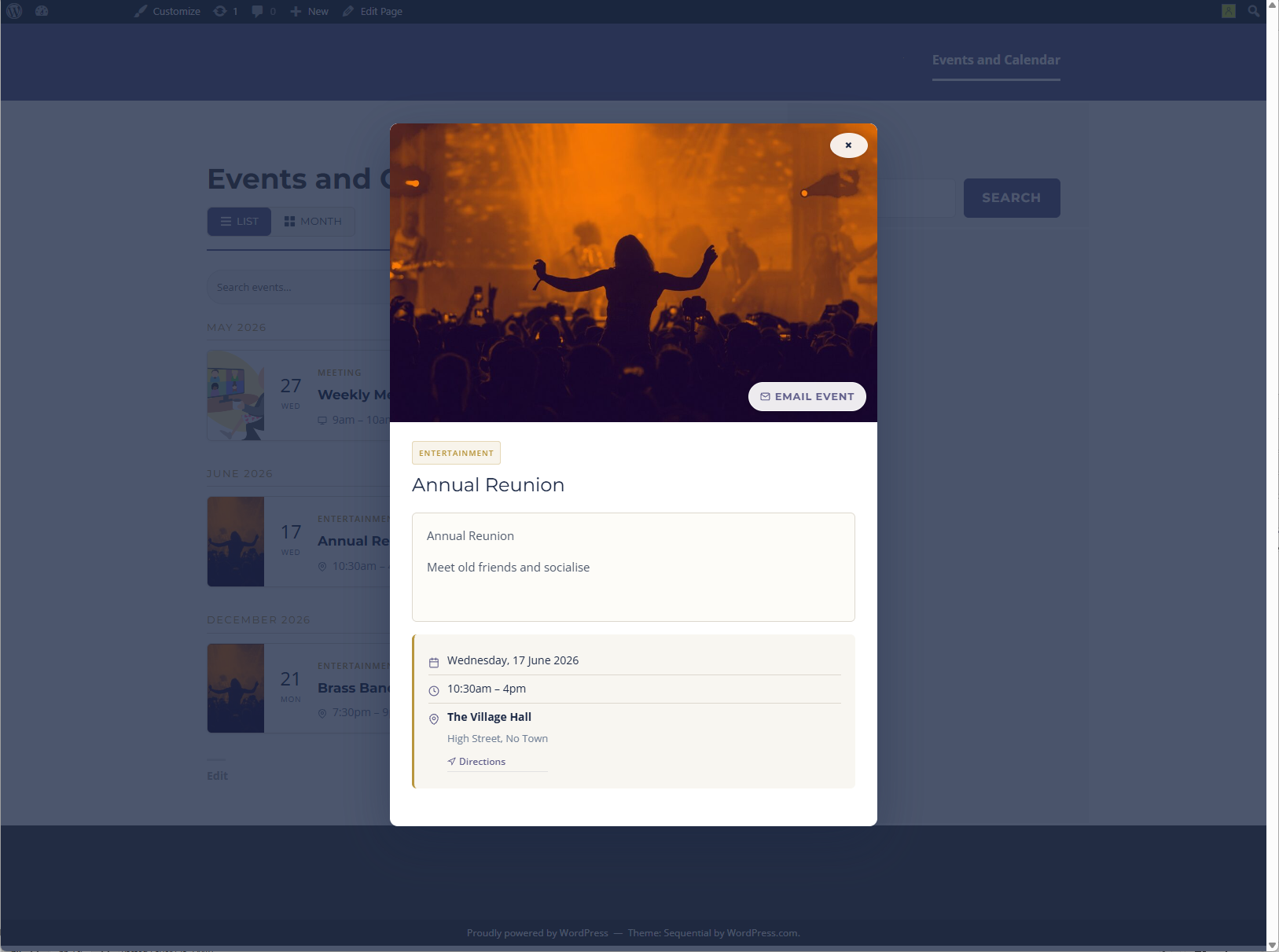
- List view calendar - upcoming events displayed in chronological groups by month
- Simple repeated events - create weekly, monthly, or yearly event copies until a chosen date
- Event detail modal - click any event to open a detail panel with date, time, venue, address, and directions
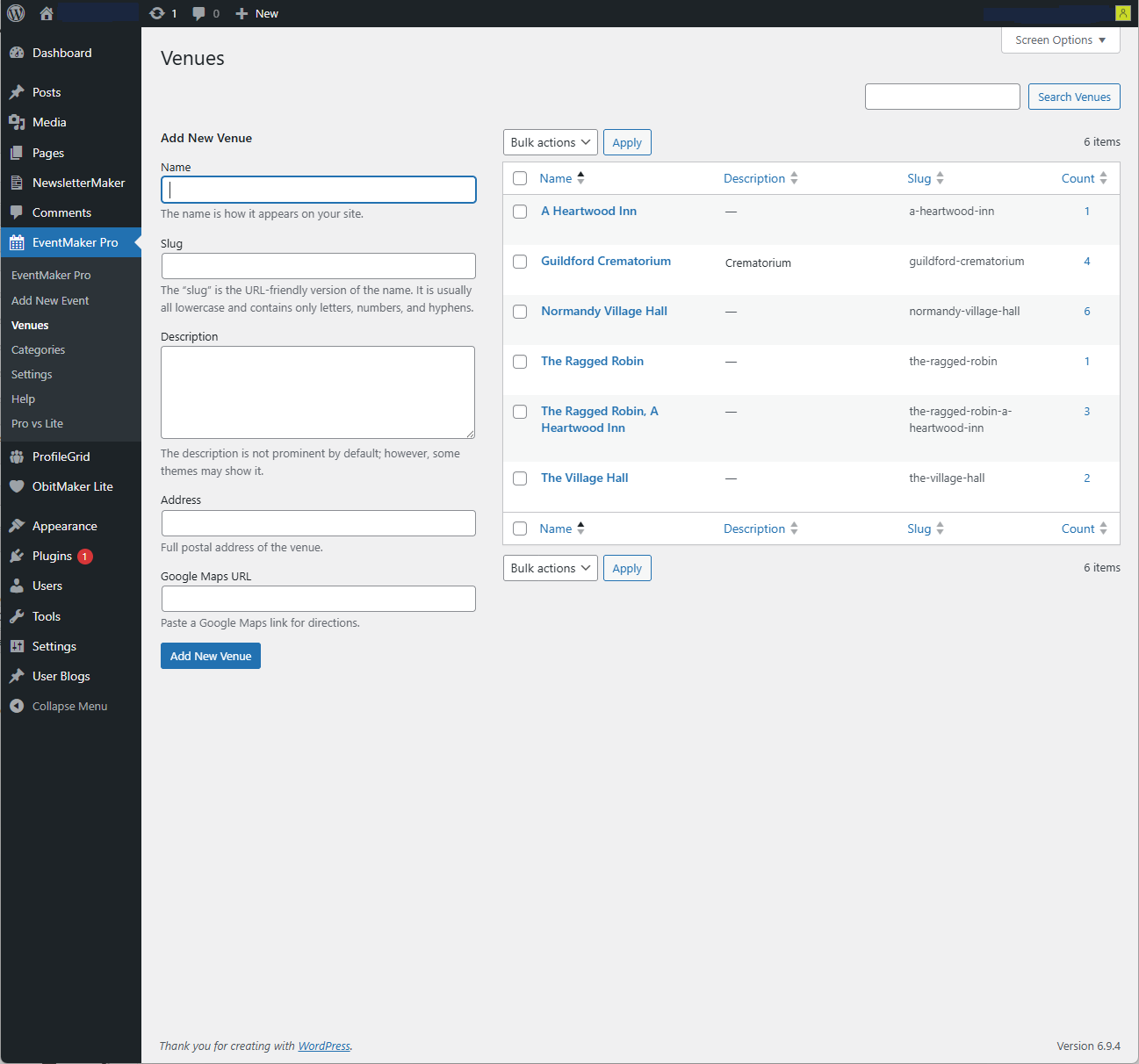
- Venue library - create reusable venues with full postal addresses and Google Maps links
- Inline venue creator - create a new venue without leaving the event editor
- In Person / Online / Hybrid - set the event type with join link support for online and hybrid events
- Online meeting fields - store meeting URL, username, and access password per event
- Event categories - organise events by category
- Category default images - set default featured images for event categories
- Featured image - display a hero image in the event modal
- Calendar visibility - choose public access or members-only access for logged-in users
- Private events - hide selected events from public/member calendars while keeping them visible to users who can edit the event
- Custom accent colour - set the calendar accent colour from the settings screen
- External link - add a booking page or event website link per event
- Shortcode - place the calendar on any page with
[schedulemaker]
安装:
- Upload the
schedulemaker-litefolder to the/wp-content/plugins/directory, or install directly through the WordPress plugins screen. - Activate the plugin through the Plugins screen in WordPress.
- Go to ScheduleMaker Lite -> Settings to choose visibility, accent colour, and category default images if needed.
- Go to ScheduleMaker Lite -> Venues and add your regular venues.
- Go to ScheduleMaker Lite -> Add New Event to create your first event.
- Create a WordPress page and add the shortcode
[schedulemaker]to display the calendar. - If the calendar page shows a 404 error after first install, go to Settings -> Permalinks and click Save Changes. This is a one-time step.
屏幕截图:

常见问题:
What shortcode do I use to display the calendar?
Add [schedulemaker] to any page or post. Optional attributes: view="list" (default), category="category-slug", and limit="20".
How do simple repeated events work?
In the event editor, tick Create repeated copies of this event, choose Weekly, Monthly, or Yearly, and select the date when repeats should stop. When the source event is published, ScheduleMaker Lite creates separate event copies for the repeat dates.
Can I save a repeated event as a draft before publishing it?
Yes. Repeat settings are saved with the draft. The repeated copies are created when the source event is published.
Are repeated events linked as a managed series?
No. ScheduleMaker Lite creates simple independent event copies. Editing the source event later does not automatically update existing repeated copies. Managed repeat series and source-event syncing are available in ScheduleMaker Pro.
Can I control who sees the calendar?
Yes. Go to ScheduleMaker Lite -> Settings and set Calendar Visibility to either Public or Members only. When Members only is selected, visitors who are not logged in are redirected to your login page.
Who can see private events?
Private events are hidden from public visitors and ordinary logged-in members. They remain visible in the calendar list, marked Private, only to users who can edit that event, such as the creator, an editor, or an administrator.
How do venues work?
Venues are stored in a reusable library. Create each venue once with its name, postal address, and Google Maps URL. Select from the library when creating events. You can also create a new venue directly from the event editor without leaving the page.
What is the recommended image size for event featured images?
Landscape images at approximately 3:1 ratio work best, for example 900x300px or 1200x400px. The image is displayed as a full-width hero at the top of the event detail modal.
Is there a Pro version?
Yes. ScheduleMaker Pro is a separate plugin with additional features. You can learn more at https://obitmakerplugins.gumroad.com/l/schedulemaker-pro.
更新日志:
- Initial release of ScheduleMaker Lite.
- Includes list view calendar, event detail modal, reusable venues, online and hybrid event fields, category default images, calendar visibility settings, accent colour settings, and simple weekly, monthly, or yearly repeated event copies.