
Schema Star
| 开发者 | wpstarplugins |
|---|---|
| 更新时间 | 2026年3月8日 05:30 |
| PHP版本: | 7.4 及以上 |
| WordPress版本: | 6.9 |
| 版权: | GPLv2 or later |
| 版权网址: | 版权信息 |
详情介绍:
Schema Star is a comprehensive WordPress plugin that adds Schema.org structured data markup to your website, helping you achieve rich snippets in Google search results and dramatically improve your SEO performance.
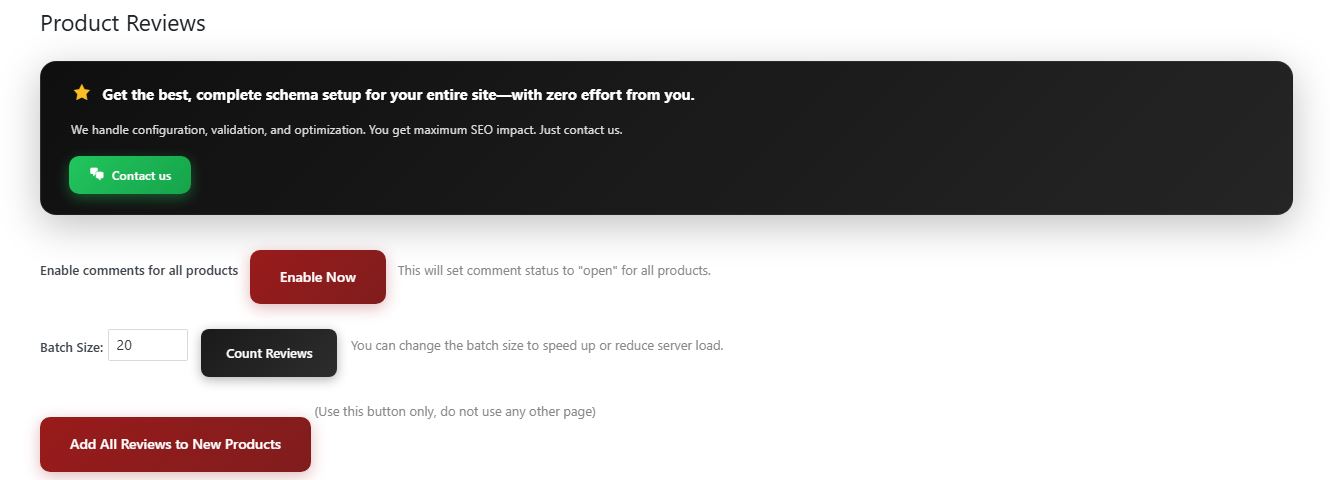
This is the demo/free version. Some advanced features (e.g. Product Reviews management page, Product Group settings page) are available in the Pro version. For step-by-step configuration and usage from a fresh install, see Configuration Steps and How to configure and use below.
Key Features
- Product Schema - Complete WooCommerce product markup with prices, availability, reviews, ratings, and merchant information
- Organization Schema - Company information with logo, contact details, social profiles, and business hours
- Local Business Schema - 30+ business types (Store, Restaurant, Hotel, Medical, Legal, etc.) with address, hours, and geo coordinates
- FAQ Schema - Rich FAQ snippets for posts, pages, and custom post types that appear in Google search results
- BreadcrumbList Schema - Navigation breadcrumbs for better site structure and user experience
- SearchAction Schema - Enable Google sitelinks searchbox in search results
- SiteNavigationElement - Structured data for main navigation menus
- Custom Schema Builder - Create 20+ different schema types (Article, Book, Course, Event, JobPosting, Recipe, Video, etc.) with visual builder
- Multi-Currency Support - Multiple currencies with exchange rates and country mapping
- Auto ALT Tags - Automatic image ALT text generation for better SEO
- Shipping Details - Delivery time and shipping costs in schema
- Return Policy - Merchant return policy schema with country-specific policies
- Tutor LMS - Course schema on single courses; ItemList on course-category and archive
- LearnDash - Course schema on sfwd-courses; ItemList on ld_course_category and archive
- LearnPress - Course schema on lp_course; ItemList on course_category and archive
- Masteriyo - Course schema on mto-course; ItemList on course_cat and archive Each has a settings page under Schema Star (when the LMS is active): Enable Course Schema, Category & Archive Schema, Provider, Price.
- Automatic extraction of product data (name, price, SKU, images, stock status)
- Review synchronization with WooCommerce reviews
- Product variations support
- Category schema markup
- Advanced product settings (warranty, shipping, return policy)
- Performance Optimized - Conditional loading, no frontend queries, minified assets
- Secure - ABSPATH checks, nonce verification, input sanitization, output escaping
- HPOS Compatible - Works with WooCommerce's High-Performance Order Storage
- Translation Ready - Full i18n support with .po/.mo files (Text Domain: schema-star)
- E-commerce stores (WooCommerce)
- Local businesses
- Content websites and blogs
- News and media sites
- Educational platforms
- Service providers
- Real estate websites
- Restaurant and hospitality businesses
安装:
Automatic Installation
- Log in to your WordPress admin panel
- Navigate to Plugins → Add New
- Search for "Schema Star"
- Click Install Now
- Click Activate Plugin
- Go to Schema Star in the admin menu to configure
- Download the plugin ZIP file
- Extract the ZIP file on your computer
- Upload the
Schema-Starfolder to/wp-content/plugins/directory - Activate the plugin through the Plugins menu in WordPress
- Navigate to Schema Star in the admin menu to configure
- Dashboard - Overview of all features and quick access
- Options - Enable Product Schema and configure main settings
- Organization Markup - Add your company information, logo, and contact details
- Local Business Markup - Configure local business information (if applicable)
- WooCommerce (Category tab) - Set up return policy, warranty, and shipping details for product schema
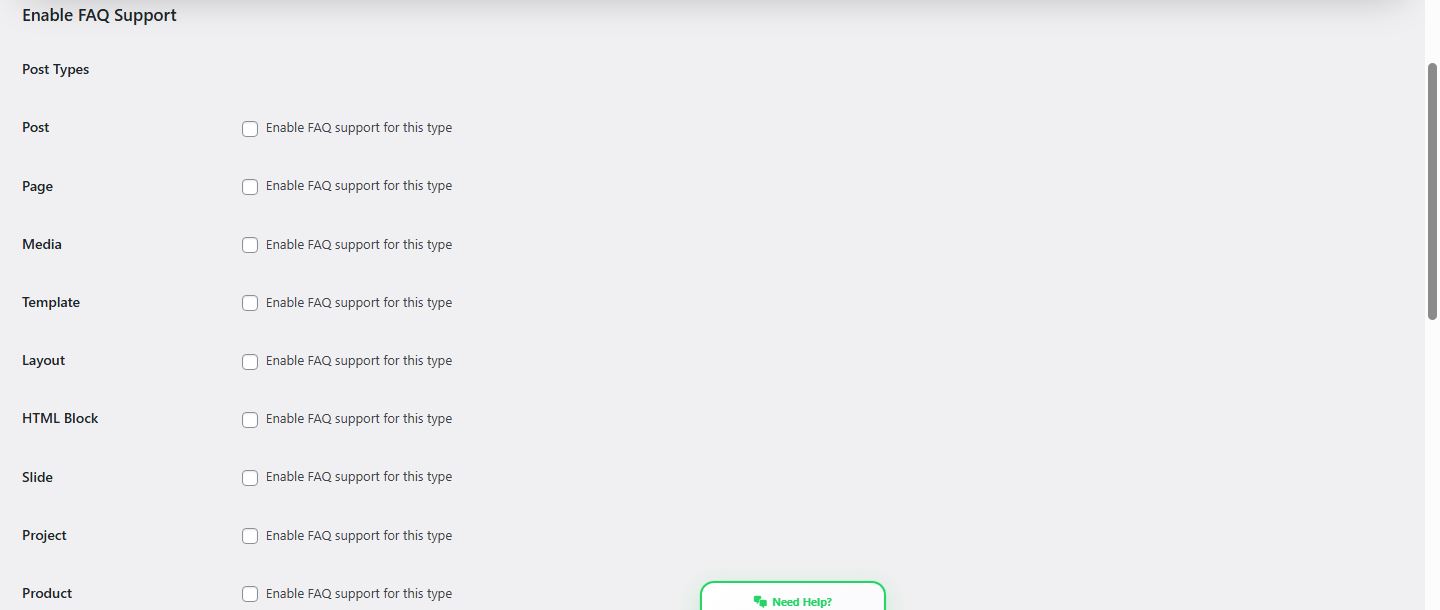
- FAQ Schema - Enable FAQ for specific post types
- Custom Schema - Create custom schemas for specific content
- Organization / Local Business: Go to Schema Star → Organization Markup (or Local Business Markup). Fill in business name, URL, logo URL, and save. The schema is output automatically on the front-end.
- Product Schema (WooCommerce): Install and activate WooCommerce, then go to Schema Star → Options and enable "Product Schema". Product pages will then output Product schema with price, availability, and reviews.
- FAQ Schema: Go to Schema Star → FAQ Schema. Enable FAQ for "Post" and/or "Page". Edit any post or page and use the "FAQ" metabox to add questions and answers, then save. The FAQ schema appears on the front-end for that content. For categories: enable a taxonomy (e.g. Category), then edit a category under Posts → Categories; the FAQ field appears there—add Q&As and save.
- Breadcrumbs: In Schema Star → Options, enable BreadcrumbList if desired. Breadcrumb schema is output on the front-end automatically.
- Verification: View page source on the front-end and look for
<script type="application/ld+json">blocks, or use Google Rich Results Test with your page URL.
屏幕截图:
常见问题:
Is WooCommerce required?
No, WooCommerce is optional. Without WooCommerce, product-related features will be disabled, but all other schema features (Organization, Local Business, FAQ, Breadcrumbs, Custom Schema) work normally.
How do I verify my schema is working?
Use these free tools:
- Google Rich Results Test
- Schema.org Validator
- Google Search Console → Enhancements report
Will this plugin slow down my website?
No, Schema Star is performance-optimized:
- Schema is generated efficiently without additional frontend database queries
- Scripts and styles only load when needed
- Conditional loading based on page type
- Compatible with all major caching plugins
Is it compatible with caching plugins?
Yes, fully compatible with:
- WP Super Cache
- W3 Total Cache
- WP Rocket
- LiteSpeed Cache
- Cloudflare
- And other caching solutions
Does it work with page builders?
Yes, works seamlessly with:
- Elementor
- WPBakery Page Builder
- Divi Builder
- Beaver Builder
- Oxygen Builder
- Gutenberg blocks
- And other page builders
Will it conflict with other SEO plugins?
Schema Star works alongside:
- Yoast SEO
- Rank Math
- All in One SEO
- SEOPress Important: Disable overlapping schema features in other SEO plugins to avoid duplicate schema markup.
Is it translation-ready?
Yes, fully translation-ready:
- Text Domain:
schema-star - Included .po/.mo files
- Translation-ready ( .pot / .po files included )
- Currently includes Turkish translation
What schema types are supported?
- Product (WooCommerce)
- Organization
- LocalBusiness (30+ types)
- FAQPage
- BreadcrumbList
- SearchAction
- SiteNavigationElement
- Custom Schema Builder: Article, Book, Course, Event, JobPosting, Person, Recipe, Service, SoftwareApplication, VideoObject, HowTo, Review, Vehicle, Podcast, Movie, ImageLicense, and more
How do I add FAQ to my posts?
- Go to Schema Star → FAQ Settings and enable FAQ for your post types
- Edit any post/page
- Scroll down to the FAQ Schema metabox
- Click Add New Question
- Enter question and answer
- Publish the post
Can I customize the FAQ display?
Yes, go to Schema Star → FAQ Settings:
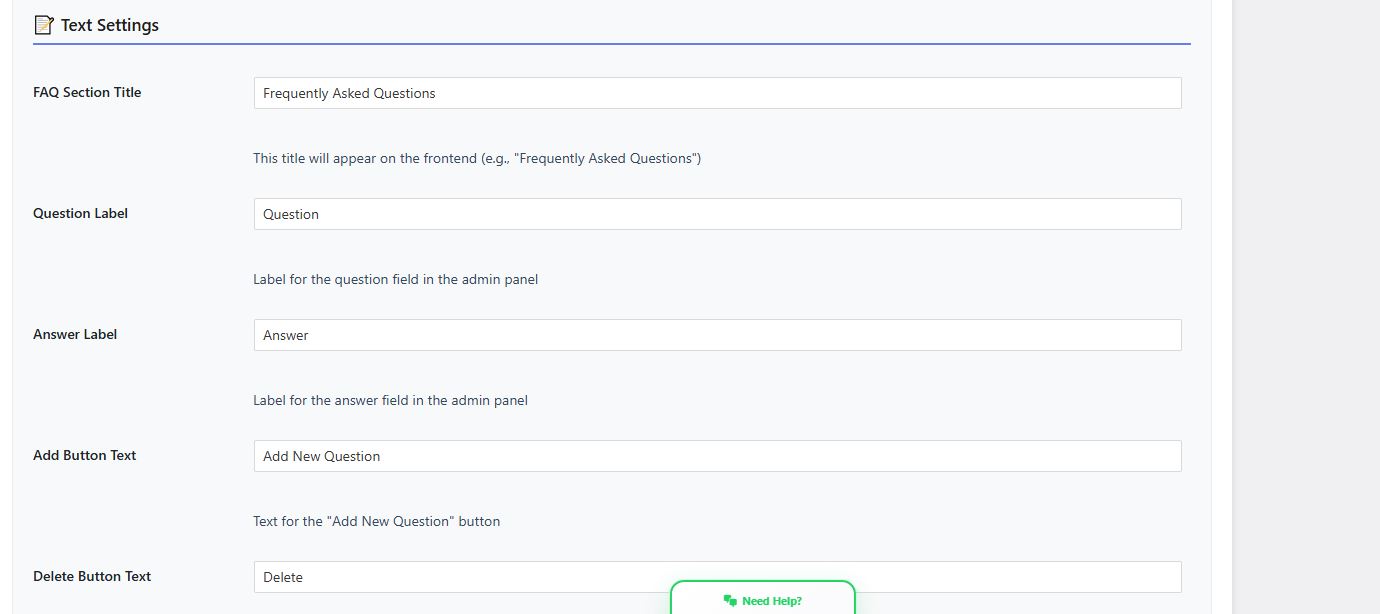
- Change section title
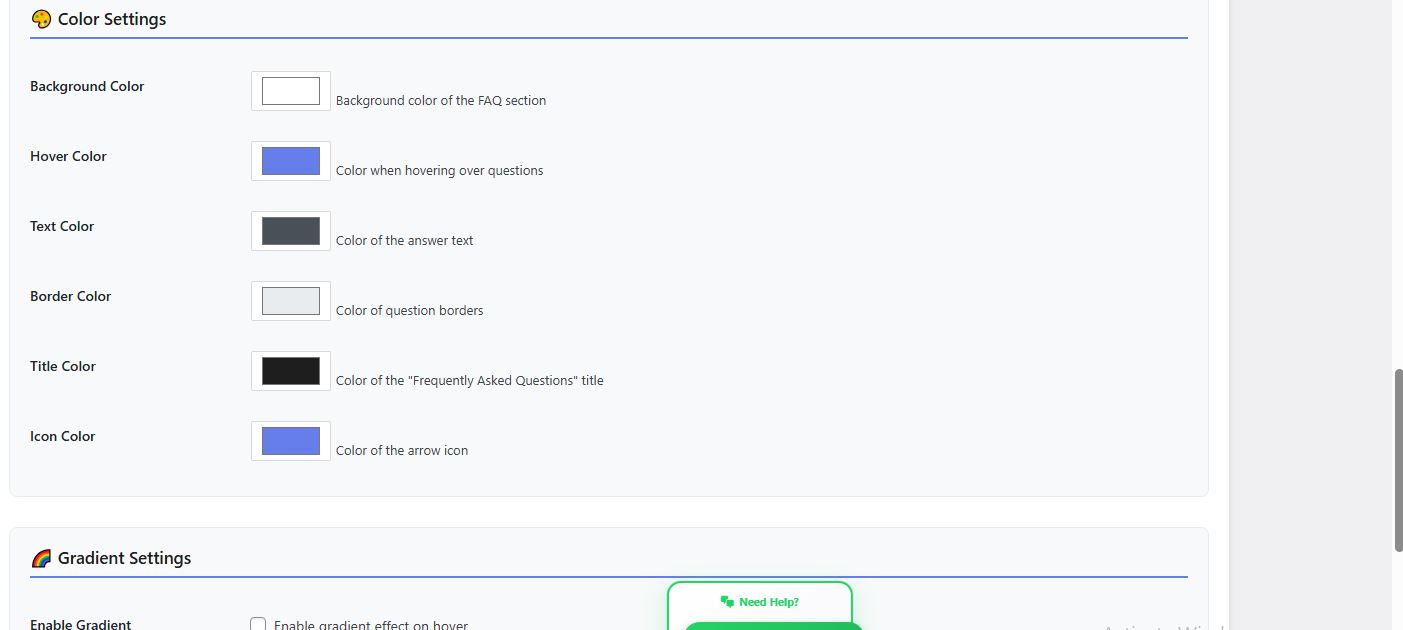
- Customize colors and styling
- Adjust layout and design
- Modify button text and labels
How do I add custom schemas?
- Go to Schema Star → Custom Schema
- Click Add New Schema
- Select schema type (Article, Event, Recipe, etc.)
- Choose target pages/posts
- Fill in schema fields (with auto-fill from WordPress data)
- Save and publish
Does it support multiple currencies?
Yes, full multi-currency support:
- Set base currency
- Add additional currencies with exchange rates
- Map currencies to specific countries
- Automatic currency conversion in schema
Is there a Pro version?
Yes, the Pro version includes:
- All free features
- Custom Schema Builder (unlimited schemas)
- Product Group Schema
- Advanced FAQ customization
- Priority support
- Regular updates Visit wpstarplugins.com for Pro version details.
更新日志:
10.8.100
- Version bump 10.8.100
- Security and i18n: escaping, nonces, sanitization. Parse fix in admin index (wp_localize_script).
- Version bump 10.8.98
- Version bump 10.8.90
- Version bump 10.8.89
- Documentation: Full LMS & integration support in changelog, documentation.html, README, readme
- Help: New tabs per integration (WooCommerce, Tutor, LearnDash, LearnPress, Masteriyo) with detailed schema support
- documentation.html: LMS Integrations section; changelog updated
- README/readme: LMS features, FAQ, requirements
- Fixed register_setting() sanitization callbacks
- Removed Update URI header
- Rely on core for translation loading
- Updated Tested up to: 6.9
- Fixed fatal error with is_product() when WooCommerce is inactive
- Added WhatsApp support button for customer assistance
- Enhanced Help & Documentation page with comprehensive guides
- Improved Product Group Settings demo page
- Updated all function_exists checks for WooCommerce functions
- Added comprehensive Help & Documentation page with tabbed interface
- Enhanced Custom Schema Builder documentation
- Improved Product Group Settings explanations
- Added detailed feature explanations for all plugin pages
- Implemented freemium model for Product Group Settings
- Added locked demo pages for premium features
- Enhanced upgrade call-to-action buttons
- Improved user experience for free version
- Implemented freemium model for product page metaboxes
- Changed "Far Schema" metabox title to "Schema Star"
- Added locked demo for Schema Star metabox on product pages
- Added locked demo for FAQ metabox on product pages
- Enhanced upgrade messaging and design
- Fixed PHP parse errors in STAR-functions.php
- Improved FAQ schema page functionality
- Enhanced image display in FAQ demo pages
- Added function_exists checks for WooCommerce functions
- Implemented freemium model for FAQ Schema and FAQ Settings pages
- Added locked demo pages with benefits and upgrade CTAs
- Enhanced FAQ example images display
- Improved user experience for free version
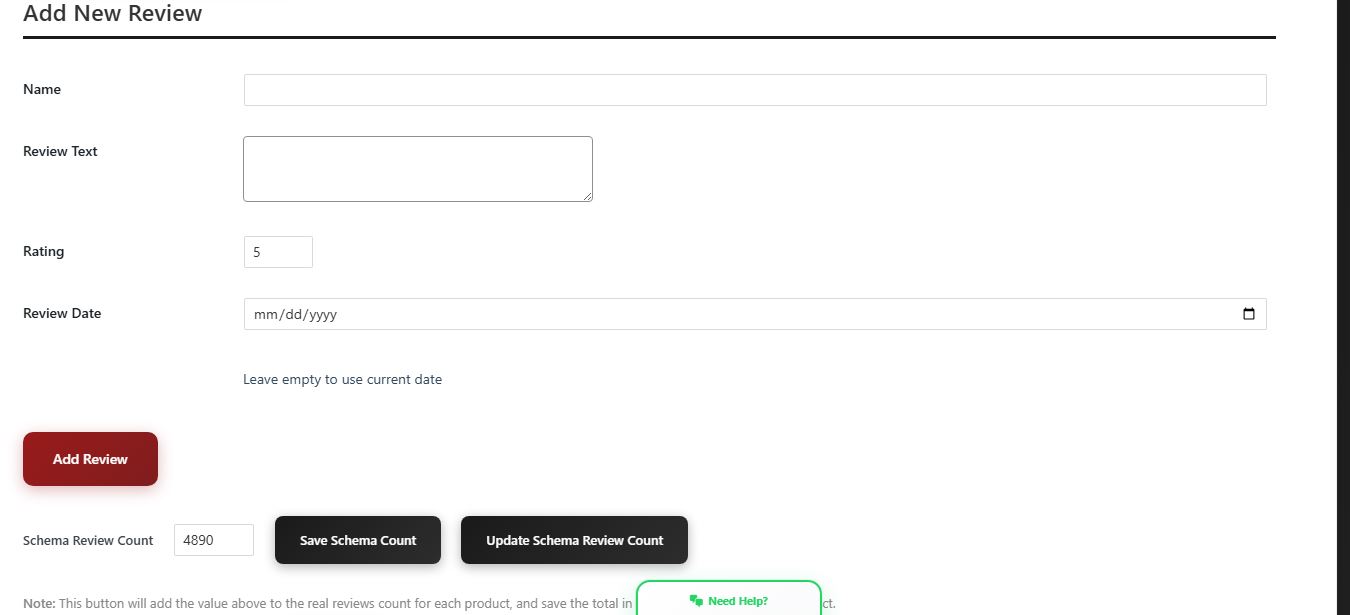
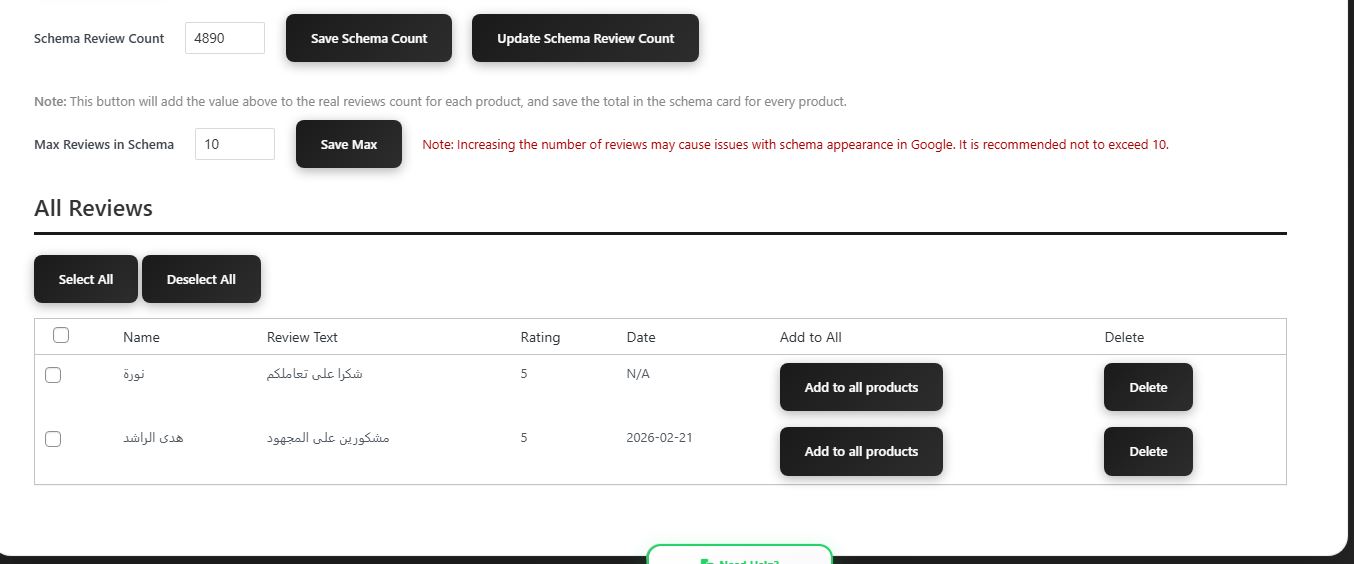
- Implemented freemium model for Product Reviews page
- Added locked demo page with benefits and example image
- Enhanced upgrade call-to-action design
- Improved user messaging
- Added custom CSS to hide other plugin notifications on Schema Star pages
- Enhanced Dashboard page with organization information
- Improved plugin description and website links
- Updated all Help links to point to wpstarplugins.com
- Updated plugin metadata to wpstarplugins.com
- Changed Text Domain from STAR-lang to schema-star
- Updated all language file names to match new text domain
- Fixed all escaping and sanitization issues
- Added comprehensive security checks (ABSPATH, nonce, escaping, sanitization)
- Improved performance with conditional schema output
- Enhanced WooCommerce compatibility with function_exists checks
- Added multi-currency support with exchange rates
- Added currency-to-country mapping
- Improved return policy schema with country-specific policies
- Added new social media profile support
- Enhanced product schema with additional fields
- Added Custom Schema Builder with 20+ schema types
- Added SiteNavigationElement schema
- Added SearchAction schema for Google sitelinks searchbox
- Improved visual schema builder interface
- Enhanced dynamic field auto-fill functionality
- Added BreadcrumbList schema
- Added Category/Collection schema for product categories
- Improved product schema with more merchant data
- Enhanced WooCommerce integration
- Added FAQ Schema support
- Added role-based access control
- Modern dashboard design
- Improved admin interface View full changelog