ScriptLedger
| 开发者 | frictionsort |
|---|---|
| 更新时间 | 2026年11月22日 05:00 |
| PHP版本: | 7.4 及以上 |
| WordPress版本: | 7.1 |
| 版权: | GPLv2 or later |
| 版权网址: | 版权信息 |
详情介绍:
- Store owners on WooCommerce or any other WordPress checkout, including membership, donation, course and custom payment pages, who need to show what runs on their payment pages.
- Merchants with an embedded payment form, such as a card field or iframe from their payment provider, who must confirm for SAQ A that their site is not susceptible to attacks from scripts.
- Agencies and developers who look after stores for clients and want a record the client can hand to an assessor.
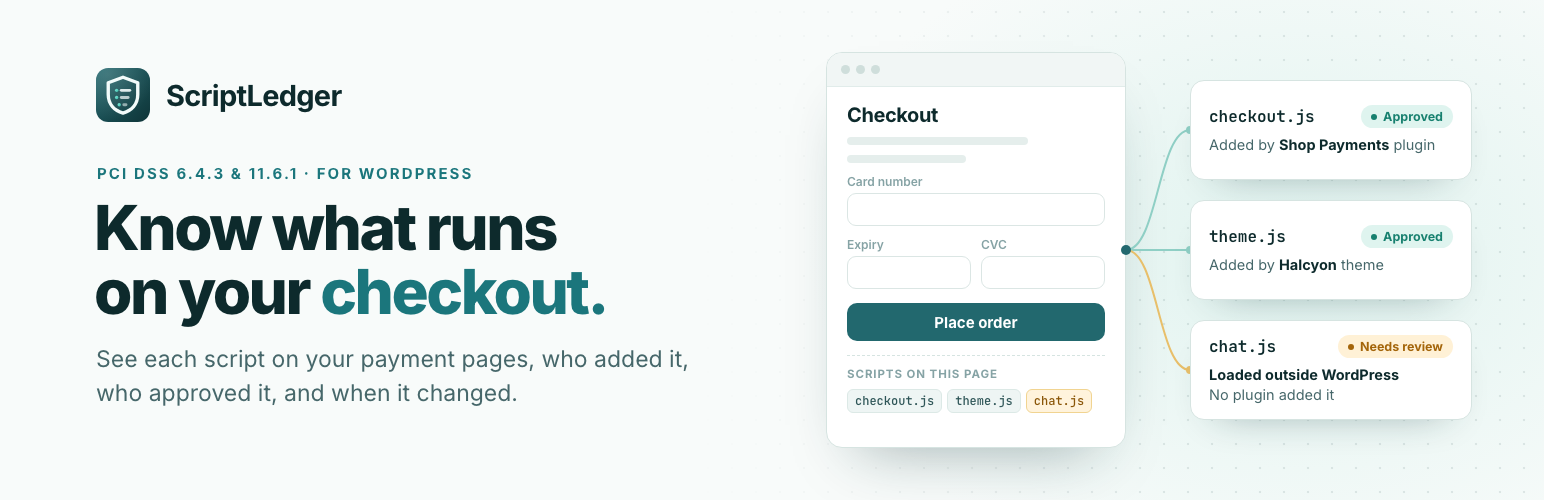
- What WordPress prints. When a payment page is viewed, ScriptLedger records the scripts loaded through WordPress's script system, at most once an hour per page, and names the plugin, theme or WordPress core behind your site's own files. Known third-party hosts are classed as payment, analytics, advertising, tag manager, session recording, chat or CDN from a bundled list of 98 hosts.
- What the browser loads. An optional, small inline beacon, off by default, reports the scripts the browser actually loaded (see Privacy below). A script that did not come through WordPress's script system, for example one added by another script or hard-coded into a template, is listed under Browser only, and the next scan raises a finding.
- What the files contain. With script downloads turned on, your server downloads the scripts WordPress prints on your payment pages, a batch at each scan, and records a SHA-256 hash of each, so a later change is visible and dated.
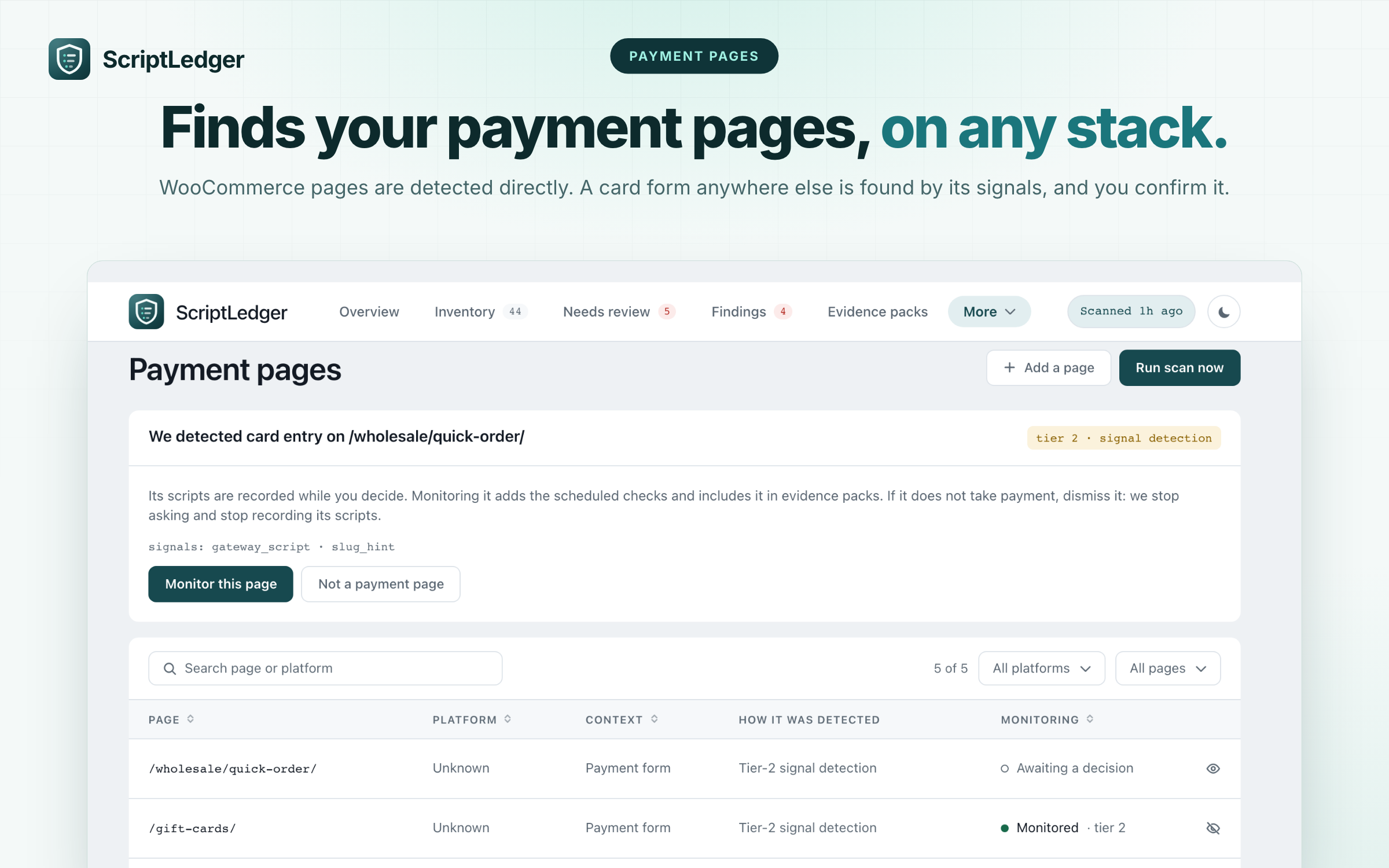
- Payment-page detection. WooCommerce checkout, order-pay and cart pages are detected when first viewed. On any other checkout, pages that load a payment provider's script are suggested for you to confirm, and you can add any page yourself.
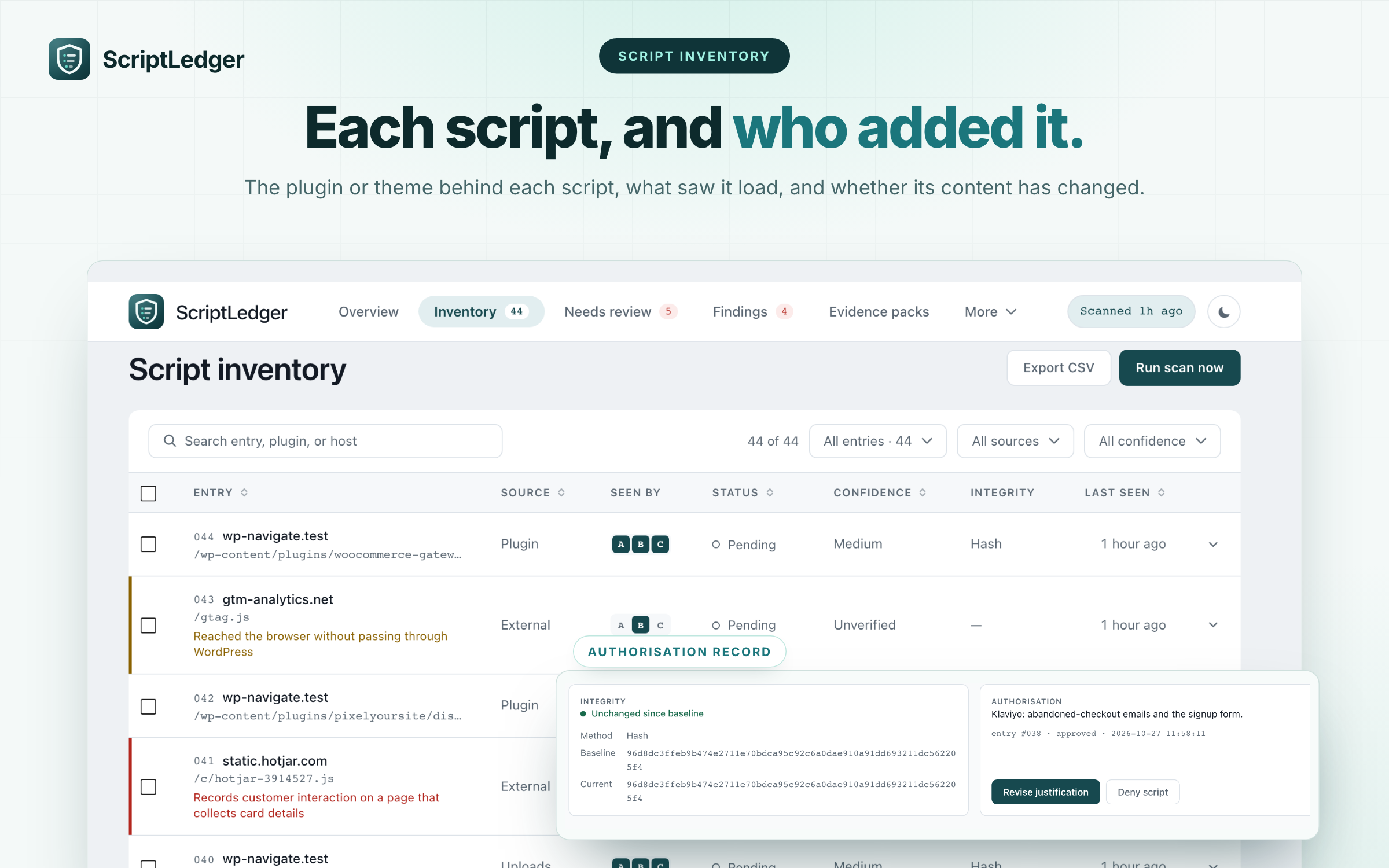
- Script inventory. Each script ScriptLedger sees loaded from a URL on those pages, with its source (plugin, theme, WordPress core, uploads or external host), the views that saw it, its status, its integrity confidence and when it was last seen. Filter to browser-only, unjustified, critical-risk, payment gateway or denied scripts. Inline scripts are not inventoried.
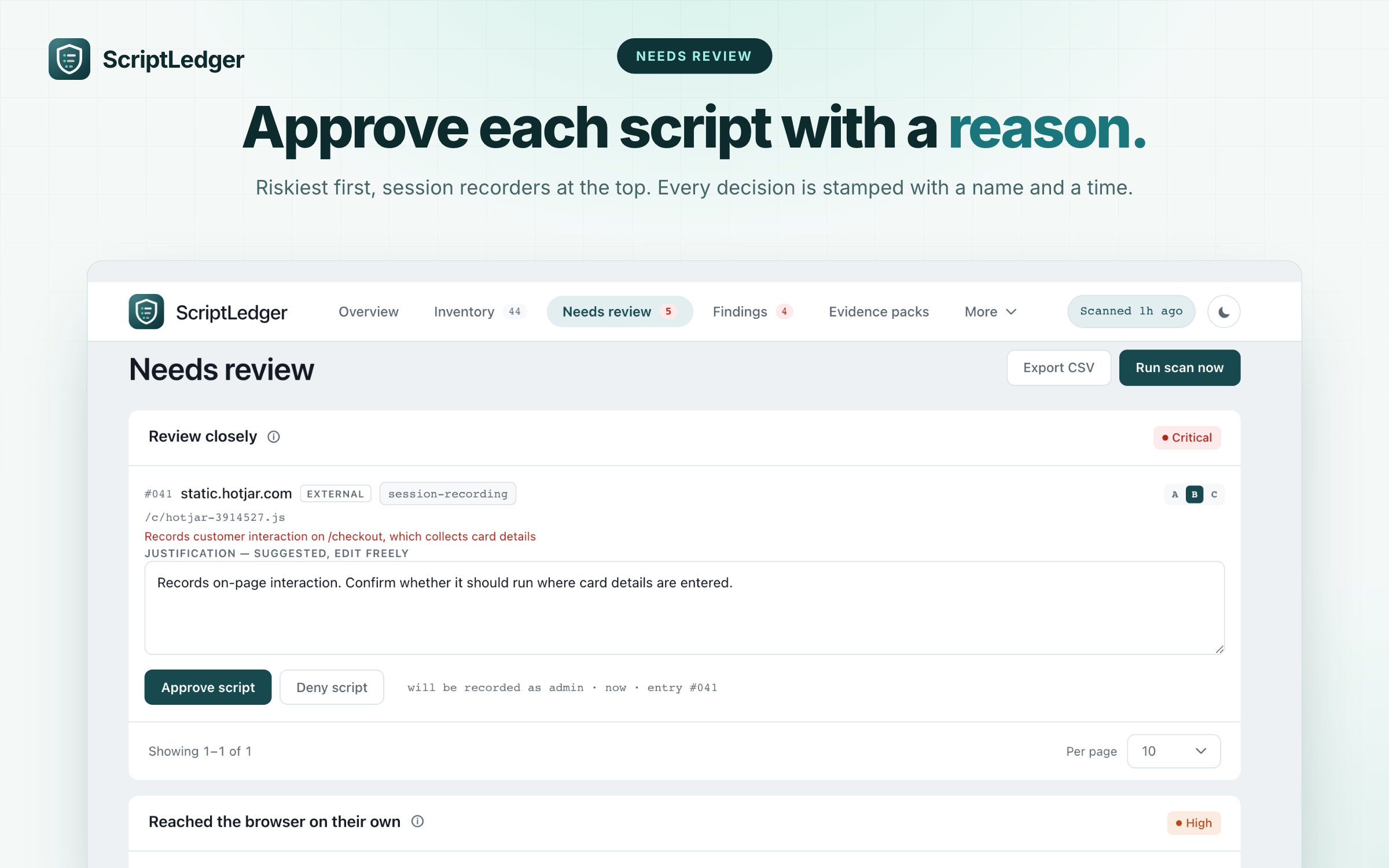
- Authorisation record. Approve or deny each script with a written justification; ScriptLedger records who decided and when. New scripts wait in Needs review, grouped by risk and labelled with their vendor class. Several can be decided at once, and an approved script whose source becomes riskier goes back for review.
- Integrity confidence. Each script carries a confidence level (high, medium, low or unverified), explained in the FAQ.
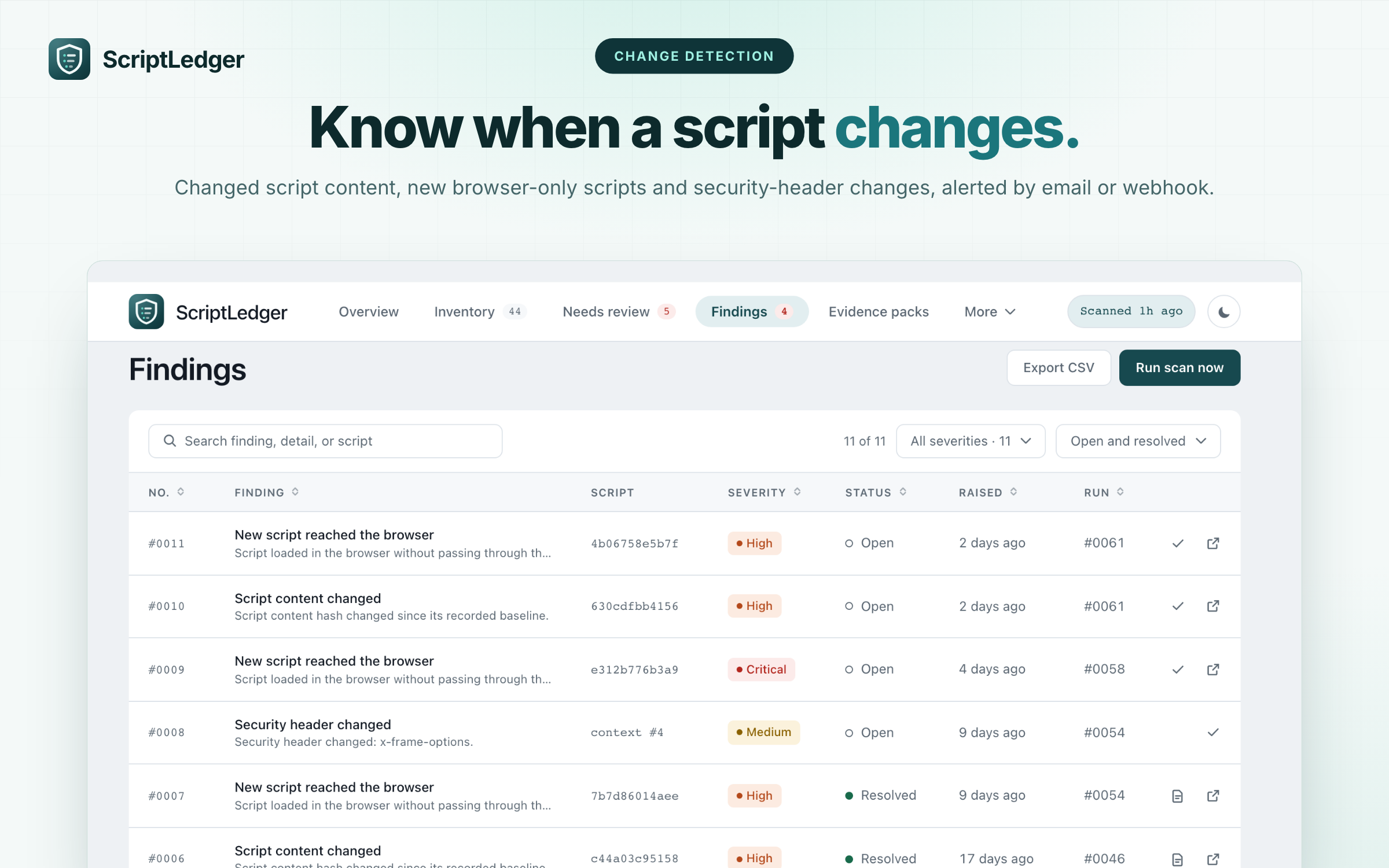
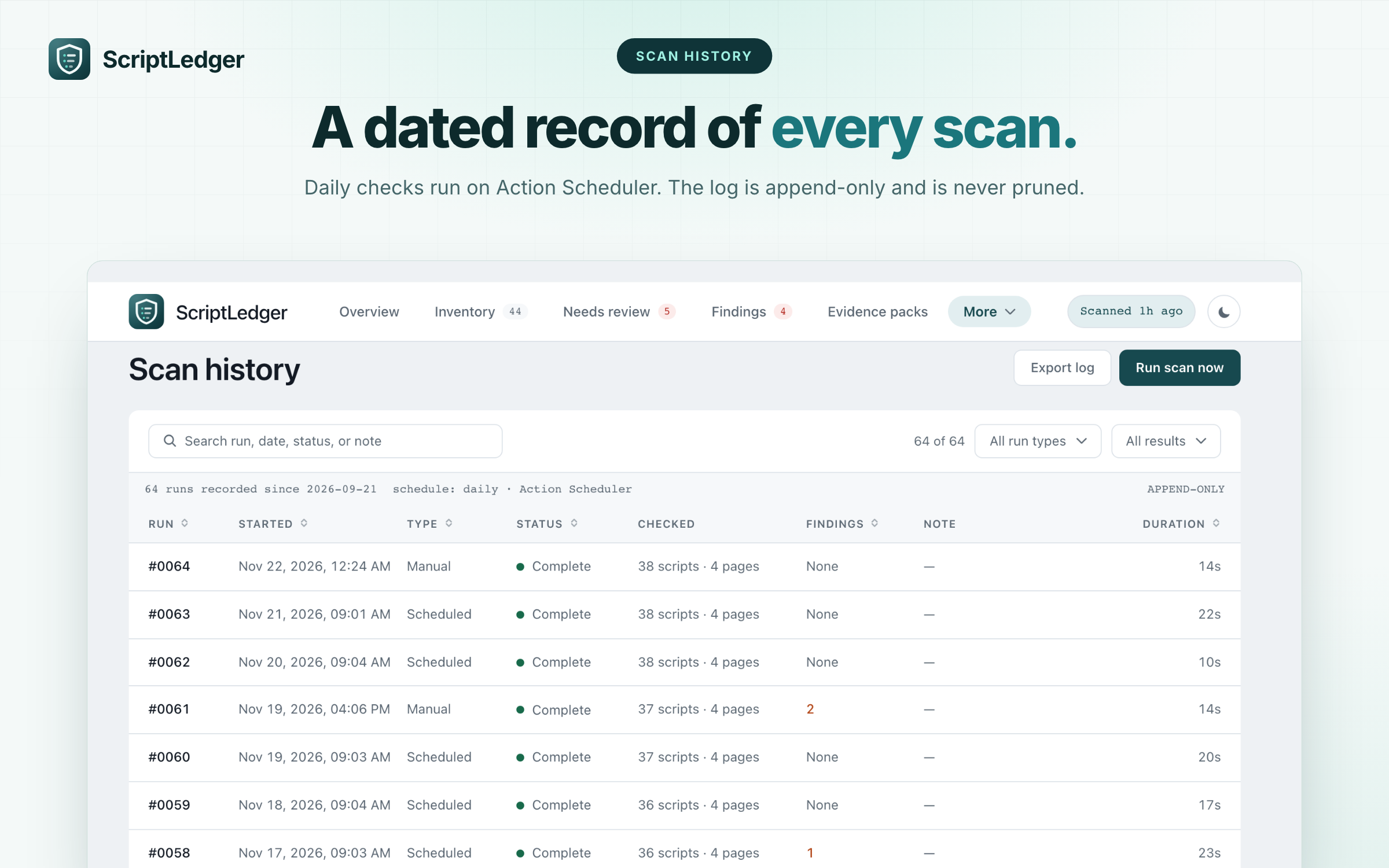
- Change detection. A scan is scheduled every day, and you can start one at any time. It raises a finding when a security header changes, when a script's content changes or grows past the 2 MB it hashes (with script downloads on), when the browser reports a script that did not come through WordPress's script system (with the beacon on), or when page detection or browser reports reach a limit. Every scan is logged, even when it finds nothing. A new script WordPress prints goes to Needs review instead, and a script that stops loading raises no finding.
- Security header monitoring. Content-Security-Policy, Strict-Transport-Security, X-Frame-Options, X-Content-Type-Options, Referrer-Policy and Permissions-Policy are read from up to 200 monitored payment pages per scan, and a change raises a finding. A page that redirects a request without a shopper session, as a WooCommerce checkout with an empty cart usually does, cannot be read.
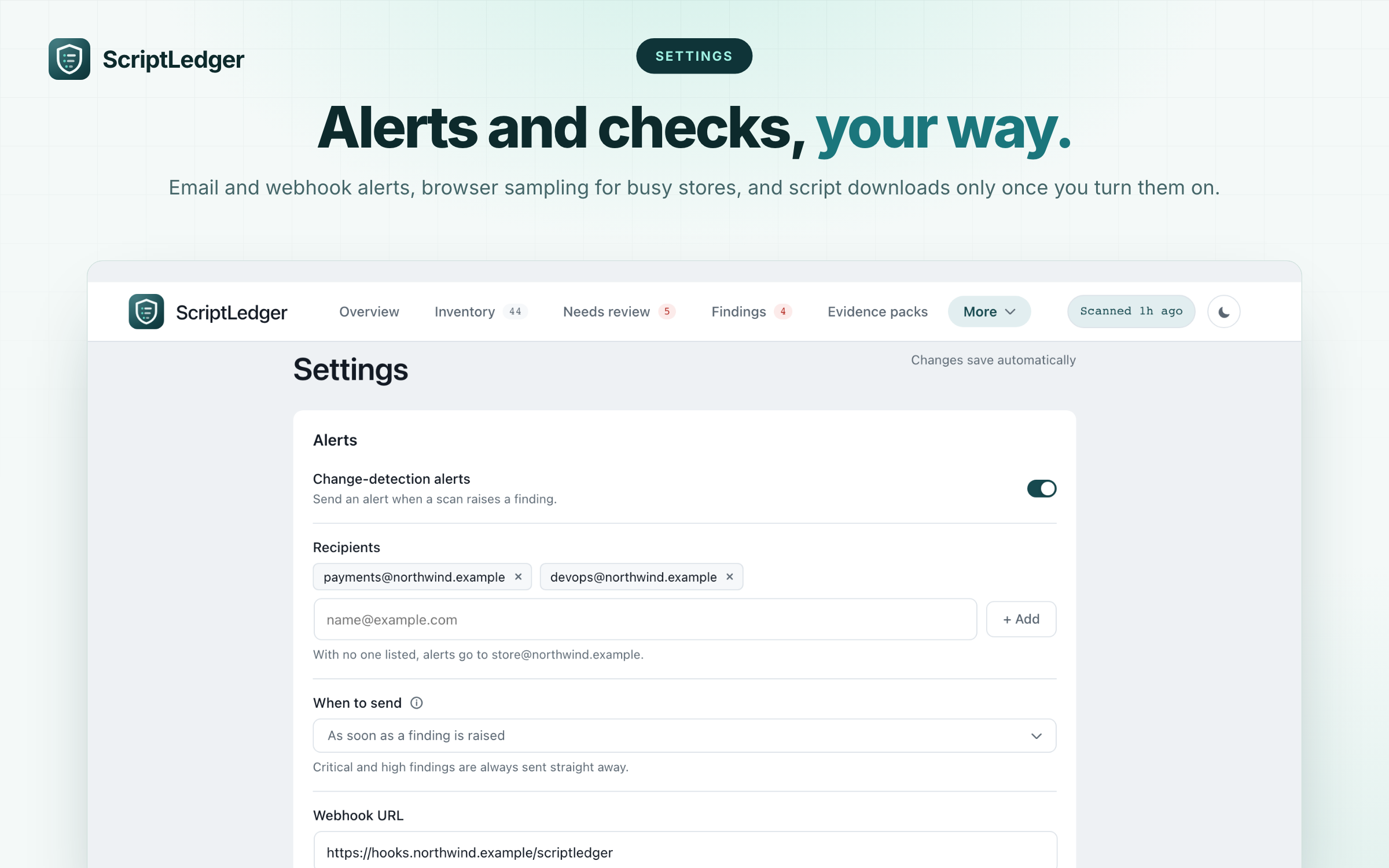
- Alerts. By email through your site's own mail, and optionally to a webhook as JSON. Send them as soon as a scan raises a finding, as a daily or weekly digest, or for critical and high findings only. Critical and high findings never wait for a digest: they go out when the scan that raises them finishes.
- Scope assessment. A verdict on whether your payment pages look like SAQ A or SAQ A-EP, with the reasoning behind it. It is indicative, not a formal determination.
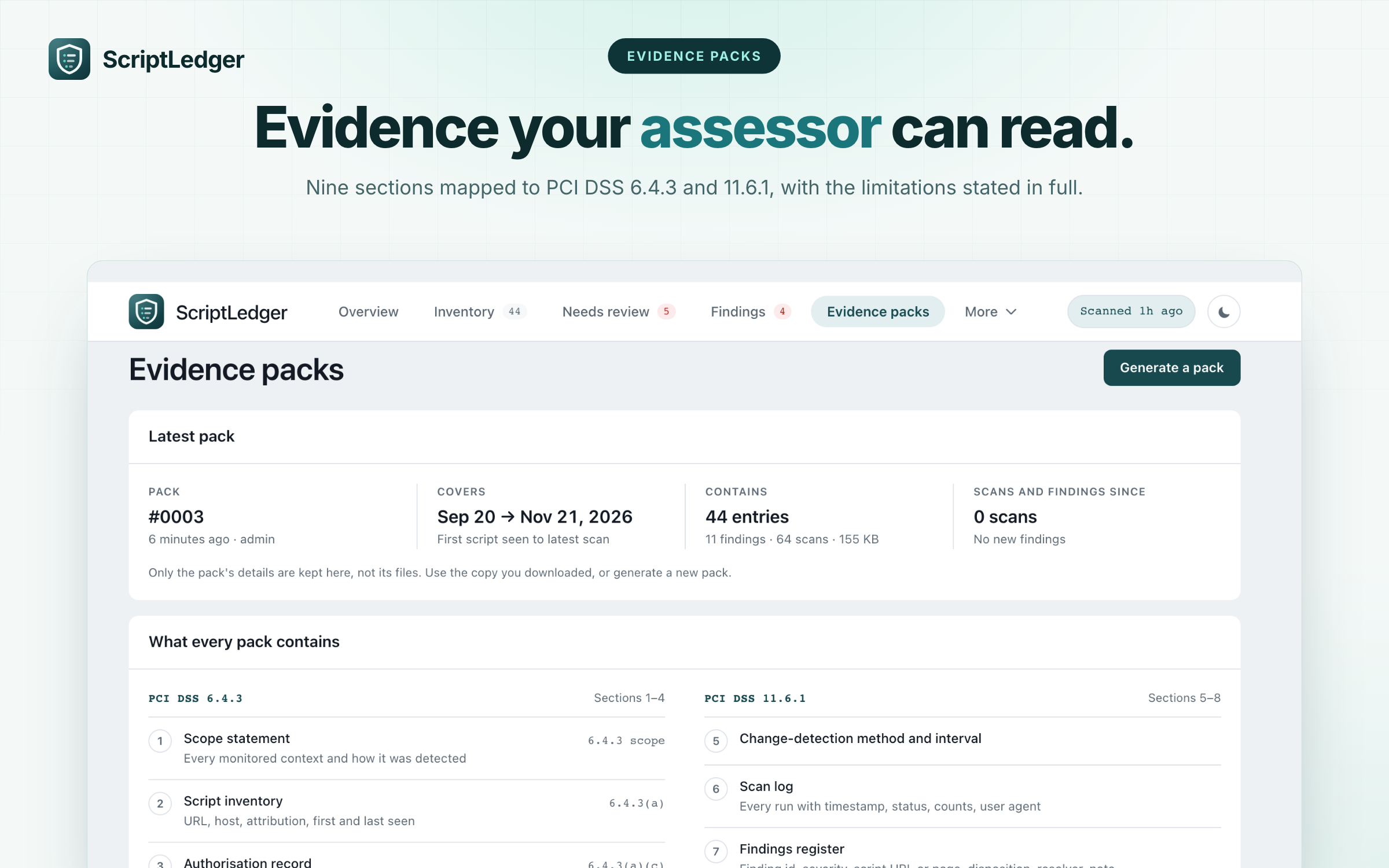
- Evidence pack. A numbered, dated HTML report in nine sections, mapped to the PCI DSS requirements they support: scope, script inventory, authorisation record, integrity register, change-detection method and interval, scan log, findings, security headers and a non-removable limitations statement. A CSV of the script register comes with it, and the report can be printed or saved as PDF from your browser. Check a copy compares a file you kept with the SHA-256 fingerprints logged for the latest 50 packs; the log keeps their details, not the files, so keep your downloads.
- CSV exports of the inventory, the review queue, findings and scan history.
- Translation-ready. Evidence packs and alert emails are written in your site's language when a translation is available.
- Light and dark theme for the admin screens.
- Observes only. ScriptLedger never touches your cart, orders, sessions or payments, never blocks a script, and adds nothing to your pages unless you turn on the browser beacon.
- Fails open. Its code on payment pages is built so that an error costs ScriptLedger data rather than your checkout.
- No account, no telemetry. Nothing is sent to the plugin author. The record stays in your own database.
安装:
- In your WordPress admin, go to Plugins › Add New Plugin, search for "ScriptLedger", then click Install Now and Activate. To install by hand, upload the
scriptledgerfolder to/wp-content/plugins/and activate it on the Plugins screen. - No ecommerce plugin is needed. With WooCommerce, the checkout and cart pages are detected when they are first viewed (step 3).
- Visit one of your payment pages, for example your checkout with an item in the cart, so ScriptLedger can record the scripts WordPress prints there. Do this logged out or in a private window, so scripts that load only for administrators, such as the admin bar, are not recorded.
- Open ScriptLedger in the admin menu. Under More › Payment pages, confirm any suggested pages and add any page ScriptLedger did not find.
- Under More › Settings, turn on Script downloads to have script contents hashed and checked for changes and, if you want, the Browser beacon to record what customers' browsers load. Both are off by default.
- Review each script under Needs review, then click Run scan now. A scan also runs every day on its own; the first is due about an hour after activation.
- Generate an evidence pack under Evidence packs whenever your assessor needs one.
屏幕截图:
常见问题:
Does this make my site PCI DSS compliant?
No. ScriptLedger produces documentation to support your PCI DSS assessment. It does not certify compliance, and it is not a substitute for a Qualified Security Assessor. Your acquirer or QSA decides what your assessment needs.
Which PCI DSS requirements does it help with?
Requirements 6.4.3 and 11.6.1 of PCI DSS v4.0.1, which cover the scripts loaded and run in the customer's browser on a payment page, whether they come from your own site or from a third party. 6.4.3 asks for an inventory of those scripts with a written business or technical justification for each, a way to confirm that each is authorised, and a way to assure its integrity. 11.6.1 asks for a change- and tamper-detection mechanism that alerts you to unauthorised changes, additions and deletions to those scripts and to the page's HTTP headers as the customer's browser receives them, run at least weekly or as often as your targeted risk analysis sets. ScriptLedger downloads scripts and reads six security headers from your server, which may not match what a browser receives. It raises findings for a changed script, a changed header and a script only the browser reported; a new script WordPress prints waits in Needs review without an alert, and a script that stops loading raises no alert. The evidence pack's sections are mapped to these requirements, and its limitations statement says what the record does not show. ScriptLedger does not address the rest of PCI DSS.
My payment form is an iframe or hosted field from my provider (SAQ A). Does this apply to me?
Most likely. If your page embeds your provider's payment form, for example in an iframe, SAQ A asks you to confirm that your site is not susceptible to attacks from scripts that could affect your e-commerce systems. PCI SSC FAQ 1588 gives two ways to meet that criterion: techniques such as those in Requirements 6.4.3 and 11.6.1, deployed by you or by a third party, or confirmation from your PCI DSS compliant payment provider that its embedded form, set up as it instructs, protects your page from script attacks. The criterion does not apply when your checkout redirects customers to the provider's own page, or when you outsource payments entirely. Confirm which SAQ you file with your acquirer or the payment brand; ScriptLedger's scope assessment is indicative, not a formal determination. ScriptLedger covers your own page around the form, not the scripts inside your provider's frame, which are the provider's responsibility.
Does it block malicious scripts?
No. ScriptLedger detects and records; it never stops a script from loading, and the only thing it adds to a page is the optional browser beacon. When it flags a script you did not expect, find where it comes from (the inventory names the plugin or theme for your site's own files) and remove it at the source.
Does it slow down or interfere with my checkout?
It is designed not to. ScriptLedger observes; it never touches your cart, order, session or payment. Its code on payment pages is built to fail open, so an error in ScriptLedger costs it data rather than your checkout. The scripts WordPress prints are recorded at most once an hour per page. The optional browser beacon is a small inline script that reports after the page has loaded, and again, with anything new, each time the visitor switches tabs or leaves the page.
Do I need WooCommerce?
No. ScriptLedger activates and works with no ecommerce plugin installed. WooCommerce checkout (classic or block), order-pay and cart pages are detected the first time each is viewed. On other checkouts, such as membership, donation, course or custom payment pages, a page where WordPress loads a payment provider's script is suggested for you to confirm, and you can add any page yourself.
Which pages does it monitor?
The pages WooCommerce identifies and the pages you confirm or add under Payment pages. Up to 200 pages are detected automatically; beyond that, ScriptLedger raises a finding, and pages you add yourself are never refused. WooCommerce's product, shop and order-received pages are not suggested, and My account › Add payment method is only suggested when a payment provider's script loads there: add any of them yourself if your assessment counts it as a payment page. ScriptLedger recognises the payment scripts of Stripe, PayPal, Square, Braintree, Adyen, Mollie, Worldpay, Authorize.net, Razorpay, Paystack and others; with any other provider, add the page yourself. A page served from a full-page cache is recorded only when WordPress renders it, so exclude payment pages from your page cache (WooCommerce already asks caches to skip its cart and checkout).
How often does it check, and when am I alerted?
A scan is scheduled once a day through Action Scheduler, and you can start one at any time with Run scan now, at most once a minute. Each scan works for about 20 seconds and carries the rest to the next. With script downloads on, a scan checks 40 to 80 scripts, so on a site with up to about 480 scripts each one is checked within about six scans; on a larger site, the scan notes in Scan history say how many daily runs a full pass takes. Every scan is logged in Scan history, including those that find nothing. Alerts go out when a scan raises a finding, or as a daily or weekly digest if you prefer; critical and high findings never wait for a digest. A header change is a medium finding, so the "Critical and high only" setting sends no header alerts. Like every WordPress scheduled task, the daily scan runs when WP-Cron runs, which depends on site traffic, so a low-traffic site should call WP-Cron from a real cron job.
What do I do when a finding is raised?
Open it under Findings and check whether you expected the change. If you did, for example after updating a plugin, acknowledge it with a note: for a changed script, ScriptLedger then accepts its new content as the baseline, and a further change raises a new finding. If you did not expect it, remove the script at its source. Every finding stays on the record, with who acknowledged it, when, and your note.
My tag manager adds scripts. Will each one raise a finding?
With the browser beacon on, a script that a tag manager or another script adds in the browser never goes through WordPress's script system, so it is listed under Browser only and the next scan raises a finding. Once you approve it with a justification, it raises no further finding of that kind. A new script WordPress prints goes to Needs review and raises no finding.
What do the confidence levels mean?
They say how strongly a script's integrity is established. High: the script tag carries a Subresource Integrity attribute, which the browser checks, and ScriptLedger holds a content hash it downloaded. Medium: ScriptLedger holds a content hash it downloaded. Low: only the URL is known, because the script could not be downloaded or hashed. Unverified: no current check, for example while script downloads are off or after the script has not been seen on a monitored page for 30 days. The evidence pack's integrity register shows the level for each script it lists.
Does it work on WordPress multisite?
Yes, site by site. Activate ScriptLedger from the Plugins screen of each site whose payment pages it should monitor; a network activation is undone with a notice, because each site keeps its own inventory, settings and evidence. Deleting the plugin cleans up each site where it was installed, following that site's own setting for keeping data.
My site serves its own files from a CDN. What do I do?
ScriptLedger names the plugin, theme or WordPress core behind a script from its path, but only when the script is served from one of your site's own hosts: a /wp-content/plugins/… path on any other host could be a lookalike, so it is recorded as external, and an earlier approval of that script goes back to review. If your site serves its own files from a CDN, tell ScriptLedger which hosts are yours with the fssl_local_hosts filter. Register it from a plugin or mu-plugin so it applies to every request, not only in wp-admin:
add_filter( 'fssl_local_hosts', function ( $hosts ) { $hosts[] = 'cdn.example.com'; return $hosts; } );
When the list changes, ScriptLedger re-checks every stored script starting the next time an administrator opens wp-admin. A script that was returned to review stays pending until you review it again.
Where is my data stored, and what happens when I uninstall?
In your own WordPress database, in seven tables named {prefix}fssl_*, plus Action Scheduler's tables when no other plugin has created them. ScriptLedger sends nothing to the plugin author; see External services for the requests it can make. Script observations are kept for 6, 12 or 24 months, as set in Settings (12 by default), and the list of generated evidence packs keeps the latest 50; the scan log, the authorisation record, findings and header history are never pruned.
Deactivating the plugin keeps all its data, but nothing is recorded or scanned until you activate it again. Deleting it keeps the data too, unless you turn on Delete data when the plugin is deleted in Settings. The scan log (the {prefix}fssl_scans table) is always kept, even then.
Which third-party libraries does it include?
The admin screens (Vue 3) ship compiled in assets/admin/. PHP dependencies: composer install --no-dev.
Bundled libraries: Action Scheduler (GPL-3.0-or-later), of which only the newest copy loads when several are present, with its cron-expression (MIT) and WP_Async_Request (GPLv2) libraries; Vue (MIT); and Composer's autoloader (MIT).
更新日志:
- Initial release.
- Payment-page detection: WooCommerce checkout (classic and block), order-pay and cart, plus signal-based suggestions on any other checkout and pages you add yourself.
- Script inventory from three views (what WordPress prints, what the browser loads, what the files contain), naming the plugin, theme or core behind your site's own scripts.
- Authorisation record: approve or deny each script with a written justification, stamped with who decided and when.
- Daily scheduled scan, plus Run scan now: script content hashes, six security headers, and browser-only scripts, with every scan logged.
- Alerts by email and webhook, immediately or as a daily or weekly digest.
- Scope assessment (SAQ A or SAQ A-EP, indicative only).
- Evidence pack: nine-section HTML report with a CSV register and a non-removable limitations statement.
- Optional browser beacon (off by default) that collects no personal data.
- Light and dark admin theme; translation-ready.