
Scripts + Pixels DataLayer Manager
| 开发者 | |
|---|---|
| 更新时间 | 2026年7月3日 11:43 |
| PHP版本: | 7.4 及以上 |
| WordPress版本: | 6.9 |
| 版权: | GPLv2 or later |
| 版权网址: | 版权信息 |
详情介绍:
Scripts + Pixels DataLayer Manager automatically creates and manages a dataLayer object for your WordPress site. This object contains structured data about your pages, posts, products, and user interactions that can be used by analytics tools like Google Tag Manager (GTM) and Google Analytics 4 (GA4).
No coding required! The plugin automatically detects WordPress and WooCommerce data and injects it into the dataLayer on every page.
Key Features
- Automatic Detection - Automatically detects page type, post data, categories, tags, and more
- WooCommerce Support - Detects product data, pricing, cart information, and checkout details
- Zero Configuration - Works out of the box with no setup required
- Clean Code - Follows WordPress coding standards and best practices
- Developer Friendly - Well-documented code and extensible hooks
- Install and activate the plugin
- Visit any page on your website
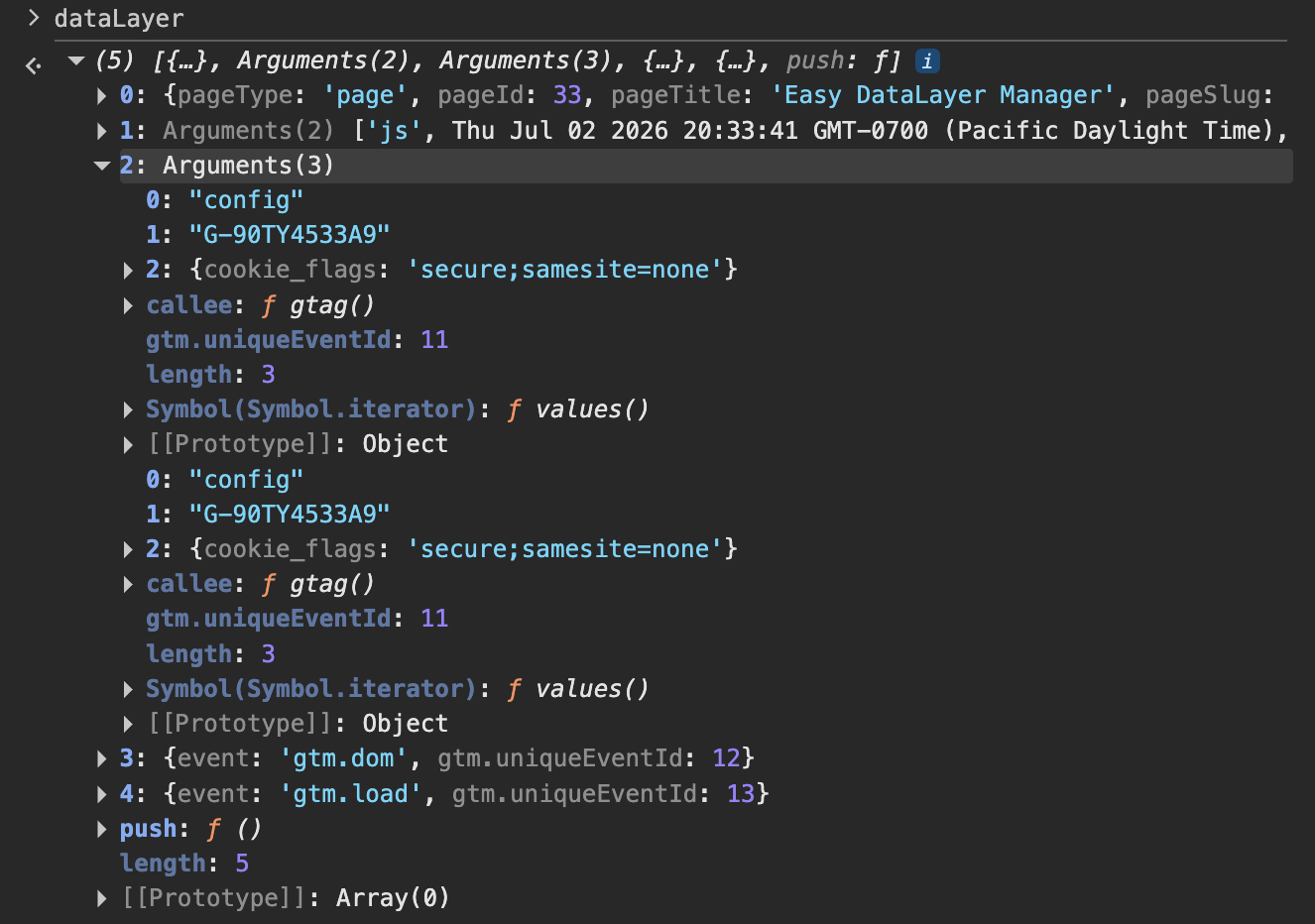
- Open browser Developer Tools (F12)
- Type
dataLayerin the console - See all automatically detected variables!
pageType- Type of page (post, page, category, tag, archive, search, 404, etc.)postId- Post/Page IDpostTitle- Post/Page titlepostAuthor- Author namepostCategory- Post categoriespostTags- Post tagsisLoggedIn- Whether user is logged insiteName- Site namesiteUrl- Site URL- And more...
productId- Product IDproductName- Product nameproductPrice- Product priceproductQuantity- Product quantitycartTotal- Cart totalcheckoutStep- Checkout step- And more...
- Automatic detection of WordPress and WooCommerce variables
- Works on all page types (posts, pages, products, archives, etc.)
- Zero configuration required Premium Version Adds:
- Custom variables per page/post/product
- Visual editor in WordPress admin
- Preview auto-detected variables before publishing
- Priority support and updates
安装:
- Upload the plugin files to the
/wp-content/plugins/scripts-and-pixels-datalayer-managerdirectory, or install the plugin through the WordPress plugins screen directly - Activate the plugin through the 'Plugins' screen in WordPress
- Visit any page on your website and check the browser console for
dataLayervariables
屏幕截图:
常见问题:
Does this work with Google Tag Manager?
Yes! The plugin creates a dataLayer object that is compatible with Google Tag Manager and Google Analytics 4.
Do I need to configure anything?
No configuration is required. The plugin automatically detects and injects variables on all pages.
Does this work with WooCommerce?
Yes! When WooCommerce is active, the plugin automatically detects product, cart, and checkout data.
Can I add custom variables?
Custom variables per page are available in the premium version. The free version includes automatic detection of WordPress and WooCommerce variables.
Where can I see the dataLayer variables?
Open your browser's Developer Tools (F12), go to the Console tab, and type dataLayer. You'll see all the automatically detected variables.
更新日志:
1.0.2
- Add plugin screenshots for the WordPress.org directory listing.
- Readme updates for the WordPress.org plugin directory.
- Initial release
- Automatic detection of WordPress variables
- WooCommerce support
- Admin interface for viewing status and documentation
- Meta box for viewing auto-detected variables