
Scrollchart
| 开发者 | scrollchart |
|---|---|
| 更新时间 | 2026年8月7日 21:19 |
| PHP版本: | 7.4 及以上 |
| WordPress版本: | 7.0 |
| 版权: | GPLv2 or later |
| 版权网址: | 版权信息 |
详情介绍:
- Hundreds of ready-to-use diagrams spanning fitness, nutrition, health science, finance, marketing, statistics, computing and more
- Responsive on mobile — diagrams scale to fit any column width
- Light and dark themes with auto-detection of the visitor's system preference
- Accent colours to match your brand
- Optional border, custom background, custom text colour
- Fixed-size or fluid layout — your choice per embed
- Fast page paint — diagrams below the fold defer loading by default to save bandwidth
- Accessible by default — keyboard navigation, screen-reader friendly, no scroll-jacking
- Works with the block editor, Classic Editor, WPBakery Page Builder, and Elementor — drag, drop, or type a shortcode
安装:
- Upload the plugin to your WordPress site (or install from the plugin directory).
- Activate it.
- Open a post in the block editor and add a Scrollchart Diagram block. Or in Classic Editor / page builder text blocks, type
[scrollchart slug="bell-curve"]. - Browse scrollchart.com to find diagram slugs.
屏幕截图:
常见问题:
Do I need an account on scrollchart.com?
No. The plugin works out of the box. Scrollchart.com is a free public library.
Can I use this with my page builder?
Yes. The plugin registers native elements for WPBakery Page Builder and Elementor. Both work alongside the standard block editor and shortcode.
Will the diagrams slow my pages down?
No. Diagrams below the fold defer loading until they scroll into view, and the JavaScript runs only on pages that actually have a diagram. The plugin caches diagram metadata locally so repeat page-loads don't hit the network.
Can I customize colours to match my brand?
Yes. The block, WPBakery element, and Elementor widget all expose theme, accent colour, custom hex colours, border, and background controls. Set defaults in Settings -> Scrollchart so every embed inherits them automatically.
Does it add structured data for search engines?
Yes. Each embedded diagram outputs a small schema.org ImageObject block (JSON-LD) describing that diagram — its title, description and preview image — so search engines can understand and potentially surface it in image and rich results. The markup only ever describes the real diagram on the page; nothing is fabricated. If you prefer not to output it, a developer can disable it with add_filter('scrollchart_enable_jsonld', '__return_false').
Does it work in AMP / mobile / dark mode?
Yes. Diagrams are responsive (no horizontal scrolling on mobile), respond to system dark-mode preference when theme is set to Auto, and don't rely on any AMP-incompatible techniques.
How do I find a diagram slug?
Visit scrollchart.com, find a diagram you like, and click the embed button. The slug is the kebab-case identifier in the snippet — for example, the slug for the RIR / RPE Scale diagram is rir-rpe-scale.
I want a diagram you don't have. Can you make it?
Yes. Visit scrollchart.com/request-a-diagram. Most custom requests are turned around within 72 hours.
Does the plugin connect to external services?
Yes. All of the plugin's JavaScript and CSS ships inside the plugin itself — nothing executable is loaded from a remote server. But to display the live, interactive diagrams, the bundled loader connects to scrollchart.com at runtime for diagram DATA:
- It fetches each diagram's metadata from
scrollchart.com/api/diagram(cached locally on your server so repeat page-views do not hit the network). Only the diagram slug you embedded is sent. - It loads the interactive diagram view in an iframe from
scrollchart.com/embed-frame/. - It sends a view ping to
scrollchart.com/api/ping. The ping sends the diagram slug and the URL of the page the diagram is embedded on. We use this to show authors where their diagrams are being used and to periodically check that the embed is still live on that page. No cookies are set and no visitor-identifying data (no IP stored long-term, no user agent, no fingerprint) is collected. Note that a page URL can itself contain information placed there by the site (for example a username or token in the path or query string); if that is a concern for a particular page, do not embed a Scrollchart diagram on it. - Periodically (at most once every 15 minutes per diagram) it asks
scrollchart.com/api/diagram-revwhether a diagram's content has changed, so your cached copy stays fresh. Only the diagram slug and your site host are sent. This is a lightweight read; no visitor data is involved. - Attribution. The plugin registers your site with ScrollChart, and may add one short paragraph containing a single link to one page on your site. Only your site host is sent, and no visitor data is involved. You can always contact us at https://scrollchart.com/contact if you wish to disable this functionality.
- The catalogue browser loads the list of available diagrams from
scrollchart.com/api/catalog.json. This is a read-only request; no data about you, your site, or your content is sent. The result is cached on your server for an hour. - When a logged-in editor uses the optional Generate with AI button, the editor's typed prompt, and an email address only if the editor chooses to enter one, are sent from your server to
scrollchart.com/api/generate.php, which returns a generated diagram. This happens only when an editor actively clicks Generate; it never runs for site visitors and never runs on the front end. If you do not use the AI generator, no prompt data is ever sent. - When you design or save your own diagram in the editor, the diagram's content (the chart type, labels, values and styling you set) is sent to
scrollchart.com/api/user-diagramso it can be stored and given a reusable ID you can re-open and edit later. Listing and deleting your saved diagrams use the same endpoint. This runs only when you actively design, save, or manage a diagram in the editor. - To link your saved diagrams to your site (so only your site can edit them), the plugin registers your site with
scrollchart.com/api/site-register, sending your site's home URL and the installed plugin version, and receiving a per-site key it stores locally. This happens on activation, on plugin update, and the first time the editor loads if a key is not yet present. The version is sent only so we know which plugin features your site can use; it is not used to identify you. When the plugin is deleted, it sends a one-time notice toscrollchart.com/api/site-deactivate(again, only your home URL) so the service knows the install was removed; this does not delete any diagrams you created.
Where is the source code for the bundled JavaScript?
All JavaScript ships human-readable except the front-end loader assets/embed.js, which is minified for size. Its full commented source is included in the plugin at assets/source/embed.src.js, and is also published at scrollchart.com/embed-loader-source.txt. Build instructions (a single esbuild minify step, no bundling) are in BUILD.md in the plugin source. Every other script (the editor bundle, the WPBakery and Elementor editor glue, the block editor script) is shipped unminified.
更新日志:
- Improved compatibility with Elementor and WPBakery page builders.
- Tested up to WordPress 7.0.
- Tested up to WordPress 7.0.1.
- Leaner, lighter codebase with minor performance improvements.
- Minor performance and reliability improvements.
- Minor performance and reliability improvements.
- New: each embedded diagram now outputs schema.org structured data (an ImageObject describing the real diagram), so search engines can understand and surface your diagrams in image and rich results. Can be disabled by a developer filter.
- New: a settings page (Settings → Scrollchart) for site-wide defaults — theme, accent, language and border — plus a collapsible Advanced section showing your site connection and options for loading behaviour and footer placement.
- New: default language — pick the language diagram labels render in across your site; every catalogue diagram is available in all 15 languages.
- Reliability: the in-editor designer now links your saved diagrams to your site more dependably, including on sites that updated from an earlier version, so designs you create stay reopenable and editable.
- Performance: more headroom for the "describe it with AI" generator so richer prompts complete reliably.
- New: Design your own diagram, right inside the editor. Alongside the ready-made catalogue, you can now start from a diagram type and shape it yourself - choose the chart, set your labels and values, pick colours and the animation - or just describe what you want in a sentence and let the generator build it for you. Your design is saved to a reusable ID so you can reopen and tweak it later from the block, WPBakery, or Elementor.
- Performance: lighter, fresher diagram loading so edits made on scrollchart.com show up on your pages sooner.
- New: a short reminder of what Scrollchart is for now sits above the diagram picker in the editor, so the catalogue feels less like a list of files and more like a way to turn a static page into one that comes alive. Editor-only; nothing changes on the front end.
- i18n: added a translation template (languages/scrollchart.pot), a Domain Path header, and a load_plugin_textdomain call on init, so the plugin is ready for translation. All user-facing strings already use the scrollchart text domain.
- Documented all external service connections in the readme and privacy policy, including the optional AI generator (which sends an editor's prompt, and optionally an email, to scrollchart.com only when the editor clicks Generate).
- Clarified exactly what the view ping sends: the diagram slug and the URL of the page the diagram is embedded on, used for usage stats and to verify the embed is live. No cookies or visitor-identifying data. The previous "no personal data" wording was replaced with a precise description.
- Updated "Tested up to" to WordPress 7.0.
- Removed the WordPress.org plugin-directory graphics (banner, icon, screenshots) from the plugin package; these belong in the directory listing, not the installed plugin.
- Added the full human-readable source for the minified embed loader (assets/source/embed.src.js) plus build instructions (BUILD.md), and documented it in the readme.
- Fixed a broken WPBakery element icon reference that pointed at a file not shipped in the plugin.
- Removed the WordPress.org plugin-directory graphics (banner, icon, screenshots) from the plugin package; these belong in the directory listing, not the installed plugin.
- Added the full human-readable source for the minified embed loader (assets/source/embed.src.js) plus build instructions (BUILD.md), and documented it in the readme.
- Fixed a broken WPBakery element icon reference that pointed at a file not shipped in the plugin.
- Fixed: all JavaScript is now loaded through the standard WordPress script queue (wp_enqueue_script) instead of inline script tags. Affects the WPBakery element controls, the Elementor widget controls, and the front-end embed loader. No change to behaviour.
- Fixed: the embed loader script now ships inside the plugin instead of being loaded from a remote URL. The plugin still connects to scrollchart.com for diagram data, but no executable code is fetched remotely.
- Fixed: corrected the "Requires at least" version (the block uses Block API v3, which needs WordPress 6.3).
- Internal: added an email sanitisation callback to the AI generator REST endpoint and minor escaping/consistency hardening.
- New: per-embed language picker in all four surfaces (Gutenberg block, Classic Editor shortcode, WPBakery element, Elementor widget). Pick from 15 supported languages including English, Spanish, French, German, Portuguese, Italian, Russian, Japanese, Simplified Chinese, Arabic, Hebrew, Korean, Polish, Turkish, and Dutch.
- New: shortcode
langattribute anddata-langHTML attribute on the host div. Embeds render labels, axis titles, and source attribution in the chosen language. - New: right-to-left layout support for Hebrew and Arabic embeds (Unicode bidi handles in-text glyph direction; SVG geometry stays LTR).
- Improved: lightbox preview sizes to the diagram's true proportions instead of being fixed at 600px.
- Improved: live preview now sizes to the diagram's actual proportions instead of being letterboxed.
- New: each catalogue tile has a magnify icon — click it to open a large lightbox preview of the diagram before picking it.
- Fixed: live preview in the WPBakery dialog now reflects theme, accent, background, and text-colour changes immediately.
- Improved: catalogue tiles are smaller so you can scan more diagrams at once.
- Fixed: in the WPBakery dialog the catalogue picker now works reliably on every site, falling back to a same-origin server call when the host blocks direct cross-origin fetches.
- Fixed: empty rows that occasionally appeared below the colour pickers in the WPBakery dialog are gone.
- Improved: simpler styling controls. Theme is now a clear Auto / Light / Dark toggle (defaults to Auto so the diagram follows the visitor's preference). Accent and other colours use a clean swatch picker with optional custom hex.
- Improved: size is now a single Fit container / Medium / Small dropdown — no more typing pixel dimensions.
- Improved: WPBakery dialog reorganised so the slug, generator, catalogue, preview, and all style controls live on one tab — no more hunting between tabs to change a colour.
- Improved: live preview pane sized correctly inside the WPBakery dialog instead of filling the whole modal.
- Improved: the live preview, AI generator, and visual catalogue browser now work identically in the block editor, WPBakery Page Builder, and Elementor. Same components, same experience, no matter which builder you use.
- New: live preview inside the block editor. Tweak theme, accent, border, background, and size in the sidebar and watch the diagram update in place — no more save-and-preview cycle to check your styling.
- New: AI-assisted generation. Click "Generate with AI" in the block, describe what you want to show ("A treatment improved symptoms in 78% of patients vs 45% on placebo"), and a custom diagram is created and dropped into your post.
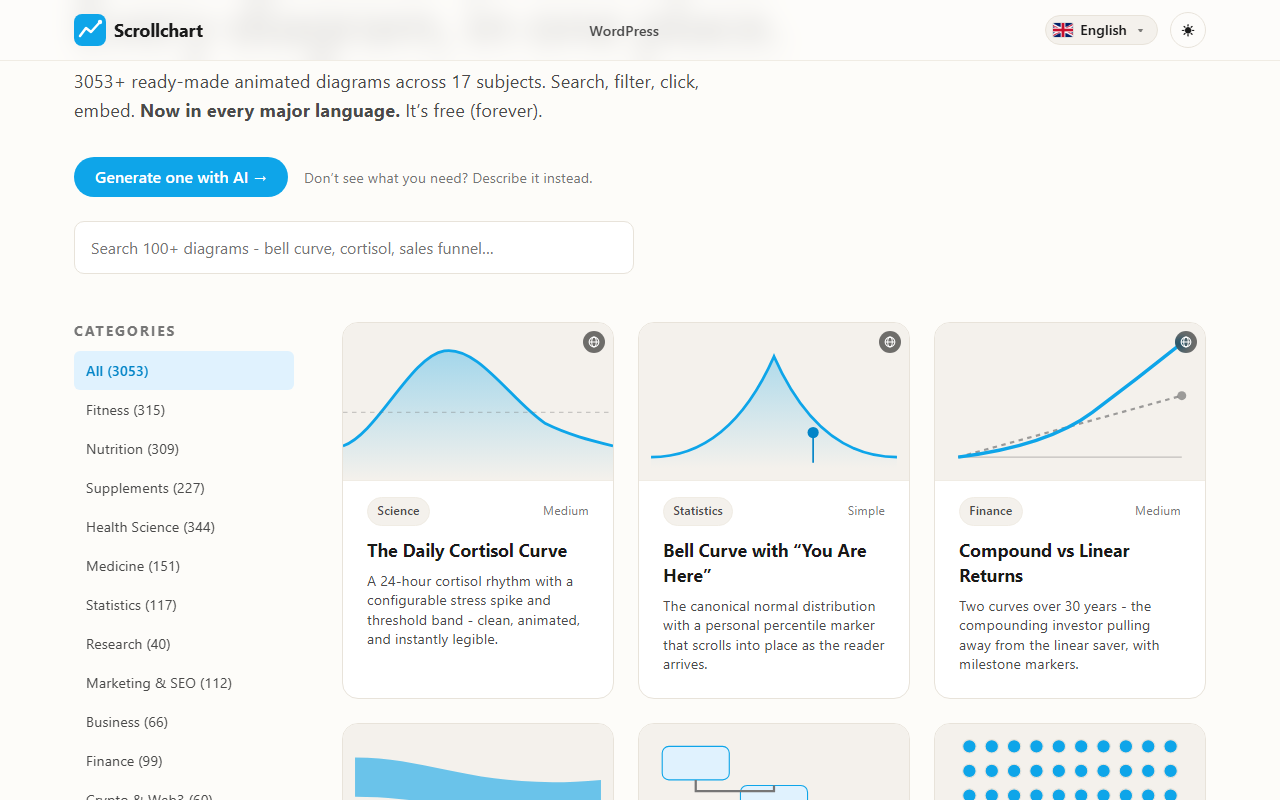
- New: browseable catalogue with search, category filter, and thumbnail tiles. Find a diagram visually instead of typing a slug.
- Improved: catalog picker now shows what each diagram looks like, not just its name.
- New: built-in catalog browser in the block editor sidebar. Search the full library and pick a diagram without leaving the post.
- Simplified: every visual control now lives under a single Style panel. Same options, fewer tabs.
- Polish: settings page now only exposes look-and-feel defaults. Internal cache timing is handled automatically.
- New: native Elementor widget. No more wrapping
[scrollchart]in a text element. - New: fixed-size layout option for placements that need exact pixel dimensions — newsletters, PDFs exported from WordPress, columns with unknown parent width.
- New: per-embed Load Immediately toggle for hero and above-the-fold placements.
- New: WPBakery Page Builder integration. The "Scrollchart Diagram" element now appears in the WPBakery element library with grouped tabs for Appearance, Border, Size, and Performance.
- Improved: tightened the default block-editor placeholder styling and the WPBakery preview thumbnail.
- New: dark-mode auto-detection. Set theme to Auto and diagrams will switch with the visitor's OS preference.
- New: custom text colour control for accessibility tuning over coloured backgrounds.
- Improved: cache key now includes the host domain so multisite installs share less than they used to.
- New: native Gutenberg block. The previous shortcode flow remains supported and unchanged.
- New: settings page under Settings -> Scrollchart for site-wide style defaults.
- Initial release. Shortcode support, light and dark themes, fully responsive iframe.