
OrderFusion Lite - Order Filters, Columns & Export for WooCommerce
| 开发者 | SpellDot |
|---|---|
| 更新时间 | 2026年10月13日 00:24 |
| PHP版本: | 7.4 及以上 |
| WordPress版本: | 7.1 |
| 版权: | GNU General Public License v3.0 |
| 版权网址: | 版权信息 |
详情介绍:
- HPOS compatible — fully tested with WooCommerce High-Performance Order Storage and legacy post-based orders
- Multisite ready — settings save separately per site, activate network-wide if needed
- Per-user settings — each team member saves their own filter and column preferences
- No front-end impact — runs entirely in WooCommerce admin, loads nothing on your store's front end
- No external requests — no tracking, no analytics, no customer data leaves your server
安装:
- Upload the plugin package to /wp-content/plugins/ or install it through Plugins >> Add New >> Upload Plugin.
- Activate "Order Filters, Columns & Export for WooCommerce" via Plugins >> Installed Plugins.
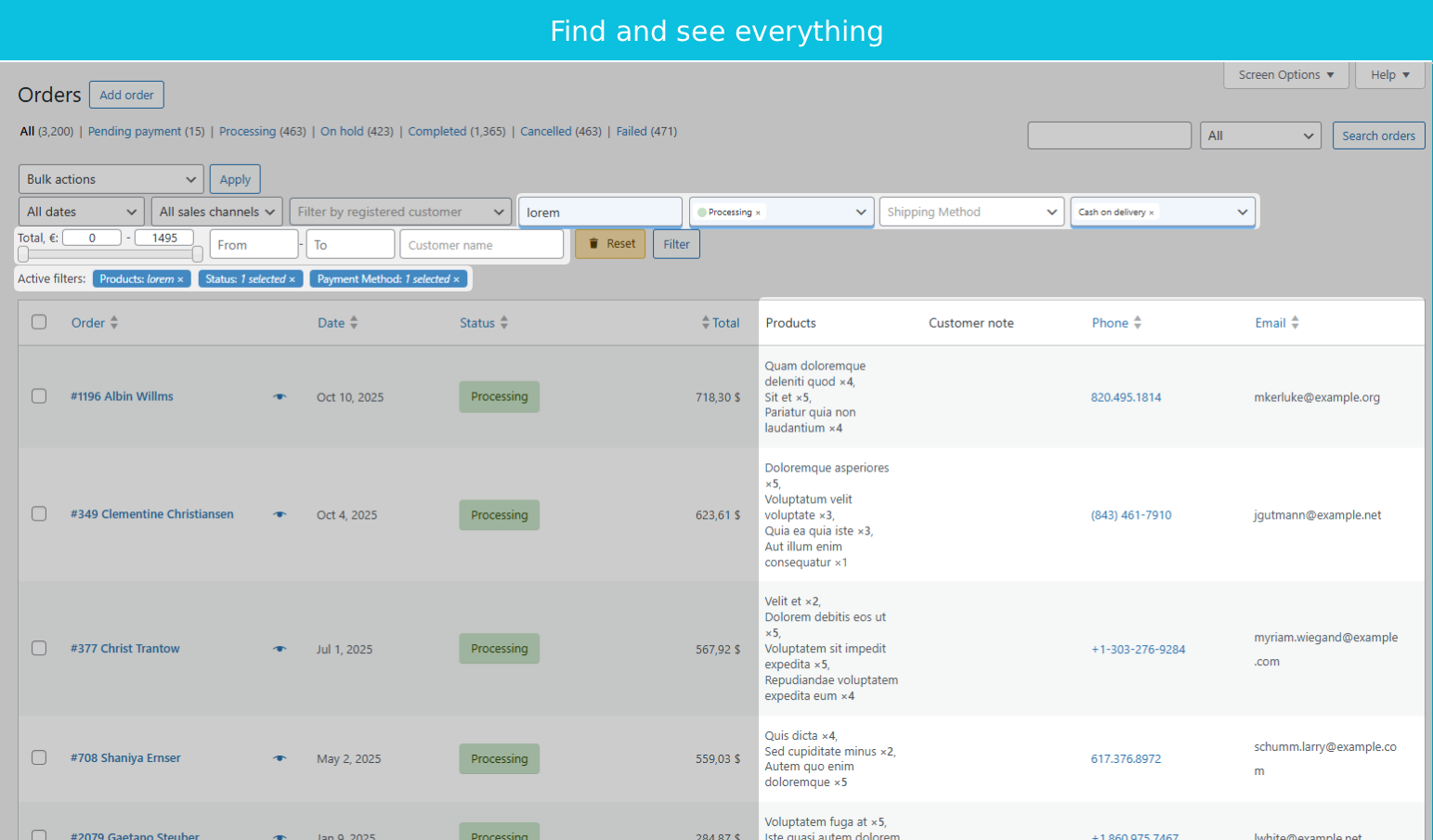
- Go to WooCommerce >> Orders and click Screen Options (top right) to manage columns and filters.
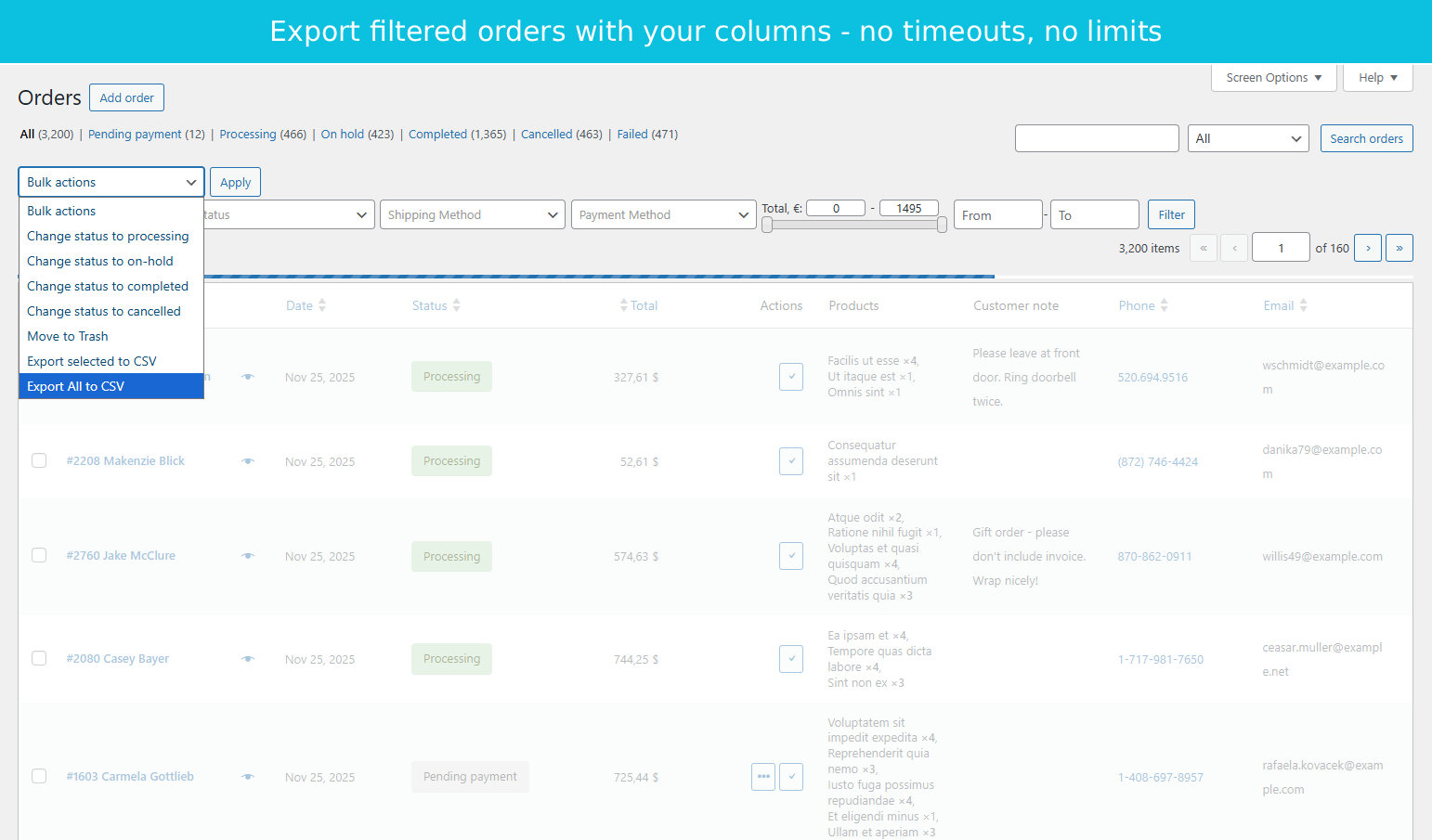
- To export orders to CSV, use bulk actions "Export selected to CSV" or "Export All to CSV".
屏幕截图:
常见问题:
How do I filter orders by product or SKU?
Go to WooCommerce >> Orders, click Screen Options at the top right, and enable the Products filter. Type a product name, SKU, or barcode (UPC/EAN/GTIN) into the filter field. Results update instantly via AJAX.
Can I combine multiple filters at once?
Yes. Enable several filters from Screen Options and set values for each. For example, filter by order status "Processing" and payment method "PayPal" to see all processing PayPal orders.
How do I add phone or email columns to the orders list?
Open Screen Options on the WooCommerce Orders page. Check the Phone and Email columns. They appear immediately in your orders list with clickable tel: and mailto: links.
Is the plugin compatible with WooCommerce High-Performance Order Storage (HPOS)?
Yes. All filtering, column display, and CSV export operations fully support HPOS order tables.
Does the plugin work with WordPress multisite?
Yes. Settings save separately per site. You can activate the plugin network-wide.
How does CSV export handle large numbers of orders?
Export runs in batches to prevent browser timeouts. Whether you have 500 or 50,000 orders, the export completes reliably. A progress bar shows the current batch status.
Does this plugin affect my store's front-end loading speed?
No. The plugin runs only in the WordPress admin area. It loads no CSS, JavaScript, or PHP on your store's front end. Customers never see or interact with it.
Can I open exported CSV files in Excel or Google Sheets?
Yes. CSV files use standard formatting and open in Excel, Google Sheets, Numbers, and LibreOffice.
Will this plugin conflict with other WooCommerce plugins?
OrderFusion Lite uses standard WordPress and WooCommerce APIs. It works alongside other order management, shipping, invoicing, and payment plugins. It reads order data but does not modify it.
How are my filter and column preferences saved?
Filter and column preferences are stored in dedicated plugin database tables, per user. Display settings use WordPress user meta. Everything persists across sessions and doesn't affect other users on the same site.
更新日志:
- Tested with WordPress 7.1 and WooCommerce 11.2.1
- Tested with WordPress 7.1 and WooCommerce 11.0.1
- Tested with WordPress 7.0 and WooCommerce 10.8
- Added SKU display in the Products column
- Added in-plugin review prompt after meaningful usage
- Fixed missing capability check on CSV export endpoint
- Initial release