
SDP Conditional Product Tabs for WooCommerce
| 开发者 |
simpledirectplugins
enriquejros |
|---|---|
| 更新时间 | 2026年10月5日 23:56 |
| PHP版本: | 7.4 及以上 |
| WordPress版本: | 7.2 |
| 版权: | GPLv2 or later |
| 版权网址: | 版权信息 |
详情介绍:
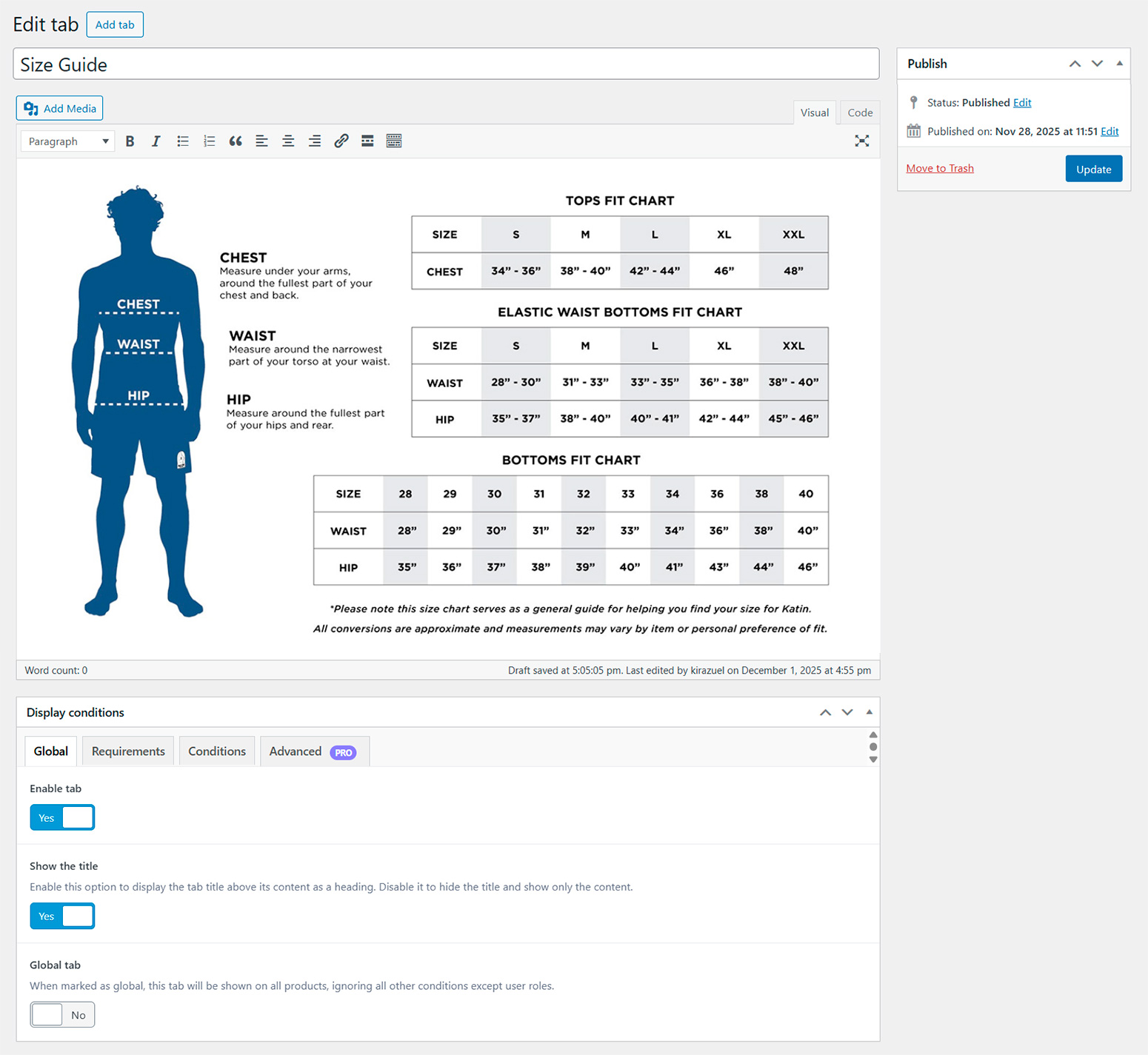
With SDP Conditional Product Tabs for WooCommerce, you can create unlimited sortable custom tabs for your product pages and display them only under specific conditions. Perfect for adding additional information, FAQs, specifications, or any content that should only appear for certain products, categories, brands, tags, product types, or user roles.
🚀 Try the live interactive demo
Try the live interactive demo and explore conditional WooCommerce product tabs in action. Browse sample tabs configured for categories, brands, tags, products, and product types, then review the visibility conditions behind each tab from the admin interface.
Launch live demo
⚙️ Features
- Enable or disable tabs individually.
- Sortable tabs: reorder your product tabs easily via drag and drop, including the default WooCommerce tabs (Description, Reviews and Additional information).
- Show or hide the tab title.
- Create global tabs that appear on all products.
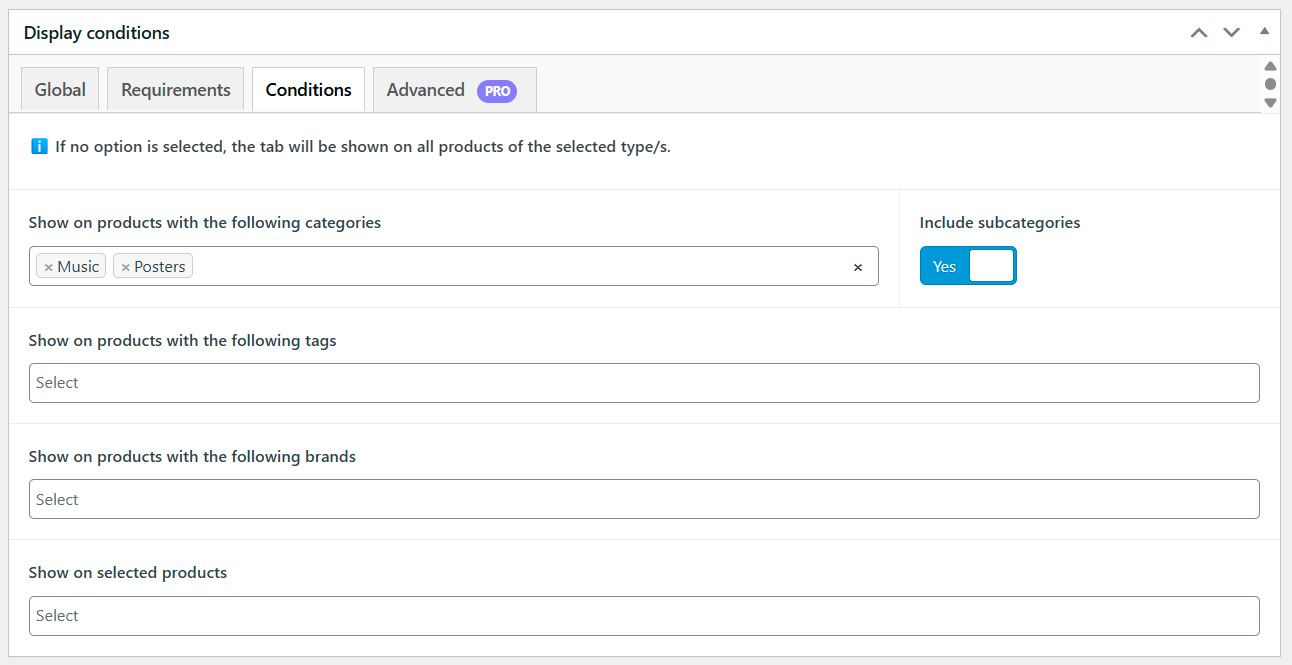
- Conditional display by:
- Product categories (incluing subcategories or not)
- Product tags
- Product brands
- Selected products
- Product types (standard WooCommerce types)
- User roles (WordPress roles + WooCommerce roles + Guest)
- Editor for content supporting shortcodes.
- Show the product tabs anywhere on the product page using a shortcode.
- Translations ready (Loco Translate, WPML...) and completely translated into Spanish.
- Advanced conditional rules (date/time, stock level, on sale, etc.).
- Enable/disable core WooCommerce tabs (Description, Reviews, Additional information).
- Extended product type support (WooCommerce Bookings, WooCommerce Subscriptions).
- Extended user roles.
- Additional UI enhancements and workflow options.
屏幕截图:
常见问题:
Can I create unlimited tabs?
Yes, you can create as many custom tabs as you need.
Does this plugin work with all WooCommerce product types?
Yes, this Free version supports standard WooCommerce product types. Pro adds support for additional types like Bookings or Subscriptions.
Can I show tabs only to certain user roles?
Yes, in the Free version you can select basic roles, WooCommerce roles, and Guest. More advanced conditional rules are available in Pro.
How can I add content to the tab?
You can use the built-in WordPress visual editor. Shortcodes are fully supported.
Is this plugin translation-ready?
Yes, it comes fully translated into Spanish and supports all translation plugins like Loco Translate or WPML.
更新日志:
4.6.0
- Added - Vulnerability reporting information
- Update - Support for WooCommerce 11.2
- Update – Settings framework updated to version 6.8.10
- Tweak - Minor code improvements
- Update - Support for WordPress 7.2
- Update - Support for WooCommerce 11.1
- Update – Settings framework updated to version 6.8.8