
Sectioneer
| 开发者 | khokansardar |
|---|---|
| 更新时间 | 2026年6月16日 12:47 |
| PHP版本: | 7.4 及以上 |
| WordPress版本: | 7.0 |
| 版权: | GPL-2.0-or-later |
| 版权网址: | 版权信息 |
详情介绍:
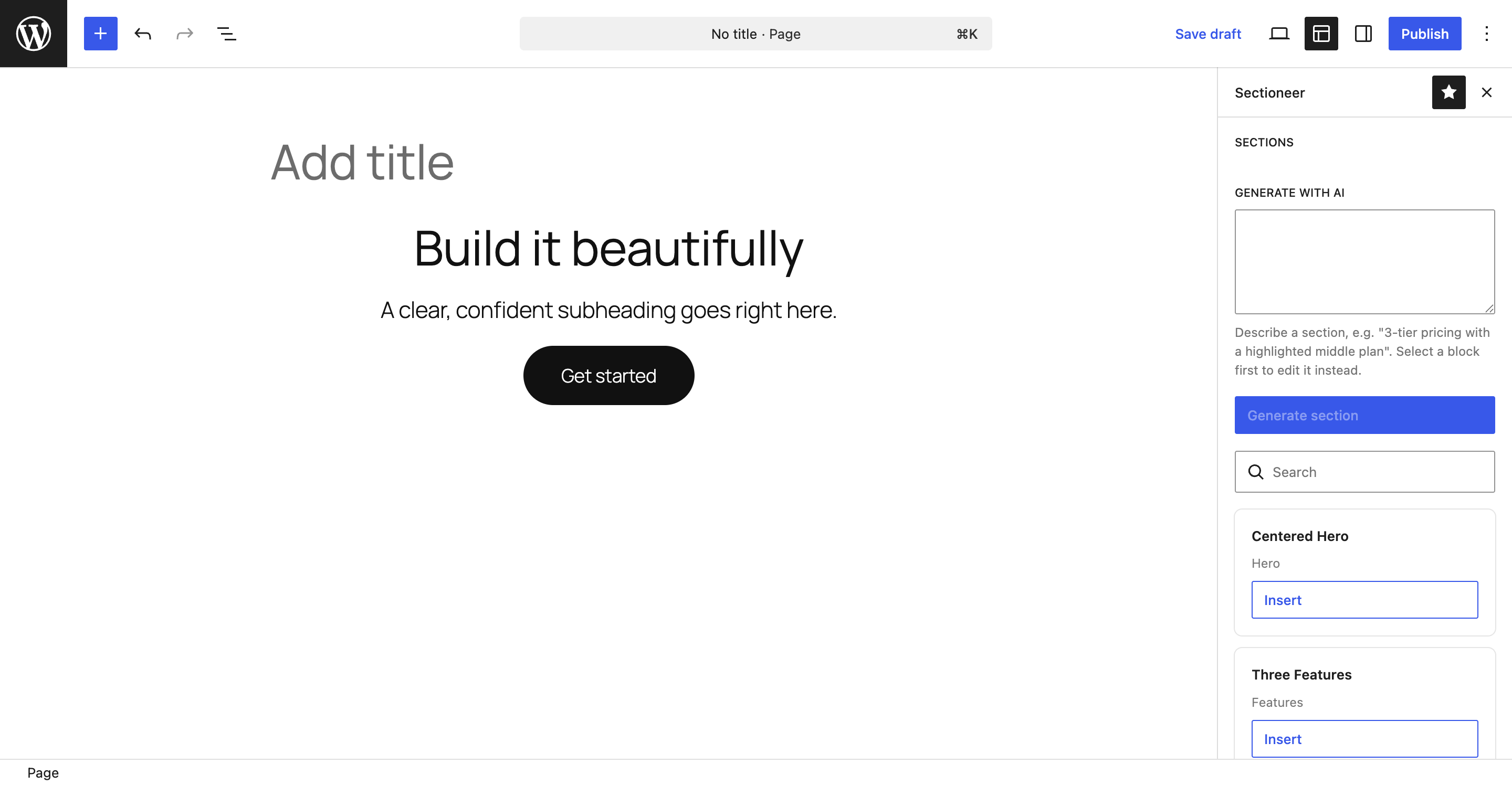
- Section library — ready-made sections (hero, features, call to action, and more) with search and one-click insert.
- Theme-aware insert — inserted sections adopt the active theme: raw colors are remapped to the nearest theme.json palette token, so sections never look "pasted in".
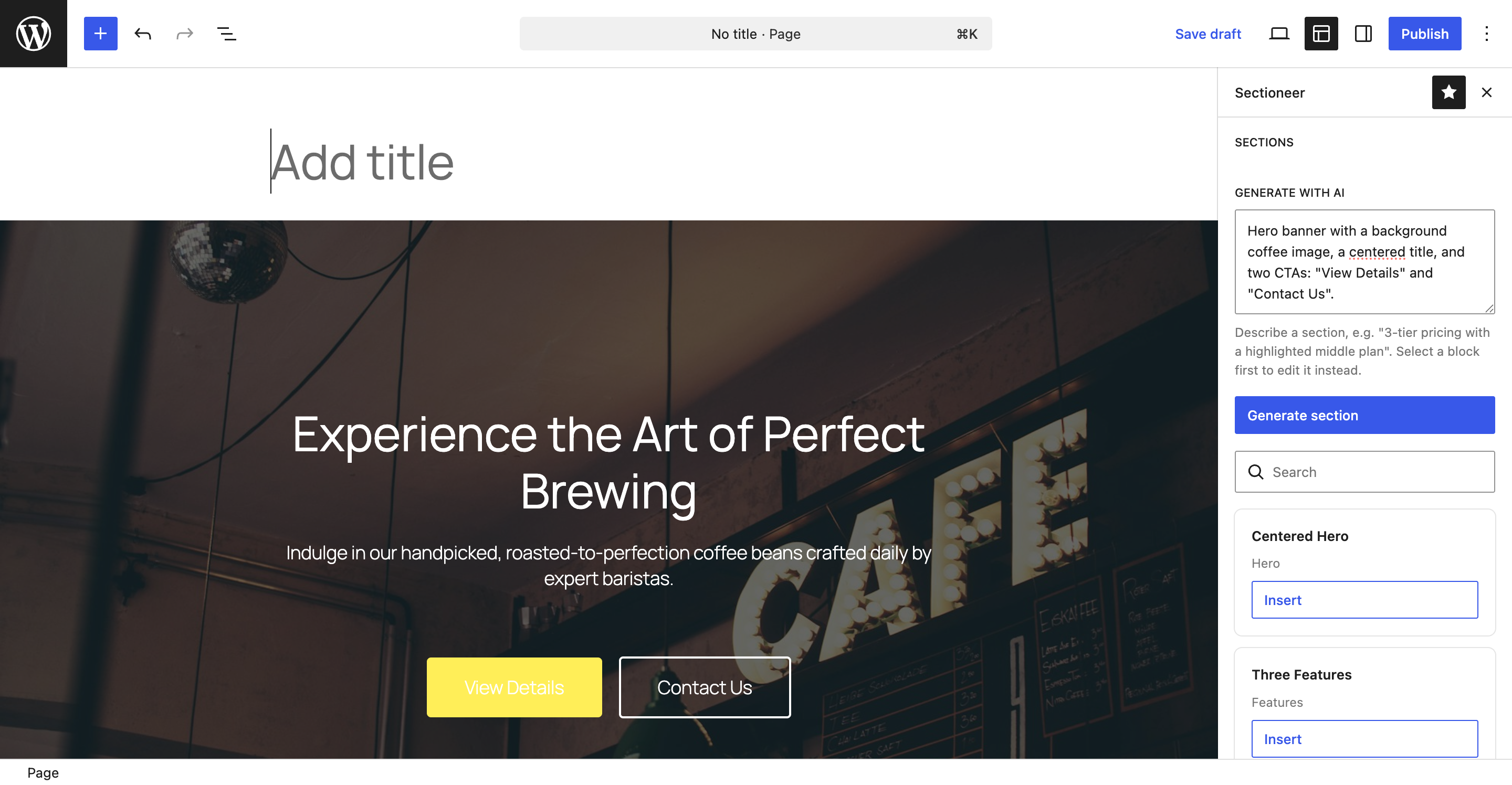
- AI section generation (optional) — describe a section in plain language and Sectioneer generates valid block markup for it, seeded with your theme's design tokens. Select a block first to revise it in place instead of inserting a new one.
- Safe by construction — all inserted markup (curated or AI-generated) is parsed and rebuilt against registered block types; unregistered or unsafe blocks are dropped.
- One consistent home — every feature lives in a single Sectioneer editor sidebar, in both the post editor and the Site Editor, with a first-run guide so it's easy to find.
安装:
- Install and activate Sectioneer from the Plugins screen (or upload the ZIP).
- Open a page or post in the editor, or open the Site Editor.
- Click the Sectioneer icon (the layout icon) in the top-right toolbar to open the Sections panel. A short guide appears the first time.
- (Optional, for AI) Install and activate a WordPress AI provider plugin and add its API key, then use the "Generate with AI" field in the Sections panel.
屏幕截图:
常见问题:
Where do I find Sectioneer after activating it?
Inside the editor. Open any page or post (or the Site Editor) and click the Sectioneer (layout) icon in the top-right toolbar to open the Sections panel. After activation a welcome notice in wp-admin links you straight there, and a one-time guide appears the first time you open an editor. You can reopen the guide any time from the "How Sectioneer works" link in the panel.
Do I need an AI service to use Sectioneer?
No. The curated section library and theme-aware insert work without any AI provider. AI generation and in-place editing are optional.
How do I enable AI generation?
Install and activate a WordPress AI provider plugin that registers with the WordPress AI Client (for example AI Provider for Google, OpenAI, or Anthropic) and add your API key per that plugin's instructions. Sectioneer is provider-agnostic and detects the provider automatically. AI generation requires WordPress 6.9 or newer (the Abilities API).
Does Sectioneer send my content to any external service?
Not on its own, and never the page content. Only when you explicitly generate or edit a section with AI, your prompt and your theme's design-token slugs are sent to the AI provider you configured, through the AI Client on your site. See "External services" in the description.
Is this production-ready?
Sectioneer is early, pre-release software (0.1.0). It uses only public WordPress and Gutenberg APIs and degrades gracefully, but you should evaluate it on a staging site before relying on it in production.
更新日志:
- Initial release.
- Curated, theme-aware section library with search and one-click insert.
- Theme-aware restyle: raw colors remapped to the nearest theme.json palette token.
- Optional AI section generation and in-place editing via the WordPress Abilities API and AI Client, with transient-error retry, cancellation, and a proactive "no provider configured" notice.
- AI/markup hardening: every inserted block is rebuilt against registered block types.
- First-run onboarding guide and wp-admin welcome notice.