
Sectivio
| 开发者 |
sectivio
freemius |
|---|---|
| 更新时间 | 2026年11月8日 02:07 |
| PHP版本: | 7.4 及以上 |
| WordPress版本: | 7.1 |
| 版权: | GPLv2 or later |
| 版权网址: | 版权信息 |
详情介绍:
- which sections are worth more space, and which ones can go
- whether your contact section is seen at all, on mobile and on desktop
- when your visitors come, and which device brings the most enquiries
- which kind of content (references, prices, team, FAQ …) works on your website
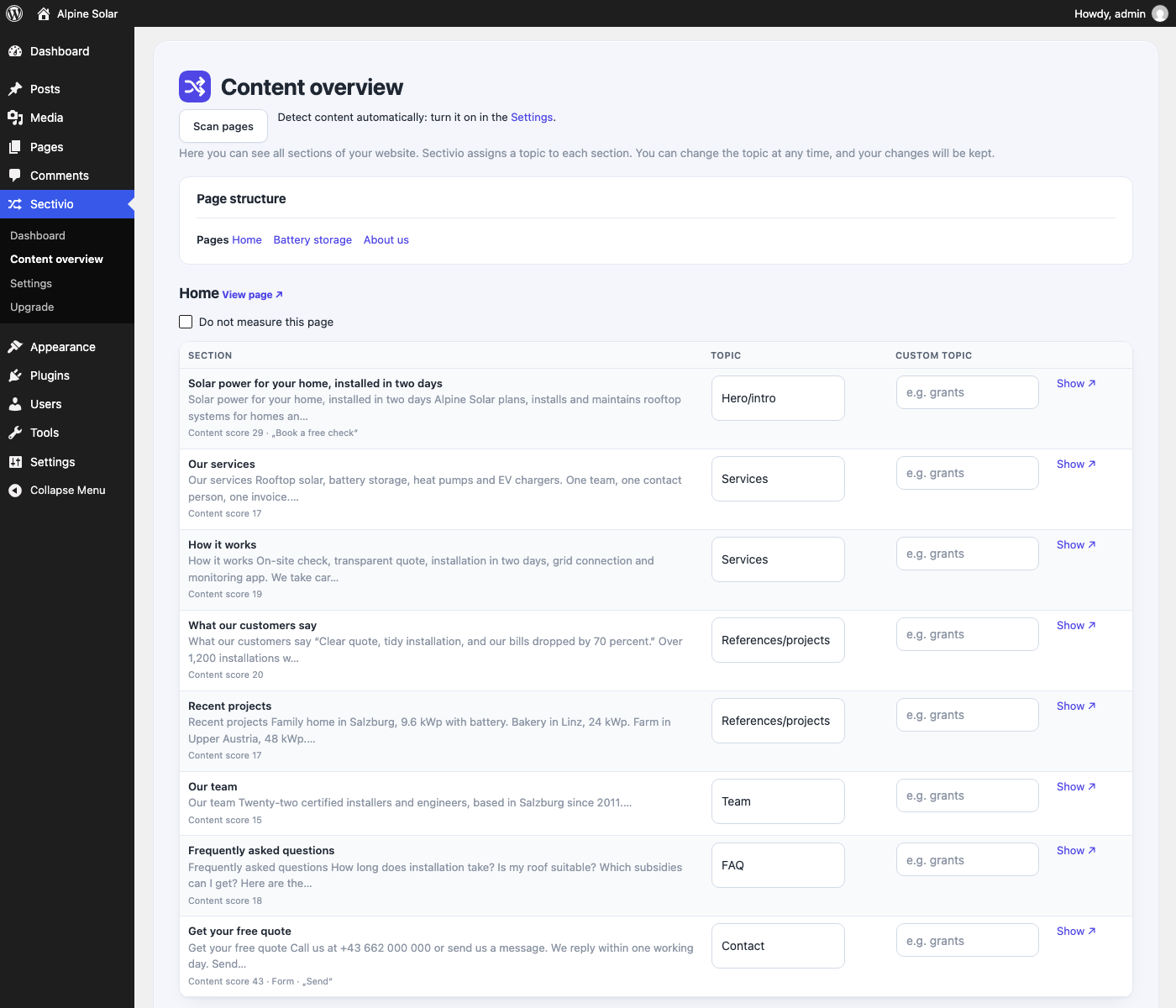
- Scan your pages. Sectivio reads your pages and shows every section in a clear overview, including what each section is about.
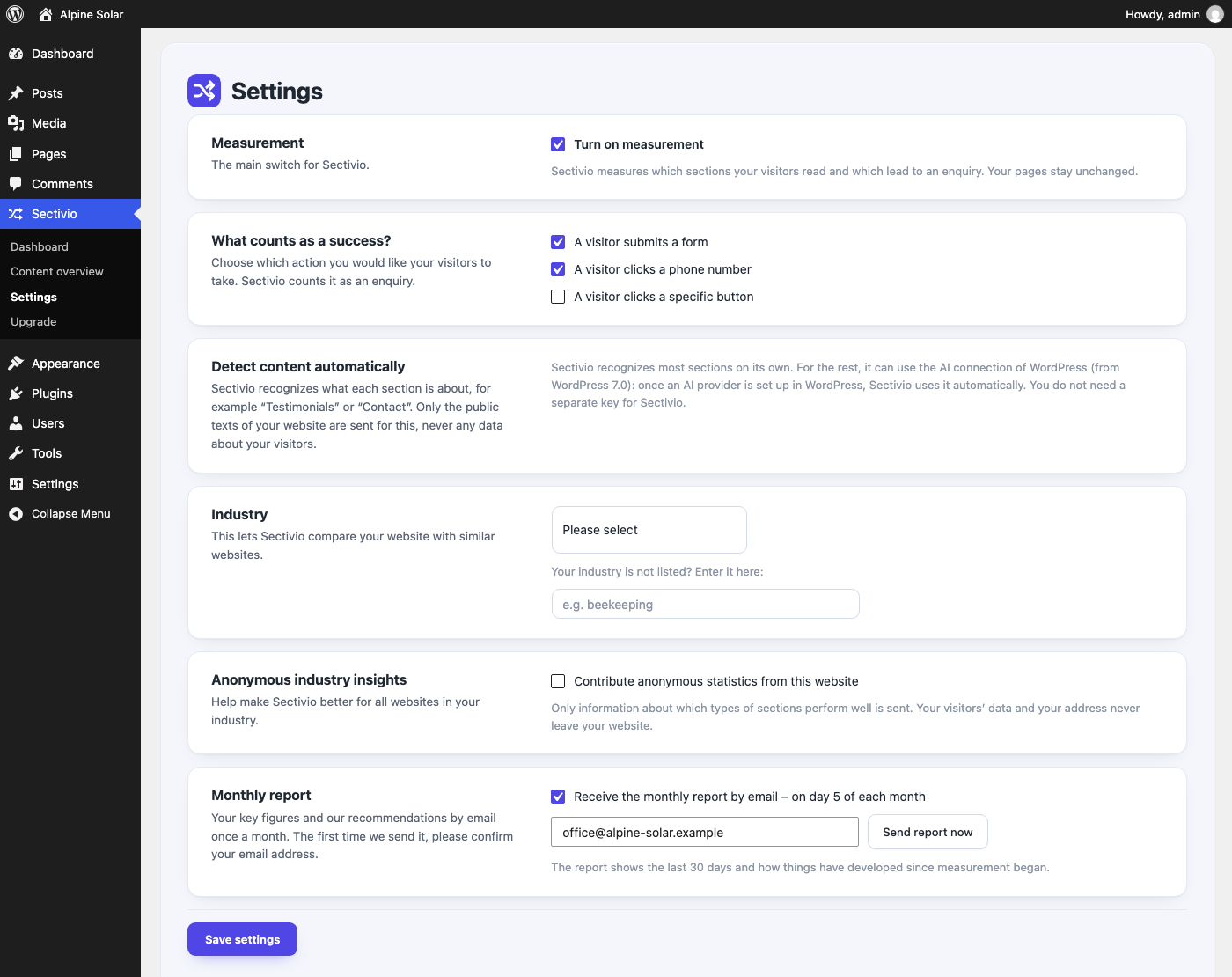
- Decide what counts. Choose what counts as an enquiry: forms, phone links, e-mail links or a button of your choice.
- Measure. Sectivio records which sections get attention and which lead to an enquiry, by device and time of day.
- Act on it. The dashboard, the recommendations and the monthly report show what works on your website and what does not.
- No cookies and no persistent visitor ID (only the browser tab's sessionStorage).
- Visitor data stays on your server. All measurements live in your own WordPress database.
- No IP addresses are stored in the measurement data.
- Legal pages such as imprint, privacy policy and terms are detected automatically and not measured.
- Ready-made text for your privacy policy: the shortcode [sectivio_privacy] shows it, adapted to your settings, with a button that lets visitors turn off the measurement.
- Measures which sections are seen, how long they are read and which lead to an enquiry
- Counts enquiries via forms, phone links, e-mail links or a button of your choice
- Results by device and time of day
- Recommendations for your website, many of them applicable with one click
- Long-term analysis over up to three years, so small websites get reliable results too
- Detects what each section is about on its own, and uses the AI connection set up in WordPress (WordPress 7.0 or later) for the rest (optional)
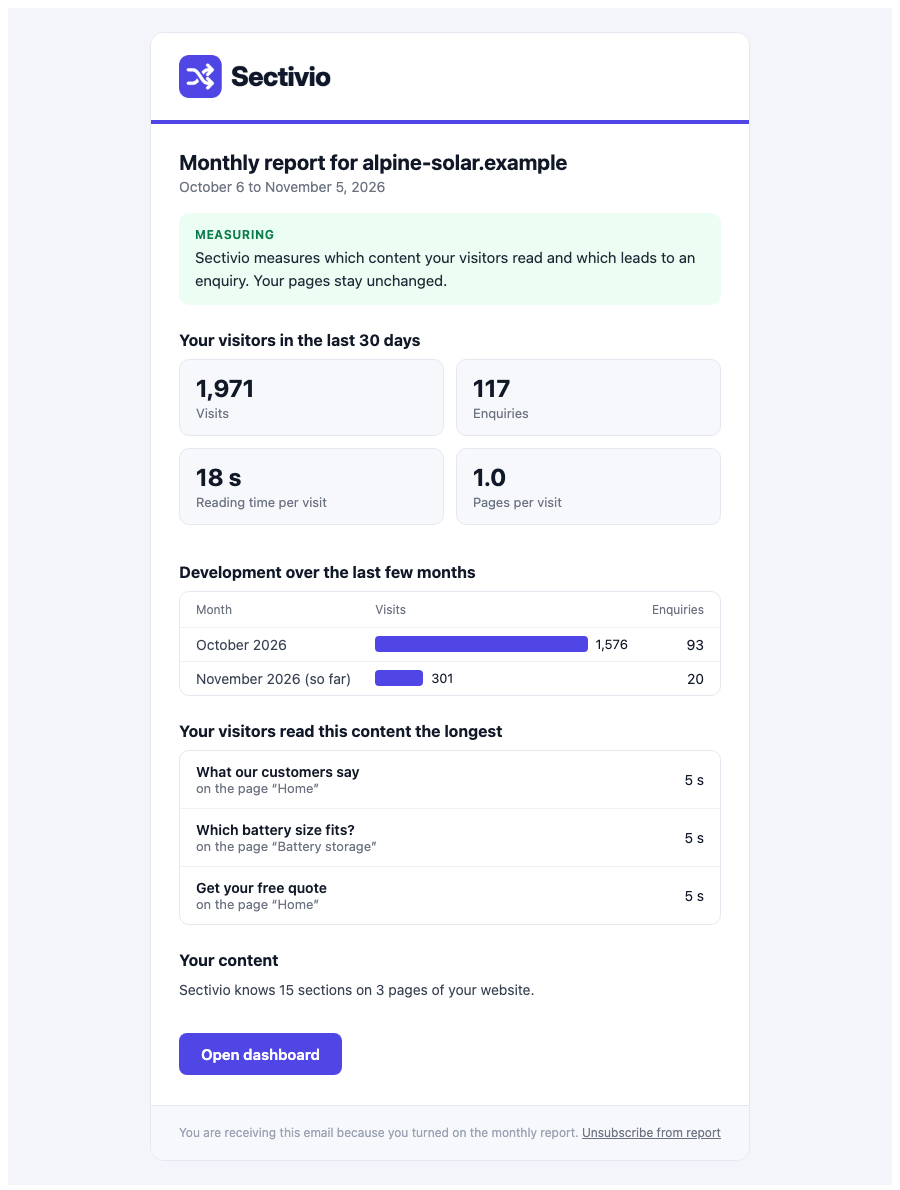
- Monthly e-mail report
- Works with the common page builders and WordPress blocks (see Compatibility), and with page caching
- Elementor 4.3 (with Elementor Pro 4.3), sections and containers
- WordPress blocks (Gutenberg) in WordPress 7.1, with block themes (Twenty Twenty-Five) and classic themes (Twenty Twenty-One)
- Kadence Blocks 3.9, Spectra 2.20, GenerateBlocks 2.5
- SiteOrigin Page Builder 2.38
- Divi 4.27, Beaver Builder 2.11, Breakdance 2.5 and the current Breakdance, Oxygen 6, Bricks, Avada and Brizy: tested on live websites built with them
- WPBakery: tested with the page structure the vendor documents
安装:
- Install Sectivio from the WordPress plugin directory and activate it.
- Open Sectivio → Content overview and click Scan pages.
- Decide what counts as an enquiry under Sectivio → Settings and turn on measurement.
- After a few days, the dashboard shows which sections work.
屏幕截图:
常见问题:
Which page builders does Sectivio work with?
See Compatibility above. After you click "Scan pages", the content overview shows which page builder Sectivio recognized on your pages and tells you if one is not supported yet.
Does Sectivio change my content?
No. The free plugin only measures; your pages stay exactly as they are. Automatic rearranging of sections is part of Sectivio Pro, a separate plugin.
Does Sectivio set cookies?
No. It works without cookies. For the length of a visit it keeps a random session ID in the browser's session storage, which disappears when the tab is closed. The measurement data contains no IP addresses and stays in your WordPress database.
What do I need to add to my privacy policy?
As the website owner, you must inform your visitors about the measurement. Insert the shortcode [sectivio_privacy] into your privacy policy: it shows the current text, adapted to your settings, and a button that turns off the measurement in the visitor's browser. You can also copy the text from Sectivio → Settings or from Settings → Privacy → Policy Guide. Whether you also need your visitors' consent depends on your country.
Does it work with caching plugins?
Yes. Measurement runs in the visitor's browser, so it works with page caching such as WP Rocket.
Do I need an API key?
No. Sectivio recognizes most sections on its own. For the rest, it uses the AI connection you set up in WordPress (WordPress 7.0 or later); Sectivio itself never asks for an API key.
How long does it take until I see results?
The first figures appear after the first visits. Reliable statements about individual sections need a few hundred visits; the long-term analysis keeps collecting over up to three years.
更新日志:
- New: Sectivio provides the text for your privacy policy, adapted to your settings. The easiest way is to insert the shortcode [sectivio_privacy]; it keeps the text up to date automatically. You will find it under Settings → Privacy policy and in the WordPress privacy policy guide.
- Your visitors can turn off the measurement for their browser with a button in your privacy policy.
- Sectivio now also recognizes sections with block themes such as Twenty Twenty-Five, and with Kadence Blocks, Spectra, GenerateBlocks and Breakdance.
- The header and footer of Avada, Brizy, Breakdance and Beaver Builder no longer count as sections.
- After scanning, the content overview shows which page builder your pages are built with, and tells you if it is not supported yet.
- New: after an update, the dashboard shows you what has changed.
- "Scan pages" and "Have unclear sections detected" show right away that they are working, how far they are and, at the end, the result. Large websites are scanned completely with one click.
- Hidden sections – for example hidden on all devices in Elementor – are no longer read in or evaluated. Only what your visitors see counts.
- Maintenance release. The measurement of the free plugin is unchanged.
- Sections are scored more fairly: an enquiry counts for every section the visitor saw before – also when it is sent on another page, such as the contact page.
- Long sections are no longer favoured just for being long.
- After the update, Sectivio recalculates the scores once. Your visit statistics are kept.
- Bug fixes.
- Automatic content detection uses the AI connection you set up in WordPress (WordPress 7.0 or later). You no longer need a key of your own.
- The free plugin now focuses on measurement and analysis: which sections are read and which lead to an enquiry. Automatic rearranging is part of Sectivio Pro.
- Content detection can use the AI connection set up in WordPress (WordPress 7.0 or later), so no own API key is needed.
- Scripts and styles are loaded the WordPress way; Sectivio no longer hides notices of other plugins on its pages.
- New: confirm the terms of use and the data processing agreement directly in Sectivio. Until confirmed, the monthly report is sent from your own server and managed content detection is paused.
- The checkout opens in German when WordPress runs in German.
- The first and last section of a page always stay in place, and contact and job sections are pinned automatically.
- While Sectivio is still learning, sections move at most two places from their original position.
- Sections shown from other pages are never placed after the closing section.
- Content overview: changes are saved reliably on large websites (previously servers with a low max_input_vars limit could drop changes to sections further down the page).
- All output is escaped without exceptions; database queries use fixed SQL with placeholders only.
- Plugin header cleaned up for the WordPress plugin directory.
- Code reviewed with the WordPress Plugin Check: secure database queries, escaped output and translator notes throughout.
- Bug fixes.
- Plan page links to the terms of service, the data processing agreement and the privacy policy.
- German license and opt-in dialog now uses the formal form of address.
- Percentages are formatted according to your language.
- English is now the source language; complete German translation included (also for Austrian and Swiss German).
- Prepared for the WordPress plugin directory.
- Empty spacer sections are detected without AI and never moved.
- Content overview shows the structure of your website with jump links and a "back to top" button.
- Connection check focuses on the Sectivio service and content detection.
- Dashboard shows the installed version, available updates and what is new.
- Monthly report is sent via the Sectivio mail server and contains all recommendations for your website.
- Long-term analysis over up to three years and recommendations with one-click actions.