
Secure Login Shield
| 开发者 |
bentreder
bdtreder |
|---|---|
| 更新时间 | 2026年5月26日 00:42 |
| 捐献地址: | 去捐款 |
| PHP版本: | 7.4 及以上 |
| WordPress版本: | 7.0 |
| 版权: | GPLv2 or later |
| 版权网址: | 版权信息 |
详情介绍:
Secure Login Shield helps you lock down your WordPress login page.\
By default, WordPress exposes
/wp-login.php and /wp-admin/. Bots hammer these URLs every day.
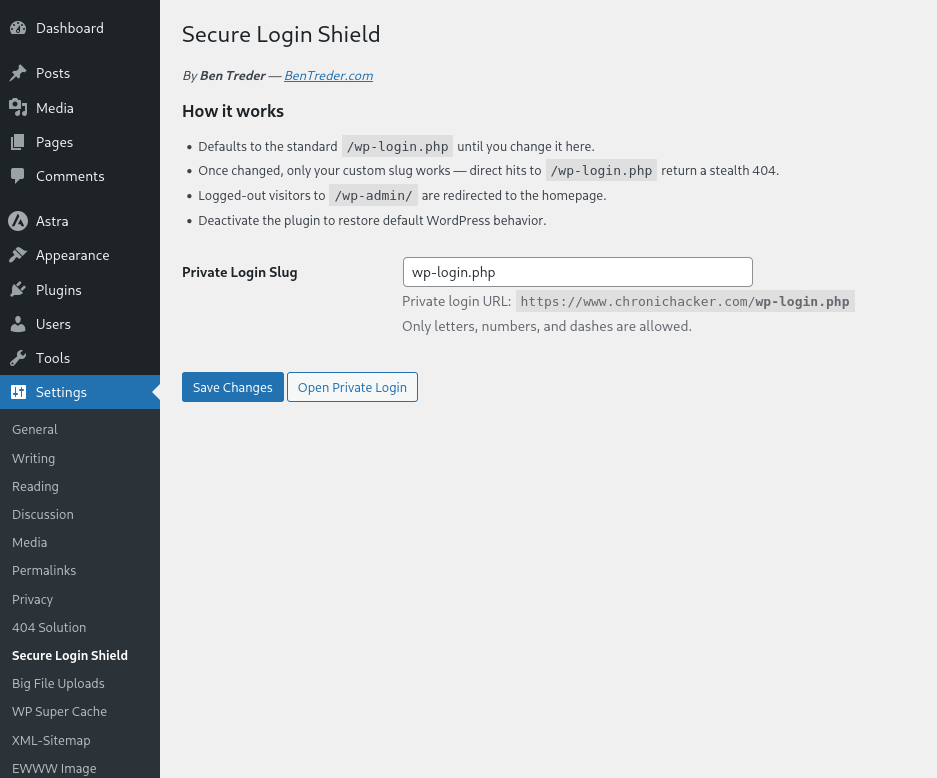
This plugin gives you a private login slug (e.g. /dragon-lair) and hides the default login endpoint:
- Defaults to
/wp-login.phpuntil you change it. - Once changed, only your custom slug works.
- Direct access to
/wp-login.phpshows a 404 Not Found (stealth mode). - Logged-out visitors hitting
/wp-admin/are redirected to the homepage. - Deactivate the plugin → everything reverts to normal.
安装:
- Upload the
secure-login-shieldfolder to the/wp-content/plugins/directory or install via Plugins → Add New → Upload. - Activate the plugin through the "Plugins" menu in WordPress.
- Go to Settings → Secure Login Shield.
- Set your private slug (example:
dragon-lair). - Go to Settings → Permalinks → Save Changes (refresh rewrite rules).
- If you use a caching plugin or CDN, clear cache to avoid stale redirects.
- Log in using
https://yoursite.com/dragon-lair.
屏幕截图:
常见问题:
Will this break my site?
No. By default it uses /wp-login.php until you change it. Deactivating the plugin instantly reverts WordPress to normal behavior.
Can I completely block /wp-login.php?
Yes. Once you set a slug, /wp-login.php (and actions) return a 404 Not Found.
What if I forget my private slug?
Deactivate the plugin via FTP (delete or rename secure-login-shield). WordPress will go back to /wp-login.php.
Does this work with caching plugins or CDNs?
Yes, but after changing your slug, you should clear cache/CDN to avoid serving stale redirects.
更新日志:
2.0.5
- Corrected WordPress.org release versioning after the Secure Login Shield audit.
- Confirmed WordPress 7.0 compatibility metadata.
- Kept the free plugin focused on private login URL protection, stealth 404 behavior, and logged-out wp-admin redirect protection.
- Rebrand to Secure Login Shield by Ben Treder
- Default slug remains
/wp-login.php(safe on first install) - Added activation notice: Save permalinks + clear cache after activation
- Stealth 404 mode enforced when custom slug is chosen
- Homepage redirect for logged-out visits to
/wp-admin/
- Added stealth 404 mode
- Improved security enforcement
- Redirected /wp-admin/ → homepage for logged-out users
- Initial release with custom login slug + wp-login.php block