
Secure My WP Site - Login
| 开发者 | securemywpsite |
|---|---|
| 更新时间 | 2024年12月4日 05:14 |
| PHP版本: | 7.4 及以上 |
| WordPress版本: | 6.7 |
| 版权: | GPLv2 or later |
| 版权网址: | 版权信息 |
详情介绍:
- Email-based login system
- User registration (requires WordPress registration enabled)
- Registration with optional email verification
- Secure password reset with encrypted links
- User profile management
- Account deletion option (admin-controllable)
- Custom login redirects
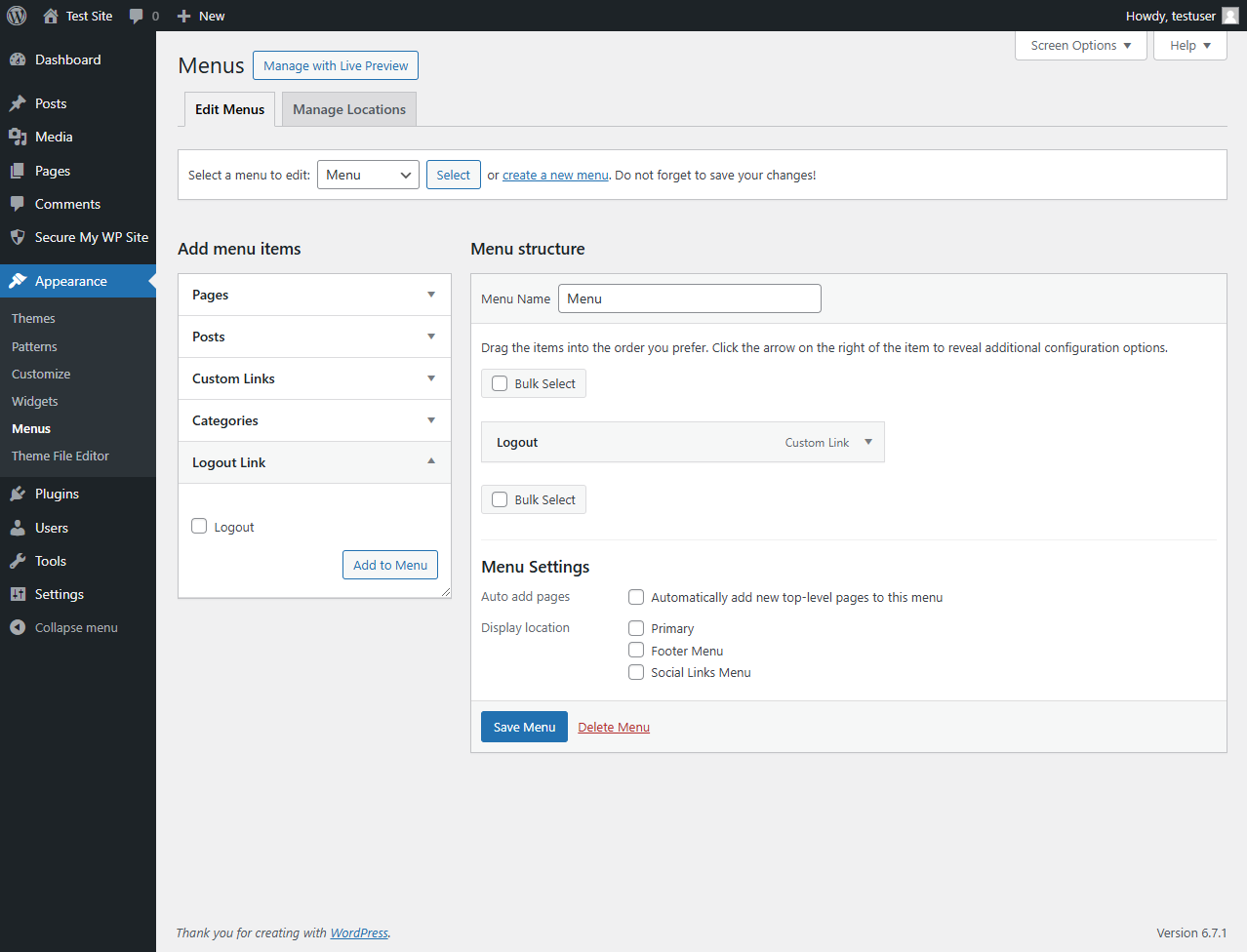
- Custom logout link for WordPress menus
- Customizer integration for menu logout links
- Responsive and theme-compatible forms
- Email verification for new accounts
- Nonce verification on all forms
- Input sanitization
- Protected admin roles
- Secure password reset system
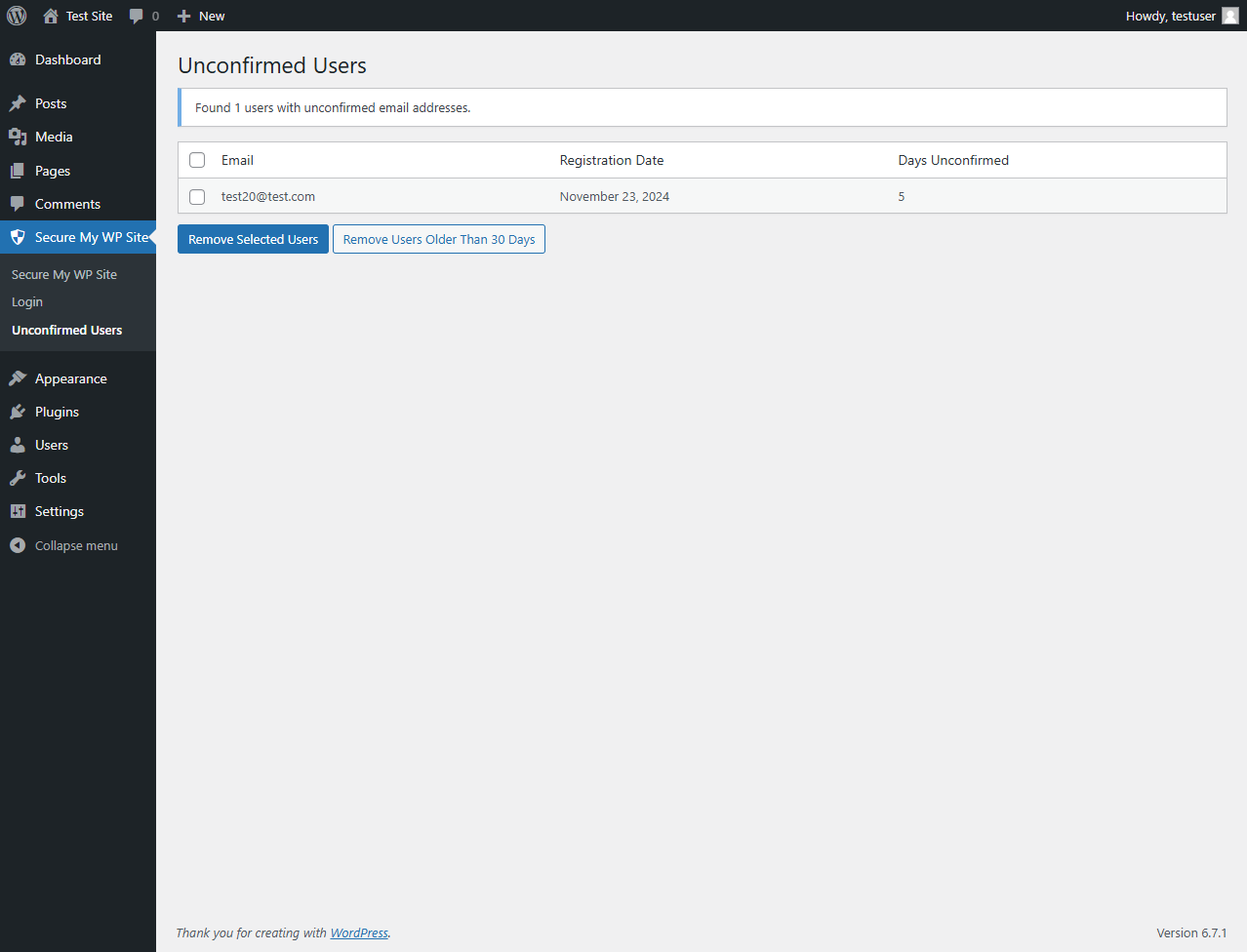
- Unconfirmed users management panel
- Email verification control
- Account deletion settings
- Custom redirect settings
- User action notifications
- Customizer menu integration
- Works with any WordPress theme
- Mobile-responsive forms
- Standard CSS classes for easy styling
- Login Page -
[smwps_login_form] - Registration Page -
[smwps_register_form] - Profile Page -
[smwps_profile_form] - Lost Password Page -
[smwps_lost_password_form] - Reset Password Page -
[smwps_reset_password_form] - Email Confirmation Page -
[smwps_confirm_email_form] - Delete Account Page -
[smwps_delete_account_form] - Delete Account Success Page -
[smwps_delete_account_successful] - Logout Success Page -
[smwps_successful_logout]
安装:
- Upload the plugin files to
/wp-content/plugins/secure-my-wp-site-logindirectory - Activate the plugin through the 'Plugins' screen in WordPress
- Use the Settings->Secure My WP Site->Login screen to configure the plugin
- Place shortcodes in your pages or use the automatically created pages
- Add logout links to menus through Appearance > Customize > Logout Link
屏幕截图:
常见问题:
Why can't users register on my site?
Make sure you have enabled user registration in WordPress. Go to Settings -> General and check "Anyone can register" option to allow new user registrations.
Can I disable user registration?
Yes, you can control user registration through WordPress settings. Go to Settings -> General and uncheck "Anyone can register" option to disable new user registrations.
Where can I find my login and registration pages?
The plugin automatically creates all necessary pages during activation. You can find them in your Pages section in WordPress admin. You can also use the shortcodes on any existing page.
Can I customize the redirect URL after login?
Yes, you can set a custom redirect URL in the plugin settings.
Can I disable account deletion?
Yes, administrators can disable the account deletion feature in the plugin settings.
What happens when users delete their account?
When a user deletes their account, both they and the admin receive email notifications. All user data is permanently removed from the database.
Can I add a logout link to my menu?
Yes, you can add a logout link to any registered menu using the WordPress Customizer under the "Logout Link" section.
How can I add a logout link using the Customizer?
- Go to Appearance > Customize in your WordPress admin
- Look for the "Logout Link" section
- Select which menu should display the logout link
- Save your changes
Is email verification required for new users?
Email verification can be enabled or disabled in the plugin settings. When enabled, new users must verify their email before they can log in.
What happens if email verification fails?
Users can request a new verification email from the login page if their verification link expires or fails.
How does the password reset system work?
Users can request a password reset link which is sent to their email. The link is secure, encrypted, and expires after use.
Can I manage users who haven't confirmed their email?
Yes, there's an admin panel specifically for managing unconfirmed users where you can view and clean up unconfirmed accounts.
Can I customize the form styles?
Yes, the forms use standard CSS classes and can be styled using your theme's stylesheet.
Do you provide support for custom styling?
While we don't provide custom styling, all forms use standard CSS classes that can be styled through your theme's stylesheet.
Are administrator accounts protected?
Yes, administrator accounts cannot be deleted through the frontend account deletion feature for security reasons.
Will this work with my existing users?
Yes, the plugin works seamlessly with your existing WordPress users and doesn't affect their current login status.
Does this replace the default WordPress login?
No, it creates additional login pages while keeping the default WordPress login system intact for admin access.
更新日志:
- Added: Support for Secure My WP Site - Profile Photos addon
- Added: Extension hooks for profile form customization
- Improved: Profile form extensibility
- Improved: Profile update message handling
- Added: Customizer integration for adding logout links to menus
- Added: New Customizer section for easy logout link placement
- Added: Ability to add logout links to any registered menu
- Improved: Menu management with customizer support
- Fixed: Headers already sent warning in profile and reset password pages
- Fixed: Account deletion functionality in non-admin context
- Fixed: Duplicate password reset confirmation emails
- Fixed: Added proper nonce verification for password reset links
- Improved: Error handling for invalid password reset links
- Improved compatibility with page builders. Template override is no longer needed.
- Initial release