
SecureGate Captcha Lite
| 开发者 | sabbir37 |
|---|---|
| 更新时间 | 2026年9月8日 19:55 |
| 捐献地址: | 去捐款 |
| PHP版本: | 7.4 及以上 |
| WordPress版本: | 7.1 |
| 版权: | GPLv2 or later |
| 版权网址: | 版权信息 |
详情介绍:
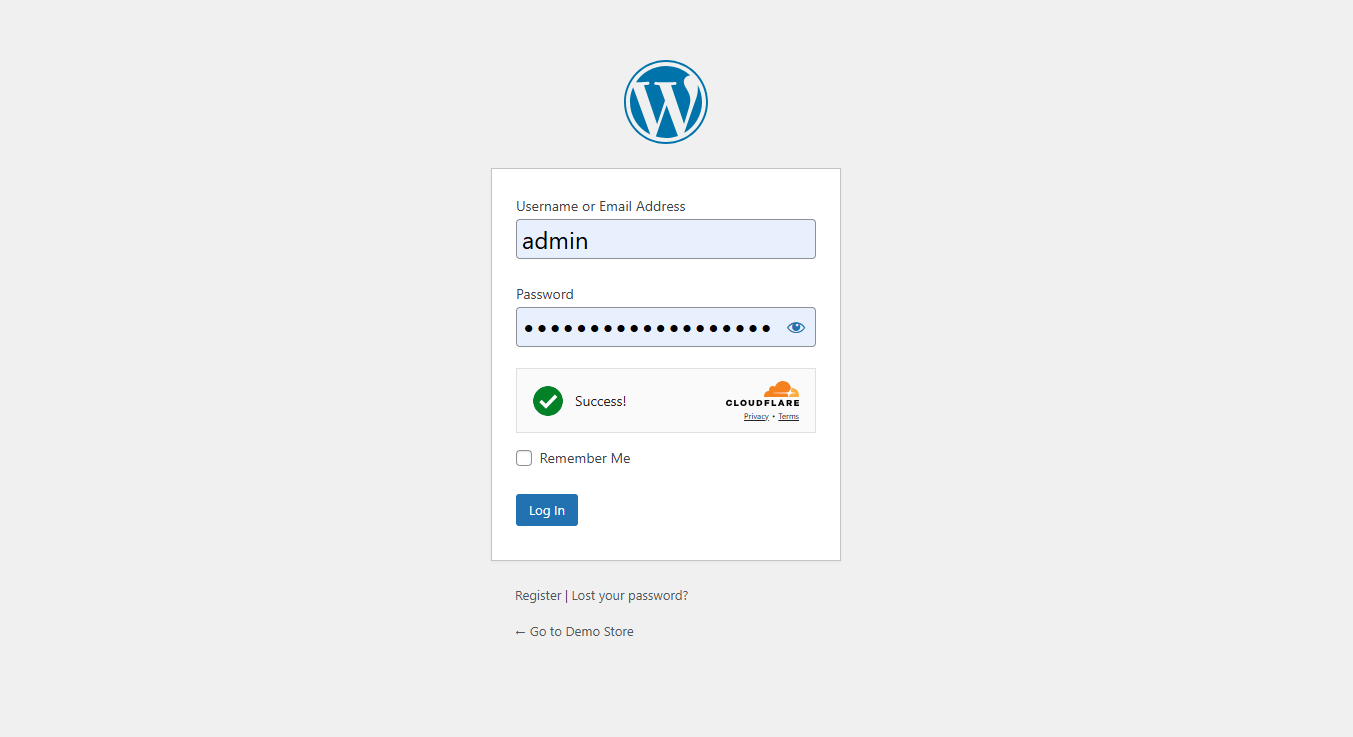
- Cloudflare Turnstile - Modern, privacy-focused CAPTCHA with frictionless user experience
- Free forever with generous limits from Cloudflare
- Invisible verification for most legitimate human visitors
- No user frustration with slow image puzzles (no clicking traffic lights)
- Privacy-compliant with no tracking cookies or user profiling
- Quick 2-minute API key setup
- Built-in Fallback CAPTCHA - Self-hosted protection that works always
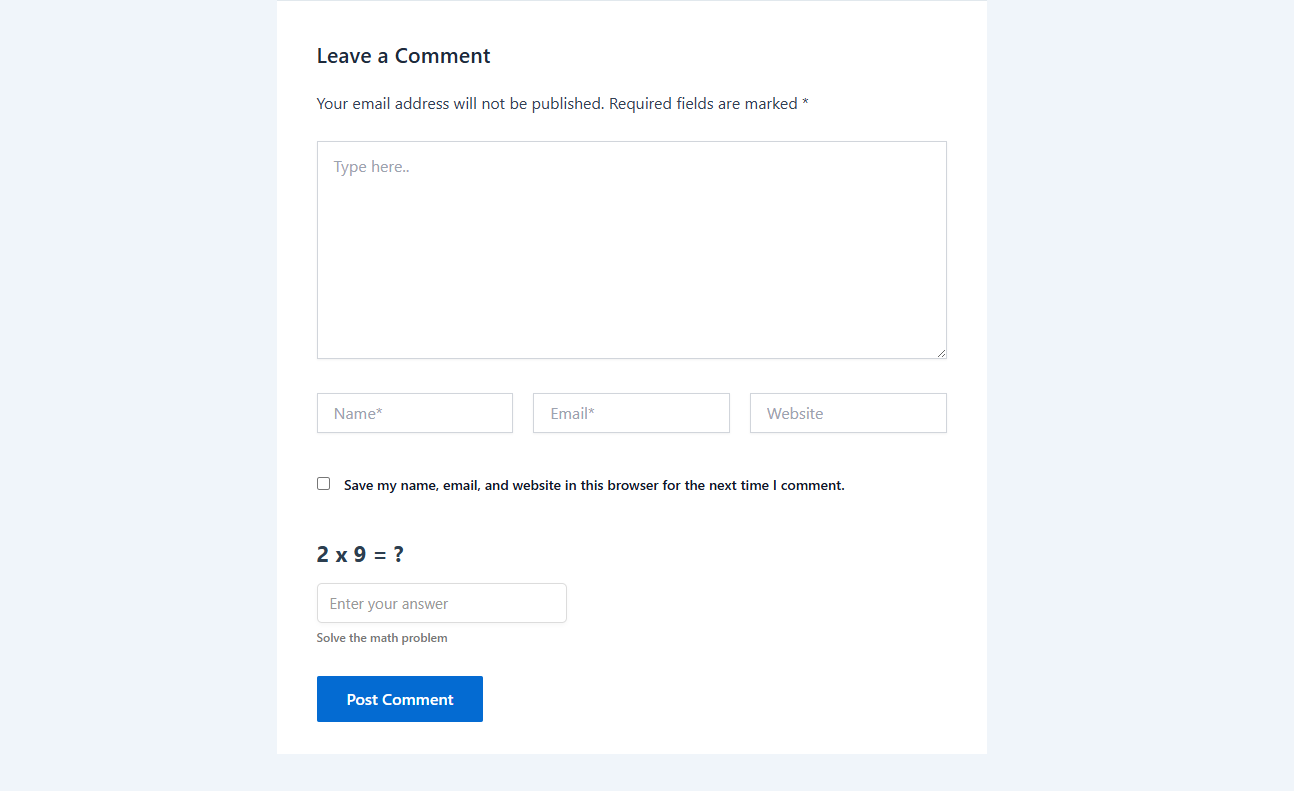
- Math challenges (simple arithmetic problems like 5 + 3 = 8)
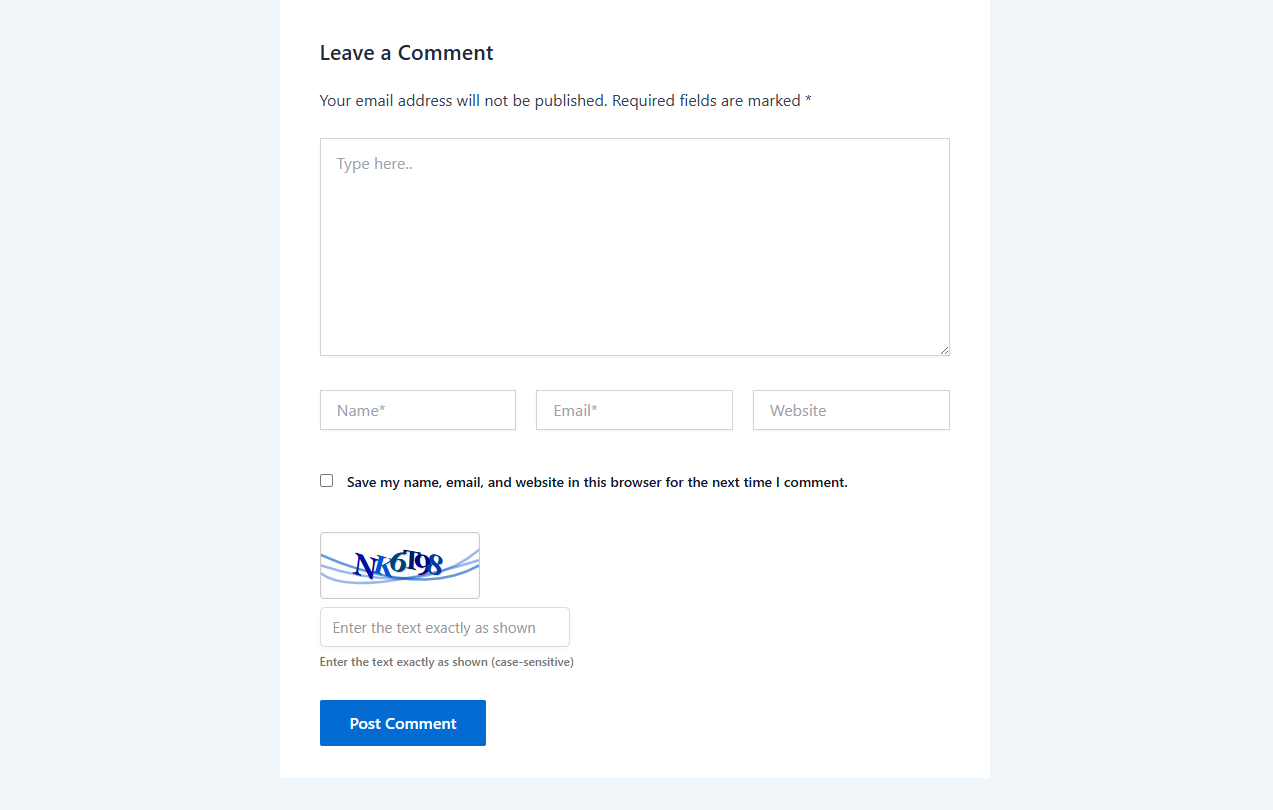
- Warped character text recognition challenges
- Works instantly with zero external dependencies or API keys
- GDPR compliant by design (runs 100% on your own server)
- Perfect for restricted networks, local development, and intranet sites
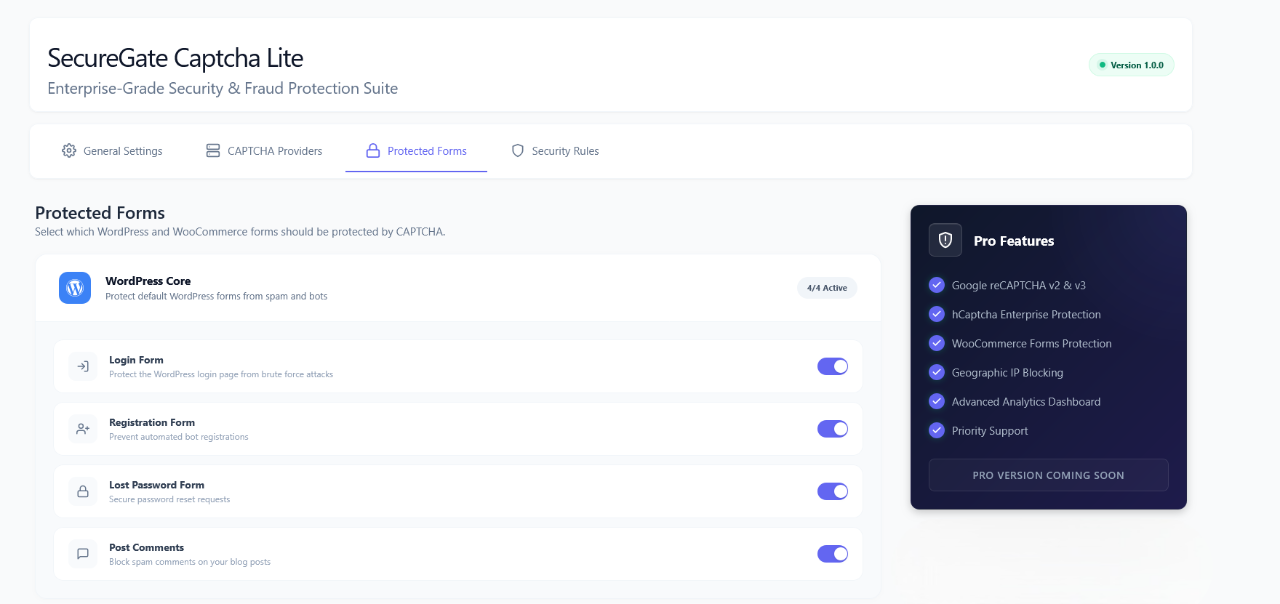
- WordPress Login - Protect admin and frontend login forms from credential stuffing and automated password guessing
- User Registration - Stop spam bot registrations and fake user account creation
- Password Reset (Lost Password) - Prevent automated password reset abuse and email flooding
- Comment Forms - Block automated comment spam without clogging moderation queues
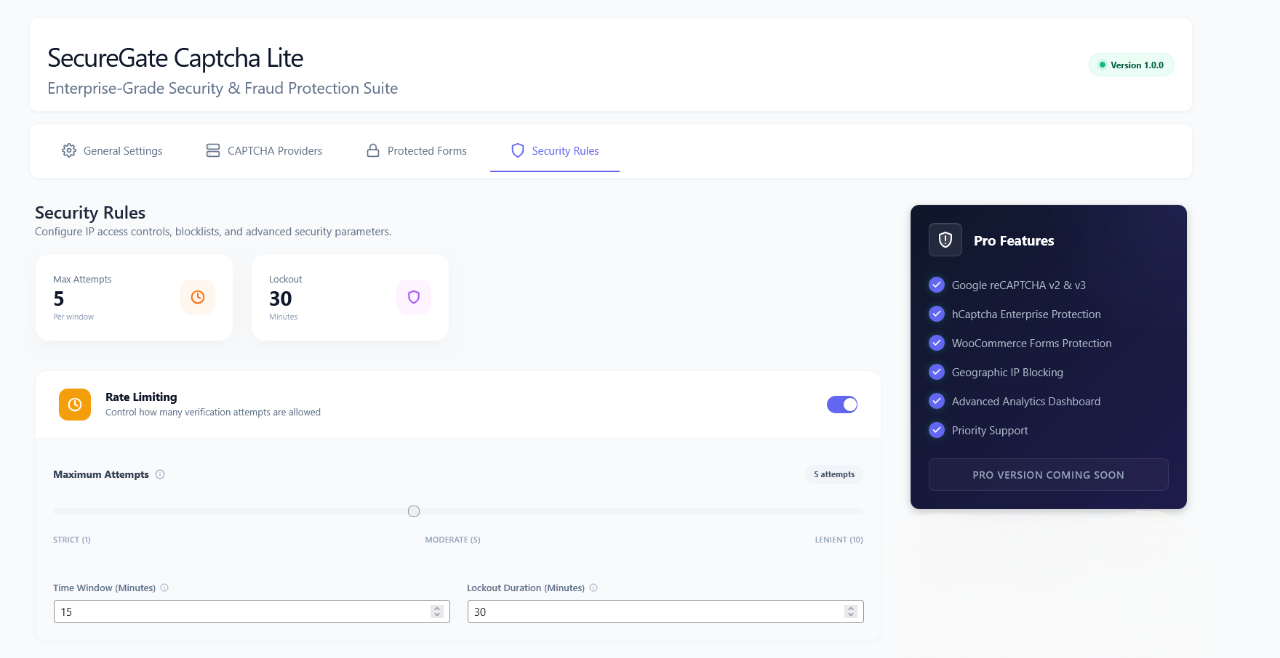
- Rate Limiting - Configure maximum allowed failed login attempts before a temporary lockout triggers
- Automatic IP Blocking - Automatic temporary bans for suspicious IP addresses exceeding thresholds
- Customizable Lockout Duration - Define your own time thresholds for attempts and lockout duration
- Admin Exemptions - Administrators with 'manage_options' capability are automatically exempt to prevent accidental lockouts
- IP Allowlist - Whitelist static office, home, or developer IP addresses to bypass verification
- GDPR Ready - Anonymized IP logging (last octet stripped) with automatic expiration
- Data Minimization - Only essential security attempt data is stored temporarily as WordPress transients
- 7-Day Auto-Cleanup - All transient security logs are automatically deleted after 7 days
- No External Tracking - Self-hosted Math CAPTCHA requires zero third-party connections
- User Control - Administrators can disable logging entirely from plugin settings
- Conditional Loading - Scripts and styles load strictly on pages displaying protected forms
- Zero Impact - Unprotected public pages experience zero performance overhead
- Cache Friendly - Works seamlessly with WP Rocket, LiteSpeed Cache, W3 Total Cache, WP Super Cache, and Cloudflare APO
- Lightweight Assets - Clean, minified CSS and JavaScript for minimal page weight
- Database Efficiency - Uses WordPress transients instead of creating permanent database tables
- Bloggers - Protect comments from spam without tedious moderation
- Membership Sites - Secure member registration and login processes from bots
- Business Websites - Prevent fake lead registrations, spam inquiries, and brute force login attempts
- Personal Blogs - Simple setup with powerful, hands-off protection
- Portfolio Sites - Keep contact forms, logins, and comments spam-free
- WordPress Version: 5.8 or higher (Fully tested and verified up to WordPress 7.1)
- PHP Version: 7.4 or higher (PHP 8.0, 8.1, and 8.2 compatible)
- Multisite Compatible: Yes (Network-activatable)
- Translation Ready: Yes (Includes .pot template file)
- Performance Impact: Negligible (Conditional asset loading only on protected forms)
- Browser Support: All modern browsers (Chrome, Firefox, Safari, Edge, Opera)
- Math Challenges: Simple arithmetic problems (e.g., "What is 7 + 3?")
- Text Recognition: Warped text characters requiring human recognition Both are effective against automated bots while remaining accessible to humans and requiring zero API keys.
- Multiple provider support with automatic fallback to prevent broken forms
- Self-hosted Math CAPTCHA option for complete independence with zero API keys
- Built-in brute force protection and IP rate limiting (no extra plugins required)
- Modern, clean admin interface with tabbed settings
- Regular updates and active maintenance tested against latest WordPress releases
- Clean, secure, well-documented code
安装:
- Navigate to Plugins > Add New in your WordPress dashboard
- Search for SecureGate Captcha Lite
- Click Install Now on the SecureGate Captcha Lite plugin
- Click Activate once installation completes
- Go to SecureGate > General Settings to configure
- Download the plugin ZIP file from WordPress.org
- Navigate to Plugins > Add New in your WordPress dashboard
- Click Upload Plugin at the top of the page
- Choose the downloaded ZIP file and click Install Now
- Click Activate Plugin after installation
- Go to SecureGate > General Settings to configure
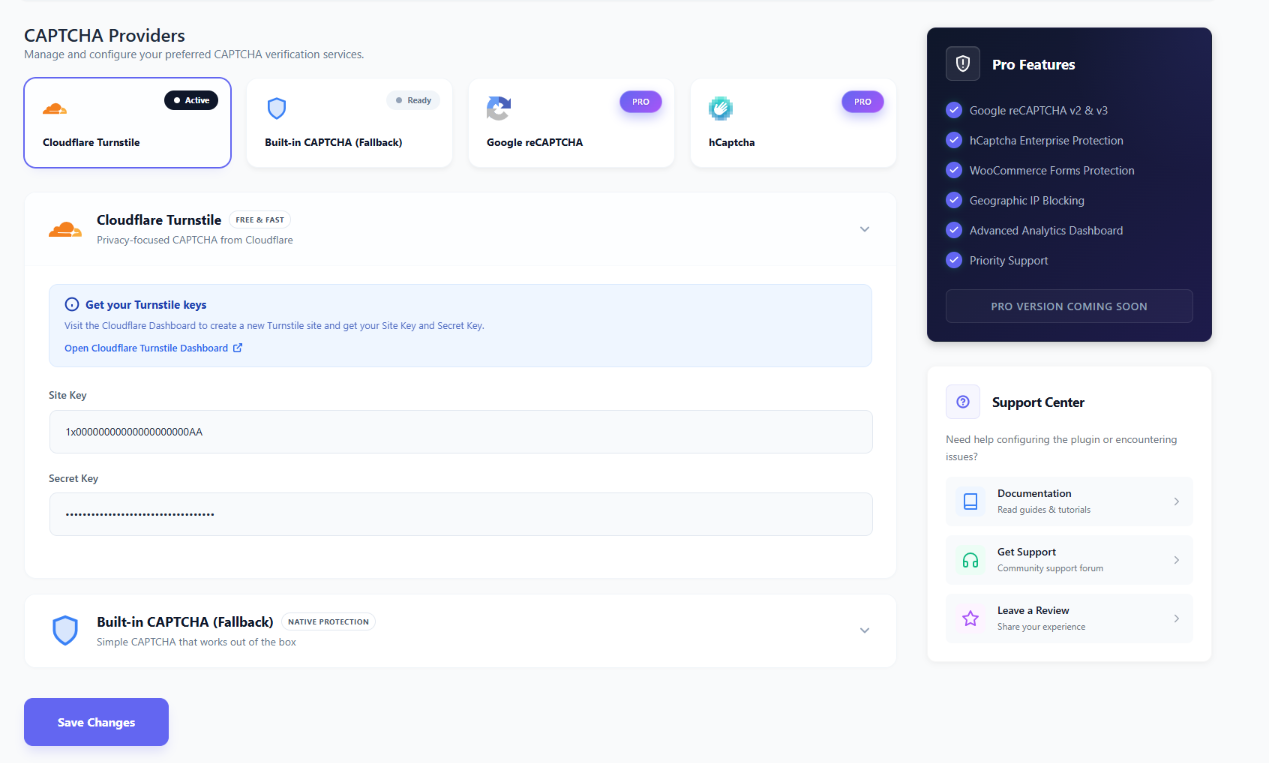
- Visit Cloudflare Turnstile
- Create a free account if you don't have one
- Add your site and obtain Site Key and Secret Key
- Navigate to SecureGate > Providers in WordPress
- Select "Cloudflare Turnstile" as your provider
- Enter your Site Key and Secret Key
- Save changes For Built-in CAPTCHA:
- Navigate to SecureGate > Providers
- Select "Built-in" as your provider
- Choose "Math" or "Text" challenge type
- Save changes (no API keys needed!) Enable Protected Forms:
- Go to SecureGate > Protected Forms
- Toggle on the forms you want to protect
- Save changes
屏幕截图:
常见问题:
Is this plugin completely free?
Yes! SecureGate Captcha Lite is 100% free with no hidden costs, premium upsells within the plugin interface, or feature limitations beyond what is advertised. All core features for WordPress form protection are included.
Do I need API keys to use this plugin?
It depends on your chosen provider:
- Built-in CAPTCHA: No API keys required - works immediately upon activation
- Cloudflare Turnstile: Free API keys required (takes 2 minutes to obtain from Cloudflare)
Will this slow down my website?
No. The plugin is performance-optimized and only loads necessary scripts on pages with protected forms. On unprotected pages, there is zero performance impact.
Is it GDPR compliant?
Yes. The plugin is designed with privacy in mind:
- IP addresses are anonymized before storage (last octet stripped)
- All logs expire automatically after 7 days
- No user personal data is collected or stored
- Built-in CAPTCHA requires no external services or third-party connections
Can I use this with caching plugins?
Absolutely! SecureGate Captcha Lite is fully compatible with all major caching solutions including:
- WP Rocket
- W3 Total Cache
- LiteSpeed Cache
- WP Super Cache
- Autoptimize
- Cloudflare APO and other page caching engines
What happens if Cloudflare Turnstile is down?
The plugin includes intelligent fallback logic. If Turnstile fails to load or verify, the system automatically falls back to the built-in CAPTCHA, ensuring your forms remain protected and operational at all times.
Will administrators be locked out?
No. Administrators (users with 'manage_options' capability) are automatically exempt from CAPTCHA challenges to prevent accidental lockouts during configuration or emergencies.
Can I customize the appearance?
Yes! The plugin includes theme options for CAPTCHA widgets (Light/Dark mode) and uses WordPress-standard styling that inherits your theme's design. Custom CSS can be added for advanced styling needs.
Does it work on multisite installations?
Yes. The plugin is multisite-compatible and can be network-activated or activated individually per site.
How long are blocked IPs banned?
By default, IPs are temporarily blocked for 30 minutes after exceeding the failed attempt threshold. This duration is customizable in SecureGate > Security Rules.
Can I whitelist specific IP addresses?
Yes. Navigate to SecureGate > Security Rules to add trusted IP addresses that will bypass CAPTCHA verification.
Is there a Pro version?
Yes! SecureGate Captcha Pro is the ultimate security solution for WooCommerce and WordPress stores. While the Lite version provides essential protection, the Pro version is designed for serious businesses that need advanced defense against sophisticated bot attacks and localized threats. Get SecureGate Captcha Pro Why SecureGate Pro is the Best Solution for Your Store:
- Google reCAPTCHA v2 & v3 Integration: Use the world's most trusted CAPTCHA technology. v3 offers 100% invisible protection without interrupting the user experience.
- Enterprise-Grade hCaptcha Support: Advanced bot detection with privacy-focused hCaptcha enterprise features.
- Comprehensive WooCommerce Protection: Secure every step of the customer journey, from account creation and login to the final checkout process.
- Geographic (Geo-Location) Blocking: Stop attacks before they reach your server by blocking entire countries or regions known for high bot activity.
- Advanced Analytics & Reporting: Gain deep insights into security threats with real-time charts, provider popularity data, and CSV export capabilities.
- Smart IP Filtering: Advanced IP address blocking and allowlisting to fine-tune your security rules.
- Priority Expert Support: Get direct access to our security experts for fast resolution of any issues. Stop losing sales to fraudulent registrations and checkout abuse. Upgrade to SecureGate Pro Now and get the peace of mind your business deserves.
How do I report bugs or request features?
Please use the WordPress.org support forum for bug reports and feature requests. We actively monitor and respond to all threads.
Can I contribute to development?
Yes! We welcome contributions. Please visit our GitHub repository to submit pull requests or report issues.
更新日志:
- Improved: Enhanced plugin security hardening and verified full compatibility with WordPress 7.1.
- Optimized: Streamlined CAPTCHA verification routines for Cloudflare Turnstile and the built-in Math CAPTCHA engine.
- Updated: Form protection handlers, brute-force rate-limiting accuracy, and documentation.
- Improved: Enhanced administrative dashboard UI and optimized core asset loading for better performance and security management.
- Improved: Plugin information and functionality refinements
- Initial Public Release
- Added Cloudflare Turnstile support
- Added Built-in Fallback CAPTCHA (Math & Text)
- Implemented WordPress Core form protection (Login, Registration, Password Reset, Comments)
- Added Rate Limiting with customizable thresholds
- Implemented Automatic IP blocking for suspicious activity
- Added IP Allowlist functionality
- Included GDPR-compliant logging with auto-expiration
- Created modern admin interface with tabbed navigation
- Implemented real-time settings validation
- Added comprehensive error handling
- Included multisite compatibility
- Added translation readiness with .pot file