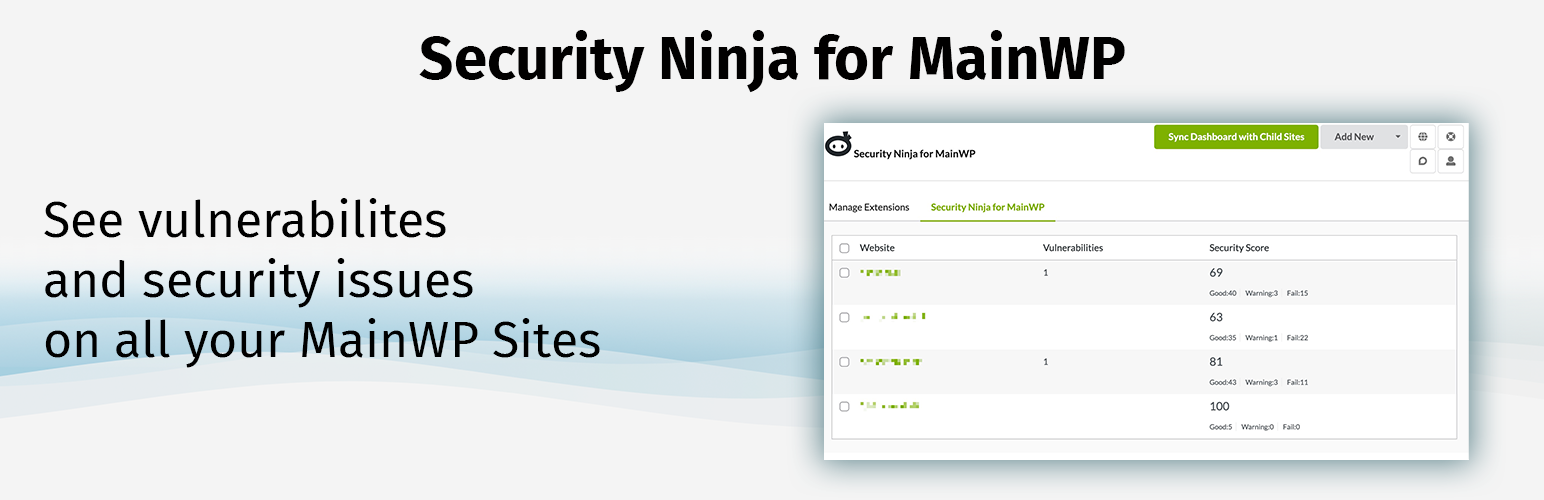
Security Ninja For MainWP
| 开发者 |
lkoudal
cleverplugins freemius |
|---|---|
| 更新时间 | 2026年10月8日 05:02 |
| 捐献地址: | 去捐款 |
| PHP版本: | 7.4 及以上 |
| WordPress版本: | 7.0.4 |
| 版权: | GPLv3 |
| 版权网址: | 版权信息 |
详情介绍:
- Overview – Fleet triage cards (firewall off, vulnerabilities, recent blocks, low score, malware, outdated child, stale sync) with suggested next steps when a count is above zero, plus Top incidents (7 days).
- Events – Unified events log across Pro children, with site and action filters, search, and event details.
- Settings – Optional daily fleet email alerts (multi-recipient digests with rule toggles), plus metrics history used by client reports.
屏幕截图:
常见问题:
What does "Run all security scans" do?
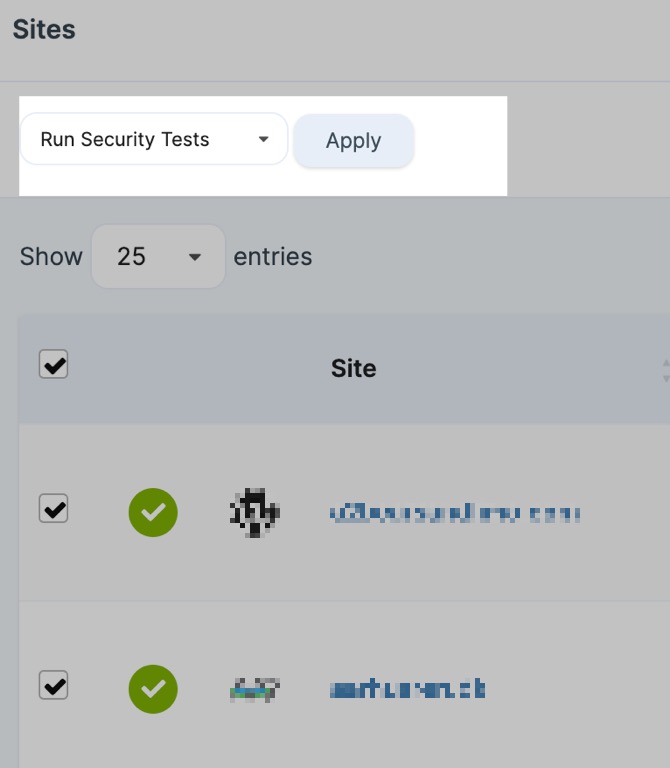
It triggers a full security run on the selected child site(s). In the free version, this runs Security Ninja Security Tests and Core Scanner. In the Pro version (with Security Ninja Pro on the child sites), it also runs the Malware Scanner. The scan runs regardless of the Scheduler setting on the child site. After it finishes, sync the site(s) again in MainWP to see updated results (scores, vulnerabilities, scan data) in the dashboard.
What does "Copy settings" do?
Pro only. Pick a synced Security Ninja Pro child as the source, preview per-site diffs, then apply allowlisted settings to the selected targets. Lockout-prone options (blocked countries, rename login URL, 2FA) stay off unless you enable them. Children below 5.285 are skipped with a message. Array settings need 5.297+. WooCommerce rate-limit numbers, 2FA grace/copy, and satellite ASN lists need Security Ninja 5.303+. Sync afterward.
Which MainWP Pro Reports tokens are available?
Pro only (requires MainWP Pro Reports). Sync each site at least once so tokens have data. Tokens: [securityninja.score], [securityninja.vulnerabilities], [securityninja.vulnerabilities.table], [securityninja.tests.table], [securityninja.tests.passed.table], [securityninja.tests.issues.table], [securityninja.tests.passed.count], [securityninja.tests.issues.count], [securityninja.events.table], [securityninja.events.count], [securityninja.month.summary], [securityninja.ai.summary], [securityninja.malware.count]. The month.summary token can include about 30-day score/vuln progress when daily metrics history exists (filled on sync). Sample client report templates and full token docs: https://wpsecurityninja.com/docs/mainwp/
What are fleet email alerts?
Pro only. On the Security Ninja for MainWP extension page, open the Settings tab. Enable the optional daily digest, add recipient emails, and choose which rules fire (firewall off, vulnerabilities, malware, low score, stale sync). Unchanged fleet state is not emailed again until something changes. Use Send test email to verify delivery. Mail is sent with WordPress wp_mail from the MainWP dashboard, so the dashboard needs working mail (often an SMTP plugin). Local development sites frequently cannot deliver real email even when WordPress reports success. See https://wpsecurityninja.com/mainwp/ for agency overview.
Where do Overview, Events, and Settings live?
Pro only. On Extensions → Security Ninja for MainWP. Overview is the default tab (fleet cards and top incidents). Events is the global log. Settings holds fleet email alerts and the metrics/reports history strip. Per-site Security Ninja tabs stay under each site; fleet alerts are not configured per site.
Support and Documentation
Please refer to our documentation pages for help and technical information on Security Ninja and the integration with MainWP.
更新日志:
- 2026-10-07
- IMPROVED: Updated Freemius SDK to the latest version.
- 2026-10-01
- NEW: Pro Reports tokens [securityninja.ai.summary] and [securityninja.malware.count] from already-synced child data.
- IMPROVED: Settings editor and Copy settings now include WooCommerce rate-limit numbers, 2FA grace period and login copy, and satellite ASN lists (requires Security Ninja 5.303+ on the child).
- IMPROVED: Harden remote IP actions (allowlisted sub-actions, IP/CIDR validation), cap Events pagination, sanitize synced events, and stop storing child firewall unblock URLs on the dashboard.
- IMPROVED: Aligned outbound website link UTM tracking (stable campaign, consistent placement names, no plugin version in URLs).
- 2026-08-18
- NEW: Pro extension page is tabbed: Overview (fleet cards + top incidents), Events (global log), and Settings (fleet alerts + metrics history).
- NEW: Optional Pro fleet email alerts (multi-recipient daily digest with rule toggles, fingerprint anti-spam, Send test email). Uses wp_mail on the MainWP dashboard.
- NEW: Daily metrics history (90-day retention) feeds [securityninja.month.summary] progress.
- NEW: Pro Reports token [securityninja.month.summary] for client-facing monthly security summaries.
- IMPROVED: Suggested next-step hints on fleet cards and per-site overview when counts are above zero.
- IMPROVED: Extension overview cards SSR (vulns, blocks, low score, malware, outdated child, stale sync).
- IMPROVED: Events table wraps long Action/Description text; fleet alerts UI clarifies global vs per-site scope and mail/SMTP requirements.
- IMPROVED: Bulk and per-site actions now use MainWP message banners and confirm dialogs instead of browser alert/confirm.
- IMPROVED: Fleet alert Settings shows the last mail attempt error when delivery fails (no retry queue).µ
- IMPROVED: Spanish (es_ES) translations for the agency pack UI, fleet alerts, metrics/reports copy, remediation hints, settings labels, and bulk IP actions.
- FIX: German locale showed "Kaufen / Mieten" for the All Actions event filter.
- IMPROVED: Translations across locales.
- IMPROVED: German UI strings for the overview cards, sync notices, and IP management.
- FIX: Malware scan file list label "Linenumber" is now "Line number".
- IMPROVED: White Label bulk returns per-site results; bulk IP supports add/remove and lift ban/404.
- IMPROVED: Human settings labels, Sites column quickview, and scan status labels (Passed/Failed/Warning).
- FIX: Free Settings tab shows a Pro upsell instead of a blank panel.
- 2026-08-15
- FIX: Copying Malware Scanner whitelist settings now keeps filename, hash, and pattern entries instead of flattening them into strings the child scanner ignores.
- FIX: Saving the per-site Settings editor no longer strips malware whitelist hashes when the path list is unchanged.
- 2026-08-13
- NEW: Bulk "Copy settings" copies allowlisted settings from one synced Pro child to selected Pro sites, with a per-site preview before applying.
- NEW: Lockout-prone settings such as blocked countries, login URL changes, and two-factor authentication stay excluded from bulk copies unless explicitly selected.
- NEW: Bulk "Manage IPs" adds an IP or CIDR, with an optional note, to the whitelist or blacklist across selected Pro children running Security Ninja 5.285+.
- NEW: Bulk "Update vulnerabilities" requests a separate one-off vulnerability database refresh on children running Security Ninja 5.297+, without waiting for their recurring job.
- NEW: The per-site Settings editor supports blocked countries, Malware Scanner whitelist paths, and Core Scanner ignore paths on Security Ninja 5.297+ children.
- NEW: The per-site Scan results tab includes a "Run scans" button using the same remote scan action as the Manage Sites bulk command.
- IMPROVED: Bulk operations show per-site success, skipped, and failure messages, then remind you to run MainWP Sync to refresh cached dashboard data.
- IMPROVED: Older children remain usable: settings arrays are omitted for Security Ninja 5.285 to 5.296, while unsupported sites are skipped with an upgrade message.
- IMPROVED: The IP form now follows MainWP form styling, gives notes a full-width field, and keeps actions clearly separated.
- IMPROVED: The Settings editor has a visible scroll panel and guidance so later modules are easier to find.
- FIX: Blocked countries selected through the MainWP dropdown are now included correctly when previewing and applying per-site changes.
- FIX: Premium feature checks now use Freemius-safe standalone guards for reliable free and Pro builds.
- IMPROVED: WordPress.org description now matches the shipped settings, IP management, overview, scan, and reporting-token features.
- 2026-07-13
- NEW: Optional note when adding an IP or CIDR to a child site whitelist/blacklist from MainWP (requires a Security Ninja version that supports IP notes on the child).
- IMPROVED: IP management table shows synced notes for whitelist/blacklist rules.
- 2026-06-10
- IMPROVED: Marketing and UI copy aligned with actual scan behavior (Security Tests + Core Scanner on all sites; Malware Scanner only when the child has Security Ninja Pro).
- REMOVED: Unused bulk malware-scan JavaScript handler (malware runs via "Run all security scans" on Pro child sites).
- IMPROVED: Updated translation template (POT).
- FIX: Pro Reports tokens no longer attempt a broken remote get_test_results call; empty-state messages shown when sync cache is missing.
- FIX: MainWP install-check metadata updated (version, URLs, author).
- FIX: White-label default URL typo (wpecurityninja.com to wpsecurityninja.com).
- FIX: Stray duplicate in All Events Pro upsell markup.
- REMOVED: Unreachable white-label bulk-action JavaScript.
- IMPROVED: Readme Note clarifies what free vs Pro child sites sync to MainWP.
- 2026-06-01
- REMOVED: "Update database tables" bulk action and per-site Settings button (child plugin still creates tables on upgrade/activation).
- IMPROVED: Per-site Settings tab shows a single editable settings panel (removed duplicate read-only dump).
- NEW: Search filter on the editable settings list to find options quickly.
- FIX: Webhook URL and other allowlisted fields render even when missing from synced child data (e.g. empty webhook URL never saved on the child).
- NEW: Per-site Settings tab: edit allowlisted Security Ninja options from MainWP, preview only changed keys, then apply to the child site after confirmation (requires Security Ninja 5.285+ on the child site).
- IMPROVED: Remote settings updates send changed keys only; synced cache refreshes after a successful apply.
- IMPROVED: MainWP 6.1 default light and dark theme support for the sidebar menu icon and extension page header logo (theme-aware colors; white logo variant in dark mode).
- IMPROVED: Sidebar menu icon spacing and sizing aligned with native MainWP labeled-icon items for both active and inactive states.
- FIX: Sidebar menu no longer shows duplicate icons in light or dark theme.
- FIX: Extension page header logo link markup (valid link to wpsecurityninja.com).
- 2026-05-26
- NEW: Phase 1 MainWP dashboard: per-site at-a-glance (test score, vulnerabilities, firewall, last sync); read-only synced settings; IP management table with remote add/remove and lift ban actions (requires Security Ninja 5.285+ on the child site).
- NEW: Global overview summary cards (firewall off, sites with vulnerabilities, recent blocks) and top incidents table (7 days) on the All Events page. The firewall-off card lists affected site names with links to each site tab.
- NEW: AI Security Advisor executive summary on the per-site tab when synced from Pro child sites.
- NEW: Event Details column and modal for raw_data on events synced from Security Ninja 5.285+.
- IMPROVED: AJAX handlers validate MainWP site edit permissions; overview cache clears on site sync.
- IMPROVED: Per-site Security Ninja tab reorganized into Overview, Scan results, IP management, and Settings tabs. Scan cards moved to Scan results; settings and IP management separated. Sites table quickview opens Scan results directly.
- 2026-03-01
- IMPROVED: "Run all security scans" runs Security Tests and Core Scanner on all child sites, and also runs the Malware Scanner when the child site has Security Ninja Pro, regardless of the Scheduler setting. Sync the site again after running to see updated results in the dashboard.
- IMPROVED: Per-site Security Ninja tab redesigned with clear section cards (Vulnerabilities, Security Tests, Core Scanner, Malware Scanner), short summaries, last-run times, and optional "View details" collapse for a cleaner, responsive layout.
- IMPROVED: Malware Scanner details (file list) on the per-site tab are now shown only for Pro users; free users see last run and summary with an upgrade notice.
- IMPROVED: Output escaping and sanitization throughout (human_time_diff, version strings, and dynamic content) for consistency with WordPress coding standards.
- 2026-02-25
- NEW: "Update database tables" (force create tables) available from the individual site Security Ninja tab and from Manage Sites bulk actions (Pro). Requires Security Ninja 5.271 or newer on the child site (this function was introduced in Security Ninja 5.271).
- FIX: Resolved fatal error when logging in with 2FA (e.g. SiteGround Security): "Call to a member function is_migration() on bool" in Freemius SDK on admin_init.
- 2026-02-12
- FIX: MainWP Time Tracker Extension conflict resolved. Scripts and styles now load only on Security Ninja-related pages (Extensions, Manage Sites, site tab).
- FIX: DataTable initialization wrapped in existence check to prevent JavaScript errors on pages where the events table is not present.
- FIX: Renamed white-label modal IDs from mainwp-popup to secnin-mainwp-whitelabel-popup to avoid ID conflicts with other MainWP extensions.
- IMPROVED: Reduced script footprint on the MainWP dashboard for better compatibility with other extensions.
- IMPROVED: Code quality and hardening throughout the extension.
- IMPROVED: Input validation and output handling for greater stability.
- IMPROVED: Events log prune task stability.
- FIX: Corrected "Matched pattern" label in malware scan results.
- IMPROVED: Updated third-party libraries.
- IMPROVED: Updated translation file.
- 2025-09-03
- NEW: Enhanced White Label interface with dropdown selection for enable/disable.
- FIX: Pro Reports token issue fixed with two of the tokens. Thank you Dominik!
- 2025-08-13
- NEW: MainWP Pro Reports integration with Security Ninja tokens: [securityninja.score], [securityninja.vulnerabilities], [securityninja.vulnerabilities.table], and [securityninja.events.table].
- IMPROVED: Tokens appear in both the grouped token list and the "Insert tokens" modal.
- IMPROVED: Fallback fetching for token values when cached data is missing.
- 2025-08-12
- NEW: Advanced event filtering with dropdown controls for site and action type.
- NEW: Real-time filter summary showing active filters, including search terms.
- NEW: Clear filters with visual dropdown reset.
- IMPROVED: Database query optimization with prepared statements and table validation.
- IMPROVED: Internationalization support.
- IMPROVED: Translation files for multilingual support.
- 2025-07-25
- FIX: Hard-coded plugin directory path now uses dynamic path detection.
- IMPROVED: Version numbers are read automatically from the plugin header.
- IMPROVED: Compatibility when the plugin is installed under a different directory name.
- FIX: WordPress auto-update conflicts caused by directory name changes.
- FIX: SQL queries follow WordPress coding standards (table names use direct interpolation).
- 2025-05-05
- FIX: Main menu now links properly to the global events overview.
- FIX: Wrong timestamp time difference.
- FIX: Remote controlling white label status.
- IMPROVED: Compatible with the latest MainWP extension system.
- FIX: Integration errors.
- IMPROVED: Updated Freemius SDK.
- IMPROVED: Tested up to WordPress 6.8.1.
- 2024-10-30
- IMPROVED: Translation coverage expanded from 8 strings to 96.
- IMPROVED: Updated Freemius SDK.
- NEW: Translations for Danish, Spanish, French, Italian, Japanese, Norwegian, Dutch, German, Portuguese, Russian, Swedish, and Chinese.
- IMPROVED: Tested with WordPress 6.6.2.
- 2024-07-08
- IMPROVED: Simplified the global events log by removing the Module column.
- NEW: Event logs are automatically trimmed to the last 30 days or 10,000 most recent entries.
- FIX: White label popup and "Run Security Tests" not loading.
- IMPROVED: User Agent moved to a tooltip on the IP address to free space for more relevant data.
- IMPROVED: Empty-state reminder on the global events page to sync sites that have Security Ninja Premium.
- IMPROVED: Updated Freemius SDK.
- 2024-07-04
- IMPROVED: More strings available for translation.
- FIX: License detection "cannot detect main plugin" error. Thank you for the feedback that helped fix this.
- 2024-06-17
- FIX: Pages not loading correctly.
- IMPROVED: Communication with MainWP child sites that run Security Ninja.
- FIX: White label feature issues.
- IMPROVED: Updated language files.
- 2024-05-30
- FIX: Broken menu link on some sites.
- IMPROVED: Clearer language for the type and version of Security Ninja on each child site.
- FIX: Deprecated code.
- NEW: Remote control of white label settings on child sites (enable, disable, and update quickly).
- 2024-05-28
- FIX: Undefined variables linking to help sections on the website.
- IMPROVED: Warning to keep the main Security Ninja plugin running; it is required for this extension.
- FIX: Minor bugfixes.
- 2024-04-29
- FIX: Premium link.
- 2024-04-29
- FIX: Addon implementation and reported bugs.
- IMPROVED: Requires Security Ninja (free or Pro) installed and activated on the dashboard.
- 2024-04-29
- IMPROVED: Refactored navigation system.
- 2024-04-24
- FIX: Install routines were not working and could break sites.
- 2024-04-24
- NEW: Rebuild for MainWP v5.
- 2024-01-26
- IMPROVED: Updated interface.
- IMPROVED: WordPress 6.4.2 compatibility.
- 2023-12-25
- NEW: Deeper integration with MainWP and Security Ninja on child sites.
- NEW: Combined events log across all websites.
- NEW: Remote start for Security Tests and Core Scanner.
- NEW: Remote refresh of vulnerability lists (plugins, themes, and WordPress core) on child sites.
- 2023-04-18
- IMPROVED: WordPress 6.2 compatibility.
- 2022-06-23
- IMPROVED: Security with MainWP changes to admin links.
- IMPROVED: Faster loading of data from websites.
- 2022-06-23
- IMPROVED: Tested up to WordPress 6.0.
- NEW: Secret Access URL in the site list (helpful if you are locked out). Suggestion by Alauddin. Requires Security Ninja 5.145+.
- 2022-06-23
- FIX: Some site data not loading when paginating the site list.
- FIX: PHP notice for custom reports function.
- 2022-06-23
- FIX: Direct link in sidemenu still not working. Thank you Mustaasam.
- 2022-04-08
- FIX: Direct link in sidemenu not working.
- FIX: Search and sorting on the site overview.
- IMPROVED: Styling aligned with MainWP.
- FIX: Logo in the top left corner.
- NEW: Direct link to the site Security Ninja Dashboard page.
- IMPROVED: Cleaned up JS and CSS.
- IMPROVED: Thanks to Bogdan from MainWP for help tuning this release.
- 2022-03-09
- NEW: First public release.