
SeekMake – Instant 3D Printing Quote Plugin on your Website
| 开发者 | seekmake |
|---|---|
| 更新时间 | 2026年10月24日 01:15 |
| PHP版本: | 7.4 及以上 |
| WordPress版本: | 6.9 |
| 版权: | GPLv2 or later |
| 版权网址: | 版权信息 |
详情介绍:
- 3D printing services
- Makerspaces
- Print farms
- Prototyping companies
- Online 3D print shops 🚀 How It Works
- Customer uploads an STL file.
- SeekMake analyzes the model (volume, print time, material).
- A price is calculated automatically.
- Customer places the order and pays online.
- Instant Quote:
[seekmake_instant_quote] - Client Dashboard:
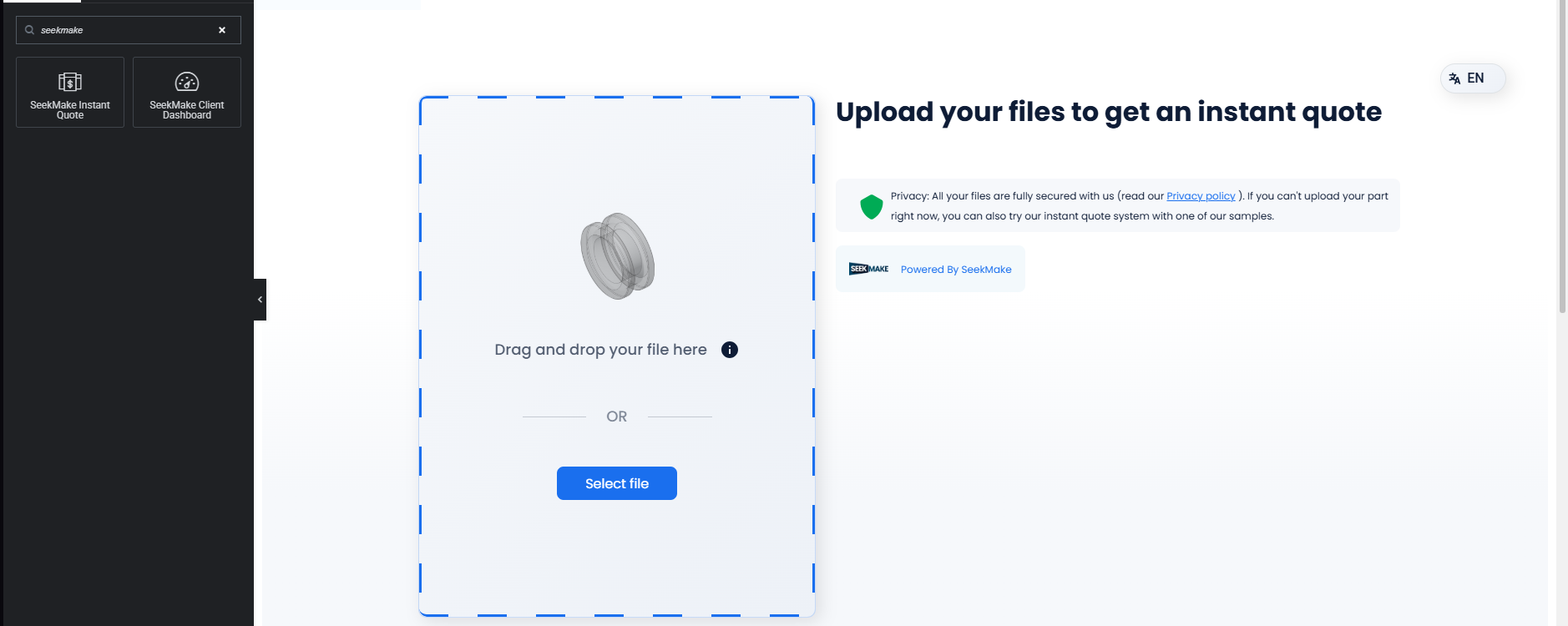
[seekmake_client_dashboard]Option B: Using Elementor Edit a page and search for "SeekMake" in the widgets panel.
- Instant 3D printing quotes
- Automatic volume & print time calculation
- Material & color selection
- Infill & support material calculation
- Filament cost calculation
- Rotate and inspect STL files
- Zoom in / zoom out
- Scale models
- Manual rotation
- Online payments (Stripe, manual invoice, bank transfer)
- Automatic order creation
- Customer dashboard
- Order tracking
- Automatic email notifications
- AI sales assistant (optional)
- Customer qualification
- Low maintenance system
- Quote history
- Customer management
- Analytics & reports
- Place anywhere with shortcode
- Mobile responsive
- Multi-language ready
- Custom pricing rules
- Add 3D printing quotes directly to the WooCommerce cart
- Custom pricing from SeekMake applied automatically
- Print details (material, color, infill, technology) shown in cart and order
- Compatible with shipping plugins (Envia.com, ShipStation, Table Rate, etc.)
- Compatible with loyalty points and rewards plugins
- Works with all WooCommerce payment gateways
- Enable/disable with a single checkbox in settings
安装:
- Instant Quote:
[seekmake_instant_quote] - Client Dashboard:
[seekmake_client_dashboard]Option B: Using Elementor Edit a page and search for "SeekMake" in the widgets panel.
屏幕截图:
常见问题:
Do I need a SeekMake account?
Yes, a SeekMake account is required. You can create one for free at seekmake.com or during the plugin setup process.
Is this plugin free?
Yes, the plugin is completely free. SeekMake operates as a Software as a Service platform with its own pricing for manufacturing services.
What file formats are supported for quotes?
The Instant Quote widget supports STEP, STL, DXF, and other common CAD file formats.
Can I customize the widget appearance?
Yes! Both widgets offer customization options including colors, button styles, and display modes (inline, modal, or button).
Will this work with my theme?
Yes, SeekMake is designed to work with any WordPress theme. It's fully compatible with popular page builders like Elementor.
How do I disconnect my account?
Go to SeekMake > Dashboard in your WordPress admin and click the "Disconnect" button in the header. You can reconnect at any time.
Where is my data stored?
Quote requests and order data are stored securely on SeekMake's servers. Your WordPress site only stores your Manufacturer ID and authentication status.
Is my data secure?
Yes, all data transmission uses HTTPS encryption. SeekMake follows industry-standard security practices. See our Privacy Policy for details.
Can customers track their orders?
Yes! The Client Dashboard widget provides customers with real-time order tracking, quote history, and invoice downloads.
What WordPress version do I need?
WordPress 5.0 or higher is required. The plugin has been tested up to WordPress 6.7.
What PHP version is required?
PHP 7.4 or higher is required for optimal performance and security.
Does this plugin work with WooCommerce?
Yes! Enable the WooCommerce Integration checkbox in SeekMake > Settings. When enabled, customers can add 3D printing quotes directly to their WooCommerce cart and checkout using your existing payment gateways, shipping plugins, and loyalty programs.
Will my loyalty points plugin still work with SeekMake?
Yes. SeekMake adds items as standard WooCommerce cart items with real prices. Your loyalty points plugin reads the order total after checkout and assigns points normally — no changes to the purchase flow.
Is SeekMake compatible with shipping plugins like Envia.com?
Yes. Shipping plugins calculate rates based on cart contents and delivery address during checkout. SeekMake items are native WooCommerce cart items, so all shipping calculations work as expected.
Do I need to configure WooCommerce webhooks or API keys?
No. The integration is fully automatic. Just check the WooCommerce Integration box in settings — no webhooks, no API keys, no manual product setup required.
更新日志:
- Improved: After pressing "Place order", a loading screen is shown while the quote is added to the WooCommerce cart, then the customer is always taken to the cart page
- Improved: New animated 3D cube loading screen
- Fixed: A quote could be added to the cart twice if "Place order" was triggered more than once
- Fixed: The loading screen stays centered in the visible part of the page for the inline Instant Quote widget
- Fixed: The loading screen no longer stays on screen when the customer returns from the cart with the browser Back button
- New: Material startup costs are charged once per material and split across the files that use that material, instead of being added as a separate fee line
- New: Startup costs are recalculated automatically when a file is removed from the WooCommerce cart. The remaining files of the same material take over the fee, and it is removed only when the last file of that material is removed
- New: Each file is one cart line priced at the full SeekMake line total. The number of pieces and the included startup cost are shown in the cart and saved on the order
- New: SeekMake quote and material references saved on each order line
- Fixed: Startup costs were missing from the WooCommerce cart total
- Fixed: Rounding differences on multi-piece files (prices are no longer split per unit)
- Fixed: Customers can no longer change the quantity of a SeekMake file in the cart (classic and block cart)
- Fixed: Adding the same quote to the cart again replaces it instead of creating duplicate lines
- Fixed: "Network error" when adding a quote to the WooCommerce cart on sites using page caching (LiteSpeed Cache, WP Rocket, W3 Total Cache, etc.)
- Fixed: Pages with the Instant Quote widget are no longer served from full-page cache when WooCommerce Integration is enabled
- Fixed: Quotes in a currency other than the store currency are no longer added to the cart with the wrong amount, a clear message is shown instead
- Improved: The Instant Quote follows the visitor's browser language when no language is set in the widget
- Improved: Cart errors now show the actual reason instead of a generic network error
- Improved: Modernized admin dashboard UI aligned with SeekMake Enterprise Design System
- Improved: Hardened CSS stylesheet ensuring 100% WordPress Admin style isolation
- Improved: Enhanced widget onboarding layout and step-by-step setup guides
- New: WooCommerce Integration — customers can add 3D printing quotes directly to the WooCommerce cart
- New: WooCommerce Integration toggle in Settings > Integrations
- New: Dynamic data mapping — all quote details (material, color, technology, infill, precision, lead time) saved to WooCommerce cart and order metadata
- New: Startup/setup fee support as separate cart line item
- New: Compatible with all WooCommerce shipping, payment, loyalty points, tax, and coupon plugins
- New: Hidden product auto-created for cart pricing (private, not visible in shop)
- New: Full uninstall cleanup for WooCommerce-related data
- Maintenance release
- New: Astra AI — intelligent chatbot widget for automated customer support
- New: Astra AI embedded directly inside the Instant Quote and Client Dashboard widgets
- New: Smart material recommendations and DFM analysis powered by Astra AI
- New: Multi-language AI support for global customers
- New: Real-time order status updates and notifications via Astra AI
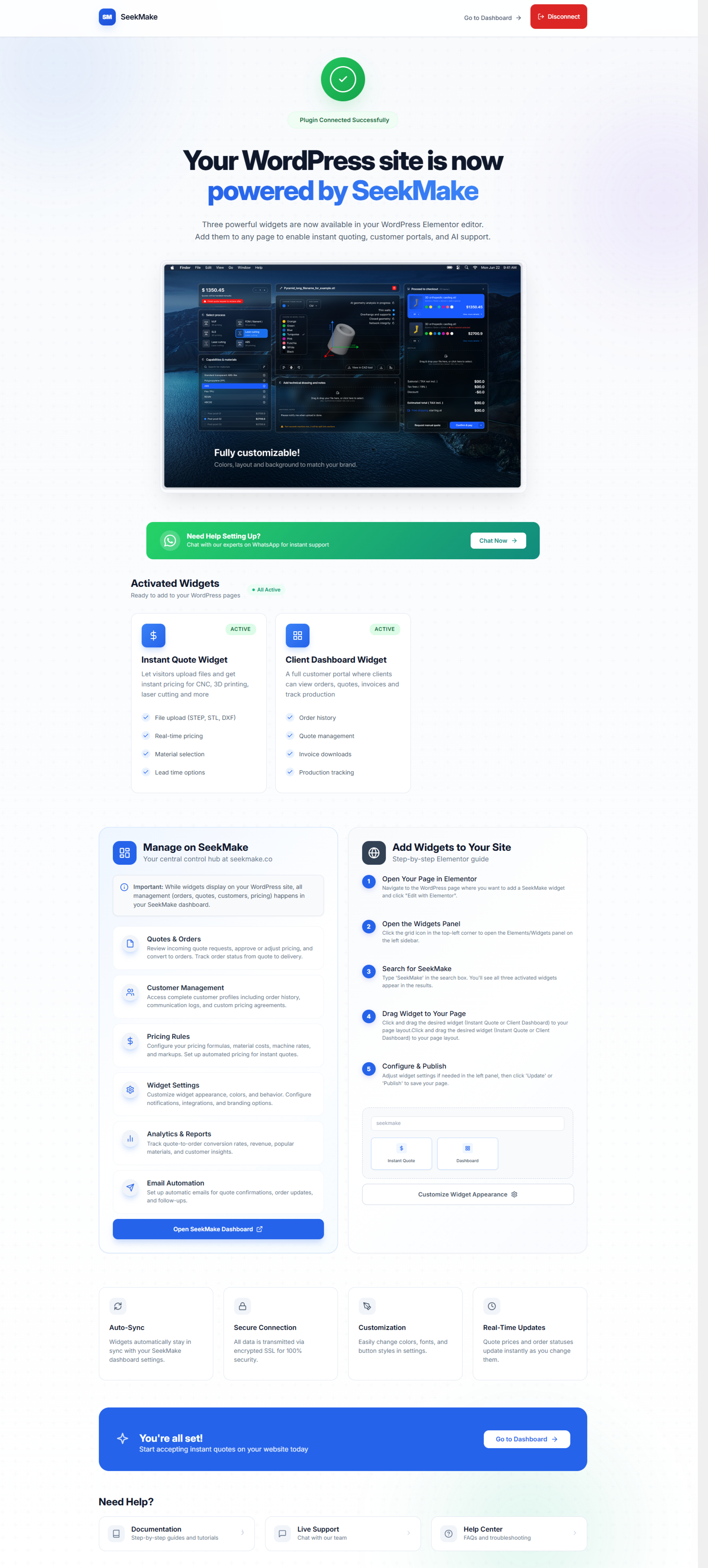
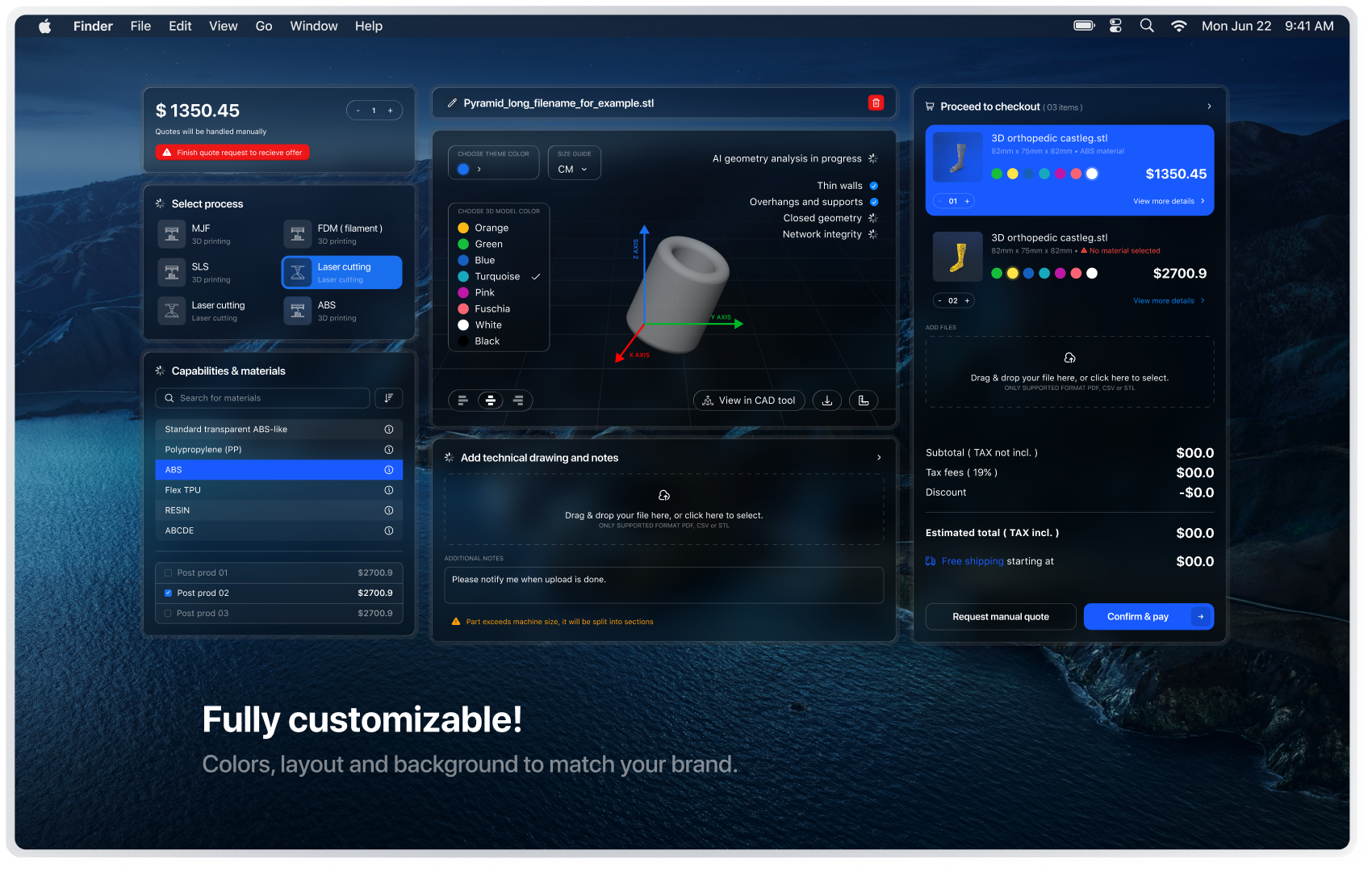
- Added: Dashboard preview image on the activated plugin page
- Added: WhatsApp support banner for instant help on the activated page
- Updated: Screenshots
- Fixed: Function prefixing for WordPress.org compliance
- Fixed: Internationalization text domains added to all strings
- Fixed: Removed inline scripts, all JavaScript properly enqueued
- Improved: Security enhancements and input sanitization
- Updated: Tested up to WordPress 6.9
- Added: Disconnect functionality from dashboard
- Improved: Authentication flow with better error handling
- Fixed: Iframe communication for cross-domain messaging
- Updated: Admin dashboard UI improvements
- Added: Elementor widget integration
- Added: Shortcode support for both widgets
- Improved: One-time authentication process
- Fixed: Manufacturer ID auto-sync
- Added: Client Dashboard widget
- Added: Instant Quote widget
- Added: SeekMake API integration
- Initial release