
Send Users Email - Email Subscribers, Email Marketing Newsletter
| 开发者 |
paretodigital
metalfreek freemius webfactory |
|---|---|
| 更新时间 | 2026年10月18日 03:33 |
| 捐献地址: | 去捐款 |
| PHP版本: | 7.4 及以上 |
| WordPress版本: | 7.1 |
| 版权: | GPLv2 or later |
| 版权网址: | 版权信息 |
标签
下载
详情介绍:
wp_mail function to send emails, so it works alongside any other email plugin (e.g. SMTP plugins) that also hooks into wp_mail.
⚡ PRO Version (Free Trial) for emailing groups, external lists and batch campaigns
📚 Documentation | 🌟 PRO Features | 🔥 Get PRO
安装:
- Upload the plugin files to the
/wp-content/plugins/send-users-emaildirectory, or upload the plugin zip file by going to Upload Plugin section on your WordPress dashboard - Activate the plugin through the 'Plugins' screen in the WordPress dashboard
屏幕截图:


常见问题:
Can I select individual users?
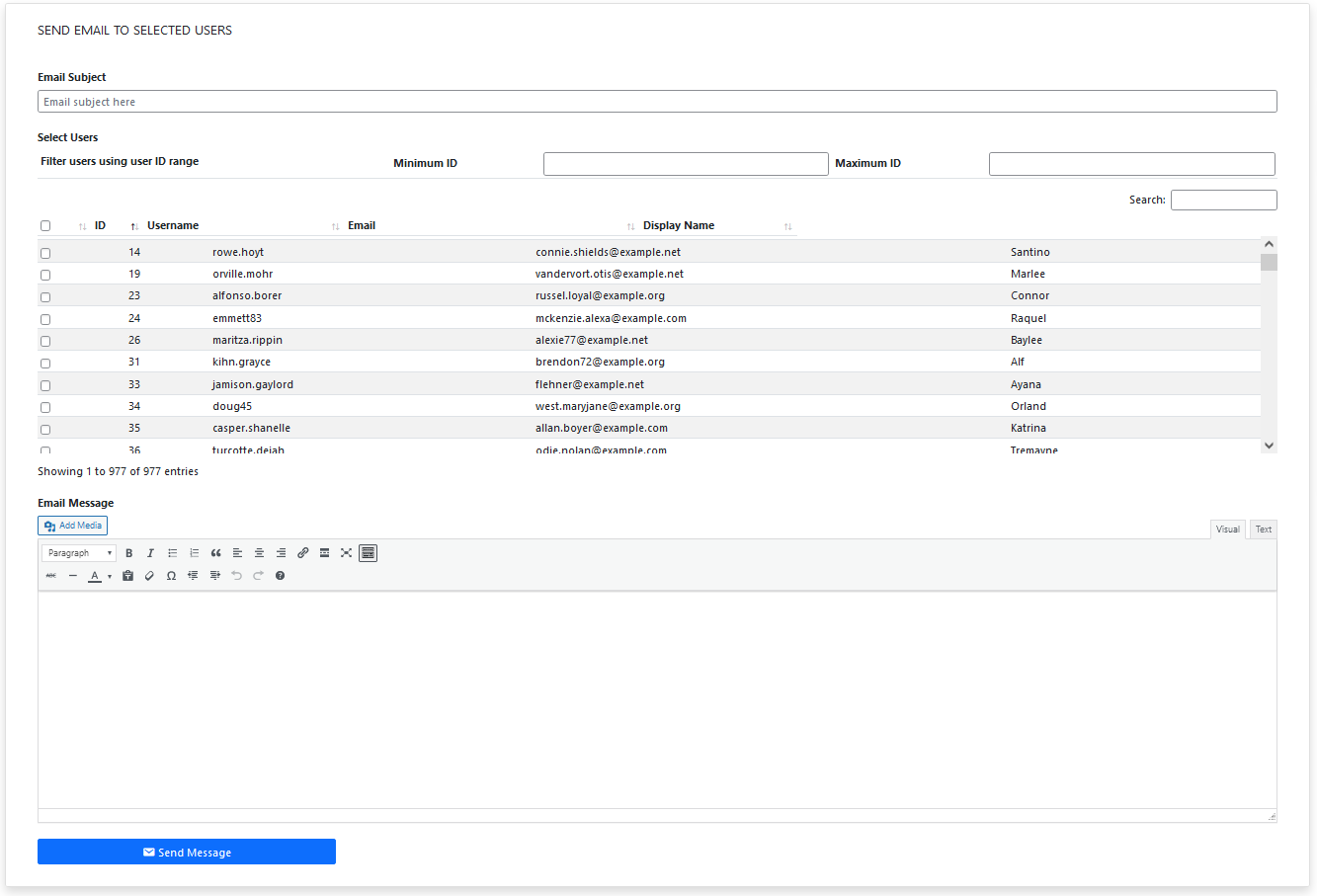
Absolutely. Go to the Email Users page of the plugin and select the user you want to email.
Can I choose multiple roles?
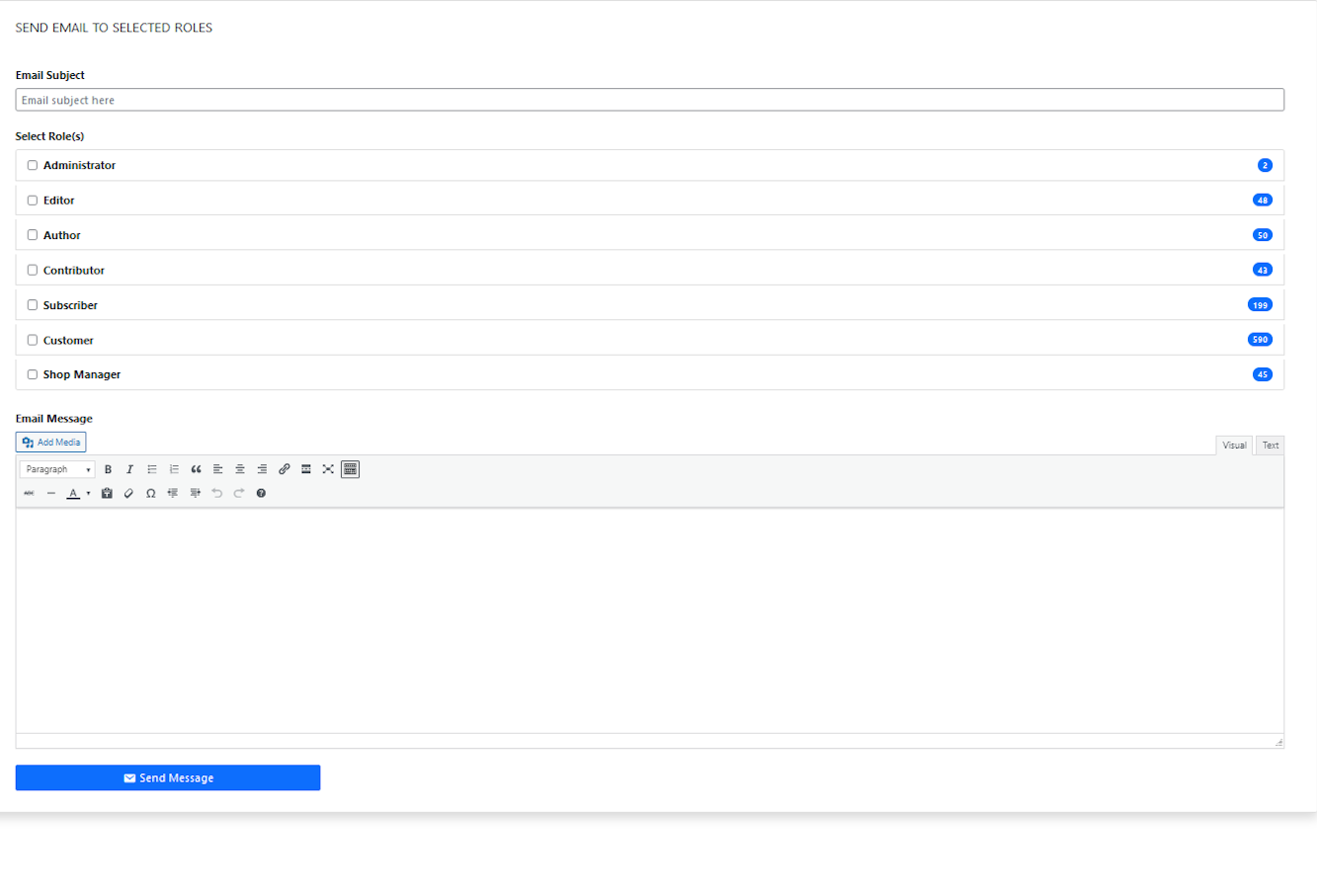
Yes. You are able to choose one or multiple roles at a time and email them.
Can I email someone who isn't a registered user on my site?
Yes, the free version lets you send to any single external email address. With the PRO version you can also build and import full external contact lists.
When are emails sent?
Emails are processed immediately and there is no delay. However, depending on your hosting or mail service provides, there might be a slight delay in delivery. The PRO version however has an option to send emails via queue, so they do not get sent all at once.
I am using Gmail as email service provider (or any other provider) and users are not receiving emails.
This plugin only acts as a bridge between your site and your email service provider. It's up to the email provider to deliver or block sent emails. If your delivery is not consistent, please contact your email provider support or hosting to see if you are hitting their limit. The plugin does attempt to let you know when your emails are not sent. If this happens, please check your logs or email service provider usage for any issues.
I have many users in my system and many are not getting the emails?
Since, processing is happening immediately, a low max execution time in your server's PHP settings might terminate the process. Try increasing the value for max execution time. You can do this yourself or contact your hosting provider to do it on your behalf. With PRO version of the plugin, you can avoid this issue by adding your emails to the sending queue so that they are sent in multiple batches with the help of WP cron.
Can users opt out of receiving emails?
With the PRO version, users can opt in or out of emails from their profile, and you can override that preference on a per-send basis when needed.
Can I use my own SMTP server?
Yes, this is a PRO version feature. You can configure your own or a third-party SMTP server (host, port, credentials, TLS/SSL) for improved deliverability.
I have an issue/question/suggestion/request?
Please post refer to our support form.
Is there a way to try out the plugin before I install it on my website?
Absolutely. Try it out at https://tastewp.org/plugins/send-users-email/. Please note that this service doesn't allow outgoing email so you will just be trying out the interface and general idea of the features.
Does the plugin work with all email providers?
It works with most major providers, but you should check with your email service if they have specific sending limits.
Can I personalize the emails I send?
Yes, both the free and PRO version allow email personalization using placeholders. The PRO version also extends personalization to the subject line.
What happens if an email fails to send?
Errors will be logged for you to review, so you can identify and address any issues.
What is the benefit of using the email queue system in the PRO version?
The queue system ensures your emails are sent gradually, preventing your account from being flagged for sending too many emails at once and improving delivery success.
Can I schedule emails to be sent later with the free version?
Scheduling is available only in the PRO version.
Can I send to a custom group of users instead of a whole role?
Yes, with the PRO version you can create custom user groups, independent of WordPress roles, and email them directly.
Can I reuse an email I've already written?
With the PRO version you can save any email as a template and reuse it later, or pick from a library of pre-designed email themes.
What's the difference between the free version's log retention and the PRO version?
The free version logs emails for 15 days, while the PRO version keeps logs for 90 days (adjustable).
更新日志:
- Code cleanup
- Latest Freemius ver
- Fixed wp cron issues
- Upgrades Freemius SDK
- Added translations = 2.0.1 (2026-06-11)
- Minor bugfixes
- New user interface design
- Added new email design templates
- Added external list import functionality
- Added email to external list functionality
- Added email to single email functionality
- Upgraded Freemius SDK
- Bugfix: user group editing
- Feature: Support default WooCommerce templates
- Feature: Unsubscribe option
- New feature descriptions
- Hotfix for template tag replacement
- Hotfix for escaping html in emails
- Hotfix for custom CSS output
- Compliance with wp.org standards
- Fremius SDK upgrade
- Hotfix for compatibility with PHP 7.4
- Added fields for custom email title and tagline
- Added preview mode for email template
- Added feature to bulk add users to groups = 1.5.7 (2024-10-24)
- Freemius SDK update
- CSS harmonization
- Beta features for SMTP settings
- Freemius SDK update
- Compatibility check with latest WP
- Bug fixes
- Freemius SDK update
- Bug fixes
- Freemius SDK update
- Freemius SDK update
- Freemius SDK update
- Bug fixes
- Bug fixes
- WordPress version stability test
- Freemius SDK update
- Officially support PHP 8.0 (should work on higher version as well but not fully tested yet)
- Freemius SDK update
- WordPress compatibility check with version 6.3
- Freemius SDK update
- Added feature to log error if wp_mail fails to send email
- Added feature to log sent email of last 15 days
- Bug fix: Email content image alignment not working fixed
- Freemius SDK update
- Validation added to check if Email from/reply to email and name are set
- Max execution time warning relocated
- Bug fixes: Caption shortcode removed from mail content
- Freemius SDK update
- Cleanup user interface
- Max execution time warning added
- Freemius SDK update
- Minor bug fixes
- Freemius SDK update
- Minor bug fixes
- Freemius SDK update
- User Email page, add render slow warning if there are many users
- Minor bug fixes
- Added ability to hide table columns on user email page
- Minor bug fixes
- Minor bug fix
- Bug fix: Single and double quote escaping fix on email subject
- Bug fix: Paragraph break and line break issue fix removing excess spacing
- UX improvement to better report failed email send attempt
- Feature to add Social media link on email template
- Bug fix: New line to break tag addition
- UX improvement
- Minor bug fixes
- UX improvement for error/success message
- user_id placeholder added
- Pro Version release
- Freemius integration
- Minor bug fixes
- Settings page access bug fix and UX improvements
- Minor bug fix on roles capability feature
- Added support to select roles to use send users email
- Added HTML tag support in email footer
- Added username column to users display table
- Added filter to user selection with ID range
- Added ability for users to style email template
- minor bug fixes
- Username placeholder added to email template
- Email From/Reply-To settings added
- Settings bug fix and style changes
- Initial release