
Sendelly
| 开发者 | sendelly |
|---|---|
| 更新时间 | 2026年11月20日 01:16 |
| PHP版本: | 7.4 及以上 |
| WordPress版本: | 7.1 |
| 版权: | GPL-2.0-or-later |
| 版权网址: | 版权信息 |
详情介绍:
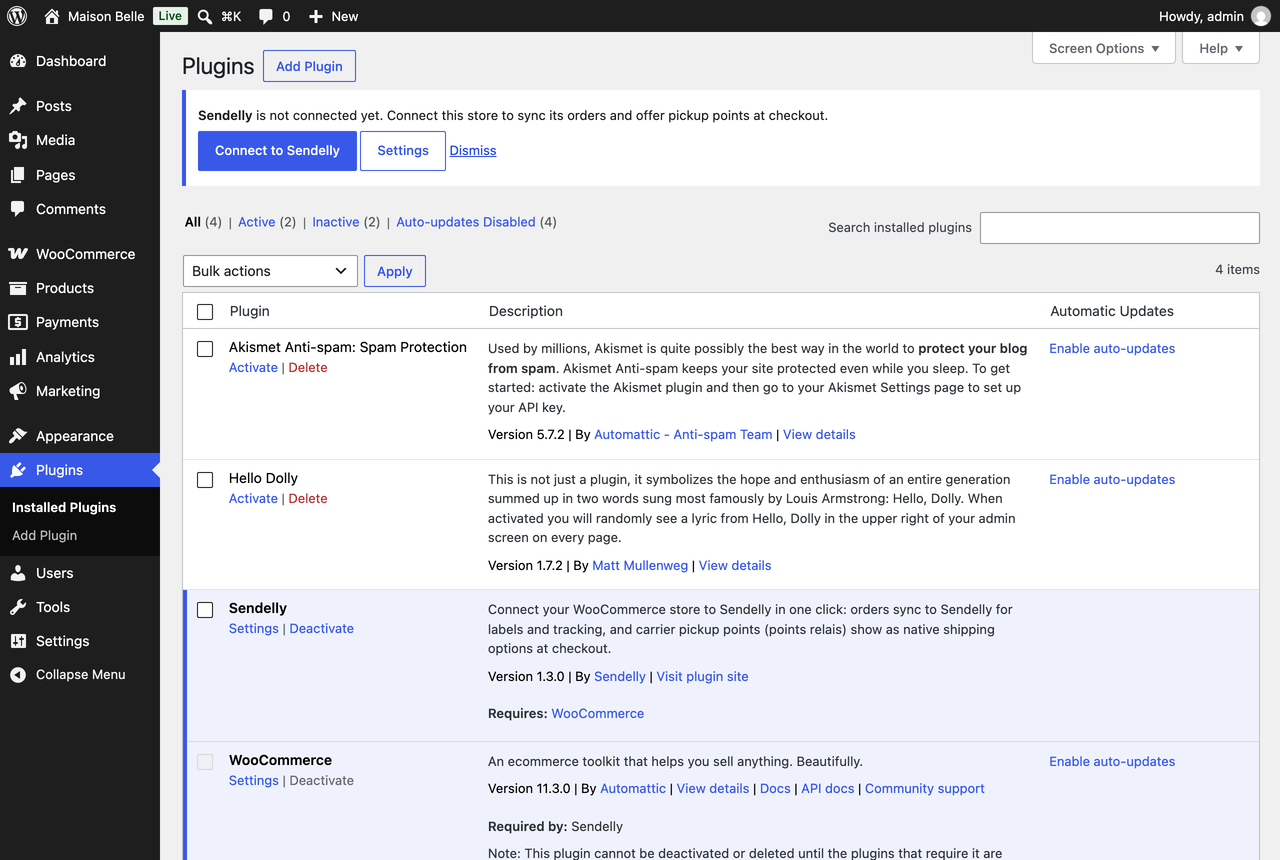
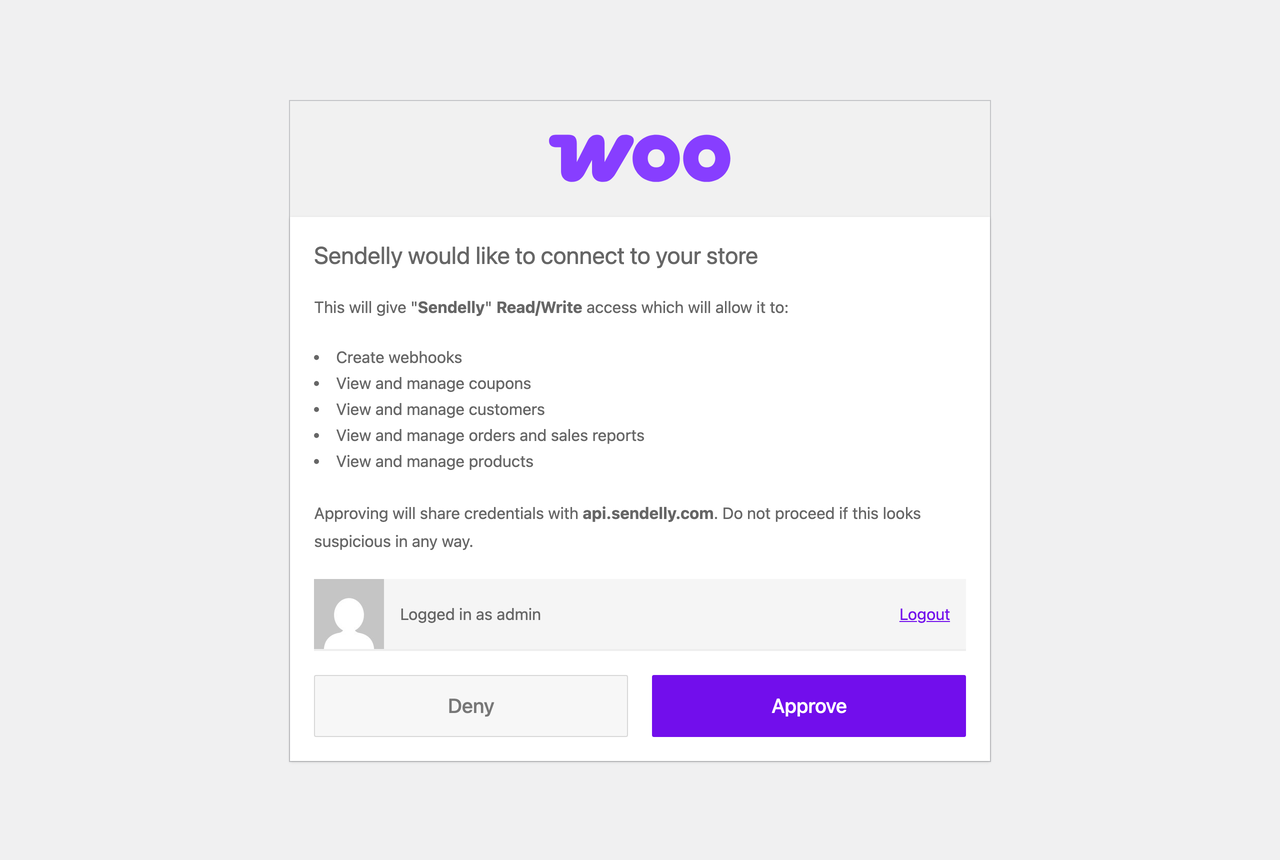
- One-click connection. Click "Connect to Sendelly", approve the access on WooCommerce's own authorization screen, and sign in to (or create) your Sendelly account. No API key to create, nothing to copy and paste.
- Pickup points at checkout. The nearest pickup points of the carriers configured in your Sendelly account appear as native shipping options: each point is one selectable line with its carrier, distance and name.
- Works in both the classic shortcode checkout and the Checkout Blocks: no custom JavaScript, no iframe, no map widget.
- When the buyer picks a point and orders, the plugin stamps the order so Sendelly creates the shipping label for that point.
- The price is yours: set it on the shipping method, or leave it empty and let a Sendelly shipping rule decide.
安装:
- In WordPress, go to Plugins → Add New, search for "Sendelly", install and activate the plugin (WooCommerce must be active).
- Click Connect to Sendelly in the notice (or in WooCommerce → Settings → Shipping → Sendelly – Pickup points).
- Approve the access on WooCommerce's authorization screen, then sign in to Sendelly or create your account: the store is added to your Sendelly organization and its orders start importing.
- To offer pickup points, add Sendelly – Pickup points as a shipping method to the shipping zone(s) where you want them (e.g. France), and optionally set its price.
屏幕截图:



常见问题:
Do I need a Sendelly account?
Yes. The connection creates or opens it: after approving the access in WooCommerce you land on Sendelly, where you sign in or sign up. A free plan is available.
Does it work with the Checkout Blocks?
Yes. The pickup points are ordinary WooCommerce shipping rates, so they render natively in the classic checkout and in the Checkout Blocks alike.
What data is sent to Sendelly?
See "External services" above. In short: your orders and products (through the REST API key you approve), and at checkout the delivery address and cart contents needed to find the nearest pickup points. No payment data.
The pickup points do not show up at checkout.
Check that: the plugin is connected (status row in WooCommerce → Settings → Shipping → Sendelly – Pickup points), the method is added to the matching shipping zone, and the customer entered a postcode or city. Enable "Debug logging" and read the sendelly source in WooCommerce → Status → Logs.
更新日志:
- One-click connection: "Connect to Sendelly" opens WooCommerce's authorization screen, and Sendelly sends the plugin its connection itself. No API key to create, no code to paste (pasting still works).
- First release on WordPress.org, as "Sendelly". Translations now come from translate.wordpress.org.
- The settings screen's script is loaded as a file.
- Tested with WordPress 7.1 and WooCommerce 11.3.