
Sendmachine SMS
| 开发者 | sendmachine |
|---|---|
| 更新时间 | 2026年5月25日 15:13 |
| PHP版本: | 7.0 及以上 |
| WordPress版本: | 7.0 |
| 版权: | GPLv2 or later |
| 版权网址: | 版权信息 |
详情介绍:
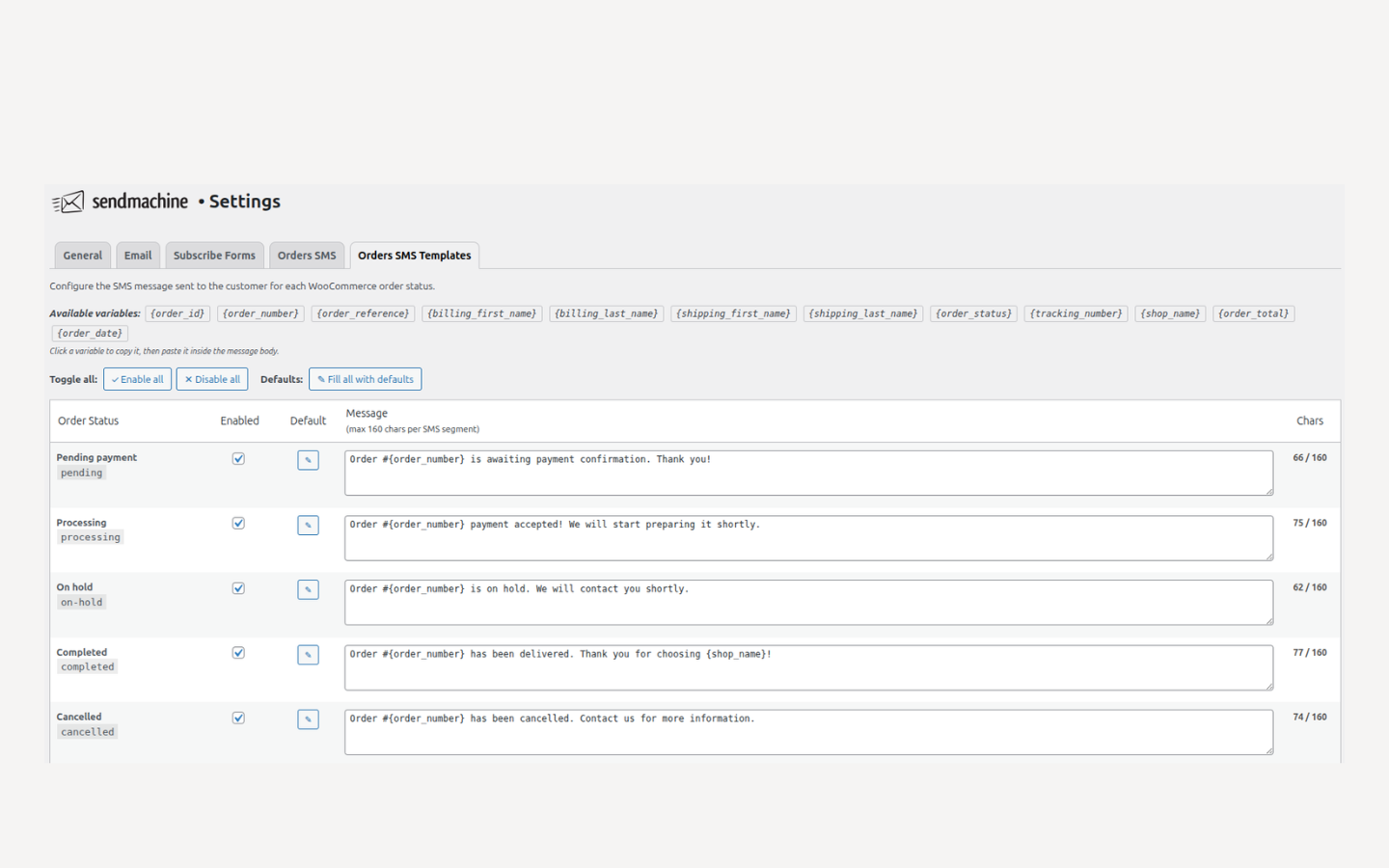
{order_number}, {billing_first_name}, {order_status}, {order_total}, {shop_name} and more. Templates can be reset to their default text at any time.
Test mode
Redirect all outgoing SMS messages to a single test phone number without contacting real customers. Useful for verifying templates before going live.
Send admin copy
Optionally receive a copy of every customer SMS on a separate admin phone number.
SMS delivery log (requires WooCommerce)
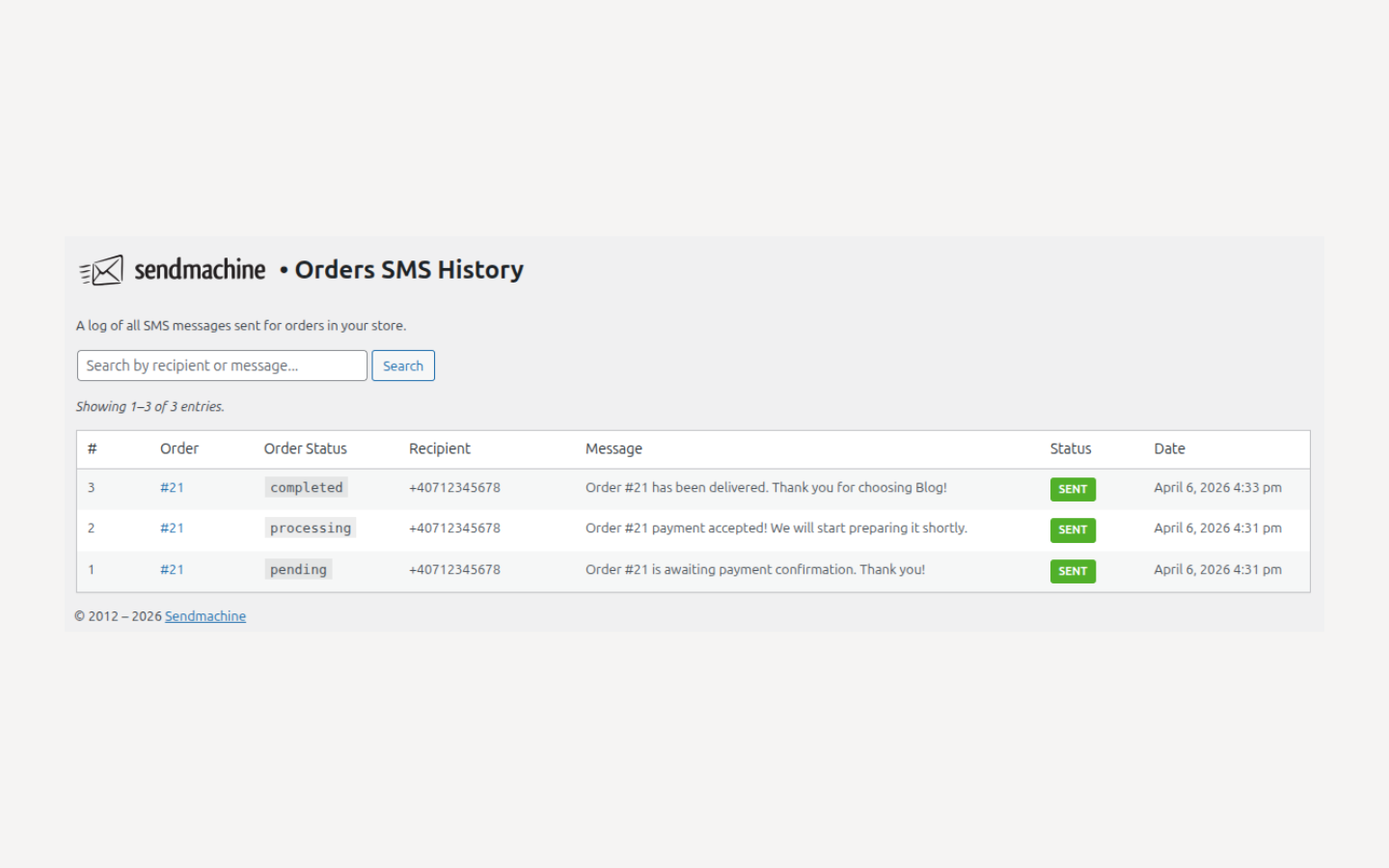
Every SMS sent is logged - including order reference, recipient, message text, delivery status and timestamp. The log is searchable and paginated.
Click tracking
Optionally enable Sendmachine click tracking on links included in your messages.
Custom sender
Set a sender that appears as the sender name on the customer's phone. Requires a sender already configured in your Sendmachine account.
安装:
- Make sure Sendmachine for WordPress is installed and active.
- In your WordPress admin panel, go to Plugins > New Plugin, search for Sendmachine SMS and click Install now
- Alternatively, download the plugin and upload the contents of
sendmachine-sms.zipto your plugins directory, which usually is/wp-content/plugins/ - Activate the plugin through the 'Plugins' menu in WordPress
- Go to Sendmachine > Settings > Orders SMS and configure your sender and phone numbers.
- If you use WooCommerce, go to Sendmachine > Settings > Orders SMS Templates to enable and customise the message templates for each order status.
屏幕截图:
常见问题:
Does this plugin work without Sendmachine for WordPress?
No. This is an addon and requires the Sendmachine for WordPress core plugin to function.
Does this plugin require WooCommerce?
No. WooCommerce is optional. Without it, order SMS features (notifications, templates, history) will not be available, but the plugin will still activate and other SMS features will work normally.
Do I need a Sendmachine account?
Yes. You can create one for free. SMS credits are purchased separately through your Sendmachine account.
Which order statuses are supported?
All standard WooCommerce statuses are supported: pending, processing, on-hold, completed, cancelled and refunded. Custom statuses registered by other plugins are also detected automatically.
Can I disable notifications for certain statuses?
Yes. Each status has its own template with an individual enable/disable toggle in Sendmachine > Settings > Orders SMS Templates.
Where can I see sent messages?
Go to Sendmachine > Orders SMS History to see a log of all sent messages including delivery status.
What variables can I use in templates?
{order_id}, {order_number}, {order_reference}, {order_status}, {order_total}, {order_date}, {billing_first_name}, {billing_last_name}, {shop_name}, {tracking_number}.
更新日志:
- Tested up to v7.0
- Initial release